
V-one Wired USB Gaming Controller
4.2Editor score
Supports multiple platforms
Vibration feedback included
Plug and play setup
Discover the top joysticks for Windows 11 tailored for flight sims and gaming. We compare features compatibility and performance to help you choose the right
Finding the right joystick for Windows 11 can transform your gaming experience. Whether you are simulating flights or playing action games, a quality controller offers precision and comfort. This guide helps you navigate the options available today.
We have evaluated various controllers based on compatibility, build quality, and user feedback. Each product listed here supports Windows 11 and offers unique features for different gaming styles. Our goal is to provide clear insights for informed decisions.
Every pick highlights specific strengths and ideal use cases. You will see ratings and key details to understand what each model offers. Please note that availability and details may change over time as manufacturers update their products.
4.2Editor score

4.4Editor score

4.0Editor score
This side-by-side comparison covers all ten models to highlight their unique strengths. You can quickly see which features align with your specific gaming needs and preferences.






The PXN 2113PRO offers an entry-level option for flight sim enthusiasts on a budget. It features vibration feedback and a comfortable grip suitable for extended play sessions.
We may earn a commission when you buy through this link, at no additional cost to you.
This joystick provides essential controls like a hat switch and programmable buttons. Users can map keys easily to enhance their gameplay experience without complex setup.
While the build is solid for its price, advanced users might find the materials less premium than high-end models. The vibration requires specific settings to be felt effectively.
Ideal for those starting in flight simulation, this controller delivers core functionality. It is a practical choice for casual gamers seeking an affordable Windows 11 compatible stick.
The ergonomic shape fits well in hand allowing for smooth operation during long flights.
Users get a throttle control and multiple buttons which cover basic flight needs without extra cost.
We may earn a commission when you buy through this link, at no additional cost to you.
The Thrustmaster T-Flight Hotas One stands out for its balance of comfort and performance. It brings realistic flight controls to both PC and Xbox Series consoles seamlessly.
We may earn a commission when you buy through this link, at no additional cost to you.
Its detachable throttle allows users to set it on a desk or lap depending on preference. The ergonomic design ensures smooth control during takeoff and landing maneuvers.
While it lacks advanced expansion options, it covers most simulation needs well. The resistance adjustment helps fine-tune the stick for different aircraft types.
This model is perfect for pilots who want quality without breaking the bank. It delivers a reliable experience for both new and seasoned flight sim players.
Separating the throttle gives more setup options whether you play at a desk or on a couch.
The handle is shaped to reduce fatigue ensuring you can play for hours without hand strain.
We may earn a commission when you buy through this link, at no additional cost to you.
The V-one Wired USB Gaming Controller is a budget-friendly choice for casual gaming. It supports a wide range of platforms including Windows 11 Android and PS3.
We may earn a commission when you buy through this link, at no additional cost to you.
Its multi-mode capability allows switching between input standards to ensure broad compatibility. The vibration feature adds feedback to supported games enhancing immersion.
While it is not designed for high-end simulations it works well for general gaming. The build is lightweight which might feel less sturdy than premium sticks.
This controller is ideal for users who need a versatile device at a low cost. It serves well for casual players across different devices without needing extra drivers.
You can use this on many devices including Android phones with an OTG adapter for mobile gaming.
Plug it in and start playing on Windows without needing complex setup or extra software downloads.
We may earn a commission when you buy through this link, at no additional cost to you.
The Thrustmaster USB Joystick is a straightforward tool for basic PC gaming. It focuses on simplicity with essential controls needed for general gameplay.
We may earn a commission when you buy through this link, at no additional cost to you.
Its point of view button offers quick camera adjustments which helps in fast-paced games. The ergonomic handle ensures comfort during short to moderate sessions.
However, the button count is limited compared to modern standards. Users seeking advanced customization might find it restrictive for complex setups.
This joystick suits those who prefer minimalism and reliability. It is a practical option for entry-level users needing a basic Windows controller.
The dedicated view button lets you adjust angles quickly without pausing the game.
Its smaller size fits well on limited desk space making it ideal for smaller setups.
We may earn a commission when you buy through this link, at no additional cost to you.
The Microsoft Sidewinder Precision 2 is a classic known for its durability and precise controls. It offers robust features suitable for simulation enthusiasts.
We may earn a commission when you buy through this link, at no additional cost to you.
Its rotating handle provides excellent rudder control essential for accurate flight simulation. The throttle lever allows for detailed adjustments during gameplay.
Users may need to check software support for newer systems. While robust, it lacks some modern conveniences found in newer models.
This joystick remains popular among fans of traditional designs. It is a reliable choice for those who value precision and build quality.
The rotating handle gives you fine control over rudder movements which helps in accurate turns.
Built to last this model uses high-quality materials that withstand frequent and intense use.
We may earn a commission when you buy through this link, at no additional cost to you.
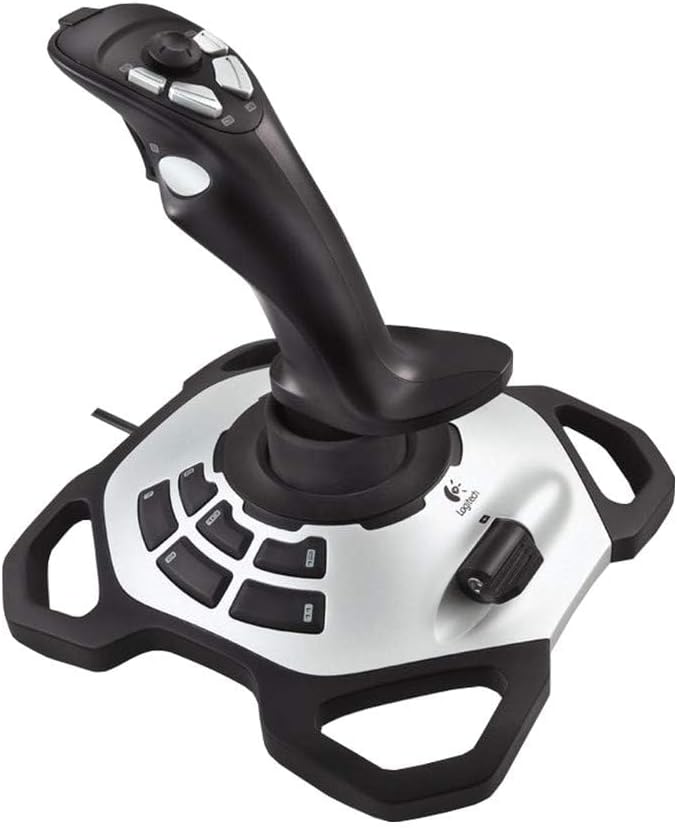
The Logitech Extreme 3D Pro delivers precision and durability for serious gamers. It features high-quality components that ensure consistent performance over time.
We may earn a commission when you buy through this link, at no additional cost to you.
Its ergonomic design supports long gaming sessions without discomfort. The smooth movement of axes allows for accurate inputs in flight simulations.
While it lacks extensive software features it performs well with most games. The build quality is a highlight for users seeking a robust device.
This stick is ideal for those prioritizing hardware quality. It offers a stable and reliable experience for simulation and action games.
The joystick moves smoothly allowing you to make precise adjustments during gameplay.
Built with durability in mind this product is designed to last through many hours of play.
We may earn a commission when you buy through this link, at no additional cost to you.
The VOYEE PC Controller offers a budget-friendly option for general gaming on PC. It supports Xbox 360 compatibility which makes it versatile for many users.
We may earn a commission when you buy through this link, at no additional cost to you.
Its ergonomic design ensures a comfortable grip during extended sessions. The rumble control provides feedback that enhances the overall experience.
This controller is not optimized for flight simulators but works well for action games. The cord length allows flexibility in seating positions.
It is a practical choice for casual gamers seeking a reliable controller. The price and comfort make it a good option for everyday use.
The contours fit naturally in your hand reducing strain during long play sessions.
Rumble features respond to game events adding immersion to your gameplay.
We may earn a commission when you buy through this link, at no additional cost to you.
The Thrustmaster SimTask FarmStick is designed specifically for farming simulation enthusiasts. It provides precise control for operating tractors and heavy machinery.
We may earn a commission when you buy through this link, at no additional cost to you.
Hall effect sensors ensure accuracy and longevity reducing wear over time. The ambidextrous design allows users to configure it based on preference.
While specialized for farming sims it may not suit other genres well. The price is higher but justified for serious simulation fans.
This stick is perfect for those dedicated to agricultural simulations. It offers a unique and detailed control experience for its target audience.
Hall effect sensors provide accurate readings without physical contact ensuring long-term performance.
You can use it with racing wheels or as a standalone stick for different gameplay styles.
We may earn a commission when you buy through this link, at no additional cost to you.
The Logitech G X56 H.O.T.A.S delivers top-tier performance for serious flight sim enthusiasts. It offers an extensive range of controls and customization options.
We may earn a commission when you buy through this link, at no additional cost to you.
Its military-grade precision and RGB lighting create an immersive cockpit feel. The advanced spring system allows you to adjust the force on the stick.
Setup is complex and requires time to configure all buttons effectively. The price is high but reflects the high level of detail and quality.
This is the ultimate choice for professional-grade simulation setups. It provides unparalleled control and immersion for dedicated pilots.
Over 189 controls let you map every function to suit your specific needs.
RGB backlighting adds a professional look and helps identify buttons in the dark.
We may earn a commission when you buy through this link, at no additional cost to you.
The Thrustmaster T.16000M FCS is known for its accuracy and durability. It uses H.E.A.R.T technology to ensure consistent performance without drift.
We may earn a commission when you buy through this link, at no additional cost to you.
Its ambidextrous design makes it comfortable for left and right-handed users. The twist rudder adds a key dimension to flight control.
While it lacks modular expansion it delivers excellent precision. The build quality ensures it remains reliable over many years of use.
This stick is a solid choice for those who value reliability. It offers a balanced experience for simulation and general gaming.
H.E.A.R.T tech ensures the joystick stays accurate and does not wear out over time.
You can swap parts to fit your hand shape ensuring a comfortable fit for anyone.
We may earn a commission when you buy through this link, at no additional cost to you.
Selecting the right joystick involves understanding your gaming needs and technical requirements. This section outlines key factors to consider before making a purchase.
Ensure the controller works seamlessly with your Windows 11 system. Check for driver requirements and supported software.
Look for devices that offer plug and play functionality for easier setup.
High-quality materials ensure durability and a premium feel during use. Consider the weight and resistance of the stick.
Solid construction helps prevent wear and tear over time.
More buttons allow for greater customization and control in complex games. Evaluate how many inputs you typically need.
Programmable buttons help streamline actions during gameplay.
A comfortable grip reduces strain during long sessions. Look for shapes that fit your hand size.
Adjustable resistance can also enhance comfort levels.
Additional features like vibration or twist rudder add to the immersion. Choose based on the games you play.
Some models include RGB lighting or software suites for mapping.
Prices vary widely from entry-level to premium options. Set a limit that balances cost with desired features.
Cheaper models often lack advanced precision but offer good value.
Most joysticks use USB for stable connections. Ensure your PC has available ports.
Wireless options exist but may introduce latency in gaming.
Decide if you need a specialized flight stick or a general controller. Flight simulators require specific axes and rudders.
General gaming might only need basic directional control.
Plug the joystick into an available USB port on your PC. Windows will usually detect it automatically and install necessary drivers.
Open the game settings and map the controller buttons to your preferred actions. Testing each function ensures everything works correctly.
Clean the device regularly with a soft dry cloth. Avoid using harsh chemicals or liquids to maintain longevity.
Most modern joysticks support plug and play so drivers install automatically. However some specialized models may need specific software for full functionality.
A twist rudder allows you to rotate the stick to control yaw. This feature is essential for realistic flight simulation gameplay.
Yes many controllers support general gaming. Check if your game supports joystick input before purchasing.
Wireless offers convenience but wired ensures stable connections. For competitive gaming wired is often preferred to reduce latency.
Use manufacturer software or game settings to remap inputs. This lets you tailor controls to your playstyle easily.
Check the USB connection and ensure drivers are installed. Restarting your PC or reinstalling drivers can also resolve issues.
We explored ten top contenders ranging from budget-friendly to high-end models. Each offers unique features suited for different player needs.
Prioritize build quality and ergonomics for comfort. If you fly often consider precision features like twist rudders.
Always verify current compatibility details before buying. Prices and specs may change as new versions are released.