
HP 14 HD Chromebook
4.4Editor score
Intel Quad-Core N4120 Processor
14 Inch HD Display
Up to 14 Hours Battery
Finding a reliable laptop that fits your budget can be challenging in today's market. Chromebooks offer an excellent balance of performance and affordability for everyday tasks. They are designed to keep you connected with seamless cloud integration and fast boot times.
We have evaluated ten top models based on processor speed, display quality, and user feedback. Our analysis focuses on real-world usability for school, work, and entertainment. Each product was selected for its ability to deliver value without compromising essential features.
Every pick includes detailed specifications and honest assessments of strengths and weaknesses. You will see how each model performs in multitasking and media consumption. Prices fluctuate frequently, so check current listings before making your final purchase decision.
4.4Editor score

4.3Editor score
4.4Editor score
As an Amazon Associate we earn from qualifying purchases.
Below you will find a detailed side by side comparison of all ten selected models. This table highlights key specifications to help you quickly identify which device meets your specific needs and budget constraints effectively.



The HP 14 HD Chromebook stands out as an ideal entry level device for students and casual users. It carries a solid rating reflecting user satisfaction with its balance of cost and functionality. The device handles basic tasks efficiently without lag during typical daily use cases.
We may earn a commission when you buy through this link, at no additional cost to you.
Its Intel Quad-Core N4120 processor provides smooth multitasking capabilities even with multiple browser tabs open. The 14 inch display offers sufficient screen real estate for productivity while keeping the chassis compact enough for travel. Battery life extends up to 14 hours ensuring you stay powered through a full school day.
While the 64GB eMMC storage is limited it serves well for cloud based workflows common with Chrome OS. The HD resolution is adequate for media consumption though it lacks the crispness of Full HD panels found in pricier models. These trade offs are acceptable given the competitive pricing strategy.
If you need a reliable machine for writing essays or video calls this model delivers excellent value. It is particularly suited for families looking for multiple units without breaking the bank. We recommend this for anyone prioritizing portability and battery endurance over high resolution visuals.
The quad core architecture divides workloads effectively allowing seamless switching between apps and browser sessions without freezing.
Users can go nearly a full day on a single charge making it perfect for students away from power outlets for long periods.
We may earn a commission when you buy through this link, at no additional cost to you.
This 2022 model from HP maintains the reliability of the brand with a focus on portability and modern connectivity. It shares similar specs with the previous review but adds refined build quality and better audio tuning. Users appreciate the sleek aesthetic that looks professional in any setting.
We may earn a commission when you buy through this link, at no additional cost to you.
The device features custom tuned stereo speakers which enhance media viewing experiences significantly compared to standard laptop audio. Fast charge technology allows you to recover half the battery in just 45 minutes ensuring you are never stuck without power. Connectivity includes robust Wi-Fi and Bluetooth combo options for stable internet access.
Despite the 4K ready claim the integrated graphics may struggle with intensive 4K playback at high frame rates. Storage remains at 64GB eMMC which limits local file keeping but cloud integration mitigates this issue for most users. The thin chassis makes it easy to slip into a backpack or messenger bag comfortably.
Ideal for professionals who need a secondary device for email and document editing this Chromebook excels. It balances style and substance well enough to serve as a primary machine for light workloads. Consider this if you value audio quality and rapid charging over raw processing power.
Custom tuned stereo speakers provide clearer sound and richer bass making streaming videos more enjoyable than on competitors.
Getting from zero to fifty percent charge in under an hour ensures quick top ups during short breaks between meetings or classes.
We may earn a commission when you buy through this link, at no additional cost to you.
The Dell Chromebook 11 offers a unique 2 in 1 form factor that allows you to use it as a tablet. This flexibility is rare at this price point making it a standout choice for interactive learning or creative apps. The renewed condition ensures it works like new at a fraction of the cost.
We may earn a commission when you buy through this link, at no additional cost to you.
Touchscreen functionality enables natural navigation through web pages and educational apps without relying solely on keyboard shortcuts. The compact 11.6 inch form factor fits easily into smaller bags making it highly portable for students moving between classes. Dual core processing handles basic productivity tasks without noticeable lag in typical usage scenarios.
Storage is limited to 32GB which requires careful management of local files or heavy reliance on cloud storage solutions. The screen resolution is standard HD which is clear enough for reading but lacks the sharpness of larger Full HD displays. These limitations are balanced by the significant savings and versatility offered by the convertible design.
If you want an affordable device for kids or travel that supports touch input this model is highly recommended. It serves well for digital textbooks and drawing apps where touch interaction adds value. We suggest this for users who prioritize flexibility and portability over maximum storage capacity.
Flip the screen back to use it as a tablet making it perfect for reading ebooks or drawing without typing.
Touchscreen capability is usually reserved for premium devices but this model brings it to a budget friendly price range effectively.
We may earn a commission when you buy through this link, at no additional cost to you.
Lenovo brings a high quality display to the budget segment with this Flagship model featuring Full HD resolution. The 14 inch touchscreen offers sharp visuals and responsive touch input for an engaging user experience. The MediaTek Kompanio 520 processor delivers class leading battery life and efficient performance for everyday tasks.
We may earn a commission when you buy through this link, at no additional cost to you.
Connectivity is future proofed with WiFi 6 support ensuring faster wireless speeds and better performance in crowded networks. The slim profile and light weight make it easy to carry around campus or office environments without strain. Integrated 720p webcam with privacy shutter adds a layer of security during video conferences.
While the processor is efficient some users may notice limitations in gaming or heavy multitasking due to only 4GB RAM. Driver support for MediaTek chips can sometimes lag behind Intel counterparts in specific specialized applications though it works well for Chrome OS. This is a minor trade-off for the excellent screen and battery life provided.
Students and professionals needing a sharp screen for presentations or media will find this device compelling. It balances performance and portability well enough for daily use. We recommend it for those who want a Full HD display without paying premium prices.
Full HD resolution provides crisp text and vibrant colors making reading and viewing photos a pleasure on this screen.
WiFi 6 ensures faster download speeds and more stable connections when many devices are connected to the same network.
We may earn a commission when you buy through this link, at no additional cost to you.
This Acer model stands out for including a comprehensive accessory bundle that adds significant value to the purchase price. It features a large 15.6 inch display which provides ample workspace for document editing and spreadsheet work. The anti glare coating reduces eye strain during long study or work sessions in bright environments.
We may earn a commission when you buy through this link, at no additional cost to you.
The Intel Celeron N4020 processor ensures responsive performance for web browsing and media consumption without overheating issues. Accessories like a wireless mouse and HDMI cable are included so you can use the device effectively right out of the box. The narrow bezel design maximizes the screen area within a manageable chassis size.
Portability is reduced compared to smaller models due to the larger screen and added accessories. This makes it better suited for a stationary desk setup rather than constant travel between classes. Users prioritizing screen real estate will appreciate the extra inches for multitasking windows side by side comfortably.
If you need a primary laptop for home use this bundle offers everything you need to get started immediately. The included mouse makes navigation more precise than relying on a trackpad alone. We suggest this for users who want a complete package without buying extra peripherals separately.
The 5 in 1 bundle includes mouse and cables saving you the hassle and cost of buying accessories separately later on.
A 15.6 inch screen offers more room to work with multiple windows open which boosts productivity for typing and research.
We may earn a commission when you buy through this link, at no additional cost to you.
The ASUS model offers a notable upgrade in storage with 128GB capacity allowing more local files and apps. The IPS display ensures consistent colors and wide viewing angles making it great for collaborative work or media watching. A renewed condition means you get near new performance at a discounted price point effectively.
We may earn a commission when you buy through this link, at no additional cost to you.
DDR4 memory provides better bandwidth than older generations helping to keep apps running smoothly during active use. The Intel processor boosts up to 2.80GHz ensuring quick boot times and responsive application launching when you need them. HDMI port availability simplifies connecting to external monitors for presentations or dual screen setups easily.
While it lacks a traditional SSD the flash storage is fast enough for typical Chrome OS operations. The design is standard without ultra thin aesthetics but offers robust durability for everyday handling. This device is a practical choice for those needing more space without paying full retail prices for new units.
Ideal for users who store large local media files or need extra room for offline tools this laptop fits well. The renewed status lowers the entry barrier while maintaining functional integrity for daily tasks. We recommend this for budget conscious buyers who prioritize storage and screen quality over brand new packaging.
With 128GB you can keep more photos and documents offline without needing to constantly manage cloud storage space.
IPS technology ensures accurate colors from different angles making it better for group viewing than standard TN panels.
We may earn a commission when you buy through this link, at no additional cost to you.
This HP Chromebook distinguishes itself with a unique Ceramic White finish that looks sophisticated and modern. It carries a strong rating from users who appreciate the aesthetic and build quality of the device. Performance is adequate for everyday tasks with a focus on long battery life and eco-friendly manufacturing.
We may earn a commission when you buy through this link, at no additional cost to you.
The 32GB eMMC storage limits local file keeping but cloud integration remains the primary workflow for most Chromebook users. Battery life extends up to 13 hours and 30 minutes ensuring you can work through long days without plugging into a power outlet. The backlit keyboard improves typing comfort in low light environments effectively.
While the N4000 processor is not the latest it handles web apps and video calls with ease. The environmentally conscious build uses low halogen materials reducing the carbon footprint of your device. These features make it a thoughtful choice for eco-aware buyers who value design and sustainability equally.
If you want a laptop that looks great in a coffee shop or office this model stands out. It is perfect for users who prioritize portability and style alongside functional performance. We suggest it for those who value aesthetics and green manufacturing in their daily tech.
The Ceramic White design adds a touch of elegance to a budget device making it look far more expensive than it is.
Low halogen materials and EPEAT registration show a commitment to sustainability and responsible manufacturing practices.
We may earn a commission when you buy through this link, at no additional cost to you.
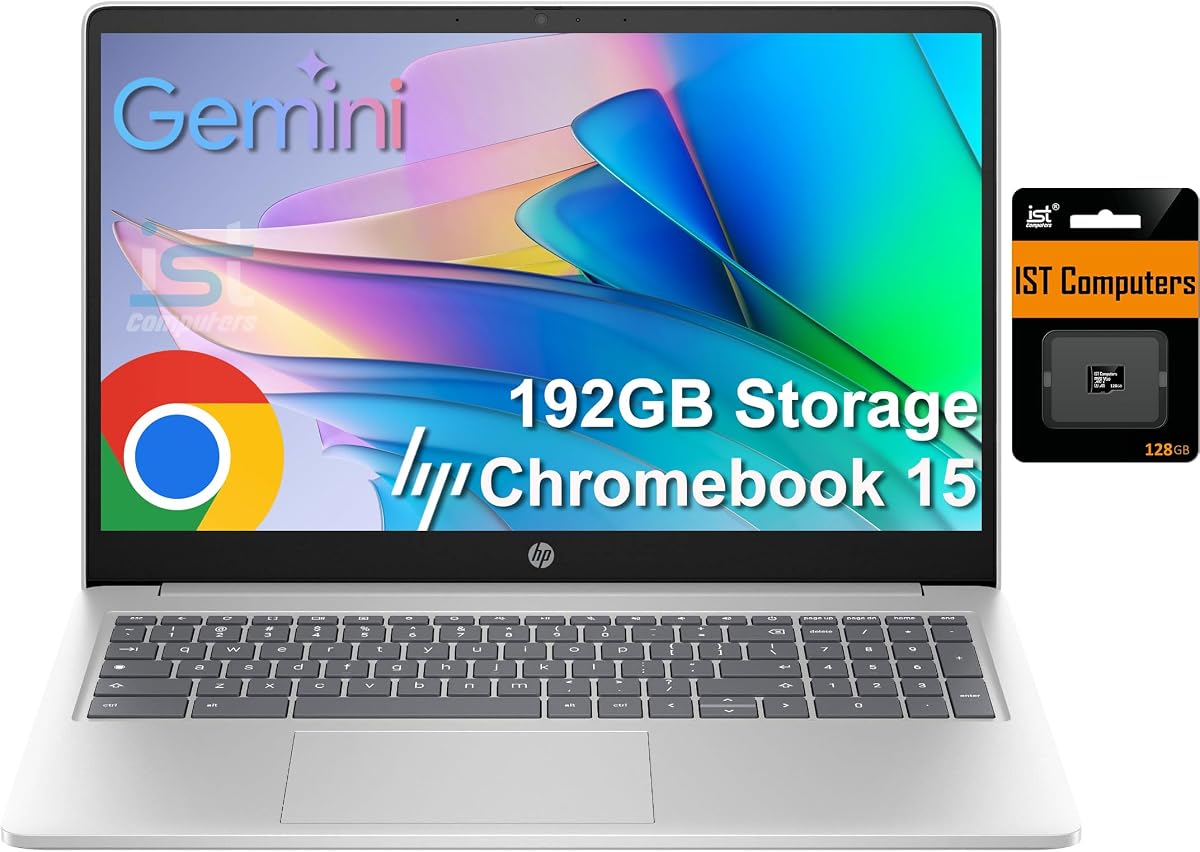
The HP Chromebook 15 represents a high end option in the affordable space with 8GB of DDR5 RAM. This allows for seamless multitasking and faster app switching than most other models on this list. The expanded storage capacity ensures you have plenty of room for local files without relying solely on the cloud.
We may earn a commission when you buy through this link, at no additional cost to you.
Powered by the Intel N200 processor it delivers efficient performance for daily tasks and video calls with ease. The numeric keyboard is a welcome addition for users who frequently work with numbers or data entry tasks regularly. AUE date extending to 2030 guarantees long term security updates and device support for years.
While the screen is HD not FHD the larger 15.6 inch size still provides good workspace for productivity. The price point is higher than other options but the RAM and storage justify the investment for power users. This model bridges the gap between budget and premium segments effectively in this category.
If you need a Chromebook for data entry or heavy multitasking this device is your best choice. It is ideal for small business users or students who need more than basic browser performance. We recommend this for anyone who wants premium features without buying a traditional Windows laptop.
With 8GB DDR5 RAM you can run multiple apps and tabs simultaneously without any slowdown or lag during work.
Auto Update Expiration in 2030 means your device will stay secure and up to date for many years after purchase.
We may earn a commission when you buy through this link, at no additional cost to you.
This Acer model offers a striking Dale Purple color that stands out from standard silver and black laptops. It is renewed which means it has been inspected and tested to ensure it works like new. The inclusion of DDR5 memory and WiFi 6 shows modern connectivity features are present in this budget-friendly unit.
We may earn a commission when you buy through this link, at no additional cost to you.
The Full HD IPS panel provides sharp visuals and good color accuracy for media consumption or creative work. 4GB of DDR5 RAM allows for efficient system performance though it is still limited for heavy multitasking scenarios. The Intel processor boosts up to 2.78GHz ensuring responsive handling of everyday web apps effectively.
While the renewed condition saves money it may not include the full manufacturer warranty found with new units. Storage is limited to 64GB which requires careful management or reliance on cloud services for larger files. This makes it best for users who understand cloud workflows and do not need massive local storage.
If you want a device with personality and modern specs this model is a strong contender. It is perfect for students who value color options and fast wireless connectivity in their daily tech. We suggest it for those who prioritize aesthetics and performance over brand new condition.
DDR5 RAM and WiFi 6 ensure the device handles fast data transfer and stable internet connections efficiently.
The unique Dale Purple finish allows you to stand out with a device that looks different from standard laptops.
We may earn a commission when you buy through this link, at no additional cost to you.
The Lenovo 100E is a true entry level device designed for basic use and tight budgets. It is compact and durable making it suitable for young students or simple tasks. Renewed condition ensures it works reliably while offering one of the lowest price points on this entire list.
We may earn a commission when you buy through this link, at no additional cost to you.
With only 16GB of storage you will rely heavily on cloud storage and external drives for file management. The MediaTek processor handles basic browsing and typing tasks but may struggle with heavy multitasking or video calls. Its small 11.6 inch screen is portable but limits viewing space for spreadsheets or editing.
Performance is adequate for reading and writing but not suitable for complex applications or gaming. The build is robust enough to withstand daily handling by students moving between classes or rooms. It serves as a functional tool for learning without the cost of a more advanced laptop system.
If you need a cheap device for a child or as a spare machine this model is practical. It is best for users who only need basic access to web tools and email services. We recommend this for strict budget constraints where functionality is the only priority.
Small size and light weight make it easy to carry anywhere without adding bulk to your bag or backpack.
The price makes it accessible for anyone needing a simple computing solution without breaking the bank.
We may earn a commission when you buy through this link, at no additional cost to you.
Selecting the right Chromebook requires understanding your specific needs and budget constraints. This guide breaks down the key factors to ensure you make an informed decision that aligns with your daily tasks.
The processor is the brain of your Chromebook and determines how smoothly it handles tasks. Intel Celeron N series and MediaTek chips are common in budget models. Look for at least a dual core processor for basic browsing and multitasking to avoid lag.
Choose a processor that matches your workload intensity. For heavy multitasking aim for quad core options to ensure smooth operation without slowdowns.
RAM controls how many apps can run simultaneously without slowing down the system. Most budget Chromebooks come with 4GB of RAM which is adequate for standard use. If you plan to keep many tabs open consider models with 8GB for better performance.
Always prioritize models with more RAM to future proof your device. Limited RAM can lead to slower performance over time as software updates demand more resources.
Storage on Chromebooks is often limited to eMMC or flash memory. You should expect between 32GB and 64GB in budget models. Since Chrome OS is cloud focused this is usually enough for basic users relying on Google Drive.
Consider models with 128GB or external expandability if you need to store files locally. Limited space requires discipline in managing downloads and documents to avoid filling up quickly.
Display resolution and size impact your visual experience significantly. HD screens are common but Full HD panels offer sharper text and images. IPS technology provides better viewing angles which is useful for collaborative work.
Select a screen size that matches your portability needs. 14 inch models balance workspace and weight well while smaller screens are easier to carry daily.
Battery endurance is crucial for students and professionals on the go. Look for models rated at least 10 hours to survive a full day. Fast charge features can add flexibility by quickly topping up power during short breaks.
Prioritize battery life if you often work away from outlets. Models with efficient processors and displays tend to offer longer runtimes on a single charge.
Ports and wireless standards define how you connect to peripherals and networks. USB-C ports are essential for modern charging and data transfer. WiFi 6 support ensures faster speeds in crowded environments like schools or offices.
Check for the ports you need such as HDMI or USB-A for legacy devices. Comprehensive connectivity options reduce the need for dongles and adapters constantly.
The physical construction determines how well the laptop survives daily wear and tear. Look for sturdy hinges and spill resistant keyboards if you plan on frequent use. Reinforced designs are often found in educational models.
A durable build extends the lifespan of your device significantly. Investing in a robust chassis protects your device from accidental drops or bumps.
Chromebooks have an Auto Update Expiration (AUE) date which dictates how long they receive security updates. Aim for models with support extending beyond 2025 to ensure longevity. This is often found in higher end budget models.
Always verify the AUE date before purchasing to ensure your device stays secure for years. Limited support can make older devices unsafe for internet browsing.
Start by setting up your Google account to sync data across devices seamlessly. Install only the apps you need to keep the system light and responsive over time. Use the built-in updates to maintain security and performance standards efficiently.
Protect your Chromebook by using a carrying case or sleeve when transporting it. Avoid exposing it to extreme temperatures or moisture to prevent hardware damage over time. Clean the screen with a microfiber cloth regularly to remove fingerprints and dust buildup.
Extend battery life by reducing screen brightness and closing unused tabs when idle. Use offline modes for essential tools when internet access is unreliable or unavailable. Periodically restart the device to clear memory and keep performance optimized for daily tasks.
You cannot run desktop versions of Office directly but you can use Google Docs or Office for Web. These alternatives allow you to create and edit documents effectively in a browser. They sync seamlessly with cloud storage for easy access to your files.
Most users find 64GB sufficient because Chrome OS relies on cloud storage for files. If you download many media files or offline apps consider models with 128GB or more. For basic browsing and schoolwork lower capacity is usually enough.
They are not designed for heavy gaming but support cloud gaming services like GeForce Now. You can play popular titles through your browser without installing heavy software. Performance depends on your internet connection more than the device itself.
eMMC is slower than SSD but cheaper and sufficient for basic Chrome OS operations. SSDs boot faster and handle large file transfers better. Budget Chromebooks typically use eMMC to keep costs down for everyday use.
Yes you can use offline modes in Gmail Docs and Sheets when you have no internet. You just need to enable offline access before disconnecting. Changes sync automatically once you reconnect to a network.
Yes if you want to save money on a reliable device. Reputable sellers test and refurbish them to like new condition. Just check warranty terms before purchasing to ensure you are protected.
We have explored ten excellent options ranging from ultra budget models to high performance choices. The HP 14 HD Chromebook leads the budget list while the HP Chromebook 15 DDR5 tops the premium options.
When choosing prioritize factors like battery life and storage based on your specific daily needs. Ensure the device supports your required software and connectivity options before buying.
Prices are subject to change frequently so check current listings for the best deals available. Your ideal choice depends on balancing performance and cost for your unique workflow needs.