
BENFEI USB 3.0 Switch
4.1Editor score
Supports 5Gbps data transfer speeds
Includes extra power supply slot
Simple button switching with LED
This guide compares the top keyboard and mouse switch for 2 computers to help you share peripherals efficiently across dual PC setups without cable swapping.
Managing multiple computers often requires constantly unplugging and replugging peripherals like keyboards and mice. A dedicated switch simplifies this workflow by letting you toggle between systems instantly. This guide explores the best options available to streamline your dual PC environment effectively.
We evaluated leading USB switches based on data transfer speeds, port configurations, and compatibility across operating systems. Each product was assessed for ease of use, build quality, and reliability during extended daily operations. Our analysis ensures you find a switch that meets your specific workflow needs.
Each selection highlights unique strengths such as budget friendly pricing or advanced port flexibility for varied setups. Please note that prices and availability change frequently so verify current details before purchasing. Use this guide to make an informed decision tailored to your computing requirements today.
4.1Editor score

4.6Editor score
4.3Editor score
The following table provides a side-by-side comparison of all ten selected products highlighting key specifications and features to help you decide quickly.


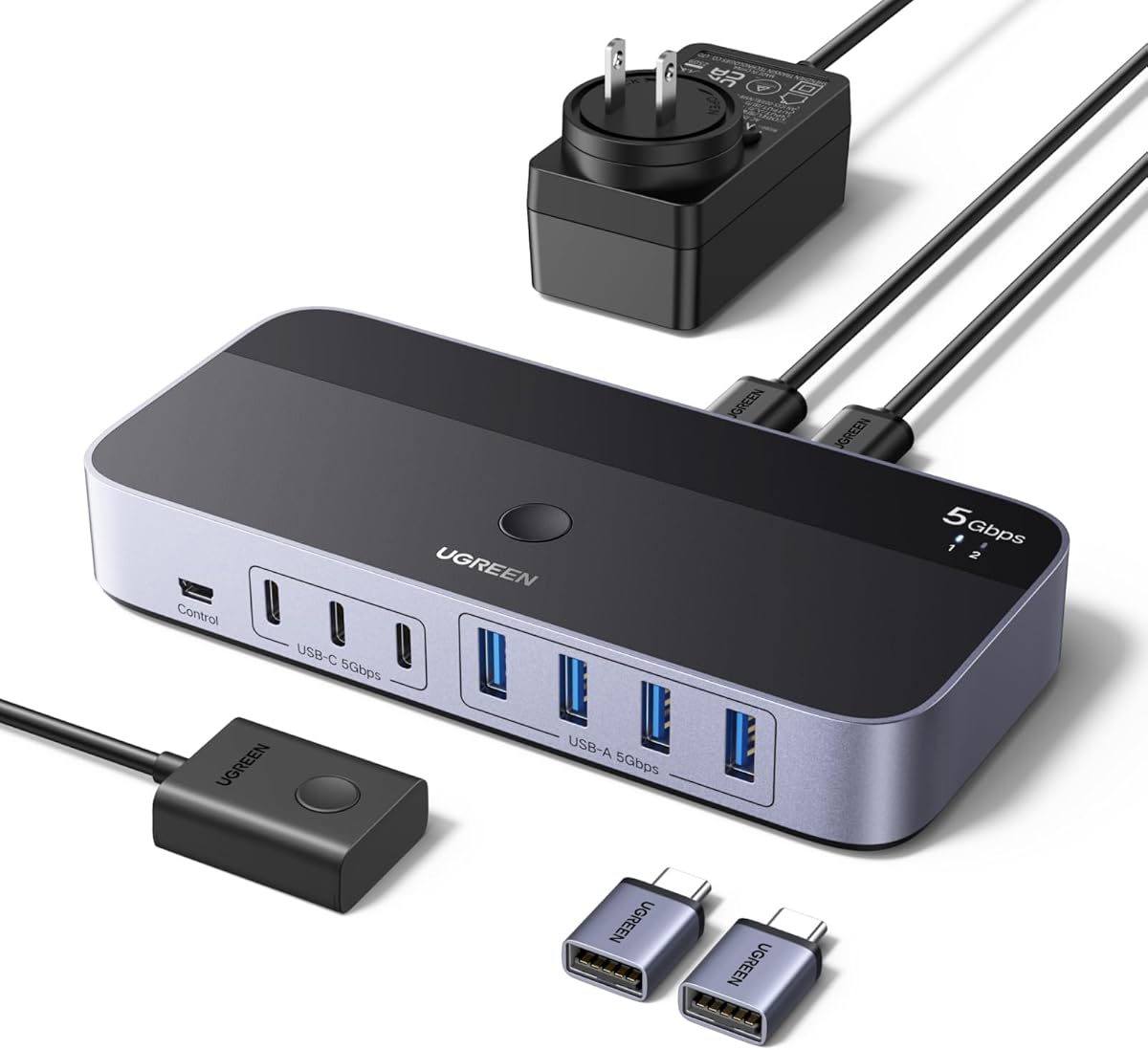
This UGREEN USB switch offers a robust solution for sharing peripherals between two computers. It features a four port design that supports both USB A and C devices making it versatile for modern setups. The inclusion of an external controller adds convenience for managing devices without cluttering your desk.
We may earn a commission when you buy through this link, at no additional cost to you.
Its high speed data transfer capability ensures efficient file movement between systems without bottlenecks. The plug and play nature means no drivers are needed for Windows or Linux users. The optional power supply option helps maintain stability when connecting high power devices like hard drives.
While it lacks video switching capabilities the USB focus makes it ideal for peripheral sharing tasks. Users should be mindful that USB C devices might need adapters for connectivity. The design prioritizes data and utility over multimedia integration.
Ideal for professionals managing dual workstations this switch streamlines workflow significantly. It balances functionality and ease of use effectively for daily tasks. We recommend it for those needing flexible USB access across multiple systems.
Supports both USB A and C ports to accommodate a wide range of modern and legacy peripherals seamlessly.
Delivers up to 5Gbps speeds for quick file transfers between computers without slowing down your workflow.
We may earn a commission when you buy through this link, at no additional cost to you.
The BENFEI USB 3.0 Switch stands out as a budget friendly option without compromising essential functionality. It provides four ports for sharing devices like keyboards and printers across two computers. The LED indicator helps users quickly identify the active system during switching.
We may earn a commission when you buy through this link, at no additional cost to you.
Its support for high speed data transfers ensures files move efficiently between machines. The inclusion of a power supply slot adds flexibility for connecting power hungry devices like external hard drives. Compatibility spans Windows Mac and Linux making it widely accessible.
While the build is functional it lacks premium materials compared to higher end models. The power adapter is sold separately which might add to the total cost for some users. However the value proposition remains strong for basic sharing needs.
Best for users seeking cost effective dual PC management this switch delivers reliable performance. It simplifies peripheral sharing without complex setup steps. We recommend it for home offices or students managing multiple systems.
Offers essential sharing features at an affordable price making it accessible for budget conscious buyers.
Includes a dedicated slot for external power to ensure stable operation with high demand devices.
We may earn a commission when you buy through this link, at no additional cost to you.
This compact USB switch excels in simplicity and build quality for basic sharing needs. The aluminum alloy shell provides durability and better heat dissipation than plastic alternatives. It includes all necessary cables to start using immediately after unboxing.
We may earn a commission when you buy through this link, at no additional cost to you.
Users appreciate the one button switching mechanism which reduces effort during daily transitions between computers. The high rating reflects consistent performance and user satisfaction across various operating systems. It supports up to 5Gbps for fast data movement.
While the port count is limited to two devices it is sufficient for keyboard and mouse setups. The lack of an external controller means switching happens at the device location. This trade off keeps the design streamlined and affordable.
Ideal for minimalists or those with limited desk space this switch offers great value. It prioritizes build quality and ease of use over extensive features. We recommend it for simple dual PC peripheral sharing tasks.
Features an aluminum alloy shell that resists wear and dissipates heat efficiently during long usage.
Includes two USB 3.0 cables so you can start sharing devices right out of the box.
We may earn a commission when you buy through this link, at no additional cost to you.
UGREEN provides a straightforward switching solution ideal for sharing keyboards and mice efficiently. The two port design keeps the setup simple without unnecessary complexity for most users. Cables are included to ensure immediate functionality upon setup.
We may earn a commission when you buy through this link, at no additional cost to you.
The one button interface makes switching between computers intuitive and fast during daily tasks. Its compatibility spans major operating systems ensuring broad usability across different environments. Data transfer speeds support efficient file sharing when needed.
While it does not handle video signals it focuses on peripheral reliability and ease of use. The design is utilitarian which may not suit users seeking advanced customization or aesthetic appeal. It remains a solid choice for essential sharing needs.
Best for office environments requiring reliable keyboard and mouse sharing this model delivers. It balances performance and cost effectively for standard workflows. We recommend it for users needing a no fuss switching experience.
Features a single button interface that allows quick and easy switching between connected computers.
Works seamlessly with Windows macOS and Linux without requiring additional driver installations.
We may earn a commission when you buy through this link, at no additional cost to you.
This KVM switch combines USB sharing with HDMI video capabilities for a complete dual PC solution. It allows one monitor to display output from two computers reducing hardware costs. The high resolution support ensures crisp visuals for multimedia tasks.
We may earn a commission when you buy through this link, at no additional cost to you.
Four USB ports enable sharing keyboards mice and storage drives effectively across systems. The included remote switch offers placement flexibility keeping the desk tidy. Plug and play setup simplifies installation for most users.
While costlier than USB only options it provides superior value for users needing video switching. Users should ensure HDMI cables are available or purchased separately. The 4K support makes it suitable for creative or gaming setups.
Ideal for those needing a shared monitor this switch streamlines workspace efficiency. It eliminates clutter while maintaining full control over both systems. We recommend it for professional or home office multi PC setups.
Delivers 4K at 60Hz video quality for sharp and smooth visuals across your monitor.
Allows control of monitor keyboard and mouse with one device to reduce desk clutter.
We may earn a commission when you buy through this link, at no additional cost to you.
This USB switch is designed for users with older peripherals that rely on USB 2.0. It provides four ports for sharing essential devices like scanners and keyboards effectively. The one button interface simplifies switching between systems during daily work.
We may earn a commission when you buy through this link, at no additional cost to you.
Users benefit from optional power support that ensures stability with multiple connected devices. It includes necessary cables to start using right away. Compatibility spans Windows Mac and Linux offering broad usability for home users.
While speeds are slower than USB 3.0 it meets basic needs for keyboards and mice. The build quality is reliable and well regarded in user feedback. It is a practical choice for legacy hardware integration.
Best for budget conscious users with older setups this switch offers solid performance. It prioritizes functionality and simplicity over raw speed. We recommend it for maintaining legacy hardware efficiently.
Compatible with USB 2.0 peripherals making it ideal for older scanners and printers.
Features a one button design for quick and effortless switching between computers.
We may earn a commission when you buy through this link, at no additional cost to you.
This model offers a balanced combination of speed and port availability for varied setups. The four ports allow sharing keyboards mice and storage drives efficiently. USB 3.0 speeds ensure quick data transfers between connected computers.
We may earn a commission when you buy through this link, at no additional cost to you.
An extra USB C power port supports high power devices like external hard drives. Cables are included to reduce setup time and hassle. Compatibility is broad across major operating systems for easy integration.
While it lacks an external controller the button switch is straightforward for desktop use. Users should note that the power adapter is sold separately for high demand devices. This design keeps costs reasonable while maintaining utility.
Ideal for users needing reliable peripheral sharing this switch delivers consistent performance. It fits well into home office or professional workflows. We recommend it for balanced dual PC management needs.
Provides four USB 3.0 ports to share multiple devices without constant unplugging.
Supports up to 5Gbps speeds for efficient file movement between systems.
We may earn a commission when you buy through this link, at no additional cost to you.
This switch offers extensive connectivity with seven ports for complex multi-device setups. It supports both USB A and C devices making it adaptable for modern and older hardware. The included power adapter ensures stable performance under heavy load.
We may earn a commission when you buy through this link, at no additional cost to you.
An external controller allows convenient switching without reaching for the main unit. The USB C adapter is included for seamless setup with newer laptops. It simplifies managing keyboards printers and drives across multiple systems effectively.
While the larger size might require more desk space it delivers high functionality. The cost is higher than basic options but justified by port count and features. Users should check physical space before purchasing.
Best for power users managing many peripherals this switch provides unmatched flexibility. It reduces cable clutter while maintaining access to all devices. We recommend it for advanced multi-device dual PC environments.
Offers seven ports to connect and share a wide variety of USB devices seamlessly.
Comes with power adapter and USB C adapter for complete ready to use setup.
We may earn a commission when you buy through this link, at no additional cost to you.
This basic switch provides a simple solution for sharing keyboards and mice between two computers. It includes an external controller to keep the main unit hidden for a clean desk. The LED indicator helps identify the active system clearly.
We may earn a commission when you buy through this link, at no additional cost to you.
Powered directly by USB it eliminates the need for extra power sources. Cables are included to start using immediately without additional purchases. Compatibility covers Windows Mac and Linux for broad user support.
While build quality is standard it meets essential needs effectively. The port count is limited to two devices which fits most minimal setups. Users seeking advanced features may need to look elsewhere.
Best for those new to USB switching this model offers easy entry. It simplifies dual PC management without complexity. We recommend it for straightforward keyboard and mouse sharing tasks.
Plug and play design allows immediate use without driver installations or software.
Includes a desktop controller to switch systems without moving the main unit.
We may earn a commission when you buy through this link, at no additional cost to you.
This high performance switch offers 10Gbps transfer speeds for rapid file movement between systems. The seven port layout supports extensive device sharing for complex workflows. It includes a power adapter to ensure stability during heavy usage.
We may earn a commission when you buy through this link, at no additional cost to you.
Support for both USB A and C devices provides maximum flexibility. The Type C converter is included for seamless integration with modern laptops. It simplifies managing keyboards mice and storage drives effectively.
While costlier the speed and port count justify the investment for power users. The larger footprint requires adequate desk space. It is ideal for those needing maximum connectivity and transfer efficiency.
Best for professionals managing large file transfers this switch delivers unmatched speed. It balances advanced features with practical utility. We recommend it for high performance dual PC environments.
Delivers up to 10Gbps speeds for rapid data movement between connected systems.
Features seven ports supporting both USB A and C devices for total flexibility.
We may earn a commission when you buy through this link, at no additional cost to you.
Selecting the right switch requires understanding your specific needs regarding port counts and transfer speeds.
Consider how many devices you need to share simultaneously between your computers. Options range from two ports for just a keyboard and mouse to seven ports for extensive setups including printers and storage drives. Ensure the switch matches your current and future hardware requirements.
Look for USB 3.0 support offering 5Gbps speeds or USB 3.2 for 10Gbps performance. Faster speeds benefit file transfers and external drives significantly while standard keyboards and mice work fine with slower options. Choose based on your data movement needs.
Verify that the switch supports Windows macOS Linux or Chrome OS seamlessly. Most models are plug and play but some may require specific drivers for certain systems. Ensure broad compatibility to avoid installation headaches across your devices.
High power devices like external hard drives often need external power support for stability. Check if the switch includes an extra power port and adapter or requires separate purchases. Proper power management prevents disconnects during use.
Decide between button switching on the unit or external controllers for convenience. External controllers allow placing the switch away from your desk reducing clutter effectively. Choose based on your preferred workflow and desk space.
Materials like aluminum alloy offer better durability and heat dissipation than plastic. Higher build quality ensures longevity especially in busy office environments. Invest in sturdy options if you plan daily heavy usage over time.
Set a budget that balances necessary features with cost. Basic switches offer affordability while premium ones add speed and port count. Compare specs to ensure you get the best value for your specific dual PC needs.
Begin by connecting your keyboard mouse and other peripherals to the output ports of the switch. Then plug the input cables into your two computers using the included USB cables. Ensure all connections are secure before powering on.
A USB switch allows you to share peripheral devices like keyboards and mice between two separate computers. It simplifies workflows by eliminating the need to unplug and replug cables manually when switching systems.
Standard USB switches do not support video output or HDMI signals. If you need to share a monitor along with peripherals you should look for a KVM switch that includes HDMI capabilities specifically.
Yes USB 3.0 switches are backward compatible with USB 2.0 devices. They operate at the lower speed of the connected device but maintain full functionality for keyboards and mice.
Most modern switches are plug and play requiring no driver installations. They work immediately upon connection with Windows macOS and Linux systems automatically without software setup.
Yes you can share printers and scanners using these USB switches. Just ensure you have enough ports available and connect the devices correctly to the output side of the switch.
External power ensures stability when connecting high power devices like external hard drives. It prevents insufficient power supply issues that might cause disconnections or unstable performance during use.
USB 3.2 switches offer faster data transfer speeds up to 10Gbps compared to 5Gbps on 3.0 models. The difference matters mostly for large file transfers while regular input devices see minimal speed impact.
This guide explored ten top switches ranging from budget options to high performance models. Each offers unique benefits depending on your port needs and speed requirements.