
SSK Portable SSD 1TB
4.5Editor score
Up to 1050MB/s speed
Lightweight design
USB-C and USB-A
This guide compares the top External SSD for MacBook Neo models for speed durability and capacity helping you choose the perfect portable storage for your
Finding the right External SSD for MacBook Neo is essential for professionals who need reliable storage on the go. Whether you are editing video or managing large files, speed and durability matter greatly.
We have analyzed ten top-rated drives based on speed performance and build quality. Each option offers unique benefits for different workflows and budgets without compromising on essential features.
Every pick highlights key specifications and real-world usability. Note that availability and costs may fluctuate so check current listings before making your final decision today.
4.5Editor score

4.6Editor score

4.6Editor score
This side-by-side comparison outlines the key specifications and strengths of each drive to help you quickly identify the best fit for your specific needs and budget.






The Samsung T9 Portable SSD stands out as a top choice for users seeking high performance and reliability. With a rating of 4.6 stars it delivers sustained speeds that make file transfers feel instantaneous.
We may earn a commission when you buy through this link, at no additional cost to you.
Its standout feature is the ability to reach up to 2000MB/s read speeds which is nearly double many competitors. The dynamic thermal guard ensures the drive stays cool even during heavy editing sessions.
While it is priced higher than some options the performance benefits justify the cost for professionals. The only trade-off is ensuring your device supports USB 3.2 Gen 2×2 to unlock full potential.
This drive is ideal for content creators and professionals who need fast reliable storage. If you value speed and thermal stability it is the recommended choice for your MacBook Neo setup.
Experience near-instant file transfers with read speeds reaching 2000MB/s for efficient workflows.
The dynamic thermal guard keeps the drive cool during intensive tasks to prevent performance throttling.
We may earn a commission when you buy through this link, at no additional cost to you.
The SSK Portable SSD offers excellent value without compromising on essential performance metrics. It holds a rating of 4.5 stars and provides fast access to your files with minimal wait time.
We may earn a commission when you buy through this link, at no additional cost to you.
Weighing only 36.6g it is one of the lightest options available making it perfect for travel. The SLC caching ensures consistent speeds during large file transfers within the cache limit.
Although it lacks advanced software tools its hardware performance is solid for the price. The compact aluminum case helps dissipate heat effectively ensuring stable operation over time.
Budget-conscious users will find this drive highly appealing for everyday storage needs. It balances cost and performance well for those who prioritize mobility and speed.
Weighing just 36.6g it is incredibly easy to carry in a pocket or bag.
SLC caching technology maintains steady write speeds for reliable data transfers.
We may earn a commission when you buy through this link, at no additional cost to you.
The Sandisk 2TB Extreme Portable SSD is built for users who demand ruggedness and capacity. With a 4.6 star rating it offers peace of mind with its high level of protection.
We may earn a commission when you buy through this link, at no additional cost to you.
Its IP65 rating and 3-meter drop protection make it suitable for harsh environments. The 2TB capacity provides ample space for large projects without needing multiple drives.
While it is more expensive than average options the build quality justifies the investment. Password protection keeps sensitive data secure while the carabiner loop aids portability.
Professionals working outdoors or in tough conditions will appreciate this robust solution. It is a premium choice for those who prioritize durability and storage space above all else.
IP65 water and dust resistance with 3-meter drop protection ensures reliability anywhere.
With 2TB of storage you can store hours of video and large datasets easily.
We may earn a commission when you buy through this link, at no additional cost to you.
The Lexar ES3 1TB Silver offers a stylish and compact solution for portable storage. It has a rating of 4.4 stars and focuses on design alongside functional performance features.
We may earn a commission when you buy through this link, at no additional cost to you.
At only 10.5mm thick it fits easily into pockets without adding bulk. The data safety features include 256-bit AES encryption to keep your files secure on the go.
While it may not match the highest ratings in the market it still delivers reliable speeds. The silver finish gives it a modern look that complements sleek devices like MacBook Neo.
Users looking for a balance of style and function will find this drive appealing. It is a solid option for general use where design matters as much as performance.
At 10.5mm thick it is one of the slimmest drives available for easy carrying.
Included encryption software helps keep private files safe from unauthorized access.
We may earn a commission when you buy through this link, at no additional cost to you.
The SAMSUNG T7 Portable SSD is a well-rounded drive known for reliability and speed. It holds an impressive 4.7 star rating reflecting high user satisfaction across various use cases.
We may earn a commission when you buy through this link, at no additional cost to you.
Its aluminum unibody construction provides shock resistance up to 6 feet which enhances durability. The PCIe NVMe technology ensures fast read and write speeds for efficient workflow.
While it does not have unique features it delivers consistent performance for general users. The compatibility with phones and consoles makes it versatile for multi-device households.
This drive is perfect for users who need a dependable all-purpose storage solution. Its balance of build quality and speed makes it a trusted choice for many professionals.
Solid aluminum body provides excellent durability and heat dissipation performance.
Works with PCs, consoles, and mobile devices for flexible usage options.
We may earn a commission when you buy through this link, at no additional cost to you.
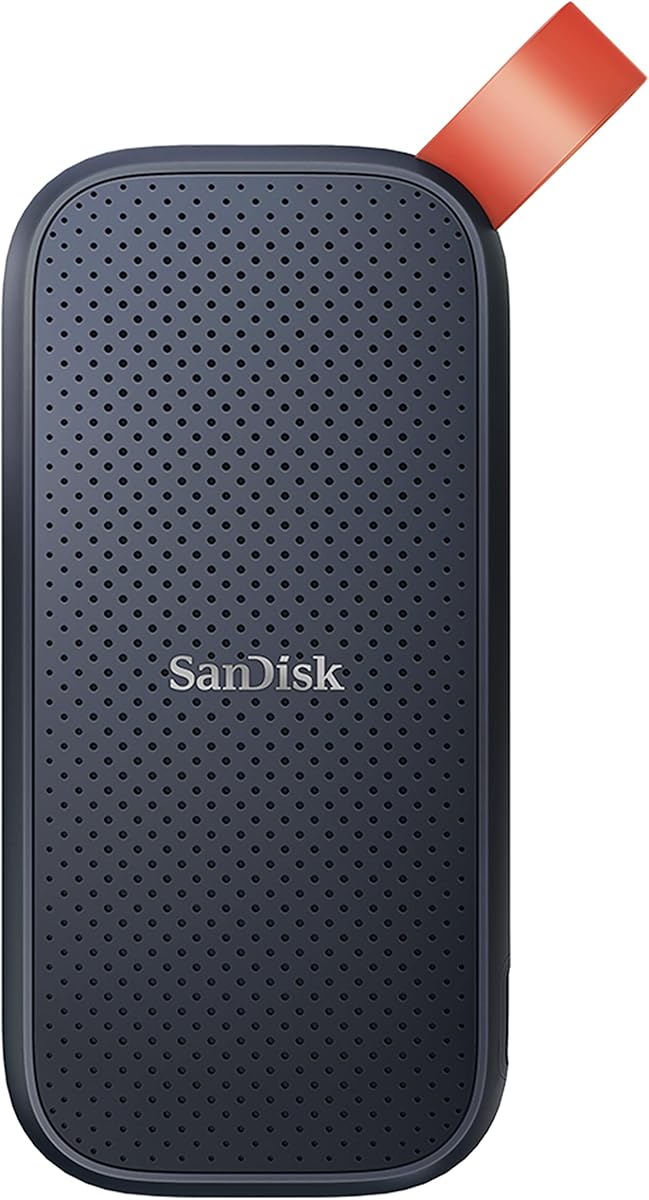
The Sandisk 1TB Portable SSD is a reliable option for basic storage needs. With a rating of 4.5 stars it continues to be a trusted choice for many users.
We may earn a commission when you buy through this link, at no additional cost to you.
It offers drop protection up to 2 meters which helps protect your data from accidental falls. The rubber hook allows you to secure the drive to your bag for added safety.
Although the read speeds are lower than newer models it still handles everyday tasks well. The simplicity of design makes it easy to use without complex setup procedures.
Users seeking a straightforward and rugged drive will find this model sufficient. It is best suited for those who prioritize durability over maximum speed performance.
The tough rubber hook lets you clip the drive to your belt or bag securely.
Drop protection ensures the drive survives accidental drops during daily use.
We may earn a commission when you buy through this link, at no additional cost to you.
The Lexar 2TB ES3 offers significant storage space for large files and projects. It maintains a 4.5 star rating and focuses on combining capacity with efficient performance features.
We may earn a commission when you buy through this link, at no additional cost to you.
Graphite sheets help conduct heat away from the drive ensuring stable speeds during long transfers. The 2TB capacity means you do not need to manage storage as frequently.
While it comes at a higher price point the value of extra space is clear for professionals. The drop resistance adds a layer of protection for your valuable data on the go.
This drive is ideal for users who need extensive storage in a portable package. It balances capacity and speed well for those who work with large media files.
Double layer graphite sheets conduct heat to keep the drive cool during use.
2TB capacity allows for storing large video libraries and complex project files easily.
We may earn a commission when you buy through this link, at no additional cost to you.
The Lexar D70E 1TB offers a unique dual connector design for flexible connectivity. It holds a 4.7 star rating reflecting high user satisfaction with its innovative form factor.
We may earn a commission when you buy through this link, at no additional cost to you.
Direct USB-C and USB-A connectors eliminate the need for separate cables during transfers. The high speeds ensure quick data movement whether using it with Mac or PC systems.
Its metal housing keeps the drive durable while the lanyard loop adds convenience for carrying. Auto backup features simplify data management without requiring technical knowledge.
Users who switch between devices frequently will appreciate the connector flexibility. It is a versatile choice for those who value convenience and high-speed performance.
Integrated USB-C and USB-A connectors allow cable-free direct connection to devices.
Read speeds up to 2000MB/s ensure quick file access and backup operations.
We may earn a commission when you buy through this link, at no additional cost to you.
The Sandisk 1TB Extreme PRO delivers top-tier performance with speeds up to 2000MB/s. It has a 4.5 star rating and is known for its robust build and fast data transfer.
We may earn a commission when you buy through this link, at no additional cost to you.
The forged aluminum chassis acts as a heatsink which helps maintain sustained speeds under load. IP65 rating provides protection against dust and water in various environments.
While it is an older model it still outperforms many newer budget drives. The encryption features keep your data secure which is vital for professional use cases.
Professionals needing high speeds in a rugged package will find this drive suitable. It is a powerful option for those who require reliable performance on demanding tasks.
Read and write speeds up to 2000MB/s deliver fast data access.
IP65 rating and aluminum chassis ensure durability and heat dissipation.
We may earn a commission when you buy through this link, at no additional cost to you.
The Western Digital My Passport SSD focuses on security and speed for user protection. It maintains a 4.5 star rating and is designed for those who prioritize data safety.
We may earn a commission when you buy through this link, at no additional cost to you.
Password enabled 256-bit AES hardware encryption secures your files effectively. The drop resistance up to 6.5 feet adds durability for accidental drops during travel.
While its design is standard it performs well with fast NVMe technology for transfers. Cross compatibility ensures it works with older systems as well as modern ones.
Users concerned about data security will find this drive particularly useful. It is a strong choice for professionals needing reliable storage with high encryption standards.
Password enabled 256-bit AES encryption keeps your sensitive data private and secure.
Shock and vibration resistance protects your drive from accidental drops.
We may earn a commission when you buy through this link, at no additional cost to you.
Selecting the right External SSD for MacBook Neo requires understanding key factors like speed durability and capacity. This guide walks you through essential elements to consider for a smart purchase.
Choose a capacity that matches your workflow needs. For large media files 2TB is ideal while basic users may find 1TB sufficient.
Prioritize capacity based on how much data you store locally versus in the cloud.
Faster speeds reduce wait times during file transfers. Look for NVMe technology which offers performance over traditional SATA drives.
Ensure your device supports the required interface like USB 3.2 Gen 2 for maximum speed.
Rugged drives with IP ratings and drop protection are vital for travel. These features shield your data from physical damage in various environments.
Consider the build material like aluminum or rubber for better heat dissipation and protection.
Verify that the drive connects with your MacBook Neo ports. USB-C is standard but check for included adapters if needed.
Universal compatibility with older devices adds flexibility for multi-platform workflows.
Hardware encryption ensures your sensitive data remains private. Look for 256-bit AES protection in the product specs.
Software tools can enhance security but hardware encryption offers an extra layer of safety.
Lightweight drives are easier to carry daily. Some options weigh less than 50g making them ideal for pocket storage.
A compact design saves space in your bag without sacrificing performance or capacity.
Balance the cost with the features offered. Premium models may cost more but offer better durability and speed.
Read reviews to ensure you get the best performance for your budget.
Choose brands with proven track records for storage solutions. This ensures better customer support and product longevity.
Check warranty terms and reputation before making your final decision.
Connect your drive to a compatible USB-C port on your MacBook Neo. Wait for the system to recognize the device before accessing files.
Always eject the drive safely from the system menu to prevent data corruption. Avoid removing it while transfers are in progress.
Store the drive in a cool dry place when not in use. Avoid exposing it to extreme temperatures or moisture to maintain longevity.
For video editing, read speeds of at least 1000MB/s are recommended. Higher speeds like 2000MB/s allow smoother playback and faster rendering times.
Yes, many models feature IP65 ratings and drop protection up to 3 meters. These ensure the drive survives accidental drops and harsh conditions.
Most SSDs include a USB-C cable compatible with MacBook Neo. However, always check if adapters are needed for your specific ports.
Look for drives with 256-bit AES hardware encryption. This feature ensures that files remain private even if the drive is lost.
Yes, most compatible drives work with Time Machine on macOS. Just ensure the capacity is sufficient for your backup history.
Most drives come pre-formatted for cross-platform use. You may need to reformat using Disk Utility for macOS compatibility.
With proper care, SSDs can last several years. Avoid extreme temperatures and physical impacts to maximize their lifespan.
For large files, 2TB offers more flexibility. It reduces the need to manage multiple drives during projects.
Choosing the right External SSD for MacBook Neo depends on your specific speed and capacity needs. The top picks offer a range of options from budget-friendly to high-performance models.
Prioritize durability and speed if you work with large files daily. For casual users, a standard drive may suffice without extra costs.
Remember to verify compatibility and check current listings for the best value. Investing in quality storage ensures your data remains safe and accessible.