
2×2 4k Video Wall Controller
4.6Editor score
Affordable entry level pricing
HDMI and DVI input
Simple remote control setup
This expert guide compares the top ten HDMI video wall controllers for seamless multi screen setups in October 2026, evaluating features and compatibility.
Finding the right HDMI video wall controller is essential for creating professional displays. These devices allow you to combine multiple screens into one unified view, perfect for retail, offices, and entertainment spaces.
We have carefully reviewed the leading models available today. Our analysis focuses on resolution support, display modes, connectivity options, and ease of control to help you make an informed decision.
Each pick below highlights key strengths and ideal use cases. Keep in mind that availability and pricing can change over time, so verify the latest details before making your final purchase.
4.6Editor score

4.8Editor score

4.2Editor score
The table below offers a side-by-side look at the technical specifications and key capabilities of each model to help you quickly identify the best fit for your specific installation needs.



This J-Tech Digital HDMI video wall controller delivers high performance for users seeking reliable 4K support. It earns an excellent user rating and stands out with its comprehensive feature set including audio extraction and image rotation.
We may earn a commission when you buy through this link, at no additional cost to you.
It supports eight distinct display modes such as 2×2 and 1×4 configurations. The image rotation function allows each screen to be flipped 180 degrees ensuring proper alignment. Edge masking helps remove bezel gaps for a seamless look.
One trade-off is that while it handles 4K input it limits output to 1080p in some modes. Additionally there is no web-based control interface meaning you must rely on the remote or RS-232 for advanced settings.
Anyone needing a robust solution for small to medium video walls should consider this model. Its strong support team and flexible modes make it a top choice for professional setups where quality and reliability are paramount.
The eight display modes allow you to tailor the layout to your physical screen arrangement perfectly.
Edge masking and 180-degree rotation ensure that your video wall looks seamless and professional from any angle.
We may earn a commission when you buy through this link, at no additional cost to you.
This model is an excellent option for buyers on a tight budget who still need core video wall functionality. It supports both HDMI and DVI inputs providing flexibility for older devices alongside modern ones.
We may earn a commission when you buy through this link, at no additional cost to you.
It features eleven splicing modes and allows for 180-degree rotation to adjust for screen bezels. The memory function saves your last configuration so the system is ready immediately after a power cycle.
While the build is basic and it lacks advanced web controls the functionality is solid for simple installations. The price point makes it accessible for small businesses or home theater projects with limited funds.
It is ideal for those who need a straightforward plug-and-play solution without extra cost. If you prioritize function over advanced features this controller gets the job done efficiently and affordably.
Support for both HDMI and DVI means you can connect a wider range of source devices without needing adapters.
Button presses and remote control options make switching modes easy even for non-technical users.
We may earn a commission when you buy through this link, at no additional cost to you.
This premium controller offers full 4K 60Hz input support which is rare in its class. It is designed for users who demand the highest visual fidelity and remote management capabilities for their video wall setup.
We may earn a commission when you buy through this link, at no additional cost to you.
Key features include web control via LAN allowing you to manage the system from any connected computer. The multiviewer presets let you view multiple sources on one screen while the scaling engine adjusts resolution as needed.
The main trade-off is the higher cost and a more complex setup process compared to simpler models. You will need network knowledge to utilize the web control fully but the flexibility it offers is significant.
Choose this if you are building a high-end corporate or commercial display system. The ability to control everything via a browser and handle high bandwidth signals makes it a powerful tool for professionals.
Web control allows you to configure and monitor the video wall from any device on your network without physical access.
The upscale and downscale engine ensures content looks sharp regardless of the source resolution or target display size.
We may earn a commission when you buy through this link, at no additional cost to you.
This OREI controller is a versatile choice for users who need both HDMI and USB-C inputs. It supports up to 4K 60Hz which ensures smooth playback of high-speed content on modern devices.
We may earn a commission when you buy through this link, at no additional cost to you.
It includes RS-232 control for integration into larger automated systems. The audio extraction feature is handy for connecting external speakers to your video wall source without running separate audio cables.
While it lacks support for HDR10 and Dolby Vision it handles standard high-definition content well. The bezel adjustment is functional but not as granular as some higher-end competitors offer.
This model fits well in offices or retail spaces where USB connectivity is needed for laptops. The combination of control options and input flexibility makes it a solid middle-ground option.
USB-C and HDMI inputs allow you to connect modern laptops and media players without needing extra cables or hubs.
RS-232 control enables integration with existing control systems in professional environments.
We may earn a commission when you buy through this link, at no additional cost to you.
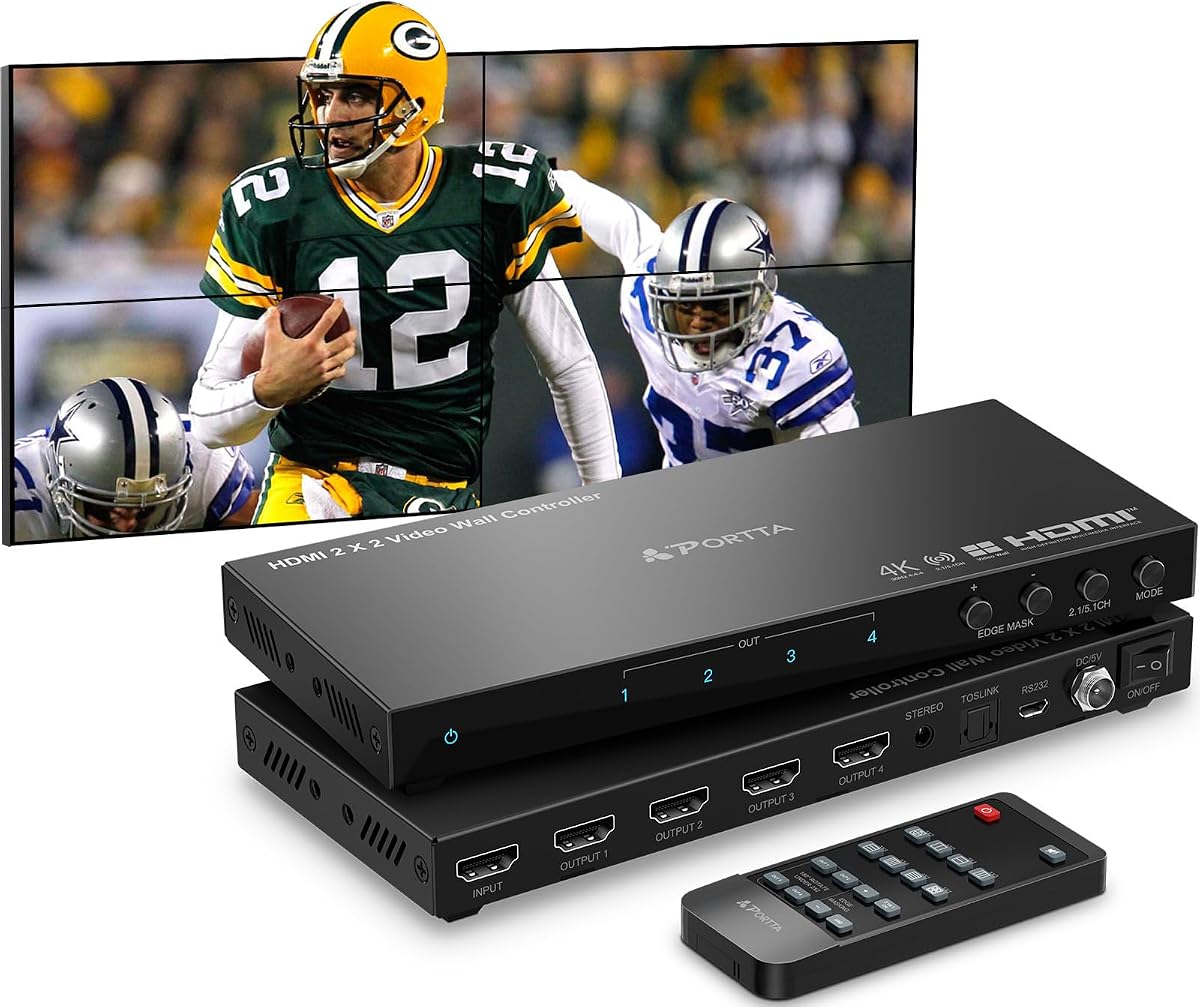
The PORTTA controller stands out for its extensive number of display modes and edge masking capability. This helps create a cleaner look when using screens with thick bezels by cutting the image edges slightly.
We may earn a commission when you buy through this link, at no additional cost to you.
It supports 4K 30Hz input and offers eight primary display modes including 2×2 and 1×4. The two-year warranty provides peace of mind for business owners looking for long-term reliability.
The main limitation is that it caps input at 30Hz which may not be suitable for high motion video. Also it does not support USB-C so you may need adapters for newer laptops.
This is a strong choice for advertising displays or info boards where static or low-motion content is common. The edge masking feature alone can justify the purchase if bezel gaps are a concern.
Edge masking reduces visible gaps between screens by cropping the image slightly which improves the overall visual continuity.
A two-year warranty offers better coverage than the standard one-year term found on many other models.
We may earn a commission when you buy through this link, at no additional cost to you.
This OREI model offers strong input flexibility with both HDMI and USB-C support. It accepts 4K 60Hz signals ensuring your source content arrives at the controller with full fidelity before processing.
We may earn a commission when you buy through this link, at no additional cost to you.
It features optical audio output which is ideal for connecting to home theater or commercial audio systems. Bezel adjustment helps refine the image so it sits perfectly within your TV boundaries.
While the output is limited to 1080p the input handling is robust. You lose some resolution on the output but gain access to high-bandwidth input channels which is great for modern PCs.
Best for users who need high-bandwidth input but have existing 1080p displays. The optical audio out is a nice touch for setups where sound quality is a priority.
Accepting 4K 60Hz input ensures no signal degradation from your source device to the controller.
Optical audio output provides digital sound quality without analog interference or signal loss.
We may earn a commission when you buy through this link, at no additional cost to you.
This unit doubles as a 4×4 HDMI matrix switch allowing you to route multiple sources to multiple screens. It also includes a dedicated video wall mode for creating a single large display from four outputs.
We may earn a commission when you buy through this link, at no additional cost to you.
Web control allows you to manage source routing and video wall settings remotely. The advanced EDID management ensures compatible devices automatically detect the correct resolution without manual tweaking.
The downside is the higher price point and the complexity of wiring four inputs and four outputs. This makes it less ideal for simple setups but perfect for control rooms or media centers.
Choose this if you need to switch between multiple sources like cameras and PCs on your video wall. The matrix feature adds significant value for professional environments.
The 4×4 matrix capability lets you switch between different sources on any output screen independently.
Web control simplifies source changes and layout adjustments without needing physical access to the unit.
We may earn a commission when you buy through this link, at no additional cost to you.
The ISEEVY controller delivers 4K 60Hz on all four outputs which is excellent for maintaining sharpness on 4K screens. It supports USB-C inputs for modern laptops and tablets.
We may earn a commission when you buy through this link, at no additional cost to you.
It offers standard split modes like 2×2 and 1×4. The remote and button controls make switching layouts simple. The unit is rated for 24×7 stable operation meaning it can run continuously without overheating.
The lack of advanced bezel control is a limitation for larger screens. However the output resolution capability makes it a strong contender for high-resolution displays.
Ideal for digital signage where content needs to remain sharp and clear. The 24×7 rating ensures reliability for long-running advertising or information displays.
Supporting 4K 60Hz on all outputs ensures every screen in your wall looks crisp and clear.
Designed for 24×7 stability the unit is built to handle long hours of use without issues.
We may earn a commission when you buy through this link, at no additional cost to you.
This controller includes USB disk access which allows you to play media files directly from a drive. This feature is rare and useful for signage that does not need a connected PC.
We may earn a commission when you buy through this link, at no additional cost to you.
It supports 4K 60Hz input and output ensuring high fidelity for video content. Brightness and contrast settings allow you to tune the image for different lighting conditions.
The IR extension port allows you to place the receiver where you can see it better. However there is no web control and the remote range is standard which limits advanced use cases.
Perfect for standalone signage displays where you want to play looped content without extra hardware. The media playback feature saves cost and complexity.
USB disk access lets you play videos and images directly from a USB drive for a self-contained display system.
Adjustable brightness and contrast settings help optimize the display for any room lighting condition.
We may earn a commission when you buy through this link, at no additional cost to you.
This ISEEVY model is unique because it supports up to six HDMI outputs. It allows for 2×3 or 3×2 configurations which expands beyond the typical 2×2 four-screen layout.
We may earn a commission when you buy through this link, at no additional cost to you.
It supports 4K 60Hz input and USB-C connections for modern devices. The 24×7 stability rating ensures it can run continuously in commercial settings.
You will need six displays to utilize all outputs and the price reflects the higher channel count. If you need a larger grid than four screens this is one of the few affordable options.
Best for large retail walls or control rooms needing a 6-screen grid. The 3×2 mode offers vertical flexibility for portrait screens.
Support for 2×3 and 3×2 modes allows you to create larger video walls using six screens.
All six ports support 4K 60Hz ensuring high quality across the entire grid.
We may earn a commission when you buy through this link, at no additional cost to you.
Selecting the right controller involves considering resolution inputs and the specific layout you need for your screens.
Look for controllers that support at least 4K input to ensure your source devices can send high-quality signals. Some models support 60Hz input which is better for motion content while others cap at 30Hz for static images.
Check the output resolution as some controllers limit output to 1080p even if input is 4K. This ensures your final display matches your TVs capabilities.
Most controllers support standard modes like 2×2 1×4 and 2×1. However if you plan to use portrait displays or unique layouts check if the device supports portrait modes or custom splitting.
More advanced units offer additional modes such as 2×3 or 3×2 which allow for larger grids than the typical four-screen setup.
To achieve a seamless look you need features like bezel adjustment or edge masking. These tools crop the image slightly to align with the physical frame of your TV screens.
Without these features the content may look stretched or misaligned at the edges of each screen making the wall look less professional.
Basic models come with IR remotes which are sufficient for simple setups. However for professional installations look for RS-232 or LAN web control which allows remote management from a computer.
Consider if you need USB-C inputs for laptops or DVI support for older devices. Flexibility here prevents the need for extra adapters in your system.
Many controllers allow audio extraction via optical or analog outputs. This is useful if you want to play sound through external speakers rather than through the TV speakers.
Check for support for formats like PCM or Dolby Digital if you are planning a home theater or high-end commercial audio setup.
If you plan to run your video wall 24×7 ensure the controller is rated for continuous operation. Commercial grade units often have better cooling and stability for long-term use.
Units not rated for 24×7 use may overheat or fail sooner when running constantly. This is critical for retail signage or monitoring stations.
A longer warranty period can save you money in the long run. Look for brands that offer at least one year but ideally two years of coverage.
Check if there is phone or email support available. Having access to a support team helps you resolve technical issues quickly without downtime.
Basic budget models offer simple splitting with fewer control options. Premium units add features like web control higher resolution inputs and matrix switching capabilities.
Decide which features are necessary for your use case. For home use a budget model may suffice while a business may need premium reliability and remote control options.
Connect your source device to the HDMI or USB-C input and then connect the HDMI outputs to your TV screens. Power on the controller and TVs in order so the controller detects the displays correctly.
Use the remote or buttons to select your desired split mode like 2×2. Adjust the bezel settings in the menu to align the image with the physical borders of your screens.
Keep the controller in a well-ventilated area to prevent overheating. If you run the system 24×7 check the manual to ensure the unit is rated for continuous use.
Yes many models support 4K input. However some limit output to 1080p. Check the specific specs to ensure the output matches your TVs.
Some controllers include USB-C inputs directly. For others you may need a USB-C to HDMI adapter. Verify the input ports on the controller model.
Use the bezel adjustment or edge masking feature in the controller settings. This crops the image slightly to align with the screen bezels.
You should use High-Speed HDMI cables rated for 4K 60Hz. Standard HDMI cables might limit the bandwidth to lower resolutions.
Advanced models offer web control via LAN or RS-232. This allows you to manage settings from a PC or networked system.
Most models offer audio extraction via optical or analog outputs. Check the manual to confirm audio format support like Dolby or PCM.
Our top picks range from budget-friendly options to high-end controllers with web control and 60Hz support. The J-Tech Digital models stand out for reliability and advanced features.
Prioritize input resolution and bezel management based on your specific use case. If you need remote access look for web control or RS-232 options.
Always verify the current specs and availability before purchasing as models and features can change. Check the latest reviews to ensure the model still meets your needs.