
Lenovo Flagship Chromebook
4.2Editor score
14 inch FHD touchscreen
Lightweight 2.86 lb design
Fast MediaTek Kompanio 520
Choosing the right laptop is crucial for nursing students who need reliable tools for studying, attending virtual classes, and managing complex coursework. A good device should offer strong battery life, a clear display, and enough power to run multiple applications smoothly throughout long study sessions.
We compared ten top-rated laptops based on processor speed, memory capacity, storage options, and overall portability. Our analysis focuses on models that support everyday academic tasks, video conferencing for remote learning, and efficient multitasking during busy schedules.
Each pick highlights specific strengths like all-day battery, lightweight designs, or robust security features. Prices and availability change frequently, so check the latest details before making your final decision to ensure you get the best value for your needs.
4.2Editor score

4.3Editor score

4.6Editor score
As an Amazon Associate we earn from qualifying purchases.
This side-by-side comparison highlights the key specifications and features of each laptop to help you quickly identify which model aligns best with your academic requirements and personal preferences.





This HP 14 laptop offers a strong foundation for nursing students seeking reliability without breaking the bank. With a 4.6 star rating, it balances performance and portability effectively. The Intel N150 processor handles daily academic tasks with ease.
We may earn a commission when you buy through this link, at no additional cost to you.
The standout feature is the storage solution, combining a fast 128GB UFS drive with an external 500GB option. This allows ample space for research papers, clinical notes, and media files. Windows 11 Pro adds an extra layer of security for sensitive data.
While the 4GB RAM might feel modest for heavy multitasking, it remains sufficient for standard web browsing and document editing. The anti-glare display ensures comfortable viewing during long study sessions in various lighting conditions.
Students who prioritize affordability and essential features will find this model appealing. It comes bundled with useful accessories like wireless earbuds and a mouse, making it a ready-to-use solution for college life.
The quad-core processor ensures smooth operation for common tasks like streaming lectures and writing essays.
Windows 11 Pro provides hardware-based isolation and encryption to protect personal and academic information.
We may earn a commission when you buy through this link, at no additional cost to you.
This HP 14 laptop stands out with its 8GB RAM, offering better multitasking capabilities than many budget peers. Students can keep multiple tabs open while attending virtual classes without significant lag. The 4.4 star rating reflects solid user satisfaction.
We may earn a commission when you buy through this link, at no additional cost to you.
Battery life is a key strength, promising up to 11 hours of use on a single charge. This ensures you can move between lectures or study spots without hunting for outlets. The inclusion of a 1-year Office 365 subscription adds immediate value.
The 128GB UFS storage is compact, which may require external drives for large files. However, the fast boot times and efficient processor help maintain productivity despite limited space. WiFi 6 ensures stable connections during video conferences.
Ideal for students who need a reliable daily driver for coursework and communication. Its portability makes it easy to carry around campus, while the balanced specs support a wide range of academic activities.
The Intel N150 processor delivers efficient performance for web apps and document editing tasks.
Included Microsoft Office tools allow students to create and edit documents immediately upon setup.
We may earn a commission when you buy through this link, at no additional cost to you.
The HP Essential Laptop brings a modern design with a micro-edge display that maximizes screen real estate. At just 3.24 pounds, it is incredibly easy to carry between classes. The 4.4 star rating indicates consistent performance for daily tasks.
We may earn a commission when you buy through this link, at no additional cost to you.
AI-enhanced features like Copilot and noise reduction improve the study experience. These tools help manage tasks faster and ensure clear audio during virtual meetings. The 128GB storage is modest but sufficient for cloud-based workflows.
Battery life supports mixed usage and streaming, though heavy loads may drain it sooner. The Willow green finish offers a stylish look while maintaining a professional feel. Connectivity options include USB-C for versatile accessory connections.
Students seeking a sleek, portable machine for note-taking and research will appreciate this model. It balances essential features with a modern aesthetic, making it a practical choice for academic life on the move.
The micro-edge bezel provides a wide screen-to-body ratio for immersive viewing experiences.
Dedicated Copilot key and AI noise reduction enhance productivity and communication clarity.
We may earn a commission when you buy through this link, at no additional cost to you.
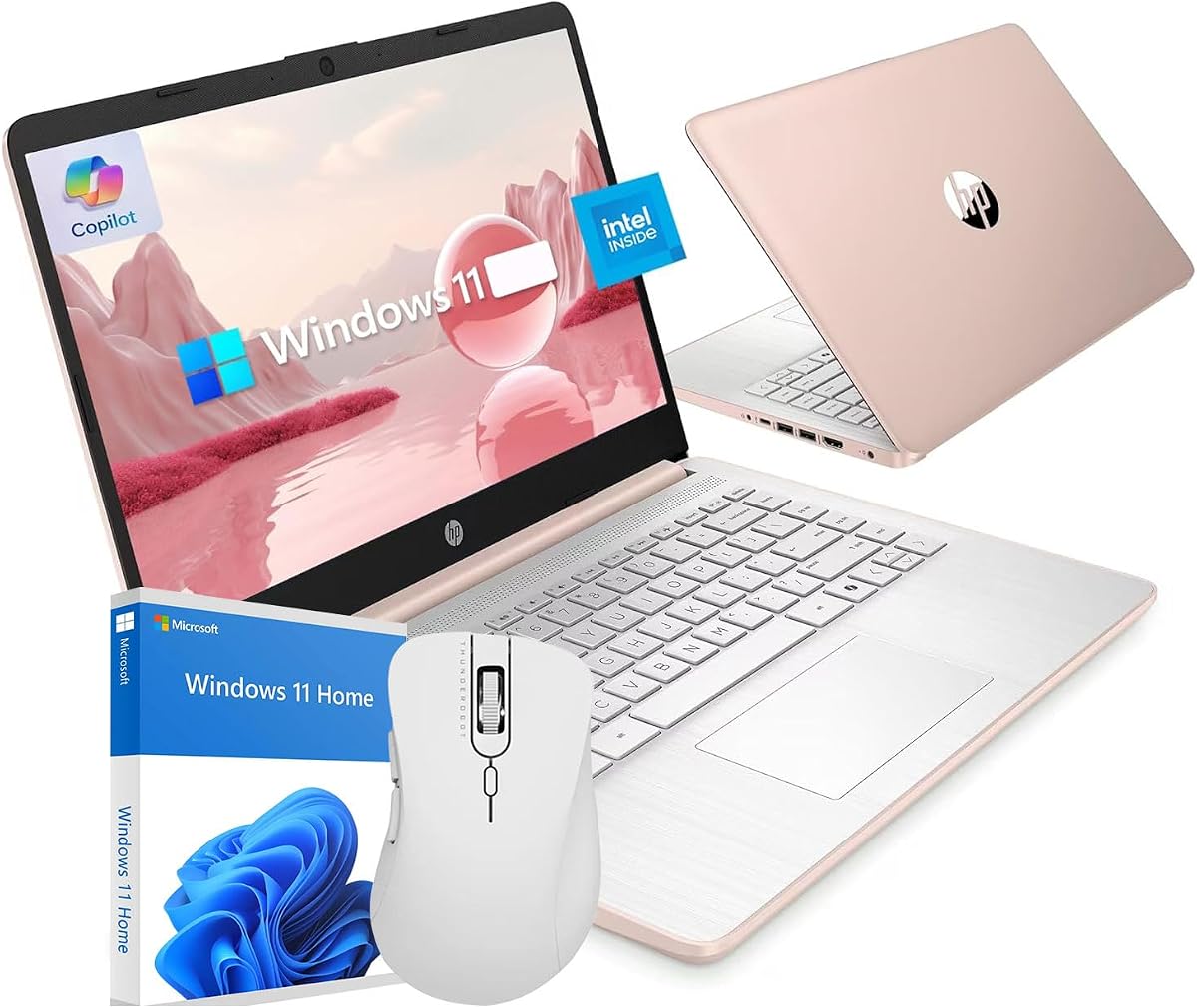
This HP Ultrabook combines functionality with a stylish Rose Gold exterior. It is designed for students who value aesthetics alongside performance. The Intel N150 processor handles everyday tasks like browsing and document editing efficiently.
We may earn a commission when you buy through this link, at no additional cost to you.
Windows 11 Home offers a familiar interface for most users. The 128GB SSD ensures quick access to files and applications. WiFi 6 connectivity provides stable internet for online lectures and research activities.
While the processor is capable of basic workloads, it may struggle with more intensive applications. The compact form factor makes it easy to slip into a backpack. Office 365 access allows for immediate productivity upon setup.
Suitable for students focused on note-taking and light multimedia consumption. Its design and performance make it a viable option for those needing a reliable secondary device or primary machine for standard coursework.
The Rose Gold color adds a touch of elegance to the functional laptop design.
WiFi 6 ensures fast and stable internet connections for smooth video streaming and calls.
We may earn a commission when you buy through this link, at no additional cost to you.
The Lenovo Chromebook stands out with its Full HD Touchscreen and incredibly light weight. At 2.86 lbs, it is one of the most portable options available. The MediaTek Kompanio 520 processor provides smooth performance for web-based tasks.
We may earn a commission when you buy through this link, at no additional cost to you.
Chrome OS offers a secure and simple environment ideal for online learning and document management. The privacy shutter on the webcam adds peace of mind during video calls. Students can access Google Workspace tools seamlessly.
However, this model lacks native Windows applications, which might be a limitation for specific software requirements. The 64GB storage is small but works well with cloud storage solutions. Battery life is optimized for all-day use.
Best suited for students who rely heavily on web apps and cloud storage. Its affordability and portability make it an excellent choice for basic academic needs and on-the-go studying.
The 14-inch FHD touchscreen provides intuitive navigation for apps and web browsing.
Integrated privacy shutter allows users to physically block the camera when not in use.
We may earn a commission when you buy through this link, at no additional cost to you.
This HP 17.3 inch laptop delivers robust performance with 16 GB of RAM and a Core i5 processor. It handles demanding applications and multiple open windows with ease. The 4.3 star rating reflects strong user satisfaction with its capabilities.
We may earn a commission when you buy through this link, at no additional cost to you.
The large FHD display offers an expansive workspace, beneficial for splitting screens during research. The 512 GB SSD provides ample space for storing course materials and multimedia files. Intel Iris Xe graphics enhance visual quality.
While it is heavier than portable models, the power trade-off is significant for heavy workloads. The privacy shutter adds security for virtual classes. Battery life supports typical usage cycles effectively.
Ideal for students who need a powerful machine for data analysis or multimedia editing. Its large screen and specs make it a top choice for those who prioritize performance over extreme portability.
The 16 GB RAM and Core i5 processor handle multitasking and intensive apps smoothly.
The 17.3 inch FHD display provides extra screen real estate for productivity and viewing.
We may earn a commission when you buy through this link, at no additional cost to you.
This HP Portable Laptop stands out for its impressive 16 GB RAM at a competitive price point. The Intel N150 processor supports smooth multitasking despite its entry-level nature. The inclusion of Microsoft 365 adds immediate utility for students.
We may earn a commission when you buy through this link, at no additional cost to you.
The lightweight design ensures easy portability around campus. Battery life promises up to 11 hours of usage, suitable for full days of classes. The Rose Gold finish provides a stylish appearance.
Storage is limited to 128GB, which may require external solutions for large files. However, the ample RAM ensures the system remains responsive during daily tasks. WiFi 6 provides reliable connectivity for video conferencing.
A strong option for students prioritizing memory capacity over storage. Its blend of specs and accessories makes it a practical choice for academic and home use scenarios.
16 GB of DDR4 RAM allows for comfortable multitasking and smooth application switching.
The pale rose gold color adds a unique touch to this portable and functional laptop.
We may earn a commission when you buy through this link, at no additional cost to you.
The Dell 15.6 laptop focuses on comfort with its ergonomic hinges and spacious keypad. ComfortView software helps reduce eye strain during long study sessions. The 4.3 star rating suggests reliable performance for general use.
We may earn a commission when you buy through this link, at no additional cost to you.
An 8 GB RAM capacity supports standard multitasking needs effectively. The 15.6 inch display offers a balanced size for viewing documents and browsing. Intel Core 3 processor handles everyday tasks efficiently.
Onsite service provides valuable support in case of hardware issues. This adds peace of mind for students relying on their devices for critical coursework. The battery is designed to extend focus time.
Suitable for students who value typing comfort and screen clarity. Its straightforward design and service support make it a dependable tool for academic success.
Dell ComfortView software reduces blue light to keep eyes comfortable during extended use.
A full numeric keypad and ergonomic hinges improve typing speed and reduce wrist fatigue.
We may earn a commission when you buy through this link, at no additional cost to you.
This HP 14 laptop delivers a clear viewing experience with its anti-glare display. It features a 4.3 star rating for consistent performance. The Intel N150 processor handles web browsing and document editing comfortably.
We may earn a commission when you buy through this link, at no additional cost to you.
AI Noise Reduction filters background sounds during virtual calls, ensuring clear communication. The full-size keyboard supports comfortable typing for essays and reports. Office 365 inclusion provides necessary productivity tools.
Storage is modest at 128GB, which requires cloud reliance for large files. The battery life and connectivity options are sufficient for daily academic routines. Ports allow for external connectivity.
Students looking for a reliable machine with strong communication features will appreciate this model. It simplifies remote learning and note-taking tasks effectively.
AI Noise Reduction technology filters background sounds for clearer conversations during calls.
The anti-glare display reduces reflections for comfortable viewing in different lighting.
We may earn a commission when you buy through this link, at no additional cost to you.
This HP 14 ultra-portable combines Windows 11 Pro with Copilot AI for enhanced productivity. It is designed for students needing security and efficiency. The 4.3 star rating reflects user satisfaction with its features.
We may earn a commission when you buy through this link, at no additional cost to you.
The storage configuration includes both internal and external drives, totaling 628GB. This flexibility supports diverse academic needs. The Rose Gold finish and lightweight design make it easy to carry.
While RAM is limited, the processor supports essential tasks smoothly. Accessories like a docking station enhance connectivity options for presentations. Battery life helps manage full days of study.
Students valuing security features and bundled accessories will find this model compelling. It provides a comprehensive solution for modern academic workflows and mobility.
Windows 11 Pro delivers hardware-based isolation and encryption for data protection.
Microsoft Copilot AI helps manage projects and offers smart solutions for productivity.
We may earn a commission when you buy through this link, at no additional cost to you.
Selecting the right laptop involves balancing performance, portability, and essential features. This guide explores key factors to ensure you find a device that supports your academic journey.
A capable processor ensures smooth operation when running multiple applications like web browsers and video conferencing tools. Look for modern CPUs like the Intel Core series or efficient N-series chips for reliable performance.
Focus on processors that balance speed with battery efficiency to handle long study sessions without lag.
Memory, or RAM, determines how many programs you can run simultaneously without slowdowns. For nursing students, 8 GB is a recommended baseline for comfortable multitasking.
Higher memory capacity supports smoother transitions between research, notes, and virtual lectures.
Storage holds your files, applications, and operating system. Solid State Drives (SSDs) offer faster boot times and better reliability than traditional hard drives.
Aim for at least 128GB or more internal space, or consider models with expandable storage options.
A clear display reduces eye strain during long periods of reading and studying. Anti-glare screens are particularly helpful for varying lighting conditions.
Choose a screen size that balances portability with readability, typically between 14 and 17 inches.
Long battery life ensures your device lasts through back-to-back classes or library sessions. Look for models promising 8 to 11 hours of usage.
Fast charging support can also be valuable for quick top-ups between classes.
Lightweight laptops are easier to carry around campus daily. Consider the weight and dimensions when choosing a model.
A slim profile fits well into backpacks without adding significant bulk to your load.
Modern connectivity like Wi-Fi 6 ensures fast internet speeds for streaming and research. USB-C ports support versatile accessory connections.
Multiple ports allow you to connect external drives or projectors without needing dongles.
Operating systems like Windows 11 Pro offer enhanced security features essential for academic and personal data. Software bundles like Office 365 provide productivity tools.
Ensure the laptop comes with necessary software or subscriptions to support your coursework immediately.
Keep your laptop clean by wiping the screen with a soft microfiber cloth regularly. Avoid touching the display with rough objects to prevent scratches and maintain clarity.
Protect your device from extreme temperatures and moisture. Use a padded case or sleeve when carrying it in your bag to shield against bumps and drops.
Manage battery health by avoiding constant plugging in when fully charged. Allow the battery to discharge occasionally to maintain its longevity over time.
While 4GB may suffice for basic tasks, 8GB is recommended to run multiple applications smoothly. Nursing students often need to multitask between research, video calls, and note-taking, so adequate memory prevents slowdowns and enhances productivity.
A touchscreen is not essential but can enhance interaction with apps and web content. It is particularly useful if you use touch-friendly educational tools or prefer navigating with direct finger input rather than just a trackpad.
Windows laptops offer broader software compatibility and are often required for specific academic programs. Chrome OS devices are great for web-based tasks but may lack native Windows application support, so check your course requirements before deciding.
At least 128GB is a good starting point, but more is better if you store large files locally. Many students use cloud storage effectively, so consider models that support easy expansion or external drives for flexibility.
Gaming laptops offer powerful performance but are often heavy and expensive. Unless you plan to run intensive simulations, a standard ultrabook or business laptop provides better portability and battery life for academic needs.
A 14-inch screen strikes a balance between portability and screen real estate. Larger 15 or 17-inch models offer more space for multitasking but are bulkier to carry around campus daily.
We explored ten top models ranging from budget-friendly Chromebooks to powerful Windows laptops. Each option offers unique strengths tailored to different academic and portability needs.
Prioritize battery life, memory, and display quality when making your decision. A reliable device ensures you stay focused and productive throughout your nursing education journey.
Always check current availability and promotions before purchasing. Prices and specs may change, so verify the latest details to secure the best deal for your investment.