
HP OmniBook 3 14 inch Next Gen AI PC
4.1Editor score
41 hours battery life
Snapdragon X processor
2K OLED display
Finding a laptop with the longest battery life is essential for modern professionals and students who need reliable performance throughout the day. With evolving technology, manufacturers are pushing boundaries to offer devices that can last beyond standard usage without needing a charger nearby.
We compared ten top-rated models based on real-world usage, processor efficiency, and advertised endurance claims. Our analysis focuses on balancing power with portability, ensuring each recommendation offers substantial uptime for work, study, or travel without compromising on essential features.
Each pick showcases unique strengths like AI capabilities, premium displays, or budget-friendly designs. Note that actual battery performance varies by usage and settings, so always check current pricing and availability before making your final purchasing decision for your specific needs.
4.1Editor score

3.7Editor score

4.8Editor score
As an Amazon Associate we earn from qualifying purchases.
This table provides a side-by-side comparison of the top ten laptops selected for their exceptional battery performance and overall value. Use this overview to quickly assess specifications and identify the model that aligns best with your specific usage requirements and budget constraints.




The HP OmniBook 5 14 inch Next Gen AI PC stands out as a leading contender for users seeking maximum battery longevity. With an impressive rating of 3.7 stars and a promising 34-hour battery life claim, it aims to redefine portable productivity. Its Snapdragon X Plus processor ensures efficient power management while delivering smooth multitasking for daily workloads.
We may earn a commission when you buy through this link, at no additional cost to you.
This device leverages advanced AI tools through its dedicated companion app, enhancing workflows without draining resources. The 2K OLED display offers rich visuals ideal for content creation or media consumption, while the Qualcomm Adreno GPU handles light graphics tasks efficiently. Users appreciate the 1TB SSD and 16GB RAM for ample storage and responsiveness.
While the battery promises extensive runtime, real-world usage may vary depending on brightness and app usage. Some users note compatibility challenges with older Windows apps due to the ARM architecture. However, for most modern cloud-based workflows, performance remains robust and reliable throughout the day.
Ideal for creatives and mobile professionals, this laptop balances endurance with premium features. Choose this model if you prioritize battery longevity and visual fidelity over maximum raw processing power. Ensure your workflow supports ARM-compatible applications before committing to this innovative system for daily tasks.
The 34-hour battery life claim targets extended work sessions without frequent charging interruptions. Fast charging restores 50% in just 30 minutes for quick top-ups on the go.
Built-in AI tools like Live Captions and Paint Cocreator enhance productivity and accessibility directly on device without needing cloud connectivity.
We may earn a commission when you buy through this link, at no additional cost to you.
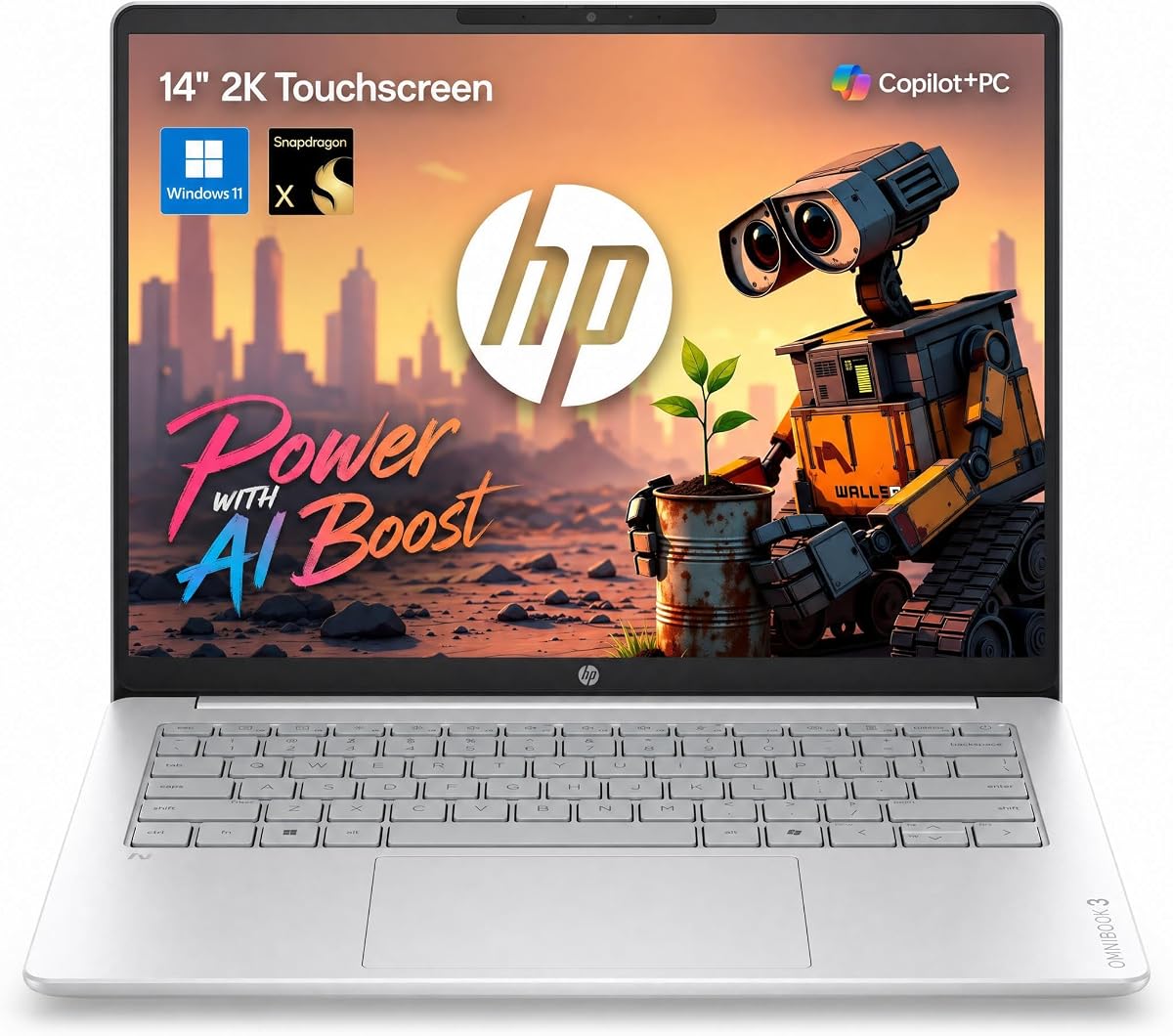
As a budget-friendly option, the HP OmniBook 3 delivers outstanding endurance with a remarkable 41 hours of battery life potential. It holds a solid 4.1-star rating for its balance of price and performance. The Snapdragon X processor optimizes energy use, making it ideal for students or remote workers needing extended uptime without extra cost.
We may earn a commission when you buy through this link, at no additional cost to you.
The 2K OLED screen provides vivid colors and sharp text for reading or media consumption. Integrated Otter.ai AI assistance helps organize meetings and notes efficiently. Its sleek Nouvelle Silver chassis weighs lightly for easy transport during travel or commute. Fast charging capabilities ensure quick returns to productivity when energy runs low.
Storage capacity of 256GB might require cloud management for heavy media files. Some users may find ARM-based software limitations restrictive compared to traditional Intel models. However, Windows 11 Home optimizes most daily apps effectively. This makes it a strong choice for standard productivity tasks and web-based applications.
We recommend this model for budget-conscious users prioritizing battery efficiency. If you need a reliable companion for long flights or daily classes, this device offers exceptional value. Verify your essential apps work on Snapdragon before purchasing to ensure seamless workflow compatibility and performance expectations.
Pricing offers significant savings while delivering up to 41 hours of battery life for all-day usage without recharging needs during work hours.
Otter.ai integration automates meeting summaries and notes, enhancing productivity directly through the operating system without additional software costs.
We may earn a commission when you buy through this link, at no additional cost to you.
The Dell XPS 13 9345 Laptop represents premium craftsmanship with a stellar 4.8-star rating from users. Its Snapdragon X Elite processor delivers desktop-class power alongside 27 hours of battery life. This model is perfect for professionals who demand both reliability and portability without compromising on performance or style for critical daily tasks.
We may earn a commission when you buy through this link, at no additional cost to you.
Featuring industry-leading AI capabilities, it handles content creation and multitasking with ease. The 13.4-inch display offers crisp visuals for work or entertainment, while USB4 ports support dual 4K monitors for expanded productivity setups. Windows 11 Pro includes enterprise tools like BitLocker encryption for secure workflows.
While expensive, the longevity and build quality justify the investment for frequent travelers. Users report consistent performance without thermal throttling issues common in thinner devices. Limited ports mean relying on adapters for legacy peripherals, but modern connectivity options like Wi-Fi 7 ensure high-speed internet access wherever needed.
We recommend this for enterprise users or creators needing robust AI tools and battery longevity. If premium design and performance are your top priorities, this model stands out. Ensure your apps are optimized for Snapdragon to maximize the Copilot+ PC benefits throughout your work environment.
Dedicated NPU provides 45 TOPS for local AI tasks like content retrieval and image generation without slowing down primary processors.
USB4 ports support dual 4K external displays and high-speed data transfer, ideal for complex workflows needing multiple screens.
We may earn a commission when you buy through this link, at no additional cost to you.
The HP OmniBook 3 14 2K Touch Laptop offers a strong balance of features and endurance with a 4.6-star rating. Powered by the Snapdragon X processor, it achieves up to 30 hours of battery life for extended usage. The lightweight design makes it easy to carry, while the 2K touchscreen provides interactive control for tasks.
We may earn a commission when you buy through this link, at no additional cost to you.
With 16GB DDR5 RAM and a 512GB SSD, multitasking remains smooth and responsive. Fast charging capabilities restore energy quickly, ensuring minimal downtime during busy schedules. The 1080p IR camera enhances video call clarity with security features like Windows Hello for quick logins without passwords.
While it offers great value, some users may find the Snapdragon architecture limiting for specialized legacy software. However, general productivity and browsing work seamlessly. The 14-inch display fits easily in bags for travel. It suits professionals needing reliability without excessive weight during commutes.
We recommend this model for users seeking a lightweight, efficient device. If battery life and touchscreen input are priorities, this laptop delivers. Check app compatibility with Windows on ARM to avoid potential limitations. This makes it a versatile choice for modern hybrid work environments.
Weighing only 3.13 lbs and lasting up to 30 hours, it ensures mobility and productivity without constant access to power outlets.
The 14-inch 2K touchscreen allows intuitive navigation and drawing, enhancing productivity for creatives and note-taking scenarios.
We may earn a commission when you buy through this link, at no additional cost to you.
The Dell XPS 13 9350 Laptop delivers premium performance with a 4.5-star rating and up to 26 hours of battery life. Its Intel Ultra 7 256V processor ensures efficient task handling for professionals. The sleek, ultra-slim design combines lightweight portability with refined finishes for a high-end feel during work or travel use.
We may earn a commission when you buy through this link, at no additional cost to you.
Featuring a precision haptic glass touchpad, interaction feels fluid and modern. The 13.4-inch WUXGA display offers crisp visuals with narrow borders for immersive viewing. Thunderbolt 4 ports support external drives and monitors, expanding connectivity options significantly. Wi-Fi 7 and Bluetooth 5.4 ensure fast, stable wireless connections.
Users may find the touch function row requires adjustment from traditional keys. However, customization enhances workflow efficiency once familiar. The 1TB SSD provides ample space for files. It suits users who prioritize build quality and screen clarity for daily business tasks and media consumption alike.
We recommend this for professionals valuing premium design and efficiency. If battery life and build quality matter most, this model delivers. Ensure your setup benefits from Intel Ultra efficiency for optimal returns. It stands as a robust choice for enterprise users needing reliability.
The precision haptic glass touchpad provides responsive feedback, enhancing usability for precise tasks and creative workflows.
Thunderbolt 4 ports support high-speed data transfer and external displays, ideal for professionals needing versatile setup options.
We may earn a commission when you buy through this link, at no additional cost to you.
The Lenovo IdeaPad Slim 3 Touchscreen Laptop is a durable budget-friendly option with a 4.4-star rating. While it offers up to 10 hours of battery life, its rugged design and powerful Ryzen 7 5825U processor make it ideal for daily tasks. Students and travelers appreciate its balance of performance and affordability for standard workloads.
We may earn a commission when you buy through this link, at no additional cost to you.
Featuring a 15.6-inch FHD touchscreen, it provides an immersive viewing experience for videos or presentations. 16GB RAM and 512GB SSD ensure smooth multitasking and fast boot times. Connectivity includes HDMI and USB-C for versatile external device connections. Windows 11 Home offers a smooth, intuitive interface for daily productivity.
While 10 hours is standard compared to longer-lasting competitors, it covers a full workday easily. The device weighs slightly more but remains portable. Users may note the battery isn't industry-leading, but reliability shines for general use. This makes it practical for families and casual users at home.
We recommend this for users seeking reliable performance on a budget. If you need a durable machine for commuting or studying, this fits well. Verify battery needs match your typical workday. It delivers solid value without compromising on core computing features for everyday tasks.
MIL-STD 810H durability ensures reliability against daily wear and tear, making it ideal for frequent travel or student use.
Ryzen 7 5825U with 16GB RAM handles multitasking efficiently, ensuring smooth operation for office work and online learning.
We may earn a commission when you buy through this link, at no additional cost to you.
The Lenovo Slim 7i Aura Edition Laptop is a high-end portable option with a 4.3-star rating and up to 17 hours of battery life. Its Intel Ultra 7 258V processor delivers next-gen AI performance for heavy workflows. With 32GB DDR5 RAM and a 1TB SSD, it handles demanding applications and multitasking effortlessly.
We may earn a commission when you buy through this link, at no additional cost to you.
A stunning OLED display provides vivid colors and deep blacks, perfect for creative work. The laptop weighs only 2.82 lbs, making it ultra-lightweight for travel. Wi-Fi 7 ensures fast internet access on the go. Thunderbolt 4 supports multiple external monitors, enhancing productivity setups for professionals and creators.
While 17 hours is shorter than top endurance models, it remains competitive. Users may prefer this for raw power and visual quality over battery supremacy. The aluminum chassis feels premium and durable. This makes it suitable for designers needing color accuracy and robust performance daily.
We recommend this for creatives and heavy multitaskers. If you prioritize RAM and display quality, this model stands out. Ensure your workflow benefits from Intel Ultra efficiency for optimal returns. It is a strong contender for professionals needing high specs in a portable form.
The 14-inch OLED display offers 100% DCI-P3 color accuracy, ideal for design work and high-quality media consumption.
32GB DDR5 RAM ensures seamless multitasking for large files and multiple applications without performance bottlenecks.
We may earn a commission when you buy through this link, at no additional cost to you.
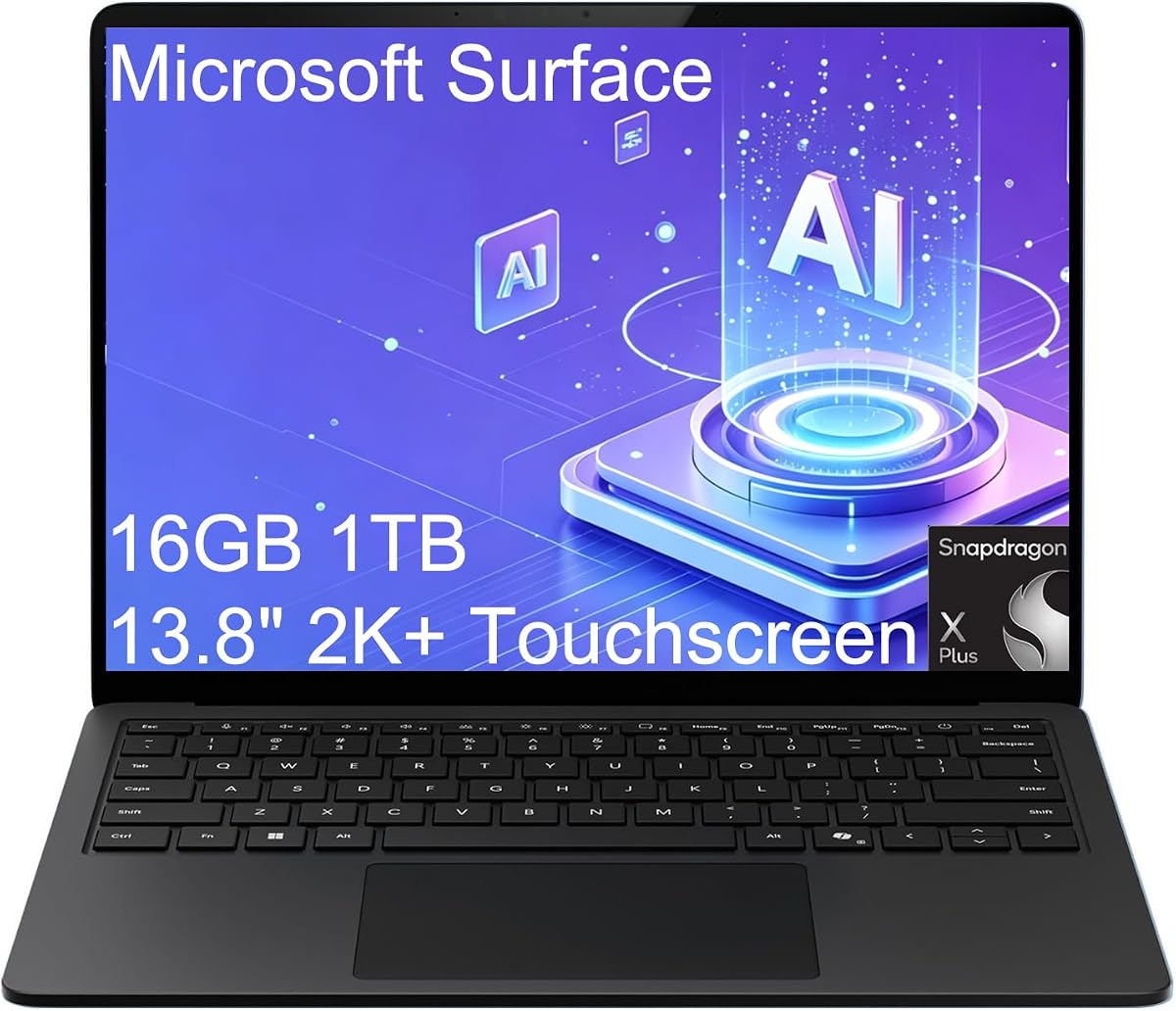
The Microsoft Surface Laptop 7 AI PC is a balanced business choice with a 4.3-star rating and up to 20 hours of battery life. Powered by Snapdragon X Plus, it delivers efficient performance for daily tasks. Its ultra-portable design weighs just 2.96 lbs, making it easy to carry during business trips or daily commutes.
We may earn a commission when you buy through this link, at no additional cost to you.
Featuring a 13.8-inch 2K+ touchscreen, visuals are sharp and vibrant for presentations. USB4 ports support dual 4K monitors for expanded productivity. Wi-Fi 7 ensures high-speed connectivity. Windows 11 Home includes essential business features like Copilot for assistance. The device offers enterprise-grade security and reliability for professional environments.
Users may find ports limited compared to others, relying on adapters. However, wireless options are robust. The battery lasts through standard workdays. It suits hybrid workers needing reliability and portability without sacrificing screen quality. Ensure your apps support ARM architecture for full compatibility.
We recommend this for modern professionals seeking premium reliability. If you need a lightweight device with good battery life, this fits. Verify app compatibility before purchasing to avoid issues. It delivers a solid, modern computing experience for hybrid work settings.
Dedicated AI engine accelerates workflows and daily tasks, providing intelligent assistance directly on device.
Built-in security features and intuitive system management help protect data for secure, efficient mobile work environments.
We may earn a commission when you buy through this link, at no additional cost to you.
The Lenovo Laptop 15.6 FHD is a performance-oriented business option with a 4.6-star rating. Featuring Intel 10-Core i7-13620H processor, it delivers exceptional multitasking power. 24GB RAM and 1TB NVMe SSD ensure fast file access and storage. Its MIL-STD-810H durability and business-ready features make it reliable for professional on-the-go use.
We may earn a commission when you buy through this link, at no additional cost to you.
Featuring Dolby Audio speakers and privacy shutter camera, video conferencing is quality. Ports include HDMI and USB-C for versatile connections. Wi-Fi 6 ensures stable internet. The lightweight design helps mobility despite being a larger chassis. Ideal for professionals needing robust power and secure features for daily workflows.
While battery life isn't specified, performance is key. Users appreciate the expandability and security features like TPM 2.0. It handles content creation and heavy data management well. However, bulkier than ultrabooks. This makes it practical for stationary or hybrid work where power takes priority.
We recommend this for business users needing reliable performance. If storage and RAM are priorities, this model stands out. Verify battery expectations if portability is critical. It delivers solid power and durability for demanding professional workloads.
Intel i7-13620H with 24GB RAM handles demanding applications and seamless productivity workflows effortlessly.
MIL-STD-810H military-grade testing ensures reliability for professionals on the go without compromise.
We may earn a commission when you buy through this link, at no additional cost to you.
The Lenovo Essential 15.6 FHD Laptop is a budget-friendly entry-level option with a 4.1-star rating. Powered by Intel N150 Quad-Core processor, it handles web browsing and document editing. 8GB DDR5 RAM ensures smooth multitasking for basic tasks. MIL-STD-810H durability guarantees reliability, while eco-friendly design offers energy efficiency.
We may earn a commission when you buy through this link, at no additional cost to you.
Featuring 15.6-inch FHD anti-glare display, it offers comfortable viewing. The 128GB UFS storage boots quickly but may need external drives. Wi-Fi 6 ensures stable connections. Ideal for students needing basic performance and portability. Its lightweight design makes it easy to carry without sacrificing build quality.
Limited storage and processor may restrict heavy usage. However, it covers standard workloads well. Users appreciate the privacy features and included Microsoft 365. Battery efficiency is decent for daily classes. Verify storage needs for media. This fits families needing a reliable secondary laptop.
We recommend this for basic daily computing needs. If you need affordability and durability for light use, this fits. Ensure storage meets your needs before committing. It delivers value for entry-level users seeking reliability and privacy features.
Intel N150 processor handles everyday computing tasks efficiently without consuming excessive power.
MIL-STD-810H testing ensures the laptop withstands daily wear and tear during regular usage.
We may earn a commission when you buy through this link, at no additional cost to you.
Selecting the right laptop requires evaluating efficiency, battery capacity, and usage patterns. This guide outlines key factors to consider.
Modern processors like Snapdragon X and Intel Ultra offer superior power management compared to older generations. They reduce thermal throttling and extend runtime by optimizing background tasks and idle states. Choosing an ARM-based or low-voltage x86 processor is crucial for maximizing battery endurance without sacrificing performance.
Look for chips specifically labeled for AI or mobile efficiency to ensure all-day usability.
Higher watt-hour (Wh) ratings generally translate to longer usage times. However, real-world performance depends on screen brightness and workload. Aim for a battery that offers at least 10 hours of mixed usage to cover a standard workday without interruption.
Check manufacturer claims and third-party reviews to verify actual runtime expectations.
OLED panels offer vibrant colors but can consume more power at high brightness. LCD or IPS screens with high efficiency ratings may provide longer battery life. Lower resolution or refresh rates also save energy. Prioritize displays with adaptive brightness to conserve power during extended sessions.
Select a screen size and resolution that balances visual comfort with power conservation.
Adequate RAM ensures smooth multitasking without slowing down the system. DDR5 memory is more power-efficient than older types. Fast storage like NVMe SSDs reduces load times and power spikes. Ensure your machine has enough storage for local files to avoid constant syncing draining the battery.
Opt for 16GB or more for future-proofing performance efficiency.
Fast charging technology allows quick recharges during breaks. A device that reaches 50% in under an hour is valuable for travelers. Check compatibility with USB-C charging to use universal adapters. Rapid recharge capabilities mitigate anxiety about running out of power mid-day.
Prioritize laptops with GaN or efficient power adapters to reduce travel weight.
Operating systems with battery saver features help extend runtime. AI-driven OS management can throttle background processes automatically. Ensure your workflow apps are optimized for your device's architecture. Regular updates keep power management drivers current for peak efficiency.
Utilize built-in tools to monitor and manage power consumption effectively.
Durable chassis and thermal management protect components from overheating, which drains battery. Materials like magnesium alloy reduce weight while maintaining structural integrity. Reliable cooling systems prevent throttling, ensuring performance remains stable during long sessions.
Invest in rugged designs for travel or outdoor work environments.
Wireless radios like Wi-Fi 7 and Bluetooth 5.4 offer better energy efficiency. Ethernet or older wireless standards may drain battery faster. Ensure your laptop supports modern low-power connections to minimize energy waste during data transfer.
Check port selection to avoid carrying power-hungry dongles unnecessarily.
To maximize battery life, adjust display brightness to the lowest comfortable level and enable power-saving modes in settings. Close unused apps and background processes to prevent unnecessary drain. Use Wi-Fi instead of cellular data when possible to conserve energy.
Keep your laptop clean and free of dust to ensure proper ventilation. Overheating reduces battery efficiency and lifespan. Use a cooling pad during intensive tasks and avoid leaving the device in direct sunlight or hot vehicles.
Regularly update your operating system and drivers to optimize power management features. Calibrate your battery every few months for accurate readings. Store the device in a cool, dry place when not in use to maintain health and longevity.
Display brightness, processor load, and Wi-Fi usage are the main contributors to battery drain. Background apps and outdated drivers can also waste power. Reducing screen brightness and closing unused programs helps extend runtime significantly during travel or work sessions.
ARM-based processors like Snapdragon X and low-voltage Intel chips are optimized for efficiency. They consume less power for similar tasks compared to traditional high-performance CPUs. Choosing the right processor ensures your laptop lasts longer without compromising performance for daily workflows.
20 hours is achievable for light tasks like web browsing and document editing. Heavy workloads such as video editing or gaming reduce runtime. Most users find 10-15 hours practical for daily usage with moderate brightness and typical multitasking habits.
Use battery saver mode, dim the screen, and disconnect unused peripherals. Update drivers regularly and avoid running resource-intensive apps unnecessarily. Charging habits like avoiding constant full depletion also help maintain long-term health and efficiency of your battery.
OLED screens can use more power at high brightness due to individual pixel lighting. However, dark mode or lower brightness helps mitigate this. They offer vibrant visuals and contrast but require careful power management to ensure extended endurance during work days.
Fast-charging USB-C GaN adapters reduce downtime without draining the device excessively. Universal chargers compatible with modern standards offer flexibility. Ensure the wattage meets your laptop's requirements to charge efficiently and safely during travel or work sessions.
The HP OmniBook models and Dell XPS series lead the list with exceptional battery endurance and premium features. These laptops balance longevity, performance, and design for users who demand reliability throughout the workday.
Prioritize your usage patterns when choosing; professionals need robust power while students may prefer affordability. Ensure your apps are compatible with the processor architecture to maximize efficiency and battery savings during daily tasks.
Always check current prices and availability before purchasing as these details change frequently. Investing in a laptop with strong battery life ensures uninterrupted productivity and peace of mind during travel or remote work.