
TECKNET Compact Ambidextrous Wireless Mouse for Laptop Pink
4.6Editor score
Extremely lightweight and portable design
Quiet soft click buttons
Three adjustable DPI levels
This guide compares the top 10 cute laptop mice for October 2026, evaluating design, performance, and comfort to help you find the perfect stylish accessory.
Finding a functional yet adorable mouse can transform your workspace. These devices blend aesthetic appeal with reliable performance for daily tasks. They suit users who value style alongside precision and comfort during long hours.
We evaluated ten top models based on connectivity, design, and ergonomics. Each product offers unique features like silent clicks, wireless freedom, and playful themes. Our analysis highlights key differences to simplify your decision-making process today.
Every pick includes detailed specs, pros, cons, and real-world usage insights. Prices and availability may change frequently on retailer platforms. Always verify current offers before purchasing to ensure you get the best value for your needs.
4.6Editor score

4.7Editor score

4.4Editor score
This table compares all ten selected models side by side. Review each specification to understand connectivity options, battery life, and design features. This overview helps you quickly identify which mouse matches your specific workflow and style preferences.





This pink wireless mouse combines charm with practicality. Its donut shape and quiet operation make it ideal for students and professionals alike. With a high rating of 4.7 stars, users praise its reliability and aesthetic appeal for daily tasks.
We may earn a commission when you buy through this link, at no additional cost to you.
The dual-device connectivity allows switching between a laptop and phone easily. The silent click mechanism ensures noise-free operation in shared spaces. The rechargeable battery offers up to twenty days of use per charge, reducing dependency on disposable cells.
While the design is compact, it fits comfortably in most hands. The only minor drawback is the lack of a USB-C cable in the box. However, the long battery life and smooth tracking outweigh this small inconvenience for most users seeking style.
Recommend this model for those prioritizing eco-friendly options and quiet performance. It is perfect for libraries, open offices, or home setups where noise matters. The stylish pink hue adds personality without compromising on essential wireless functionality.
The silent click mechanism ensures you can work without disturbing others in shared environments like libraries or offices.
Built-in battery lasts up to 20 days reducing the need for constant AA battery replacements and saving money over time.
We may earn a commission when you buy through this link, at no additional cost to you.
TECKNET delivers exceptional value with this cute pink wireless mouse. Its compact size makes it perfect for travel or limited desk space. With a 4.6 rating, users appreciate the soft clicks and reliable wireless connection across various devices.
We may earn a commission when you buy through this link, at no additional cost to you.
The ambidextrous design ensures comfort for both left and right-handed users. The nano receiver stores inside the mouse to prevent loss. The battery life supports up to fifteen months on a single AA battery ensuring long-term use without frequent changes.
While it lacks advanced features like DPI switching, it covers basics effectively. The only trade-off is the standard battery reliance which might not appeal to eco-conscious buyers. However, the price and durability make it a top pick for budget shoppers.
Choose this if you need a simple, cute mouse that works everywhere. It fits well in student bags or commuter backpacks. The pink color adds a fun touch while maintaining professional performance for everyday tasks and web browsing.
Designed for both hands ensuring that everyone can enjoy a comfortable grip regardless of which hand they use primarily.
The receiver hides inside the mouse so you never lose it and keep your travel setup organized and neat.
We may earn a commission when you buy through this link, at no additional cost to you.
Akko brings creativity with this cat-themed wireless gaming mouse. Its distinct shape stands out on any desk while offering tri-mode connectivity for versatile use. Users love the playful design combined with functional features like optical precision and smooth scrolling.
We may earn a commission when you buy through this link, at no additional cost to you.
The tri-mode connection supports both Bluetooth and wireless options for multiple devices. The ergonomic design ensures comfortable palm support during extended sessions. The anti-slip bottom and agile scroll wheel provide control needed for gaming or detailed work tasks easily.
However, the cat shape might feel unusual for standard grips. Some users may find the premium price tag slightly high compared to standard models. Yet the unique look and robust connectivity justify the cost for those seeking standout tech accessories.
Ideal for gamers or cat lovers wanting style and function. It connects seamlessly to laptops and tablets via Bluetooth or dongle. The vibrant pink color and cute animal theme make it a fun addition to any gaming or work setup.
Supports 2.4GHz wireless and Bluetooth connections allowing easy switching between multiple devices without reconfiguring settings constantly.
Uses an optical sensor that tracks smoothly on most surfaces ensuring precision for gaming or detailed design work daily.
We may earn a commission when you buy through this link, at no additional cost to you.
wegear offers a robust wireless mouse with extensive features for power users. The five DPI levels allow customization for design or browsing. Its ergonomic shape reduces strain during long hours. With 4.4 stars, users value the reliability and functional side buttons.
We may earn a commission when you buy through this link, at no additional cost to you.
The six-button layout includes navigation keys that speed up web browsing. Battery life lasts up to two years on a single AA battery. The sleep mode saves power automatically when unused ensuring you do not waste energy during breaks or sleep times.
A note for Mac users is that side buttons may not work. The red LED light helps track battery status easily. While these are minor issues the overall durability and battery life make it a strong contender for office or home work.
Pick this for productivity tasks requiring customization. It fits right and left hands well. The pink color remains subtle yet stylish. The long battery life ensures you spend less time changing batteries and more time getting work done.
Switch between 5 DPI levels to match your screen speed whether you are doing design work or simple web browsing tasks.
Runs for up to 24 months on one AA battery reducing the need for frequent replacements and keeping your desk clean.
We may earn a commission when you buy through this link, at no additional cost to you.
FMOUSE creates a quiet and cute mouse for modern offices. The design features a popular cat meme that adds humor. With dual mode connectivity it works on devices without USB ports. Users appreciate the 90% quieter clicks in shared spaces.
We may earn a commission when you buy through this link, at no additional cost to you.
The ergonomic shape fits small to medium hands comfortably. It tracks smoothly on most surfaces without a mousepad. The auto-sleep feature conserves power when idle. The toggle switch allows easy switching between Bluetooth and wireless modes for different setups.
Battery reliance means keeping spares handy for longer trips. However the quiet operation makes it perfect for libraries. The wide compatibility ensures it works with tablets and laptops alike. It is a fun tool for remote workers and office users.
Recommend for quiet environments needing fun style. The blush pink color softens the tech look. It connects reliably to multiple devices. The ergonomic design reduces wrist strain making it a practical choice for long work days.
Up to 90% quieter than standard mice letting you click freely without disturbing others in meetings or open offices.
Switch easily between Bluetooth and USB wireless modes to fit any device whether it has USB ports or not.
We may earn a commission when you buy through this link, at no additional cost to you.
JUHOO provides a reliable silent mouse for daily computing. The nano receiver hides in the battery compartment to prevent loss. The silent click ensures focus without noise. With 4.5 stars users value its simplicity and portability for travel or office use.
We may earn a commission when you buy through this link, at no additional cost to you.
The durable construction withstands millions of clicks over time. Its wireless range allows freedom on large desks. The auto sleep mode helps conserve battery life during breaks. The design is sleek and fits easily in laptop bags for commuting.
Lack of Bluetooth limits some thin laptops without USB-A ports. However for most users the wired USB wireless mode works fine. The silent buttons make it great for shared spaces. It is a cost effective solution for quiet productivity.
Choose this if you need a discreet and portable mouse. It works on Macs and Windows equally well. The hidden receiver keeps your bag neat. The silent clicks ensure you stay focused without disturbing others around you.
The nano receiver stores inside the mouse so you always know where it is and do not lose it when traveling.
Tested for 5 million keystrokes this mouse is built to last through heavy daily use without wearing out quickly.
We may earn a commission when you buy through this link, at no additional cost to you.
TENMOS offers a charming mouse with a flower theme. The silent click design keeps noise to a minimum. Its colorful look appeals to those who want personality on their desk. With 4.4 stars users like its smooth tracking and simple setup.
We may earn a commission when you buy through this link, at no additional cost to you.
The optical sensor ensures accurate control for work or play. It connects instantly via USB without software installation. The low power mode saves energy when idle. The design suits modern young people and adds vibrancy to any workspace setting.
Battery life depends on AA batteries not included in the package. Still the silent mechanism makes it perfect for quiet zones. The receiver hides safely in the battery compartment. It is an affordable way to add style to your tech gear.
Recommend for students or creatives needing a quiet tool. The floral theme brings joy to daily tasks. It works on most standard laptops easily. The silent clicks help you focus without noise distractions during work or study sessions.
The colorful flower pattern makes this mouse stand out and adds a fun personal touch to your workspace setup.
Auto sleep after 10 minutes saves battery life keeping the mouse ready for use when you need it again soon.
We may earn a commission when you buy through this link, at no additional cost to you.
Unipows brings a slim portable mouse with a unique gradient look. The soft clicks ensure quiet work. Its receiver stores inside the body for convenience. With 4.6 stars users praise the reliable wireless connection and ergonomic shape for travel.
We may earn a commission when you buy through this link, at no additional cost to you.
The gradient pink to purple finish is eye-catching. The slim shape fits easily into any laptop sleeve. The high DPI resolution tracks well on most surfaces. The auto sleep mode helps save power when you are away from the desk.
Lack of Bluetooth might limit some thin ultrabooks. But for standard laptops the wireless works perfectly. The receiver storage prevents loss during transit. It is an ideal choice for digital nomads needing a cute and quiet mouse.
Choose this if you travel often and want style. The ergonomic shape reduces fatigue during flights. The silent clicks keep you focused. The gradient color makes it easy to spot in a crowded cafe or office setting.
A slim shape that fits easily into any laptop sleeve making it perfect for travel and commuting anywhere you go.
Unique gradient color shows your style and helps you identify your mouse quickly in a busy workspace.
We may earn a commission when you buy through this link, at no additional cost to you.
HuGuWdy offers a playful car-shaped mouse with lights. It stands out as a fun accessory for desks. The wireless connection stays stable within ten meters. With 4.4 stars users like the novelty and value for gift-giving or personal fun.
We may earn a commission when you buy through this link, at no additional cost to you.
The LED lights add visual flair to your workspace. The receiver storage ensures you can carry it safely. The switch on the bottom helps save power when not in use. It appeals to women and children who love unique tech gadgets.
The shape may not be ergonomic for long sessions. Still the visual appeal makes it a great conversation starter. The stable range allows comfortable use on large desks. It is a playful addition for those prioritizing fun over ergonomics.
Recommend for gifts or personal novelty use. The lights turn off to save battery. The wireless range is solid for daily use. It brings joy to your desk without costing much money or space.
Built-in LED lights add a fashionable playful twist to your workspace making your tech setup look unique and fun.
Bottom switch design lets you turn off the mouse manually when not in use to extend battery life.
We may earn a commission when you buy through this link, at no additional cost to you.
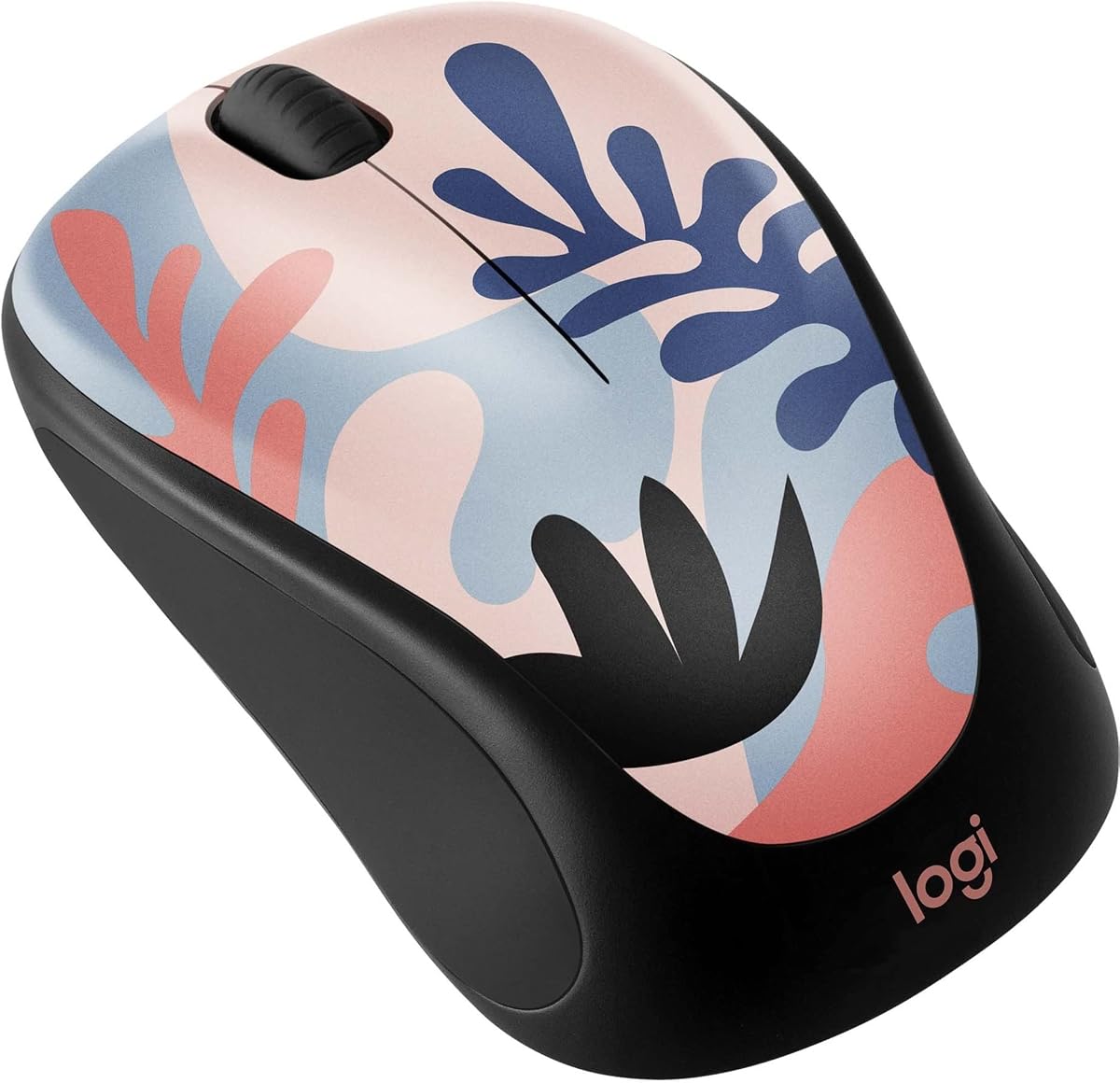
Logitech delivers a reliable limited edition mouse with eco-friendly materials. The soft rubber grips ensure comfort during use. The unifying receiver connects multiple devices. With 4.6 stars users trust its quality and portability for daily travel and work.
We may earn a commission when you buy through this link, at no additional cost to you.
The recycled plastic builds a sustainable product reducing waste. The lightweight design fits easily into any bag. The 12-month battery life ensures long use. The unifying receiver supports multiple Logitech devices for a cleaner desk setup.
Only wireless options limit thin laptops without USB-A ports. But for most setups it works great. The design collection brings vibrant colors to your desk. It is a dependable choice for those valuing brand quality and style.
Choose this if you trust Logitech quality. The rubber grips prevent slipping. The battery life is impressive for daily use. It is a stylish and reliable mouse for work or travel anywhere you need productivity.
Made with post-consumer recycled plastic parts this mouse helps reduce waste while delivering reliable performance for daily use.
Connect up to six compatible devices to one receiver creating a wire-free desk setup that works with all your tools.
We may earn a commission when you buy through this link, at no additional cost to you.
Selecting the right cute laptop mouse involves balancing style with functionality. This guide outlines key factors to consider so you find a model that fits your specific needs.
Look for mice that offer the connectivity types you need. Some support Bluetooth alone while others include 2.4GHz wireless or both. Dual mode mice are versatile for tablets without USB ports.
Choose the connectivity option that matches your devices to ensure seamless connection without adapters.
Cute designs range from pastel colors to themed shapes like cats or cars. Ensure the shape fits your hand comfortably. Ergonomic shapes reduce strain during long sessions better than flat novelty shapes.
Prioritize comfort alongside aesthetics to avoid hand fatigue during extended use.
Some models use AA batteries while others are rechargeable. Rechargeable units save money over time but may need charging cables. Battery powered models offer instant swapping but require replacements.
Decide based on your preference for sustainability versus convenience.
Silent clicks reduce noise which is vital for shared spaces. If you work in libraries or offices check for quiet mechanisms. This feature prevents distractions for yourself and others around you.
Opt for silent clicks if noise is a concern in your work environment.
Adjustable DPI levels allow cursor speed changes. Higher DPI is useful for large screens or design work. Smooth tracking ensures the pointer follows your hand accurately on different surfaces.
Select a mouse with appropriate DPI settings for your screen size.
Compact mice are ideal for travel. Look for lightweight options that fit into laptop sleeves. Small receiver storage prevents losing the connection dongle when moving.
Choose a lightweight portable design if you move between locations often.
Ensure the mouse supports your operating system. Most work with Windows and Mac but some lack features on Mac. Check for driver free plug and play functionality for ease of use.
Verify system compatibility before purchasing to avoid functional issues.
Look for models with high click ratings like five million cycles. A durable build ensures the mouse lasts years. Strong plastic or ergonomic materials prevent cracking or wear.
Invest in durable materials to ensure long term reliability and value.
Begin by inserting the battery or charging the device fully. For 2.4GHz models insert the USB receiver into a port. The mouse should connect instantly without drivers. For Bluetooth models enable pairing mode and select it in settings.
Keep the sensor clean by wiping it gently with a soft cloth. Dust can interfere with tracking and reduce performance. Use a mousepad to protect both your desk and the bottom surface for better glide.
Store the mouse in a padded case when traveling to avoid cracks. Turn off the switch when not in use to save power. Check battery levels regularly and replace or recharge them before they drain completely.
Most models in this list support macOS including basic functions. Some side buttons might not work on Apple systems though. Check specific product details to confirm full compatibility before buying.
Yes many cute mice use standard sensors for reliable tracking. Aesthetics do not impact performance on most models. Choose reputable brands for better build quality and precision.
Battery life ranges from months to over a year depending on usage. Rechargeable models typically last weeks per charge. Non rechargeable ones need battery swaps when power runs low.
Optical sensors often struggle on glass. A mousepad is recommended for smooth tracking on transparent surfaces. Some advanced models work better on glass but check specs first.
Many models feature silent click mechanisms that reduce noise. This makes them suitable for shared offices or libraries. Check specific silent features when comparing models.
Most support plug and play functionality without extra software. Some brands offer customization software but it is optional. They work instantly once connected to your device.
Several models in this guide are compact and fit small hands. Look for ergonomic designs labeled for travel or lightweight use. Comfort should be prioritized over size.
Some models allow switching between devices via a button. Bluetooth dual mode options work with phones and laptops. Check the product specs for multi-device features.
We explored ten top options ranging from budget picks to premium designs. Each model offers unique features tailored to different needs. Whether you want silent clicks or themed shapes there is a pick for you.
Focus on connectivity and comfort first before aesthetics. Ensure the mouse fits your hands and devices well. Prioritize battery life and silent features if you work in shared spaces often.
Prices and availability can change quickly on retailer platforms. Always check the latest offers before finalizing your purchase. This guide ensures you find the perfect cute mouse for your workspace.