
TP-Link Tapo 1080P Outdoor Wired Pan/Tilt
4.5Editor score
360 degree visual coverage
98 feet night vision range
Physical privacy mode available
This comprehensive guide compares the top 10 cloud IP cameras for home security, evaluating features like storage, resolution, and connectivity to help you
Cloud IP cameras have revolutionized how we monitor our homes and properties. These devices connect directly to the internet allowing real-time video streaming and storage in the cloud. They provide peace of mind by letting you check in on your property from anywhere in the world using a smartphone or computer.
Selecting the right camera involves understanding various features such as resolution, storage options, and connectivity protocols. We have analyzed ten top-rated models based on user reviews, technical specifications, and overall performance. Our goal is to highlight the strengths and weaknesses of each device to assist your decision-making process effectively.
Each entry in this list showcases a unique solution ranging from budget-friendly indoor units to robust outdoor systems. You will find details on video quality, night vision capabilities, and smart detection features. Please note that product availability and pricing can change frequently so verify current details before purchasing.
4.5Editor score
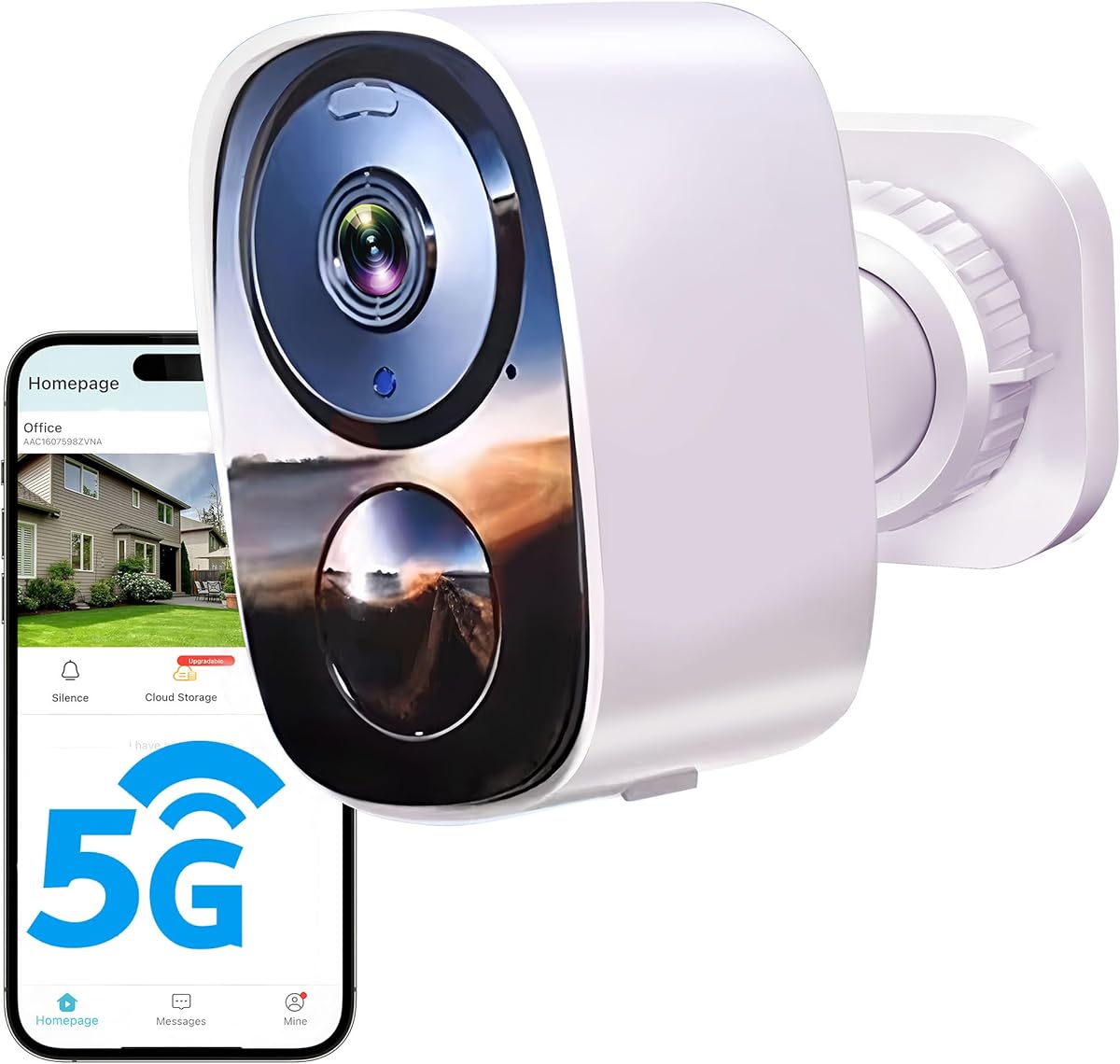
4.3Editor score
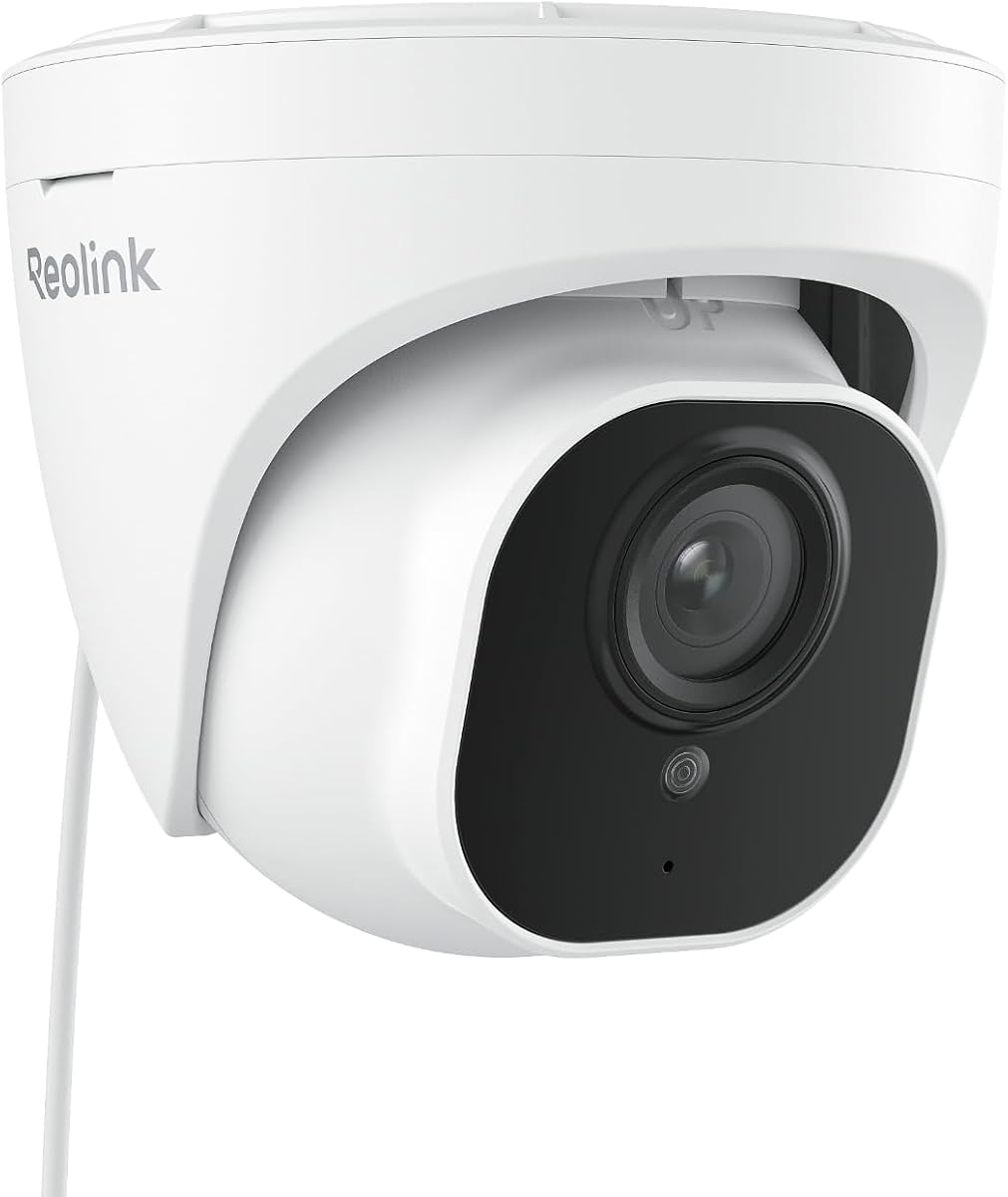
4.4Editor score
The following table provides a side-by-side comparison of all ten models discussed in this guide. It highlights key specifications such as video resolution, storage options, and special features to help you quickly identify the best fit for your needs.

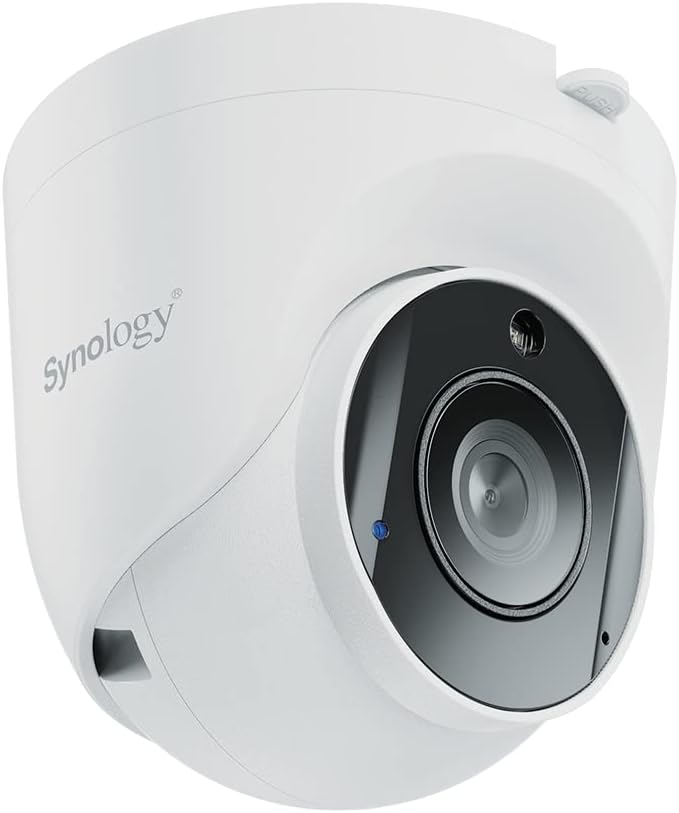


This camera offers a compelling mix of performance and convenience for modern home security needs. With a 4.3 rating, users appreciate the ease of setup and the clarity of the video feed. The standout feature is the free cloud storage option which reduces ongoing costs for many households.
We may earn a commission when you buy through this link, at no additional cost to you.
The 2K resolution ensures that details are captured clearly even when zooming in on specific areas. Full-color night vision allows you to see events in vivid color rather than grainy black and white. The battery life is impressive with potential runs of up to six months depending on usage frequency.
While the free cloud plan offers basic SD quality, upgrading to HD requires a paid subscription. Battery performance also depends heavily on motion detection frequency and temperature conditions. These trade-offs are acceptable given the overall value and functionality provided by the device.
This camera is ideal for homeowners seeking a reliable outdoor solution without complex wiring. It works well with Alexa for voice control and provides instant alerts for suspicious activity. We recommend it for those prioritizing flexibility and cost-effective cloud storage options.
Having free cloud storage means your footage is accessible even if the camera is tampered with or stolen. This adds a layer of security that local storage alone cannot provide effectively.
The AI motion detection minimizes false alarms by distinguishing between pets and actual people. This ensures you receive relevant notifications without being overwhelmed by unnecessary alerts.
We may earn a commission when you buy through this link, at no additional cost to you.
The Tapo C201 is a highly rated indoor camera perfect for monitoring babies or pets. It boasts a 4.5 rating due to its reliability and extensive coverage capabilities. Users love the ability to pan and tilt remotely to follow action around the room.
We may earn a commission when you buy through this link, at no additional cost to you.
Its 360-degree horizontal range ensures no corner of the room is left unmonitored. The detection system can distinguish between general motion and specific events like baby crying which reduces false alerts. Night vision reaches up to 30 feet providing clear visibility in dark rooms.
Storage options include local SD cards or a subscription to Tapo Care for cloud features. This flexibility allows users to choose based on their privacy preferences and budget. However, the camera is designed strictly for indoor use which limits outdoor versatility.
We recommend this camera for parents and pet owners who need a dedicated indoor monitor. Its affordability and smart features make it a top contender in the indoor category. It integrates well with other smart home devices for a cohesive security setup.
Beyond security, this camera serves well as a baby monitor or pet tracker. The two-way audio allows you to speak to pets or soothe a baby remotely without entering the room.
The ability to detect specific sounds like crying adds significant value for parents. It filters out background noise ensuring you are only alerted when necessary.
We may earn a commission when you buy through this link, at no additional cost to you.
The C500 brings PTZ capabilities to the outdoor market at a very competitive price. It maintains the high 4.5 rating seen in other Tapo products due to its reliability. The combination of pan tilt and 1080p video makes it versatile for driveways and yards.
We may earn a commission when you buy through this link, at no additional cost to you.
Its night vision extends up to 98 feet which is significantly higher than many competitors in this range. Person detection AI ensures you are notified when a human approaches rather than just motion. The physical privacy mode offers peace of mind by physically blocking the lens when not in use.
Since it is wired you need access to a power outlet near your installation point. Cloud storage is available through a subscription service which adds to the long-term cost. However the hardware quality and feature set justify the expense for many users.
This camera is an excellent choice for those wanting full coverage without breaking the bank. It works seamlessly with Google Assistant and Alexa for voice viewing. We suggest it for homeowners needing a reliable outdoor pan tilt solution at a budget price.
The extended 98-foot night vision ensures large areas remain visible after dark. This is crucial for identifying intruders or monitoring vehicles in parking areas.
The physical privacy mode provides a tangible way to ensure the camera is not recording. This is helpful for times when you want to keep your home life private.
We may earn a commission when you buy through this link, at no additional cost to you.
The Synology TC510 is designed for users who need enterprise-grade security features. It lacks a traditional star rating due to limited consumer availability but offers robust specs. The 5MP sensor provides crisp images suitable for detailed analysis and evidence gathering.
We may earn a commission when you buy through this link, at no additional cost to you.
Edge AI detection allows the camera to analyze video locally reducing bandwidth usage and latency. The device is compliant with NDAA and TAA standards making it suitable for government or sensitive commercial applications. Peer-to-peer connection ensures you can access footage even if internet connectivity is interrupted.
Installation may require more technical knowledge compared to consumer models. The price point is higher reflecting the professional capabilities and compliance features. For those needing a fail-safe system local SD card recording ensures footage is not lost.
We recommend this camera for businesses or secure facilities requiring high standards. Its ability to handle network failures makes it a reliable choice for critical monitoring. It represents the best of professional IP technology available for serious security needs.
Compliance with NDAA and TAA ensures the hardware meets strict security standards. This is vital for installations where security protocols are paramount.
Performing analytics on the device itself means faster alerts and less data usage. It improves overall system efficiency and responsiveness.
We may earn a commission when you buy through this link, at no additional cost to you.
This camera stands out with its color night vision capabilities that bring life to night footage. With a 4.2 rating users appreciate the clarity and smooth video quality provided by the 3MP sensor. It supports both 2.4G and 5G WiFi for a more stable connection.
We may earn a commission when you buy through this link, at no additional cost to you.
Horizontal auto tracking ensures that moving objects stay in view as they move across the frame. The PIR motion sensor helps reduce false alarms by detecting heat signatures from people and animals. Sharing the feed with family members is quick and easy via a simple scan.
The camera is built to withstand harsh weather with an IP66 rating for outdoor durability. While it requires a wired power connection the 24/7 recording capability is a significant benefit. Some users note that app stability can vary depending on network conditions.
Ideal for those wanting vivid night-time footage without paying a premium price. It balances performance and cost effectively for residential security needs. We suggest it for homeowners who prioritize color visuals and reliable weather resistance.
LED lights combined with infrared allow the camera to show color even in low light. This makes identifying clothing or vehicle colors much easier than standard IR.
The tracking function follows movement automatically keeping the subject centered. This ensures you don't miss key moments during an event.
We may earn a commission when you buy through this link, at no additional cost to you.
The Reolink RLC-820A delivers stunning 4K video quality ideal for professional setups. With a 4.4 rating it is praised for its reliability and crystal-clear detail. The PoE technology simplifies installation by running power and data through a single cable.
We may earn a commission when you buy through this link, at no additional cost to you.
On-device detection accurately identifies humans and vehicles reducing unnecessary notifications. Audio recording adds another layer of evidence capturing ambient sounds during events. You can save footage to an SD card or NVR giving you full control over your data.
Installation requires a PoE switch which may need extra equipment but ensures a stable connection. The higher price reflects the superior image quality and professional features. However the clarity of the video makes it worth the investment for serious security needs.
This camera is perfect for users wanting high-definition footage without complex configurations. It works well in various outdoor environments thanks to its robust build. We recommend it for those prioritizing image clarity and stable wired connectivity.
The 4K resolution provides details that 1080p cameras simply cannot match. This is crucial for reading license plates or identifying faces.
PoE means you only need one cable to power and connect the camera. This reduces installation time and keeps your exterior looking cleaner.
We may earn a commission when you buy through this link, at no additional cost to you.
The Kasa EC71 offers a seamless experience for users invested in smart home ecosystems. It maintains a strong 4.4 rating with users valuing the intuitive interface and responsive alerts. The pan tilt feature allows you to monitor multiple zones in a single room.
We may earn a commission when you buy through this link, at no additional cost to you.
Integration with Alexa and Google Home means you can view feeds using voice commands. Advanced detection features track moving objects and notify you of important events like crying. The two-way audio lets you communicate with your home remotely at any time.
Storage options include local SD cards or a subscription for cloud backup. The app provides useful summaries and snapshots so you stay informed without watching hours of footage. It is strictly designed for indoor use which limits outdoor versatility.
Ideal for families wanting a smart home compatible camera for living rooms or nurseries. It balances privacy and functionality well for everyday monitoring needs. We recommend it for those prioritizing smart home convenience and ease of use.
Support for major smart home platforms makes it easy to automate actions. You can trigger lights when motion is detected using simple routines.
The Kasa app is designed for quick access and easy navigation. Viewing live feeds is straightforward without needing technical expertise.
We may earn a commission when you buy through this link, at no additional cost to you.
Amcrest continues to offer reliable cameras with solid local storage support. This 4MP model provides sharper detail than standard 1080p options. With a 4.0 rating users appreciate the robust build and compatibility with various recording systems.
We may earn a commission when you buy through this link, at no additional cost to you.
It supports H.265 compression which reduces bandwidth and storage requirements without sacrificing quality. The camera works well with Blue Iris and other professional software for advanced users. Secure encryption protects your data during transmission and storage.
Night vision reaches up to 32 feet which is decent for small to medium rooms. The design is functional without extra aesthetics which keeps the cost down. Some users find the mobile app less intuitive than consumer-focused brands.
This camera is great for tech-savvy users who want control over their footage. It offers a reliable alternative to subscription-based models. We suggest it for those prioritizing data privacy and local recording options.
Support for NAS servers and FTP means you can store footage anywhere. This gives you full ownership and control over your security data.
Compatibility with tools like Blue Iris opens up advanced configuration options. You can set complex rules and manage multiple cameras efficiently.
We may earn a commission when you buy through this link, at no additional cost to you.
The Hiseeu camera offers high resolution video with the added benefit of a floodlight. It holds a strong 4.6 rating reflecting user satisfaction with the image clarity and build. It is designed to work well with Hiseeu wireless systems but also functions standalone.
We may earn a commission when you buy through this link, at no additional cost to you.
The floodlight provides full-color night vision allowing you to see details in dark areas. Two-way audio helps you communicate with visitors or deter unwanted activity. Integration with NVR systems ensures you have a reliable backup for your footage.
Setup involves connecting to WiFi and configuring the app which can be slightly complex. The interface is straightforward but lacks advanced customization options. The value provided by the high resolution and features makes it a strong contender.
Ideal for users with existing NVR systems or those needing clear night vision. It balances performance and cost effectively for residential security needs. We recommend it for homeowners wanting high clarity and system flexibility.
The built-in floodlight activates on motion to illuminate dark areas fully. This ensures clear color footage even at night without relying on infrared.
Works with Hiseeu wireless systems to create a cohesive security network. This makes it easy to expand your system over time.
We may earn a commission when you buy through this link, at no additional cost to you.
This camera offers broad compatibility through ONVIF and RTSP standards for flexible integration. It provides solid 1080p video quality with auto tracking features that follow moving objects. The dual-band WiFi ensures stable connections even through walls and interference.
We may earn a commission when you buy through this link, at no additional cost to you.
Cloud and SD storage options give users flexibility on how they save footage. The app allows for multiple views and sharing with friends or family. It supports voice commands through Alexa for convenient hands-free viewing of your feed.
The rating reflects some issues with app consistency and setup complexity. While the hardware is solid the software experience can be improved. However the open standard support makes it a valuable addition for technical users.
We suggest this for those who need to integrate with third-party NVR systems easily. It offers a good range of features for the price point. Ideal for users who value open compatibility over proprietary ecosystem integration.
Being ONVIF compliant means it works with most third-party security software. This flexibility is rare for consumer-grade devices at this price.
Support for both WiFi bands ensures a stronger connection in crowded areas. It adapts to your network environment for better performance.
We may earn a commission when you buy through this link, at no additional cost to you.
Selecting the right cloud IP camera requires balancing budget with specific security needs. We break down the essential factors to consider to ensure you invest in the right technology.
Video resolution determines how clear your footage will be especially when zooming in. Higher resolutions like 4K or 5MP provide more detail but may require more storage space. Consider what level of detail you need for identification versus general monitoring.
For most home applications 1080p or 2K provides sufficient clarity. Reserve higher resolutions for areas where license plate or face identification is critical.
Cloud storage offers accessibility and safety against device theft but usually requires a subscription. Local storage via SD cards is cost-effective but risks data loss if the camera is stolen. Some systems offer hybrid options for the best of both worlds.
Evaluate whether you prefer convenience or cost savings when choosing storage. Ensure the camera supports your preferred method before purchasing.
Wireless battery cameras offer flexible installation without power outlets but need periodic charging. Wired cameras provide continuous power but require running cables which can be difficult. PoE cameras use a network cable for both data and power ensuring reliability.
Choose a power source based on your installation constraints. Battery cameras are great for spots without outlets while wired ones suit permanent setups.
Night vision capability ensures your camera works when lighting is low. Infrared provides black and white video while floodlights enable full-color night footage. Check the range to ensure it covers the area you need to monitor.
Opt for full-color night vision if you need to identify details like clothing or vehicle colors. Infrared is sufficient for detecting motion in complete darkness.
Smart detection features like person or pet analysis reduce false alarms significantly. Advanced systems can even detect sounds like crying or breaking glass. These features save battery and bandwidth by filtering out irrelevant motion.
Look for AI detection if you want accurate alerts. Basic motion sensors may trigger for swaying trees or passing animals.
Stable connectivity ensures your camera streams footage without interruption. Dual-band WiFi cameras can switch between 2.4GHz and 5GHz for better performance. Check your router's range to ensure the camera stays connected.
Prioritize cameras with dual-band support for stronger signals. This minimizes dropouts and improves overall reliability.
Outdoor cameras must withstand rain, snow, and temperature fluctuations. Look for IP ratings like IP66 or IP67 to ensure protection against dust and water. This ensures your camera functions during severe weather conditions.
Always check the IP rating before mounting a camera outside. Proper weather resistance extends the lifespan of your device significantly.
Integration with voice assistants like Alexa or Google Home allows for easier viewing. You can command devices to show footage on smart displays or TVs. Ensure the camera supports the ecosystem you already use.
Compatibility makes your security system more convenient to use. It allows seamless integration with your existing smart home routines.
Start by downloading the manufacturer's app and creating a secure account. Follow the on-screen instructions to connect your camera to your WiFi network. Ensure the camera is placed at an angle that covers the most critical areas.
Regularly update the firmware to protect against security vulnerabilities and improve performance. Check the battery levels if you are using a wireless model to ensure uninterrupted operation. Clean the lens gently to maintain video clarity.
Review your recording settings to balance quality with storage usage. Adjust motion sensitivity to avoid false alarms from pets or passing cars. Share access with family members only if they need to view the feed.
Not necessarily. Some cameras offer free basic cloud plans but may limit resolution or history. Others require a subscription for full access. Check the specific model's terms to understand ongoing costs before buying.
Use strong unique passwords and enable two-factor authentication if available. Keep your camera's firmware up to date to patch security vulnerabilities. Also ensure your home WiFi network is secure with WPA2 encryption.
Most cloud cameras rely on internet to send alerts and record to the cloud. However some models have SD card slots to record locally during outages. This ensures you do not lose critical footage during internet interruptions.
Some cameras are designed specifically for indoor use to save costs. Outdoor models are weatherproof to withstand elements. Always check the IP rating and manufacturer instructions to verify the intended location.
Yes higher resolution and frequent streaming drain battery faster. Using motion detection instead of continuous recording can extend battery life significantly. Adjust settings to find a balance between quality and power consumption.
Yes cloud cameras are designed for remote access via smartphones or computers. As long as your camera is connected to the internet you can view live feeds or play back recordings from anywhere in the world.
Reputable manufacturers use encryption to protect your data during transmission. However it is always wise to review the privacy policy regarding data storage and sharing. Enable all available security settings to maximize your privacy.
Most apps allow you to add multiple cameras to a single account easily. This lets you view all feeds from one dashboard. Check the specific app limits if you plan to set up a large system.
This guide covered ten top options ranging from budget-friendly indoor units to premium outdoor systems. Whether you need a simple monitor or a complex professional setup there is a model here for you. Consider your specific needs regarding resolution and storage before making a decision.
Prioritize features that matter most such as video clarity or long battery life. For many users a balance of cost and convenience makes the best choice. Ensure the camera integrates well with your existing home setup for a seamless experience.
Remember that prices and availability can fluctuate so check current details before buying. Security investments should last for years so choose a model with a solid reputation. We hope this guide helps you secure your home with confidence.