
Canon imageCLASS LBP6030w
3.8Editor score
Compact space saving design
19 ppm print speed
Low energy saver mode
Discover the top laser printers with cheap toner options for home and office use. We compare features, costs, and performance to help you save money.
Finding a reliable laser printer with cheap toner is essential for anyone looking to reduce printing costs without sacrificing quality. Modern devices offer impressive speed and connectivity while keeping long-term expenses low for busy households.
We evaluated ten top models based on print quality, speed, connectivity options, and overall cost of ownership. Our analysis focuses on genuine toner compatibility and subscription services that can significantly lower per-page costs over time.
Each pick below highlights key strengths and potential trade-offs to help you decide which model fits your specific workflow needs. Remember that prices and availability can change frequently, so check current listings before making a final purchase decision.
3.8Editor score

4.3Editor score

4.5Editor score
This side by side comparison highlights the key specifications and unique features of each model to help you quickly identify the best fit for your printing needs and budget constraints.




The Brother MFC-L2820DW stands out as a top choice for small offices needing fast and reliable all-in-one printing. With a solid 4.3 rating, users praise its speed and intuitive interface for daily tasks.
We may earn a commission when you buy through this link, at no additional cost to you.
Its 36 ppm print speed ensures documents are ready quickly, while the 50 page auto document feeder saves time on multi page scanning. The dual band wireless and touchscreen make it easy to manage print jobs from anywhere.
While it lacks color capabilities, the monochrome focus keeps costs low and print quality sharp for text and graphics. The included refresh subscription trial helps lower toner costs initially, though you will need to buy supplies eventually.
This printer is ideal for home offices or small teams that need scan and fax functions alongside quick printing. It balances performance and affordability well, making it a strong recommendation for most users seeking value.
The combination of print, scan, copy, and fax in one compact unit streamlines workflows and reduces desk clutter significantly for busy professionals.
Built in dual band wireless and mobile app support allow seamless printing from phones and tablets without needing complex network setups.
We may earn a commission when you buy through this link, at no additional cost to you.
The Canon imageCLASS LBP6030w offers an accessible entry point for users needing basic wireless laser printing without breaking the bank. Its 3.8 rating reflects solid performance for light duty home use and school projects.
We may earn a commission when you buy through this link, at no additional cost to you.
Printing at 19 pages per minute is sufficient for occasional documents, and the compact design fits easily on small desks or shelves. The energy saver mode keeps electricity bills low during idle times.
While it lacks automatic duplex printing, manual duplex is possible for those wanting to save paper. The wireless connectivity ensures you can print from laptops or phones without running cables across the room.
This model is perfect for students or home users with modest printing needs who prioritize simplicity and cost over high volume output. It delivers consistent black and white quality that meets everyday document requirements effectively.
Its compact footprint makes it an ideal choice for dorm rooms or small home offices where desk space is at a premium.
Using less than two watts in sleep mode helps reduce environmental impact and lowers monthly utility costs for eco conscious users.
We may earn a commission when you buy through this link, at no additional cost to you.
The Brother HL-L2480DW earns the highest rating among our picks with its blend of speed, features, and user satisfaction. It is designed for small offices needing premium performance without enterprise-level complexity or costs.
We may earn a commission when you buy through this link, at no additional cost to you.
With a 36 ppm print speed and automatic duplex, it handles high volume tasks effortlessly. The flatbed scanner allows for copying delicate documents like IDs or books, which standard rollers cannot handle safely.
The 2.7 inch touchscreen provides intuitive control, and cloud app integration makes scanning to email or storage seamless. The refresh subscription trial offers significant toner savings, helping offset the higher initial purchase price.
This printer is best suited for users who want top-tier reliability and scanning flexibility. If you need a robust all-in-one solution that balances speed and smart features, this model stands out as a leader.
The inclusion of a flatbed glass allows you to scan thick or fragile items that would damage a standard automatic document feeder.
A responsive touchscreen simplifies navigating settings and executing complex print or scan tasks with minimal training or effort.
We may earn a commission when you buy through this link, at no additional cost to you.
The Canon imageCLASS MF3010 VP is a straightforward choice for users who prefer wired connections for security and stability. Its 4.2 rating highlights reliability and the convenience of having toner included right out of the box.
We may earn a commission when you buy through this link, at no additional cost to you.
Printing at 19 ppm is adequate for small offices where speed is not the primary concern. The included USB cable ensures quick setup without needing drivers for network configuration or wireless passwords.
While it lacks wireless features, the ID card copy function is a unique benefit for creating copies of licenses or badges quickly. Energy saver mode keeps power consumption minimal when the printer is not in active use.
This model is ideal for secure environments where network connectivity is restricted or unnecessary. It offers a no-fuss printing experience with essential multifunction capabilities for those who value simplicity over modern wireless features.
Having a high yield toner cartridge included in the package means you can start printing immediately without additional purchases or delays.
USB connectivity prevents unauthorized wireless access, making it a safer option for sensitive documents or restricted network environments.
We may earn a commission when you buy through this link, at no additional cost to you.
The Brother HL-L2460DW strikes a balance between speed and connectivity for users who primarily need printing. With a 4.0 rating, it delivers crisp output and consistent performance for home office and small team environments.
We may earn a commission when you buy through this link, at no additional cost to you.
Its 36 ppm speed combined with automatic duplex ensures efficiency for large document sets. The dual band wireless and Ethernet options provide flexibility for connecting multiple devices across a network without conflicts.
The 250 sheet paper tray reduces the frequency of refills, which is helpful for higher volume users. Mobile printing capabilities allow you to send documents from phones or tablets directly to the printer from anywhere.
This printer is best for those who need fast, reliable printing without scanning needs. It simplifies workflows by focusing on print quality and connectivity while keeping costs manageable for daily business tasks.
The 250 sheet tray minimizes interruptions by allowing you to print more documents without constantly checking for paper refills.
Supporting both wireless and Ethernet means you can choose the most stable connection type for your specific office network setup.
We may earn a commission when you buy through this link, at no additional cost to you.
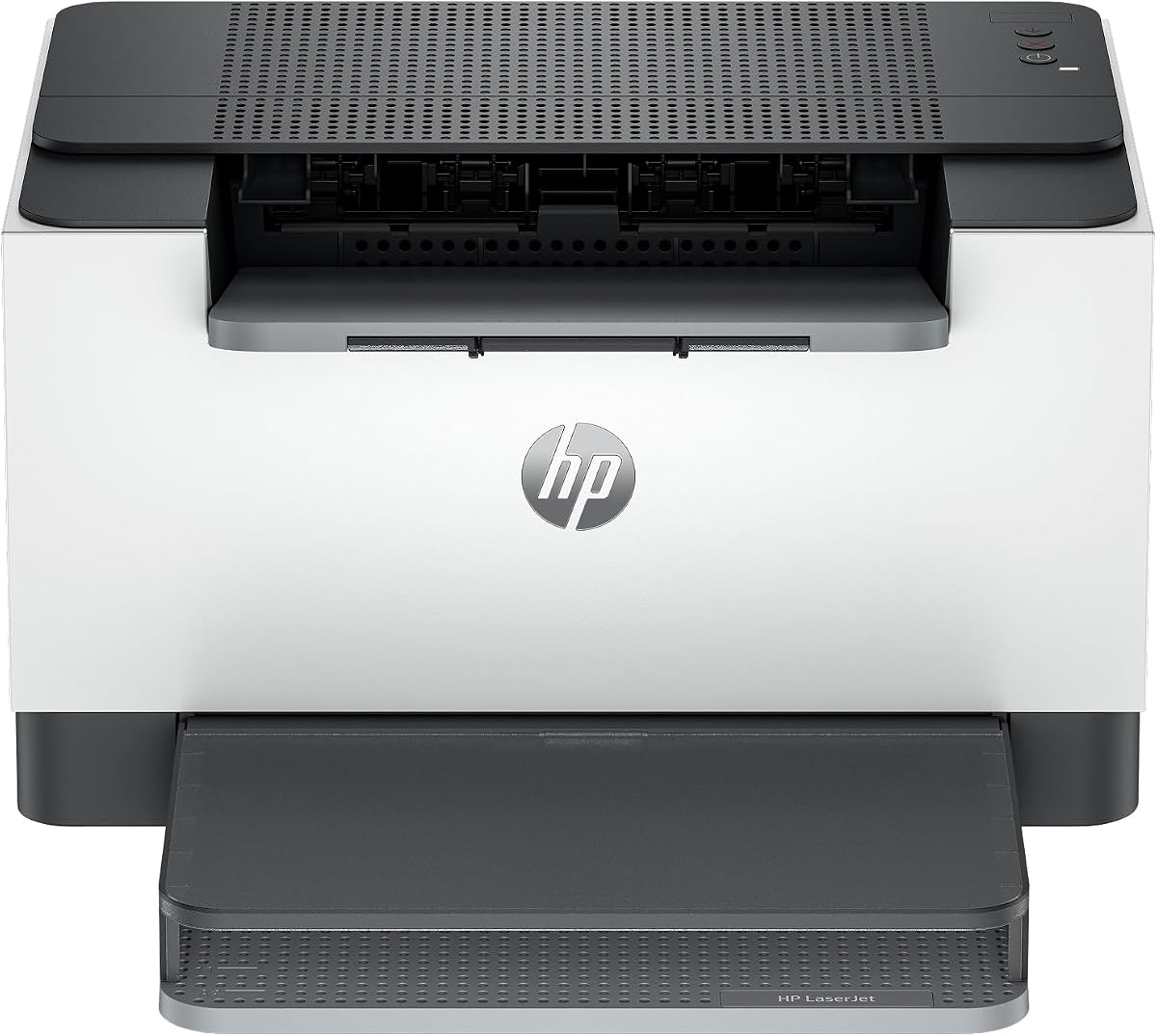
The HP LaserJet M110w is designed for small teams needing efficient black and white printing in a tiny footprint. Its 3.9 rating reflects ease of use and reliable wireless performance for daily office documents and reports.
We may earn a commission when you buy through this link, at no additional cost to you.
Printing at 21 pages per minute is suitable for moderate workloads. The wireless self-reset feature helps maintain connectivity without manual intervention when the network signal fluctuates temporarily.
The HP Smart app simplifies tasks like scanning to cloud or printing from phones. However, it uses chips that block non-HP cartridges, which can increase long term costs for users seeking cheaper alternatives.
This printer is ideal for startups or small offices prioritizing space saving and connectivity. If you value brand trust and app integration over toner flexibility, it offers a solid entry level experience.
Automatic detection and resolution of Wi-Fi issues minimize downtime and keep your team printing without IT assistance.
The HP Smart app streamlines repetitive tasks by allowing you to scan directly to cloud storage or print from any mobile device.
We may earn a commission when you buy through this link, at no additional cost to you.
The HP LaserJet M209dw delivers impressive speed for dual sided printing, making it a strong candidate for reducing paper waste. Its 4.2 rating indicates users appreciate its reliability and modern connectivity features.
We may earn a commission when you buy through this link, at no additional cost to you.
Printing up to 30 pages per minute single-sided and 19 two-sided ensures high throughput for busy environments. Dual band Wi-Fi with self-reset keeps the connection stable even in congested network areas.
Security features protect your data from potential attacks, which is crucial for business users. Instant Ink eligibility offers a subscription model that can lower toner costs significantly compared to buying cartridges manually.
This model suits teams needing fast duplex printing and secure connections. It balances performance and cost through subscription options while keeping security top of mind for sensitive document workflows.
Automatic two-sided printing reduces paper usage and costs while maintaining high speed output for professional documents.
Integrated security measures help protect your printer from network attacks ensuring your data remains safe during print operations.
We may earn a commission when you buy through this link, at no additional cost to you.
The Canon imageCLASS LBP122dw provides a cost effective way to get fast wireless duplex printing without extra functions. Its 3.9 rating highlights good performance for home users needing quick double-sided document output.
We may earn a commission when you buy through this link, at no additional cost to you.
Printing at 30 pages per minute ensures productivity even for moderate workloads. The compact design fits well in tight spaces while the wireless feature removes cable clutter from your desk area.
Using Canon Genuine Toner 071 ensures consistent quality. The PRINT app allows mobile printing, though you may need to buy toner separately depending on the bundle you select at purchase time.
This printer is best for individuals who want speed and convenience in a small package. It offers solid value for those prioritizing duplex printing and wireless access over multifunction capabilities.
Automated duplex printing halves paper usage and helps you produce professional documents without manual page turning.
The Canon PRINT app allows you to send jobs from phones or tablets easily without needing complex network configurations.
We may earn a commission when you buy through this link, at no additional cost to you.
The HP LaserJet MFP M235sdw is built for small offices needing scan and copy with fast duplex printing. Its 4.0 rating reflects balanced performance and solid build quality for professional environments.
We may earn a commission when you buy through this link, at no additional cost to you.
Printing at 28 pages per minute single sided is among the fastest in its class. Ethernet and wireless options ensure reliable connectivity, while built-in security protects against unauthorized access to sensitive documents.
Although it lacks an automatic document feeder, the flatbed scanning handles occasional tasks well. The HP Smart app streamlines printing from mobile devices and helps manage basic tasks without needing a computer.
This printer is ideal for offices that prioritize security and speed. It combines essential multifunction capabilities with modern connectivity to support efficient daily workflows in professional settings.
Built-in security features help guard your printer against potential attacks ensuring your office data stays protected at all times.
Two-sided printing speeds reduce paper waste and help you finish multipage projects faster than competing models in this class.
We may earn a commission when you buy through this link, at no additional cost to you.
The Brother HL-L2405W offers solid wireless performance for home offices needing quick prints without bulky hardware. With a 4.1 rating, it delivers reliable output and user-friendly mobile management for daily documents.
We may earn a commission when you buy through this link, at no additional cost to you.
Printing at 30 pages per minute ensures fast turnaround. Voice commands via Alexa simplify operations for users who prefer hands-free printing or scanning tasks during busy work sessions.
The Brother Mobile Connect app helps track toner usage and order supplies. However, it lacks automatic duplex printing, meaning you must manually flip pages to save paper on double-sided jobs.
This model is perfect for those prioritizing speed and smart integration. It provides a compact solution for wireless printing with voice control features that add convenience to home office workflows.
Compatibility with Alexa allows you to send print commands hands-free improving productivity during multitasking work sessions.
The mobile app lets you monitor toner levels and order replacements before running out ensuring continuous operation.
We may earn a commission when you buy through this link, at no additional cost to you.
Selecting the right laser printer involves balancing upfront costs with long-term toner expenses and functional needs.
When evaluating printers, look beyond the initial price to the cost per page. High yield toners or subscription services like Refresh or Instant Ink can significantly lower costs over time compared to standard cartridges.
Focus on models with high page yield ratings to reduce frequent replacements and lower your overall printing budget.
Print speed measured in pages per minute affects productivity. For busy environments, choose models with 30ppm or higher to avoid bottlenecks during large print jobs.
Consider your monthly page volume to select a printer that can handle the workload without overheating or wearing out quickly.
Modern printers should offer flexible connectivity like dual band Wi-Fi, Ethernet, and mobile app support. This ensures seamless printing from various devices without network conflicts.
Verify compatibility with your operating systems and cloud apps to ensure smooth integration into your existing workflow setup.
Decide if you need scanning or copying alongside printing. All-in-one models save space but may cost more upfront than single-function printers.
Choose a multifunction printer if you frequently scan documents, as this eliminates the need for a separate scanner device.
Look for larger paper trays and automatic duplex printing to reduce manual refills and save paper. Manual feed slots are also useful for specialty paper or envelopes.
Higher capacity trays mean fewer interruptions, which is crucial for high-volume users who need uninterrupted workflow efficiency.
Many brands offer subscription plans that automatically send toner before you run out. These plans often include discounts and eliminate the stress of monitoring toner levels manually.
Evaluate subscription terms carefully to ensure they offer genuine savings compared to buying cartridges independently based on your usage patterns.
For offices, built-in security like encryption and access control prevents unauthorized access to sensitive documents. Wireless printers should offer robust network protection.
Prioritize models with strong security standards if your prints contain confidential client or business data to avoid potential breaches.
Check warranty duration and support options like live chat or phone access. Reliable customer service can save time and money when issues arise.
Select brands known for responsive support to ensure quick resolution if your printer experiences hardware or software problems.
Regularly update firmware to ensure optimal performance and security against vulnerabilities. Manufacturers release updates that fix bugs and improve print quality over time.
Use genuine or high-quality third-party toner cartridges to prevent damage. Poor quality toners can leak or clog fusers leading to costly repairs and voided warranties.
Keep the printer in a cool dry place and cover it when not in use. Dust and humidity can affect internal components and paper feed mechanisms causing jams and errors.
Subscription services like Brother Refresh or HP Instant Ink often offer the lowest cost per page by delivering toner automatically. These plans are ideal for moderate users who want predictable monthly expenses without managing stock.
In many regions, using third-party toners does not void the printer warranty unless they directly cause damage. Check your manufacturer policy to understand specific terms before purchasing alternative toner solutions.
Use draft mode for internal drafts and enable automatic duplex printing to save paper. Monitoring usage and utilizing subscription services can significantly reduce long-term printing expenses effectively.
Wireless connectivity adds convenience allowing printing from mobile devices without cables. While not strictly necessary for all users, it simplifies workflows for families or small offices using multiple computers.
Duplex printing allows printing on both sides of the paper automatically. This feature halves paper usage and costs making it essential for eco-friendly and cost-conscious printing environments.
Brother and HP generally receive high marks for toner consistency and yield. However, individual usage patterns vary so choosing a model with high yield options and reliable subscriptions is key.
Our top picks highlight models balancing speed, features, and cost for different needs. The Brother MFC-L2820DW leads as our Editor's Choice for its strong performance and smart connectivity.
Prioritize long-term costs and connectivity options when deciding which model fits your workflow best. Features like duplex printing and toner subscriptions can save more than the initial price difference.
Prices and availability change frequently so verify current deals before purchasing. Check the latest toner offers to ensure you get the best value for your specific printing requirements.