
TP-Link Archer A8
4.5Editor score
OneMesh compatible
MU-MIMO technology
Easy Tether App setup
This guide compares ten top AC1900 wireless routers for speed coverage and security to help you choose the right dual band router for your home network needs.
Finding a reliable wireless router is essential for modern home connectivity. AC1900 routers offer dual band speeds up to 1900 Mbps ensuring smooth streaming and gaming across multiple devices without lag or interruption.
We analyzed ten top models based on coverage area device capacity security features and ease of use. Each product was evaluated against real world performance metrics and user feedback to ensure accuracy and practical value for buyers.
This list highlights the strengths and weaknesses of each router so you can make an informed decision. Please note that stock availability and promotional offers may change frequently so check current details before purchasing.
4.5Editor score

4.5Editor score

4.3Editor score
The following table provides a side-by-side overview of key specifications for all ten routers featured in this guide. Compare their speeds coverage areas port counts and special features to find the best match for your network requirements.




The ASUS RT-AC68U stands out as a top performer in the AC1900 category with a rating of 4.5 stars. It offers combined dual band speeds up to 1900 Mbps ensuring smooth performance for streaming and gaming across multiple devices simultaneously.
We may earn a commission when you buy through this link, at no additional cost to you.
Its AiProtection Pro powered by Trend Micro provides multi stage protection against malware and malicious sites. The 1GHz dual-core CPU enables smart multitasking allowing separate lanes for Wi-Fi and USB data without slowdowns.
While it lacks the latest Wi-Fi 6 standards its proven reliability and advanced features make it a solid choice for most households. The price is higher than budget models but the included security and performance justify the investment.
Home users seeking dependable internet with strong security should consider this model. The intuitive Asus router app and web interface make setup and management simple for tech savvy and non technical users alike.
AiProtection Pro blocks malicious sites and infected devices to keep your network safe without extra subscriptions.
The dual-core processor ensures that high bandwidth tasks do not interfere with other network activities.
We may earn a commission when you buy through this link, at no additional cost to you.
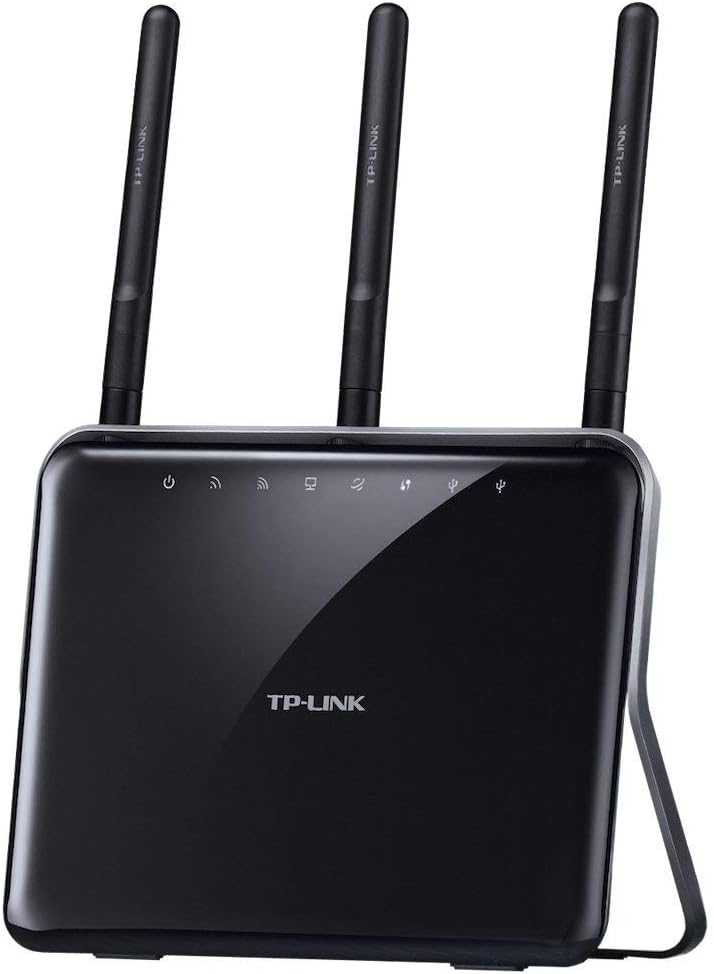
The TP-Link Archer A8 delivers impressive value with a 4.5 star rating and AC1900 speeds ideal for budget conscious buyers. It covers up to 1200 square feet with beamforming technology focusing signals towards connected devices for better efficiency.
We may earn a commission when you buy through this link, at no additional cost to you.
MU-MIMO Gigabit routing allows three simultaneous data streams optimizing communication between router and devices. The OneMesh compatibility lets you expand coverage seamlessly with TP-Link extenders without replacing your existing router.
Limitations include the lack of a USB port for storage sharing and basic security compared to premium models. However for most home networks these are acceptable trade-offs given the affordable price and solid performance.
Ideal for small to medium homes needing fast reliable internet without overspending. The Tether App simplifies setup and management making it accessible even for those new to networking.
Expand your network by adding TP-Link OneMesh extenders for a single seamless Wi-Fi experience throughout your home.
Block inappropriate content and set daily limits to manage screen time for children effectively.
We may earn a commission when you buy through this link, at no additional cost to you.
The NETGEAR Nighthawk R7000 offers premium features with a 4.3 star rating and up to 1800 square feet coverage. It supports up to 30 devices reliably making it suitable for busy households with many connected gadgets.
We may earn a commission when you buy through this link, at no additional cost to you.
Dual USB ports allow sharing storage drives and printers creating a personal cloud accessible from anywhere. Netgear Armor powered by BitDefender protects all devices from malware and data theft with a thirty day free trial.
Advanced parental controls let you pause internet access and filter sites though some features require a monthly fee. The high price includes subscription costs for full security and control capabilities which may be a consideration.
Perfect for tech enthusiasts needing robust features and wide coverage. The included security trial and flexible storage options add significant value for users prioritizing control and protection.
Share files and printers with any connected device using the versatile USB ports on the router.
Manage site access and time limits to promote healthy internet habits for all family members.
We may earn a commission when you buy through this link, at no additional cost to you.
The NETGEAR Nighthawk R6900P provides reliable performance with AC1900 speeds and coverage up to 1800 square feet. It handles up to 30 devices efficiently ensuring stable connections for streaming gaming and smart home applications.
We may earn a commission when you buy through this link, at no additional cost to you.
Features include a 1GHz dual core processor MU-MIMO and Beamforming for optimized signal distribution. The USB 3.0 port enables fast sharing of storage and printers with connected devices in your network.
Smart Parental Controls promote healthy habits but advanced tools require a subscription after the free trial. The lack of Wi-Fi 6 limits future proofing but current performance remains competitive for most users.
Buyers wanting a balance of speed and features at a lower cost than the R7000 may prefer this model. It remains a strong choice for families needing dependable Wi-Fi with modern security options.
Simultaneously communicates with multiple devices to reduce congestion and improve network efficiency.
Prioritizes bandwidth for applications that need it most like video calls and gaming sessions.
We may earn a commission when you buy through this link, at no additional cost to you.
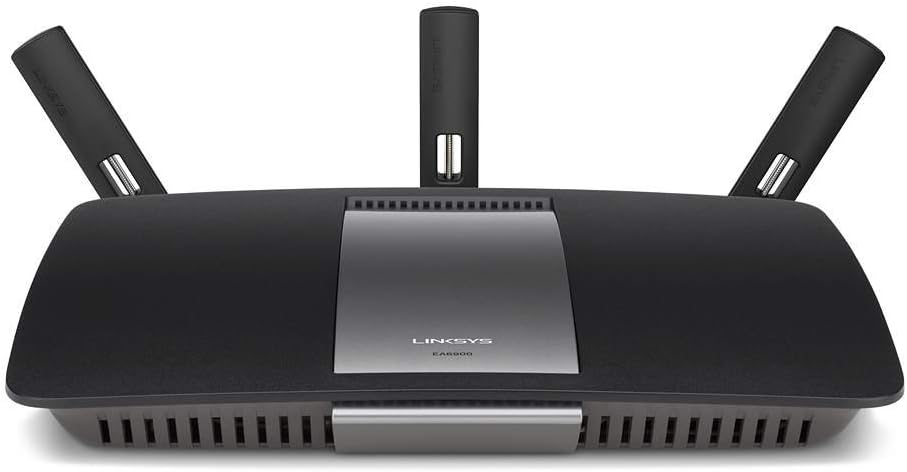
The Linksys EA6900 offers solid AC1900 performance with simultaneous dual band speeds up to 1900 Mbps. It supports both USB 3.0 and 2.0 ports enabling versatile sharing of storage and printers across your home network.
We may earn a commission when you buy through this link, at no additional cost to you.
Three adjustable external antennas and beamforming technology ensure maximum range and connection stability. The Linksys Smart Wi-Fi app allows remote management and parental controls making it convenient for users on the go.
While this model lacks some newer features like MU-MIMO its legacy reliability and media streaming support via DLNA remain useful. The design is slightly dated but performance meets standard home networking needs effectively.
Ideal for users prioritizing ease of use and media management features. The app and remote capabilities add convenience without requiring advanced technical knowledge for setup or maintenance.
Control your network from anywhere using the Linksys Smart Wi-Fi app on your mobile device.
Stream media content to compatible devices effortlessly with built-in DLNA support for home entertainment.
We may earn a commission when you buy through this link, at no additional cost to you.
The TP-Link Archer C80 delivers efficient performance with a 4.5 star rating and 3×3 MU-MIMO technology. It supports simultaneous communication with multiple devices reducing lag and improving throughput for all users connected.
We may earn a commission when you buy through this link, at no additional cost to you.
Features include Airtime Fairness limiting excessive network occupation and beamforming to focus signals towards clients. WPA3 encryption ensures modern security standards protecting your data and connected devices from threats effectively.
While this renewed model offers great value the condition may vary compared to new units. The lack of USB ports limits storage sharing but the OneMesh compatibility allows easy expansion with extenders if needed.
Suitable for households prioritizing network efficiency and security over legacy features. The Tether App simplifies management and parental controls help maintain safe browsing habits for children.
Improves efficiency by preventing slower devices from monopolizing bandwidth on the network.
Advanced security protocol ensures robust protection for your wireless network and connected devices.
We may earn a commission when you buy through this link, at no additional cost to you.
The TP-Link Archer C1900 features high power amplifiers that boost signal strength for better coverage and stability. It delivers combined speeds up to 1900 Mbps ensuring smooth online gaming and 4K HD video streaming.
We may earn a commission when you buy through this link, at no additional cost to you.
Three dual band antennas with 900mW amplifiers enhance coverage while the 1GHz dual core processor handles wired and wireless connections without interruption. Four Gigabit Ethernet ports provide fast reliable connections for stationary devices.
Although it lacks USB ports and modern mesh features the raw signal power makes it suitable for larger spaces. The performance remains competitive especially for users needing strong connectivity in homes with thick walls.
Ideal for gamers and streamers prioritizing speed and stability over extra connectivity options. The focused design ensures high bandwidth tasks run smoothly without affecting other network activities.
High power amplifiers boost signal strength to cover more area and penetrate obstacles effectively.
Ensures simultaneous wired and wireless connections run smoothly without performance drops.
We may earn a commission when you buy through this link, at no additional cost to you.
The ASUS RT-AC68P provides reliable performance with combined dual-band data rates up to 1900 Mbps. Five Gigabit Ethernet ports support fast stable wired network connections for computers consoles and other stationary devices.
We may earn a commission when you buy through this link, at no additional cost to you.
AiRadar beamforming enhances signal range and stability ensuring strong connections throughout your home. Dual USB ports with USB 3.0 allow ten times faster data transfer than older standards for efficient file sharing.
While this model lacks the latest standards its cloud services and robust networking control remain useful. The ASUSWRT interface simplifies setup and management making it accessible for various user technical levels.
Buyers needing multiple wired ports and solid performance may find this model practical. Its features suit homes prioritizing reliable connectivity over cutting edge wireless technology.
Enhances signal range and stability to eliminate dead spots in your home network.
Access sync and share data wherever you are with ASUS A iCloud cloud service integration.
We may earn a commission when you buy through this link, at no additional cost to you.
The ASUS RT-AC67P delivers fast speeds with 256 QAM technology reaching total speeds up to 1900 Mbps. It extends coverage up to 3000 square feet making it suitable for larger homes needing wide signal distribution.
We may earn a commission when you buy through this link, at no additional cost to you.
Six layers of advanced network security ensure safe high-speed Wi-Fi internet. MU-MIMO allows connecting multiple clients at maximum speed simultaneously ensuring no device slows down the network for others.
The setup is effortless with a three step process taking less than thirty seconds. Though USB ports are absent the mobile app enables remote network management and firmware updates easily.
Ideal for users prioritizing wide coverage and security in a single device. The app and setup simplicity make it a strong contender for households seeking reliable internet without complexity.
Extend coverage up to 3000 square feet to eliminate dead spots across your home.
Connect multiple devices simultaneously at maximum speed to maintain network efficiency.
We may earn a commission when you buy through this link, at no additional cost to you.
The ASUS RT-AC1900P provides combined dual-band speeds up to 1900 Mbps offering three times faster performance than older routers. Five Gigabit Ethernet ports ensure flexible connectivity for multiple wired devices simultaneously.
We may earn a commission when you buy through this link, at no additional cost to you.
AiProtection powered by Trend Micro blocks security threats for all connected smart devices for free over a lifetime. AiMesh support allows connecting other compatible routers to create a powerful whole-home Wi-Fi network.
An ultrafast USB 3.1 port and AiRadar eliminate dead spots ensuring strong signals throughout your space. The design is older but the feature set and included lifetime security offer significant value for most users.
Perfect for households wanting reliable connectivity with advanced mesh capability. The included security and extensive port options make it a strong versatile choice for many networking needs.
Enjoy free lifetime internet security that blocks and neutralizes threats without additional subscriptions.
Connect compatible ASUS routers to create a flexible whole-home Wi-Fi network seamlessly.
We may earn a commission when you buy through this link, at no additional cost to you.
Selecting the right router requires evaluating several technical factors. This section explores key specifications and features that determine how well a router suits your home environment and usage habits.
AC1900 routers provide combined speeds of 600 Mbps on 2.4GHz and 1300 Mbps on 5GHz bands. This total bandwidth ensures that multiple devices can stream and game simultaneously without congestion or lag.
Prioritize routers with the latest IEEE 802.11ac Wave 2 standards for better performance and efficiency across all connected devices.
Coverage depends on antenna design beamforming and amplifiers. Models vary from covering 1200 sq ft to 3000 sq ft so measure your home size to choose accordingly.
For larger homes look for high power amplifiers or mesh compatible routers to extend reach without dead spots.
Modern homes have many connected gadgets from phones to smart lights. Routers should handle 30 or more devices smoothly to maintain stable connections.
Select models with MU-MIMO technology allowing simultaneous data streams for all devices.
Built-in security such as AiProtection or Netgear Armor protects against malware and threats. Some require subscriptions while others offer free trials.
Choose routers with WPA3 encryption and multi layer defense to keep your network safe from attacks.
Gigabit Ethernet ports provide fast wired connections for consoles and PCs. Some models offer USB ports for sharing storage or printers.
Ensure enough ports for your stationary devices and consider USB if you need local file sharing.
User-friendly interfaces and mobile apps simplify configuration. Routers should offer intuitive setups taking minutes rather than hours.
Prioritize models with app-based management for easier ongoing control and monitoring.
Mesh compatible or OneMesh capable routers allow future expansion with extenders or nodes. This flexibility adapts to changing home layouts.
Consider routers that support mesh ecosystems if you plan to grow your network later.
These features help manage screen time and filter content for children. Some offer advanced tools requiring subscriptions while others include basic options.
Look for intuitive controls that let you block or schedule access effectively without technical hassle.
Place your router in a central elevated location away from obstructions to maximize signal strength. Avoid placing it near metal objects or thick walls that block Wi-Fi signals.
Keep your router firmware updated through the manufacturer app or web interface to ensure security patches and performance improvements are applied regularly.
Regularly reboot your router to clear temporary issues and maintain optimal speed. A monthly restart helps reduce latency and improves connection stability for all users.
The 2.4GHz band offers better range but slower speeds while 5GHz provides faster speeds with shorter range. AC1900 routers use both bands allowing devices to switch for best performance.
Yes all routers require a separate modem to connect to your ISP. These devices create a local wireless network but cannot connect to the internet without a modem.
Many models support OneMesh or AiMesh allowing compatible extenders to expand your network seamlessly. This helps eliminate dead spots without replacing the main router.
MU-MIMO allows simultaneous communication with multiple devices reducing lag for all users. It improves overall network efficiency especially when many devices connect at once.
Yes most work with major ISPs like AT&T Verizon Xfinity and Spectrum. Just ensure your modem is compatible with your router connection type.
Change default passwords enable WPA3 or WPA2 encryption and use built-in security tools like AiProtection. Regularly update firmware to keep your network protected from threats.
Some models offer USB ports to share storage and printers across your network. Check specifications as not all AC1900 routers include USB connectivity options.
This guide highlighted ten top AC1900 wireless routers ranging from budget to premium options. Each model offers unique strengths in speed coverage and security to meet varied home needs.
Prioritize features that match your usage habits like device count home size and security requirements. The right choice ensures smooth reliable internet without unnecessary expense.
Remember that prices and stock may change so verify current details before buying. We hope this guide helps you select the perfect router for your home network.