
MONITOR Acer Nitro 27in QHD 2560×1440 IPS 240Hz Gaming XV272U W2bmiiprx
4.2Editor score
240Hz via DisplayPort 144Hz HDMI
Ergostand with height and pivot
AMD FreeSync Premium Technology
Finding the right display for competitive gaming requires balancing resolution and speed. A 1440p gaming monitor at 240Hz offers sharp visuals and ultra-smooth motion for FPS and esports titles.
We analyzed performance, panel technology, and connectivity to rank these ten top models. Each option delivers high refresh rates while maintaining image quality for immersive gameplay experiences.
Every pick highlights key strengths and trade-offs so you can decide quickly. Prices and stock change frequently, so verify current deals before finalizing your purchase today.
4.2Editor score

4.6Editor score

4.6Editor score
As an Amazon Associate we earn from qualifying purchases.
This table compares every model side by side so you can see differences in panel type, connectivity, and ergonomic adjustments at a glance.


The AOC Q27G41ZE stands out as a top choice for competitive gamers seeking a 1440p experience. It combines a 240Hz refresh rate with an IPS panel to deliver sharp visuals and fast response times. Its adaptive sync technology ensures smooth gameplay across different hardware configurations.
We may earn a commission when you buy through this link, at no additional cost to you.
This monitor excels in motion clarity thanks to its 0.3ms MPRT response time. The 27-inch QHD resolution provides enough screen real estate for immersive gameplay without sacrificing pixel density. Gamers appreciate the G-SYNC compatibility which reduces tearing during intense matches.
Trade-offs include a basic tilt-only stand which limits ergonomic flexibility compared to premium models. The bezels are minimal but not frameless. Despite these minor drawbacks the performance remains competitive for the price range.
Competitive gamers and streamers looking for value should consider this model. It offers professional-level speed without the premium price tag making it accessible for most budgets.
The low response time eliminates ghosting during fast-paced action scenes.
IPS technology ensures accurate colors for both gaming and creative work.
We may earn a commission when you buy through this link, at no additional cost to you.
The Acer Nitro XV272U offers incredible value for gamers wanting high refresh rates without breaking the bank. It delivers a 240Hz refresh rate over DisplayPort and supports AMD FreeSync Premium. The ergonomic stand makes it easy to adjust height and pivot for any setup.
We may earn a commission when you buy through this link, at no additional cost to you.
Performance is solid for casual competitive gaming. The IPS panel provides good viewing angles and the response time keeps motion acceptable. While HDR is not a focus here color accuracy is decent for the price tier.
The HDMI port limitation restricts 240Hz to DisplayPort only. This may require a cable swap if your console only uses HDMI. Brightness is average so glare can be an issue in bright rooms.
Budget-conscious gamers or students will find this model appealing. It balances cost and features well making it a great entry point into high refresh gaming.
Full stand adjustability reduces neck strain during long sessions.
Built-in speakers save desk space though headphones are better for immersion.
We may earn a commission when you buy through this link, at no additional cost to you.
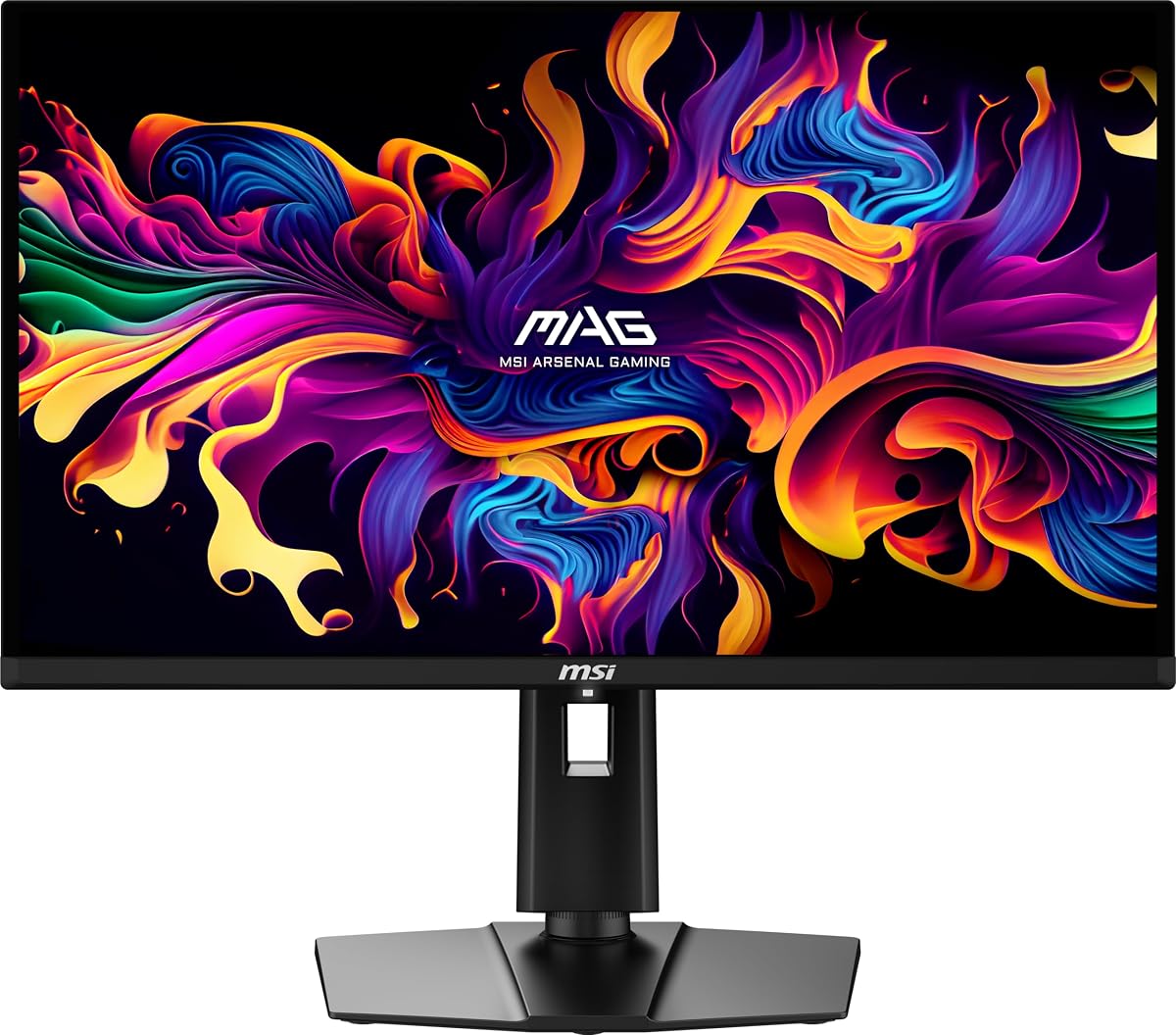
The MSI MAG 274QP represents the pinnacle of gaming monitor technology with its Quantum Dot OLED panel. It delivers deep blacks and vibrant colors thanks to the self-emissive nature of OLED. The response time is nearly instantaneous ensuring zero motion blur during intense gameplay.
We may earn a commission when you buy through this link, at no additional cost to you.
Gaming Intelligence software adds value with features like AI Crosshair and burn-in protection. The stand is sturdy and adjustable providing solid ergonomics. HDMI 2.1 support means next-gen consoles can fully utilize the 240Hz potential.
Price is higher than LCD counterparts and OLED longevity concerns remain a consideration for static-heavy use. However for pure gaming the visual quality is unmatched in this price segment.
Enthusiasts seeking the best visual experience should prioritize this monitor. It is ideal for immersive single-player games and competitive play alike.
Deep blacks enhance shadow details in dark game environments.
HDMI 2.1 ensures full bandwidth for PS5 and Xbox Series X.
We may earn a commission when you buy through this link, at no additional cost to you.
LG's 27GR83Q-B is a robust option for those needing reliable performance without OLED risks. The IPS panel offers consistent colors and fast response times. With support for both G-Sync and FreeSync Premium it works seamlessly across different GPUs.
We may earn a commission when you buy through this link, at no additional cost to you.
Design details like the DTS Headphone:X audio output add depth to immersive experiences. The stand allows height and tilt adjustments. HDMI 2.1 ensures future-proofing for console gaming.
Brightness is standard so HDR content may not pop as much as expected. The lack of pivot limits portrait use cases. However overall performance remains strong for competitive titles.
Gamers needing stable LCD performance will appreciate this model. It balances reliability and speed well for professional and casual play.
DTS GP:X spatial audio enhances in-game sound immersion.
Both DisplayPort and HDMI support 240Hz refresh rates.
We may earn a commission when you buy through this link, at no additional cost to you.
The Predator X27U brings OLED technology to a 26.5-inch form factor optimized for competitive visibility. The ZeroFrame design minimizes distractions during gameplay. With 240Hz and 0.03ms response times it is built for speed and precision.
We may earn a commission when you buy through this link, at no additional cost to you.
Color volume is exceptional with 99% DCI-P3 coverage making it suitable for creative work too. The panel's response time eliminates motion blur almost entirely. It is ideal for fast-paced shooters and racing games.
Lacking USB-C limits versatility for laptop docking. The high contrast OLED panels require careful static image management to avoid burn-in over time.
Gamers prioritizing immersion and speed should consider this. It delivers top-tier visuals for those willing to invest in premium technology.
Minimal bezels create a seamless viewing experience.
Response time ensures sharp tracking during rapid movement.
We may earn a commission when you buy through this link, at no additional cost to you.
The KTC H27E6S stands out visually with its clean white finish and sleek design. It offers a fast IPS panel capable of 240Hz native and 275Hz overclocked refresh rates. This makes it a hidden gem for those wanting style without sacrificing speed.
We may earn a commission when you buy through this link, at no additional cost to you.
Performance is solid with 1ms MPRT ensuring smooth motion. The stand offers height and pivot adjustments for ergonomic comfort. Connectivity includes dual HDMI and DisplayPort for versatile setup options.
As a newer brand reliability data is less available than established competitors. Warranty support is present but user experience may vary. It is a bold choice for specific aesthetic preferences.
Style-conscious gamers or those wanting a white setup will love this. It offers competitive specs with a unique look.
White finish blends well with modern minimalist setups.
275Hz overclock pushes limits for competitive edge.
We may earn a commission when you buy through this link, at no additional cost to you.
The ASUS ROG XG27ACMG combines robust hardware with intelligent software features. It supports up to 270Hz refresh rates and includes USB-C for simplified laptop connections. The ROG Gaming AI enhances gameplay with helpful overlays and settings.
We may earn a commission when you buy through this link, at no additional cost to you.
ELMB SYNC technology minimizes ghosting without sacrificing adaptive sync. The panel provides vibrant colors with 95% DCI-P3 coverage. Build quality is solid with a sturdy base.
HDR performance is decent but not exceptional for cinematic use. The price fluctuates often. However for gamers needing both gaming and productivity features it is strong.
Multi-purpose users and ROG fans should prioritize this. It offers a complete package for gaming and work.
Single cable solution for power and display input.
ELMB SYNC reduces blur while maintaining variable refresh.
We may earn a commission when you buy through this link, at no additional cost to you.
The MSI MAG 271QPX is a newer OLED model refining the tech with improved care features. It delivers True Black HDR 400 for rich contrast and vibrant colors. The 240Hz rate ensures fluid motion across all titles.
We may earn a commission when you buy through this link, at no additional cost to you.
OLED Care 2.0 helps prevent burn-in by shifting pixels periodically. This increases longevity for static interfaces. The heatsink design ensures silent operation without fans.
Stand options are limited to tilt and height adjustments. Price remains high for entry into OLED tech. But visuals are unmatched for gaming immersion.
Those seeking the deepest blacks and highest contrast should choose this. It is a top-tier choice for visual enthusiasts.
Care features help maintain panel health over time.
Passive cooling ensures no fan noise during play.
We may earn a commission when you buy through this link, at no additional cost to you.
The Alienware AW2723DF blends premium design with solid gaming performance. Its Fast IPS panel offers excellent response times and G-Sync compatibility for tear-free gaming. The ergonomic stand supports full adjustment including pivot for vertical use.
We may earn a commission when you buy through this link, at no additional cost to you.
AlienFX lighting adds a customizable visual flair to the setup. The Nano Color technology ensures vivid colors across wide viewing angles. Build quality is top notch with durable materials.
Price is steep compared to competitors. HDR support is limited compared to OLED panels. However reliability and warranty support are excellent.
Gamers valuing brand reliability and design should consider this. It is a premium choice for those wanting a polished experience.
Full stand adjustability suits diverse desk configurations.
AlienFX lighting adds a gaming aesthetic flair.
We may earn a commission when you buy through this link, at no additional cost to you.
The Acer Nitro KG271U is a reliable entry point into 1440p gaming. It supports a 240Hz refresh rate and AMD FreeSync Premium for smooth visuals. The zero-frame design maximizes screen real estate for immersion.
We may earn a commission when you buy through this link, at no additional cost to you.
Color accuracy is praised for graphic designers and casual users alike. The 0.5ms response time is fast enough for competitive play. It offers excellent value for the performance provided.
The stand is limited to tilt adjustments requiring a VESA mount for height. Brightness is moderate. However overall performance remains solid for the price.
First-time buyers or budget gamers will find this appealing. It balances cost and performance effectively for new setups.
Zero-frame design minimizes visual distractions.
Accurate colors suit both gaming and creative tasks.
We may earn a commission when you buy through this link, at no additional cost to you.
Choosing the right gaming monitor requires understanding how refresh rates response times and panel types interact.
Refresh rate determines how many frames are shown per second. A 240Hz monitor displays 240 frames per second which creates smoother motion. Response time measures how quickly pixels change color. Lower response times reduce ghosting and blur. Look for panels with under 1ms response time for competitive play.
IPS panels offer wide viewing angles and accurate colors. OLED panels provide infinite contrast and instant response. VA panels offer better contrast but slower speeds. Consider your priorities like color accuracy or motion clarity when choosing.
G-Sync and FreeSync prevent screen tearing by matching the monitor rate to graphics output. G-Sync is exclusive to NVIDIA while FreeSync works with AMD. Some monitors support both. Ensure the monitor supports the sync type your GPU uses.
DisplayPort is essential for 240Hz at 1440p. HDMI 2.1 allows high rates for consoles. USB-C is useful for laptops. Check cables included. Ensure ports match your system.
Adjustable stands improve comfort during long sessions. Look for height tilt swivel and pivot. A sturdy base prevents vibrations. VESA mount compatibility offers flexibility.
Gamut coverage indicates how many colors the display can show. DCI-P3 covers cinematic colors. SRGB is standard for web content. Delta E value measures color accuracy. Lower is better for creative work.
Durable builds ensure longevity. Check warranty duration for replacements. OLED burn-in protection software is valuable. Read user reviews for reliability feedback.
Prices vary by panel type. IPS is generally affordable. OLED is premium. Set a budget but prioritize performance features needed for your games.
Set the correct refresh rate in system settings to avoid missing out on speed. Use DisplayPort for highest rates.
Clean the screen with microfiber cloth to avoid scratches. Use approved cleaners for coatings.
Enable power-saving modes when unused to extend lifespan. Adjust brightness to reduce eye strain.
240Hz provides ultra-smooth motion essential for competitive FPS games. Casual gamers may prefer 144Hz to balance GPU load.
Most monitors require DisplayPort for 240Hz. HDMI often limits to 144Hz unless HDMI 2.1 is supported.
High-end GPUs like RTX 3080 or higher are needed for AAA titles. Competitive titles run smoother on mid-range cards.
240Hz smooths input lag and motion even at 60fps. But full benefits require 240fps output.
Modern OLEDs include protection features. Avoid static UIs for long periods.
1440p offers sharper images and more screen real estate. It requires more GPU power but enhances immersion.
Use high-speed DisplayPort 1.4 or HDMI 2.1 cables. Low quality cables may fail to support high bandwidth.
Use built-in presets first. Use hardware calibration tools for professional color accuracy needs.
The AOC Q27G41ZE leads with value and performance. OLED options like MSI provide unmatched visuals. Budget picks like Acer Nitro balance cost well.
Prioritize response time and refresh rate for competitive titles. Choose IPS for reliability or OLED for immersion.
Verify current pricing before purchase. Monitor markets shift rapidly so check deals often.