
Acer Nitro V 15
4.6Editor score
RTX 4050 Graphics
165Hz Refresh Rate
16GB DDR5 Memory
Finding the best gaming laptop for Diablo 4 requires balancing powerful hardware with smooth visuals. You need a machine that handles intense combat and complex environments without lag. This guide helps you identify the right specs for your playstyle.
We evaluated ten top models based on graphics power, processor speed, and screen quality. Each option offers unique strengths for running modern titles like Diablo 4 efficiently. Our analysis covers budget-friendly picks alongside high-end contenders.
Each pick highlights key features and real-world performance potential for gamers. Prices fluctuate regularly so check current listings before buying. These recommendations ensure you get reliable performance for hours of immersive fantasy gaming.
4.6Editor score

4.4Editor score

4.3Editor score
As an Amazon Associate we earn from qualifying purchases.
This table compares the ten top models side by side. Review key specs like graphics cards and screen rates to find your match.




This ASUS ROG Strix G16 offers strong performance for Diablo 4 with its RTX 5060 GPU. It delivers smooth visuals and fast frame rates during intense combat. The 165Hz display ensures fluid motion which is essential for action games.
We may earn a commission when you buy through this link, at no additional cost to you.
The Intel Core i7 14650HX processor handles multitasking and game loads efficiently. Its advanced cooling system keeps temps low even during long sessions. The vapor chamber and tri-fan tech work well to maintain consistent performance.
While the battery life is average for gaming laptops, the trade-off is worth the power it provides. The Wi-Fi 7 connectivity offers low latency for online play. This balance makes it a top pick for serious gamers.
Gamers seeking reliable performance and a great screen should consider this model. It balances power and features well for modern titles like Diablo 4. Overall it remains a strong choice for immersive gameplay experiences.
The 165Hz FHD+ screen with ACR film reduces glare for clearer visuals in dark dungeons.
ROG Intelligent Cooling with liquid metal ensures the system stays cool during extended raids.
We may earn a commission when you buy through this link, at no additional cost to you.
The Acer Nitro V 16S stands out with 32GB DDR5 RAM for seamless multitasking. Its AMD Ryzen 7 260 pairs well with the RTX 5060 GPU for strong AI performance. This setup handles heavy game loads without stuttering.
We may earn a commission when you buy through this link, at no additional cost to you.
The 180Hz WUXGA display offers vibrant colors and smooth motion for fast-paced action. NVIDIA Blackwell architecture provides detailed ray tracing and DLSS 4 support. This helps maintain high frame rates even in complex scenes.
Wi-Fi 6 is standard here which may limit speeds compared to newer Wi-Fi 7 options. The design is functional but lacks premium flair. Still the raw specs deliver great performance for the price point.
Content creators and gamers needing extra memory will find this laptop appealing. It balances AI features and gaming power effectively. A solid choice for those prioritizing speed over aesthetics.
AMD Ryzen 7 260 delivers up to 38 AI TOPS for smarter rendering and efficient gameplay.
32GB DDR5 RAM supports heavy multitasking and future game updates without slowdowns.
We may earn a commission when you buy through this link, at no additional cost to you.
This Acer Nitro V 15 offers great value for gamers on a budget. The RTX 4050 GPU handles Diablo 4 well with DLSS 3.5 for better visuals. Its 165Hz screen provides smooth gameplay without breaking the bank.
We may earn a commission when you buy through this link, at no additional cost to you.
The Intel Core i7 13620H processor supports recording and streaming alongside gaming. With 16GB DDR5 and 1TB storage, you have room for games and files. Thunderbolt 4 adds useful connectivity for peripherals.
While the GPU is lower tier than premium options, it remains effective for 1080p gaming. The build is simple but durable enough for daily use. Budget buyers will appreciate the balance of specs and cost.
Ideal for students or entry-level gamers needing reliable performance. It delivers solid results without high costs. A smart pick for those starting their gaming laptop journey.
Competitive pricing makes this model accessible while maintaining key gaming features and specs.
Thunderbolt 4 port enables fast data transfer and external display support for expanded setups.
We may earn a commission when you buy through this link, at no additional cost to you.
This premium ASUS ROG Strix G16 delivers top performance with its RTX 5070 Ti GPU. The 240Hz ROG Nebula display offers stunning clarity and speed. Intel Core Ultra 9 processor ensures maximum power for demanding games.
We may earn a commission when you buy through this link, at no additional cost to you.
The 32GB DDR5 memory supports heavy multitasking and large game libraries. Advanced cooling with liquid metal maintains stable speeds during long sessions. Wi-Fi 7 connectivity provides the fastest online performance available.
The high price reflects its premium components and advanced features. It is quite heavy which impacts portability. However for desktop replacement needs the performance is unmatched in its class.
High-end gamers and creators seeking best-in-class specs should choose this. It offers superior visuals and power for immersive experiences. A top choice if budget is less of a constraint.
ROG Nebula 2.5K 240Hz display brings vibrant colors and sharp details to game worlds.
Intel Core Ultra 9 and RTX 5070 Ti push performance boundaries for AAA titles.
We may earn a commission when you buy through this link, at no additional cost to you.
The msi Cyborg 17 brings big screen immersion with its 17.3 inch FHD display. It remains surprisingly thin at 0.83 inches making it easier to carry. RTX 5060 ensures smooth gameplay for Diablo 4 without lag.
We may earn a commission when you buy through this link, at no additional cost to you.
Intel Core 7 240H provides responsive performance for daily tasks and gaming. 16GB DDR5 and 1TB SSD support multitasking and fast loads. Wi-Fi 6E delivers stable low latency connections for online play.
While the 144Hz refresh rate is good it lags behind 165Hz options. Battery life is average for this gaming power. The translucent design adds a unique look appealing to enthusiasts.
Gamers wanting larger screens on the go will appreciate this model. It balances size and portability well. A great choice for immersive sessions without sacrificing too much mobility.
The 17.3 inch display offers expansive visuals perfect for detailed environments in fantasy games.
At just 0.83 inches thin it stands out as a portable powerhouse for its size.
We may earn a commission when you buy through this link, at no additional cost to you.
The HP Victus 15 offers a balanced package with AMD Ryzen 7 and RTX 4050. It features 32GB DDR5 RAM which supports heavy multitasking effortlessly. The 144Hz IPS display ensures smooth visuals during fast action.
We may earn a commission when you buy through this link, at no additional cost to you.
AMD FreeSync Premium reduces screen tearing for cleaner gameplay. Connectivity includes USB-C and HDMI 2.1 for versatile setups. The backlit keyboard aids navigation in low light environments well.
Though the refresh rate is modest it remains suitable for most gamers. The design is functional without unique style. Performance stays steady making it reliable for long sessions.
Those needing extra memory and solid performance at a fair price will like it. It serves well for gaming and work tasks. A dependable option for versatile daily use.
32GB DDR5 RAM ensures smooth multitasking and room for multiple applications running together.
AMD FreeSync Premium enhances visuals by syncing refresh rates with the GPU output.
We may earn a commission when you buy through this link, at no additional cost to you.
This entry Acer Nitro V offers accessible pricing for budget conscious gamers. The 165Hz display and RTX 4050 provide a solid experience for Diablo 4. It supports heavy multitasking with upgrade options for more RAM.
We may earn a commission when you buy through this link, at no additional cost to you.
Intel Core i5 13420H handles general tasks efficiently. Thunderbolt 4 adds fast data transfer and external display options. It is lightweight making it easy to carry between locations.
The base 8GB RAM may limit performance during heavy tasks but upgradeable. 512GB storage fills quickly so consider external options. Overall it is a good starting point for new gamers.
Ideal for those prioritizing cost over raw power. It delivers key gaming features without high expense. A smart entry-level choice for students or beginners.
Low cost makes this model accessible while still offering key gaming features and speeds.
Memory and storage can be expanded to handle larger game libraries and apps.
We may earn a commission when you buy through this link, at no additional cost to you.
The Acer Nitro V 16 balances features with a 16 inch WUXGA display. Its 180Hz refresh rate ensures smooth motion for fast games. Intel Core 7 240H supports productivity and gaming tasks efficiently.
We may earn a commission when you buy through this link, at no additional cost to you.
RTX 5050 GPU with DLSS 4 helps boost frame rates and image quality. Advanced dual-fan cooling keeps performance steady under load. A MicroSD reader adds convenient storage expansion options.
While not the most powerful GPU it suits 1080p gaming well. Battery life is average but fits typical use cases. The design supports versatile connectivity for many peripherals.
Gamers needing balanced features at a mid-range price should consider it. It offers smooth visuals and cooling stability. A solid pick for general gaming and everyday use.
The 180Hz refresh rate minimizes motion blur for clearer fast-paced gameplay visuals.
MicroSD reader allows quick storage upgrades for large game libraries and media.
We may earn a commission when you buy through this link, at no additional cost to you.
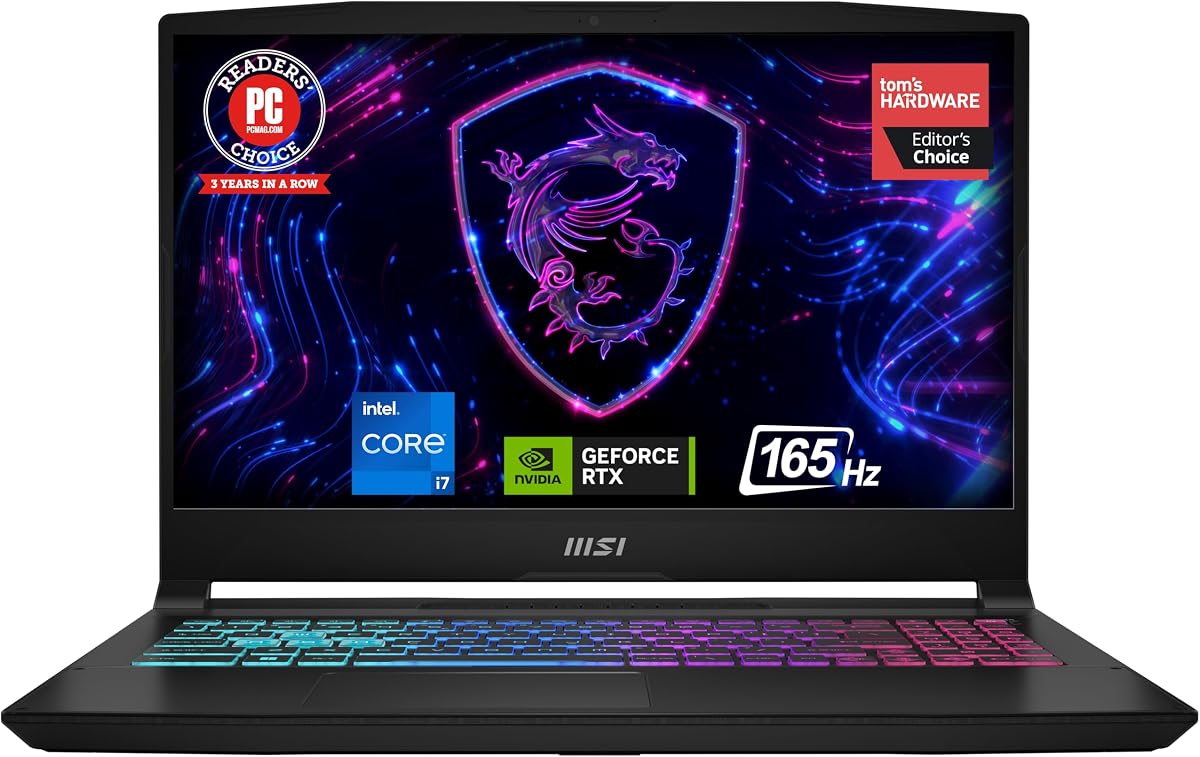
The msi Katana 15 features a powerful RTX 4070 GPU for high performance. Its QHD display offers sharper visuals than standard FHD screens. The 165Hz refresh rate ensures fluid gameplay during action sequences.
We may earn a commission when you buy through this link, at no additional cost to you.
Intel Core i7 13620H supports multitasking and game loads smoothly. Cooler Boost 5 maintains stable thermal performance during long sessions. The build prioritizes function over unique styling elements.
While the design is simple the raw specs deliver strong results. Average ratings may reflect minor issues but performance stands out. It is a good option for those seeking higher resolution gaming.
Gamers prioritizing GPU power and screen sharpness will find this appealing. It handles AAA titles well with high settings. A solid choice for mid-range performance needs.
QHD display offers sharper pixel density enhancing details in game environments.
Cooler Boost 5 ensures heat dissipates efficiently to keep performance steady.
We may earn a commission when you buy through this link, at no additional cost to you.
The GIGABYTE Gaming A16 combines performance with a slim 19.45mm chassis. It supports AMD Ryzen 7 260 and RTX 5060 for strong gaming power. The 180-degree hinge allows flexible positioning for various setups.
We may earn a commission when you buy through this link, at no additional cost to you.
GiMATE AI interface personalizes control for intuitive use. Max-Q optimization ensures efficient power use and longer battery life. The design supports streaming and multitasking without compromise.
While ports are fewer compared to bulkier models connectivity meets needs. Price is moderate reflecting its slim engineering. It is a stylish option for on-the-go creators.
Gamers seeking portable power with smart features will appreciate this. It balances aesthetics and performance well. A unique choice for those valuing thin design.
A slim 19.45mm chassis makes it easy to carry without sacrificing power.
GiMATE AI provides personalized intuitive control for streamlined daily use.
We may earn a commission when you buy through this link, at no additional cost to you.
Choosing the right gaming laptop involves weighing several key factors. This section explains what to prioritize for optimal Diablo 4 performance.
The GPU is crucial for rendering high-fidelity graphics and maintaining smooth frame rates. Look for models with RTX 4050 or higher for consistent performance in action games.
Prioritize GPUs with DLSS support to boost speeds without sacrificing visual quality.
A strong processor handles multitasking and prevents bottlenecks during gameplay. Intel Core i7 or AMD Ryzen 7 options provide enough power for modern titles.
Higher clock speeds ensure smooth operation when running streaming software alongside games.
At least 16GB of RAM is recommended to prevent slowdowns during intense sessions. 1TB SSD storage allows for large game libraries and fast load times.
More RAM like 32GB benefits heavy multitasking and future-proofing your system.
High refresh rates like 144Hz or 165Hz improve motion clarity and reduce blur. IPS panels offer better color accuracy and viewing angles for immersive visuals.
Choose resolutions matching your GPU to balance visual clarity with performance.
Efficient cooling maintains stable performance during long gaming sessions. Models with vapor chambers or advanced fans prevent overheating and throttling.
Look for liquid metal solutions if you prioritize sustained peak performance.
Sufficient USB ports and HDMI options are needed for peripherals and monitors. Wi-Fi 6 or 7 ensures stable online gaming connections with low latency.
Thunderbolt 4 support adds versatility for external storage and high-speed transfers.
Gaming laptops often sacrifice battery life for power. Expect moderate battery use and plan for charging during long away-from-outlet sessions.
Prioritize energy-efficient modes for non-gaming tasks to extend usage time.
Durable chassis and good keyboard quality ensure longevity and comfort. Consider weight and size if you plan to carry the laptop regularly.
Premium materials may add cost but improve overall user experience and durability.
Start by installing the latest graphics drivers for optimal game performance. Keep your OS updated to prevent compatibility issues during gameplay.
Use cooling pads during long sessions to help maintain lower internal temperatures. This prevents thermal throttling and keeps performance consistent.
Clean dust from vents regularly to ensure fans work efficiently. Avoid placing the laptop on soft surfaces that block airflow and heat dissipation.
A RTX 4060 or higher offers the best balance of power and efficiency. Models with RTX 5060 provide future-ready features for high settings and ray tracing.
16GB is sufficient for most titles including Diablo 4 at high settings. If you stream or multitask heavily, upgrading to 32GB is recommended.
Modern gaming laptops have advanced cooling systems to manage heat. Using them on hard surfaces and keeping vents clear prevents overheating.
Refresh rates of 144Hz or higher reduce motion blur and make gameplay smoother. This is especially important for fast-paced RPGs and shooters.
Use power-saving modes when not gaming and lower screen brightness. Avoid demanding applications when unplugged to conserve energy effectively.
Most models allow RAM and SSD upgrades but GPUs are usually fixed. Check specific model specs to confirm what components can be upgraded after purchase.
These ten models offer a range of options for gamers seeking immersive Diablo 4 experiences. Each provides unique strengths in performance, display, and value.
Prioritize specs like GPU power and refresh rate for smooth gameplay. Balance these with budget and portability needs to find your perfect match.
Prices and availability change frequently so check current listings before buying. Use this guide to make an informed decision for your gaming setup.