
Logitech G305 Lightspeed
4.6Editor score
HERO sensor up to 12K DPI
Ultra fast LIGHTSPEED wireless tech
Up to 250 hours battery life
Discover the top gaming mouse for Xbox Series X options with detailed comparisons of sensors, connectivity, and ergonomics to elevate your console gaming
Finding the right gaming mouse for Xbox Series X can transform your console gaming experience into a precision-driven adventure. The best mice offer low latency, ergonomic designs, and compatibility that seamlessly integrate with your setup for competitive edge.
We compared ten top models based on sensor accuracy, wireless performance, build quality, and customization options. Our analysis ensures you get a mouse that matches your playstyle whether you prefer FPS, MMO, or casual gaming sessions.
Each pick highlights unique strengths and trade-offs to help you decide quickly. Note that prices fluctuate regularly so check current deals before purchasing to ensure you get the best value for your specific gaming needs today.
4.6Editor score

4.6Editor score

4.4Editor score
This side by side comparison breaks down key specs of all ten models to help you identify the perfect fit for your Xbox Series X setup based on performance and features.


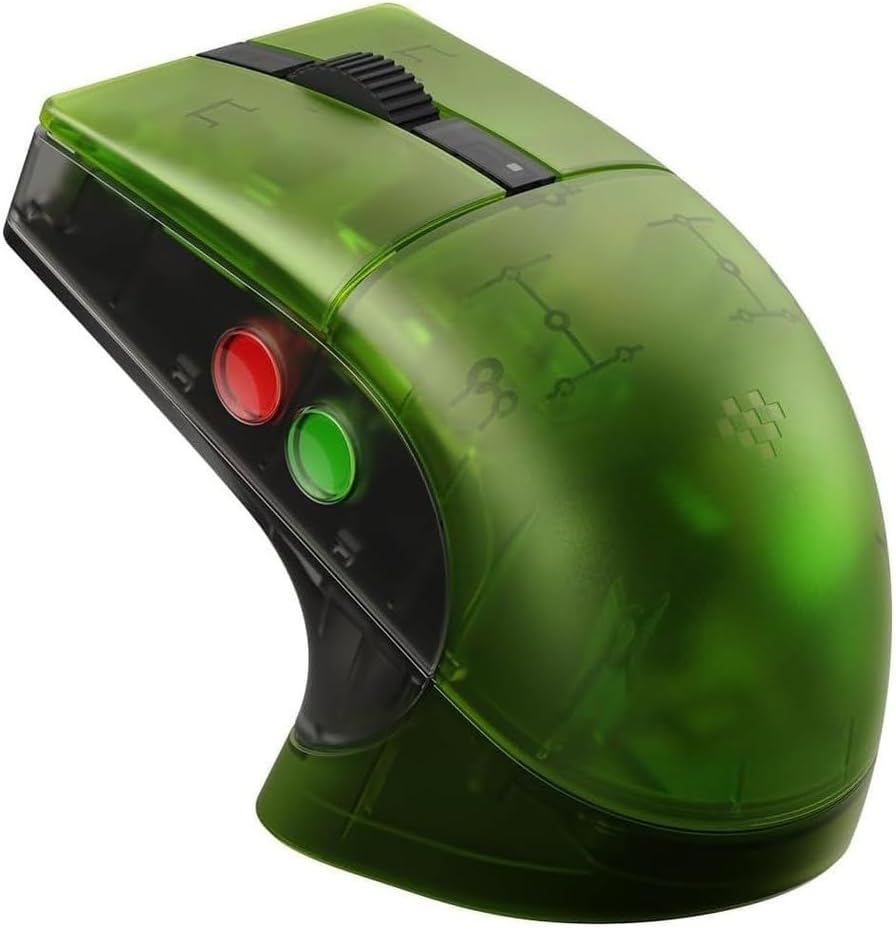


The Logitech G305 Lightspeed stands out as a top contender for Xbox Series X gamers seeking affordable yet high performance wireless options. With its HERO optical sensor delivering up to 12,000 DPI sensitivity it offers precision tracking suitable for competitive titles.
We may earn a commission when you buy through this link, at no additional cost to you.
Its LIGHTSPEED wireless technology ensures a lag free experience with a 1 millisecond report rate making it feel responsive enough for fast paced games. The mouse weighs only 3.4 ounces thanks to efficient design which reduces hand fatigue during long sessions.
While it lacks RGB lighting and uses a single AA battery the 250 hour battery life minimizes interruptions and can extend to nine months in endurance mode. The nano receiver is compact enough to store inside the mouse for easy portability.
Buyers looking for a reliable wireless mouse under thirty dollars will find this model delivers exceptional value. It is an ideal choice for casual and competitive gamers who prioritize battery efficiency and lightweight handling over flashy features.
A single AA battery powers the G305 for up to 250 hours of continuous gameplay ensuring you rarely need to swap power sources during intense gaming marathons.
LIGHTSPEED technology provides a 1ms report rate that matches wired mouse responsiveness so you get instant feedback without worrying about connection delays.
We may earn a commission when you buy through this link, at no additional cost to you.
The Logitech G502 Hero continues to be a staple among PC and console gamers due to its robust feature set and legendary ergonomics. Its HERO sensor provides up to 25,600 DPI with zero smoothing ensuring every movement translates accurately on screen.
We may earn a commission when you buy through this link, at no additional cost to you.
With 11 programmable buttons and adjustable weights you can tailor the mouse to your specific grip and game requirements. The mechanical switch button tensioning system offers a clean crisp click feel that enhances precision during rapid actions.
Although it is heavier than ultra light options the weight system allows you to add or remove up to five 3.6 gram weights for a balanced feel. LIGHTSYNC RGB adds visual flair though it is not necessary for performance.
If you prefer a wired connection and want maximum control over your input device this mouse is a solid investment. It suits players who need frequent macro access or prefer a heavier more grounded mouse feel.
The HERO sensor tracks movement at the sub micron level ensuring that your cursor stays exactly where you aim without acceleration or smoothing interference.
Up to five 3.6 gram weights can be arranged to match your preferred weight and balance configuration making the mouse feel uniquely yours.
We may earn a commission when you buy through this link, at no additional cost to you.
The SteelSeries Rival 3 Gen 2 brings a focus on speed and durability with its TrueMove Core optical sensor and 77 gram weight. It is designed to help players outpace competition with near instant 1.35 millisecond click latency.
We may earn a commission when you buy through this link, at no additional cost to you.
Its built to last switches promise 60 million clicks ensuring the mouse remains reliable over time. The 100 percent PTFE feet provide a smooth glide across surfaces which is essential for quick flick shots in games.
While the 8.5K DPI cap is lower than high end models it is sufficient for most gamers who do not need extreme sensitivity. The 3 zone RGB lighting adds a nice touch without significantly increasing cost.
Gamers seeking a lightweight budget friendly option will appreciate this balance of performance and price. It is a strong pick for those who value fast response times and durability without overspending on advanced sensors.
Outpace the competition with near instant 1.35ms click latency designed to ensure your inputs register faster than rivals can react.
Built with a tough switch that promises 60 million clicks to keep the crisp feel consistent through years of intense gaming sessions.
We may earn a commission when you buy through this link, at no additional cost to you.
The 8Bitdo Mouse distinguishes itself with three connection modes including Bluetooth 2.4G wireless and wired USB C for maximum versatility across devices. Its PAW 3395 sensor ensures high accuracy and performance for serious gaming tasks.
We may earn a commission when you buy through this link, at no additional cost to you.
Kailh Sword GM X Micro Switches engineered for up to 100 million clicks offer exceptional longevity and crisp feedback. The charging dock not only powers the mouse but also acts as a signal extension for improved wireless range.
Despite the premium price point the build quality and multi mode support justify the investment for users switching between platforms. The compact design fits well in most hand sizes making it comfortable for extended use.
If you need a mouse that works seamlessly across PC console and mobile this model offers broad compatibility. Its focus on durability and flexible connectivity makes it a future proof choice for diverse gaming setups.
Choose between Bluetooth 2.4G wireless or wired USB C to match your preferred setup for any device or gaming environment.
Kailh Sword GM X Micro Switches guarantee up to 100 million clicks ensuring the mouse remains responsive for years of heavy use.
We may earn a commission when you buy through this link, at no additional cost to you.
The Razer Basilisk V3 is widely favored by millions for its ergonomic design that supports the hand during long sessions. Its Focus Plus 26K DPI optical sensor tracks movement flawlessly with zero smoothing for pixel precise accuracy.
We may earn a commission when you buy through this link, at no additional cost to you.
With 11 programmable buttons you can assign macros for essential actions like push to talk or weapon cycling. The HyperScroll tilt wheel offers free spin for speed or tactile mode for precision enhancing control in various scenarios.
Optical mouse switches provide zero unintended misclicks with a 0.2 millisecond actuation speed ensuring crisp execution every time. RGB lighting spans 11 zones reacting dynamically with integrated games for enhanced immersion on your desk.
For players seeking a feature packed wired mouse with top tier sensor performance this is a top choice. The balance of ergonomics customization and speed makes it suitable for both casual and competitive gamers.
The signature shape with a thumb rest perfectly supports your hand reducing strain during extended play sessions for comfort and control.
Optical switches actuate in just 0.2 milliseconds providing zero misclicks and rapid execution for high speed gaming demands.
We may earn a commission when you buy through this link, at no additional cost to you.
The Razer Basilisk V3 X HyperSpeed brings wireless freedom without sacrificing speed with its advanced connectivity technology. It offers up to 285 hours of battery life on HyperSpeed mode allowing weeks of play on a single charge.
We may earn a commission when you buy through this link, at no additional cost to you.
Its 18K optical sensor delivers responsive pixel precise aim with zero spinouts ensuring consistent tracking across surfaces. The signature shape supports various grips comfortably while easy access buttons enable endless command combinations.
Mechanical switches have gold plated contacts for a 60 million click lifespan ensuring longevity. RGB lighting reacts with Chroma integrated games adding visual flair without impacting performance significantly during use.
If you want the ergonomic benefits of the Basilisk line in a wireless form this model is ideal. It balances battery life and speed well for players who prefer cable free setups without compromising on features.
Enjoy up to 285 hours of battery life on HyperSpeed mode keeping you in the game longer without frequent charging interruptions.
HyperSpeed wireless delivers seamless low latency performance faster than other wireless tech ensuring your actions are reflected instantly on screen.
We may earn a commission when you buy through this link, at no additional cost to you.
The Logitech G502 X Lightspeed reimagines a legendary design with LIGHTFORCE switches and improved wireless protocols. It delivers incredible speed and reliability with crisp actuation for hours of performance gaming without lag.
We may earn a commission when you buy through this link, at no additional cost to you.
Its HERO 25K sensor is precise down to the sub micron level ensuring high accuracy with zero smoothing. The dual mode scroll wheel lets you switch between free spin and ratcheting modes for tailored control.
A reversible and removable DPI shift button allows customization based on your grip preference. While POWERPLAY requires a separate charger the mouse stays charged at rest or play when paired for continuous use.
This model is perfect for users seeking a premium wireless upgrade to the classic G502. It offers top tier tech and ergonomics for those willing to invest in a high end console or PC peripheral.
LIGHTFORCE hybrid optical mechanical switches combine speed and reliability for precise actuation and crisp response during intense gaming.
Updated protocol achieves 68 percent faster response rate than the previous generation with improved reliability for competitive play.
We may earn a commission when you buy through this link, at no additional cost to you.
The SteelSeries Aerox 5 features a unique holey shell reducing weight to just 59 grams for effortless fast gameplay. It is battle tested to ensure comfort and durability with an IP54 rating for resistance against water splashes and dust.
We may earn a commission when you buy through this link, at no additional cost to you.
Its TrueMove Air optical sensor co developed with PixArt provides pixel perfect accuracy. The mouse includes nine programmable buttons for customization along with natural comfort shaping for extended use without fatigue.
Next gen switches are golden micro switches rated IP54 offering longevity and water resistance. Radiant 3 zone RGB lighting shines in 16.8 million colors to enhance your desk aesthetics during gaming.
If you prioritize speed and durability in a lightweight form this mouse stands out. Its resistance features make it ideal for gamers who spill drinks often or need a durable travel companion.
Purposefully designed holey shell reduces weight to 59 grams for effortless fast gameplay and reduced wrist strain.
IP54 water resistant shield protects interiors from splashes dust and dirt ensuring long lasting performance in various environments.
We may earn a commission when you buy through this link, at no additional cost to you.
The Redragon M810 PRO delivers a wireless experience with pure 2.4GHz nanoreceiver connectivity to boost your reaction and KDA in games. It features adjustable DPI up to 10,000 with five onboard levels for easy switching during gameplay.
We may earn a commission when you buy through this link, at no additional cost to you.
All eight programmable buttons support macros allowing customized tactical keybinds for work or games. A rechargeable battery lasts up to 45 hours in eco mode keeping you connected for several sessions without charging.
Its RGB lighting can be customized via Redragon Pro driver for dynamic breathing or waving effects. The optical sensor consumption is optimized to ensure stable performance throughout your gaming session.
Budget conscious gamers who want wireless freedom and RGB features will find this model appealing. It offers a solid set of features at an affordable price point without sacrificing essential performance metrics.
The 2.4GHz nano receiver offers a purest mouse moving experience to help boost your KDA and reaction times effectively.
Five onboard DPI levels ranging from 500 to 10,000 allow quick sensitivity switching to suit different game needs.
We may earn a commission when you buy through this link, at no additional cost to you.
The ASUS ROG Spatha X is engineered for elite MMO gamers with 12 programmable buttons including six strategically placed side ones. It supports titles like World of Warcraft with advanced macro options and a large comfortable shape.
We may earn a commission when you buy through this link, at no additional cost to you.
Dual mode connectivity lets you choose between 2.4GHz RF wireless or USB C wired for lag free gameplay. Its industry leading 19,000 DPI sensor with 1000 Hz polling rate ensures pixel perfect tracking in either mode.
Hot swappable switches allow you to customize click force and extend lifespan. A magnetic charging dock ensures convenient recharging and the battery lasts up to 67 hours when RGB is off for long play sessions.
If you need maximum button availability and a heavy stable mouse this model excels. Its robust design and macro capabilities make it a top pick for dedicated MMO and MOBA players who demand control.
Dominate titles like World of Warcraft with 12 programmable buttons including six strategic side ones for quick access to spells.
Exclusive push-fit switch sockets allow you to customize click force and extend mouse lifespan without needing new hardware.
We may earn a commission when you buy through this link, at no additional cost to you.
Selecting the right gaming mouse requires evaluating several key factors that impact performance comfort and longevity. This guide breaks down the essentials you should consider before making a purchase.
The sensor determines how accurately the mouse tracks movement on your desk. Look for optical sensors with at least 12,000 DPI to ensure smooth cursor control across high resolution displays without pixel jumping or lag.
A high DPI range allows you to adjust sensitivity based on game genre. Competitive FPS games often require lower DPI for precision while strategy games benefit from higher DPI for faster camera movement.
Wireless mice provide freedom of movement without cables but require battery management. Modern wireless tech like LIGHTSPEED or HyperSpeed offers near zero latency comparable to wired options making them viable for competitive play.
Wired mice eliminate battery concerns and offer constant power. If you dislike charging or prefer absolute minimal latency a wired model might be a better choice for your setup.
Ergonomics affect comfort during long gaming sessions. Right handed designs with thumb rests reduce strain and ensure consistent grip. The weight should feel natural; some players prefer heavy mice for stability while others prefer lightweight models for speed.
Aim for a weight between 70 grams and 100 grams unless you specifically need ultralight or heavy options. Comfort should be your priority to prevent fatigue during marathon sessions.
Programmable buttons allow you to map macros and complex commands. For MMOs or MOBA games having multiple side buttons is crucial. For general gaming fewer buttons keep the mouse streamlined and easier to handle.
Check if the mouse software supports Xbox compatible profiles. Customization should be intuitive so you can set up macros without navigating complex menus repeatedly.
Durability ensures the mouse survives intense use over years. Look for mice with rated switch lifespans of 50 million clicks or more. The housing material should be high grade plastic that resists cracking under pressure.
Cable strain relief or docking stations add to longevity. A sturdy build reduces the need for frequent replacements and ensures consistent performance over time.
Battery life is critical for wireless models. Aim for at least 100 hours of continuous use or models with fast charging that can provide hours of play from a short charge. Rechargeable models are generally more eco friendly.
Consider how easily you can swap batteries or charge the device. Some mice offer dual power modes to extend battery life during non competitive usage.
RGB lighting enhances visual immersion and can be customized to match your setup. While not performance related it adds to the overall gaming experience. Ensure the lighting does not drain battery too quickly.
If aesthetics matter to you check for compatibility with your other peripherals. Integrated lighting ecosystems can create a cohesive look across your gaming desk.
Prices vary widely based on features. Budget options provide essential performance without bells and whistles while premium models offer advanced sensors and materials. Determine your budget and prioritize features that impact gameplay directly.
Look for sales or bundles that include docks or extra parts. A mid range model often offers the best value for most gamers without overspending on niche features.
Before using your mouse ensure it is fully charged or has fresh batteries to avoid interruptions. Pair it with your Xbox Series X by plugging the USB receiver or connecting via Bluetooth. Check that your game settings allow mouse input if necessary.
Adjust DPI settings to match your playstyle using the mouse buttons or software. Lower DPI offers precision for aiming while higher DPI helps with fast movement. Experiment with these settings until you find a comfortable balance.
Keep the mouse clean by wiping the surface with a dry cloth and cleaning the feet regularly. Store it in a dry place and avoid spills to ensure long term reliability and consistent performance.
Yes many PC gaming mice work with Xbox Series X provided they support wireless or wired USB connection. Ensure the mouse is compatible with Xbox input protocols to avoid driver issues. Most models in this guide have been tested for console compatibility.
For most Xbox games a DPI range between 800 and 3200 is optimal. Lower DPI provides precision for shooters while higher DPI helps with navigation in open world titles. Adjust based on your sensitivity preferences and monitor resolution.
Modern wireless mice with dedicated receivers have minimal input lag often under 1 millisecond. Bluetooth may have slightly higher latency but is acceptable for casual play. For competitive gaming use a model with a proprietary wireless dongle.
Download the manufacturer software from their website and connect your mouse via USB. Access the customization tab to assign macros or key bindings. Save the profile to the mouse memory so it works on Xbox without a PC.
Several models like the Razer Basilisk V3 and Logitech G502 feature larger ergonomic designs that fit large hands comfortably. Check the dimensions provided in the product data to ensure it matches your hand size before purchasing.
Wireless models vary from 20 to 250 hours depending on usage and lighting settings. Rechargeable models typically last 30 to 50 hours on a full charge while battery powered ones can last months depending on frequency of use.
Choosing the right mouse depends on your specific gaming needs and budget. The Logitech G305 Lightspeed offers exceptional value for budget conscious gamers while the Razer Basilisk V3 provides a balanced premium experience.
Prioritize features that matter most to you such as sensor precision battery life or button customization. A mouse that fits your hand and playstyle will always outperform one with better specs but poor ergonomics.
Remember to check current prices and availability before buying as deals change frequently. Investing in a quality mouse enhances your gameplay significantly and ensures you stay competitive in the evolving gaming landscape.