
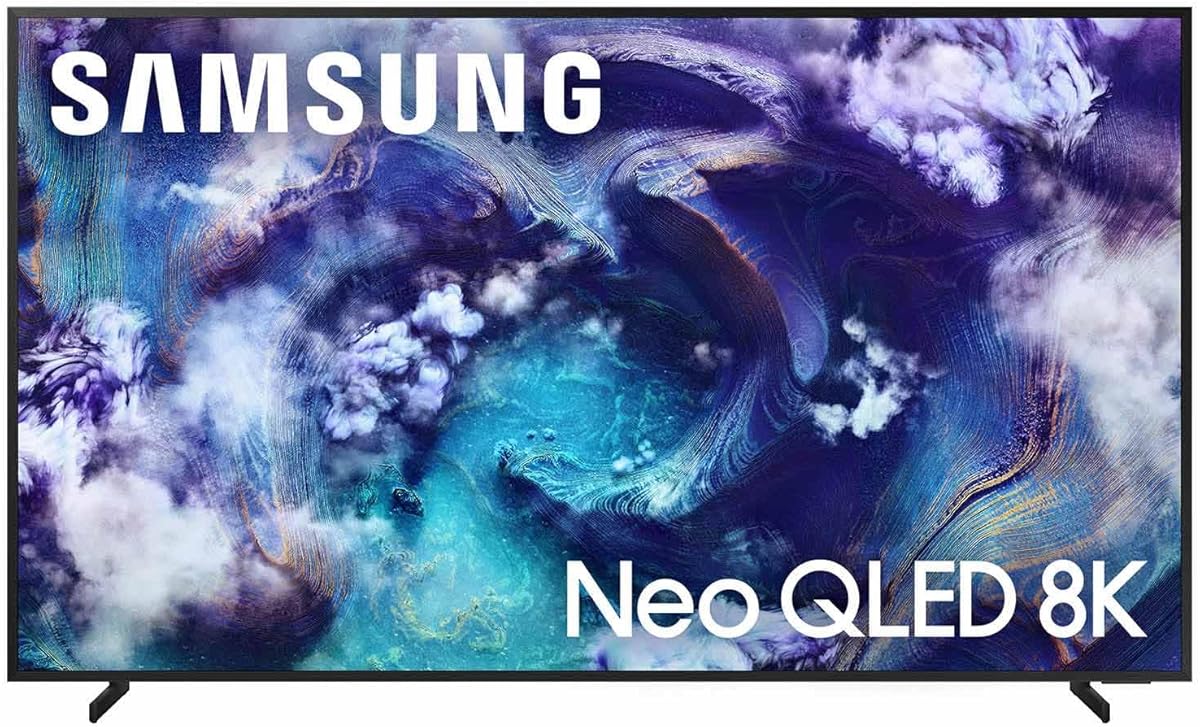
Samsung 65-Inch Class Neo QLED QN990F
3.5Editor score
NQ8 AI Gen3 Processor
Wireless One Connect
Glare Free Screen
Choosing an 8K TV for PC gaming means balancing resolution with refresh rates and input lag. You need a display that handles high fidelity without compromising speed or responsiveness.
We evaluated leading models based on processor power, HDR support, and gaming-specific features like VRR and ALLM. Our list covers the most capable screens available for modern setups.
Each pick highlights key strengths and trade-offs for serious gamers. Note that prices and availability change frequently, so check current listings before making your final decision today.
3.5Editor score

3.8Editor score
4.5Editor score
As an Amazon Associate we earn from qualifying purchases.
This side-by-side comparison highlights the key strengths and unique features of each model on our list. Use this overview to quickly identify which screen fits your specific gaming needs.


The Sony Z9K Series offers a premium 8K experience tailored for modern gamers. With an excellent rating and strong contrast performance, it stands out for its visual fidelity.
We may earn a commission when you buy through this link, at no additional cost to you.
Its Cognitive Processor XR delivers natural colors and deep blacks. Exclusive features like Auto HDR Tone Mapping and Auto Genre Picture Switch enhance compatibility with PS5 consoles.
While the price is high, the performance justifies the cost for serious setups. The Game Menu centralizes settings, making it easy to optimize for different game genres.
This model is ideal for gamers who own a PS5 and want the best possible image. Consider it if you prioritize contrast and smart integration over pure budget savings.
Auto HDR Tone Mapping and Auto Genre Picture Switch optimize visuals automatically for PS5 content.
Thousands of Mini LEDs controlled by XR Backlight Master Drive provide unprecedented contrast levels.
We may earn a commission when you buy through this link, at no additional cost to you.
Samsung's QN990F brings high-end 8K capabilities to a more accessible price. It features advanced AI processing that sharpens details significantly for gaming.
We may earn a commission when you buy through this link, at no additional cost to you.
The Wireless One Connect box reduces visible cables, improving aesthetics. Glare Free technology helps maintain visibility even in bright rooms with sunlight.
Input lag is low enough for competitive play, but motion smoothing can sometimes feel artificial. Adjust settings manually to avoid unwanted smoothing during fast-paced games.
Buy this if you want Samsung's processing power without breaking the bank. It suits those who need a clean setup and high refresh support.
Wireless One Connect allows devices to connect without physical cables running to the TV.
768 AI neural networks optimize content for stunning 8K resolution and smooth picture quality.
We may earn a commission when you buy through this link, at no additional cost to you.
This bundle offers a 75-inch 8K TV with added protection coverage. It uses the same powerful processor as other premium models for detailed gaming visuals.
We may earn a commission when you buy through this link, at no additional cost to you.
The protection plan adds peace of mind for expensive electronics. Wireless One Connect reduces cable clutter effectively for a sleek gaming environment.
Some users note mixed experiences with calibration out of the box. Adjusting settings is necessary to achieve the best contrast and brightness levels.
Choose this bundle if you want long-term protection for your investment. It suits larger setups where screen size and durability are top priorities.
Includes an additional protection plan for extended coverage against potential damage.
AI Upscaling Pro enhances movies and games with incredible lifelike detail.
We may earn a commission when you buy through this link, at no additional cost to you.
This model stands out for its advanced audio technology alongside impressive 8K visuals. The rating indicates strong performance in both picture and sound.
We may earn a commission when you buy through this link, at no additional cost to you.
Object Tracking Sound+ moves audio to match on-screen action. It creates a more immersive experience without needing external speakers.
The design blends seamlessly into home decor with a flat metal back. It supports VRR gaming at high refresh rates for smooth gameplay.
Pick this if you want an all-in-one sound and display solution. It is suitable for those who value audio immersion and visual clarity.
AI tracks action on screen to deliver realistic 3D audio that follows movement.
Sharpens moving text and sports stats for improved legibility during fast scenes.
We may earn a commission when you buy through this link, at no additional cost to you.
The QN800D focuses on creating a realistic dimensional image. It uses real depth technology to adjust focal points in each frame.
We may earn a commission when you buy through this link, at no additional cost to you.
Quantum Matrix Pro offers more lighting zones for greater detail. AI Motion Enhancer eliminates stutter to keep fast action clear.
While rated slightly lower, it handles high refresh rates well. Motion Xcelerator ensures smooth visuals even in action-packed scenarios.
This is a solid pick for depth perception enthusiasts. It works well for viewers who prioritize dimensional quality over maximum brightness.
Finds focal points in each frame to adjust for a fully dimensional picture.
AI Motion Enhancer eliminates stutter and sharpens small moving objects for clarity.
We may earn a commission when you buy through this link, at no additional cost to you.
This model supports up to 240Hz motion, making it a top contender for speed. The rating reflects strong performance in high-refresh environments.
We may earn a commission when you buy through this link, at no additional cost to you.
Infinity Air Design maximizes screen visibility with minimal borders. AI Motion Enhancer Pro sharpens text and action to avoid blur.
Real Depth Enhancer Pro improves on earlier versions by adding more depth. It is a great choice for competitive gaming needing rapid updates.
Select this if you need the highest refresh rates available. It fits competitive gamers who want minimal blur and high-speed processing.
Motion Xcelerator 240Hz renders visuals at top speeds for uninterrupted action.
Infinity Air Design shows more screen and less border for an expansive view.
We may earn a commission when you buy through this link, at no additional cost to you.
This large screen offers high refresh rates at a competitive price. The rating indicates strong user satisfaction with its gaming capabilities.
We may earn a commission when you buy through this link, at no additional cost to you.
AI Picture optimizes scenes automatically for brightness and contrast. Dolby Vision IQ adjusts color based on ambient light conditions.
Native 144Hz ensures smooth motion for fast-paced games. Anti-reflection coating reduces glare to maintain clear visibility.
Choose this if you want a massive screen without premium costs. It suits budget-conscious gamers needing high refresh and size.
Native 144Hz Game Mode keeps fast movement fluid and sharp without lag.
AI Picture analyzes content scene by scene to adjust brightness and color.
We may earn a commission when you buy through this link, at no additional cost to you.
LG brings perfect blacks and vibrant color with its OLED technology. The rating suggests a solid experience for deep contrast lovers.
We may earn a commission when you buy through this link, at no additional cost to you.
Self-lit pixels deliver true black levels unmatched by LCD panels. a11 AI Processor optimizes picture details for better viewing.
Gaming features include 165Hz refresh and NVIDIA G-Sync support. Brightness Booster Pro helps visibility in well-lit rooms.
Pick this if you want perfect black levels for night gaming. It is ideal for enthusiasts who prioritize contrast over peak brightness.
Over 8.3 million self-lit smart pixels deliver perfect black and perfect color.
Features 165Hz Refresh Rate and NVIDIA G-Sync for responsive gameplay.
We may earn a commission when you buy through this link, at no additional cost to you.
This model focuses on smart features and color accuracy. It is well rated for its seamless Google integration and voice control.
We may earn a commission when you buy through this link, at no additional cost to you.
Triluminos Pro displays over a billion accurate colors. Auto HDR Tone Mapping optimizes gaming visuals automatically.
Voice control makes navigation effortless for streaming or gaming menus. It offers a one-stop entertainment hub.
Choose this if you prioritize smart features over raw speed. It is best for casual gamers who value streaming integration.
Google Assistant lets you navigate and search using just your voice.
Triluminos Pro ensures vivid, bright, and lifelike picture quality.
We may earn a commission when you buy through this link, at no additional cost to you.
This model combines high brightness and advanced gaming features. It has a strong rating for its balance of quality and performance.
We may earn a commission when you buy through this link, at no additional cost to you.
Game Bar allows real-time adjustment of settings. Anti-Reflection Pro minimizes glare for clear viewing.
Brightness reaches 5000 nits for excellent HDR. Multi-channel surround enhances immersion without external speakers.
Pick this if you want high brightness and detailed settings. It suits gamers needing peak performance and immersive audio.
Game Bar lets you control multiple game settings from the TV remote.
Up to 5000 nits peak brightness ensures deep shadows and bright highlights.
We may earn a commission when you buy through this link, at no additional cost to you.
Selecting the right 8K TV requires looking beyond resolution. Here are key factors to consider before making a decision.
Refresh rate determines how many frames per second a TV can display. Higher rates like 120Hz or 240Hz ensure smooth motion during competitive gaming.
Look for models with native high refresh rates rather than interpolated values.
Input lag is the delay between pressing a button and seeing the result. Low lag is critical for competitive gaming accuracy.
Aim for under 20ms input lag for the best responsive experience.
HDR support allows for better contrast and color in bright and dark scenes. Formats like Dolby Vision and HDR10+ enhance visual depth.
Prioritize TVs with strong peak brightness and local dimming zones.
Variable Refresh Rate synchronizes the TV with the GPU to prevent tearing. Support for G-Sync or FreeSync Premium is highly recommended.
Check if the TV supports VRR over HDMI 2.1 ports.
The smart interface affects how easily you can access apps. Google TV and Tizen offer robust ecosystems for streaming and gaming.
Ensure the OS supports necessary apps for your gaming platform.
Screen size impacts immersion but depends on room depth. Large screens are exciting but may require more distance to view comfortably.
Choose a size that fits your desk or wall space properly.
Built-in audio can save space on external speakers. Look for Dolby Atmos or Object Tracking Sound for immersive effects.
Consider if you want to skip extra audio equipment purchases.
Anti-reflection coatings prevent glare from windows and lights. This is vital for daytime gaming sessions.
Select screens labeled Glare Free if your room is bright.
Connect your PC using an HDMI 2.1 cable to access full bandwidth. Ensure your graphics card supports 8K or high refresh output.
Calibrate picture settings using gaming modes to minimize lag. Adjust brightness and contrast to match room lighting.
Clean the screen with a microfiber cloth to avoid scratches. Avoid spraying liquids directly on the display panel.
8K TVs offer superior detail but require powerful hardware to render at native resolution. They are worth it for media consumption if PC gaming support depends on specific resolutions.
Yes, rendering native 8K requires a top-tier graphics card. Without one, downscaling or lower resolutions may be necessary for smooth performance.
A refresh rate of 120Hz or higher provides smooth motion and reduces motion blur. Higher rates like 144Hz or 240Hz are ideal for competitive titles.
HDR enhances contrast and color accuracy in supported games. It adds depth and realism, making visuals more immersive in dark or bright scenes.
Yes, most support ARC or eARC for external audio devices. Using a soundbar can enhance immersion significantly beyond built-in speakers.
Enable Game Mode or Auto Low Latency Mode in settings. Avoid image processing features like motion smoothing for faster response.
Use certified Ultra High Speed HDMI cables for HDMI 2.1. Ensure your PC GPU supports the required bandwidth for high resolutions and refresh rates.
OLED TVs offer perfect blacks ideal for dark rooms. Mini LED and QLED models work well if they have high contrast and dimming zones.
Our top picks include models like the Sony Z9K and Samsung QN990F for their strong features. Each option balances performance and value differently.
Prioritize refresh rate and input lag if you play competitive games. Consider sound quality and smart features for entertainment use.
Always verify current availability and pricing before purchasing. Checking reviews ensures you get the best value for your investment.