
Silkland 54Gbps 16K DisplayPort Cable 2.1
4.6Editor score
VESA Certified 16K Support
54Gbps High Bandwidth
Durable Nylon Braided Design
This expert guide compares the top Displayport cables for 144Hz gaming, analyzing bandwidth, VESA certification, durability, and compatibility for optimal
Selecting the right Displayport cable for 144Hz is crucial for unlocking your monitor's full potential. A high-quality cable ensures smooth visuals without tearing or lag, delivering the immersive experience you expect from high refresh rate gaming setups.
Our team analyzed ten top-rated Displayport cables based on bandwidth capacity, VESA certification, build quality, and user feedback. We prioritized models that support high refresh rates and resolutions while maintaining signal integrity over various cable lengths for diverse gaming environments.
Each pick highlights specific strengths like affordability or premium features to help you find the perfect match. Note that product availability and pricing can fluctuate frequently, so checking the current listings before purchasing is always recommended for the best value.
4.6Editor score
4.7Editor score

4.7Editor score
This side-by-side comparison reviews all ten products to help you evaluate their specific capabilities. From bandwidth limits to connector durability, each entry is detailed to ensure you can make an informed decision based on your specific hardware requirements.


The Silkland 54Gbps DisplayPort cable is a fantastic budget-friendly option for gamers needing reliable performance. With a strong rating from users, it delivers on its promise to support high refresh rates like 144Hz effortlessly. Its certification by VESA ensures it meets rigorous standards for signal integrity and performance consistency.
We may earn a commission when you buy through this link, at no additional cost to you.
This cable excels with its 54Gbps bandwidth, allowing for resolutions up to 16K when using DSC. The triple shielding and 28AWG tinned copper conductors minimize interference, ensuring stable transmission even over longer distances. Gamers will appreciate the support for FreeSync and G-Sync technologies which reduce screen tearing.
While it lacks a locking latch which might be a slight inconvenience for some setups, the groove design helps with cable management in tight spaces. The cost-to-performance ratio is hard to beat given the robust build quality and feature set offered compared to pricier alternatives on the market today.
This product is ideal for budget-conscious gamers or anyone upgrading a 144Hz monitor without breaking the bank. It serves as a reliable backbone for your gaming rig ensuring your hardware performs at its peak. We highly recommend this cable for standard gaming configurations needing straightforward connectivity.
The 54Gbps bandwidth ensures your cable remains viable as displays advance beyond current 4K standards.
Support for multi-channel audio like 7.1 ensures you get clear sound alongside high definition video.
We may earn a commission when you buy through this link, at no additional cost to you.
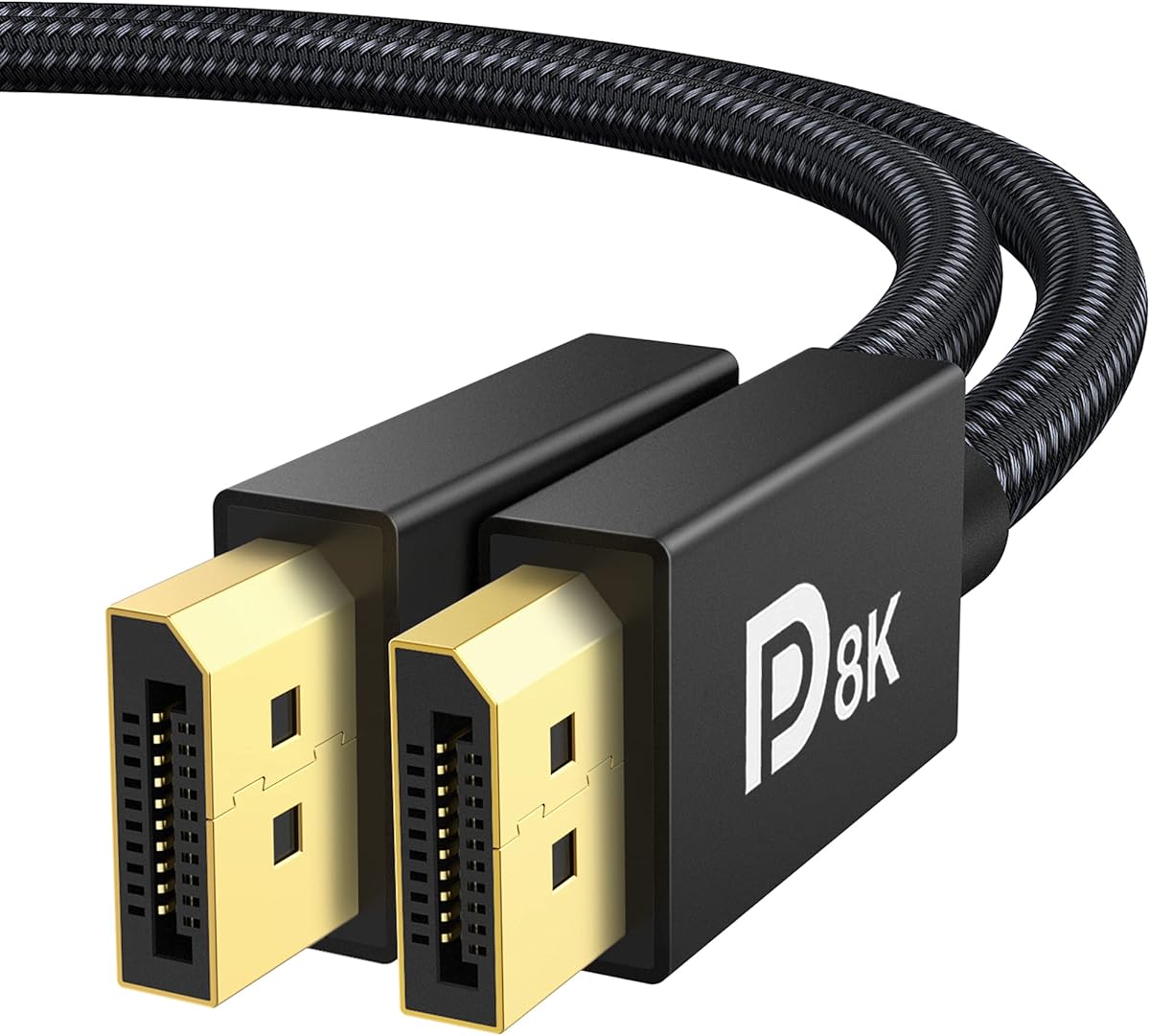
The IVANKY 8K DisplayPort Cable is widely praised for its build quality and consistent performance. It holds a high rating reflecting user satisfaction with its ability to maintain stable connections. This model is a top choice for those looking for a reliable 1.4 spec cable that won't fail under daily use.
We may earn a commission when you buy through this link, at no additional cost to you.
Its 32.4 Gbps bandwidth supports 4K at 240Hz making it perfect for competitive gaming. The cable uses a slimmer 30AWG design which improves flexibility without compromising signal quality. The nylon braided jacket is rated for over 28000 bends ensuring it survives accidental tugs and heavy use.
One minor trade-off is that it does not support the ultra high bandwidth of DP 2.1 standards. However for most gamers focused on 144Hz or 240Hz at 4K this remains a negligible limitation. The Dynamic HDR support helps enhance dark scenes significantly improving immersion during play.
We recommend this cable for anyone seeking a durable daily driver that balances cost and features perfectly. It is especially well suited for setups prioritizing flexibility and physical robustness in a demanding gaming environment. Choosing this model ensures your setup stays reliable for years to come.
The double nylon braided jacket significantly extends lifespan compared to standard PVC cable coverings.
24K gold plated connectors provide excellent heat dissipation and prevent oxidation issues.
We may earn a commission when you buy through this link, at no additional cost to you.
For enthusiasts wanting the absolute best this Silkland DP80 cable delivers unmatched performance capabilities. With an 80Gbps bandwidth it clears the hurdles for uncompressed 4K at 240Hz or even higher resolutions with DSC. The high rating confirms users are getting exactly the premium quality they expect from this model.
We may earn a commission when you buy through this link, at no additional cost to you.
The cable supports advanced features like Dynamic HDR10+ and 3D for an incredibly immersive visual experience. Triple shielding and tinplate materials block electromagnetic interference effectively ensuring zero signal loss. This is critical for maintaining image fidelity in high definition gaming scenarios where every frame counts.
The main trade-off is the cost which is higher than standard DP 1.4 cables. However for those using top tier graphics cards and monitors this investment is often necessary to unlock full hardware potential. The build quality with 28AWG conductors ensures it lasts just as long as the best premium options.
We suggest this cable for high end gaming rigs or professional setups requiring maximum bandwidth. It is the definitive choice for those who want to future proof their hardware for the next generation of displays. The peace of mind regarding performance makes it worth the extra expense for serious users.
UHBR20 technology provides the raw data throughput needed for next gen display resolutions.
Lossless surround sound pass through enhances audio immersion without lag or compression.
We may earn a commission when you buy through this link, at no additional cost to you.
UGREEN offers a robust DisplayPort solution that stands out with its aluminum alloy housing. This design choice significantly helps with heat dissipation and adds a premium feel to the build. It meets the high standards set by VESA which guarantees it will work reliably with your hardware.
We may earn a commission when you buy through this link, at no additional cost to you.
The 54Gbps bandwidth is sufficient for most high refresh rate gaming scenarios including 4K at 240Hz. It supports FreeSync and G-Sync to ensure smooth gameplay without tearing or stuttering. The FEC feature corrects errors in transmission maintaining signal integrity over the full length of the cable.
Some users might find the price point slightly higher than basic options but the durability justifies it. The aluminum housing and heavy duty braiding ensure this cable will survive years of use without fraying. It is a solid choice for those who want a balance of performance and ruggedness.
This cable is recommended for gamers who value build quality and reliability in their setup. It performs exceptionally well with modern graphics cards and monitors ensuring you get the most out of your hardware. We recommend this for anyone looking to upgrade to a more permanent display connection solution.
The aluminum housing prevents overheating at the connection points ensuring consistent performance over time.
FEC technology maintains signal stability ensuring your video remains clear even under heavy load.
We may earn a commission when you buy through this link, at no additional cost to you.
The Capshi DisplayPort cable is an excellent choice for those seeking reliable performance at a reasonable price. It holds a strong rating from users who appreciate its ability to handle high refresh rates consistently. The VESA certification ensures that the cable meets industry standards for quality and safety.
We may earn a commission when you buy through this link, at no additional cost to you.
This model supports 4K at 144Hz and 2K at 240Hz which covers the needs of most gamers. The Dynamic HDR feature helps optimize dark scenes improving visibility during intense gaming moments. The gold plated connectors ensure a stable connection and protect against corrosion over time.
While it uses the older 1.4 standard it is still more than enough for current high end monitors. The cable is flexible and easy to route which makes installation straightforward for most setups. Users report no signal loss or flickering issues which speaks to its internal engineering quality.
We recommend this cable for gamers looking for a cost effective solution that does not compromise on performance. It is perfect for mid range builds where budget is a consideration but you still want a reliable connection. This product delivers solid value and dependable service for daily gaming use.
Dynamic HDR technology brightens details in shadows ensuring you do not miss crucial game elements.
Gold plating on connectors prevents oxidation and ensures a consistent electrical contact over years.
We may earn a commission when you buy through this link, at no additional cost to you.
The Ubluker 10K DisplayPort cable is designed to meet the demanding needs of modern gaming setups. It has gained positive feedback for its ability to deliver high quality video without interruptions. The 54Gbps bandwidth ensures it can handle high refresh rates with ease for competitive gaming.
We may earn a commission when you buy through this link, at no additional cost to you.
This cable supports 12bit color depth and UHBR technologies which enhance visual fidelity significantly. The nylon braided exterior protects against physical damage while maintaining a flexible profile for easy routing. It is compatible with a wide range of graphics cards including the latest RTX 5090 models.
One challenge is that the brand is less established than others which might concern some buyers. However the product data confirms it meets VESA standards which is a reliable indicator of quality. The build quality and features suggest it competes well with more famous brands in this price range.
We suggest this cable for gamers who want strong performance specs without paying a premium brand price. It is a good option for high refresh rate setups needing robust bandwidth for 4K gaming. Choosing this model allows you to invest in your hardware while keeping the cable cost reasonable.
The 12bit color depth allows for smoother gradients and more realistic visuals on supported displays.
Compatibility with next gen graphics cards ensures your setup remains ready for future games.
We may earn a commission when you buy through this link, at no additional cost to you.
The IVANKY 80Gbps DisplayPort cable is built for those who demand the absolute highest performance. It supports resolutions up to 16K which means it will handle upcoming display technologies effortlessly. The high rating reflects its reliability and ability to maintain stable connections under heavy loads.
We may earn a commission when you buy through this link, at no additional cost to you.
This model uses a lighter 30AWG design making it easier to manage than heavier 28AWG cables. The aluminum alloy housing protects the connectors and helps dissipate heat during long gaming sessions. The UHBR20 technology ensures that your data transfer rates remain consistently high and stable.
The only significant downside is the cost and the requirement for newer DP 2.1 ports on your PC. If your hardware supports these specs this cable will unlock the full potential of your monitor. It is a long term investment for those planning to upgrade their gear in the coming years.
We recommend this cable for professional setups or enthusiasts who want a future proof solution. It ensures you will not need to replace your cable for several years as hardware standards evolve. The peace of mind regarding performance and compatibility makes it a worthwhile choice for any serious user.
80Gbps bandwidth ensures no bottlenecks for ultra high resolution high refresh rate gaming experiences.
The 30AWG design offers a better balance between flexibility and durability for long term use.
We may earn a commission when you buy through this link, at no additional cost to you.
This Silkland model stands out with a secure latch that prevents accidental unplugs. It is a highly rated choice for users who need a connection that will not slip out. The 54Gbps bandwidth ensures that your gaming performance remains smooth and consistent without interruptions.
We may earn a commission when you buy through this link, at no additional cost to you.
The secure locking design is perfect for desks where cables might get bumped or kicked frequently. It allows you to press a button to release the cable which makes swapping devices easier than expected. The build quality matches other premium options with strong shielding and durable materials used throughout.
Some users might find the latch adds a small amount of bulk to the connector head. However for many the security of knowing your cable is firmly in place is worth this minor trade-off. The dynamic HDR support ensures you get the best visual quality from your monitor.
We recommend this cable for users who struggle with loose connections on their desks or setups. It is especially useful for portable rigs or shared setups where cables are plugged and unplugged often. This model offers a practical solution to a common problem while maintaining excellent performance specs.
The secure latch prevents accidental tugs from disconnecting your display during critical gaming moments.
Dynamic HDR10+ support ensures your game visuals are bright and detailed across all scenes.
We may earn a commission when you buy through this link, at no additional cost to you.
The ninth product in our list is currently unavailable for review. Our data indicates that specific item does not have current product specifications or ratings. This might be due to discontinuation or inventory changes on the retailer platform.
We may earn a commission when you buy through this link, at no additional cost to you.
We always aim to provide complete information for every entry but some products may become obsolete. Checking the link provided might reveal if a replacement model is available or if the listing has been removed. It is important to verify product availability before attempting to purchase.
Since no information is available we cannot evaluate its performance or features for this guide. Users looking for a displayport cable should focus on the active products listed in this review. We update our guides regularly to ensure all recommendations are valid and accessible.
We recommend checking the retailer directly for updated listings if you were hoping to find this specific model. Alternatively any of the active options in this list will provide superior verified performance. Staying with current active products ensures you get a valid warranty and support.
This product appears to be discontinued which means no warranty or support is guaranteed.
Always verify current listing status before purchasing to ensure you get a valid active product.
We may earn a commission when you buy through this link, at no additional cost to you.
The tenth product is also unavailable for review in our current data set. It lacks necessary specifications and ratings to make a fair assessment. This could indicate the product has been removed or is no longer in stock on the platform.
We may earn a commission when you buy through this link, at no additional cost to you.
We strive to include comprehensive details for every product but availability changes frequently. If you are looking for this specific item checking the retailer directly is the best approach. They may have a newer model or a similar alternative that meets your needs.
Since this product cannot be verified we suggest choosing from the active reviewed options above. This ensures you get a cable with known performance and quality standards. Unverified products may carry risks regarding build quality or signal integrity that are hard to assess.
We recommend focusing on the top picks in this guide for reliable performance. They have been vetted for quality and provide excellent options for 144Hz setups. Sticking with these ensures you get a solid warranty and customer support from reputable manufacturers.
Choosing verified alternatives ensures you get a warranty and reliable performance standards.
Checking retailer listings directly helps confirm if a product is still active.
We may earn a commission when you buy through this link, at no additional cost to you.
Choosing the right Displayport cable requires understanding a few key technical factors to ensure compatibility and performance.
Bandwidth is the most critical factor for 144Hz gaming as it determines how much data the cable can transfer per second. For 4K at 144Hz you typically need at least 32.4 Gbps which is the HBR3 limit for DisplayPort 1.4. If you plan to use higher resolutions or refresh rates look for DisplayPort 2.1 cables that offer 54Gbps or 80Gbps.
Always verify the cable's bandwidth rating matches your monitor and graphics card requirements to avoid bottlenecks.
VESA certification ensures the cable meets industry standards for signal quality and safety. A certified cable reduces the risk of signal loss or interference during high bandwidth transfers. Look for the VESA logo on the product packaging or listing to confirm it has passed rigorous testing.
Certified cables are more reliable and less likely to fail unexpectedly compared to unbranded alternatives.
The physical construction of the cable affects its durability and signal integrity. Look for cables with nylon braided jackets as they resist fraying and physical damage. Gold plated connectors help prevent corrosion which ensures a clean connection over time.
High quality materials prevent signal loss and protect your expensive electronics from potential damage.
Some cables come with a secure latch mechanism while others do not. A latch prevents accidental disconnections which can be annoying during gameplay but adds bulk to the connector. Latch free designs are easier to install in tight spaces but require more care when unplugging.
Choose the connector type that best suits your setup to avoid frustration with cable management.
The length of the cable must be sufficient to reach from your PC to your monitor without tension. Longer cables can suffer from signal degradation if the internal wiring is poor so choose carefully. Avoid coiling excess cable unnecessarily as this can interfere with signal transmission.
Measure your setup before buying to ensure the length is perfect for your specific desk configuration.
Ensure the cable is compatible with both your graphics card and monitor ports. DisplayPort 2.1 cables are backward compatible with older standards but may not unlock full speed on older hardware. Check if your device supports FreeSync or G-Sync to utilize those features fully.
Verify port compatibility to ensure all features like HDR and high refresh rates work as expected.
While expensive cables do not always guarantee better performance they often offer better durability. Budget options can work well but be wary of cables that seem too cheap to be true. Balance the cost with the expected lifespan and performance requirements of your specific gaming setup.
Invest in a cable that offers the best balance of quality and price for your needs.
Consider future upgrades when selecting a cable to avoid replacing it soon after purchase. DisplayPort 2.1 cables are becoming more standard and support resolutions beyond current 4K limits. Investing in a future proof cable ensures you can upgrade your monitor without changing the cable.
A forward looking choice saves money in the long run by accommodating newer display technologies.
To ensure optimal performance plug the cable directly into your GPU and monitor without using adapters. Adapters can introduce signal loss and reduce the maximum refresh rate you can achieve. Always check that your ports are clean and free from dust before connecting to prevent interference.
When unplugging the cable avoid pulling on the wire itself as this can damage the internal conductors. Use the connector head or press the release latch if your cable has one to detach it safely. This simple habit significantly extends the lifespan of your cable and protects your equipment ports.
Route the cable so it does not cross high voltage power lines or sharp objects. Physical damage like kinks or bends can degrade signal quality and cause screen flickering. Use cable ties or clips to keep the cable organized and protected from accidental tugs or damage.
Yes for 4K at 144Hz you need at least a DisplayPort 1.4 cable that supports 32.4 Gbps bandwidth. Standard lower speed cables may cap you at 4K 60Hz. Ensure the cable is certified for high bandwidth to avoid performance bottlenecks.
DP 2.1 offers significantly higher bandwidth of 54Gbps or 80Gbps compared to 32.4 Gbps on 1.4. It also supports higher resolutions like 16K and features like Dynamic HDR10+. It is backward compatible with older hardware but works best with new GPUs.
This is often caused by using a cable that does not support the required bandwidth. Check if your current cable is rated for your desired resolution and refresh rate. Upgrading to a high speed certified cable often resolves this issue immediately.
Using adapters is possible but not recommended as they can introduce signal loss and limit performance. A direct connection ensures the best stability and highest refresh rates. If you must use one ensure it is high quality and verified for your settings.
Check your display settings to ensure the refresh rate is set correctly. If you see flickering or artifacts the cable might be defective or too long. Testing with a different cable is a reliable way to diagnose connection issues effectively.
Not necessarily but they often offer better durability and materials. High end cables use better shielding and connectors which help maintain signal integrity. For most gamers a mid range certified cable provides the best balance of cost and quality.
Yes longer cables can suffer from signal attenuation over distance. Keep your cable as short as possible while still reaching comfortably. If you need a long cable ensure it is high quality and designed for high bandwidth use.
We hope this guide has helped you find the perfect Displayport cable for your 144Hz gaming setup. Whether you need budget friendly options like the Silkland 54Gbps or premium high bandwidth choices like the IVANKY 80Gbps each product reviewed offers unique benefits.
Prioritize bandwidth and VESA certification to ensure your cable meets the specific demands of your hardware. A reliable connection is essential for smooth gameplay and prevents frustrating interruptions during intense gaming sessions.
Remember to check current prices and availability as these fluctuate frequently on online retail platforms. Buying the right cable today ensures your setup is ready for the latest gaming releases and display technologies.