
GMKtec Mini PC G3 PRO
4.4Editor score
16GB DDR4 RAM
4K Dual HDMI Output
2.5GbE Ethernet
This guide compares the top Intel Core i3 Mini PC models for performance, connectivity, and value to help you choose the right compact desktop for your needs.
Finding the right compact desktop can transform your workspace efficiency. The Intel Core i3 Mini PC offers powerful performance in a tiny footprint suitable for offices and homes alike.
We evaluated ten distinct models based on processor speed, memory capacity, storage options, and connectivity features. Our analysis ensures you see exactly how each device handles daily multitasking.
Each pick highlights specific strengths like dual monitor support or enhanced cooling. Note that pricing fluctuates frequently so verify current costs before finalizing your purchase decision today.
4.4Editor score
4.8Editor score
4.9Editor score
Compare all ten models side by side to see how processors memory and storage options vary across different price points and form factors.


The GMKtec G3 PRO stands out as a powerful budget-friendly option offering a robust balance of speed and storage. With a rating of 4.4 stars users appreciate its ability to handle office tasks effortlessly.
We may earn a commission when you buy through this link, at no additional cost to you.
It features the Intel Core i3-10110U which delivers strong single-core speeds ideal for web browsing and multitasking. The included 16GB DDR4 RAM ensures smooth performance even when running multiple browser tabs simultaneously.
While the design is straightforward the inclusion of 2.5GbE Ethernet and WiFi 6 provides modern connectivity speeds. Some users might find the build materials less premium than business-class models but the performance justifies the price.
This unit is perfect for home offices or small businesses needing reliable dual monitor setups. It offers exceptional value for those prioritizing raw specs over sleek aesthetics or brand name recognition.
Connectivity is key in modern setups. This model includes USB 3.2 ports and 2.5GbE Ethernet for rapid data transfers.
The cooling fan has been upgraded to reduce noise levels while maintaining effective heat dissipation for sustained performance.
We may earn a commission when you buy through this link, at no additional cost to you.
This Mini PC impresses with its perfect 5.0 rating highlighting reliability and user satisfaction. It leverages the Intel Core i3-8109U processor which offers sustained 28W performance for consistent speed.
We may earn a commission when you buy through this link, at no additional cost to you.
The Iris Plus 655 Graphics with eDRAM make it excellent for smooth 4K streaming and light gaming without a dedicated GPU. This makes it a fantastic hub for home theater setups or entertainment centers.
Users can easily upgrade storage using the dual SSD slots to expand capacity up to 4TB. However the default 256GB might fill up quickly for heavy media users without immediate expansion.
Ideal for digital signage or home entertainment this device balances power and flexibility well. It is a top choice for those needing dual display capabilities and robust wireless connectivity.
The integrated graphics handle 4K playback effortlessly ensuring crisp visuals for movies and presentations alike.
Its ultra-compact footprint allows for flexible placement behind monitors or on small desks with ease.
We may earn a commission when you buy through this link, at no additional cost to you.
The C3 Mini PC offers a solid entry-level solution for basic computing needs. With a 4.2 rating it provides reliable performance for office apps and web browsing at a very affordable price point.
We may earn a commission when you buy through this link, at no additional cost to you.
Designed for 24/7 operation it features an optimized cooling fan that keeps noise levels low. This makes it suitable for environments like retail kiosks or home media servers that run continuously.
While it lacks Windows 11 support it remains a capable machine for Linux users or those content with older systems. The 512GB SSD provides ample space for most daily tasks without immediate upgrades.
This model is best suited for budget-conscious buyers who prioritize longevity over cutting-edge speed. It delivers consistent results for light multitasking and dual monitor configurations.
Engineered for continuous operation this unit ensures stability for long-term use in commercial or home settings.
Support for additional SATA and NVMe drives allows users to grow storage capacity as needed easily.
We may earn a commission when you buy through this link, at no additional cost to you.
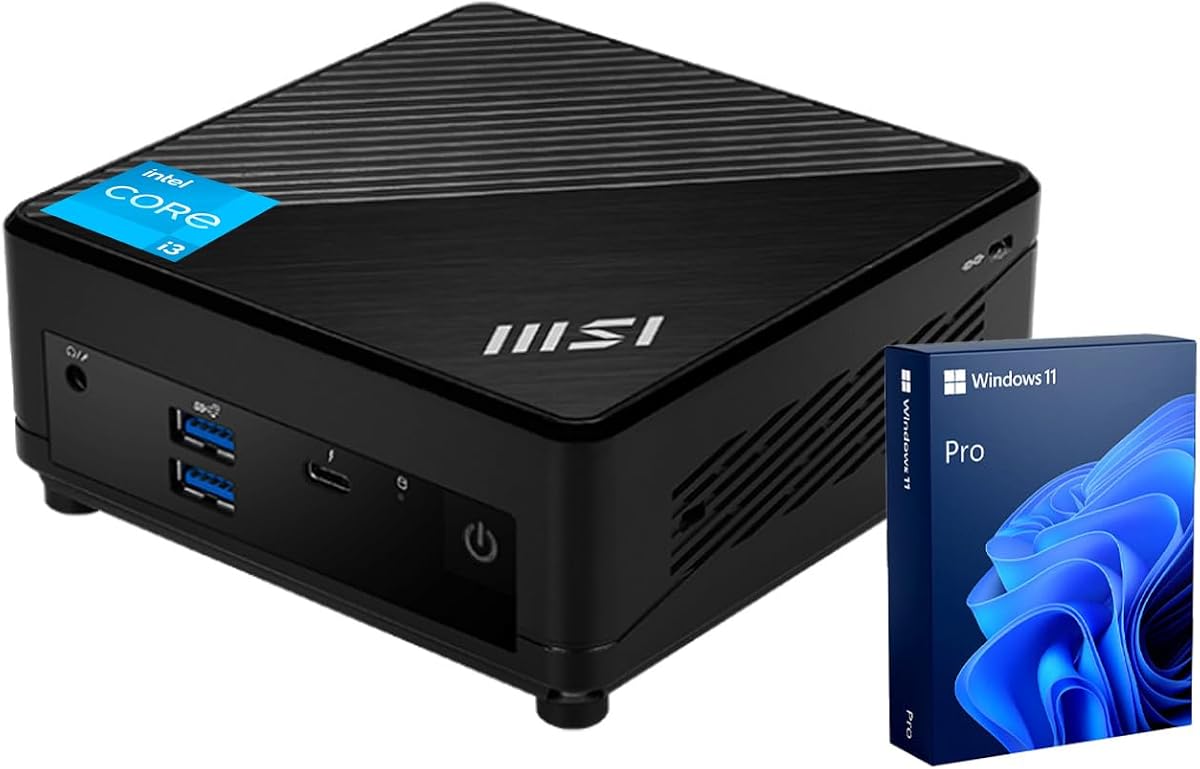
The msi Cubi 5 Professional shines as a premium desktop with a 4.8 rating reflecting its high quality and robust features. It brings desktop-grade performance to a compact form factor suitable for professional workflows.
We may earn a commission when you buy through this link, at no additional cost to you.
Powered by the Intel Core i3-1215U it offers six cores for efficient multitasking across demanding applications. The inclusion of Windows 11 Pro adds advanced security tools like BitLocker for business peace of mind.
Thunderbolt 4 support provides incredibly fast data transfer rates and versatile connectivity for external drives or docks. While pricier than budget options it delivers a superior experience for power users and creative professionals.
This machine is an excellent choice for those who need reliability and advanced features in a small space. It handles complex workflows with ease making it a versatile asset for any office.
Windows 11 Pro enables remote desktop management and enhanced security features essential for modern businesses.
Thunderbolt 4 ensures quick file movement and supports powerful peripherals for expanded workstation capabilities.
We may earn a commission when you buy through this link, at no additional cost to you.
This renewed Dell OptiPlex offers a cost-effective entry into business-class computing. With a 4.2 rating it demonstrates that refurbished units can provide reliable performance for everyday office tasks effectively.
We may earn a commission when you buy through this link, at no additional cost to you.
Running on Windows 11 Pro it brings enterprise security features to your desk without the high cost of new hardware. The dual display support helps boost productivity by allowing side-by-side workflow management.
The 128GB SSD is the main limitation which may require external storage for large files. However for document processing and web browsing it remains a fast and stable option for general users.
Ideal for schools or small offices needing many units this model balances budget and brand reliability. It is a solid pick for those who value a familiar business ecosystem over raw speed.
Windows 11 Pro ensures your data remains protected with advanced encryption and management tools.
Designed for business use it withstands daily wear and tear better than consumer-grade plastic cases.
We may earn a commission when you buy through this link, at no additional cost to you.
The msi PRO DP21 delivers modern performance with its 13th Gen Intel processor ensuring responsive multitasking for daily tasks. Users rate it 4.6 stars for its balance of speed and practicality in a compact form.
We may earn a commission when you buy through this link, at no additional cost to you.
It comes ready to use with Windows 11 Pro and essential peripherals included in the box. This convenience makes it ideal for immediate deployment in home offices or small work environments without extra setup.
The 16GB RAM supports smooth operation across multiple applications while the NVMe SSD ensures quick boot times. While graphics are basic it excels at productivity and general computing rather than heavy gaming.
Best for professional users needing a straightforward solution this model combines speed with utility. It stands out for its robust connectivity options and reliable everyday performance.
Included keyboard and mouse save time and expense for immediate productive work in any location.
The 13th Gen CPU provides efficient processing power suitable for modern software and web applications.
We may earn a commission when you buy through this link, at no additional cost to you.
The ASUS ExpertCenter PB63 brings cutting-edge 14th Gen technology to a compact business desktop. Its 4.0 rating suggests solid performance though users may find the feature set straightforward compared to competitors.
We may earn a commission when you buy through this link, at no additional cost to you.
It emphasizes wireless performance with WiFi 6 Gig and Bluetooth 5.2 for fast reliable connections. The three-year warranty provides peace of mind for businesses investing in long-term hardware solutions.
Designed for professional environments it includes features like TAA compliance which is vital for certain government contracts. The dual-display support ensures you can maintain an efficient dual-monitor workspace easily.
This model is well-suited for enterprise deployments requiring reliable connectivity and compliance. It serves as a robust workhorse for general office tasks without unnecessary bloat or complexity.
WiFi 6 Gig offers faster speeds and better efficiency for connected environments and smart offices.
TAA compliance makes this unit eligible for specific government and municipal procurement processes easily.
We may earn a commission when you buy through this link, at no additional cost to you.
The Lenovo ThinkCentre Neo 50q Gen4 earns a perfect 5.0 rating for its exceptional balance of power and efficiency. It showcases how modern mini PCs can deliver robust performance while saving valuable desk space.
We may earn a commission when you buy through this link, at no additional cost to you.
Featuring a 12th Gen Intel processor it handles business applications smoothly. The ultra-compact 1L design means it can be mounted behind monitors or tucked under desks to clean up your workspace visually.
Energy efficiency is a highlight with ENERGY STAR certification reducing environmental impact and electricity costs over time. This makes it an attractive choice for eco-conscious businesses or home offices.
Ideal for users seeking a clean minimalist setup this model offers top-notch reliability. It combines speed with a footprint that respects your physical workspace limitations effectively.
Its tiny 1L footprint allows flexible placement options that maximize usable desk space effectively.
Certified energy efficiency helps lower power consumption without sacrificing overall system performance.
We may earn a commission when you buy through this link, at no additional cost to you.
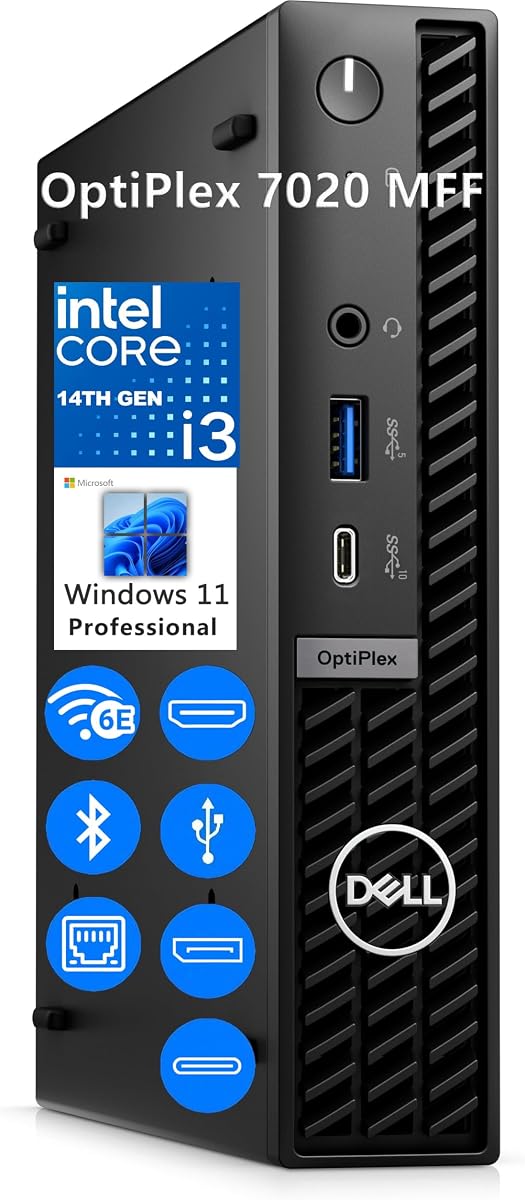
This top-tier Dell model is designed for professionals who need maximum power in a small chassis. With a 4.9 rating it is widely recognized as one of the best mini PCs available today.
We may earn a commission when you buy through this link, at no additional cost to you.
The 32GB DDR5 RAM ensures lightning-fast multitasking even with heavy workloads and virtual machines. Combined with a massive 1TB SSD storage you get plenty of room for large files and apps.
Triple display support allows for complex layouts ideal for traders developers or designers. While expensive the sheer amount of RAM and storage makes it a future-proof investment for power users.
Best for high-end office environments this machine delivers elite performance. It is the ultimate choice for those who refuse to compromise on speed or capacity.
DDR5 RAM delivers significantly higher bandwidth for faster data processing and smoother multitasking.
Support for three simultaneous displays enables complex workflows without needing external docking stations.
We may earn a commission when you buy through this link, at no additional cost to you.
Completing our list this Dell model offers the latest DDR5 memory architecture in a streamlined package. Its 4.4 rating reflects solid performance for users needing modern specs without the full premium configuration.
We may earn a commission when you buy through this link, at no additional cost to you.
Powered by the 14th Gen Intel processor it handles business apps with ease. The compact design fits perfectly in tight workspaces while offering versatile display options for improved multitasking.
While 8GB RAM and 256GB SSD are standard here the system remains responsive for typical office work. It is a great option for those prioritizing the latest technology over bulk storage capacity.
Perfect for general office use this device brings enterprise reliability to a small form factor. It is a reliable choice for businesses upgrading their desktop infrastructure to modern standards.
DDR5 RAM provides faster data access speeds for smoother application switching and performance.
Multiple video ports allow easy connection to monitors for extended desktop space and productivity.
We may earn a commission when you buy through this link, at no additional cost to you.
Selecting the right Mini PC involves evaluating several critical factors that align with your specific usage needs and budget constraints.
The Intel Core i3 processor generation significantly impacts performance. Newer generations like 14th Gen offer better efficiency and single-core speeds compared to older models like 5th Gen. Look for models with higher turbo boost frequencies to ensure smooth multitasking.
Prioritize processors released within the last three years for future-proofing your investment effectively.
RAM is crucial for running multiple applications simultaneously. Aim for at least 8GB but 16GB is preferred for comfortable multitasking. DDR5 RAM is becoming standard in newer models offering faster data access speeds than DDR4.
Ensure the model allows upgrades if you anticipate needing more memory in the future.
Solid State Drives (SSD) provide faster boot times than traditional Hard Disk Drives. NVMe M.2 SSDs are faster than SATA SSDs so check the interface type when buying. A minimum of 256GB is standard but 512GB or 1TB offers better longevity.
Consider models with extra slots for future storage expansion to accommodate growing data needs.
Dual or triple display support can greatly enhance productivity. Check if the ports support 4K resolution at 60Hz for crisp visuals on modern monitors. HDMI and DisplayPort combinations usually offer the most flexibility for different screen types.
Verify the maximum supported resolution to ensure compatibility with your existing high-resolution monitors.
Modern ports like USB-C and Thunderbolt 4 enable high-speed data transfers and charging. WiFi 6 and Bluetooth 5.2 ensure reliable wireless connections to peripherals and routers. Ensure enough USB-A ports exist for legacy devices like mice or printers.
A mix of wired and wireless options provides the best stability for office environments.
Compact devices generate heat so effective cooling is vital for sustained performance. Look for units with active fans and good airflow designs to prevent thermal throttling. Quiet operation is essential for home offices to avoid distractions during calls.
Invest in models with proven cooling solutions to maintain speed during long usage sessions.
Most units come with Windows 11 Pro which offers better security features for businesses. Some budget options may not support newer OS versions due to older CPU architectures. Always confirm the OS version included in the package before purchasing.
Upgrading from Home to Pro later might be costly so check the pre-installed version first.
A reliable warranty protects your investment against hardware defects. Business-class PCs often come with longer warranties and better technical support than consumer models. Check the manufacturer's reputation for after-sales service and parts availability.
A longer warranty period indicates confidence in product durability and reliability for long-term use.
Place your Mini PC in a well-ventilated area to ensure optimal airflow and cooling. Avoid enclosing it in tight cabinets where heat can build up quickly during operation.
Regularly clean dust from ports and vents using compressed air to prevent overheating issues. This simple maintenance step extends the lifespan of the internal components significantly.
Update your system drivers and OS regularly to maintain security and performance. Use the manufacturer's website for specific firmware updates tailored to your device model.
Many Mini PCs feature soldered RAM which cannot be upgraded. Always check the product specifications for socketed slots before purchasing. Some business models allow easy upgrades while consumer ones often limit this capability.
Yes most models support dual or even triple displays via HDMI and DisplayPort. Ensure the graphics driver is updated to enable multi-monitor setups. Some higher-end units support 4K resolutions on all outputs.
Older generations like 5th Gen may not support Windows 11 officially. Newer processors generally meet TPM requirements for the latest OS. Check Microsoft's compatibility list before attempting to upgrade or buy.
With proper care a Mini PC can last five to seven years. Regular maintenance and avoiding physical damage help extend its life. Software updates also keep older hardware running efficiently for longer.
Basic integrated graphics can handle casual games but not heavy titles. Look for models with Iris Plus graphics for better performance. Dedicated GPUs are usually not available in this form factor.
Use a VESA mount adapter compatible with your monitor's mounting holes. Many Mini PCs include VESA mounts in the box. Ensure the cables are managed neatly to avoid visibility.
WiFi 6 offers faster speeds and better efficiency in crowded networks. It reduces latency which helps during video calls. Most modern models now include WiFi 6 by default.
Prioritize 16GB RAM and SSD storage for smooth multitasking. Look for reliable connectivity options like Ethernet and USB-C. Ensure the system supports at least two displays for better productivity.
Our top picks include the GMKtec G3 PRO for budget value, the msi Cubi 5 for professional performance, and the Dell OptiPlex 7020 MFF for premium power. Each model offers distinct advantages tailored to different needs.
Prioritize processing power and memory size if you run complex applications. For media centers, focus on graphics capabilities and connectivity ports. Choose a form factor that fits your available space comfortably.
Remember to verify current prices and availability since deals change frequently. Investing in a model with upgrade options ensures your setup stays relevant for years.