
Swish S1 Driver License Scanner
Simplex USB optical scanner
Low cost entry point
Windows only compatibility
Finding the right Id Scanners for Age Verification is critical for businesses serving alcohol. A reliable scanner ensures compliance with laws and protects your license from revocation due to underage sales.
We evaluated ten leading models based on scanning speed, accuracy, durability, and software features. Each option offers unique strengths for different business environments and budget constraints.
Every product pick highlights key specifications and real-world performance metrics. Note that prices and availability change frequently, so verify current details before purchasing your new verification system.

4.9Editor score

4.8Editor score
As an Amazon Associate we earn from qualifying purchases.
This table provides a side-by-side comparison of all ten Id Scanners for Age Verification to help you quickly identify the model that fits your specific operational needs.




The IDetect ID Scanner stands out as the top pick for its speed and ease of use. It validates IDs within seconds and works seamlessly with standard Windows POS systems.
We may earn a commission when you buy through this link, at no additional cost to you.
Its primary strength lies in its durability and instant feedback. You get immediate notifications on your screen regarding age or status. This reduces human error significantly.
The trade-off is the lack of fake ID detection capabilities. It does not detect holograms or watermarks, which limits security compared to more expensive models.
Bars and clubs needing simple age checks should buy this. It offers the best balance of cost and performance for high-volume environments.
This device calculates age instantly upon scanning. The results appear on your screen before the transaction is complete.
It works with all Windows based POS systems. Free USB converter available for tablets makes it highly versatile.
We may earn a commission when you buy through this link, at no additional cost to you.
This countertop model is designed for fixed positions like bars. It operates continuously when connected to a standard outlet without batteries.
We may earn a commission when you buy through this link, at no additional cost to you.
It provides clear Go/No-Go results instantly. The built-in compliance log protects your business during inspections effectively.
Fake ID detection is optional and costs extra credits. The unit is not portable so it stays on the counter.
Use this for stationary points of sale. It simplifies age verification with minimal staff training requirements.
The device automatically creates a compliance log. This eliminates math mistakes during inspections.
It is designed for fixed countertop use. Plug-in power only means no battery management needed.
We may earn a commission when you buy through this link, at no additional cost to you.
The AgeVisor Mini offers fast and reliable age verification in a compact form. It is perfect for bars and liquor stores with limited counter space.
We may earn a commission when you buy through this link, at no additional cost to you.
Motion-activated scanning allows for one-handed operation. It automatically calculates age with intuitive icons and notifications.
While the rating is lower, the no ongoing fees feature is attractive. You can track customer visits directly on the screen.
Buy this for retail or nightclubs. Its simplicity and tracking features provide good value for small businesses.
This scanner allows one-handed operation without buttons. Just motion activates the scan process immediately.
It tracks customer visit counts on screen. This helps identify new clients or frequent visitors easily.
We may earn a commission when you buy through this link, at no additional cost to you.
This model is the best choice for venues needing detailed customer management. It saves over 50,000 customers with two photos per record.
We may earn a commission when you buy through this link, at no additional cost to you.
GPS tracking helps locate your scanner or lock data remotely. You can tag customers as VIP or banned easily.
The high cost is justified by the premium features. It offers a comprehensive suite of tools for busy clubs.
Nightclubs and large venues should buy this. The VIP and banned software ensures security and organization.
Find your device through GPS location. It can lock or erase data remotely on Google Maps.
Highlights new vs repeating clients easily. Assign Loyalty Membership with the press of a button.
We may earn a commission when you buy through this link, at no additional cost to you.
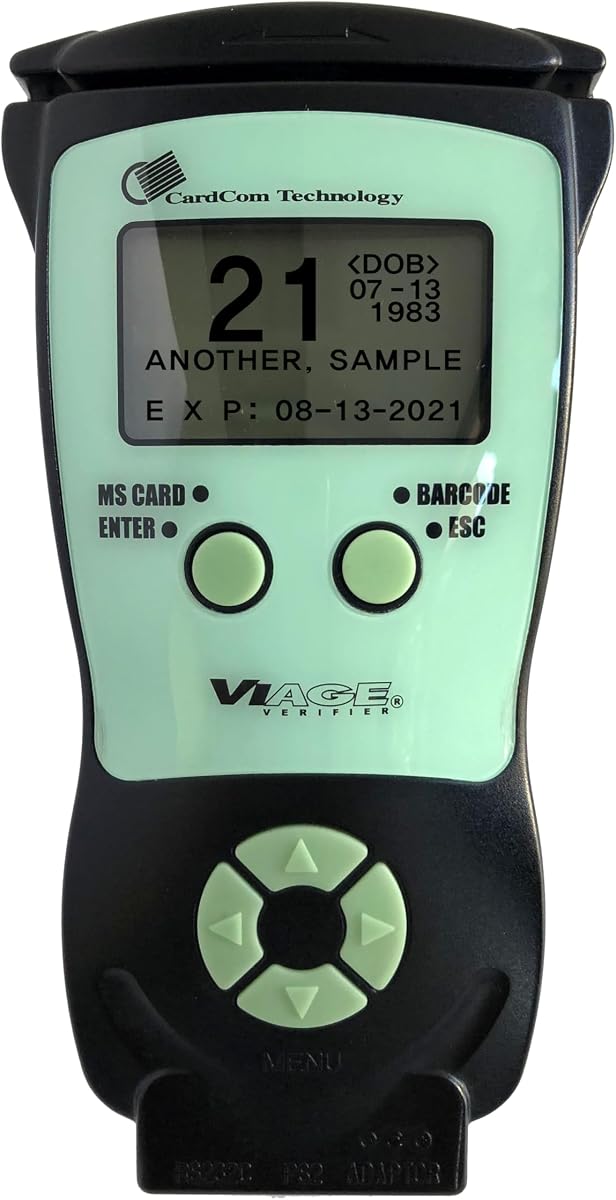
The CAV3200 is a portable device that works independently without external connections. It features dual scanning for magnetic stripe and barcode.
We may earn a commission when you buy through this link, at no additional cost to you.
It provides instant age and expiration status display. The backlight ensures easy visibility in dark venues.
Free compliance software and ID updates are included. This makes it an affordable choice with no hidden costs.
Retailers and bars without POS systems should buy this. It is a standalone solution for quick checks.
Works independently without external devices. Convenient for various business environments needing portability.
Features magnetic stripe scanning capabilities. Ensures comprehensive ID verification across different formats.
We may earn a commission when you buy through this link, at no additional cost to you.
This scanner features an extra large 5 inch LCD screen for clear viewing. It shares most specs with the V2 model.
We may earn a commission when you buy through this link, at no additional cost to you.
The large display makes it easy for staff to see results. It supports cloud networking for multiple devices.
It includes the same VIP and banned software. The screen size is the primary difference.
Buy this if you prioritize visibility. It is ideal for teams sharing one device at a single location.
Extra large 5 inch LCD screen makes results visible. Staff can see results instantly without close inspection.
Supports cloud networking for multiple devices. Export scan records via WiFi or USB easily.
We may earn a commission when you buy through this link, at no additional cost to you.
This unit is built for high-volume environments with rugged hardware. It is rated IP68 and MIL-STD-810H for drops and moisture.
We may earn a commission when you buy through this link, at no additional cost to you.
The swappable battery allows for long shifts with minimal downtime. Fast charging completes in under 90 minutes.
It supports U.S. driver's licenses, state IDs, and passports. Privacy is protected with no photos stored.
Clubs with busy floors should buy this. The durability ensures it withstands spills and drops.
Rated IP68 for dust and moisture. Designed for drops and extreme environments.
Built for long shifts per charge. Swappable battery ensures continuous operation.
We may earn a commission when you buy through this link, at no additional cost to you.
The Quantum Edge V3 handles wet environments like bars and clubs perfectly. It has a water and dust seal for protection.
We may earn a commission when you buy through this link, at no additional cost to you.
It captures up to three photos for entrant validation. It offers Wi-Fi connection for easy device setup.
Results are validated within seconds. The vibration alert ensures staff know when a scan completes.
Bars near pools or with drink spills should buy this. It ensures longevity in challenging conditions.
Designed for wet environments with seals. Handles drink splashes and rain effectively.
Optional 3 pictures for entrant and ID. Helps maintain satisfactory customer relationships.
We may earn a commission when you buy through this link, at no additional cost to you.
This model is compliant with key ID verification laws. It automatically creates a compliance log to eliminate math mistakes.
We may earn a commission when you buy through this link, at no additional cost to you.
It includes manual entry for passports and worn IDs. The clear Go/No-Go results make decisions simple.
Compliance logging is flexible and exportable. Customer support is available nights and weekends.
Buy this if legal compliance is your top priority. It protects your business during inspections effectively.
Complies with key verification laws. Protects your business during inspections and audits.
No photos are taken or stored. Privacy is protected for all customers.
We may earn a commission when you buy through this link, at no additional cost to you.
The Swish S1 offers the lowest cost entry point for ID scanning. It captures high resolution images of cards.
We may earn a commission when you buy through this link, at no additional cost to you.
There are no moving parts to damage thin cards. It works with hundreds of other scanning applications.
It requires Windows only and has no mobile support. This limits its use to desktop PCs.
Use this for low volume settings or testing. It is a simple and affordable optical scanner option.
The most affordable scanner available. Ideal for small offices or low volume use.
Must be used on Windows PCs. Not compatible with Mac systems.
We may earn a commission when you buy through this link, at no additional cost to you.
Choosing the right Id Scanners for Age Verification requires understanding your venue needs. We break down key factors to help you decide.
Fast scanning is essential for high volume clubs. You need results in under a second to avoid lines. Look for motion activated or one second scans.
Prioritize speed to keep customer flow smooth.
Fake ID detection adds security but costs extra. Some models offer 90%+ accuracy. Check if credits are included or must be purchased.
Choose models with optional fake checks for higher security.
Decide if you need a portable or countertop device. Portable units allow for security checks on the floor. Countertop units are fixed at the bar.
Select portability based on your security strategy.
Always ensure the scanner has free software updates. ID laws change frequently and require updates. Check if lifetime software updates are included.
Free updates ensure your device stays compliant.
Compliance logs protect your business during inspections. Automatic logs eliminate human error. Look for exportable and flexible data retention.
Choose devices with clear Go/No-Go results.
Portable scanners need long battery life for shifts. Look for 12+ hours operation. Swappable batteries minimize downtime.
Prioritize battery for mobile security teams.
Check if the device supports your computer system. Some are Windows only while others work on Mac. Ensure compatibility before buying.
Avoid devices that do not support your OS.
Place the scanner at a visible entrance or point of sale. Ensure the barcode is clean and readable for the best results.
Train staff to scan the barcode on the back of IDs. Listen for audible warnings or check the screen for age alerts.
Clean the scanner lens regularly with a soft cloth. Avoid exposing it to excessive water or moisture unless rated.
These are devices that read barcodes on IDs to calculate age instantly. They ensure legal compliance for alcohol sales. They are essential for bars and clubs to protect licenses.
Many portable models work independently without a computer. Countertop models may require a connection. Check if it needs a USB port or WiFi.
Most models include lifetime software updates. Some offer optional fake detection services that cost credits. Always check the pricing model.
Top detectors claim 90%+ accuracy. They analyze encrypted data against a security database. Accuracy varies by the ID's quality.
Most scanners handle passports and military IDs. Some require manual entry. Check specs for passport compatibility.
Consider portability, speed, and budget. High volume bars need durable models. Low budget options are available for testing.
The IDetect ID Scanner remains the best overall pick for its speed and value. It fits most standard business needs effectively.
Prioritize compliance logging and fake ID detection for security. These features protect your business from fines.
Always check current prices and availability before buying. Prices change often so verify before purchase.