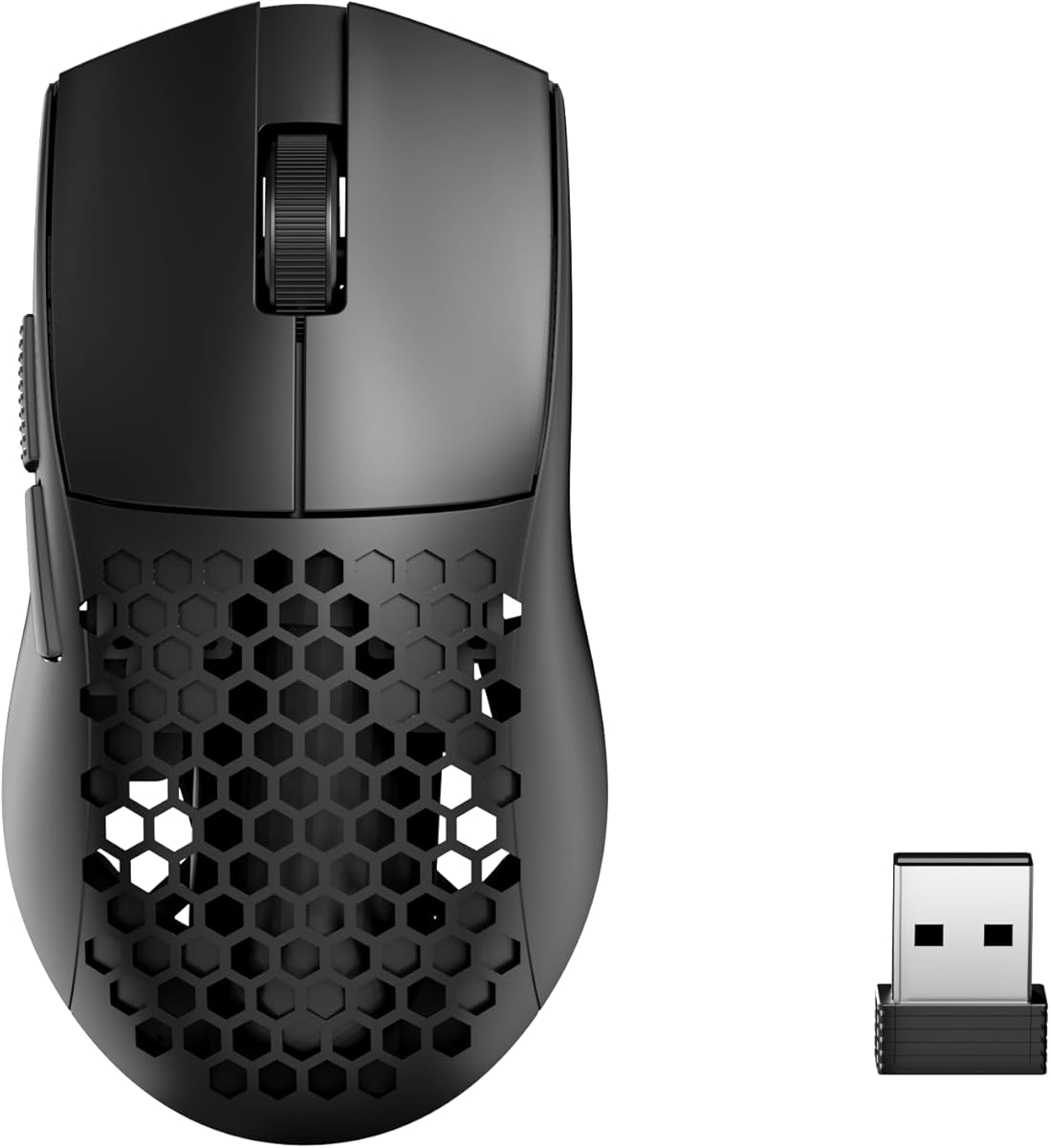
Redragon M725 Honeycomb Shell
4.4Editor score
49 grams with honeycomb design
Tri mode connectivity options
Programmable macro buttons
Discover the 10 best lightest mice for gaming in October 2026. This expert guide compares top wireless and wired models for speed, precision, and comfort.
Gamers constantly seek equipment that enhances performance without adding unnecessary bulk. Light mice reduce fatigue and improve reaction times, making them essential for competitive play and long sessions.
We evaluated ten top models based on weight, sensor accuracy, build quality, and wireless latency. Our analysis focuses on how each mouse balances minimal mass with durable construction and reliable tracking.
Each pick highlights specific strengths for different grip styles and budgets. Please note that availability and pricing may change frequently, so check current listings before making your final purchase decision.
4.4Editor score

4.5Editor score

4.3Editor score
This comparison table provides a side by side look at the top ten lightweight gaming mice. We highlight key specifications to help you find the perfect balance of weight and performance.


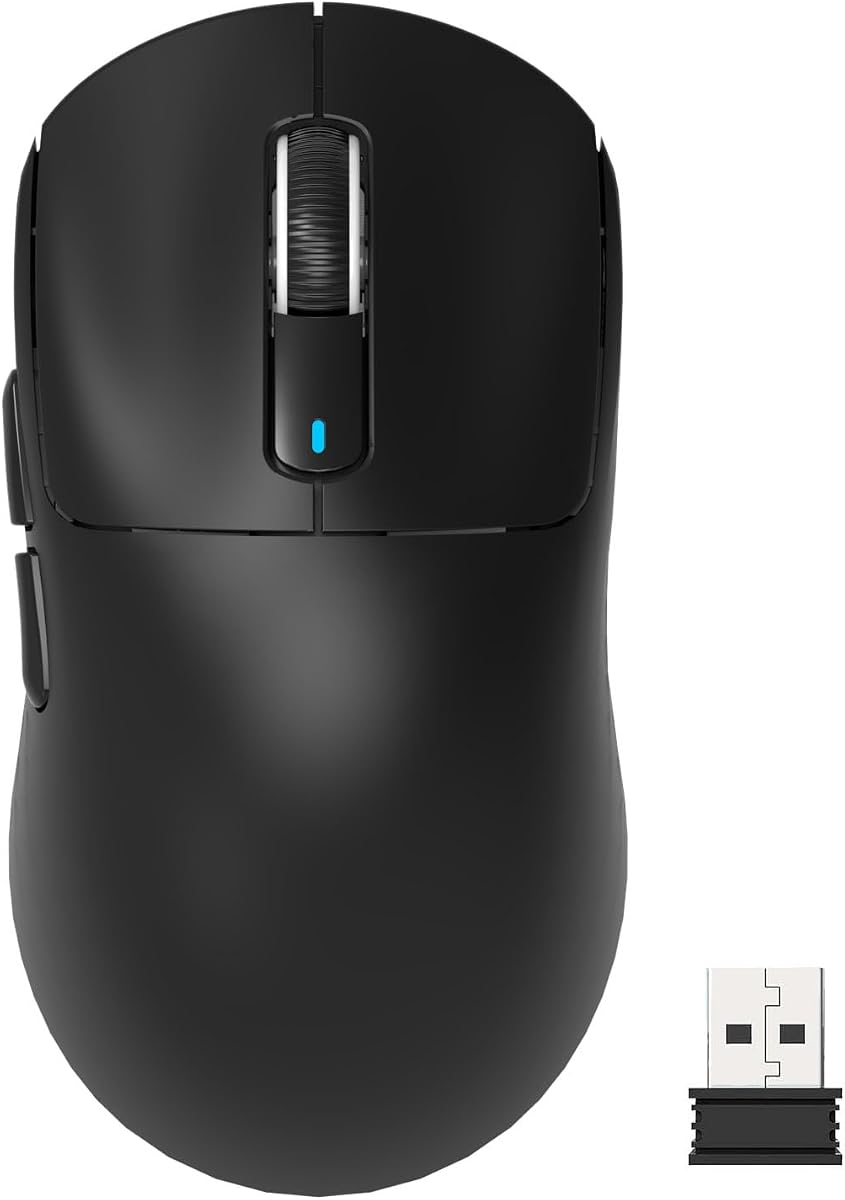


The Logitech G PRO X Superlight 2 stands out as a top choice for serious gamers seeking speed and precision. With a highly rated sensor and ultra light build, it delivers pro level performance in daily competitive sessions.
We may earn a commission when you buy through this link, at no additional cost to you.
Its HERO 2 sensor ensures flawless tracking across various surfaces while the ZERO add PTFE feet provide smooth gliding. The LIGHTFORCE hybrid switches offer crisp tactile feedback without unwanted double clicks.
While the weight is incredibly low for its build quality, users should note the lack of customizable lighting. This trade off helps maintain battery life and focus on pure performance features.
This mouse is ideal for esports athletes and enthusiasts who value speed above all. Its ergonomic design supports claw and relaxed claw grips making it a versatile tool for high intensity play.
The HERO 2 optical sensor delivers zero smoothing and acceleration for pure raw data transmission.
8 kHz polling rate ensures near instant response times that match wired peripherals.
We may earn a commission when you buy through this link, at no additional cost to you.
The Pulsar X2H Crazylight redefines lightweight gaming with a 37 gram weight that feels nearly weightless. Its minimalist design ensures ultra-light handling while delivering cutting-edge functionality for peak performance.
We may earn a commission when you buy through this link, at no additional cost to you.
This mouse features an XS-1 sensor providing exceptional speed and accuracy. The dust-proof structure and optical switches ensure long-term reliability without compromising on tactile feel.
Users with larger hands may find the mini size restrictive for certain grips. However, for claw or fingertip users, the balance and responsiveness are hard to match.
It is perfect for gamers prioritizing raw speed and minimal inertia. The included DOT skates enhance glide quality making it a strong choice for competitive FPS titles.
Weighing less than an egg this mouse reduces arm fatigue during long matches.
Symmetrical shape supports both claw and relaxed claw for optimal stability.
We may earn a commission when you buy through this link, at no additional cost to you.
The Redragon M725 offers exceptional value for gamers needing a lightweight wireless mouse without high costs. Its honeycomb shell reduces weight significantly while maintaining a symmetrical ergonomic shape.
We may earn a commission when you buy through this link, at no additional cost to you.
This model supports tri-mode connectivity allowing seamless switching between Bluetooth and 2.4GHz wireless. The 8000 DPI sensor is adequate for most casual and competitive gaming needs.
Build materials are primarily plastic which may feel less premium than high-end options. However, the performance and features provided at this price point are impressive.
It is a smart choice for students or budget-conscious gamers. The programmable buttons allow customization for different games making it versatile for various play styles.
Switch effortlessly between wireless and wired modes to suit any scenario.
Dedicated software lets you map macros and adjust DPI levels easily.
We may earn a commission when you buy through this link, at no additional cost to you.
The Razer Viper V3 HyperSpeed provides reliable performance with an emphasis on endurance. Its mass centered design ensures seamless consistent swipes crucial to competitive play.
We may earn a commission when you buy through this link, at no additional cost to you.
With up to 280 hours of battery life you can go weeks without changing the AA battery. The Focus PRO 30K sensor guarantees accuracy even on glass surfaces.
While it is slightly heavier than ultra-light models the trade-off is increased stability and battery life. The mechanical switches offer a satisfying click with long lifespan.
This is excellent for users who want reliability over extreme lightness. It suits both casual gamers and pros looking for a dependable tool without constant recharging.
HYPERSPEED technology delivers a smooth connection even in noisy environments.
Flagship sensor ensures flawless tracking across a wide variety of surfaces.
We may earn a commission when you buy through this link, at no additional cost to you.
The Logitech G305 Lightspeed is a proven favorite for its efficiency and portability. It boasts high maneuverability coming in at only 3.4 oz thanks to efficient lightweight mechanical design.
We may earn a commission when you buy through this link, at no additional cost to you.
Its HERO sensor delivers incredible power efficiency allowing up to 250 hours of continuous gameplay. This makes it perfect for travel and daily desktop use without interruption.
While it lacks some advanced features like side buttons the core performance remains solid. The compact design makes it ideal for small hands or laptop setups.
It is best for gamers who value battery life and reliability. The build quality is durable and the wireless performance is consistently responsive.
Built-in receiver storage keeps your mouse and dongle organized for trips.
Efficient battery usage extends playtime significantly compared to standard mice.
We may earn a commission when you buy through this link, at no additional cost to you.
The MCHOSE L7 Pro delivers a lightweight gaming experience with modern features like an 8K polling rate. Weighing in at about 39g it offers smooth handling and balanced weight distribution.
We may earn a commission when you buy through this link, at no additional cost to you.
Its optical switches provide clarity in every click with a long lifespan. The ergonomic design balances weight distribution for precise control whether making quick maneuvers or fine adjustments.
Newer brands like MCHOSE may lack established software support but the driver is intuitive. The included 8K receiver enhances visuals and performance significantly over standard 1K models.
This is ideal for competitive players needing high response rates. The balance of weight and feature set makes it a strong contender in the premium market.
TOPSPEED technology offers ultra-low latency for competitive edge.
Conforms perfectly to various hand shapes and grip styles.
We may earn a commission when you buy through this link, at no additional cost to you.
The ATTACK SHARK X3 adopts a flagship optical sensor that provides exceptional accuracy for a reasonable cost. Equipped with advanced lightweight material case the weight is astonishingly low at 49g.
We may earn a commission when you buy through this link, at no additional cost to you.
Its ergonomic body design takes good care of various grip hand shapes and easily supports the palm of the hand. This minimizes burden of hands and reduces wrist fatigue.
The use of Kailh GM8.0 Micro switches ensures durability with 80 million click lifespan. While the brand is newer the specs match high-end competitors perfectly.
This is a great choice for users seeking top-tier specs on a budget. The multi-device connectivity makes it versatile for both work and gaming.
PAW3395 sensor tailored for gaming enthusiasts and fast reactions.
USB-C wired and 2.4G wireless meet various using scenes.
We may earn a commission when you buy through this link, at no additional cost to you.
The Pulsar X2 Crazylight redefines lightweight gaming with a 39g weight that feels nearly weightless. Designed with an ultra-lightweight structure it features a low-profile wide symmetrical shape.
We may earn a commission when you buy through this link, at no additional cost to you.
Its XS-1 sensor boasts impressive DPI resolution and tracking speed. The optical switches ensure swift and pinpoint responses while the structure resists dust and debris.
Although expensive the build quality justifies the cost for serious competitors. The included DOT skates deliver exceptional low friction for smooth gliding on any surface.
This mouse is best for claw and fingertip grippers who want balance. It combines lightweight performance with reliable mechanics for consistent competitive play.
Designed with a symmetrical shape that supports both claw and fingertip.
Pulsar Dot Skates reduce friction for precision on hard mousepads.
We may earn a commission when you buy through this link, at no additional cost to you.
The ASUS ROG Harpe Ace Mini is optimized for fingertip and claw grips with a compact semi-symmetrical form factor. It is built for esports gamers and pro-approved by players.
We may earn a commission when you buy through this link, at no additional cost to you.
Weighing only 49 grams this mini mouse features a refined shape for smaller hands. The AimPoint Pro sensor delivers pixel-perfect accuracy and responsiveness for competitive gaming.
Its lightweight construction provides maximum control with minimal fatigue during long sessions. While not ideal for large hands it excels for those needing precise quick movements.
This is perfect for small-handed gamers seeking pro-level performance. The flexibility of tri-mode connectivity supports multiple devices seamlessly.
Co-developed with professional FPS players for maximum efficiency.
Sensor provides pixel-perfect accuracy on glass surfaces as well.
We may earn a commission when you buy through this link, at no additional cost to you.
The Redragon M808 Storm assures long-session gaming without fatigue with an ultralight shell design. It offers unlimited possibilities and infinite potential to maximize your aim through its cutout honeycomb shell.
We may earn a commission when you buy through this link, at no additional cost to you.
With 7 programmable buttons all buttons are available for redefinition and assignment of complex macro keybindings. The DPI and RGB are customizable with software support to engineer your liked way.
While wired it includes a super-lite cable to kill weight and friction as much as possible. This makes it ideal for budget gamers who prioritize customization over wireless freedom.
This is a great entry level choice for RGB enthusiasts. The build feels solid for the price and allows for extensive customization to fit specific needs.
16.8 million colors allow you to match your setup aesthetics.
Lightest cable material reduces drag for smoother movements.
We may earn a commission when you buy through this link, at no additional cost to you.
Choosing the right lightweight gaming mouse depends on several critical factors beyond just weight. Understanding these details helps you find a mouse that matches your grip style and performance needs.
The sensor is the heart of any gaming mouse. Look for top-tier models like HERO or PAW3395 which offer high DPI and accurate tracking without smoothing or acceleration. High-quality sensors ensure that every movement is recorded exactly as intended.
Aim for sensors with high IPS tracking speeds to ensure precision during rapid flicks.
Weight is not just about grams but also where that weight is distributed. A well balanced mouse prevents wrist fatigue and improves control. Some models achieve lower weights by removing internal components like batteries in favor of smaller rechargeable ones.
Check reviews for mentions of balance to avoid a top heavy or unstable feel.
Mechanical switches offer tactile feedback but optical switches eliminate double-clicking issues. Lighter mice often use optical or hybrid switches to reduce weight and improve longevity. The choice often comes down to personal preference for click feel.
Optical switches are preferred for durability and consistent responsiveness in fast-paced gaming.
Wireless mice provide freedom of movement and modern low latency technology rivals wired options. However, wired mice often save weight and battery life. Ensure the wireless version uses modern protocols like 8K polling for competitive play.
Prioritize latency specs if you choose wireless to avoid input lag during critical moments.
The shape of the mouse must fit your hand size and grip style. Ergonomic shapes suit palm gripers while symmetrical shapes work best for claw or fingertip grips. A mouse that is too small can cause discomfort and strain over time.
Always consider your hand measurements when selecting a mini or standard sized mouse.
Lighter mice sometimes compromise on build quality but high-end models use durable materials. Honeycomb designs reduce weight but require maintenance to keep dust out. Ensure the mouse feels solid and does not flex under pressure during use.
Look for models that mention durability testing or material quality in the specifications.
For wireless mice, battery life is a major convenience factor. Some models last hundreds of hours on a single charge which minimizes downtime. Others use replaceable batteries which can be convenient for long gaming sessions.
Choose a mouse with battery life that matches your typical usage schedule to avoid interruptions.
Software allows you to adjust DPI levels, lighting, and button mappings. A comprehensive software suite helps tailor the mouse to your specific game needs. Some brands offer lightweight drivers that do not consume excessive system resources.
Ensure the manufacturer provides reliable software support for ongoing updates and feature access.
To maintain the longevity of a lightweight mouse avoid exposing it to liquids or excessive dust. Clean the surface regularly with a soft cloth and use compressed air to clear out sensor lenses or switch areas.
Use high quality mousepads to ensure smooth gliding. A clean and consistent surface reduces friction and ensures the sensor tracks accurately without interruption during gameplay.
For wireless models, keep the receiver in a dry place when not in use. Regularly check battery levels to ensure uninterrupted performance during important gaming sessions or tournaments.
Lighter mice reduce wrist fatigue and allow for faster movements which is beneficial for competitive play. However, the ideal weight varies by user and grip style so personal preference matters.
Yes, lightweight mice often use durable materials and advanced switches. High-quality models undergo rigorous testing to ensure long-term reliability despite reduced mass.
Most FPS professionals prefer mice between 40 and 60 grams. This range balances speed and stability allowing for precise aiming and rapid adjustments.
Use compressed air to blow out dust from the holes and wipe the surface with a soft damp cloth. Avoid using liquids directly on the body to prevent internal damage.
Modern wireless mice often use the same top-tier sensors as wired ones. The main difference is power efficiency to maintain battery life without sacrificing accuracy.
Yes, most lightweight gaming mice come with software or dedicated buttons to adjust DPI settings. This allows you to switch between different sensitivity levels for various games.
Most lightweight gaming mice are compatible with Mac systems. You may need specific software from the manufacturer to access all features and customization options.
Battery life varies by model but typically ranges from 100 to 280 hours on a single charge. Efficient sensors and lighting choices significantly impact total battery duration.
The ten options reviewed above provide a wide range of choices for gamers seeking lightweight performance. Whether you prefer the speed of a mini mouse or the reliability of a well-known brand there is a model for every need.
Prioritize sensor accuracy and build quality when making your final decision. A well balanced mouse with reliable connectivity will serve you best during intense gaming sessions.
Remember to check current availability and features before purchasing as models are frequently updated. The right choice will enhance your gameplay and provide long-term comfort.