
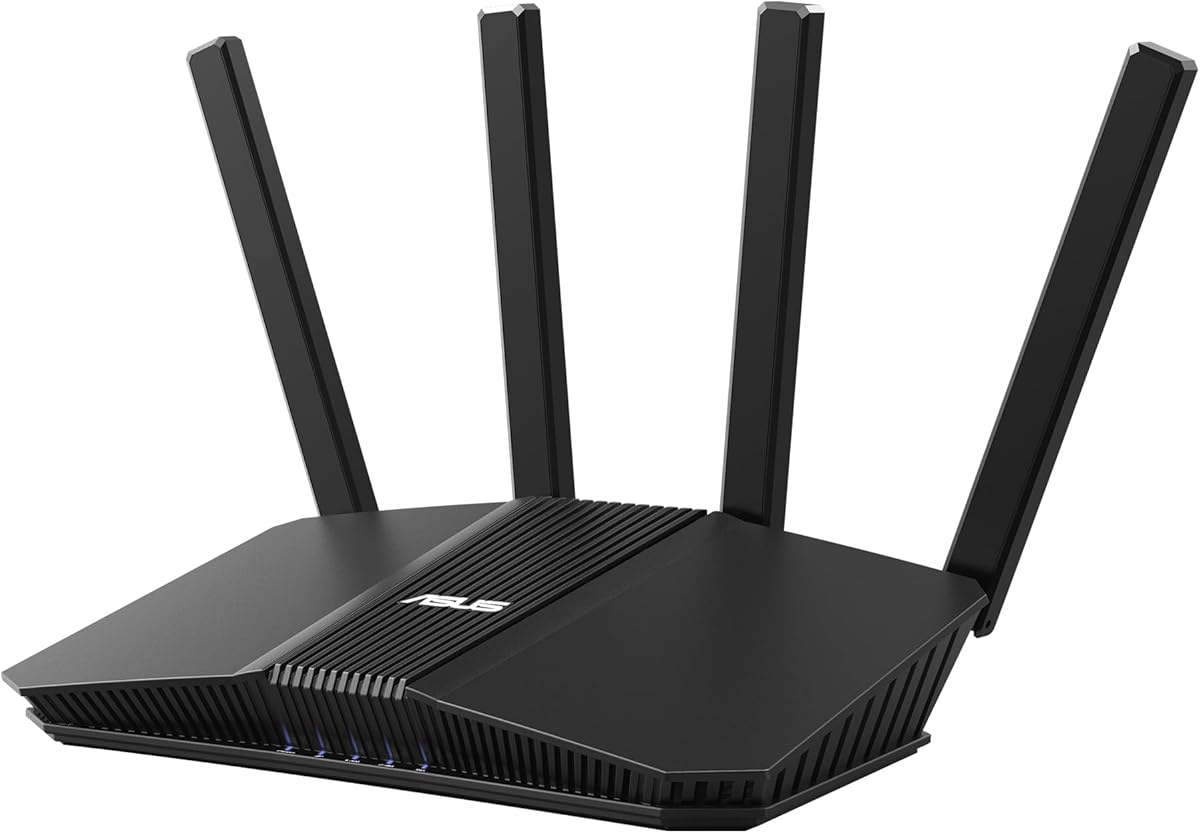
ASUS RT-AX1800S
4.3Editor score
WiFi 6 Support
AiProtection Security
Gigabit Ports
This guide compares the top ASUS WiFi routers for speed, security, and coverage. Find the best model for your home network needs in October 2026.
Finding the right network hardware is crucial for a smooth digital experience. ASUS offers a wide range of routers that cater to different needs and budgets.
We evaluated ten top models based on performance, features, and user feedback. Our analysis covers everything from budget-friendly options to high-end gaming systems.
Each pick highlights key strengths and potential trade-offs to help you decide. Remember that pricing and availability can change frequently online.
4.3Editor score
4.0Editor score

4.3Editor score
Here is a side-by-side overview of all ten models to help you compare specs at a glance.




The ASUS RT-AX1800S is a solid choice for users seeking reliable connectivity without breaking the bank. It supports the latest WiFi 6 standard which improves efficiency and speed for modern devices.
We may earn a commission when you buy through this link, at no additional cost to you.
Key strengths include its robust security features powered by Trend Micro and seamless integration with other ASUS routers via AiMesh. This makes it easy to expand your network later if needed.
While it lacks the cutting-edge speeds of newer models, it handles everyday streaming and browsing with ease. The trade-off is mainly in raw throughput compared to higher-end units.
This router is ideal for small to medium homes or those upgrading from older WiFi standards. It offers a great balance of performance and cost for the average user.
OFDMA and MU-MIMO technology allow multiple devices to connect without slowing down the network significantly.
AiProtection Classic provides commercial-grade threat detection and blocking for all connected devices automatically.
We may earn a commission when you buy through this link, at no additional cost to you.
The ASUS RT-BE58U brings the future of connectivity to your home with its support for the new WiFi 7 standard. It delivers impressive speeds and better stability for data-heavy tasks.
We may earn a commission when you buy through this link, at no additional cost to you.
Its Multi-link Operation allows devices to use multiple frequency bands simultaneously reducing congestion and latency. The Smart Home Master feature also simplifies IoT management significantly.
Users might find it a bit pricey compared to older models but the performance gains are substantial. You need compatible devices to experience the full potential of this router.
This model is perfect for tech enthusiasts or households with many connected devices needing fast reliable internet. It stands out as a top all-rounder for 2026.
Links to multiple bands at once to ensure stable connections and efficient data transfers without bottlenecks.
Allows easy setup of three SSIDs for IoT devices making network segmentation simple for users.
We may earn a commission when you buy through this link, at no additional cost to you.
For serious gamers and power users the ASUS ROG Rapture GT-BE98 Pro offers unmatched performance with its quad-band WiFi 7 architecture. It supports up to 30 Gbps speeds across all bands.
We may earn a commission when you buy through this link, at no additional cost to you.
The Triple-Level Game Acceleration optimizes traffic from your PC to the game server reducing lag significantly. Dual 10G ports also provide blazing-fast wired connections for local servers.
The main trade-off is the high cost which might not be necessary for general browsing or streaming. It is a specialized tool built for maximum speed and low latency.
This router is best suited for competitive gamers or large homes with heavy bandwidth demands. It delivers professional-grade networking performance at a consumer level.
Utilizes 6 GHz and 5 GHz bands simultaneously to maximize capacity and throughput for multiple users.
Prioritizes gaming traffic to minimize latency and ensure smooth multiplayer sessions online.
We may earn a commission when you buy through this link, at no additional cost to you.
The ASUS RT-BE92U sits in the sweet spot for users wanting WiFi 7 without the flagship price tag. It delivers speeds up to 9.7 Gbps with reliable tri-band performance.
We may earn a commission when you buy through this link, at no additional cost to you.
Key features include versatile WAN options for always-on internet and the Smart Home Master for easy IoT management. AiProtection Pro ensures commercial-grade security without extra costs.
While not as extreme as the ROG model it offers plenty of power for modern smart homes. The dual WAN setup adds redundancy which is great for critical tasks.
This router is a strong choice for tech-savvy households looking for a balance of speed and features. It handles multiple devices well while maintaining stability.
Establishes always-on internet by detecting connections and allowing USB tethering for backup options.
Includes AiProtection Pro with one-tap scanning and Safe Browsing to keep your network secure.
We may earn a commission when you buy through this link, at no additional cost to you.
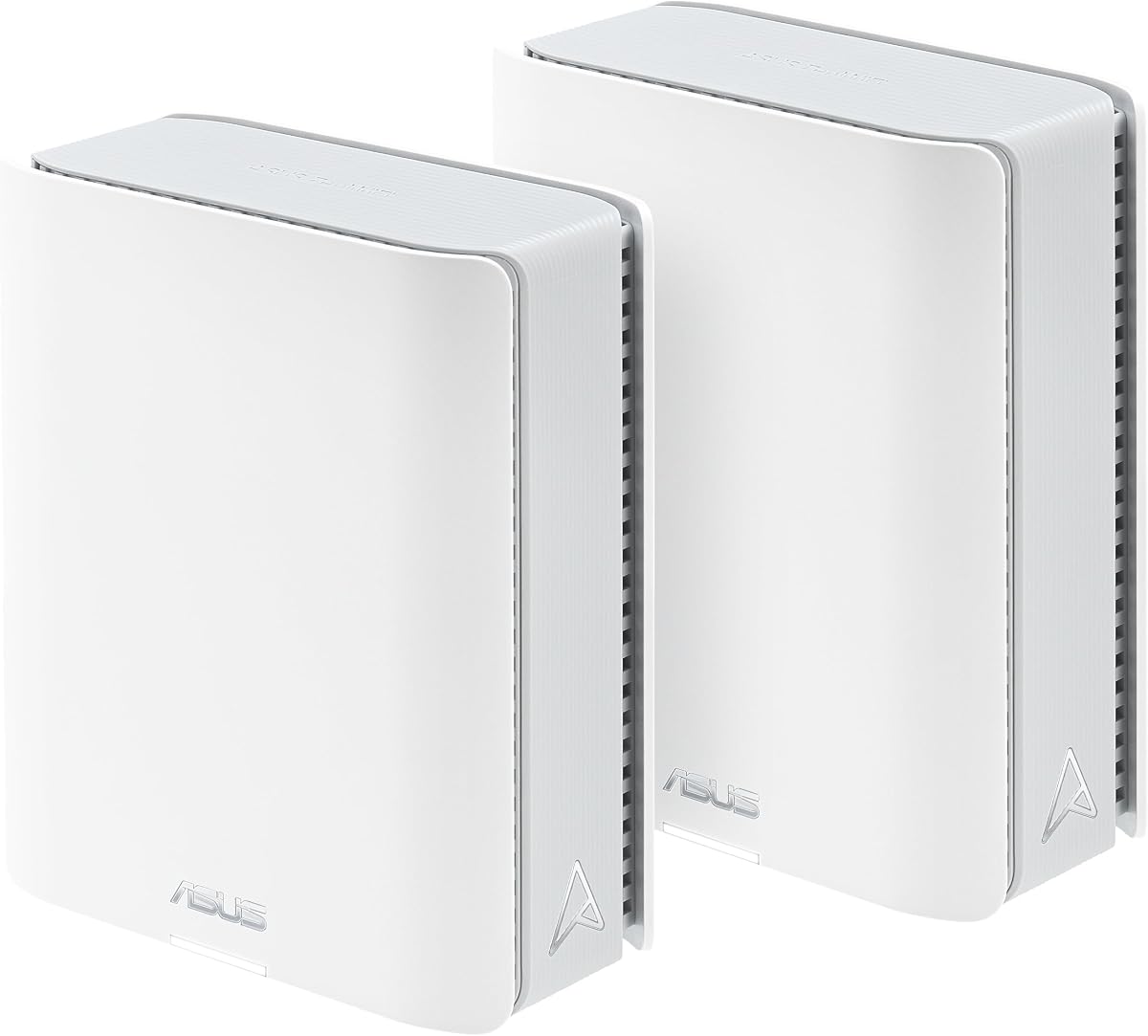
The ASUS ZenWiFi BT10 offers a powerful mesh solution for large homes covering up to 6000 square feet with two units. It uses WiFi 7 technology to ensure fast speeds everywhere.
We may earn a commission when you buy through this link, at no additional cost to you.
AI-powered AiMesh delivers robust backhaul connections which keep your network stable as you add more devices. The inclusion of 10 Gigabit ports is rare in this category.
While the price is high it provides a complete whole-home network solution without dead zones. Some users report mixed experiences but the specs are undeniably impressive.
This system is best for those who prioritize coverage and speed across a large area. It scales effortlessly with other ASUS routers for added flexibility.
Eight internal antennas and heat dissipation features eliminate dead zones and enhance reliability.
Supports ultrahigh-speed Ethernet with dual 10G ports for wired devices requiring top speeds.
We may earn a commission when you buy through this link, at no additional cost to you.
The ASUS RT-AX82U is designed with gamers in mind featuring game acceleration and a dedicated port for priority traffic. It supports speeds up to 5400 Mbps on WiFi 6.
We may earn a commission when you buy through this link, at no additional cost to you.
Key strengths include the Mobile Game Mode which minimizes latency for phone gaming and customizable Aura RGB lighting. It also supports AiMesh for future network expansion.
As a renewed model it offers great value but you should check the warranty carefully before buying. It is a reliable choice for small gaming setups needing solid throughput.
This router is ideal for casual gamers or streamers who want a stylish and functional device. It balances performance and aesthetics well for the home office.
Minimize lag and latency for mobile gaming with just a tap on the ASUS Router app.
Game Acceleration ensures your PC gaming traffic is boosted from your port to the server.
We may earn a commission when you buy through this link, at no additional cost to you.
The ASUS ZenWiFi BT8 provides a powerful single unit solution for homes up to 3000 square feet. It delivers WiFi 7 speeds up to 14 Gbps for all your connected devices.
We may earn a commission when you buy through this link, at no additional cost to you.
AI-powered Smart AiMesh enhances coverage and allows easy extendibility with other compatible routers. It also features IoT network segmentation for safer device management.
While it is a strong standalone router large homes might need to pair it with another unit for full coverage. The setup is intuitive and the security features are robust.
This model is perfect for medium-sized homes or apartments looking for next-gen speeds. It serves well as a primary router or a high-end access point.
Boosts coverage and connects seamlessly with other ASUS routers for a secure whole home network.
Easy setup on multiple devices with Smart Home Master SSIDs to separate IoT traffic safely.
We may earn a commission when you buy through this link, at no additional cost to you.
The ASUS RT-AX3000 is a proven workhorse that delivers consistent performance for everyday tasks. It supports speeds up to 3000 Mbps and covers up to 3000 square feet effectively.
We may earn a commission when you buy through this link, at no additional cost to you.
Key features include Adaptive QoS which prioritizes traffic and a USB 3.0 port for network storage sharing. It also offers commercial-grade security to protect your family's devices.
While it is not the latest tech it remains a highly rated option for stability and value. Users appreciate its ability to handle multiple devices without lag or dropouts.
This router is excellent for households that need reliable internet without paying a premium for new standards. It is a solid choice for general home use and streaming.
Prioritizes specific network traffic to ensure gaming or video calls run smoothly without interruptions.
Connect external drives via USB 3.0 to share files across your home network easily.
We may earn a commission when you buy through this link, at no additional cost to you.
The ASUS RT-AC68U is a classic model that continues to serve well for basic networking needs. It offers dual-band connectivity with speeds up to 1900 Mbps and five gigabit ports.
We may earn a commission when you buy through this link, at no additional cost to you.
Key strengths include its robust CPU which handles smart multitasking and the inclusion of AiProtection security. The intuitive app makes setup and management simple for any user.
As an older model it may not support the latest device standards but it remains stable. It is a great option for those on a tight budget who still want quality.
This router is best for smaller homes or setups where maximum speed is not the priority. It provides reliable connectivity with a proven track record over time.
Accelerates Wi-Fi performance by optimizing signal transmission for better overall throughput.
Monitor and manage your network with ease from your mobile device using the intuitive Asus router app.
We may earn a commission when you buy through this link, at no additional cost to you.
The ASUS ExpertWiFi EBR63 is designed specifically for small business needs offering features like a customizable guest portal. It supports WiFi 6 speeds up to 3000 Mbps for efficient operations.
We may earn a commission when you buy through this link, at no additional cost to you.
Key features include VLAN support for network segmentation and a free subscription to commercial-grade security. The all-in-one app allows easy remote management of your business network.
While it is robust for office use it might be overkill for a standard home setup. It excels in providing secure segmented access for customers and employees.
This router is ideal for small businesses or remote offices needing reliable managed network access. It prioritizes security and flexibility for professional environments.
Customize the SSID, portal type, brand name and templates to fit your business style.
Receive a free subscription to ASUS AiProtection Pro and safe browsing features to secure your WiFi environment.
We may earn a commission when you buy through this link, at no additional cost to you.
Choosing the right router involves understanding your home's needs and future tech trends.
Current models offer WiFi 6, WiFi 6E, and the newest WiFi 7 standards. Each generation provides better speed and efficiency for connected devices. Selecting a newer standard ensures your router stays relevant longer.
Look for WiFi 7 if you want maximum future-proofing or WiFi 6 for solid everyday performance.
Your home size dictates the power required to cover all rooms without dead zones. Single units work for small apartments while mesh systems are better for larger homes. Check the listed square footage ratings for accuracy.
Ensure the router covers at least the total area of your home plus a buffer for walls.
Gigabit internet plans require routers that can handle high data rates without bottlenecks. Models with 10G ports or high theoretical Mbps ratings are preferred for heavy usage. Consider your ISP speed when choosing.
Choose a model with speeds double your internet plan to avoid congestion during peak times.
Built-in security features like AiProtection protect your devices from online threats automatically. Paid subscriptions can add cost so check which models include free lifetime protection. This is vital for smart home safety.
Prioritize routers with commercial-grade security suites to keep your data safe from malware.
Gamers need low latency and stable connections to avoid lag during competitive matches. Look for features like Game Acceleration and dedicated gaming ports if you play online. These optimize traffic for smoother gameplay.
Select gaming-specific models if you regularly play online or stream high-quality content simultaneously.
A user-friendly app or web interface makes setup and ongoing management much easier. Features like parental controls and guest networks should be simple to configure. This saves time for non-tech users.
Check for app availability and intuitive controls to ensure you can manage your network easily.
If you plan to expand your network later choose models that support mesh technology like AiMesh. This allows you to add more units seamlessly without buying a completely new system. It offers flexibility for future growth.
Ensure your router supports mesh features if you anticipate needing wider coverage over time.
Prices vary significantly based on features and performance capabilities. Determine your essential needs versus nice-to-have features to find the best value. A balance between cost and capability is often the best approach.
Set a clear budget range and compare models within that limit to avoid overspending.
When setting up your router place it in a central elevated location to maximize signal reach. Avoid hiding it in cabinets or near metal objects that can block signals.
Keep the firmware updated through the ASUS app or web interface to ensure security and performance improvements. Regular updates fix bugs and add new features to your device.
Periodically reboot the router to clear cache and resolve minor connectivity issues. This simple step often restores speed and stability without needing complex changes.
WiFi 7 offers faster speeds and lower latency compared to WiFi 6. It supports wider channels and more efficient data handling. This makes it better for future high-bandwidth applications and streaming.
Yes many ASUS routers include specific features like Game Acceleration and low latency modes. These tools prioritize gaming traffic to ensure smooth online experiences without lag.
These devices are routers not modems so you will need a separate modem for internet access. The router connects to the modem to distribute the signal throughout your home.
You can use AiMesh compatible routers to create a mesh system. Add another ASUS router to your network to extend range seamlessly without setup headaches.
Most models include free AiProtection Pro which offers commercial-grade security. Some advanced features might require a subscription but basics are included for life.
Yes the ASUS Router app allows remote management and monitoring. You can check connected devices and change settings from anywhere with an internet connection.
We reviewed ten top models from budget-friendly to premium gaming systems. Each offers unique benefits for different home sizes and usage needs.
Prioritize speed and security features based on your current devices and internet plan. Future-proofing with newer standards like WiFi 7 is a smart move for long-term satisfaction.
Check current prices and availability before purchasing as deals change often. These routers provide a reliable foundation for a high-speed digital home.