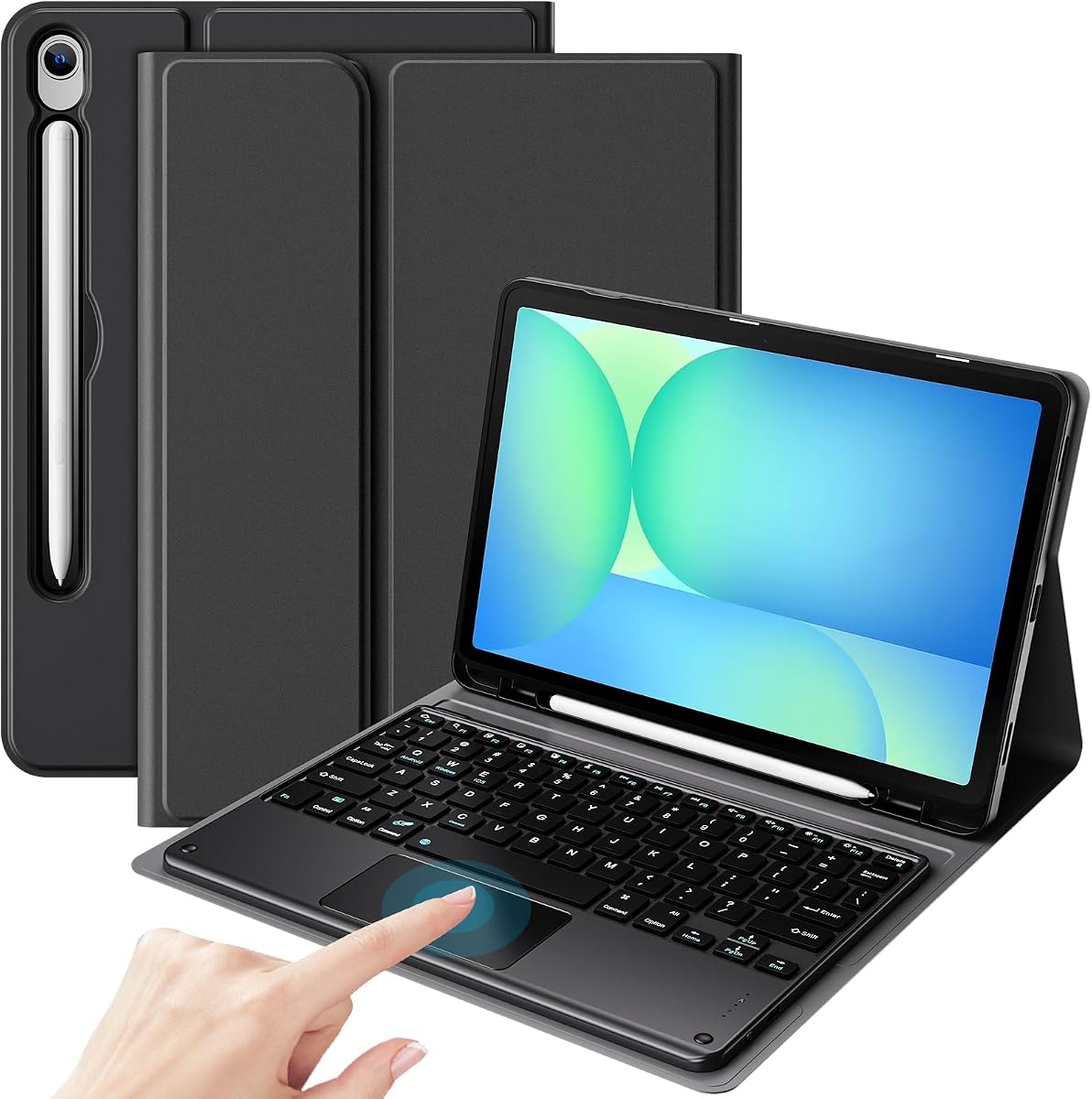
ProCase Keyboard Case for Galaxy Tab S10 FE/S10 Lite 10.9-Inch
4.5Editor score
Responsive multi-gesture touchpad
Three adjustable stand angles
Detachable magnetic keyboard
Finding the right keyboard case for your Samsung Galaxy Tab S10 Lite can transform your tablet into a productive workstation. These accessories combine protection with typing capabilities, making them essential for students and professionals alike. A good case should offer durability, comfort, and seamless integration with your device.
We evaluated ten leading models based on compatibility, build quality, typing experience, and additional features like trackpads and backlighting. Each product was analyzed for its value proposition and ability to enhance your daily workflow. Our goal is to help you make an informed decision without feeling overwhelmed by choices.
Each pick below highlights specific strengths and ideal use cases so you can match a case to your needs. Please note that prices and availability change frequently, so verify current details before purchasing. We aim to provide clear insights into what makes each option stand out in the current market.
4.5Editor score

4.5Editor score

4.6Editor score
As an Amazon Associate we earn from qualifying purchases.
The following table provides a side-by-side comparison of all ten models to highlight their key specifications and unique features. This overview helps you quickly identify which case aligns best with your specific requirements for typing, protection, and connectivity.


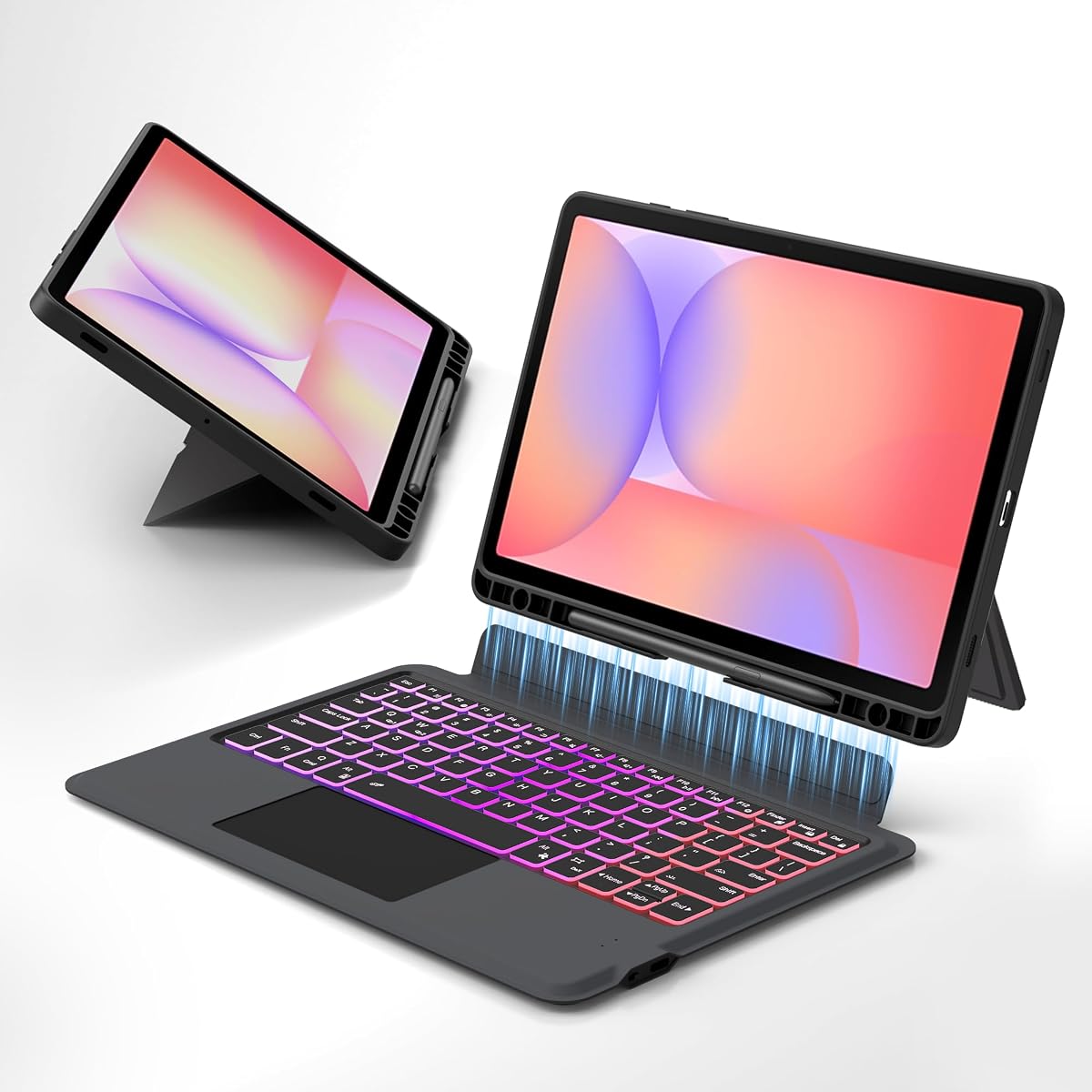

The Dexnor case stands out as our top recommendation due to its comprehensive feature set and robust build quality. With a rating of 4.5 stars, users praise its ability to transform the tablet into a true laptop-like experience. The inclusion of a high-precision trackpad elevates navigation beyond typical keyboard cases.
We may earn a commission when you buy through this link, at no additional cost to you.
Key strengths include the sturdy aluminum alloy hinge that allows for seamless angle adjustments and the convenient multi-touch trackpad. This trackpad supports gestures that make web browsing and document editing significantly more efficient. Additionally, the 7 solid color backlights ensure visibility in low-light environments without draining the battery quickly.
Honest trade-offs involve a higher price compared to budget options and a slightly heavier build due to the premium materials. However, these factors are acceptable given the enhanced durability and functionality. The extra weight contributes to a more stable typing surface which many users prefer for long sessions.
This case is ideal for professionals and students who need reliable productivity tools on the go. If you prioritize a premium typing experience and advanced navigation features, this model is worth the investment. It offers a balanced mix of protection and performance that few competitors match.
The multi-touch trackpad supports gestures like swiping and tapping, making cursor control intuitive and efficient.
The aluminum alloy hinge ensures long-lasting stability while supporting perfect viewing angles for various tasks.
We may earn a commission when you buy through this link, at no additional cost to you.
The ProCase keyboard case delivers exceptional value for users seeking essential functionality without breaking the bank. It maintains a solid 4.5 star rating by focusing on core needs like typing stability and protection. The detachable magnetic keyboard allows for versatile usage modes between work and entertainment.
We may earn a commission when you buy through this link, at no additional cost to you.
Its responsive touchpad supports various gestures that streamline daily navigation tasks on the tablet. The three adjustable angles ensure you can find a comfortable position for typing or watching videos. The low power design helps extend battery life during usage periods.
Trade-offs include the lack of a backlight which might be limiting in darker settings. However, this keeps the cost down and simplifies the device for those who do not need extra features. The design prioritizes portability over heavy-duty protection.
This case is perfect for budget-conscious buyers who still want a reliable typing experience. It suits casual users or students who need a straightforward accessory for note-taking and web browsing. Its lightweight nature makes it easy to carry in a backpack.
Get essential typing capabilities and protection at a price point that fits most student budgets.
Adjust the angle to suit reading or typing tasks with stability on any flat surface.
We may earn a commission when you buy through this link, at no additional cost to you.
Samsung's official Book Cover Keyboard Slim offers a premium integration with the Galaxy ecosystem. Rated at 4.6 stars, it provides a direct route to AI tools and optimized performance for DeX mode. The sleek design ensures it looks as good as it performs in professional settings.
We may earn a commission when you buy through this link, at no additional cost to you.
The dedicated AI key simplifies access to Bixby or Gemini for quick tasks without navigating menus. Wireless keyboard sharing allows you to use the same keyboard across multiple devices which is great for multi-device workflows. It installs in seconds thanks to precise magnetic alignment.
The main trade-off is that it is designed specifically for Samsung devices and may be more expensive than third-party options. However, the seamless connectivity and optimization justify the cost for dedicated Galaxy users. It lacks some customization features found in other cases.
Choose this if you are deep in the Samsung ecosystem and want official support. It is ideal for professionals who need reliable performance and integration with DeX. The slim profile makes it a great travel companion for business trips.
Tap the dedicated key to launch AI assistants directly for faster queries and task automation.
Wireless sharing lets you control compatible Galaxy devices with the same keyboard setup.
We may earn a commission when you buy through this link, at no additional cost to you.
The FINTIE keyboard case focuses on reliability and convenience with its rechargeable battery system. It earns a 4.4 star rating for its ability to power the keyboard quickly and manage energy efficiently. The fast charging feature means you spend less time waiting for power and more time working.
We may earn a commission when you buy through this link, at no additional cost to you.
Key features include an automatic energy-saving mode that activates after minutes of inactivity. The durable PU leather cover and polycarbonate shell ensure your tablet remains protected from drops and bumps. The auto sleep/wake function further extends battery life by powering down the device when closed.
Trade-offs include the absence of a touchpad and backlight which limits navigation and low-light utility. However, the focus remains on solid typing and protection at a reasonable price. The anti-slip grooves ensure the stand stays secure on desks.
This option is best for users who prioritize battery management and durability over extra tech features. It suits travelers who need a reliable setup without frequent charging interruptions. The slim design adds minimal bulk to your bag.
Type-C fast charging powers the keyboard fully in just 2 hours for uninterrupted usage.
Automatic energy saving modes extend standby time for worry-free daily use.
We may earn a commission when you buy through this link, at no additional cost to you.
This keyboard case brings creativity to productivity with its RGB rainbow backlight and included mouse. Rated highly at 4.7 stars, users enjoy the vibrant options and complete package. The breathing light mode adds a unique visual touch that helps reduce eye strain in dark rooms.
We may earn a commission when you buy through this link, at no additional cost to you.
It includes a wireless mouse which provides traditional navigation control alongside the keyboard. The shortcut keys enable efficient document editing and task switching on the tablet. The premium PU leather cover ensures the device stays clean and protected from daily wear.
Trade-offs involve the need to manage a separate mouse battery and some limitations on color customization. However, the inclusion of both peripherals adds value for many users. The pencil slot keeps your S Pen secure when not in use.
Ideal for users who want a stylish setup with both typing and pointing capabilities. It works well for presentations and media consumption where a mouse is useful. The bright backlight ensures you can type clearly at night.
Get both a keyboard and a wireless mouse in one package for a full desktop experience.
Adjustable colors and breathing modes make typing more fun and visible in low light.
We may earn a commission when you buy through this link, at no additional cost to you.
This keyboard case offers a stylish option with rainbow backlighting and a matching mouse. With a 4.3 star rating, it appeals to users looking for a fun aesthetic combined with utility. The honeycomb grid pattern on the inner layer adds extra cushioning against impact.
We may earn a commission when you buy through this link, at no additional cost to you.
The adjustable viewing angles and anti-slip slots allow for comfortable positioning on laps or desks. Including a mouse adds navigation flexibility for users who prefer cursor control. The auto sleep/wake function helps preserve battery life during periods of inactivity.
Trade-offs include average build quality compared to premium brands and potential color variations. However, the unique combination of style and function makes it stand out. The magnetic keyboard is lightweight and easy to detach when not needed.
Best for users who value aesthetics and want a complete typing and pointing set. It fits well for casual users or creative professionals who like colorful accessories. The protective features ensure safety from accidental drops.
Seven iridescent colors add a personal touch to your productivity setup.
Honeycomb grid patterns absorb shocks to prevent damage to your tablet screen.
We may earn a commission when you buy through this link, at no additional cost to you.
This keyboard case emphasizes navigation with a high-sensitivity touchpad. Rated at 4.4 stars, it supports quick gestures that mimic a laptop experience closely. The touchpad allows you to browse and switch apps without touching the screen which is ideal for presentations.
We may earn a commission when you buy through this link, at no additional cost to you.
The rainbow backlight modes offer visual customization for different lighting conditions. The durable leather outer layer protects against scratches and gives a premium look. A built-in slot keeps the stylus safe to prevent loss or scratches during daily use.
Trade-offs include the lack of an included mouse and average battery performance compared to some rivals. However, the touchpad quality often compensates for not having a mouse. The stand design ensures stability on various surfaces.
Ideal for users who prefer cursor control via a touchpad over a separate mouse. It suits professionals who need reliable typing and navigation in meetings. The protection features ensure long-term device safety.
High-sensitivity touchpad supports multiple gestures for smooth and efficient cursor control.
Scratch-resistant leather keeps the case looking new and protects against everyday wear.
We may earn a commission when you buy through this link, at no additional cost to you.
This GreenLaw case stands out for its ability to connect to two devices simultaneously. Users praise it for switching between tablets and phones effortlessly. The precision touchpad ensures that even with dual connections, navigation remains smooth and accurate.
We may earn a commission when you buy through this link, at no additional cost to you.
The keyboard supports quick switching between paired devices via function keys. This is useful for users who manage multiple gadgets daily. The bright backlight and detachable design allow for flexible usage across different scenarios.
Trade-offs include a slightly more complex pairing process and a higher cost than single-device cases. However, the convenience of device switching is a major benefit. The magnetic attachment ensures the keyboard stays secure during typing.
Perfect for users with multiple devices who want a unified typing experience. It helps streamline workflows for those juggling work and personal tablets. The protective case offers good balance for daily use.
Connect to two devices at once and switch instantly using dedicated function keys.
Detachable design lets you use the keyboard or case separately based on need.
We may earn a commission when you buy through this link, at no additional cost to you.
This case is built specifically to optimize the Samsung DeX experience with one-click access. It helps turn the tablet into a desktop-like environment quickly. The 270-degree adjustable stand supports multiple scenarios from reading to professional typing sessions.
We may earn a commission when you buy through this link, at no additional cost to you.
The full row of shortcut keys allows easy control over brightness and media settings. Combined with the trackpad, it mimics a real laptop experience. The rainbow backlight ensures visibility and style in dark environments.
Trade-offs involve a somewhat complex initial setup and a battery life that may require frequent charging. However, the DeX optimization is a unique selling point for power users. The S Pen holder adds convenience for stylus users.
Best for users who frequently use DeX mode for professional tasks. It is suitable for those who want a desktop interface on a tablet. The stand versatility makes it great for various settings.
Activate desktop mode instantly with a dedicated shortcut key for enhanced productivity.
270-degree adjustment lets you position the tablet for any task or angle.
We may earn a commission when you buy through this link, at no additional cost to you.
The Magic Style case earns a top rating of 4.8 stars for its premium build and user experience. The scissor-switch keys provide a tactile bounce that feels like a high-end laptop. The floating cantilever stand offers a unique ergonomic angle for comfortable viewing.
We may earn a commission when you buy through this link, at no additional cost to you.
A large battery supports up to 80 hours of typing which is excellent for long trips. The stain-resistant surface keeps the keyboard looking clean even after heavy use. The touchpad supports multi-finger gestures for smooth navigation.
Trade-offs include a heavier weight which adds to the load and a premium price tag. However, the durability and comfort are unmatched in this category. The material ensures long-lasting performance and reliability.
Choose this if you want the best typing feel and build quality available. It is ideal for writers and professionals who type for long hours daily. The comfort factor justifies the extra cost for serious users.
Scissor-switch keys offer just the right bounce for smooth accurate typing.
Stain-resistant surface makes cleaning easy so your case stays looking fresh.
We may earn a commission when you buy through this link, at no additional cost to you.
Selecting the right keyboard case involves considering several factors that affect productivity and device safety.
Ensure the case matches your specific tablet model number to avoid fit issues. The S10 Lite has specific port and button placements that must align perfectly.
Check model numbers like SM-X400 before purchasing to guarantee a precise fit.
Look for keys with good travel and spacing to prevent typos during long typing sessions. Scissor-switch mechanisms often provide a better feel than membrane keys.
Prioritize models with responsive keys if you type frequently or write documents.
Some cases include a trackpad which offers better navigation than just using touch. This feature is valuable for editing documents or web browsing.
Decide if you need cursor control based on your daily workflow needs.
Keyboard cases need their own power source so battery life and charging speed matter. Models with auto-sleep features help extend usage time significantly.
Check charging options like USB-C for convenience and longevity.
A good case should shield your tablet from drops scratches and scratches. Look for reinforced corners or durable materials like polycarbonate or leather.
Choose a rugged option if you travel often with your device.
Backlit keyboards improve usability in low-light environments. Having adjustable brightness or colors can also add aesthetic value.
Consider this feature if you work in dimly lit spaces.
The case should not add too much bulk to your bag. Slimmer profiles make it easier to carry the tablet everywhere.
Look for detachable keyboards if you want the option to remove weight.
Set a budget but consider the long-term durability and features offered. A slightly higher price may save money by lasting longer.
Balance cost with the features that matter most to your usage.
To get started, pair the keyboard via Bluetooth using the specific key combination for your model. Once connected, place the tablet securely in the designated slots to ensure it stays fixed.
Clean the keyboard regularly with a dry microfiber cloth to remove dust and fingerprints. Avoid using liquid cleaners directly on the keys to prevent damage to the internal components.
Charge the keyboard using the provided USB-C cable when the battery indicator shows low power. Store it in a cool dry place when not in use to maintain battery health.
Yes, most models include a dedicated slot for storing the S Pen safely. This keeps your pen secure and prevents it from getting lost while carrying the tablet.
No, these keyboards require Bluetooth connection to transmit data to the tablet. Pairing is usually a one-time process that becomes automatic upon opening the case.
Some cases allow rotation but are best used in landscape mode for typing. Check the specific design to see if vertical orientation is supported.
Most models use a function key combination to turn off or dim the light. This helps save battery power when you are in a bright environment.
While some offer splash protection they are generally not fully water-resistant. Avoid spilling liquids directly on the keyboard to prevent internal damage.
The keyboard will stop functioning until recharged via the USB-C port. However, the tablet itself will continue to work normally without the keyboard.
Most models feature a magnetic detachable design for this exact purpose. You can remove the keyboard for lightweight media consumption and reattach it for work.
We have explored ten top-rated cases ranging from budget-friendly options to premium models with advanced features. Each option offers unique benefits depending on your needs for typing protection and connectivity.
When choosing, prioritize factors like trackpad quality and battery life to match your workflow. Whether you value the official Samsung integration or third-party versatility there is a fit for everyone.
Remember to check current availability and pricing before making your final decision. Our guide provides a solid foundation to help you select the accessory that best suits your Galaxy Tab S10 Lite.