
AOC 27G51Z
4.6Editor score
260Hz Overclocked
Adaptive Sync Support
Frameless Design
Low Power Usage
Finding the right display for tactical shooters requires precision and speed. A 240Hz monitor for competitive Valorant ensures you react instantly to enemies, reducing motion blur and input lag during critical moments in ranked matches.
We evaluated ten leading models based on panel technology, refresh rate stability, adaptive sync support, and ergonomic design. Each product was selected for its ability to deliver fluid visuals and reliable performance tailored to intense FPS gameplay needs.
Every pick highlights key strengths like response time, color accuracy, and connectivity options. Keep in mind that availability and pricing fluctuate regularly, so verify current stock and deals before making your final decision for your gaming setup.
4.6Editor score
4.5Editor score

4.6Editor score
As an Amazon Associate we earn from qualifying purchases.
The following table provides a side-by-side comparison of all ten monitors, highlighting their essential specifications to help you quickly identify which model aligns best with your specific performance requirements and budget constraints.


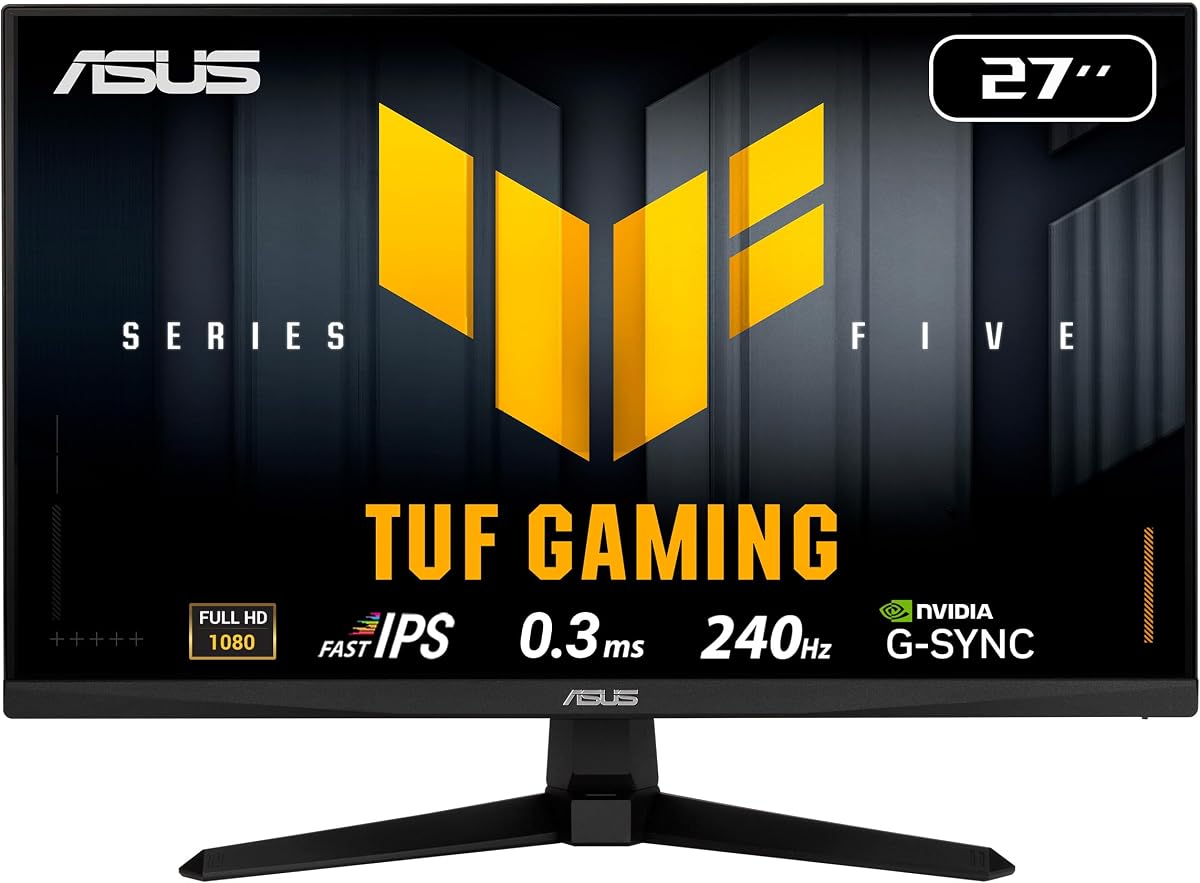
The ASUS TUF VG279QM5A stands out as a top-tier choice for competitive shooters. It offers a 240Hz refresh rate and a rapid 0.3ms response time, ensuring that every movement in Valorant appears sharp and fluid. This combination minimizes motion blur, allowing players to track enemies with precision.
We may earn a commission when you buy through this link, at no additional cost to you.
A key strength lies in its ASUS Fast IPS technology, which delivers accurate colors and consistent brightness across different angles. The G-SYNC compatibility ensures that you experience seamless gameplay without screen tearing, even when frame rates fluctuate during intense gunfights. Additionally, the DisplayWidget Center simplifies OSD adjustments, making it easy to tweak settings without breaking focus.
While the monitor excels in performance, there are minor trade-offs. The stand lacks height adjustment, which might be uncomfortable for some users compared to fully ergonomic options. Furthermore, IPS panels typically have lower contrast than VA panels, meaning blacks may appear slightly gray in dark rooms. However, these issues are acceptable given the overall performance benefits.
This monitor is ideal for serious competitors who prioritize speed and visual clarity. The inclusion of AI-enhanced gaming features and a comprehensive three-year warranty further solidifies its position as a reliable investment. For players looking to elevate their ranked performance, this model delivers the necessary tools for success.
The 0.3ms response time ensures that pixel transitions happen almost instantly, eliminating ghosting during rapid movements.
This feature allows you to use motion blur reduction alongside variable refresh rates, keeping images crisp without screen tearing.
We may earn a commission when you buy through this link, at no additional cost to you.
The AOC 27G51Z offers an excellent entry point for gamers seeking high-speed performance without breaking the bank. With a native 240Hz refresh rate and an overclockable 260Hz mode, this monitor provides the fluid motion necessary for competitive play. The IPS panel ensures that colors remain vibrant, enhancing visibility during critical gameplay moments.
We may earn a commission when you buy through this link, at no additional cost to you.
One of the main advantages of this model is its adaptive sync technology, which prevents screen tearing across both AMD and NVIDIA GPUs. The sleek, frameless design also allows for easier integration into multi-monitor configurations, expanding your field of view. Additionally, the eco mode keeps power consumption low, making it an efficient choice for long gaming sessions.
Despite its strengths, the monitor does have limitations. The lack of extensive ergonomic adjustments means users might need a separate mount for optimal positioning. Furthermore, achieving the overclocked refresh rate may require specific GPU capabilities, which could be a hurdle for some users. However, the performance-to-price ratio remains highly attractive.
This monitor is perfect for budget-conscious gamers who still demand top-tier performance. The combination of fast refresh rates, reliable adaptive sync, and a modern design makes it a versatile choice for various setups. For those looking to maximize value while maintaining a competitive edge, this model is a strong contender.
Adaptive-Sync ensures that visuals remain fluid and synchronized with your GPU, eliminating stuttering and tearing during play.
Eco Mode optimizes power usage without sacrificing performance, helping to keep energy costs down during extended use.
We may earn a commission when you buy through this link, at no additional cost to you.
The AOC Q27G41ZE brings a premium experience to the table with its QHD resolution and high-speed performance. The 27-inch display delivers exceptional detail, allowing players to spot enemies and details with greater clarity. Coupled with a 240Hz refresh rate, motion remains incredibly smooth, which is crucial for tracking fast-moving targets in competitive matches.
We may earn a commission when you buy through this link, at no additional cost to you.
G-SYNC support is a major highlight, ensuring that gameplay remains seamless even during intense bursts of action. The panel features a 0.3ms MPRT response time, minimizing blur and keeping visuals sharp. Enhanced gaming features like Shadow Control and Game Mode presets allow for quick tuning, helping you adapt to different scenarios instantly.
The main drawback is the higher cost and the need for a robust GPU to drive QHD resolutions effectively. While the extra detail is beneficial, it demands more processing power, which might not be feasible for all systems. Additionally, the tilt-only adjustment limits flexibility compared to fully ergonomic stands found in other premium models.
This monitor is tailored for enthusiasts who demand the best in visual fidelity and performance. The combination of high resolution, fast refresh rates, and advanced sync technology makes it a top choice for serious players. If your setup can support the requirements, this model offers an unmatched competitive edge.
The 2560×1440 resolution provides sharper images and more detailed environments, giving you an advantage in spotting opponents.
Seamless integration with NVIDIA GPUs ensures that gameplay is tear-free and responsive, maximizing your competitive performance.
We may earn a commission when you buy through this link, at no additional cost to you.
The Dell SE2426HG is designed for reliability and visual clarity. It features a 240Hz refresh rate and a fast 0.5ms response time, ensuring smooth visuals that are essential for competitive gaming. The IPS panel delivers vibrant colors with 99% sRGB coverage, making the game world look detailed and true to life.
We may earn a commission when you buy through this link, at no additional cost to you.
One of its standout features is the TÜV Rheinland 3-Star certification, which confirms that the display reduces blue light effectively without compromising color quality. This makes it suitable for long gaming sessions where eye comfort is a priority. FreeSync Premium support further enhances the experience by eliminating screen tearing and stuttering.
While performance is solid, the monitor has some limitations. It offers fewer connectivity options compared to some competitors, which might be restrictive for multi-device setups. Additionally, the stand only allows tilt adjustments, lacking height or swivel options. These factors should be considered if ergonomic flexibility is crucial for your setup.
This model is ideal for players who value eye comfort and color accuracy. The combination of high refresh rates, fast response times, and eye-care technology makes it a well-rounded choice. For those prioritizing health and visual fidelity during extended play, the Dell SE2426HG delivers strong results.
The TÜV certification ensures that the display minimizes blue light exposure, reducing eye strain during long gaming sessions.
This technology provides a fast response time while maintaining the wide viewing angles and color accuracy typical of IPS panels.
We may earn a commission when you buy through this link, at no additional cost to you.
The SANSUI 24.5 Inch monitor pushes the boundaries with a refresh rate up to 300Hz. This ultra-smooth motion ensures that gameplay is as fluid as possible, giving you a slight edge in reaction time. The Fast IPS panel supports this speed while offering vibrant colors and wide viewing angles, making it a versatile option for various gaming scenarios.
We may earn a commission when you buy through this link, at no additional cost to you.
It includes several visual optimization technologies, such as noise reduction and dynamic luminous control, which enhance clarity. Game-specific assistants like CrossHair and FPS modes provide quick access to settings that improve your performance. The wide color gamut ensures that the display produces rich, accurate colors, enhancing immersion.
However, the HDR support is more of a marketing feature than a substantial enhancement in real-world use. Panel uniformity can also vary between units, so some users might notice inconsistencies. These limitations do not detract significantly from the overall performance but are worth noting for critical users.
This monitor is suited for players who want the highest possible refresh rates on a budget. The combination of speed, color quality, and helpful gaming tools makes it a strong contender. For those seeking a competitive advantage through sheer smoothness, this model delivers impressive performance.
With speeds up to 300Hz, motion is rendered with extreme fluidity, helping you track fast-moving targets more easily.
Built-in tools like CrossHair and FPS modes provide quick settings adjustments to optimize your gameplay experience.
We may earn a commission when you buy through this link, at no additional cost to you.
The Amzfast 24 Curved monitor is designed for efficiency and immersion. Its ultra-slim base allows for under-keyboard storage, maximizing valuable desk space. The 240Hz refresh rate ensures fluid visuals, while the curved panel helps to keep your focus centered on the screen, which is ideal for competitive FPS games.
We may earn a commission when you buy through this link, at no additional cost to you.
Built-in game modes like FPS and RTS optimize visual clarity, helping you lock onto targets faster. The game-ready OSD with a joystick allows for quick adjustments without interrupting gameplay. Additionally, triple eye protection features help reduce strain during long hours of use.
Despite its practical design, some users have reported inconsistent experiences with customer support. The stand also lacks height adjustment, which could lead to discomfort for some. These factors are manageable but should be considered when evaluating the overall value proposition of the monitor.
This model is perfect for gamers with limited desk space who still want high performance. The combination of a space-saving design, fast refresh rates, and optimized game modes makes it a practical choice. For those prioritizing desk real estate, this monitor offers a solid solution.
The compact base design allows you to store items underneath, effectively freeing up valuable desk space.
Specialized settings like FPS mode enhance contrast and clarity, making it easier to spot enemies in dark areas.
We may earn a commission when you buy through this link, at no additional cost to you.
The MSI MAG 274CF X24 stands out with its VA panel technology. This panel type provides a high contrast ratio, resulting in deep blacks and rich colors. The 240Hz refresh rate paired with a 0.5ms response time ensures that gameplay remains fast and responsive, which is critical for competitive titles.
We may earn a commission when you buy through this link, at no additional cost to you.
AI Vision technology helps to reveal details in dark areas, making it easier to spot enemies hidden in shadows. The reduced blue light emission also supports eye comfort during extended use. These features combine to create an immersive and visually comfortable gaming experience.
One limitation of VA panels is the narrower viewing angles compared to IPS. If you view the screen from the side, color shift may occur. Additionally, color accuracy is not as precise as IPS models. However, for straight-on gaming, these trade-offs are often acceptable.
This monitor is ideal for players who prioritize contrast and immersion. The high refresh rate and fast response time make it a strong choice for competitive play. If you value deep blacks and vibrant visuals, this model offers a distinct advantage over standard IPS options.
The VA panel delivers high contrast and deep blacks, creating a more immersive environment for dark gaming scenes.
This feature enhances brightness and color saturation in dark areas, revealing details that might otherwise go unnoticed.
We may earn a commission when you buy through this link, at no additional cost to you.
The SANSUI 24 Curved monitor offers an immersive experience with its 1500R curved panel. This curvature wraps around your field of view, making gameplay more engaging. The 240Hz refresh rate ensures that motion is smooth, helping you track enemies effortlessly during fast-paced battles.
We may earn a commission when you buy through this link, at no additional cost to you.
Color performance is notable with a 124% sRGB coverage, delivering vivid and accurate imagery. Game modes include shadow boosters and crosshair assists, which help improve targeting accuracy. The HDR support adds depth to visuals, enhancing the overall gaming experience.
While the design is appealing, quality control can be inconsistent, leading to variations in panel uniformity. The stand only allows tilt adjustments, limiting ergonomic flexibility. These issues are minor compared to the benefits of the curved design and high refresh rate.
This monitor is best for players who want an immersive setup without breaking the bank. The combination of curvature, color quality, and speed makes it a compelling choice. For those looking to enhance their gaming atmosphere, this model provides a strong visual experience.
The curved design immerses you deeper into the game, improving focus and reducing distractions from the periphery.
With over 124% sRGB coverage, the monitor produces a wide range of colors for a vibrant and lively display.
We may earn a commission when you buy through this link, at no additional cost to you.
The ASUS TUF VG249QML5A is built for comfort and performance. It features a fully ergonomic stand with height, tilt, and swivel adjustments, allowing you to find the perfect viewing position. The 240Hz refresh rate and Fast IPS panel ensure that visuals are smooth and colorful.
We may earn a commission when you buy through this link, at no additional cost to you.
G-SYNC compatibility guarantees a seamless gaming experience, while ELMB SYNC technology reduces motion blur without compromising refresh rates. The DisplayWidget Center simplifies OSD control, making it easy to adjust settings quickly. These features contribute to a reliable and efficient competitive setup.
While the monitor offers excellent ergonomics, the color accuracy is slightly below premium options. The price is also higher than some basic models, reflecting the added features. However, the overall balance of performance and comfort makes it a valuable choice for long sessions.
This model is perfect for players who prioritize ergonomic health. The comprehensive stand adjustments ensure that you can game comfortably for hours without strain. If you value a comfortable setup alongside high-speed performance, this monitor delivers on both fronts.
The fully adjustable stand supports height, tilt, and swivel, ensuring you can maintain a healthy posture during play.
This software allows you to control monitor settings easily with a mouse, streamlining your workflow and adjustments.
We may earn a commission when you buy through this link, at no additional cost to you.
The ASUS TUF VG259QM5A offers a balanced size and performance profile. The 25-inch screen provides enough visibility without overwhelming your desk space. With a 240Hz refresh rate and Fast IPS panel, you get smooth motion and vibrant colors that are essential for competitive gaming.
We may earn a commission when you buy through this link, at no additional cost to you.
G-SYNC compatibility ensures that visuals remain stable and tear-free during intense moments. The DisplayWidget Center provides easy access to settings, while the three-year warranty offers reliable protection for your investment. These features make it a robust choice for dedicated gamers.
The monitor does have some limitations, such as a lack of height adjustment on the stand. Contrast levels are also standard for IPS panels, meaning blacks may appear less deep than VA options. However, the strengths in speed and color quality outweigh these drawbacks for most users.
This model is ideal for those seeking a compact yet powerful gaming monitor. The combination of speed, color accuracy, and warranty coverage makes it a practical choice. For players looking for a balanced setup, this monitor provides the necessary tools for competitive success.
The 25-inch size offers a perfect compromise between field of view and desk space efficiency.
The Fast IPS panel ensures that colors are vivid and consistent, enhancing the visual experience during gameplay.
We may earn a commission when you buy through this link, at no additional cost to you.
Selecting the right monitor involves considering several key factors that impact gameplay. This guide breaks down the essential elements to help you make an informed decision.
A higher refresh rate like 240Hz allows more frames per second to be displayed, which results in smoother motion. This is critical for fast-paced games like Valorant where tracking moving targets is key. Ensure your GPU can sustain high frame rates to fully utilize this capability.
Look for monitors that maintain their refresh rate stability across different settings. Consistent performance helps you rely on your monitor during competitive matches without unexpected drops.
Response time refers to how quickly a pixel changes color. A lower number, typically 1ms or less, ensures that fast movements are rendered sharply. This reduces motion blur and ghosting, keeping the image clear during rapid turns.
Input lag is also crucial for responsiveness. Choose monitors with minimal input lag to ensure your actions are reflected on screen instantly. This combination is vital for precise aiming and quick reactions.
IPS panels offer accurate colors and wide viewing angles, making them great for visibility and visual fidelity. VA panels provide better contrast for deep blacks, but may struggle with response time. TN panels are faster but lack color quality. Select based on your priority for speed versus color.
Fast IPS technology has improved response times significantly, making it a popular choice for competitive gaming. It balances speed with color quality effectively.
Adaptive Sync technologies like G-SYNC or FreeSync prevent screen tearing by synchronizing the monitor's refresh rate with the GPU. This ensures a seamless visual experience even when frame rates fluctuate. Compatibility with your graphics card is essential.
Check that the monitor supports the specific technology your GPU offers. This feature eliminates stuttering and tearing, maintaining smooth visuals throughout the game.
A comfortable viewing position is important for long gaming sessions. Look for monitors with height adjustment, tilt, and swivel options to align the screen with your eye level. Proper posture prevents fatigue and strain.
If the stand lacks adjustments, consider a VESA mount. A versatile stand allows you to optimize your setup for comfort and focus during competitive matches.
Ensure the monitor has the necessary ports to support 240Hz at your desired resolution. DisplayPort 1.4 and HDMI 2.0 are standard for high-speed connections. Additional ports like USB hubs can enhance usability.
Verify the cables included or purchased separately can handle the bandwidth required. This ensures that you can reach the maximum refresh rate without signal issues.
Extended gaming sessions can strain your eyes. Features like low blue light, flicker-free technology, and anti-glare coatings help reduce discomfort. Certifications like TÜV indicate effective eye protection measures.
Choosing a monitor with these features promotes healthier gaming habits. It allows you to play longer without significant eye fatigue or discomfort.
1080p is the standard for competitive gaming as it balances performance with visual clarity. 27-inch screens are popular for a wider field of view without pixelation. Consider your desk space and GPU power when selecting size.
Larger screens can be immersive, but ensure your hardware can maintain high frame rates. A well-sized screen enhances situational awareness without compromising performance.
To maximize performance, ensure your graphics card supports 240Hz output. Adjust your system settings in the game to match the monitor's refresh rate. Disable V-Sync in game to reduce input lag, relying instead on adaptive sync features.
Regularly clean the screen with a soft, lint-free cloth. Avoid harsh chemicals that can damage the panel. Proper care extends the life of the monitor and keeps visuals clear.
Calibrate your display periodically for accurate colors. Use built-in presets or software tools to fine-tune brightness and contrast. This ensures that you always have the best possible visual experience.
Yes, a 240Hz monitor significantly improves visual fluidity. It allows for smoother motion and reduced blur, helping you track enemies better. This advantage can lead to faster reactions and more accurate shots during competitive play.
Running 240Hz requires a powerful GPU, especially at higher resolutions. At 1080p, even mid-range cards can achieve these speeds. Ensure your GPU can consistently output high frame rates to match the monitor's capabilities.
IPS panels offer better color accuracy and viewing angles, making them ideal for visibility. VA panels provide higher contrast for deeper blacks. For competitive gaming, IPS is often preferred due to better response times and color consistency.
Adaptive sync prevents screen tearing and stuttering. While competitive players sometimes disable it to minimize input lag, it provides a smoother experience if your frame rate fluctuates. It is generally beneficial for consistent visual stability.
Set the refresh rate to 240Hz in display settings. Use game modes to enhance brightness and contrast. Disable unnecessary overlays and ensure drivers are updated. Proper calibration helps you spot enemies quickly and accurately.
Smaller screens like 24 or 25 inches allow you to see the entire display without moving your head much. This can improve reaction times. Larger screens may be immersive but require more head movement to track events across the screen.
Choosing the right 240Hz monitor can elevate your competitive gameplay significantly. Whether you prioritize speed, visual fidelity, or ergonomic comfort, there is an option tailored to your needs in this roundup.
Focus on response time, adaptive sync support, and panel quality to ensure a smooth experience. The models discussed offer various strengths, from budget-friendly choices to premium features that enhance performance.
Remember that availability and deals change frequently. Always verify current stock and read recent reviews before making your purchase to ensure you get the best value and performance for your setup.