
CENMATE Aluminum 8 Bay Hard Drive RAID Enclosure
3.8Editor score
Supports 2.5 and 3.5 inch drives
USB 3.0 A and C connectivity
Multiple RAID modes included
Finding the right storage solution is critical for professionals and enthusiasts who need reliable access to large amounts of data. An 8 bay hardware RAID enclosure offers a robust way to manage multiple drives while ensuring data integrity through redundant configurations. These devices combine capacity with performance making them essential for media editing backup and server applications.
We evaluated the leading models on the market based on connectivity speed cooling and ease of use. Our analysis covers a wide range of options from budget friendly direct attached storage units to high performance thunderbolt arrays. Each product was selected for its ability to handle demanding workloads while maintaining stability over time.
Every pick in this list highlights key strengths and potential limitations to help you make an informed decision. You will find detailed breakdowns of features compatibility and real world performance metrics for each enclosure. Please note that availability and specific configuration options may change so verify current details before purchasing.
3.8Editor score

5.0Editor score

3.7Editor score
As an Amazon Associate we earn from qualifying purchases.
The following table provides a side-by-side comparison of all ten enclosures reviewed in this guide. Use these specs to quickly identify which model matches your speed capacity and interface requirements.



The CENMATE Aluminum 8 Bay Hard Drive RAID Enclosure stands out as an affordable option for those needing significant storage capacity. It holds a rating of 3.8 stars and supports both 2.5 and 3.5 inch drives up to a massive 160TB total. This enclosure offers eight different RAID modes giving users flexibility in how they manage data redundancy and speed.
We may earn a commission when you buy through this link, at no additional cost to you.
Key strengths include its aluminum alloy construction which helps dissipate heat efficiently during operation. The built in dual 2.9 inch fans ensure that drives stay cool even under heavy loads. It features USB 3.0 ports with both A and C connectors making it compatible with a wide range of computers including Windows Mac and Linux systems.
Trade-offs involve the fan noise which can reach around 40 to 50 decibels potentially making it less ideal for quiet environments. Additionally the setup process requires users to follow specific instructions carefully to avoid data loss or drive detection issues. Some users may find the initial configuration steps more complex than plug-and-play alternatives.
This enclosure is best suited for budget conscious individuals or small businesses that need high capacity storage without breaking the bank. If you can tolerate some operational noise and are willing to spend time on proper setup it offers excellent value for the price.
Supports eight modes including RAID 0 5 and 10 allowing you to balance speed and redundancy as needed.
Aluminum body combined with dual fans maximizes data security by preventing overheating during long transfers.
We may earn a commission when you buy through this link, at no additional cost to you.
The SanDisk Professional G-RAID Shuttle 8-Bay is a premium solution designed for demanding workflows like 4K and 8K video editing. With a perfect 5.0 star rating it delivers read speeds up to 1900MB/s and write speeds up to 2000MB/s. The enclosure comes pre-configured with RAID 5 but offers options to switch to other modes for flexibility.
We may earn a commission when you buy through this link, at no additional cost to you.
Its standout feature is the use of removable Ultrastar enterprise class hard drives which enhance reliability for mission-critical footage. The Thunderbolt 3 connection ensures fast data transfers while the USB-C port provides up to 85W Power Delivery to charge connected devices like MacBooks. This reduces cable clutter and simplifies desktop setups for professionals.
While the performance is top notch the price point is significantly higher than standard enclosures making it an investment rather than a casual purchase. It also requires Thunderbolt 3 ports on your computer which may not be available on all systems without additional adapters. These factors limit its accessibility for general home users.
This enclosure is ideal for creative professionals who need rapid access to massive amounts of data and value reliability above all else. If your workflow involves heavy media files and you have the necessary hardware to support Thunderbolt 3 it is a standout choice.
Thunderbolt 3 speeds enable seamless editing of multi-stream 4K and 8K content without lag.
Removable Ultrastar drives offer enhanced durability perfect for storing important footage on location.
We may earn a commission when you buy through this link, at no additional cost to you.
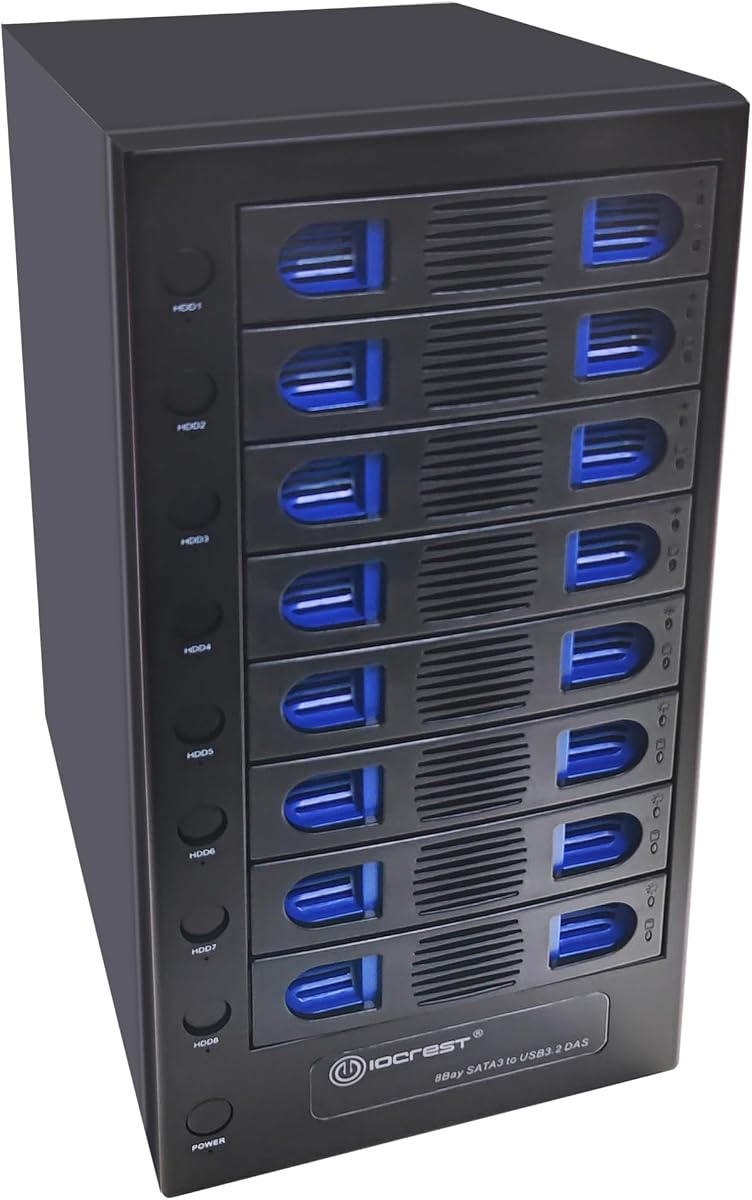
The CENMATE Aluminum 8 Bay Hard Drive Enclosure offers a straightforward Direct Attached Storage solution with hot swappable capabilities. Rated at 4.3 stars it supports both 2.5 and 3.5 inch drives up to 160TB total capacity. Unlike the RAID version this model focuses on simple access without complex array configurations.
We may earn a commission when you buy through this link, at no additional cost to you.
Its key strength lies in the hot swappable feature allowing users to replace drives without powering down the device. This is useful for environments where downtime must be minimized. The enclosure also supports daisy chaining up to three devices expanding total storage to 480TB which is impressive for a single unit.
However the fan noise is still present at around 40 to 50 decibels which may disturb quiet workspaces. Since it lacks RAID functionality users must manage data redundancy through software rather than hardware. This trade-off is acceptable for those prioritizing flexibility over built-in redundancy.
This enclosure is best for users who need quick drive access and want the option to expand storage later via daisy chaining. It works well for backup tasks or media libraries where simple plug and play functionality is preferred over complex RAID setups.
Connect up to three units via daisy chain to reach a massive 480TB total storage capacity.
Replace drives without shutting down to keep your workflow uninterrupted during long sessions.
We may earn a commission when you buy through this link, at no additional cost to you.
The OWC ThunderBay 8 provides eight universal drive bays for 2.5 or 3.5 inch SSDs or HDDs connected via Thunderbolt 3. It supports backward compatibility with Thunderbolt 2 making it versatile for various setups. The enclosure is certified for both Mac and Windows operating systems ensuring broad compatibility.
We may earn a commission when you buy through this link, at no additional cost to you.
Its main advantage is the ability to daisy chain six units together creating up to 1152TB of storage capacity. Thumb screw release trays allow for quick drive swaps without tools which simplifies maintenance. The included Thunderbolt 3 cable ensures you have everything needed for immediate setup.
While performance is high the cost is significantly more than USB based enclosures which can be a barrier for some users. It also requires Thunderbolt ports on your computer which might not be standard on all devices. For those without Thunderbolt this model may require additional adapters.
This enclosure is ideal for users already invested in the Thunderbolt ecosystem who need high speed and massive expandability. It works well for professional video editing workflows where data transfer speeds are critical for efficiency.
Link up to six units via daisy chaining for an enormous 1152TB storage solution.
Thumb screw release trays enable fast tool free drive changes during active work sessions.
We may earn a commission when you buy through this link, at no additional cost to you.
The CENMATE Aluminum 8 Bay 10Gbps enclosure upgrades connectivity with USB 3.2 Gen 2 offering speeds up to 10Gbps. This is twice as fast as standard USB 3.0 making it suitable for transferring large files more quickly. It supports both 2.5 and 3.5 inch drives up to 160TB total capacity.
We may earn a commission when you buy through this link, at no additional cost to you.
Key features include hot swappable drive support allowing replacement without powering down the device. The enclosure uses UASP control to enhance transfer efficiency and maintains an aluminum alloy body for effective heat dissipation. It is compatible with Windows Mac and Linux systems with plug and play functionality.
Trade-offs include the same fan noise levels seen in other models which may reach 40 to 50 decibels. The daisy chain expansion is limited compared to thunderbolt solutions. While speeds are good for USB they still lag behind Thunderbolt options for professional workflows.
This model is best for users needing faster USB speeds without moving to Thunderbolt prices. It works well for general backup and media tasks where 10Gbps provides a noticeable improvement over older standards.
USB 3.2 Gen 2 provides up to 10Gbps transfer rates for quicker file access.
Advanced UASP control technology improves transfer efficiency compared to traditional USB protocols.
We may earn a commission when you buy through this link, at no additional cost to you.
This 8 Bay Tool Less Tray enclosure offers independent power switches for each drive allowing precise control over which drives are active. It supports up to 22TB per drive providing high total capacity without requiring RAID functionality. The USB-C 3.2 connection delivers speeds up to 10Gbps for fast data access.
We may earn a commission when you buy through this link, at no additional cost to you.
Its unique feature is the smart fan function with built-in thermal sensors that adjust fan speed automatically or manually. This helps maintain optimal temperatures while reducing noise when full cooling is not needed. Independent switches also allow users to power off unused drives to save energy.
While useful the lack of RAID means data redundancy must be managed externally. The steel housing adds durability but also weight making it less portable than aluminum models. These trade-offs are acceptable for users prioritizing individual drive management over redundancy.
This enclosure is best for IT professionals or admins who need granular control over each drive in an array. It works well for backup servers or environments where specific drives need to be isolated for maintenance.
Independent switches let you power off specific drives for targeted maintenance or energy savings.
Built-in thermal sensors adjust fan speed to balance cooling efficiency with noise reduction.
We may earn a commission when you buy through this link, at no additional cost to you.
The OWC ThunderBay Flex 8 combines storage with a PCIe expansion slot enabling users to add audio video capture or networking cards. It supports both SATA and NVMe drives offering versatile storage options. Front mounted USB-C and card readers provide convenient access for peripherals and memory cards.
We may earn a commission when you buy through this link, at no additional cost to you.
Its standout feature is the ability to use U.2 SSDs in the top four bays aligning with emerging industry standards. SoftRAID software allows monitoring and management of advanced RAID sets which is useful for professional environments. The Thunderbolt 4 connection ensures high speeds and future-proofing.
However the setup is more complex than standard enclosures due to the PCIe integration. The price is also higher reflecting the additional capabilities. Users must ensure their systems can handle the PCIe load to avoid compatibility issues.
This enclosure is ideal for professionals who need both massive storage and expanded hardware capabilities in one device. It works best for video production or audio studios requiring specialized I/O cards alongside large data sets.
The PCIe x16 slot supports audio video capture and networking cards for a complete workflow hub.
Top bays support U.2 NVMe SSDs offering real-world speeds up to 2750MB/s.
We may earn a commission when you buy through this link, at no additional cost to you.
The QNAP TL-D810TC4-US is an 8-bay desktop enclosure designed primarily for expanding QNAP NAS systems. It uses USB 3.2 Gen 2 Type-C to deliver up to 10Gbps data transfer speeds for rapid file access. The enclosure supports both 3.5 and 2.5 inch SATA drives up to 22TB each.
We may earn a commission when you buy through this link, at no additional cost to you.
Its key strength is the integration with QNAP software allowing management of JBOD configurations through the JBOD Manager utility. This makes it easy to add storage without purchasing a new NAS system. It works well for media libraries backup repositories and surveillance data.
While it can connect to other systems it shines brightest when paired with QNAP NAS devices. Standalone use may require more manual setup compared to dedicated storage units. The lack of internal RAID means redundancy must be handled by the connected NAS.
This enclosure is best for existing QNAP users looking to expand storage capacity cost-effectively. It works well for home offices or small businesses needing more space for backups and media files without new hardware costs.
Designed to pair with QNAP NAS for effortless storage scaling without new hardware purchases.
Free JBOD Manager utility simplifies drive configuration and health monitoring.
We may earn a commission when you buy through this link, at no additional cost to you.
This 8 Bay Mini ITX Micro ATX NAS Case is a chassis solution for DIY storage builders who want complete control over hardware. It supports both 3.5 inch HDDs and 2.5 inch SSDs with hot swap drive bays. The dual independent air channel design ensures separate cooling for drives and motherboard components.
We may earn a commission when you buy through this link, at no additional cost to you.
Its key strength is flexibility allowing users to choose compatible power supplies and motherboards. Three temperature-controlled silent fans maintain low noise even under heavy loads. The case includes accessories like screws and SATA cables making assembly more straightforward than buying separately.
While cost-effective the motherboard and CPU are not included requiring additional purchases. Assembly takes time and technical knowledge which may not suit all users. The steel chassis adds weight but provides solid shockproof protection for drives.
This case is best for hobbyists or small businesses wanting a custom media server tailored to specific needs. It works well for Plex or Jellyfin setups where component choice impacts performance and energy efficiency.
Compatible with Mini ITX and Micro ATX boards offering freedom to build a custom NAS.
Dual air ducts keep drives and motherboard cool without thermal interference.
We may earn a commission when you buy through this link, at no additional cost to you.
The ICY DOCK MB998SK-B is an internal backplane cage designed for 2.5 inch SATA and SAS drives. It features a full metal structure ensuring durability and reliable heat dissipation. Locking trays secure drives in place which is useful for transport or high vibration environments.
We may earn a commission when you buy through this link, at no additional cost to you.
Its key strength is the compatibility with both SATA and SAS drives offering flexibility in drive choice. The design fits into an external 5.25 inch drive bay making it easy to access. It requires direct power connectors which may limit use to specific motherboard configurations.
This model is purely internal so it does not offer external connectivity like USB or Thunderbolt. Users must plan for sufficient power connectors and mounting space. While robust it is less flexible for external backup tasks.
This cage is best for server builds or internal RAID arrays needing secure and compact drive placement. It works well for professionals requiring reliable storage within a workstation or server chassis without external cables.
Locking trays keep drives secured preventing movement during transport or high vibration.
Full metal construction ensures long-term reliability for demanding server environments.
We may earn a commission when you buy through this link, at no additional cost to you.
Selecting the right 8 bay enclosure requires understanding your storage needs and how you plan to access data. This section breaks down key factors to consider before making a purchase.
The connection interface determines how fast data moves between your computer and drives. Thunderbolt 3 and 4 offer the fastest speeds suitable for 4K or 8K editing while USB 3.2 provides good speed for general tasks. Ensure your computer supports the required ports to avoid needing adapters.
Match the interface to your workflow needs and computer capabilities for optimal performance.
Each drive bay has a maximum supported capacity which limits total storage. Some models support 20TB drives while others allow up to 22TB per drive. Calculate your total needs including future growth to choose an enclosure that accommodates your largest planned drives.
Choose a model that supports your intended drive size to avoid compatibility issues.
Hardware RAID enclosures handle data redundancy internally which is faster than software RAID. Look for options that support modes like RAID 5 or 10 if you need data protection. Note that switching modes often wipes data so backups are essential before configuration.
Prioritize hardware RAID support if you need automatic redundancy without software overhead.
Eight drives generate significant heat requiring effective cooling to prevent failures. Aluminum alloy cases and dual fans are common features. Check fan noise levels if the enclosure will be in a quiet workspace as some models run at 50 decibels or more.
Ensure the enclosure has adequate cooling to maintain drive health during long sessions.
Hot swappable support allows replacing drives without shutting down the system. This is useful for backups or environments needing constant uptime. Verify if your OS supports hot swapping properly to avoid connection issues.
Opt for hot swap capability if frequent drive changes are part of your workflow.
Enclosures must work with your operating system without requiring extra drivers. Most support Windows Mac and Linux but check specifics for RAID software. Some models offer management utilities that simplify monitoring drive health and status.
Confirm OS compatibility to ensure plug-and-play functionality out of the box.
Daisy chaining or multiple ports allow linking multiple enclosures for massive storage. Thunderbolt models often support chaining several units together while USB may be limited. Consider if you will need more storage beyond eight drives in the future.
Look for expansion support if your storage needs may grow over time.
Durability protects your investment and stored data. Metal chassis like aluminum or steel offer better heat dissipation and physical protection than plastic. Locking trays or secure drive mounts prevent movement during transport.
Choose a robust build to ensure long-term reliability and data safety.
Begin by checking all hard drives individually before loading them into the enclosure to ensure they are functioning properly. Load one drive at a time and power on to confirm it is detected correctly before adding the next drive. This step prevents issues where multiple drives might be misidentified or skipped.
If using RAID modes follow the manufacturer instructions carefully to avoid accidental data loss. Most models require powering down and using a tool to toggle a switch before holding the reset button during power on. Always back up existing data before switching modes as the process typically formats the drives.
Keep the enclosure in a well-ventilated area to allow fans to dissipate heat effectively. Clean dust from vents and fans every few months to maintain optimal cooling. If noise is a concern use the model in a separate room or consider additional soundproofing solutions.
Most modern 8 bay enclosures support both Mac and Windows operating systems out of the box. Always verify specific compatibility notes for any required formatting steps before first use.
The majority of these models are plug and play requiring no additional driver installation. However if using advanced RAID software specific utilities may need to be downloaded from the manufacturer site.
In RAID configurations like RAID 5 or 10 a single drive failure typically allows the system to remain operational. You should replace the failed drive promptly to restore redundancy and prevent data loss.
Many models support daisy chaining or multiple connections to expand capacity beyond eight drives. Check the specific product specs to confirm the maximum number of units you can chain together.
Some enclosures include management software that monitors drive health and sends alerts. If not provided you can use third-party tools to check S.M.A.R.T. status through your operating system.
Yes if the model has adequate cooling and noise levels are acceptable for the environment. Server rooms often benefit from the high capacity and reliability these units provide.
Choosing the right 8 bay hardware RAID enclosure depends on your balance of speed capacity and budget. The CENMATE options offer cost-effective solutions while SanDisk and OWC provide high-end performance for professionals.
Prioritize interface speed and cooling if you work with large media files daily. For general storage a USB-based unit with hot swap support may suffice without the premium cost.
Remember that storage needs change quickly so verify current availability and specific features before finalizing your choice. These enclosures are powerful tools when matched correctly to your workflow requirements.