
Cable Matters 4K@240Hz Right Angle DisplayPort 1.4 Adapter
4.8Editor score
Supports 8K at 60Hz
Optimized for tight spaces
Enhanced audio video experience
This guide compares the top 90 Degree Displayport Adapter and Cable options for high resolution displays featuring detailed specs and performance insights.
Finding the right connection for your high resolution monitor can be challenging especially when space is tight. A 90 Degree Displayport Adapter and Cable helps manage cables efficiently while maintaining signal integrity for your setup.
We analyzed ten top rated products based on build quality, supported resolutions, and user feedback. Our comparison covers various lengths, angles, and compatibility standards to help you find the perfect fit.
Each pick highlights specific strengths and ideal use cases for different environments. Please note that availability and pricing may fluctuate over time so verify details before purchasing.
4.8Editor score

4.6Editor score

5.0Editor score
Here is a side by side comparison of the ten selected products highlighting their key specifications and unique features.
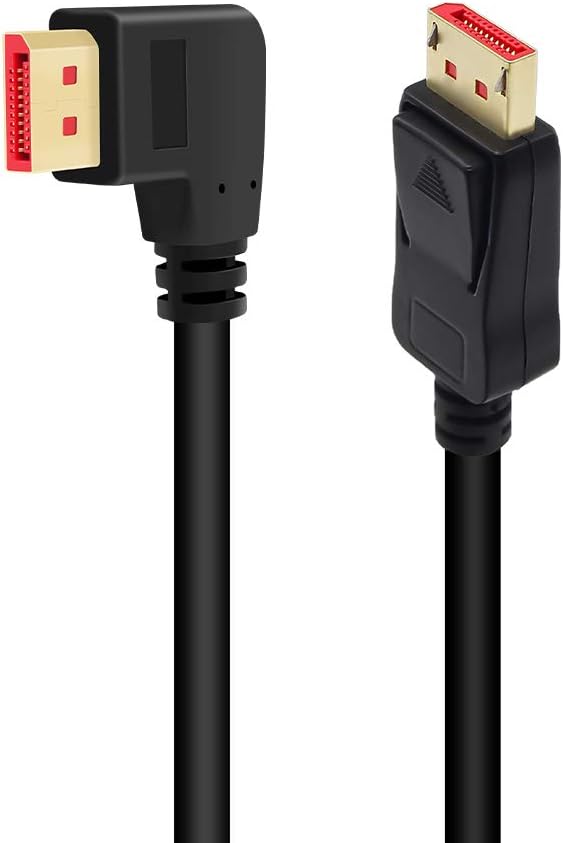


The Cable Matters adapter stands out with its robust support for modern display standards. With a high rating from users it proves reliable for demanding setups.
We may earn a commission when you buy through this link, at no additional cost to you.
It supports resolutions up to 8K and refresh rates up to 240Hz which is ideal for high end gaming and professional work. The built in features like VRR and ALLM enhance performance further.
While it is a bit more expensive than basic adapters the performance is worth the investment for those needing top tier output. The design effectively minimizes cable strain.
This product is perfect for users with limited desk space who still require maximum graphical performance. It offers a seamless way to connect devices without compromising on quality.
The adapter handles high bandwidth requirements effortlessly ensuring smooth visuals even at maximum settings.
Its right angle form factor allows for cleaner cable routing in crowded entertainment centers or office desks.
We may earn a commission when you buy through this link, at no additional cost to you.
The BolAAzuL cable offers a great balance of price and performance for budget conscious buyers. It delivers reliable connectivity for most standard setups without breaking the bank.
We may earn a commission when you buy through this link, at no additional cost to you.
With a six foot length it provides flexibility in placement that shorter adapters lack. The gold plated connectors ensure durability and consistent signal transfer over time.
Users should verify the angle direction as it depends on their specific device ports. Despite this minor note it remains a solid choice for general use.
This option is highly recommended for those who need extra reach while maintaining high definition video capabilities. It is a practical solution for many home office needs.
The six foot length helps bridge gaps between devices that are far apart on a desk or stand.
Gold plating and shielding protect against corrosion and interference for long lasting performance.
We may earn a commission when you buy through this link, at no additional cost to you.
The Poyiccot cable is engineered for users who need a compact solution with premium features. It excels in environments where space is extremely limited.
We may earn a commission when you buy through this link, at no additional cost to you.
Supporting 32.4Gbps bandwidth it ensures stable data transfer for high resolution streams. The tinned copper construction enhances signal stability and reduces resistance.
The short length might be restrictive for some setups but it is perfect for tight enclosures. Users should measure their space carefully before purchasing.
This cable is ideal for workstations where every millimeter counts. It provides a clean connection that maintains high performance without cluttering the workspace.
Tinned copper and triple shielding work together to deliver crystal clear audio and video transmission.
The short profile is designed to fit into narrow spaces behind monitors or within server racks.
We may earn a commission when you buy through this link, at no additional cost to you.
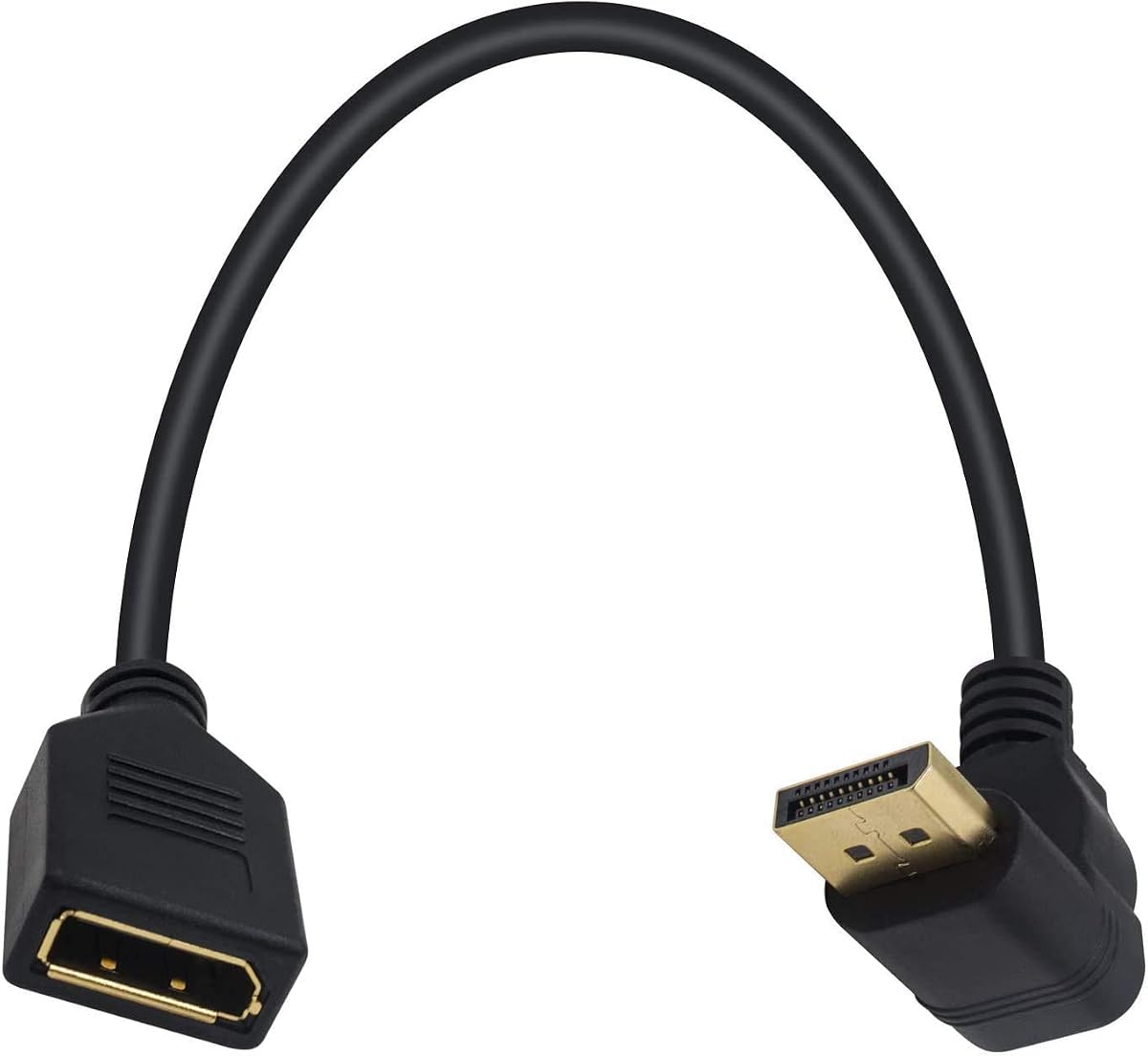
This extension cable provides a reliable way to extend reach without signal degradation. It is a practical tool for connecting computers to monitors that are slightly out of reach.
We may earn a commission when you buy through this link, at no additional cost to you.
The gold plated connectors are designed to resist corrosion and ensure a solid connection over time. The molded strain relief adds to the durability of the cable.
While it supports 4K it is optimized for standard HD and 3D formats. Users needing high refresh rates may look elsewhere for advanced features.
It is a good choice for general office setups where basic connectivity is the primary goal. The ergonomic design makes plugging in cables easier.
The ergonomically designed treads provide a better grip when connecting or disconnecting the cable.
Fortified joints prevent wear and tear from repeated use in busy office environments.
We may earn a commission when you buy through this link, at no additional cost to you.
This 2 pack offers flexibility for users who need multiple adapters or a spare. The ability to choose between up and down angles is a significant advantage.
We may earn a commission when you buy through this link, at no additional cost to you.
Aluminum alloy shells help dissipate heat effectively during long usage sessions. It supports high resolutions which makes it suitable for modern entertainment systems.
The design is simple but functional focusing on durability and performance. It is an affordable way to equip multiple devices with reliable connectivity.
Ideal for households with multiple monitors or TVs. The warranty adds peace of mind for long term usage scenarios.
Having both up and down options allows you to adapt to different mounting configurations easily.
The aluminum shell helps keep the adapter cool during extended video streaming sessions.
We may earn a commission when you buy through this link, at no additional cost to you.
This combo pack provides two distinct angles to suit different cable routing needs. It combines the reliability of Cable Matters with advanced video features.
We may earn a commission when you buy through this link, at no additional cost to you.
The flat design is particularly useful for wall mounted setups where protruding adapters would look bad. It supports high refresh rates essential for gaming monitors.
While the price reflects the premium quality it is an investment in a clean setup. It ensures that your audio and video experience is not compromised.
Best for users with premium home theater systems who value aesthetics and performance equally. It is a versatile solution for professional environments.
The flat profile ensures the adapter sits flush against the wall for a seamless look.
Support for Dolby TrueHD ensures that surround sound is delivered accurately.
We may earn a commission when you buy through this link, at no additional cost to you.
This cable features a unique upward angled design that simplifies connections in tight spots. It is suitable for users who need a specific direction for their cable routing.
We may earn a commission when you buy through this link, at no additional cost to you.
With support for 8K resolutions it ensures that your display runs at its maximum potential. The 3.3-foot length offers enough slack for most desktop configurations.
The upward angle might be too specific for some users but it solves specific problems effectively. It is a good addition to a gaming setup.
Recommended for those with limited clearance behind their computer case. The warranty provides additional support for peace of mind.
The upward angle helps avoid obstacles behind the monitor and keeps the desk tidy.
Fast data transfer ensures that high resolution content loads quickly without lag.
We may earn a commission when you buy through this link, at no additional cost to you.
This extension cable is built for the latest DisplayPort 2.1 standards. It supports resolutions that are not yet common but future proof your setup.
We may earn a commission when you buy through this link, at no additional cost to you.
The short length makes it ideal for compact setups where the source and destination are close together. It ensures stable signal transmission with high bandwidth requirements.
Users with newer graphics cards will appreciate the full feature support. It is a niche product designed for advanced users.
Ideal for enthusiasts who want the absolute latest technology. It offers a high performance connection for cutting edge displays.
Support for DisplayPort 2.1 ensures your system is ready for the next generation of displays.
The wide bandwidth supports massive data rates needed for 8K and 16K content.
We may earn a commission when you buy through this link, at no additional cost to you.
This cable is designed for the highest bandwidth requirements in modern computing. It supports features like dynamic HDR and G-Sync for gaming.
We may earn a commission when you buy through this link, at no additional cost to you.
The 1.5-foot length is perfect for extending a connection by a small amount without clutter. It is compatible with a wide range of graphics cards.
While 16K is not widely available it ensures your setup is ready for future upgrades. It is a strong choice for advanced users.
Best for gamers who need the best possible signal quality. It delivers excellent performance with high end monitors.
Dynamic HDR support enhances image detail in both bright and dark scenes.
Compatibility with G-Sync ensures smooth gameplay with variable refresh rates.
We may earn a commission when you buy through this link, at no additional cost to you.
This cable is designed with an ultrafine diameter to fit into extremely tight spaces. It is perfect for specialized applications where space is a premium.
We may earn a commission when you buy through this link, at no additional cost to you.
The gold plated connectors ensure a solid connection that resists corrosion. The high bandwidth support handles all modern video standards efficiently.
The panel mount type makes it ideal for professional setups or custom builds. It offers a reliable connection that lasts for years.
Best for users with unique spatial requirements or tight installations. It provides high performance in a compact form.
The thin cable allows routing through narrow panels without blocking other ports.
Gold connectors prevent oxidation and maintain signal quality over long periods.
We may earn a commission when you buy through this link, at no additional cost to you.
Choosing the right adapter requires considering several technical and physical factors to ensure compatibility and performance.
Always check the version of DisplayPort your device supports. Newer versions like 1.4 or 2.1 offer higher bandwidth and support for 8K resolutions.
Ensure the adapter supports at least the same version as your device to avoid bottlenecks.
Measure the distance between your computer and monitor before buying. A cable that is too short will cause tension while one that is too long may create clutter.
Select a length that reaches your destination with a little slack for movement.
Determine if you need an upward, downward, or horizontal angle. Some devices have ports facing specific directions that require a specific adapter orientation.
Verify the angle direction on the product page to ensure it matches your setup.
Look for gold plated connectors and braided shielding which improve durability and signal integrity. High quality materials reduce interference and corrosion.
A solid build ensures the cable lasts longer under daily use.
Confirm the adapter supports the resolution and refresh rate of your monitor. High refresh rates like 240Hz require specific bandwidth capabilities.
If you have a 4K monitor ensure the adapter can handle 4K at the desired Hz.
Check if the adapter supports multi channel audio formats if you use high end speakers or headphones. Some adapters pass through advanced audio formats effectively.
Select a model that meets your audio needs for a complete experience.
Compare prices against the features offered to find value. A warranty adds protection against defects and ensures customer support availability.
Look for a balance between cost and reliability in your purchase decision.
Choose brands with a history of quality electronics. Reputable manufacturers often have better quality control and customer service.
Research user reviews to gauge real world reliability before buying.
Start by connecting the adapter to the port on your computer or laptop. Make sure it fits snugly before plugging in the cable to avoid bending the connector.
Route the cable carefully through cable management clips or holes to prevent accidental tugging. A clean setup reduces wear on the connectors over time.
Periodically check the connection for dust or debris. Keep the ports clean to maintain signal integrity and ensure a stable display output.
No, a well made 90 degree adapter does not affect signal quality. The internal design ensures a stable connection without significant data loss.
Only if the adapter supports DisplayPort 1.4 or higher. Check the specs to confirm it supports 8K at your desired refresh rate.
Yes, most are backward compatible. However, you will only get the maximum resolution supported by your older monitor.
The main benefit is saving space behind the device. It prevents cables from sticking out and getting bent or damaged easily.
Yes, DisplayPort cables carry both video and audio. You do not need a separate audio cable for sound to your monitor.
Check the product description or images for the connector angle. Ensure it matches the orientation of the port on your device.
Yes, they are safe for gaming monitors as long as they support the required refresh rates. Ensure the bandwidth matches your display.
For most desks a 1 to 3 foot length is sufficient. Measure your distance and add a little extra for flexibility.
We reviewed ten top options ranging from compact adapters to high performance extension cables. Each offers unique features suited for different user needs.
Consider your specific resolution requirements and space constraints when making a decision. A right angle adapter can significantly improve desk ergonomics.
Always verify the latest pricing and availability before purchasing to ensure you get the best value for your setup.