
Ai Pen Chat Gpt Pen
5.0Editor score
HD touchscreen interface
Built-in GPT answers
Offline translation support
AI scan pens with Chatgpt are revolutionizing how we interact with printed text. These devices combine optical character recognition with generative AI to offer instant translations, explanations, and speech conversion. They are perfect for students, professionals, and travelers who need quick access to information without lifting a finger to type.
We evaluated ten leading models based on their scanning accuracy, AI integration, and overall usability. Our analysis focuses on how well each pen handles text extraction, language translation, and voice output. We also considered battery life, storage options, and ease of syncing data to other devices for a comprehensive view.
Each pick below highlights specific strengths like offline capabilities or dyslexia support. Note that product features and availability can change over time. We recommend verifying the latest specifications and pricing directly on the retailer site before making your final decision to ensure you get the best value.
5.0Editor score

3.3Editor score

3.9Editor score
As an Amazon Associate we earn from qualifying purchases.
This side-by-side comparison highlights the key specifications of each model to help you decide which device fits your specific needs best.




The Scanmarker AI Pen stands out as a top choice for users seeking immediate text conversion. It combines a built-in screen with OCR technology to display scanned words instantly. This device is particularly useful for students who need to capture notes without typing.
We may earn a commission when you buy through this link, at no additional cost to you.
Its text-to-speech feature boosts confidence by reading aloud clearly. The AI integration allows for quick answers from textbooks and labels. Users can save scans to favorites for later review, making organization simple and efficient for busy schedules.
While the screen is helpful, some users might find the battery life inconsistent during heavy use. Setup processes can also require patience to sync properly with mobile devices. These trade-offs are acceptable given the speed and accuracy of the text capture.
Buy this pen if you need a portable solution for study or work. It is ideal for those who want to keep everything in one place. The device helps you stay on top of work by reducing the time spent on manual entry.
Slide the pen across printed text to watch words appear on the screen in seconds. This feature is vital for fast learning from documents and study materials.
Store your scans and key moments in a favorites list. You can export these notes for editing and sharing to keep your workflow smooth.
We may earn a commission when you buy through this link, at no additional cost to you.
The NEWYES AI Pen is designed with learners in mind, offering robust features for academic success. It includes an AI dictionary and homework checker to help explain complex concepts. The device supports dyslexia with adjustable reading speeds and fonts to reduce stress.
We may earn a commission when you buy through this link, at no additional cost to you.
Users can translate between 112 languages instantly using voice or scan inputs. The 16GB storage allows for extensive data management without needing extra software. Bluetooth connectivity ensures easy syncing to phones or computers for seamless editing of saved content.
The small screen size might limit visibility for some users, and syncing could occasionally lag. However, the versatility in reading levels and translation options makes up for these minor drawbacks. It grows with you from pre-readers to advanced users effectively.
Choose this pen for its comprehensive learning aids and translation capabilities. It is perfect for those needing a study buddy that handles text, photos, and voice. The device simplifies every task with smart and portable design.
Get real-time AI chat and homework help directly on the pen. It acts as a 24/7 study buddy with multi-language dictionary support.
Slide to scan and see text instantly on the screen. Sync data to devices without extra software for easy sharing and editing.
We may earn a commission when you buy through this link, at no additional cost to you.
XNote offers a unique blend of traditional writing and digital efficiency. It lets you write on real paper while capturing strokes digitally via Bluetooth. This approach suits creatives and professionals who prefer the feel of pen and paper.
We may earn a commission when you buy through this link, at no additional cost to you.
The AI organization features summarize lectures and auto-tag notes for quick keyword search. It integrates with calendar apps to organize meeting notes automatically. With 17 hours of battery life, it lasts through long workdays without frequent charging.
Note that the pen itself does not have a microphone; recording happens through the companion app. Setup requires initial app pairing to function correctly. These constraints are manageable given the premium performance and value of the official bundle.
Buy this set if you want to digitize handwritten notes seamlessly. It is ideal for those who need reliable storage and smooth synchronization. The starter set includes everything needed to begin writing and syncing immediately.
Enjoy comfort of real writing strokes captured instantly. Sync strokes to the app via Bluetooth for perfect organization and search.
Let XNote join meetings to record audio and notes together. The app intelligently combines them into a searchable record for review.
We may earn a commission when you buy through this link, at no additional cost to you.
This pen is built specifically to help adults and dyslexic users decode printed text. It uses precise OCR to scan documents and read text aloud instantly. The tool reduces information omission by turning silent reading into an auditory experience.
We may earn a commission when you buy through this link, at no additional cost to you.
With 142 online and 10 offline translation languages, it handles complex scenarios well. The HD camera recognizes text from images and non-standard layouts. Mobile sync ensures extracted files are editable and ready for use on your phone.
The reliance on battery and internet connectivity for some features means preparation is key. However, the all-in-one design saves time compared to using separate tools. It is efficient for sorting documents and organizing materials for study or work.
Select this pen if you need strong assistive tools for reading. It is great for language learners who need accurate text conversion. The device simplifies workflows by combining recording and translation in one unit.
Scan documents and read text aloud to improve fluency. This helps users overcome reading challenges and understand vocabulary faster.
Use online dialogue or offline scan for translations. Solve cross-language points with voice, scan, and photo options anytime.
We may earn a commission when you buy through this link, at no additional cost to you.
The Ai Pen offers instant AI answers for subjects like math and history at a low cost. It features a clear HD touchscreen that makes navigation intuitive for students and professionals. The built-in GPT integration provides suggestions to make studying engaging.
We may earn a commission when you buy through this link, at no additional cost to you.
It supports offline translation for over 150 languages, ensuring you stay connected anywhere. Voice recording features help capture lectures or meetings without missing key points. File storage capabilities keep your organized notes handy on the device.
While the screen is good, some users might find it small for detailed work. Battery performance may vary depending on usage intensity. These limitations are acceptable considering the price and the convenience of instant answers.
Choose this pen for quick scanning and translation on a budget. It is perfect for travelers and students who need instant help. The device combines translation and storage in a compact form for convenience.
Enhance learning with built-in GPT for insights. It offers intelligent suggestions to make studying effective and engaging.
Combine translation, scanning, and storage in one tool. Perfect for professionals needing ultimate convenience on the go.
We may earn a commission when you buy through this link, at no additional cost to you.
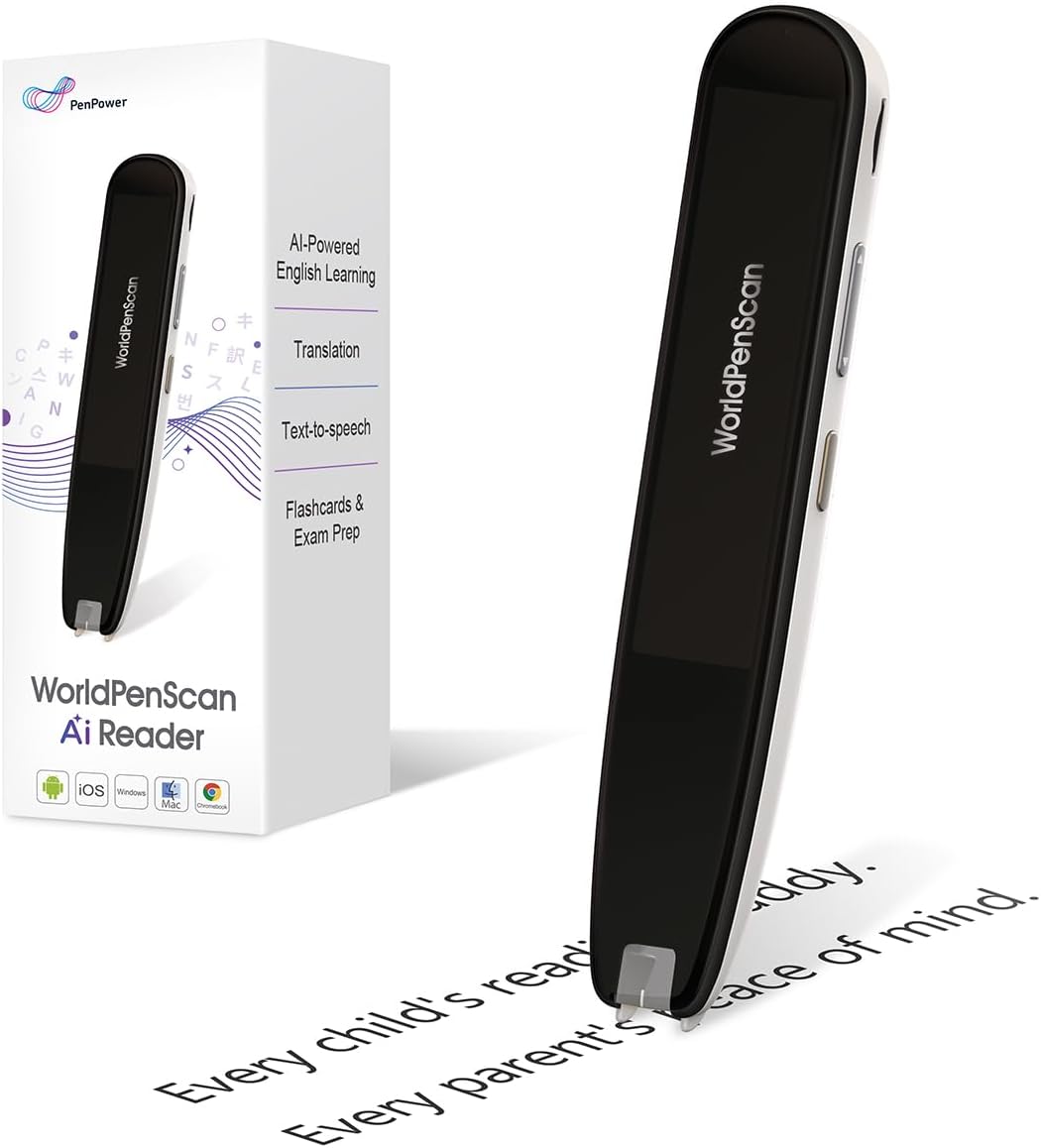
WorldPenScan is designed to help kids stay engaged with their reading materials. It provides age-appropriate explanations for difficult words instantly. The AI Reading Companion supports growing readers by reducing frustration and building independence.
We may earn a commission when you buy through this link, at no additional cost to you.
Features like text-to-speech and a built-in dictionary ensure uninterrupted reading anywhere. The tool syncs scans to an AI buddy for deeper learning and fun facts. It encourages curiosity and helps children solve challenges on their own.
The device may require parental setup for certain AI features to work fully. However, the focus on comprehension makes it a valuable educational tool. It is ideal for ESL learners who need extra support while reading.
Buy this pen for children who need reading support and confidence. It is a great tool for building independent learners. The device helps strengthen comprehension and encourages curiosity in every book.
Scan words or sentences to get clear explanations. Quick AI helps understand vocabulary without interrupting reading flow.
Includes offline tools for text-to-speech and translation. Use unlocked features for deeper learning support when connected.
We may earn a commission when you buy through this link, at no additional cost to you.
This pen brings ChatGPT integration to your fingertips for productivity and learning. It allows you to ask questions and brainstorm ideas through an intuitive interface. The tool bridges analog and digital learning with instant text scanning.
We may earn a commission when you buy through this link, at no additional cost to you.
Voice recording features let you capture meetings and lectures for later review. Sync files wirelessly to pair with scanned notes for complete context. Translation capabilities help with foreign text across 50 languages.
Users should note that internet access is often needed for full features. The screen size is compact but sufficient for basic needs. These trade-offs are worth the power of instant AI answers in a portable device.
Choose this pen if you need brainstorming and translation in one unit. It is great for professionals who need to stay connected. The device makes reviewing and capturing insights smarter and faster.
Boost productivity with built-in ChatGPT. Ask questions or refine essays through an intuitive AI interface.
Record lectures or ideas with a single tap. Sync files wirelessly to pair with scanned notes for review.
We may earn a commission when you buy through this link, at no additional cost to you.
This smart pen set transforms ideas into reality with voice commands. It catches sound clearly to convert voice into text in real time. The system supports multiple language translations for easier meeting and content recording.
We may earn a commission when you buy through this link, at no additional cost to you.
Handwriting recognition lets you write notes while capturing audio for Word docs. The pen is reusable with erasable refills for repeated use. Wireless charging makes power management simple and convenient for daily use.
Setup requires initial configuration of the app to link voice and handwriting data. Battery may vary on charging frequency. These steps ensure the system works efficiently for professional and personal use.
Buy this set if you need voice-to-text and handwriting in one. It is perfect for those who need to record inspirations. The innovation makes recording convenient and efficient for all users.
Input voice commands to generate visuals in seconds. Effortlessly translate thoughts into tangible images and drawings.
Write notes while activating voice transcription for editable docs. Translate notes as well to improve meeting efficiency.
We may earn a commission when you buy through this link, at no additional cost to you.
Scanmarker Pal is a lightweight tool for on-the-go language needs. It scans and translates text in over 100 languages including offline options. This versatility makes it perfect for travelers and students abroad.
We may earn a commission when you buy through this link, at no additional cost to you.
The text-to-speech feature reads text aloud for better comprehension. You can export scans as digital files for future use. It connects with Bluetooth headphones for an immersive audio learning experience.
The device lacks a large screen which may limit viewing comfort. However, its portability ensures you always have a translation tool ready. The trade-off is small given the convenience for travel and study.
Select this pen for its compact size and strong translation tools. It is ideal for learners needing accurate translations anywhere. The device helps you stay connected and organized while on the go.
Scan and have text read aloud while highlighted on screen. Perfect for dyslexia support, studying and travel.
Read text aloud with highlighted words. Ideal for auditory learners or those with reading challenges.
We may earn a commission when you buy through this link, at no additional cost to you.
This pen supports massive language range for global communication needs. It covers 142 languages for translation and 10 for offline. The device is ideal for people with reading disabilities and travelers.
We may earn a commission when you buy through this link, at no additional cost to you.
Photo translation allows instant translation of menus or magazines using the camera. It can also serve as a recorder for interviews and conversations. This multifunctionality makes it a strong all-in-one tool for work.
The device is compact but may lack advanced AI features of other models. Users should charge it regularly for reliable performance. These limitations are acceptable for the wide range of functions it provides.
Buy this pen for broad language support and photo conversion. It is perfect for professionals and travelers needing quick info. The device serves as a recorder and translator for all tasks.
Support online scanning translation for 142 languages. Provides multilingual solutions for learners and people with disabilities.
Translate text in images automatically with the camera. Suitable for translating foreign menus, magazines, and labels.
We may earn a commission when you buy through this link, at no additional cost to you.
Choosing the right pen requires understanding your specific needs for scanning speed, language support, and smart features.
Optical Character Recognition accuracy determines how well the pen reads text. High quality sensors reduce errors in handwriting or complex fonts. This is vital for students who need precise text conversion from books.
Look for models with fast scan rates to keep your workflow smooth. Poor accuracy leads to manual corrections which waste time.
Real-time AI integration lets you ask questions about scanned content. This feature helps with homework and translation tasks instantly. It transforms a simple scanner into a smart study tool.
Check if the pen supports chat or question answering capabilities. A strong AI model saves time and provides deeper insights.
Language support defines how many languages the pen can translate. Some devices offer offline support which is crucial for travel. More languages mean better versatility for diverse users.
Ensure the tool covers your primary languages before buying. Offline support is key when internet access is unavailable.
Text to speech is essential for auditory learners or dyslexic users. It allows you to listen to content while following along on screen. This feature improves focus and comprehension significantly.
Choose a pen with natural sounding voices. This reduces fatigue during long reading sessions.
Storage capacity affects how many files and scans you can save. Larger storage allows you to carry more documents with you. This is important for students with heavy research loads.
Select devices with cloud or local storage options. Good storage helps keep your data organized and safe.
Battery life determines how long you can use the device on a charge. Long-lasting batteries are needed for all-day study or travel. Frequent recharging can interrupt your work flow.
Look for pens that offer at least 10 hours of use. Fast charging is also a bonus for quick top-ups.
Connectivity ensures you can sync data to other devices easily. Bluetooth or WiFi options help you transfer notes to computers. This feature is vital for collaboration and backup.
Verify compatibility with your phone or laptop. Good connectivity streamlines your workflow and data access.
Display quality impacts how easily you read scanned text on the device. A bright screen helps in outdoor or low-light conditions. Larger displays offer better visibility for complex text.
Choose a pen with a clear high-resolution screen. This reduces eye strain and improves usability.
To start using your AI scan pen, charge the device fully and download the companion app if required. Pair the pen via Bluetooth to ensure seamless data sync. Make sure your text is flat and uncrumpled for best scanning results.
Scan text by holding the pen parallel to the line and moving steadily. Use the touchscreen or buttons to select translation options as needed. Review the output on the screen and export files to your preferred storage.
Maintain your pen by storing it in a protective case and keeping the lens clean. Avoid dropping the device and charge it regularly to extend battery health. Update the firmware to access the latest AI improvements.
Many models support offline translation for basic languages but AI features like chat often need internet. Check specific device specs for offline capabilities before buying. Some pens allow you to scan and translate without a network connection for travel.
Most pens are optimized for printed text but some high-end models handle handwriting. Accuracy varies based on the clarity of the handwriting and the OCR engine. Always test with your specific type of note before purchase.
AI integration allows instant answers to questions about scanned text. It helps explain complex concepts or summarize articles quickly. This boosts learning efficiency and provides extra study support outside the classroom.
Yes many pens offer text to speech and dyslexia-friendly fonts. They help reduce reading fatigue by reading text aloud. Adjustable speeds and accents make them suitable for diverse reading needs.
Typical battery life ranges from 10 to 18 hours of active use. Real-world performance depends on features like translation and recording. Most devices offer fast charging to minimize downtime.
Most pens use Bluetooth to sync files to your smartphone. Download the companion app to manage your scans and export text. Follow the pairing instructions in the manual to connect devices.
We reviewed the top AI scan pens offering a mix of translation, OCR, and smart AI features. The Scanmarker AI Pen stands out for instant text conversion while the NEWYES AI Pen offers strong learning tools for students.
Prioritize features like offline translation and battery life to ensure reliability during travel. Choose a model that supports your specific languages and learning needs for the best experience.
Prices and availability can change so always check current deals on the retailer site. Verify the latest specs before buying to ensure you get the value you expect.