
TCL NXTPAPER 11 Gen 2
4.4Editor score
NXTPAPER 4.0 eye comfort display
Voice memo and translation assistants
8000mAh battery with reverse charging
Finding the right AI tablet in November 2026 means looking for powerful processors, smart assistants, and long battery life. These devices help you work, learn, and create with ease. A good model combines responsive screens with intelligent tools that adapt to your needs throughout the day.
We compared ten real tablets using verified specs, user ratings, and detailed product descriptions. Our list covers a wide range of budgets and use cases. Each entry highlights key strengths, real world performance, and smart features that define the current market leaders in this growing category.
Every pick shows what makes that tablet stand out in 2026, including screen quality and AI tools. Prices change often, so check current offers before buying. These guides help you match features to your workflow. whether you are a student, creator, or professional seeking reliable daily computing.
4.4Editor score

5.0Editor score

4.7Editor score
As an Amazon Associate we earn from qualifying purchases.
This side by side comparison shows key specs and features for all ten tablets. Review each row to see which model fits your needs for performance, display, and smart AI capabilities.




The Lenovo Yoga Tab AI Tablet stands out as a top choice for creators and professionals. It earns a perfect five star rating from users who appreciate its powerful Snapdragon 8 Gen 3 processor. This device blends high performance with intelligent features designed to streamline your workflow and creative tasks.
We may earn a commission when you buy through this link, at no additional cost to you.
Its standout qualities include the included Pro Pen Pro which supports natural writing and sketching. AI tools like live transcription and smart writing assistance make meetings and note taking easier. The 3K 144Hz display delivers sharp visuals and smooth motion for media and design work.
Some users find the weight slightly higher than lighter models, but the build quality justifies it. The price is above budget options, yet the included accessories and premium design offer strong value. These trade offs are acceptable for users needing reliable daily power and advanced AI support.
Buy this if you need a versatile tool for work, study, or art. It suits creators who want a complete package with pen and keyboard options. We recommend it for anyone seeking the best balance of speed, screen quality, and smart features in 2026.
Built in AI features help enhance photos, translate text, and organize notes with minimal effort.
The 11.1 inch screen offers wide color accuracy, while quad speakers provide theater quality audio.
We may earn a commission when you buy through this link, at no additional cost to you.
The Samsung Galaxy Tab S11 brings flagship performance and smart AI to a sleek design. With a 4.6 star rating, it appeals to users already in the Galaxy ecosystem. It excels in multitasking and offers practical AI tools like Note Assist and Drawing Assist for productivity.
We may earn a commission when you buy through this link, at no additional cost to you.
Its 11 inch AMOLED display provides clear text and rich colors for long sessions. The included S Pen works with AI to turn sketches into shareable mockups. Fast switching between apps ensures smooth workflow without slowdowns during busy work hours.
Note that the package excludes a charger, which is a common modern trade off. Storage is limited to 128GB without a card, though it supports microSD expansion. These details are minor for most but worth noting if you need large local storage.
This tablet fits well for business users and students needing a reliable device. We suggest it for those who value screen quality and AI integration with other Samsung products. It remains a strong contender in the premium segment.
Note Assist organizes handwritten notes while Drawing Assist turns rough ideas into polished visuals.
IP68 rating protects against dust and splashes, making it suitable for varied environments.
We may earn a commission when you buy through this link, at no additional cost to you.
The Galaxy Tab S10+ Plus delivers a large 12.4 inch display that impresses with clarity and color. Users rate it highly for media and creative work. Its AI features like Sketch to Image transform simple drawings into polished art, appealing to artists and designers.
We may earn a commission when you buy through this link, at no additional cost to you.
The included S Pen enables precise input for notes and design. Circle to Search with Google simplifies research without leaving apps. The SmartThings widget helps control home devices directly from the screen, adding convenience to daily routines.
Its size makes it less portable than smaller tablets, but the screen benefits outweigh this for desk use. The price reflects its flagship status. These factors are acceptable if you prioritize visual quality and premium AI capabilities over portability.
Choose this if you want a top tier experience for entertainment and creation. It suits home users and professionals who need a big canvas. We recommend it for those willing to invest in a premium Android tablet.
Sketch to Image turns rough ideas into detailed artworks using advanced generative tools.
The 12.4 inch AMOLED panel offers reduced glare and vivid colors for immersive viewing.
We may earn a commission when you buy through this link, at no additional cost to you.
The CHUWI Hi10 Max AI brings desktop class power to tablet form. It uses an Intel Ultra 5 processor with NPU for local AI tasks. This suits users who need strong productivity tools for work and light design without laptop bulk.
We may earn a commission when you buy through this link, at no additional cost to you.
Its 12.96 inch display has a 3:2 ratio for more vertical space. The SSD storage is fast and upgradable to 1TB. Full featured ports allow easy connection to external monitors and peripherals for expanded workflow.
Note that the stylus is not included, which may add cost. As a newer brand, it lacks established legacy compared to major tech giants. These points are minor for those seeking raw specs at a competitive price.
Buy this if you value computing power and connectivity. It fits students and workers needing a portable workstation. We suggest it for practical use where performance matters most over brand reputation.
The NPU enables fast AI content generation and real time transcription without cloud delay.
Multiple Type-C and HDMI ports simplify linking to external devices and displays.
We may earn a commission when you buy through this link, at no additional cost to you.
The TCL NXTPAPER 14 focuses on eye comfort with its paper like screen. Users rate it well for reading, note taking, and creative work. The 14.3 inch display provides ample space while reducing glare and blue light for long sessions.
We may earn a commission when you buy through this link, at no additional cost to you.
Its T-PEN stylus supports 4096 pressure levels for precise drawing. Three display modes adapt content to your needs from crisp text to colorful art. The large battery lasts hours, and reverse charging helps power phones or earbuds.
The lack of a card slot limits storage expansion. Missing a charger in the box is another small inconvenience. These are reasonable trade offs given the focus on display comfort and large workspace for students or artists.
Choose this if you prioritize reading and drawing comfort. It suits learners and creators needing a spacious, eye friendly device. We recommend it for those who spend hours on digital text and sketches.
NXTPAPER filters blue light and reduces glare for reduced strain during extended use.
Switch between Standard, Color Paper, and Ink Paper modes for different content types.
We may earn a commission when you buy through this link, at no additional cost to you.
The Lenovo Idea Tab Pro supports students with AI help and gaming features. Its 4.6 star rating reflects satisfaction with performance and visual quality. Google Gemini offers an AI assistant to aid studying and daily tasks.
We may earn a commission when you buy through this link, at no additional cost to you.
The 12.7 inch 3K display provides clear visuals for lectures and media. It includes a pen and case for note taking and protection. Fast touch sampling and 90fps support deliver smooth gaming performance when relaxing.
Storage is limited to 128GB with no card expansion, which may limit media libraries. Cloud storage or careful file management helps manage this. These constraints are common at this price point but worth noting.
This fits learners who need an all in one tool. We recommend it for college students who balance study and play. It remains a practical option for digital coursework and entertainment.
Gemini acts as an AI super assistant to help with assignments and quick answers.
Certified PUBG FPS and 90fps ensure smooth gameplay and responsive touch.
We may earn a commission when you buy through this link, at no additional cost to you.
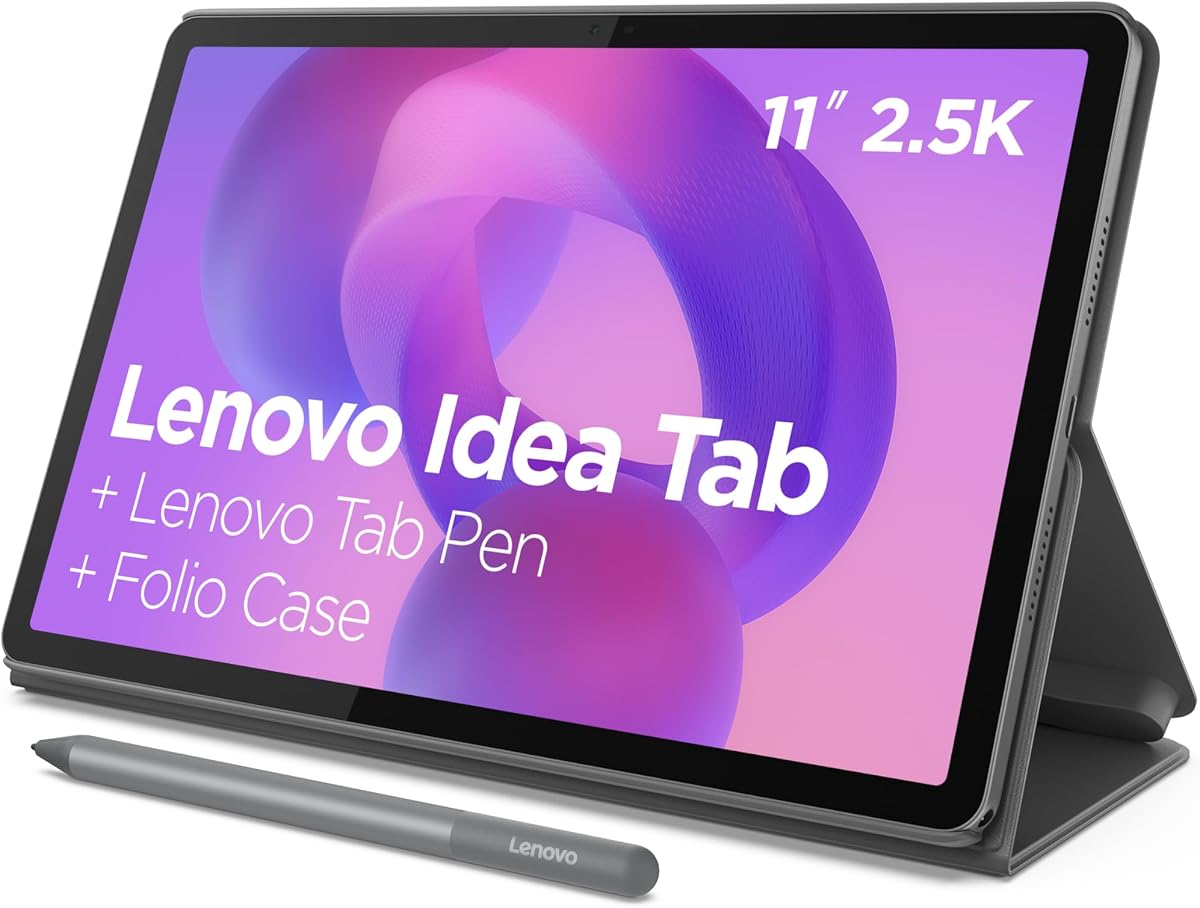
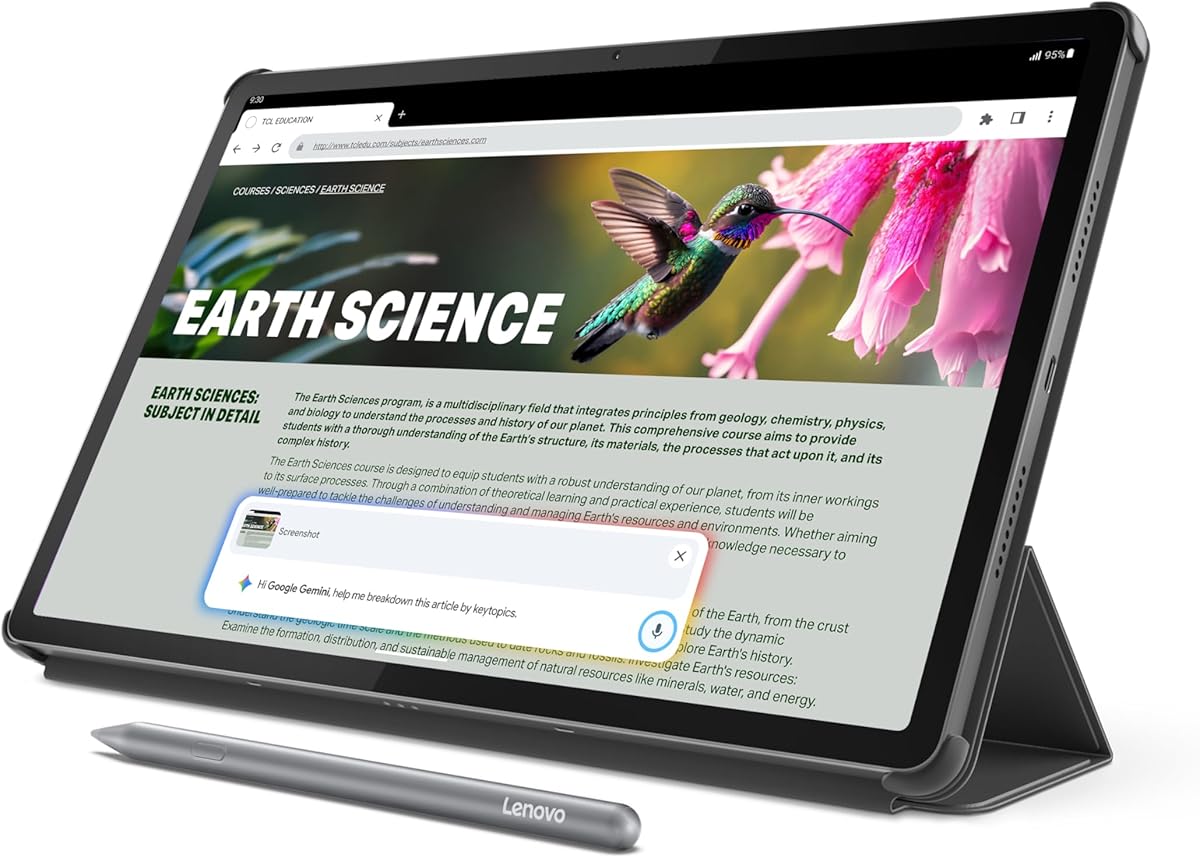
The Lenovo Idea Tab delivers solid value for daily study and media. It earns strong ratings for battery life and smooth performance. Circle to Search with Google simplifies finding answers while studying without switching apps.
We may earn a commission when you buy through this link, at no additional cost to you.
Its 2.5K screen with TÜV Low Blue Light keeps eyes comfortable. The included pen and folio case support note taking and portability. With 256GB storage, you have room for apps and files without constant cleanup.
The processor is mid range so heavy gaming may lag. Screen resolution is lower than Pro models but still sharp. These trade offs are acceptable for budget conscious learners needing reliable daily use.
Buy this if you want an affordable college ready tablet. We suggest it for students who prioritize battery and storage. It remains a smart choice for focused study sessions.
Circle to Search with Google lets you find details with a simple circle on screen.
TÜV certified low blue light hardware reduces strain during long reading sessions.
We may earn a commission when you buy through this link, at no additional cost to you.
The Galaxy Tab A11+ offers balanced performance for family daily use. Its 4.6 rating highlights reliability and speed for general tasks. Upgraded chipset keeps multitasking smooth for browsing, streaming, and games.
We may earn a commission when you buy through this link, at no additional cost to you.
Its bright 11 inch screen supports fluid motion with 90Hz refresh. Quad speakers with Dolby Atmos create rich audio for movies and music. Fast charging reduces downtime when the battery needs a quick boost.
It is less powerful than flagship models so heavy apps may slow down. Camera quality is basic but fine for calls. These limits are acceptable for household sharing where entertainment and basic work are priorities.
This suits families wanting a shared reliable device. We recommend it for parents and kids needing entertainment and study tools. It remains a practical pick for everyday Samsung users.
Rich audio and fluid motion make streaming and games enjoyable for all ages.
Fast charge restores battery quickly to keep you going through busy days.
We may earn a commission when you buy through this link, at no additional cost to you.
The TCL NXTPAPER 11 Gen 2 brings AI features at a budget friendly price. It earns good marks for comfort and smart tools. Its voice memo and translation assistants help with study and daily communication.
We may earn a commission when you buy through this link, at no additional cost to you.
NXTPAPER 4.0 reduces eye strain with low blue light and anti glare coating. Three view modes adapt for reading or creative work. Reverse charging lets you power phones while on the move.
Base storage is 128GB and expandable to 1TB. Processor power is adequate for daily tasks but may lag on heavy games. These trade offs are acceptable for budget focused users seeking smart comfort.
Buy this if you want smart features without high cost. We suggest it for casual users and students. It remains a strong value pick for essential AI and display comfort.
Voice memo and bilingual subtitles simplify meetings and language learning tasks.
NXTPAPER technology ensures flicker free viewing to reduce fatigue over time.
We may earn a commission when you buy through this link, at no additional cost to you.
This Android 16 tablet offers high RAM and expandable storage at a low cost. It integrates Gemini AI for basic smart tasks. GPS and Face ID add practical security and navigation features not always found in this segment.
We may earn a commission when you buy through this link, at no additional cost to you.
The 11 inch HD display is suitable for media and reading. An 8000mAh battery provides endurance for travel and work. Widevine L1 support ensures streaming content plays in HD quality.
Build quality and processor are basic so expect limits on heavy use. Display is HD rather than high res. These constraints are acceptable for budget buyers wanting essential AI features and connectivity.
Buy this for basic daily needs and light AI use. We recommend it for first time buyers or secondary devices. It remains a value option for core smart functionality.
Face ID and GPS enable secure access and location tracking on the go.
Expandable up to 2TB via TF card for large media libraries.
We may earn a commission when you buy through this link, at no additional cost to you.
Selecting the right AI tablet depends on your budget, use case, and desired smart features.
Look for chips with dedicated AI cores or NPUs to handle smart tasks locally. Snapdragon 8 Gen 3 and Intel Ultra 5 offer strong performance. These ensure smooth multitasking and fast AI features like translation and transcription.
Prioritize processors that balance speed with efficiency for longer battery life during daily use.
Consider screen size and resolution for comfort during reading or creative work. IPS and AMOLED panels deliver vivid colors. High refresh rates make motion smooth for media and gaming.
For eye comfort, choose displays with low blue light certifications or paper like tech.
At least 8GB RAM is ideal for multitasking without slowdowns. Storage should meet your file needs or support expansion via SD cards. More internal space reduces reliance on cloud storage for apps and media.
Check if your model includes an SD slot for future growth and flexibility.
Aim for tablets offering 10 or more hours of use. Larger mAh batteries and fast charging help manage your day. Reverse charging adds utility by powering phones on the move.
Battery endurance matters most for travelers and students away from outlets.
Identify useful AI tools like transcription translation, and image editing. Some offer circle to search or note assistance for learning. These features streamline workflows and save time daily.
Select a device that includes specific AI functions aligned with your tasks.
Water and dust resistance ratings like IP67 or IP68 help protect the device. Metal bodies and durable materials resist bumps better than plastic. Consider weight and thickness for portability needs.
A sturdy design ensures the tablet survives daily use in varied environments.
Check if the pen, keyboard, or case is included. Some bundles offer better value by reducing extra costs. A quality stylus supports drawing and note taking without extra purchases.
Accessories that match your workflow can greatly enhance usability and productivity.
Choose a brand that integrates with your existing devices and services. Android tablets connect well with phones for file sharing. Some allow cross device sync for notes and media seamlessly.
A cohesive ecosystem reduces friction when moving content between gadgets.
Start by installing essential apps and syncing your accounts. Set up the pen and keyboard if included. Adjust display brightness and eye comfort settings to match your typical use environment.
Use AI tools like Circle to Search or note assistants to save time. Organize files into folders for easy access. Regularly update the system software for security and feature improvements.
Keep the screen clean with a soft cloth and avoid extreme temperatures. Use a protective case during transport. Charge regularly to maintain battery health and avoid letting it fully drain often.
An AI tablet includes built-in tools powered by artificial intelligence such as live transcription, real-time translation, and image editing. These features allow smarter workflows without needing separate apps or cloud services.
No, many AI functions like Circle to Search or voice memo work without a stylus. However, some tools such as Note Assist benefit from pen input to organize handwritten notes.
The Lenovo Yoga Tab AI Tablet and Samsung Galaxy Tab S10+ Plus feature high resolution AMOLED or IPS panels with high refresh rates. These deliver vivid colors and sharp text for viewing.
Budget models like the TCL NXTPAPER 11 Gen 2 offer basic AI tools and sufficient performance for everyday tasks. Heavy AI workflows may require more powerful flagship devices.
Lower screen brightness and enable battery saver mode during travel. Close unused apps regularly. Using fast chargers and avoiding extreme temperatures helps maintain battery health.
Most models support microSD expansion except some premium options. Check specs before buying. Internal storage should meet your needs without cards if possible.
All listed models run Android with Google Play support. They integrate with Gmail, Docs, and Google Assistant. Some offer Gemini for advanced help.
Most offer around 10 to 12 hours of mixed use. Larger batteries in models like the TCL NXTPAPER 14 extend this further for travel.
Our top picks include the Lenovo Yoga Tab AI Tablet for overall performance, the TCL NXTPAPER 11 Gen 2 for budget value, and the Samsung Galaxy Tab S10+ Plus for premium display quality.
Prioritize what matters most to you such as AI tools, screen size, or battery life. Match the device to your daily needs whether work study or entertainment.
Always check current prices and availability before buying since offers change. These models represent the strongest options in November 2026 for smart productivity.