
NIMO 15.6'' AI Ready Laptop
4.9Editor score
Metal top cover
Fingerprint reader
180-degree hinge
All metal laptops offer a premium feel with superior heat dissipation and durability. They are ideal for professionals who need a reliable device that looks sleek in any setting. The construction ensures longevity and often improves thermal performance significantly.
We evaluated ten top models based on build quality, performance, and value. Our analysis covers processors, memory, storage, and display technologies. Each product was selected for its ability to deliver a consistent and efficient computing experience across various use cases.
Every pick highlights key strengths and potential trade-offs for buyers. You will find options ranging from budget-friendly to high-performance machines. Please note that prices and availability can change frequently, so verify details before purchasing.
4.9Editor score

5.0Editor score

4.4Editor score
As an Amazon Associate we earn from qualifying purchases.
This side-by-side comparison showcases the top ten all metal laptop models available this year. Each entry includes essential specifications to help you make an informed decision quickly.



This laptop offers a rare combination of a metal body and a large touchscreen at a budget-friendly price. It features a 32GB RAM and 2TB SSD, which is exceptional for the price range. The 1920×1080 resolution provides clear visuals for daily tasks.
We may earn a commission when you buy through this link, at no additional cost to you.
The metal chassis improves heat dissipation compared to plastic models, ensuring better stability during use. The N95 quad-core processor handles basic office work and web browsing efficiently. Its 100% color gamut makes colors appear vibrant on the screen.
While the processor is not meant for heavy gaming or professional video editing, it is perfect for students and light business users. The lack of advanced graphics limits its use for 3D rendering tasks. It is a practical choice for general productivity.
Buyers looking for a large screen with a premium feel on a budget should consider this model. It is ideal for office work and digital notes. The high memory capacity allows for smooth multitasking across multiple applications.
The 32GB DDR4 RAM and 2TB SSD allow users to run multiple applications without slowing down. This storage space is perfect for large files and extensive document libraries.
The all-metal body not only looks elegant but also helps dissipate heat effectively. This design choice enhances the overall stability and longevity of the laptop.
We may earn a commission when you buy through this link, at no additional cost to you.
This model is built for tough environments with a rugged design that protects internal components. It features a powerful Core i7 processor and 32GB of RAM for demanding professional tasks. The 2-year warranty provides peace of mind for business buyers.
We may earn a commission when you buy through this link, at no additional cost to you.
The 14-inch touchscreen display is sharp and responsive, ideal for field work. Windows 11 Pro adds advanced security features like BitLocker encryption for sensitive data. The build quality ensures it withstands daily wear and tear better than standard laptops.
While it is heavier than typical ultrabooks, the durability justifies the trade-off for many users. It is not designed for light travel but rather for stationary or vehicle-based use. The performance handles large datasets and complex spreadsheets with ease.
Enterprises needing reliable devices for employees in challenging conditions should choose this option. It balances performance and robustness effectively. The included warranty supports long-term usage without unexpected repair costs.
Windows 11 Pro includes essential enterprise tools like Active Directory support and device encryption. These features are critical for organizations handling confidential business information.
The PCIe NVMe SSD offers fast read and write speeds, reducing boot times and file loading. This speed is vital for professionals working with large files regularly.
We may earn a commission when you buy through this link, at no additional cost to you.
This laptop brings AI features to the forefront with a dedicated Copilot key and advanced Snapdragon processor. The 2K OLED screen offers rich colors and deep blacks for media consumption. Battery life is exceptional, lasting up to 41 hours on a single charge.
We may earn a commission when you buy through this link, at no additional cost to you.
The Qualcomm Adreno GPU provides efficient graphics performance while saving power. Fast charging technology allows quick top-ups when you are on the move. The sleek design and lightweight build make it ideal for commuters and travelers.
The ARM-based processor may not support all legacy x86 applications without emulation. This is something to consider if you rely on specific older software. However, for web apps and modern tools, it performs remarkably well.
Users prioritizing battery life and display quality will love this device. It is perfect for students and professionals who work remotely. The AI capabilities help streamline daily tasks efficiently.
The Snapdragon processor optimizes power consumption, delivering up to 41 hours of usage. This endurance means you can leave your charger at home for long trips.
The 2K OLED display provides a vibrant viewing experience with crisp details. It is excellent for watching videos and editing photos with accurate colors.
We may earn a commission when you buy through this link, at no additional cost to you.
NIMO offers a reliable entry-level option with a metal top cover and essential modern features. It includes a fingerprint reader for quick access and a physical webcam shutter for privacy. The 180-degree hinge facilitates easy screen sharing in meetings.
We may earn a commission when you buy through this link, at no additional cost to you.
The Intel N150 processor is efficient for basic tasks like web browsing and document editing. It runs silently thanks to a passive or low-noise cooling system. This makes it suitable for quiet environments like libraries or offices.
While 8GB RAM limits heavy multitasking, it is sufficient for most students and casual users. The SSD ensures boot times and app loads are relatively fast. The lightweight design makes it easy to carry in a backpack.
Students and budget-conscious buyers will find this laptop meets their needs. The privacy features and durable build add value. It is a smart pick for daily schoolwork and light entertainment.
The physical webcam shutter and fingerprint reader provide extra layers of security. These features protect user data without adding complexity.
The 180-degree hinge allows the screen to lay flat, making it easy to share with others. This is useful for collaborative projects and presentations.
We may earn a commission when you buy through this link, at no additional cost to you.
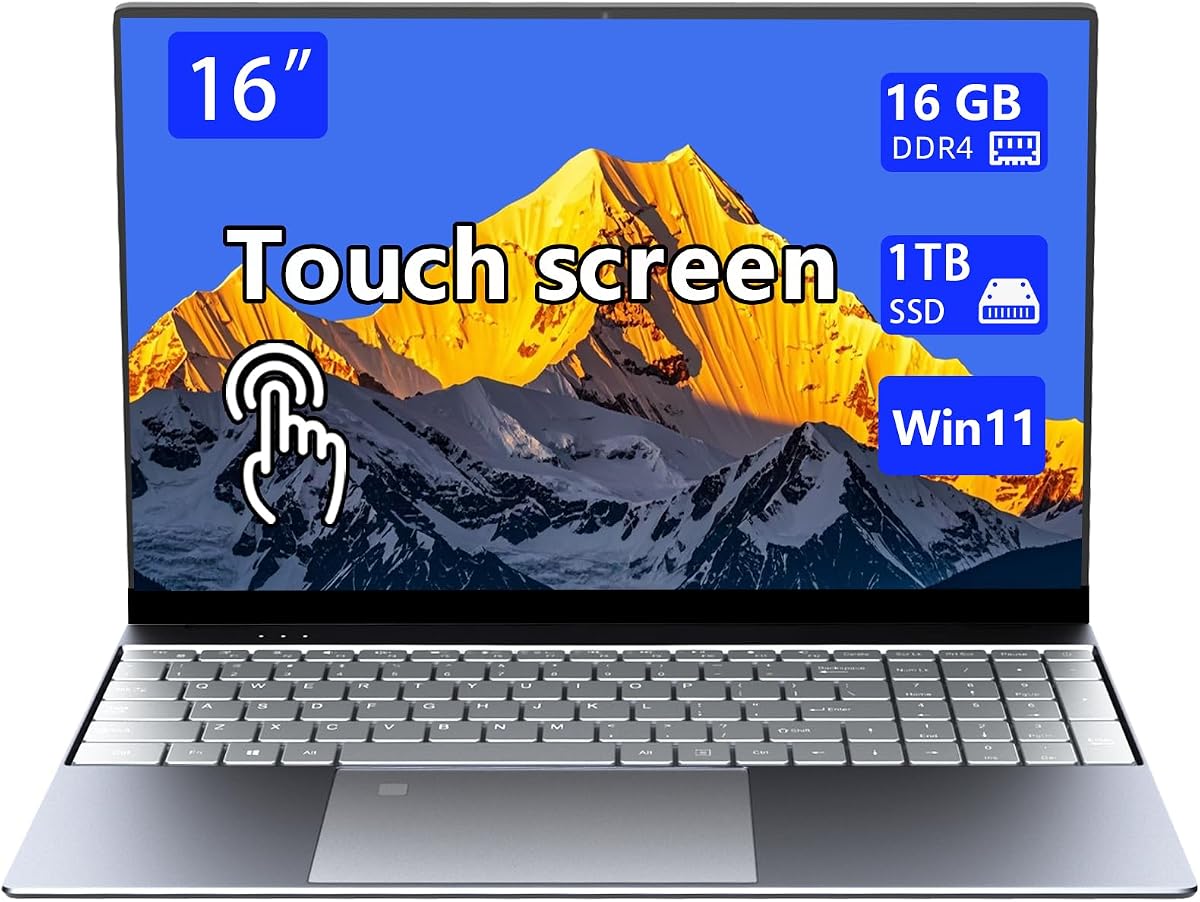
This device mirrors the first model but with slightly different storage specs. It offers a large touchscreen and metal build at a very competitive price. The 16GB RAM ensures smoother multitasking than lower-end alternatives. It supports Windows 11 and WiFi connectivity.
We may earn a commission when you buy through this link, at no additional cost to you.
The metal body provides a premium look and better heat management. The 10-point touchscreen allows for intuitive navigation similar to mobile devices. Users can zoom and scroll easily which is great for reading documents.
It is not intended for intensive graphics work or heavy gaming. The processor handles everyday computing tasks well. For students or home office users, it provides a balance of size and portability.
Buyers wanting a large screen and modern feel without a high cost should look at this option. It is a solid everyday machine for general productivity. The metal build adds durability against minor bumps.
The 10-point super touchscreen enhances interaction, making navigation quick and easy. It is ideal for tasks that benefit from direct input.
The metal construction improves heat dissipation and resists scratches better than plastic. This helps maintain performance and appearance over time.
We may earn a commission when you buy through this link, at no additional cost to you.
This laptop is optimized for productivity with Microsoft Office 365 and Copilot AI built-in. It is lightweight and portable, making it perfect for employees on the go. The inclusion of OneDrive expands storage capacity effectively.
We may earn a commission when you buy through this link, at no additional cost to you.
The Intel N150 processor handles word processing and emails efficiently. It supports Wi-Fi 6 for faster internet speeds and better range. The True Vision HD camera ensures clear video calls for remote meetings.
Local storage is limited, but cloud integration compensates for this. This setup works well for those who rely on online drives. It is a practical tool for remote and hybrid workers.
Business users needing a simple machine for daily tasks will appreciate this model. It balances portability and functionality well. The added software saves money and setup time.
Microsoft Office 365 and OneDrive come included, saving users from extra purchases. This makes it ready for work right out of the box.
Wi-Fi 6 and Bluetooth 5.4 ensure fast and stable connections to networks and peripherals. This improves overall efficiency in connected environments.
We may earn a commission when you buy through this link, at no additional cost to you.
This laptop stands out with a Core i7 processor in a budget-friendly price. The all-metal design gives it a high-quality look and feel. The 16:10 IPS display offers more vertical space for productivity and better visuals.
We may earn a commission when you buy through this link, at no additional cost to you.
The tempered glass panel on the display adds durability and scratch resistance. It is suitable for students and business users who need reliable performance. The fingerprint reader provides quick and secure access to your files.
While it is an older i7 generation, it remains powerful for multitasking and light content creation. The 512GB SSD is fast and provides adequate space for apps and files. Ports like HDMI and USB-C ensure compatibility with various peripherals.
Buyers seeking performance without a premium price tag should consider this model. It combines style with utility effectively. It is a solid choice for general computing needs.
The 16:10 aspect ratio provides more screen real estate for spreadsheets and documents. This reduces scrolling and improves workflow efficiency.
The tempered glass panel protects the screen from scratches and wear. This maintains a clear viewing experience over time.
We may earn a commission when you buy through this link, at no additional cost to you.
This model leverages AMD Ryzen power with DDR5 RAM for modern performance. It is ideal for power users who need desktop-class capability on the go. The 16-inch display offers more screen real estate than standard laptops.
We may earn a commission when you buy through this link, at no additional cost to you.
The touchscreen adds intuitive control for creative and everyday tasks. Fast charging and USB-C support make it versatile for various work environments. ComfortView reduces blue light to protect eyes during long sessions.
While storage is limited, the speed of the NVMe SSD is impressive. The processor handles heavy multitasking and content creation well. It is a strong contender for professionals needing reliable power.
Users looking for a balanced modern laptop with touch features will find this appealing. It handles complex workloads without slowdowns. The premium design fits well in office settings.
DDR5 RAM provides faster speeds and efficiency than previous generations. This boosts overall system performance and application loading times.
The ComfortView technology reduces blue light emission to minimize eye strain. This feature supports longer work sessions comfortably.
We may earn a commission when you buy through this link, at no additional cost to you.
This laptop combines a metal shell with a slim profile for easy carrying. It is perfect for students and business users who travel frequently. The 16GB RAM supports efficient multitasking despite its small size.
We may earn a commission when you buy through this link, at no additional cost to you.
The IPS screen provides wide viewing angles and accurate colors for media consumption. It connects easily to external devices via Type-C and USB ports. The lightweight design ensures it fits comfortably in a backpack.
Battery life is standard but manageable with occasional charging. It is not built for heavy processing but handles daily tasks well. The build quality remains sturdy despite its thinness.
Buyers prioritizing portability and metal construction should choose this option. It offers a great balance of weight and features. It is a reliable companion for daily commutes.
At just 0.72 inches thick, it is very easy to store and carry. This makes it ideal for tight spaces and travel.
Ports like Type-C and USB3.2 ensure compatibility with modern accessories. This reduces the need for extra adapters.
We may earn a commission when you buy through this link, at no additional cost to you.
This laptop stands out as a high-performance option with premium specs in a metal body. The Ryzen7 H255 processor and 32GB DDR5 RAM deliver exceptional speed. The 120Hz display ensures smooth visuals for gaming and content creation.
We may earn a commission when you buy through this link, at no additional cost to you.
The RGB keyboard adds a modern touch and works well in low light. PCIe 4.0 SSD provides lightning fast storage speeds for large files. It includes lifetime technical support for added buyer confidence.
It is heavier than ultrabooks but the performance justifies the weight. The metal chassis keeps it cool under heavy load. It is suitable for power users needing a portable workstation.
Buyers wanting top-tier specs and a metal finish will appreciate this device. It handles demanding tasks efficiently. The support policy adds value to the purchase.
The 120Hz refresh rate provides smooth motion for gaming and scrolling. This enhances visual clarity and responsiveness.
PCIe 4.0 SSDs are faster than older standards. This means quicker boot times and faster application loads.
We may earn a commission when you buy through this link, at no additional cost to you.
Choosing an all metal laptop requires balancing build quality with performance specs.
All metal laptops use aluminum or magnesium alloys for durability. These materials resist scratches and denting better than plastic. They also help dissipate heat effectively which improves performance stability.
Look for laptops with solid construction that feels sturdy in your hands.
A high resolution display with IPS or OLED technology ensures sharp visuals. Metal laptops often pair well with premium screens due to their build quality. This combination enhances the overall user experience significantly.
Check resolution and color accuracy before purchasing for best results.
Select a processor that matches your usage needs. For office work, mid-range CPUs are sufficient. Heavy tasks require higher core counts. Ensure the RAM is at least 16GB for smooth multitasking.
Match processor power with your specific daily tasks to avoid overpaying.
SSDs are essential for fast boot and load times. Metal laptops often come with solid storage solutions. Aim for at least 256GB of storage. Larger capacities support more files without external drives.
Prioritize SSD speed and capacity for better system responsiveness.
A good selection of ports reduces the need for dongles. Look for USB-C HDMI and SD card slots. Metal laptops sometimes limit ports for thinness so check compatibility. This ensures your accessories connect easily.
Verify port availability to match your current device needs.
Battery capacity affects mobility. Longer life means fewer charges. Metal bodies can influence thermal management which impacts battery. Consider your daily usage to choose the right balance.
Opt for models with longer battery life if you travel often.
A solid warranty protects your investment. Metal laptops often come with standard coverage. Check if the brand offers responsive support. This gives peace of mind for long term use.
Always verify warranty terms before finalizing your purchase.
Weight and thickness matter for mobile use. Metal laptops can be lighter than plastic ones. Aim for under 4 pounds if you carry it daily. This ensures comfort when moving around.
Choose a size that fits your bag and travel routine.
Keep the metal surface clean by wiping it with a soft microfiber cloth. Avoid harsh chemicals that might damage the finish or coating. Dust and fingerprints can be removed easily without scratching the metal.
Use a cooling pad if you run heavy tasks. Metal conducts heat well but extra airflow helps. Ensure vents are clear to maintain internal cooling efficiency during work sessions.
Handle the lid gently to avoid stress on hinges. Metal frames are strong but repeated force can cause issues. Close the lid securely to protect the keyboard from scratches.
Yes, metal laptops generally offer better durability and scratch resistance. The rigid materials prevent cracks and protect internal components better. However, plastic may absorb minor drops better depending on the design.
They conduct heat effectively which helps cooling but the exterior can feel warm. This is a sign of good heat dissipation. Internal temperatures are usually well managed in quality metal models.
Many metal laptops allow RAM and SSD upgrades but may require special tools. Check specific model manuals for access. Some designs are sealed which limits easy maintenance or upgrades.
Metal laptops can be slightly heavier but modern alloys are light. The added weight is often worth the build quality. High-end ultrabooks use aluminum to keep weight low while maintaining strength.
The frame protects the display better but glass panels still need care. Metal bezels often provide extra support for hinges. Always close the lid gently to avoid stress on the screen assembly.
They range from budget to premium prices. Entry-level metal models exist for general use. High-end versions cost more due to better materials and performance specs.
We reviewed ten models offering various performance levels and features. The NIMO and Dell Rugged stand out for value and durability respectively. The HP OmniBook leads in battery life and display quality.
Prioritize your main use case when selecting a device. Business users may prefer rugged builds while students want portability. Ensure the specs meet your daily tasks without unnecessary costs.
Prices fluctuate regularly on the market. Check current offers before buying to get the best deal. Verify warranty terms and support options for peace of mind.