
Creality Ender 3 V3 SE
3.8Editor score
CR Touch auto leveling
Sprite direct extruder
Fast 250mm/s print
Discover the top auto bed leveling 3D printers for beginners. This guide compares speed, build quality, features, and ease of use to help you choose the right
Starting your 3D printing journey requires a machine that simplifies setup and ensures consistent results. Auto bed leveling technology removes the guesswork from calibrating the print bed, making it ideal for newcomers who want reliable first layers without manual adjustments.
This guide evaluates ten real products based on their leveling systems, build volume, speed, and user-friendly features. We analyzed technical specifications, customer feedback, and manufacturer claims to identify models that balance performance with ease of use for entry-level enthusiasts.
Each recommendation highlights key strengths and trade-offs to help you match a printer to your specific needs. Keep in mind that product availability and pricing can change frequently, so verify current details on the retailer site before making your final purchasing decision.
3.8Editor score

4.3Editor score

4.3Editor score
The following table provides a side-by-side overview of all ten evaluated models. It highlights core specifications such as leveling methods, print speeds, build dimensions, and unique features to help you quickly compare options.


The FLASHFORGE Adventurer 5M stands out as a top contender for beginners seeking speed and simplicity. With a 4.3 rating, it delivers exceptional performance through its fully automatic one-click leveling system that ensures a perfect first layer every time.
We may earn a commission when you buy through this link, at no additional cost to you.
Its Core XY motion system supports speeds up to 600mm/s with high acceleration, reducing wait times significantly. The upgraded direct extruder and quick detachable nozzle simplify maintenance, while the high 280°C nozzle allows for a wide range of materials.
While the open frame design offers ventilation, it may not be ideal for all environments. Noise levels can increase at maximum speeds, but the trade-off is worth it for the productivity gains and consistent print quality it provides.
If you prioritize fast turnaround and minimal calibration fuss, this model is an excellent choice. It balances advanced features with user-friendly operations, making it suitable for both hobbyists and those starting a small production workflow.
The auto leveling system calibrates the bed properly without manual adjustments, ensuring accurate and smooth surfaces for every print job.
Vibration compensation and high acceleration eliminate ghosting and allow projects to finish in a fraction of the time.
We may earn a commission when you buy through this link, at no additional cost to you.
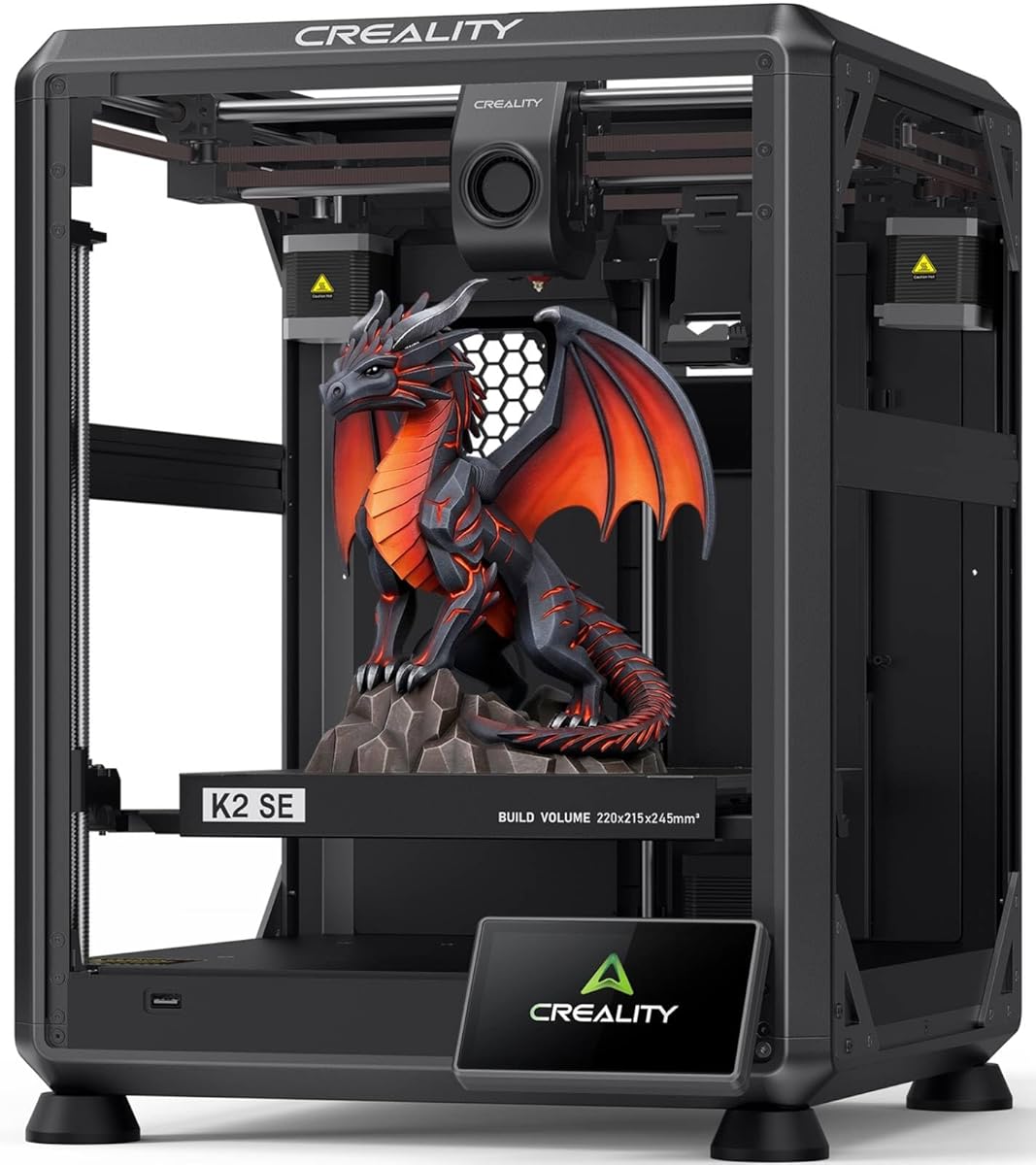
The Creality K2 SE offers a robust build with a die-cast aluminum alloy frame that ensures high precision and stability. It features a 3.8 rating, reflecting its powerful CoreXY system and ability to handle high-speed prints with minimized frame flex.
We may earn a commission when you buy through this link, at no additional cost to you.
Its direct drive extruder and input shaping algorithm reduce ringing for sharper details. The printer is fully compatible with the Creality CFS multicolor system, allowing you to unlock advanced workflows without buying a new machine later.
While the multicolor system is sold separately, the compatibility adds long-term value. The quick-swap nozzle minimizes downtime, but beginners should be prepared for potential firmware management to get the most out of the advanced features.
This model suits users who want a machine that can grow with their skills. The solid construction and expandability make it a strong investment for those planning to tackle complex or large-scale projects.
Enhanced mechanical stability minimizes frame flex during rapid movement, ensuring reliable dimensional accuracy across large models.
Powered by Creality OS, the K2 SE supports expert-mode tuning and cloud integration for seamless remote control.
We may earn a commission when you buy through this link, at no additional cost to you.
The E-Leveler 2 is an electronic tool designed to assist with manual bed leveling rather than a full printer. With a 4.3 rating, it provides visual feedback through an LED light while you adjust the bed for a perfectly level surface.
We may earn a commission when you buy through this link, at no additional cost to you.
Its improved design features a stronger battery holder and simplified nozzle target, making the process easier for newcomers. It works with most 3D printers that have manually adjustable print beds, offering a low-cost way to improve first-layer success.
Since it is a tool and not a printer, it does not replace auto leveling hardware. However, for those with older machines, it offers a significant upgrade to the calibration workflow without the cost of a new device.
This accessory is ideal for users who want to fine-tune their existing setup. It bridges the gap between manual and automated leveling, ensuring consistent results when working with entry-level or legacy printers.
The LED light provides visual feedback while adjusting the bed, guiding you to a perfectly level surface every time.
Designed for all 3D printers with manually adjustable beds, making it a versatile addition to any workshop.
We may earn a commission when you buy through this link, at no additional cost to you.
The AD5M combines brand-new technology with superior craftsmanship to meet the needs of all users. It features a fully automatic one-click leveling system that precisely measures offsets, ensuring a flawless first layer every time without manual calibration tools.
We may earn a commission when you buy through this link, at no additional cost to you.
Its Core XY all-metal motion structure enables high-speed printing up to 600mm/s while maintaining low noise and stable motion. The patent quick-release nozzle allows for tool-free swaps in seconds, which simplifies maintenance for novices and experts alike.
While the open frame design allows for airflow, it may not be suitable for all indoor environments. The Orca-flashforge slicer offers powerful network monitoring, but beginners may need time to master the advanced control options.
This model is perfect for those who want professional results with minimal setup hassle. The combination of speed, precision, and easy maintenance makes it a standout choice for expanding your creative capabilities.
Say goodbye to manual calibration as the one-click leveling system ensures accurate offsets and a flawless first layer.
Manage devices and monitor prints remotely via the Flash Maker APP, adjusting parameters from anywhere at any time.
We may earn a commission when you buy through this link, at no additional cost to you.
The QIDI Q2 redefines your first 3D printer by combining ease of use with professional features. It has a 4.3 rating and uses the nozzle as a leveling sensor to deliver unmatched first-layer accuracy that is unaffected by bed surface variations.
We may earn a commission when you buy through this link, at no additional cost to you.
Its 65°C heated chamber minimizes warping and ensures strong layer adhesion. The 370°C high-temp nozzle unlocks advanced materials like PPS-CF, while the triple filtration system keeps odors and particles out of your living space.
While the price is higher, the reliability and material versatility make it a worthy investment. Beginners can start with basic filaments and eventually unlock multi-material workflows, making it a long-term solution for growing skills.
This printer is best for those serious about material variety and print quality. The safe, clean design ensures hassle-free experiences from unboxing to printing, backed by responsive customer service and technical support.
The nozzle acts as the leveling sensor for unmatched first-layer accuracy unaffected by bed surface issues.
Multiple sensors and a triple filtration system reduce odors and harmful particles for safe indoor use.
We may earn a commission when you buy through this link, at no additional cost to you.
The AD5M Pro is a versatile tool designed for fast and easy use while ensuring safety. It features a fully automatic leveling system that calculates offsets using distance measurements, eliminating the need for manual Z-axis calibration entirely.
We may earn a commission when you buy through this link, at no additional cost to you.
Its closed structure and dual filtration system block 99% of particulate matter, optimizing air quality for home or classroom use. The 280°C direct drive extruder supports a variety of filaments including TPU, ASA, and PETG.
While the closed design protects the environment, it may limit access for certain custom modifications. The low-speed silent mode ensures focus during work, making it an excellent choice for shared or quiet spaces.
This model is ideal for those prioritizing health and safety alongside performance. The ability to manage devices remotely and monitor prints in real time adds significant convenience to the creative workflow.
Your health is our concern with a closed structure that optimizes air quality during printing using HEPA13 filters.
Orca-Flashforge slicer supports one-click group file sending and multi-printer network print monitoring.
We may earn a commission when you buy through this link, at no additional cost to you.
The Ender 3 V3 SE is a powerful upgrade of the classic Ender series. It features CR Touch auto leveling and a strain sensor for auto Z-offset, ensuring reliable first-layer success without manual adjustments throughout the process.
We may earn a commission when you buy through this link, at no additional cost to you.
Its upgraded Sprite direct extruder pushes filament smoothly without slipping, supporting materials like PLA and TPU effectively. The dual Z-axis lead screws reduce wobbling, while the Y-axis linear shafts ensure printing stability and higher accuracy.
Preassembly simplifies the build process to just three steps, meaning you can start printing in under 20 minutes. The auto loading function further reduces hassle, making it a very user-friendly option for new hobbyists.
If you want a reliable starter printer that saves time and money, this is a strong choice. The combination of auto features and solid mechanics provides a great foundation for learning 3D printing basics.
Just lay back and enjoy the print success with CR Touch auto leveling and strain sensors that eliminate manual adjustments.
Tap Extrude or Retract to change filament effortlessly, saving time and ensuring smooth feeding every time.
We may earn a commission when you buy through this link, at no additional cost to you.
The CR Touch is a self-developed leveling solution based on millions of user data points. It performs multi-point detection to record bed height and calculates tilt angles to automatically compensate for different points during printing.
We may earn a commission when you buy through this link, at no additional cost to you.
Compatible with most 3D printer platforms, this kit includes mounting brackets and a guide. However, you must confirm your motherboard version and reflash firmware to make it work properly with your machine.
While it offers a cost-effective upgrade path for older printers, the technical steps may be challenging for absolute beginners. Once set up, the stability and service life make it a reliable tool for daily use.
This kit is ideal if you own an Ender 3 series and want to add auto leveling without buying a new machine. It brings modern convenience to legacy hardware, extending its usability and print success rate.
The system builds a virtual plane based on detection points to automatically compensate for different areas.
Compatible with PEI, sticker, glass, and metal platforms, making it versatile for various bed types.
We may earn a commission when you buy through this link, at no additional cost to you.
The AD5X features an innovative multi-color printing capability allowing users to create vibrant designs with up to four colors simultaneously. This technology enhances creativity and enables the production of visually stunning models for designers and hobbyists.
We may earn a commission when you buy through this link, at no additional cost to you.
The Intelligent Filament System ensures seamless filament management by automatically detecting and refilling material. This minimizes downtime and enhances productivity, letting you focus on your projects without worrying about interruptions.
While the high-speed performance is impressive, the multi-color system adds complexity to the workflow. Beginners should be prepared to learn the specific software requirements to get the most out of the color features.
This model is perfect for artists who want to add color without buying a second printer. The reliable Core XY structure ensures precision regardless of complexity, making it a valuable addition to any creative workspace.
Create vibrant designs with up to four colors simultaneously, enhancing creativity for artists and designers.
Automatic detection and refilling minimizes downtime and ensures efficient workflow during multi-color prints.
We may earn a commission when you buy through this link, at no additional cost to you.
Designed for fast and straightforward setup, this printer can be assembled in just a few simple steps. CR Touch auto leveling and automatic Z-offset calibration help achieve a reliable first layer, reducing manual adjustments for newcomers.
We may earn a commission when you buy through this link, at no additional cost to you.
The upgraded Sprite Direct Drive Extruder provides smooth filament feeding for PLA, PETG, and TPU. Its proven design helps support reliable extrusion across a wide range of everyday printing applications with consistent results.
Dual synchronized Z-axis lead screws and precision Y-axis linear shafts reduce vibration and wobbling. The flexible PC spring steel build plate allows printed models to be removed quickly with minimal effort after the job is done.
This model offers the best entry point for beginners wanting auto leveling without hassle. The quiet operation and easy setup ensure a comfortable experience, making it an excellent choice for starting your 3D printing journey.
Designed for a fast and straightforward setup with CR Touch auto leveling that reduces manual adjustments.
The upgraded Sprite extruder provides smooth and consistent filament feeding for a wide range of materials.
We may earn a commission when you buy through this link, at no additional cost to you.
Selecting the right auto bed leveling 3D printer involves weighing several factors beyond just price. This guide breaks down the essential elements to consider to ensure you get a machine that matches your needs.
Auto bed leveling varies between mechanical probes like CR Touch and nozzle-based sensors. Mechanical probes are widely supported and reliable, while nozzle-based systems save cost by using the existing hardware. For beginners, either method works well as long as it calibrates accurately without manual intervention.
Look for systems that offer one-click operation to ensure you can start printing quickly after unboxing.
Build volume determines the maximum size of objects you can print in one go. Most beginner printers offer around 220mm dimensions which covers most hobby projects. If you plan to print larger items, check that the machine supports larger builds to avoid needing to split models.
Ensure the physical footprint fits your workspace to keep your setup organized and efficient.
Higher speeds like 600mm/s reduce project time but may require better frame rigidity to maintain detail. Beginners should look for balance between speed and precision to avoid frustration with defects. Models with vibration compensation often deliver smoother results even at high speeds.
Prioritize acceleration and motor quality over raw speed for better overall print success.
Higher nozzle temperatures allow for a wider range of materials such as ABS and PETG. Basic printers might limit you to PLA, while advanced ones reach 300°C or more. Check the nozzle specs if you want to experiment with stronger or more durable materials.
A versatile temperature range gives you room to grow without needing a new printer later.
Printing indoors requires attention to air quality, especially with enclosed models. Look for printers with HEPA filters or active ventilation to remove harmful particles. This feature is crucial for home or classroom environments to ensure safe operation.
Choose a machine with filtration systems to protect your health and keep your space clean.
Modern printers often include remote monitoring via apps or web interfaces. This allows you to check print progress without standing near the machine. Ensure the software supports easy file management and remote control to simplify your workflow.
Good connectivity options reduce hassle and make managing prints easier over time.
Some printers arrive pre-assembled while others require building from parts. Beginners should look for options that minimize assembly time to avoid early frustration. Models with quick guides and minimal steps save time for printing rather than building.
Select a machine that is ready to use out of the box to start your projects immediately.
Begin by following the setup guide carefully to ensure the auto leveling system is calibrated. Most modern units perform this automatically on startup, but checking the first layer visually can prevent wasted material. Once calibrated, the machine will handle bed adjustments on its own.
Regular maintenance involves keeping the nozzle clean and checking for filament tangles. If using a direct extruder, occasional checks on gears prevent slipping. Cleaning the build plate with recommended solvents also helps maintain adhesion for future prints.
Update firmware periodically to access the latest features and safety improvements. Many printers offer simple update methods via SD card or app to minimize downtime. Proper care extends the lifespan of your machine and ensures consistent quality over time.
Not all models include this feature by default. Many modern entry-level printers do have auto leveling sensors to simplify setup. However, older or budget units may require manual leveling adjustments using a paper sheet. Check the product specs to confirm the leveling system before purchasing.
Auto leveling is generally better for beginners as it reduces human error and saves time. It ensures the nozzle distance is correct for every print job. Manual leveling can be precise but requires patience and practice to master. Most new users prefer the consistency of auto systems.
Most modern systems self-calibrate before every print. However, if you notice first-layer issues, a manual check might be needed. Moving the printer often may also require recalibration to maintain accuracy. Regular checks prevent wasted filament and failed prints.
Yes, you can upgrade older printers with sensor kits like CR Touch. These kits add sensors to your existing machine to enable automatic calibration. Note that some require firmware updates and specific hardware compatibility. Verify your model supports upgrades before buying a kit.
Most beginner printers support common materials like PLA and PETG. Higher-end models allow for ABS and flexible filaments like TPU. Check the nozzle temperature and build chamber options to see what is supported. Material choice often depends on the machine's capabilities.
Higher speeds save time but may require higher precision to avoid defects. Beginners might prefer moderate speeds to ensure quality learning. Faster printers can still produce quality if they have vibration compensation. Consider your priority between speed and ease of use.
The ten options highlighted here offer a range of features to suit different skill levels and project needs. From the speed of the FLASHFORGE Adventurer 5M to the simplicity of the Ender 3 V3 SE, there is a model for everyone.
Prioritize models that minimize manual tasks and ensure consistent first layers to save time. A printer with reliable leveling and decent build quality will serve you well as you grow in skill.
Remember to verify current availability and details on the retailer site before purchasing. Prices and stock can change, so checking the latest information helps you make the best decision for your project.