
ASRock DeskMini X300 2.5G Series
4.2Editor score
1.92L Compact Design
AM4 Socket Support
Triple Display Outputs
Explore the top rated barebone mini pc options for performance and value. Our expert guide compares specs, cooling, and expandability to help you choose.
The barebone mini pc market has evolved rapidly offering desktop power in compact chassis. These systems let you choose components like RAM and storage to fit your exact needs without paying for pre-installed parts you may not use.
We evaluated ten leading barebone kits based on processor performance, cooling efficiency, port selection, and upgrade potential. Our analysis focuses on real-world usability for gaming, office work, and specialized tasks like media rendering.
Each pick highlights specific strengths from budget-friendly AM4 boards to high-end Ryzen 7000 and Intel Core Ultra models. Note that availability and pricing fluctuate so verify details before purchasing to ensure you get the right configuration.
4.2Editor score

4.0Editor score

5.0Editor score
This table provides a side-by-side overview of all ten selected barebone mini pc models. Use it to quickly compare core specifications like CPU type, memory support, and unique features to narrow down your choices before diving into detailed reviews.




The AOOSTAR MACO stands out as the top pick for enthusiasts needing high performance in a small footprint. It combines the AMD Ryzen 7 PRO 8845HS processor with robust cooling and versatile connectivity options for demanding workflows.
We may earn a commission when you buy through this link, at no additional cost to you.
Its standout features include an OCuLink port allowing external GPU connections with minimal latency loss compared to USB4. This makes it ideal for gaming rigs that require desktop-level graphics power without a full tower.
While powerful, the system does not include RAM or storage meaning you must source these separately. The compact design also means airflow is critical so placing it in a ventilated area is essential for sustained performance.
Buy this if you want a compact mini pc that can handle 4K video editing or AAA gaming with an eGPU. It is perfect for users who value component choice and future proofing in a small package.
OCuLink provides direct PCIe access bypassing USB bottlenecks for near native external GPU performance.
Vapor chamber cooling helps dissipate heat efficiently from the processor during intensive multitasking sessions.
We may earn a commission when you buy through this link, at no additional cost to you.
ASUS NUC 15 Pro represents the premium end of the barebone market with top-tier build quality and modern connectivity. It is designed for professionals who need reliability and speed in a compact workstation.
We may earn a commission when you buy through this link, at no additional cost to you.
The inclusion of Wi-Fi 7 ensures future-proof wireless performance while the tool-less chassis makes swapping memory or storage incredibly simple. MIL-STD certification confirms it can handle rugged conditions better than average office PCs.
While excellent it carries a higher cost than many competitors. Users should ensure their budget allows for this premium tier especially if they do not need the latest wireless standards or extreme durability.
Choose this for professional environments where uptime and connectivity speed are critical. It suits IT admins or creative pros who value a clean easy-to-maintain system over raw gaming performance.
Wi-Fi 7 offers significantly faster throughput and lower latency for large file transfers over wireless networks.
The tool-less design lets you access internal components quickly without screwdrivers making maintenance faster.
We may earn a commission when you buy through this link, at no additional cost to you.
The ASRock DeskMini X300 is the go-to choice for budget-conscious users who want a compact DIY system. Its tiny 1.92L size and support for AM4 CPUs make it versatile for repurposing existing parts.
We may earn a commission when you buy through this link, at no additional cost to you.
You can install older Ryzen processors to save money while still getting decent performance for office tasks. The triple display feature helps multitask efficiently across multiple screens without extra hardware.
It lacks PCIe slots for add-in cards which limits expansion to internal storage. Ensure you have a compatible AM4 CPU ready since the kit ships barebone without one pre-installed.
Perfect for home labs or light office use where cost is the primary driver. It works well as a secondary PC or home server component needing minimal space.
Supporting AM4 CPUs means you can reuse existing hardware to lower the total build cost significantly.
Connect three monitors via HDMI DisplayPort and D-Sub to boost productivity with screen real estate.
We may earn a commission when you buy through this link, at no additional cost to you.
MINISFORUM X1 Lite offers solid performance with an OCuLink port similar to higher-end models. It balances cost and features well for users wanting external graphics potential without paying premium prices.
We may earn a commission when you buy through this link, at no additional cost to you.
Its Zen4 architecture and DDR5 support ensure smooth operation in heavy multitasking. The inclusion of Wi-Fi 6e keeps wireless speeds high for streaming or cloud backups.
Some users report thermal throttling under sustained loads so monitor temps if you push the system hard. The barebone nature means you must buy RAM and SSD separately.
Recommended for gamers or creators needing a versatile small PC. It is a strong alternative if the AOOSTAR models are out of stock or too expensive.
Connect external GPUs easily to boost gaming frame rates beyond integrated graphics limits.
HDMI and USB4/DP ports allow three 4K displays for a multi-monitor productivity setup.
We may earn a commission when you buy through this link, at no additional cost to you.
The DeskMeet X300 is distinct because it uses a larger 8-liter chassis with a real ATX power supply and PCIe slot. This makes it expandable beyond typical mini PC limits.
We may earn a commission when you buy through this link, at no additional cost to you.
It supports AM4 CPUs and DDR4 memory offering a good mix of cost and upgradeability. The PCIe slot allows for dedicated graphics cards or capture cards unlike most barebone kits.
Due to its size it does not fit in tight spaces. If you want a small PC that acts like a mini tower this is a rare option.
Ideal for users who need GPU upgrades later but want a compact case. It fits home theater or entry-level gaming builds well.
The full size PCIe slot allows for discrete graphics or specialized hardware additions.
A 500W PSU comes included so you do not need to source one separately.
We may earn a commission when you buy through this link, at no additional cost to you.
AOOSTAR GEM12+ mirrors the MACO model with similar specs but unique cooling features. It excels in heat dissipation using a vapor chamber to keep the CPU cool during heavy loads.
We may earn a commission when you buy through this link, at no additional cost to you.
You get four 4K display outputs ideal for trading desks or video editing workflows. The OCuLink port ensures you can upgrade graphics power later if needed.
Like others it needs separate RAM and storage. The BIOS allows tuning performance modes for silent or max throughput operation.
Buy for media creation or gaming setups needing strong iGPU performance. It rivals other Ryzen 8000 series options well.
A vapor chamber spreads heat quickly reducing hot spots and maintaining stability under load.
Support up to four 4K screens simultaneously for immersive multi-monitor productivity.
We may earn a commission when you buy through this link, at no additional cost to you.
This NUC variant uses the Core Ultra 7 processor for maximum performance. It targets power users needing top-tier AI capabilities and Thunderbolt 4 connectivity.
We may earn a commission when you buy through this link, at no additional cost to you.
Wi-Fi 7 ensures fastest wireless speeds and Thunderbolt 4 allows daisy-chaining high-resolution displays. The tool-less design simplifies maintenance significantly.
The price is high so ensure your workloads justify this expense. It is overkill for basic browsing but great for AI tasks or heavy data processing.
Choose for enterprise workstations or creative studios. It is the fastest option available for professional barebone kits.
Core Ultra 7 offers strong NPU power for accelerating AI-driven software workflows.
Thunderbolt 4 provides 40Gbps speeds and supports multiple 4K displays via daisy chain.
We may earn a commission when you buy through this link, at no additional cost to you.
The GEM12+ PRO adds fingerprint recognition for quick secure access to your system. It combines strong Ryzen performance with unique security features.
We may earn a commission when you buy through this link, at no additional cost to you.
The dedicated software allows custom display settings while OCuLink remains available for eGPU upgrades. This model focuses on usability and security.
You must still install RAM and SSD. It suits professionals needing secure access in shared office environments.
Buy if you want biometric login in a compact PC. It is a solid choice for office or hybrid home setups.
Quick fingerprint login simplifies access without typing complex passwords every time.
Software allows personalized backgrounds and real-time hardware monitoring on the display.
We may earn a commission when you buy through this link, at no additional cost to you.
This NUC option uses the Core Ultra 5 processor for a balance of speed and value. It delivers modern connectivity with Wi-Fi 7 and Thunderbolt 4.
We may earn a commission when you buy through this link, at no additional cost to you.
The chassis is tool-less for quick maintenance while MIL-STD certification ensures it survives tough use cases. It is a reliable professional workhorse.
Though expensive it is cheaper than the i7 variant. Best for users who need enterprise reliability without extreme performance.
Select for office deployment or creative work. It offers premium features without the top-tier cost.
MIL-STD certification guarantees durability for industrial or travel use cases.
Thunderbolt 4 ensures fast data transfer and daisy-chaining for complex setups.
We may earn a commission when you buy through this link, at no additional cost to you.
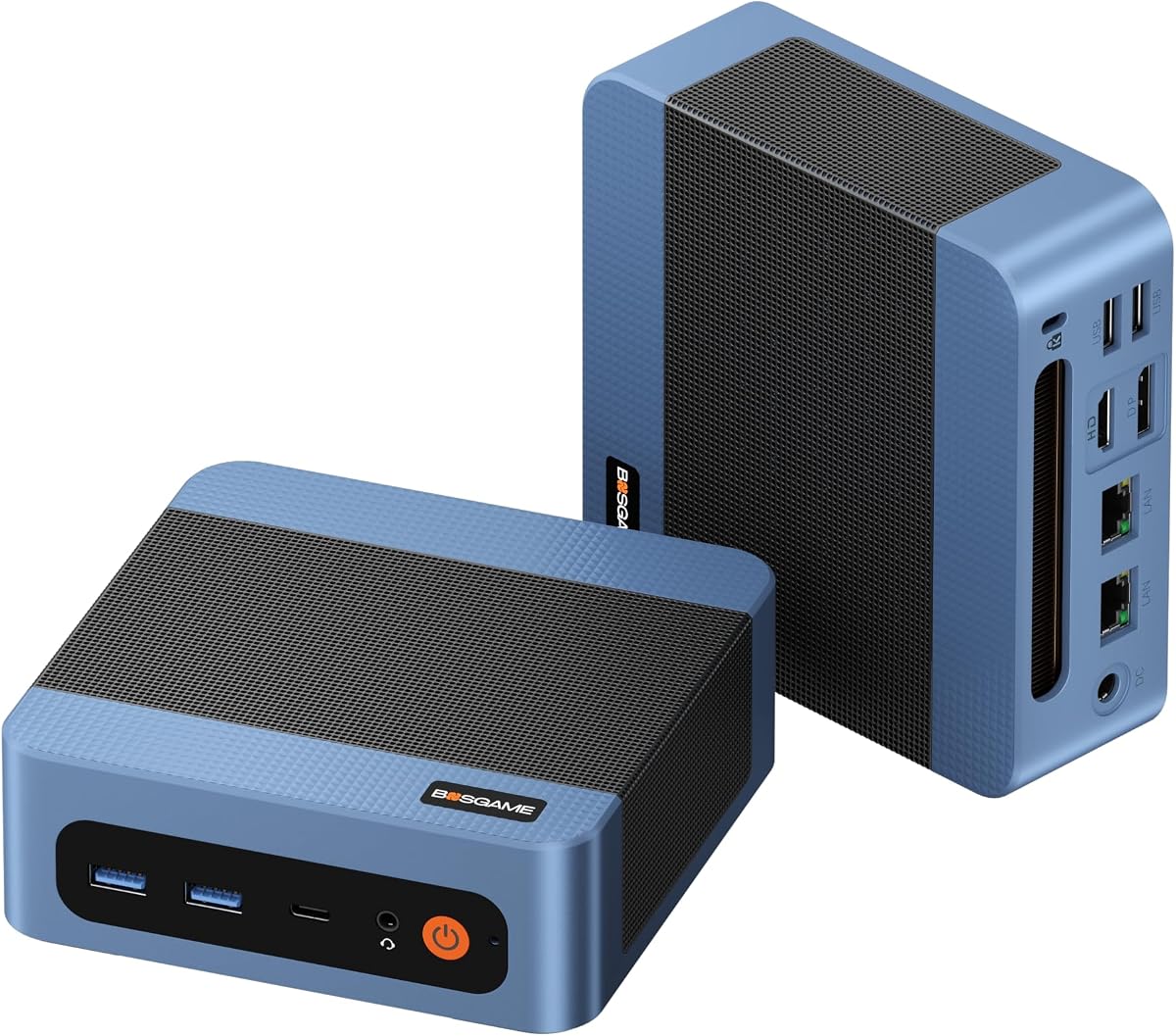
BOSGAME E5 11 Pro is a budget entry option that includes RAM SSD and OS. It uses an older Ryzen 3 chip suitable for basic office tasks.
We may earn a commission when you buy through this link, at no additional cost to you.
Dual 2.5G LAN ports allow router or NAS usage. Type-C power delivery means you can run it from a single cable.
It lacks modern Zen4 performance so avoid for heavy rendering. Best for basic office or media consumption.
Buy for cost-effective office use or as a server component. It is ready to use out of the box.
Dual Ethernet ports enable software routing or NAS configurations easily.
Power over USB-C simplifies desk setups by removing bulky adapters.
We may earn a commission when you buy through this link, at no additional cost to you.
Choosing a barebone mini pc requires understanding component compatibility and future needs. This guide outlines key factors to consider before purchasing.
The processor defines overall performance. Ryzen 7000/8000 series offer Zen 4 architecture with strong integrated graphics while older AM4 CPUs are cheaper but less efficient. Intel Core Ultra models bring AI capabilities and modern connectivity like Thunderbolt 4.
Check the socket type to ensure RAM and CPU compatibility matches your needs.
Most barebone kits support DDR5 or DDR4 SO-DIMM modules. Look for dual slots allowing future upgrades. Storage slots vary from single M.2 to dual slots supporting up to 16TB total.
Ensure the BIOS supports high capacity RAM and NVMe SSDs for your planned workload.
Ports determine external device support. USB4 and Thunderbolt 4 provide 40Gbps speeds and daisy-chain displays. OCuLink offers low latency for external GPUs. Multiple Ethernet ports help with networking tasks.
Count the number of displays you need to ensure the outputs match.
Compact chassis trap heat. Vapor chambers and dedicated fans maintain performance under load. Poor cooling leads to throttling reducing speed over time.
Review thermal design before buying for intensive tasks.
Wi-Fi 6e or Wi-Fi 7 ensures fast wireless speeds for modern internet plans. Bluetooth versions affect peripheral compatibility for headsets or mice.
Prioritize latest Wi-Fi standards for future proofing.
Metal chassis dissipate heat better than plastic. MIL-STD ratings indicate ruggedness for travel or industrial use.
Check warranty terms for long-term support.
Some kits include 500W PSUs while others use external adapters. Internal PSUs allow easier cable management for PCIe cards.
Ensure the wattage meets your CPU and GPU needs.
Install RAM and SSDs using included guides ensuring they click securely into slots. For OCuLink systems install the adapter plate in the M.2 slot first.
Place the unit in a well-ventilated area with at least two inches of clearance around vents to prevent overheating.
Update BIOS regularly for stability and use dust filters if available to keep internal fans clean.
Barebone kits typically include the chassis motherboard power supply and sometimes a cooling fan. They do not include RAM SSD or operating system so you must buy and install those separately.
Yes most barebone systems allow CPU swaps within the socket family. Check the manufacturer CPU support list to ensure compatibility before purchasing a new processor.
OCuLink is a high bandwidth PCIe interface connecting external GPUs with minimal latency. It matters for gamers wanting desktop graphics performance in a small case.
Most modern models support three or four displays simultaneously via HDMI USB4 or DisplayPort. Check your model's specs for exact resolution limits.
Yes especially with Ryzen 780M graphics or an external GPU via OCuLink. Without eGPU they handle lighter titles well.
Vapor chamber cooling performs best for high-end CPUs. Ensure airflow is unblocked for optimal performance.
The AOOSTAR MACO stands out as the top choice for performance due to its Ryzen 7 PRO CPU and OCuLink support. The ASRock DeskMini X300 remains the best budget pick for tight spaces.
Prioritize processor performance and connectivity based on your primary use case. For gaming OCuLink is essential while for office work Wi-Fi 7 offers reliability.
Prices and availability change often so verify current details before purchasing to ensure you get the right components for your setup.