
BenQ Zowie XL2566X+
4.3Editor score
400Hz refresh rate
DyAc 2 technology
Sharp FHD visuals
Finding the right display can transform your gaming experience completely. A good monitor delivers crisp visuals, fast response times, and reliable performance during intense matches. We evaluated top models to help you find the perfect fit for your setup.
Our team compared ten leading BenQ and competitor monitors based on key gaming metrics. We looked at refresh rates, panel types, and special technologies like DyAc that reduce motion blur. This list covers options for esports pros and casual players alike.
Each pick highlights specific strengths such as color accuracy or ultra fast speeds. You will see detailed pros and cons to guide your decision. Please note that product prices and availability change frequently so check current listings before buying.
4.3Editor score

4.6Editor score

4.2Editor score
As an Amazon Associate we earn from qualifying purchases.
This side-by-side comparison helps you quickly identify the strengths of each model. We list key specifications like resolution, refresh rate, and panel type so you can compare performance at a glance.


The BenQ Zowie XL2586X+ stands out as the top choice for competitive gamers seeking the fastest response times. It holds a strong 4.6 rating from users who praise its ability to eliminate motion blur during intense fast-paced gameplay.
We may earn a commission when you buy through this link, at no additional cost to you.
This monitor features a groundbreaking 600Hz refresh rate paired with DyAc 2 technology to deliver the clearest moving images available today. The newly developed Fast TN panel improves electrical conductivity to reduce overshoot while the vivid color film enhances target visibility by thirty five percent.
While the TN panel offers speed it does come with typical contrast limitations compared to IPS screens. However for esports players prioritizing motion clarity over deep blacks these trade-offs are generally acceptable and expected for this class of monitor.
If you are a serious esports competitor looking for the absolute sharpest visuals and fastest response this model is the clear recommendation. It provides the edge needed to spot enemies quickly and react without distraction from screen artifacts.
DyAc 2 uses dual backlight technology to reduce blur while offering soft light output for better eye adaptation during long sessions.
The vivid color film improves hue vibrancy and clarity making it easier to identify enemies compared to standard TN panels.
We may earn a commission when you buy through this link, at no additional cost to you.
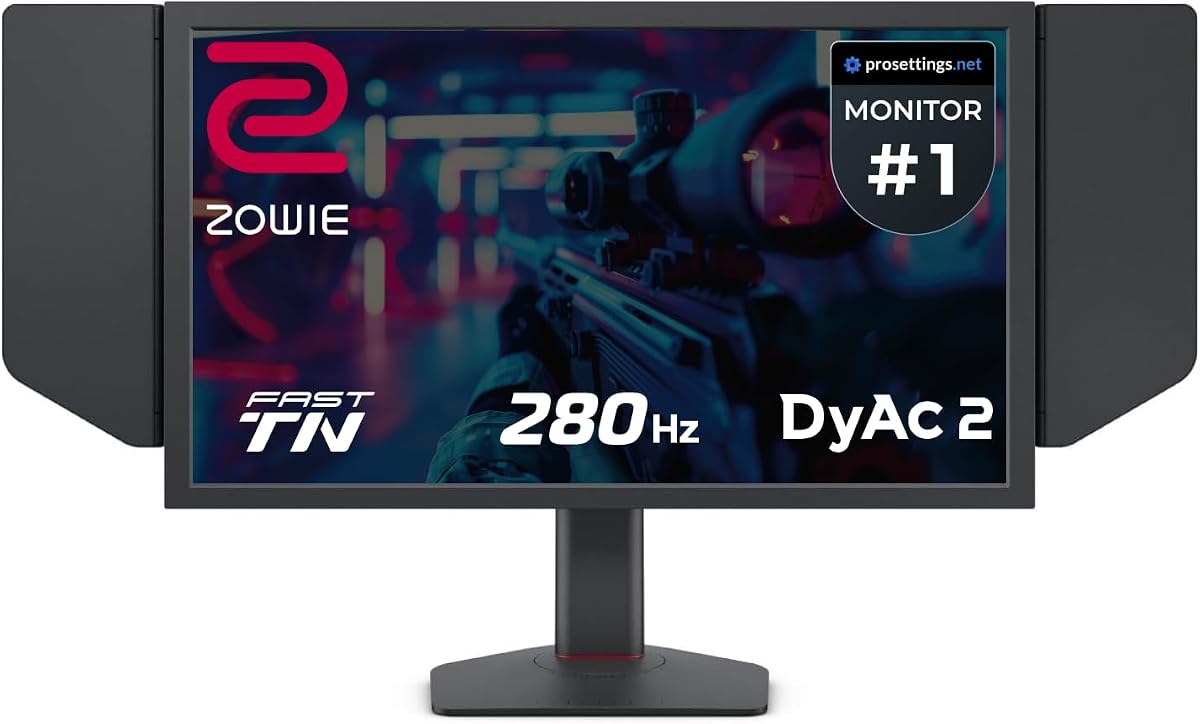
The BenQ Zowie XL2546X+ offers an excellent entry point into high performance esports monitoring with a balanced feature set. It carries a solid 4.3 rating and is favored by players who want DyAc technology without the highest tier price tag.
We may earn a commission when you buy through this link, at no additional cost to you.
Featuring a 280Hz refresh rate and DyAc 2 technology this monitor provides clearer and sharper images than other panel types. The Fast TN panel helps you focus on targets by reducing unwanted afterimages from motion in game while the redesigned design enhances color performance for better enemy identification.
The main trade-off is the lower refresh rate compared to the 400Hz or 600Hz models which might matter for extreme competitive play. However for most gamers the speed is more than sufficient and the price point makes it a highly attractive option.
This model is ideal for gamers on a budget who still demand professional grade motion clarity and sharp visuals. It delivers the core benefits of the Zowie line at a more accessible cost for casual and semi serious players.
Fast TN panels provide sharper outlines of moving images helping you maintain focus and reduce distractions from motion blur.
You get the core DyAc 2 benefits and improved color performance without paying for the absolute highest refresh rates available.
We may earn a commission when you buy through this link, at no additional cost to you.
The BenQ MOBIUZ EX271U brings a premium multi media experience to your gaming setup with stunning 4K resolution and rich color. It holds a 4.2 rating from users who appreciate its versatility for both gaming and content consumption.
We may earn a commission when you buy through this link, at no additional cost to you.
This monitor features AI Detail Enhancement to ensure every game looks aesthetically pleasing while supporting up to 7.1 channels via built-in eARC for console sound. You get seamless connectivity across platforms with DP 1.4 HDMI 2.1 and USB-C allowing you to link your battle stations easily.
While it does not match the extreme refresh rates of TN panels its 165Hz speed is smooth enough for most genres. The higher resolution and color accuracy might feel less immediate for pure competitive shooters but offer immense value for single player experiences.
Choose this monitor if you want a versatile display that excels in visual fidelity and connectivity options beyond just raw speed. It is perfect for gamers who also enjoy media and want a single screen solution for their entire setup.
Built-in eARC and AI Detail Enhancement create a cohesive experience where sound and visuals are optimized together for immersion.
KVM and multiple high speed ports let you switch between devices and power your laptop with a single cable setup.
We may earn a commission when you buy through this link, at no additional cost to you.
The BenQ Zowie XL2566X+ offers a fantastic balance between speed and affordability with a robust 400Hz refresh rate. It maintains a solid 4.3 rating among users who prioritize motion clarity and responsive gameplay for competitive titles.
We may earn a commission when you buy through this link, at no additional cost to you.
Compared to any other panel types the Fast TN panel with DyAc technology provides clearer and sharper images. The latest panel design improves electrical conductivity to effectively reduce overshoot and offers better color performance with more vibrant hues for identifying enemies.
While the native FHD resolution is standard for esports it limits use cases beyond gaming such as content creation. Additionally TN panels generally have lower contrast ratios which can make dark scenes look washed out compared to IPS options.
This model is an excellent choice for players who want professional grade performance at a mid range price point. It delivers the core benefits of the Zowie series without the premium cost of the highest refresh rate models.
The monitor provides better image sharpness at resolutions most commonly used by pro players ensuring clarity where it matters most.
DyAc 2 enhances blur reduction while offering soft light output facilitating eye adaptation during extended gaming sessions.
We may earn a commission when you buy through this link, at no additional cost to you.
The BenQ MA320U is designed specifically for MacBook users seeking color accuracy and convenient connectivity for productivity and light gaming. It holds a 4.4 rating from professionals who value seamless integration with Apple devices and reliable performance.
We may earn a commission when you buy through this link, at no additional cost to you.
Calibrated for MacBook with BenQ exclusive color tuning this monitor offers a vibrant P3 wide color gamut ensuring accurate representation of your content. Connect and expand your MacBook display with a single USB-C cable that delivers 90W for your Mac and 15W to charge iPad or iPhone.
While it offers a large 4K screen it lacks high refresh rates and gaming specific features found in Zowie or MOBIUZ models. The focus is entirely on color fidelity and convenience for creatives rather than competitive gaming performance.
This monitor is ideal for MacBook owners who need a reliable secondary screen for design work or media consumption alongside gaming. It simplifies your workspace with integrated controls and robust power delivery features.
Adjust brightness and volume directly from your MacBook keyboard creating a seamless user experience without extra controls.
Two HDMI and two USB-C ports deliver 90W power for your MacBook while supporting multiple devices simultaneously.
We may earn a commission when you buy through this link, at no additional cost to you.
The BenQ GW2790Q prioritizes eye comfort and readability with specialized modes for coding and long reading sessions. It has earned a 4.6 rating from users who work long hours and want reliable protection against eye strain.
We may earn a commission when you buy through this link, at no additional cost to you.
Its 100Hz refresh rate reacts quickly to changes resulting in a smoother user experience suitable for casual gaming. Features like Input Hotkey allow seamless device switching between work and play with a single click while Low Blue Light Plus filters harmful radiation.
This monitor is not built for competitive esports with only moderate refresh rates and an office focused feature set. However for users who game casually after work or need a reliable hybrid display it offers excellent value and comfort.
Choose this model if you spend significant time in front of a screen and want features that actively protect your vision. It balances performance and well-being better than most office monitors on the market.
Coding Mode and ePaper Mode ensure effortless readability and long reading sessions eye comfort reducing fatigue.
B.I.Gen2 auto adjusts brightness based on content and ambient light conditions while allowing customizable flexibility.
We may earn a commission when you buy through this link, at no additional cost to you.
The BenQ RD320U offers unparalleled clarity for peak performance with a unique Nano Matte Panel that minimizes reflections and distractions. It maintains a 4.4 rating among professionals who need a distraction free environment for coding and design tasks.
We may earn a commission when you buy through this link, at no additional cost to you.
BenQ advanced coding modes deliver clear fonts and better code differentiation reducing eye strain during long development sessions. Benefit from minimum brightness technology and customizable MoonHalo Backlight ensuring optimal eye protection and focus even during night hours.
This monitor prioritizes productivity features over gaming capabilities making it less suitable for fast-paced action games. The matte panel can reduce perceived sharpness slightly compared to glossy screens which might detract from visual media.
Ideal for programmers and developers this monitor creates a focused environment that reduces visual fatigue over time. It offers a premium experience for those who value clarity and eye care over gaming performance.
Nano Matte Panel features a low reflection property to minimize distractions and deliver unparalleled clarity for peak performance.
Benefit from minimum brightness technology and customizable backlight ensuring optimal eye protection during dark room usage.
We may earn a commission when you buy through this link, at no additional cost to you.
The BenQ GW2486TC focuses on optimized workflows for work and play with an edge-to-edge display that helps you focus on the important stuff. It holds a 4.4 rating from users who need a reliable screen for office tasks and casual entertainment.
We may earn a commission when you buy through this link, at no additional cost to you.
Our exclusive Eye-Care technology reduces eye fatigue for optimal comfort and productivity allowing you to work for an extended period of time. Synchronize images and videos with an all-in-one cable and 60W power delivery while reducing background noise with the built-in noise cancellation microphone.
This model is not designed for competitive gaming due to its standard refresh rates and focus on office ergonomics. The resolution is basic by modern standards but sufficient for document work and media consumption in a professional setting.
Choose this monitor if you need a reliable office display with strong connectivity and eye care features for daily use. It balances functionality and comfort to support extended work sessions without significant strain.
Features optimized for both work and play with edge-to-edge display to focus on important tasks and reduce fatigue.
Reduce background noise with one-click to shift focus to what's important during calls when connected via USB-C.
We may earn a commission when you buy through this link, at no additional cost to you.
The BenQ PD2706QN delivers accurate and consistent colors with factory calibration for intuitive color matching across displays. It maintains a 4.5 rating from designers and creators who need reliability and color consistency in their daily workflow.
We may earn a commission when you buy through this link, at no additional cost to you.
It covers 95% P3 and 100% sRGB/Rec.709 with an average Delta E less than two ensuring high quality output. ICCsync automatically matches and syncs ICC profiles between your Mac and BenQ monitor when switching color modes to maintain consistency.
While it offers a 100Hz refresh rate it is designed primarily for creative work rather than competitive gaming. The anti-glare Nano Matte Panel diffuses ambient light to preserve color accuracy but may reduce perceived sharpness slightly.
This monitor is ideal for creative professionals who prioritize color accuracy and consistency over raw gaming speed. It provides a comfortable environment for long design sessions with ergonomic adjustments and high fidelity visuals.
Factory calibrated with average Delta E less than two ensuring intuitive color matching across multiple displays for professionals.
ICCSync automatically matches and syncs ICC profiles between your Mac and BenQ monitor when switching color modes.
We may earn a commission when you buy through this link, at no additional cost to you.
The Acer Nitro KG241Y delivers solid gaming performance at an affordable price point making it accessible for many gamers. It holds a 4.5 rating from users who appreciate the balance between high refresh rates and budget-friendly pricing.
We may earn a commission when you buy through this link, at no additional cost to you.
It features a 180Hz refresh rate and 1ms VRB response time ensuring smooth motion and minimal ghosting during intense gameplay. AMD FreeSync Premium Technology and Zero-Frame Design enhance the visual experience by reducing tearing and maximizing screen real estate.
The VA panel type offers deeper blacks than IPS but may suffer from slower pixel transitions compared to TN panels. While not as specialized as the BenQ options it remains a versatile choice for casual and semi-competitive gamers.
Choose this monitor if you need a reliable and affordable option that still offers high refresh rates and decent colors. It is a strong contender for those prioritizing budget without sacrificing core gaming performance.
180Hz refresh rate and 1ms response time deliver smooth motion and minimal ghosting during intense gaming sessions.
Zero-Frame Design and AMD FreeSync Premium enhance visual experience by reducing tearing and maximizing screen real estate.
We may earn a commission when you buy through this link, at no additional cost to you.
Selecting the right monitor requires balancing several technical factors to match your specific gaming needs. This guide breaks down the key specifications you should evaluate before making a purchase decision.
Refresh rate determines how many times per second the screen updates the image and is critical for motion smoothness. Gamers typically prefer rates above 144Hz to reduce blur and input lag during fast-paced competitive play.
For competitive esports models with higher refresh rates like 280Hz or 400Hz offer a tangible advantage. Casual gamers may find 100Hz to 165Hz sufficient for most modern titles.
Different panel technologies offer distinct strengths in terms of speed color accuracy and contrast. TN panels are fastest but often suffer from poor viewing angles and lower color vibrancy.
IPS panels provide better colors and viewing angles while VA panels offer deeper blacks. Choose the type that best fits your balance of speed and visual quality.
Technologies like DyAc use dual backlighting to eliminate blur during movement which is vital for spotting enemies quickly. These features often require specific settings or refresh rates to function optimally.
Look for monitors explicitly advertising motion clarity features if you play fast shooters. This technology can make a significant difference in competitive accuracy.
Resolution affects image sharpness and the detail you see in-game. Full HD remains standard for competitive play to maximize refresh rates and minimize strain on your graphics card.
Higher resolutions like 4K offer stunning visuals but require powerful hardware. Decide based on your PC capability and preference for speed versus clarity.
Modern monitors include HDMI DisplayPort and increasingly USB-C ports to connect various devices. USB-C can also deliver power to laptops making it a versatile option for hybrid setups.
Ensure the ports match your graphics card output to avoid bottlenecks. Having multiple inputs allows you to switch between devices seamlessly.
Color coverage and factory calibration matter if you create content or want vibrant game visuals. Wide gamuts like P3 ensure more natural colors across different media types.
Competitive gamers may prioritize speed over color but decent accuracy enhances immersion. Look for calibrated options if color fidelity is a priority.
Long sessions can strain eyes so look for monitors with low blue light and flicker-free technology. Adaptive brightness adjusts the screen to ambient light to reduce discomfort over time.
Ergonomic stands that allow height and tilt adjustments also help maintain good posture. Comfort features make a difference during extended usage.
Sturdy construction and reliable stands ensure your monitor remains stable during intense gaming sessions. Look for models with solid bases or VESA compatibility if you plan to use wall mounts.
A well-built stand reduces vibrations that could affect visibility. Durability ensures your investment lasts longer under active use.
Always use the recommended cable type to ensure you get the full refresh rate and resolution supported by the monitor. Check your graphics card settings to enable the highest available refresh rate for smooth gameplay.
Clean the screen gently with a microfiber cloth to avoid scratches on the surface. Do not use harsh chemicals or sprays directly on the panel to prevent damage to the coating.
Adjust brightness and contrast settings to match your room lighting for optimal visibility. Use built-in eye-care features to reduce strain during long gaming sessions.
For competitive gaming refresh rates of 280Hz or higher are ideal to minimize motion blur and input lag. This speed ensures the fastest response to enemy movements during intense matches.
TN panels are generally faster with lower response times making them better for competitive shooters. However IPS panels offer better color and viewing angles which might suit casual gamers more.
DyAc technology uses dual backlighting to reduce motion blur during movement in games. It helps maintain sharpness and clarity when the camera moves quickly across the screen.
A 4K monitor offers stunning visuals but requires a powerful graphics card to run games smoothly. For competitive play Full HD is often preferred for higher refresh rates and performance.
DisplayPort is typically best for high refresh rates and resolutions compared to HDMI. USB-C offers convenience for laptops but check compatibility with your specific model for gaming performance.
Use built-in eye-care features like low blue light and flicker-free technology to protect your vision. Adjust brightness levels to match your room lighting and take regular breaks.
The BenQ Zowie XL2586X+ leads our list with unmatched motion clarity and speed for competitive gamers who need every edge possible. For those on a budget the XL2546X+ offers a solid entry point into high performance gaming displays.
When choosing prioritize the refresh rate and panel type that match your primary games and hardware capabilities. Balance these technical factors against your budget and any additional features like connectivity or color accuracy you may need.
Always check the current pricing and availability before buying as deals change frequently. Finding the right monitor will enhance your gaming experience significantly in the long run.