
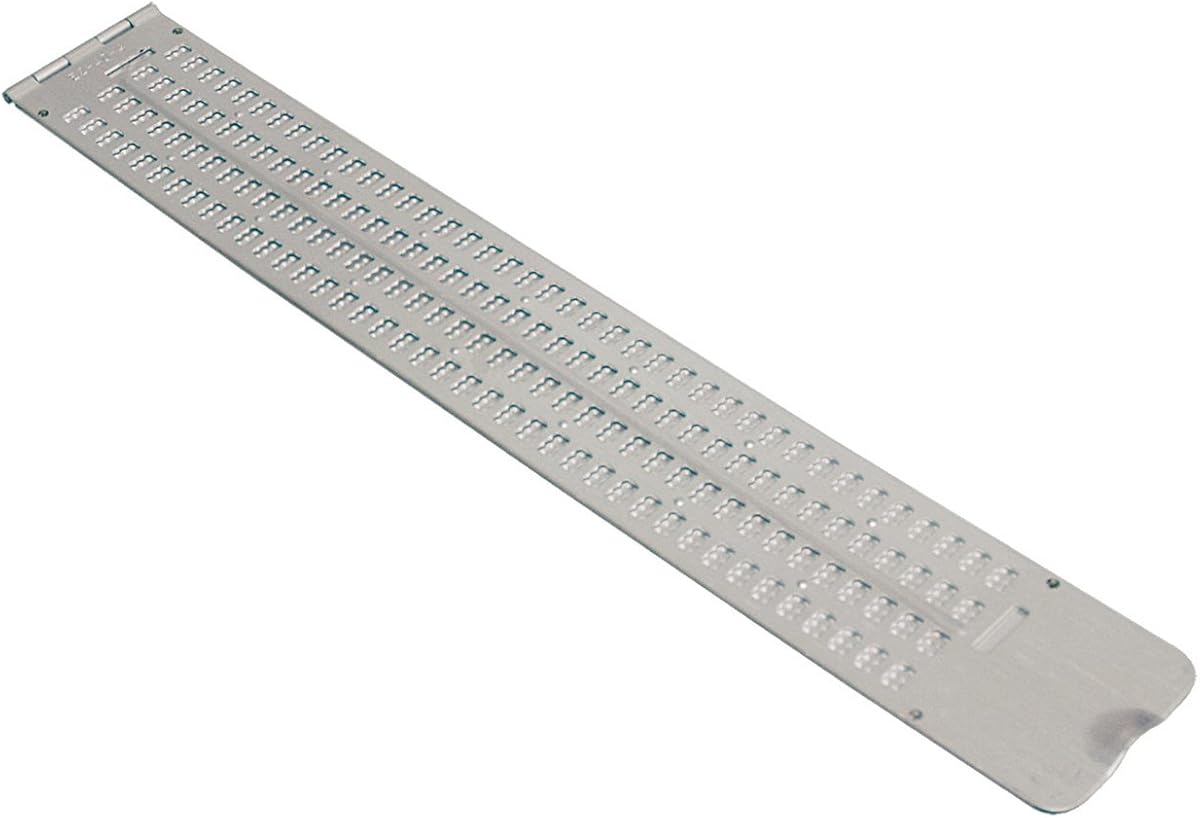
Braille Slate- 13 Lines, 36 Cells, Pins Down
3.4Editor score
13 lines x 36 cells
Durable aluminum construction
Includes free stylus
This guide compares the top Braille displays for blind users, reviewing portable, desktop, and learning tools to help you find the best accessibility device.
Finding the right Braille display can transform how blind users interact with technology. These devices offer tactile feedback through refreshable cells, allowing users to read text, navigate screens, and write documents efficiently.
We analyzed ten top-rated products based on portability, connectivity, and ease of use. Our selection includes electronic displays, manual slates, and training tools to cover diverse needs and budgets.
Each pick highlights unique features, pros, and cons to help you decide. Keep in mind that availability and pricing may vary over time, so checking current listings is always recommended before purchasing.
3.4Editor score

4.0Editor score

5.0Editor score
The following comparison highlights key specifications and features across all ten products. This side-by-side view helps you quickly identify which device aligns best with your specific accessibility requirements.




The Brailliant BI 20X stands out as a top choice for blind users seeking a reliable refreshable Braille display. It offers 20 cells with cursor routing keys for precise navigation and access to screen readers.
We may earn a commission when you buy through this link, at no additional cost to you.
Its connectivity features allow simultaneous connection to five Bluetooth devices and one USB device, making it ideal for switching between phones, tablets, and computers effortlessly. The device supports essential KeySoft Lite apps like the Editor and Calculator.
While the price may be higher than manual slates, the utility and speed it provides for daily digital access justify the investment for many users. The compact form factor ensures it fits easily into bags for on-the-go use.
This device is perfect for students and professionals who need consistent access to digital text. It balances portability with robust functionality, making it a strong recommendation for daily use.
Connecting to multiple devices simultaneously enhances workflow efficiency for users managing several digital platforms.
With up to 20 hours of battery life, users can rely on this device throughout a full work or school day without interruptions.
We may earn a commission when you buy through this link, at no additional cost to you.
The Brailliant BI 40X offers a larger 40-cell refreshable Braille display, providing more text visibility at once. This model includes all the connectivity benefits of the BI 20X but with enhanced performance specifications.
We may earn a commission when you buy through this link, at no additional cost to you.
Bluetooth 5.0 ensures faster and more stable wireless connections, which is crucial for users relying heavily on screen readers and digital documents. The 32GB internal storage allows for ample local file retention without external drives.
The comfort features include thumb keys and an 8-dot Perkins keyboard, making it suitable for extended reading and writing sessions. Its price reflects its premium status, but the added capacity justifies it for power users.
This model is ideal for professionals or students dealing with large documents who need the extra screen real estate. It provides a high-end Braille experience with superior technical capabilities.
Bluetooth 5.0 technology reduces latency and improves connection reliability for seamless interaction with mobile and desktop devices.
With 32GB of internal storage, users can store more files locally, reducing reliance on cloud services for quick access.
We may earn a commission when you buy through this link, at no additional cost to you.
The Braille Slate with 13 lines and 36 cells is an excellent budget-friendly option for users who need a simple way to write Braille notes. It requires no electronics, making it straightforward to use anywhere.
We may earn a commission when you buy through this link, at no additional cost to you.
Constructed from durable aluminum, this slate is built to last and features pins down design for easier handling. The included free stylus ensures you can start writing immediately after purchase.
While it lacks electronic features, its affordability and portability make it a great addition for quick note-taking or educational purposes. Users should expect to write manually, which is slower than digital options.
This slate is perfect for beginners learning Braille or those needing a low-tech backup. It is reliable and effective for short-term writing tasks without financial burden.
Since this is a manual slate, there are no batteries to charge or replace, ensuring constant availability whenever you need to write.
Made of aluminum, this slate withstands daily wear and tear, making it a long-lasting tool for both students and professionals.
We may earn a commission when you buy through this link, at no additional cost to you.
This Business Card Slate is designed for quick notes, labels, or signing business cards. Its ultra-thin aluminum profile fits easily in a pocket, making it a handy tool for professionals.
We may earn a commission when you buy through this link, at no additional cost to you.
The built-in signature guide helps ensure straight and professional-looking Braille or name embossing. It is a great starter slate for those learning to use slates effectively.
Due to its small size, it is best suited for short tasks like labeling or brief notes rather than full documents. The price is minimal, making it accessible for anyone needing a basic tool.
Ideal for quick reference or professional use, this slate complements larger devices by handling small, frequent writing needs. It is a cost-effective addition to any accessibility kit.
The signature guide ensures your name or note remains straight and professional, ideal for business cards or formal labels.
At only 1.4 ounces, this slate is incredibly light and compact, allowing you to carry it everywhere without bulk.
We may earn a commission when you buy through this link, at no additional cost to you.
The Full-Page Slate allows users to write entire pages of Braille without moving the slate down repeatedly. It is designed to fit standard North American letter-size paper, which is a key advantage over other slates.
We may earn a commission when you buy through this link, at no additional cost to you.
Made of durable plastic, it operates quietly, which is considerate for use in shared spaces like offices or classrooms. The Braille line numbers on the side help users resume writing exactly where they left off.
While plastic might be prone to scratches over time, its quietness and space efficiency make it a practical choice for students. It is a solid tool for writing assignments or long notes manually.
This slate is recommended for anyone needing to draft larger documents by hand. It combines convenience with a user-friendly design that minimizes interruptions during the writing process.
The plastic construction ensures quieter writing compared to metal slates, making it ideal for libraries or quiet workspaces.
With 25 lines and 28 cells per line, you can complete full letter-size pages without adjusting the slate position.
We may earn a commission when you buy through this link, at no additional cost to you.
The Pocket Slate offers a compact solution with 4 lines of 40 cells each, providing a good balance between size and writing space. It is made of lightweight aluminum, ensuring it is easy to carry.
We may earn a commission when you buy through this link, at no additional cost to you.
Its pin-up design makes it user-friendly for many writers, allowing for smooth embossing. The size fits easily in a briefcase or backpack, making it convenient for travel or commuting.
While it does not support full-page writing like other slates, its portability and capacity make it great for shorter notes or lists. It is a reliable manual tool that does not require power.
This slate is perfect for users who want a middle-ground between a small card slate and a full-page one. It offers sufficient space for everyday notes with high portability.
With 40 cells per line, this slate offers more horizontal space than many competitors, allowing for longer words or lines.
Constructed from aluminum, it remains light enough to carry daily without adding significant bulk to your bag.
We may earn a commission when you buy through this link, at no additional cost to you.
The Hable One Keyboard is a portable Braille keyboard designed for smartphones and tablets. It uses 8 tactile buttons to allow users to type accurately without needing prior Braille knowledge.
We may earn a commission when you buy through this link, at no additional cost to you.
Its battery life lasts over one month on a single charge, ensuring it is ready when needed. It integrates seamlessly with phone screen readers and voice commands, enhancing accessibility on mobile devices.
The private typing feature keeps your screen content hidden from others, which is valuable for sensitive information. While it requires some learning, the free onboarding resources make it accessible quickly.
This keyboard is ideal for on-the-go users who want a tactile way to interact with their phone. It balances portability with robust functionality for daily mobile communication and browsing.
The long-lasting rechargeable battery ensures you can use the device for weeks without needing to charge it frequently.
Typing directly on the keyboard keeps your phone screen private, adding a layer of privacy for sensitive data.
We may earn a commission when you buy through this link, at no additional cost to you.
This Manual Label-Maker is a convenient tool for creating Braille labels on vinyl tape. It is lightweight and durable, allowing users to organize items efficiently without needing a printer.
We may earn a commission when you buy through this link, at no additional cost to you.
It supports both Braille letters and numbers, and comes with a roll of tape for immediate use. The spin dial and trigger system make it easy to emboss labels quickly and accurately.
While it is manual and requires some physical effort, its simplicity makes it a great gift for organizing home or office items. It is affordable and practical for labeling tasks.
This label-maker is perfect for anyone who needs to create clear, tactile labels for everyday use. It is a straightforward, effective tool for accessibility and organization.
Including an 8-foot roll of tape ensures you can start using the device immediately without extra purchases.
The spin dial lets you select letters easily, making the labeling process smooth and efficient for all users.
We may earn a commission when you buy through this link, at no additional cost to you.
These Braille Keyboard Overlays are designed to add Braille labels to your existing PC keyboard. Made of Lexan with 3M adhesive, they stick securely without slipping or oozing.
We may earn a commission when you buy through this link, at no additional cost to you.
The transparent design keeps your original keyboard visible while adding tactile Braille dots for navigation. This creates a bilingual keyboard that supports both sighted and blind users.
Installation is easy with peel-and-stick application, making it an affordable upgrade for any workstation. It is a practical solution for adapting a standard keyboard to be more accessible.
These stickers are ideal for shared workspaces or personal use where tactile feedback is needed without buying a new keyboard. They offer a low-cost way to improve accessibility.
Since the stickers are transparent, you retain the original key legends while gaining Braille for tactile guidance.
3M adhesive ensures the stickers stay in place and do not curl or ooze, maintaining a clean look.
We may earn a commission when you buy through this link, at no additional cost to you.
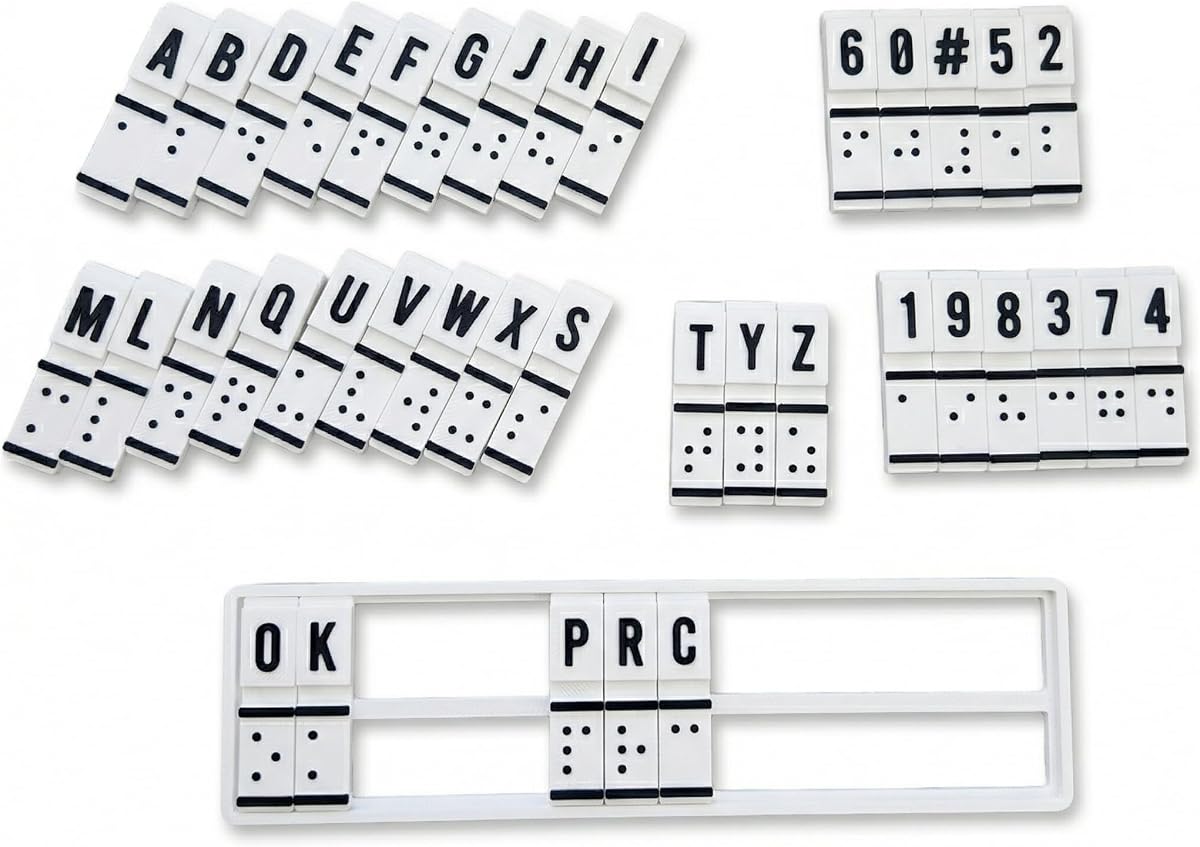
This Braille Learning Machine is an all-in-one tool for practicing Braille skills manually. It features a tactile design for hands-on training and translation without electronics.
We may earn a commission when you buy through this link, at no additional cost to you.
It helps build muscle memory and confidence for beginners or educators teaching Braille. The device is sturdy and portable, making it suitable for home, school, or therapy use.
While it requires manual interaction and may lack advanced features of digital devices, it provides a focused way to learn and practice. Its affordability makes it a good educational aid.
This machine is best for those looking for a simple, reliable way to practice Braille literacy. It is a practical tool for educators and beginners alike.
Since it operates mechanically, there is no need to charge batteries, ensuring it is always ready for practice.
The design supports self-study and classroom teaching, bridging gaps between sighted and non-sighted communication.
We may earn a commission when you buy through this link, at no additional cost to you.
Choosing the right Braille display depends on your specific needs, budget, and lifestyle. This guide outlines the key factors to consider to make an informed decision.
Braille displays come in various sizes, such as 20-cell or 40-cell models. Larger displays allow you to see more text at once, which is helpful for reading long documents or browsing complex web pages. Consider whether you need a compact portable option or a larger desktop-style device.
For most daily tasks, a 20-cell display provides sufficient information, while a 40-cell display offers better efficiency for extensive reading.
Check the device's connectivity features to ensure it works with your phone, tablet, or computer. Bluetooth capability is crucial for wireless pairing, and USB ports can provide stable wired connections. Some devices allow multiple simultaneous connections for greater flexibility.
Prioritize devices with Bluetooth 5.0 or higher for faster, more reliable connections, especially if you switch between devices frequently.
Battery life affects how long you can use the device without recharging. For mobile use, look for models offering 10 hours or more of continuous operation. If you work long days away from a power outlet, extended battery life is essential.
Devices with USB-C charging are convenient because they use modern cables that are easy to find and support fast charging speeds.
Some displays come with built-in apps like editors, calculators, or library access. These can enhance productivity by allowing you to read or write documents directly on the device without a computer.
Check for compatibility with popular screen readers and online libraries like Bookshare to ensure the device meets your learning or work requirements.
A durable build is important if you plan to carry the device daily. Look for sturdy materials and protective casing to prevent damage from drops or daily wear. Manual slates made of aluminum or plastic can be more rugged than electronic units.
Choose a device that balances durability with weight so it remains comfortable to carry in a bag or backpack for long periods.
Electronic displays can be expensive, ranging from affordable models to premium options with advanced features. Manual slates are generally cheaper and can supplement electronic tools for basic writing needs.
Determine your budget and consider the long-term value of the device. Investing in a higher-quality device may save money on replacements or additional accessories over time.
The interface should be intuitive, with tactile keys that are easy to locate. Cursor routing keys and Perkins-style keyboards are standard features that make reading and writing more efficient for users familiar with Braille.
If you are new to Braille displays, consider models with onboarding resources or tutorials to help you learn the features quickly.
Internal storage allows you to save files directly on the device. This is useful if you want to access documents offline without needing internet connectivity or a computer.
Look for models with ample storage space to handle your typical workload, especially if you deal with large files or frequent downloads.
To use a Braille display effectively, pair it with your screen reader and adjust settings to match your needs. Connect via Bluetooth or USB and verify that the device detects your computer or mobile phone correctly.
For manual slates, learn the correct grip and pressure to emboss Braille dots cleanly. Use the stylus carefully to avoid damaging the paper or the slate mechanism, and store them in a dry place.
Maintain electronic devices by keeping them clean with a soft cloth and avoiding exposure to moisture or extreme temperatures. Regularly update the firmware to ensure optimal performance and access to new features.
A Braille display is an electronic device that converts digital text into refreshable Braille cells. It allows blind users to read text through touch using pins that rise and fall to form Braille characters.
They connect via Bluetooth or USB cables. Bluetooth allows wireless pairing with smartphones or laptops, while USB provides a stable wired connection for desktop computers.
Electronic Braille displays can be costly, ranging from mid-range to high prices. Manual slates are much cheaper but require physical effort to write and read.
Yes, most modern displays support Bluetooth connection to smartphones. You can navigate and type on the device while it syncs with your phone's screen reader.
Yes, knowing Braille is necessary to read the pins. For those learning Braille, these displays provide practice opportunities and support literacy development.
A 20-cell display shows fewer characters per line, while a 40-cell display shows more. Larger displays are better for reading complex documents, while smaller ones offer better portability.
Yes, Braille displays are designed to work with screen readers like NVDA or VoiceOver. They provide tactile feedback corresponding to what the screen reader vocalizes.
Choosing the right Braille display involves balancing features like size, connectivity, and battery life with your personal needs. Whether you opt for a compact 20-cell display or a robust 40-cell model, each option offers unique benefits.
Prioritize devices that offer seamless integration with your current technology and ensure compatibility with screen readers. Manual slates provide a simple, affordable supplement for basic writing tasks.
Prices and availability can change, so checking the latest product details and user reviews before purchasing is recommended. Investing in a reliable device enhances productivity and independence significantly.