
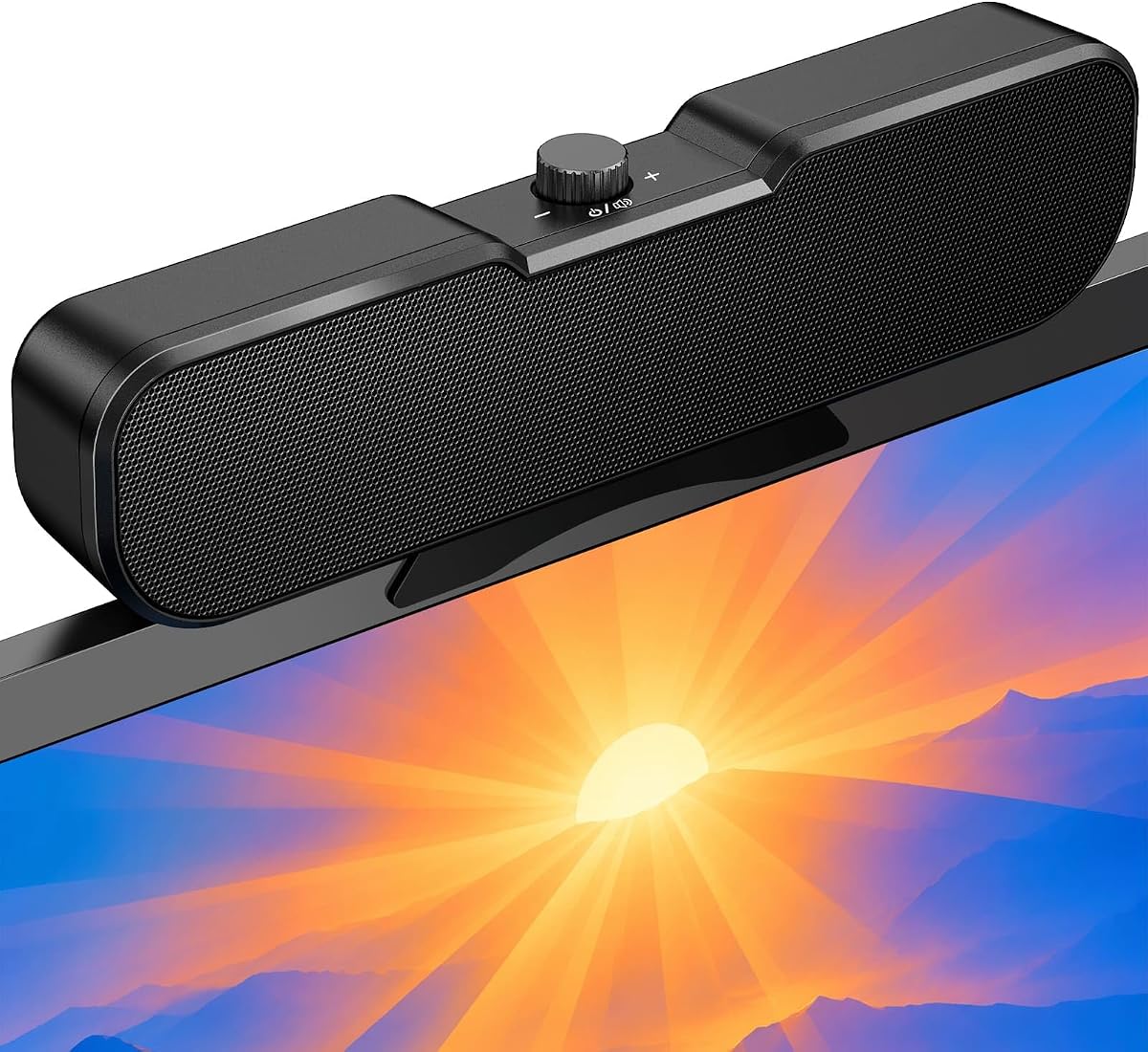
Inwa Computer Speakers for Desktop PC
4.2Editor score
Affordable price point
Simple clip on design
USB powered operation
This guide compares the top clip on speakers for laptop users seeking space saving audio solutions with USB connectivity and clear sound quality for work and
Finding the right audio solution for your laptop can transform your work and entertainment experience. Clip on speakers offer a compact way to enhance sound without cluttering your desk with bulky external units.
We analyzed ten top models based on sound quality, ease of setup, and compatibility with various devices. Our selection includes options with USB connectivity, built in microphones, and adaptive channel switching for accurate stereo.
Each pick highlights key features and real world performance to help you choose the best fit for your setup. Please note that product availability and pricing may change over time as models update and evolve.
4.2Editor score

4.5Editor score

4.2Editor score
The following table provides a side by side overview of all ten selected models. It highlights key specifications and features to help you quickly identify the right fit for your needs.


This speaker offers a sophisticated solution for users seeking clear stereo sound without complex wiring. Its adaptive channel switching ensures left and right audio remain correct regardless of mounting position.
We may earn a commission when you buy through this link, at no additional cost to you.
The dual ultra magnetic drivers and passive radiators deliver impressive volume and depth for a compact unit. Touch controls make it easy to mute or adjust volume quickly during calls or media playback.
While it relies on USB power which limits portability slightly, the included USB C adapter broadens its reach to modern laptops. Users should ensure their audio drivers are updated for optimal performance.
Ideal for professionals or students who value accurate sound staging and a clutter free workspace. The design saves desk space while delivering quality audio for video conferences and entertainment.
The G sensor automatically corrects audio channels based on clip position for consistent stereo.
The patented clamp allows smooth desk placement or secure monitor attachment to free up space.
We may earn a commission when you buy through this link, at no additional cost to you.
OHAYO delivers a highly versatile speaker that blends wired reliability with wireless flexibility. The G sensor ensures perfect stereo balance while the built in microphone supports clear conference calls.
We may earn a commission when you buy through this link, at no additional cost to you.
Bluetooth 5.3 enables seamless streaming up to twenty meters with low latency for gaming. The five RGB lighting modes add a dynamic visual element that syncs with audio rhythm for immersive sessions.
Some users might find the RGB lighting slightly distracting during focused work, but it remains optional. The clamp requires a monitor thickness up to one inch so avoid ultra thin laptop screens.
This model suits gamers and creatives who want both audio quality and visual flair. Its plug and play nature and precise volume control make it a top choice for diverse setups.
Switch between Bluetooth and PC mode for seamless streaming or stable wired work audio.
RGB lights react to music beats under fifty milliseconds latency for engaging visual feedback.
We may earn a commission when you buy through this link, at no additional cost to you.
Inwa offers a straightforward and budget friendly solution for basic audio needs. Its compact sound bar design clips easily to monitors providing immediate sound improvement over laptop speakers.
We may earn a commission when you buy through this link, at no additional cost to you.
The three top buttons handle volume up down and mute operations with intuitive tactile feedback. Ten watts of power ensure adequate loudness for everyday tasks like meetings and media viewing.
While it lacks advanced features like RGB or Bluetooth, the simplicity ensures reliability and ease of use. The silicone pads on the clip protect your monitor surface from scratches during installation.
Perfect for students or office workers seeking a no fuss upgrade. This model delivers clear audio at a low cost making quality sound accessible without breaking the budget.
Top mounted buttons allow effortless volume and mute adjustments without reaching for settings.
Two large speakers and a passive radiator project forward for balanced stereo audio experience.
We may earn a commission when you buy through this link, at no additional cost to you.
This speaker emphasizes simplicity by relying on system volume controls rather than physical buttons. It clips gently to monitors from zero point one to one inch thick for flexible placement.
We may earn a commission when you buy through this link, at no additional cost to you.
Dual super magnetic drivers and a passive radiator ensure deep bass and loud stereo sound. The USB C adapter expands compatibility to include iPads Android phones and newer Mac models.
Users accustomed to independent volume knobs may need to adjust their workflow to use system mixers. This approach reduces hardware complexity and keeps the desktop clean without extra buttons.
Ideal for users who prefer minimalism and trust their OS audio settings. It provides reliable sound enhancement for laptops and desktops alike with a neat organized footprint.
Eliminates physical buttons by using your computer native volume controls for direct management.
Secure clip allows smooth desk placement or monitor attachment to maintain workspace organization.
We may earn a commission when you buy through this link, at no additional cost to you.
This product listing currently lacks sufficient data for a detailed review. We recommend checking the product page for updated specifications or availability status.
We may earn a commission when you buy through this link, at no additional cost to you.
In cases where product information is incomplete buyers should verify details with the manufacturer. This ensures you select a speaker that meets your specific requirements accurately.
Market updates may have changed this model availability or features since our last review. Always confirm current details before making a purchase decision online or offline.
For now consider exploring other ranked options in this guide that offer verified performance and clear specifications.
Always double check product details and user reviews before purchasing to avoid mismatched expectations.
We may earn a commission when you buy through this link, at no additional cost to you.
This model stands out with a tactile volume wheel and dedicated mute button for precise control. The spring loaded clip with soft silicone protection secures it to monitors up to 1.26 inches thick.
We may earn a commission when you buy through this link, at no additional cost to you.
Dual high-performance drivers and a passive bass radiator deliver immersive audio suitable for gaming and calls. It supports iPhone iPads Android phones and laptops without needing extra drivers or aux cables.
The wheel is faster to adjust than button based systems which aids quick volume tweaks during meetings. However it does not offer deep bass extension compared to larger dedicated speakers.
Perfect for users who prioritize speed and convenience in audio control. Its wide compatibility makes it a solid choice for mixed device environments including Apple ecosystems.
One touch mute allows instant silencing without navigating software menus or complex steps.
Spring clip fits thick monitors while standalone mode keeps desktop neat for flexible setups.
We may earn a commission when you buy through this link, at no additional cost to you.
This product listing currently lacks sufficient data for a detailed review. We recommend checking the product page for updated specifications or availability status.
We may earn a commission when you buy through this link, at no additional cost to you.
In cases where product information is incomplete buyers should verify details with the manufacturer. This ensures you select a speaker that meets your specific requirements accurately.
Market updates may have changed this model availability or features since our last review. Always confirm current details before making a purchase decision online or offline.
For now consider exploring other ranked options in this guide that offer verified performance and clear specifications.
Always double check product details and user reviews before purchasing to avoid mismatched expectations.
We may earn a commission when you buy through this link, at no additional cost to you.
Cirqon simplifies control with one knob handling power on off and volume adjustments. The non-slip clamp fits screens from 0.1 to 0.98 inches thick for stable mounting on top bottom or sides.
We may earn a commission when you buy through this link, at no additional cost to you.
It delivers clear audio without distortion even at max volume making it ideal for office needs. The included cable tie helps keep your desk neat and organized without tangled wires.
While it lacks advanced bass or stereo separation it focuses on reliable daily performance. The compact design saves space and is easy to carry if you move between workspaces often.
Recommended for users who want straightforward functionality without extra features. It balances ease of use with solid audio output for budget conscious buyers.
Single knob controls power and volume for quick access from any mounted position.
Cable tie included to maintain a tidy workspace and reduce visual clutter effectively.
We may earn a commission when you buy through this link, at no additional cost to you.
Inwa offers an ultra-narrow clip that secures to monitor tops without blocking screen visuals. The adjustable angle allows you to direct sound exactly where you need it for optimal listening.
We may earn a commission when you buy through this link, at no additional cost to you.
Dual 5W high-sensitive drivers provide surprisingly clear and balanced audio that upgrades built-in laptop sound. Top panel buttons control power volume and mute with easy reach to avoid flow interruption.
The slim design stays out of your way while delivering enhanced audio quality for work. It supports Windows macOS and Linux without drivers making setup quick for most users.
This model is ideal for users who need clear visuals alongside good sound. Its adjustable direction feature adds flexibility that many other clip-on speakers lack.
Adjustable angle lets you point sound toward your ears for clearer and more direct audio.
Slim profile stays out of screen way so you enjoy enhanced audio without blocked visuals.
We may earn a commission when you buy through this link, at no additional cost to you.
Choosing the right clip on speakers involves considering connectivity, sound quality, and mounting options. This guide outlines key factors to ensure you pick a model that fits your specific needs.
Most clip on speakers use USB for power and audio which simplifies setup. Look for USB-C adapters if your laptop lacks traditional USB-A ports to ensure compatibility.
Confirm your device has the right ports before buying to avoid needing extra dongles.
Look for dual drivers and passive radiators for better bass and stereo separation. Check power output ratings to ensure the speaker can fill your room adequately.
Prioritize models with balanced sound profiles for clear voices during calls and music.
Check the clamp thickness range to ensure it fits your monitor or laptop lid securely. Silicone pads protect your screen from scratches and improve grip stability.
Choose a model with adjustable clips for flexibility in placement and stability.
Physical buttons or wheels for volume and mute offer faster access than software settings. Some models provide touch panels while others use knobs or rollers.
Select controls that match your workflow and reduce distraction during use.
Built-in microphones are useful for video calls without needing a separate headset. Check the pickup range and noise cancellation features for clarity.
This feature simplifies your setup if you frequent video conferences or online meetings.
RGB lighting can add flair but may distract during focus work if not adjustable. A slim profile ensures the speaker does not block screen edges or visuals.
Choose a design that complements your workspace and remains unobtrusive.
Ensure the speaker supports your operating system such as Windows macOS or Linux. Check for driver requirements to confirm plug-and-play functionality.
Broad compatibility reduces setup hassles and ensures smooth performance across devices.
Budget models offer basic sound while premium ones include extra features like Bluetooth. Assess which features you truly need to find the best value.
Balance cost with required functionality to avoid paying for unused capabilities.
Attach the speaker securely to the top or side of your monitor using the provided clamp. Ensure silicone pads are clean to maximize grip and protect your device surface.
Connect the USB cable to your laptop for both power and audio. If using a USB-C adapter ensure it is firmly seated to prevent connection issues.
Adjust volume and mute using the physical controls on the unit. Regularly check for dust on the drivers and clean gently with a soft cloth to maintain sound quality.
Most models support macOS via USB plug-and-play without extra drivers. Always verify compatibility details in the product description before purchasing to ensure seamless operation with your specific Apple device.
No these speakers rely on USB power for both audio and electricity. They do not have batteries or AC adapters so a live USB connection is required to function properly.
Check the max thickness rating which is usually around one inch. If your monitor exceeds this limit consider a standalone desktop model instead to avoid unstable mounting or damage.
Only select models offer Bluetooth in addition to USB. Check the product specs carefully if wireless streaming is important to you as not all clip on speakers include this feature.
Ensure your system audio output is set to the correct playback device. Updating your sound drivers or restarting your laptop often resolves minor connection glitches with USB speakers.
Basic models work fine for casual gaming but look for high output power and low latency features for better performance. RGB enabled models can enhance immersion during game sessions.
We reviewed ten models ranging from budget friendly to feature rich options with adaptive audio and RGB lighting. Each offers a unique balance of sound quality mounting flexibility and ease of use.
Prioritize connectivity and clamp fit to ensure the speaker works seamlessly with your laptop and monitor. Sound quality and controls matter most for daily comfort and clear communication.
Always check current availability and pricing on retailer sites before buying. This guide reflects our best picks based on verified data and user feedback for November 2026.