
OMTech K40+ 45W Desktop CO2 Laser Engraver & Cutter
4.4Editor score
Compact 12×8 workspace
45W laser power
Integrated air assist
Compare the top CO2 laser cutters for precision cutting and engraving. Our guide reviews power, safety, software, and value for makers and professionals.
CO2 laser cutters offer unmatched precision for cutting and engraving non-metallic materials like wood, acrylic, and leather. Choosing the right machine depends on your workspace, budget, and production needs. High-quality units provide consistent results with safety features and intuitive software integration for seamless workflow.
We evaluated ten leading models based on laser power, workspace size, automation features, and user feedback. Each product was assessed for cutting speed, material compatibility, and overall build quality. Our analysis highlights key differences to help you find the ideal tool for your specific projects.
Every pick below showcases unique strengths tailored to different user profiles, from hobbyists to industrial shops. Prices and availability can fluctuate, so verify current details before purchasing. Explore our detailed breakdown to make an informed decision on your next laser engraving investment.
4.4Editor score

4.5Editor score

4.8Editor score
This side-by-side comparison highlights key specifications across all ten models to help you quickly identify the right fit for your needs.



The xTool P3 stands out as a flagship model offering professional performance with intelligent automation. Its 80W power delivers industrial grade results for cutting thick materials efficiently. The integrated ACS system simplifies setup and operation significantly.
We may earn a commission when you buy through this link, at no additional cost to you.
Its automated creation system uses LiDAR ranging and dual HD cameras for precise positioning and autofocus. This ensures accurate alignment and reduces manual adjustments during workflow. The large workspace accommodates various project sizes with ease.
While powerful, the higher cost reflects its advanced features and automation capabilities. Additional accessories like the conveyor feeder are sold separately. These trade-offs are acceptable for users seeking high precision and reduced setup time.
Ideal for professionals and serious makers needing reliable performance and safety features. The Class 1 rating provides peace of mind during extended use. We recommend this machine for those prioritizing efficiency and automation in their laser cutting operations.
The ACS system integrates LiDAR and cameras for seamless setup and precise positioning.
Class 1 safety rating and dual cameras ensure secure and accurate engraving.
We may earn a commission when you buy through this link, at no additional cost to you.
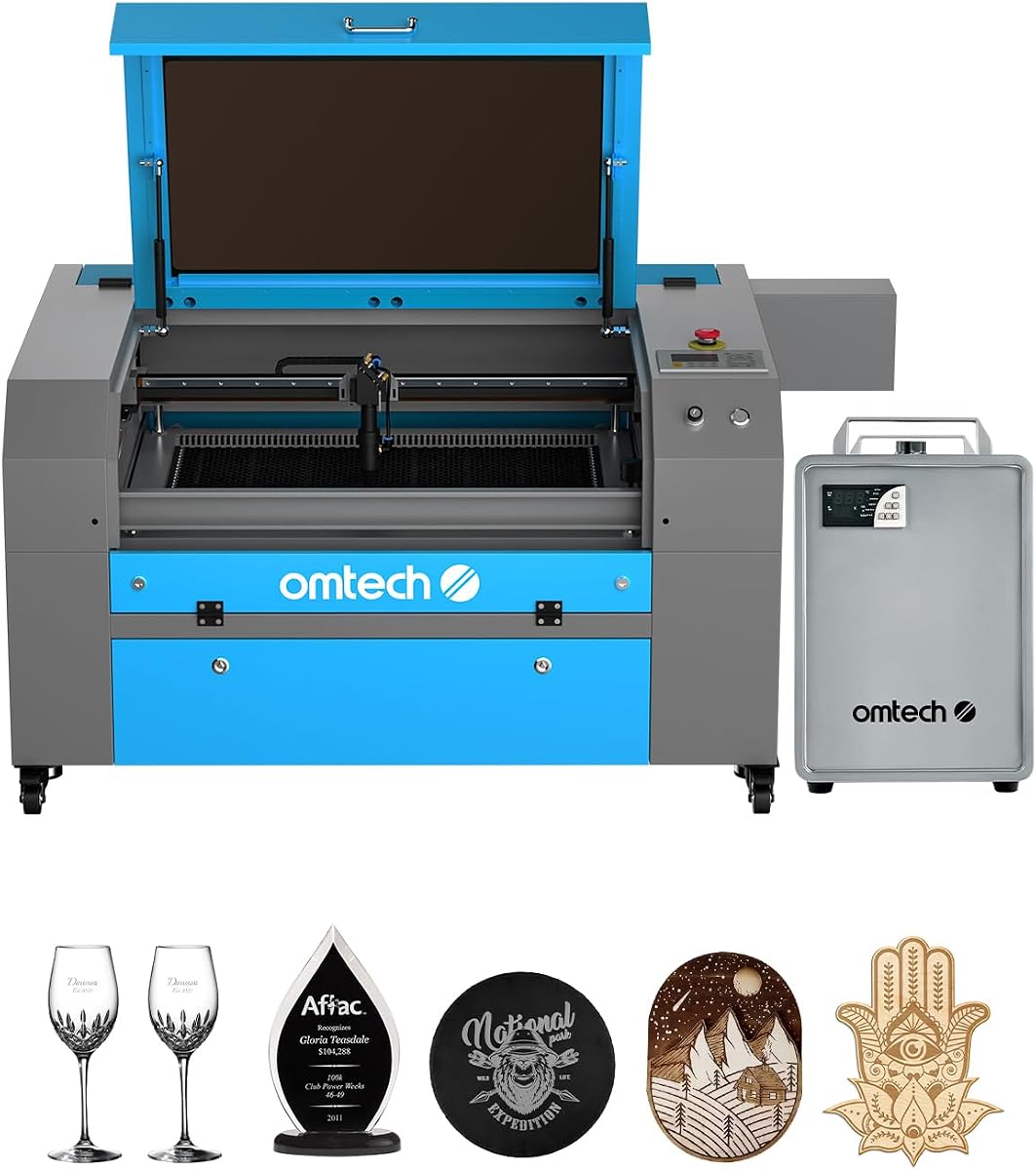
This OMTech model offers a solid balance of power and affordability for desktop users. The 45W laser handles common materials like wood and acrylic effectively. Its compact design fits well in smaller workshops or home offices.
We may earn a commission when you buy through this link, at no additional cost to you.
Features include an integrated air assist and high engraving speeds for efficient production. Software compatibility with LightBurn makes it accessible for both beginners and experts. Global support ensures assistance is available when needed.
The small workspace limits larger projects and manual focusing adds time. These limitations are typical for entry-level units and can be managed with planning. The value proposition remains strong for hobbyists and small businesses.
Perfect for DIY enthusiasts starting with laser cutting. The robust build and support make it a dependable choice. Consider this if you prioritize cost and compatibility over advanced automation features.
Full support for LightBurn allows seamless control and easy design execution.
24/7 global support and local demos provide reliable assistance for users.
We may earn a commission when you buy through this link, at no additional cost to you.
The VEVOR 100W provides exceptional cutting power and a generous workspace for varied projects. It handles thick materials with speed and precision suitable for small business use. The pass through doors expand possibilities for longer items.
We may earn a commission when you buy through this link, at no additional cost to you.
Digital control panel supports multiple operating systems and graphic software for flexible use. The intelligent laser head ensures smooth incisions with minimal burr. Air assist helps maintain clean cuts and reduces smoke issues.
Its size and power demand adequate space and electrical setup. The weight may complicate moving or installation. These factors are manageable with proper planning and workshop preparation.
Great for users needing more capacity than desktop units offer. The high rating reflects its performance and value. Consider this model if you need large format capability without full industrial costs.
Spacious 24×35 area and pass through doors accommodate large and long projects.
Intelligent laser head and linear rails ensure smooth and accurate cutting paths.
We may earn a commission when you buy through this link, at no additional cost to you.
This OMTech maker delivers strong performance with a bundled water chiller for stable operation. The 90W tube ensures deep cuts and consistent results over time. Four way pass through doors make handling large items straightforward.
We may earn a commission when you buy through this link, at no additional cost to you.
The widened viewing window and cover interlock enhance user safety during engraving. Built in air assist keeps lenses clean and improves cut quality. Support for LightBurn software simplifies the workflow for creators.
Maintenance of the chiller adds a task to the routine. The price point is higher than basic models but justified by the included cooling. These aspects are manageable for users seeking reliability and quality.
Ideal for small businesses requiring consistent output and safety. The tube lifespan and cooling system offer long term value. Choose this if you need a robust machine with minimal compromise on features.
Bundled water chiller extends tube life and ensures stable performance.
Cover interlock and flame retardant materials protect users during operation.
We may earn a commission when you buy through this link, at no additional cost to you.
The 60W maker model combines efficiency with essential features for smooth operation. Its autofocus system eliminates manual adjustments for quick setup. The bundle includes LightBurn and a chiller for complete readiness.
We may earn a commission when you buy through this link, at no additional cost to you.
Workbeds adjust at the touch of a button for precise focal distance. Pass through doors accommodate larger items and enhance workflow flexibility. Clean engraving is supported by effective air assist technology.
The power level is suitable for most nonmetallic materials. While not the most powerful, the added features provide good value. These trade-offs suit users needing automation without industrial specs.
Great for makers who want ease of use and included software. The autofocus and chiller reduce friction in daily use. Pick this if you value convenience and a complete package.
Autofocus and adjustable bed simplify setup for quick project starts.
LightBurn and water chiller included reduce initial setup costs and hassle.
We may earn a commission when you buy through this link, at no additional cost to you.
This K40+ variant maintains the popular 45W power with refined features for value seekers. The compact design fits easily into limited spaces while delivering solid results. Auto adjust air assist optimizes performance across different cutting tasks.
We may earn a commission when you buy through this link, at no additional cost to you.
High speed engraving enables efficient production for small batches. Safety features include emergency stop and door protection to prevent accidents. The exhaust fan keeps the workspace clean during operation.
The small workspace limits larger projects. Basic controls may require more manual interaction than advanced models. These are expected for the price point and keep costs accessible.
Perfect for hobbyists and small businesses on a budget. The safety and support features add reliability. Choose this for an affordable entry into CO2 laser cutting.
Emergency stop and door protection ensure safe operation for all users.
Auto adjusting airflow reduces debris and protects the lens during cuts.
We may earn a commission when you buy through this link, at no additional cost to you.
The Pronto 100W delivers exceptional speed with up to 39.4 inches per second engraving. This performance offers a competitive edge for production focused users. Autofocus technology ensures consistent precision without manual intervention.
We may earn a commission when you buy through this link, at no additional cost to you.
A powerful air pump and fan reduce material burn and improve cut quality. The two way pass through doors simplify handling of longer items. Safety features include temperature alarms and cover protection.
Its size and speed increase power consumption and spatial needs. The price reflects industrial grade capabilities. These trade-offs are reasonable for those seeking throughput and quality.
Ideal for professionals needing speed and reliability. The large workspace and autofocus streamline workflow. Opt for this if you prioritize production efficiency and consistent output.
Up to 39.4 IPS speed transforms creative visions into reality quickly.
Powerful pump and fan ensure clean cuts and reduce material burn.
We may earn a commission when you buy through this link, at no additional cost to you.
This Pronto 130W model offers top tier power for heavy duty cutting and engraving. The 130W tube provides deep cuts and extended usage hours. Autofocus simplifies setup for varied material thicknesses.
We may earn a commission when you buy through this link, at no additional cost to you.
The expansive 51×35 workspace accommodates large projects effortlessly. Two way pass through doors improve workflow for long items. Safety and cooling systems ensure reliable operation during extended sessions.
High power demands adequate ventilation and electrical supply. The price is significant but matches industrial expectations. These requirements are standard for machines of this caliber.
Best for professionals requiring maximum capability and reliability. The size and power make it a workhorse. Choose this for large scale production and demanding material needs.
130W tube delivers deep engraving and supports extended daily usage.
51×35 area enables handling of large and wide materials with ease.
We may earn a commission when you buy through this link, at no additional cost to you.
This K40+ entry keeps the classic 45W power in a compact package. Ideal for limited spaces and budget conscious hobbyists. It handles wood and acrylic with reasonable precision and speed.
We may earn a commission when you buy through this link, at no additional cost to you.
Features include standard air assist and a honeycomb bed for support. Software compatibility ensures flexibility in design choices. Safety features are adequate for home environments.
Limitations include smaller workspace and manual settings. These are acceptable trade-offs for the price and portability. Planning ahead for project size helps manage expectations.
Great for beginners wanting to explore laser engraving. The portability and low cost reduce barriers to entry. Consider this for small projects and learning purposes.
Compact design fits easily on desks and allows for simple repositioning.
Lower price point makes CO2 technology accessible to new users.
We may earn a commission when you buy through this link, at no additional cost to you.
The OMTech Pro 130W combines power with advanced motors for precise engraving. Servo motors ensure speed and accuracy suitable for industrial applications. A built in chiller maintains stable temperatures without external units.
We may earn a commission when you buy through this link, at no additional cost to you.
WiFi connectivity and touchscreen control modernize the workflow for easy management. Four way pass through doors simplify loading and handling. Safety features include flame retardant materials and emergency stops.
Power needs and cost reflect its advanced nature. These requirements match professional shop capabilities. The investment brings long term reliability and performance.
Ideal for industrial users needing throughput and precision. The large workspace and connectivity streamline operations. Choose this for high volume and complex material processing.
Upgraded servo motors achieve high speeds with consistent accuracy.
WiFi and touchscreen allow convenient remote control and monitoring.
We may earn a commission when you buy through this link, at no additional cost to you.
Selecting the right CO2 laser cutter requires understanding your needs and the available specifications.
Laser power determines cutting depth and speed. Higher wattage allows thicker materials and faster production but increases cost. Choose at least 40W for hobbyists and 60W or more for commercial use.
Match power to your typical material thickness to avoid under or over spec equipment.
Working area affects project capacity. Larger beds handle bigger materials but require more floor space. Consider your average project size and available workshop area.
Measure your workspace and leave clearance for material handling and exhaust systems.
Compatible software ensures smooth design transfer and control. Support for LightBurn or similar industry standards increases flexibility and ease of use. Check OS compatibility for seamless integration.
Prioritize machines with open driver options for long term flexibility and updates.
Water chillers maintain tube temperature for consistent performance. Built in units simplify setup while external ones offer flexibility. Adequate cooling extends tube life and prevents overheating.
Select integrated chillers for convenience or dedicated units for larger machines.
Safety features like covers, interlocks, and emergency stops protect users. Class 1 rated machines are safer for shared spaces. Ensure adequate ventilation and fire prevention systems are in place.
Always prioritize safety features and ventilation when selecting for home or professional use.
Autofocus and automation reduce manual setup and errors. Vision systems improve alignment accuracy for complex projects. Consider workflow needs and budget for optional accessories.
Invest in autofocus and automation to save time and improve consistency in production.
Air assist clears debris and smoke for cleaner cuts. Integrated systems optimize airflow for lens protection and reduced burn. Adjustable assist improves versatility across materials.
Ensure the system provides consistent air flow for optimal cut quality.
Reliable support and warranties protect your investment. Look for companies offering technical assistance and parts availability. Service history and community feedback inform long term value.
Choose brands with strong support networks and clear warranty terms.
Always inspect the machine before use ensuring lenses and mirrors are clean. Set proper focus and test on scrap material to verify settings. Ensure ventilation and fire safety systems are active during operation.
Regular maintenance includes checking water levels and coolant temperature. Clean optical components with approved solutions and avoid touching surfaces. Lubricate rails and move parts as recommended to prevent wear.
Store designs in supported file formats and organize projects efficiently. Keep material storage dry and away from the laser area. Follow shutdown procedures to protect the tube and electronics.
CO2 lasers cut and engrave non-metallic materials such as wood, acrylic, leather, and paper. Avoid cutting metals or PVC due to safety and reflectivity. Always test settings on scrap for best results.
Laser tubes typically last around 10,000 to 12,000 hours with proper maintenance. Cooling and usage patterns affect lifespan significantly. Replace tubes when power drops and engraving quality declines.
Yes, water cooling maintains tube temperature to prevent overheating. Integrated chillers or external systems can achieve this. Consistent cooling extends tube life and performance stability.
When equipped with Class 1 ratings and proper ventilation they can be safe. Always follow safety protocols and wear protective eyewear. Ensure the space has adequate exhaust and fire prevention.
Common software includes LightBurn, LaserGRBL, and CorelDRAW. Verify compatibility before purchase to ensure smooth workflow. Open drivers increase flexibility across different machines and systems.
Clean lenses and mirrors weekly or after heavy use. Use approved cleaning solutions and soft cloths. Dirty optics reduce performance and cause inconsistent cuts or burns.
Our top picks highlight the xTool P3 for automation, OMTech K40+ for budget, and OMTech Pro 130W for power. Each model offers distinct advantages suited to different production and project needs.
Prioritize safety and software compatibility alongside power and workspace size. Investing in features like autofocus and chillers improves long term usability and results.
Prices and stock fluctuate so always confirm current details before purchasing. We hope this guide helps you select the ideal laser cutter for your creative or professional journey.