
Square Reader for magstripe (USB-C)
4.6Editor score
Works with Apple Lightning devices
Fast next business day payouts
Free Point of Sale app included
Compare the top credit card readers for phones in 2026. This guide reviews features, compatibility, and security to help you choose the best mobile payment
Accepting payments on the go requires reliable hardware that integrates seamlessly with your smartphone. Modern credit card readers for phones offer various connectivity options and security features to handle transactions efficiently.
We evaluated ten top-rated devices based on compatibility, ease of use, and customer feedback. Our comparison covers magstripe, contactless, and chip readers to ensure you find the right fit for your business needs.
Each pick highlights key strengths and potential limitations to guide your decision. Prices and availability change frequently, so verify current details before purchasing to ensure you get the latest model and best deal.
4.6Editor score

4.5Editor score

5.0Editor score
This side-by-side comparison highlights the core specifications and capabilities of each device to help you quickly identify the best fit for your mobile payment needs.




The Square Reader for contactless and chip (2nd Generation) stands out as a top choice for modern mobile payments. With a 4.5 star rating, it offers reliable performance for businesses needing flexibility. Its ability to accept tap and chip cards ensures compatibility with most customer payment methods.
We may earn a commission when you buy through this link, at no additional cost to you.
Key strengths include enhanced connectivity and extended battery life, which reduce downtime during busy periods. The offline mode allows you to keep taking payments for up to 24 hours if the internet drops. Security is robust with 24/7 fraud prevention and data protection at no extra cost.
Trade-offs involve the need for periodic charging and occasional Bluetooth pairing issues. However, these are minor compared to the versatility offered. The lack of long-term contracts makes it easy to start and stop using the service as needed.
Ideal for small business owners and freelancers who need a reliable, secure reader without hidden fees. Its integration with the Square POS app provides a complete solution for sales tracking and management.
Keep processing transactions even when internet access is unavailable by storing them securely for later synchronization.
Protect customer data with built-in fraud prevention tools that monitor transactions without charging extra fees.
We may earn a commission when you buy through this link, at no additional cost to you.
The Square Reader for magstripe offers an affordable entry point for businesses just starting out. With a high 4.6 star rating, users appreciate its simplicity and low cost. It connects directly to your phone and works with the free Square Point of Sale app.
We may earn a commission when you buy through this link, at no additional cost to you.
Its primary advantage is speed and affordability. You can get set up quickly with no long-term commitments. Funds arrive as soon as the next business day, helping cash flow. The reader is compatible with Apple devices using Lightning connectors and USB-C.
While it only reads magstripe cards, this limitation is acceptable for low-volume sellers. Chip and contactless options are more secure but cost more. For simple transactions where security is less critical, this reader delivers value.
Best for solo entrepreneurs or occasional sellers who need a cheap, effective way to accept payments without complex setup. It pairs well with the free app for basic sales tracking.
Start accepting payments immediately with a minimal upfront investment that fits any budget.
Receive your earnings the next business day to maintain healthy cash flow for operations.
We may earn a commission when you buy through this link, at no additional cost to you.
This reader specializes in handling government and military IDs alongside standard bank cards. It carries a 4.3 star rating and supports CAC, PIV, and NFC badges. It is ideal for identity verification tasks requiring high security.
We may earn a commission when you buy through this link, at no additional cost to you.
Its unique selling point is broad OS support without needing drivers. It works on Windows, macOS, Linux, and Android. The dual-head cable ensures compatibility with various ports. This makes it versatile for fieldwork or IT administration.
Users must note that decoding software is not included. Also, health insurance cards are not supported. These limitations are specific to its design. For general banking, it may be overkill compared to simpler readers.
Best for government contractors, military personnel, or IT professionals needing to read smart cards on multiple devices. It offers a robust solution for specialized authentication needs.
Verify military and government IDs with certified hardware designed for high security requirements.
Use across different operating systems without installing additional drivers or software.
We may earn a commission when you buy through this link, at no additional cost to you.
The Clover GO (3rd Generation) holds a perfect 5 star rating, indicating high user satisfaction. It connects via Bluetooth to any smartphone for seamless operation. This device is part of the SwyftPAY ecosystem and requires new processing.
We may earn a commission when you buy through this link, at no additional cost to you.
Strengths include end-to-end security and paperless receipt options. You can set custom tax rates and tip amounts easily. Employee permissions help manage access to business data. This adds a layer of control for teams.
The need for specific processing is a constraint. Also, the dock is not included in the package. However, the security and flexibility make it a top premium choice for those committed to the Clover platform.
Ideal for businesses prioritizing security and team management features. It is best suited for US-based companies ready to adopt SwyftPAY services.
Control employee access to sensitive data with customizable permissions and role settings.
Adjust tax rates and tip amounts dynamically to match your business pricing strategies.
We may earn a commission when you buy through this link, at no additional cost to you.
Square Terminal combines a payment processor and printer in one unit. It rates 4.5 stars and accepts all major cards. You can ring up sales and print receipts on the same device without needing a phone.
We may earn a commission when you buy through this link, at no additional cost to you.
The all-day battery life ensures you can work cordlessly throughout the day. Processing chip cards takes just two seconds. Funds arrive the next business day, helping your operations. There are no hidden fees or contracts.
It costs more than basic dongles but offers more features. It is larger and requires a dedicated spot. For retailers wanting a dedicated station that still moves around, it is efficient.
Best for retail stores or food trucks that need a reliable stand-alone POS. It simplifies the checkout process by reducing device clutter.
Provide physical receipts instantly without needing a separate printer or connection.
Operate cordlessly all day without needing to plug into a power outlet constantly.
We may earn a commission when you buy through this link, at no additional cost to you.
The SumUp Plus Card Reader accepts payments anywhere via Bluetooth and NFC. It has a 3.8 star rating. Users value the simplicity of the SumUp app and lack of long-term contracts.
We may earn a commission when you buy through this link, at no additional cost to you.
Transactions incur a fixed rate of 2.6% plus ten cents. There are no hidden fees. The app allows you to start accepting transactions quickly. It is a solid option for those avoiding monthly fees.
User feedback is lower than top competitors. It relies heavily on the app for functionality. This can be limiting if you prefer more control. But the low cost is attractive for casual sellers.
Suitable for individuals who need an easy, low-cost way to accept cards occasionally. The mobile nature makes it good for pop-ups or events.
Pay a straightforward fixed rate per transaction without monthly subscription costs.
Manage sales and process payments directly through the dedicated mobile application.
We may earn a commission when you buy through this link, at no additional cost to you.
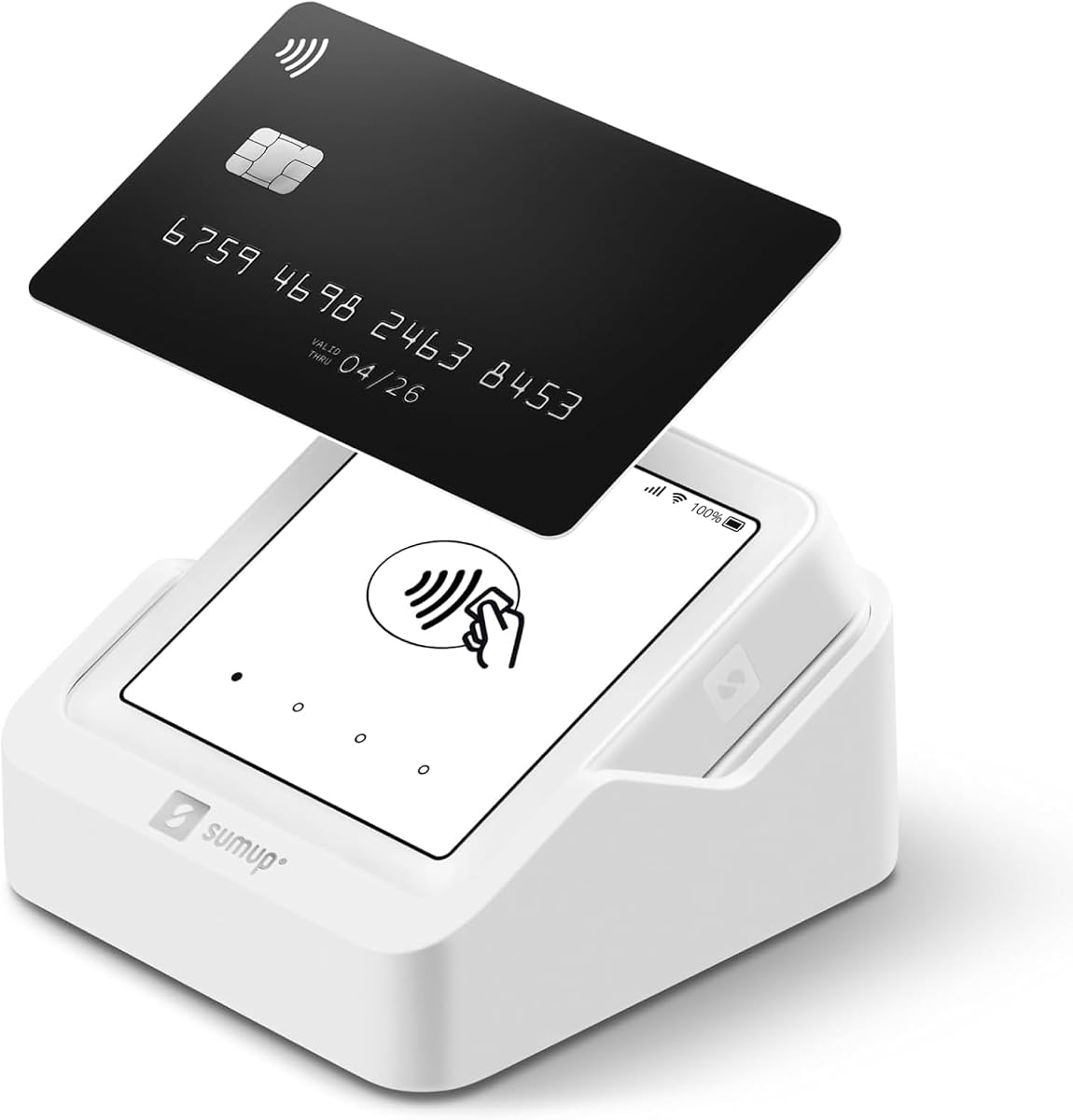
The SumUp Solo is a portable device with a full touchscreen interface. It has a 3.5 star rating. It comes with a free SIM card for mobile data. You can register online to start accepting payments.
We may earn a commission when you buy through this link, at no additional cost to you.
It includes a charging station for reliable power. The US-based support is accessible via phone and chat. The device allows you to stay in control of sales without needing a paired phone.
While it offers independence, the rating is lower. Registration is required to activate the SIM and device. It is a more expensive standalone option compared to simple readers.
Best for businesses needing a dedicated payment terminal that works without a separate smartphone connection. The SIM ensures constant connectivity.
Connect to networks instantly with a free SIM card included with the device.
Navigate menus and input amounts easily using the responsive touch screen display.
We may earn a commission when you buy through this link, at no additional cost to you.
The Clover GO (Newest Model) connects via Bluetooth to your mobile device. It carries a 3.6 star rating. It integrates with Powering POS services. The system allows for detailed tax and tip settings.
We may earn a commission when you buy through this link, at no additional cost to you.
Security is a priority with end-to-end encryption. You can manage employee permissions easily to restrict access. It sends receipts via email or text for a digital approach. This helps reduce paper usage.
The requirement for specific processing limits flexibility. The rating is lower than top-tier competitors. However, it offers good features for those already in the ecosystem.
Ideal for US-based businesses needing mobile sales tools with team controls. It works well for small shops wanting mobile capabilities.
Manage who sees business data by setting specific permissions for each team member.
Send receipts instantly via text or email to reduce paper waste.
We may earn a commission when you buy through this link, at no additional cost to you.
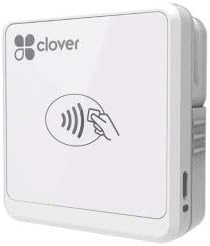
The Clover Go Contactless Reader supports EMV chips and contactless taps. It has a 4.0 star rating. It does not require a traditional merchant account. This makes it accessible for new businesses.
We may earn a commission when you buy through this link, at no additional cost to you.
It works with iOS and Android devices. It is designed for simplicity and speed. However, quantities are limited and it may be an older model. Orders may be fulfilled with current versions instead.
If you need contactless capabilities without a complex setup, this is viable. The uncertainty on shipping model may be a downside. It remains useful for quick payment acceptance.
Suitable for merchants needing immediate contactless capability without account barriers. It is a solid backup if newer models are unavailable.
Start accepting payments without needing a traditional merchant account setup.
Use seamlessly with either iOS or Android mobile devices for flexibility.
We may earn a commission when you buy through this link, at no additional cost to you.
The Clover Go Bluetooth Reader (3rd Gen) connects wirelessly via Bluetooth. It has a 3.6 star rating. It works with any Clover Go account and requires no merchant account. It protects data end-to-end.
We may earn a commission when you buy through this link, at no additional cost to you.
You can set custom tax rates and tips on your sales. It offers a secure experience for both you and your customers. It is easy to set up for payments on the go.
The rating is lower than top choices. It ties you to Clover accounts and services. But if you already use Clover, it integrates well with existing workflows.
Best for existing Clover users needing a reliable Bluetooth accessory. It offers security and ease for mobile transactions.
Ensure privacy for all transaction details with full end-to-end encryption.
Define specific tax rates for different items to handle varied product types easily.
We may earn a commission when you buy through this link, at no additional cost to you.
Selecting the right mobile payment device involves evaluating compatibility, fees, and security features to meet your specific business needs.
Connectivity determines how the reader connects to your phone. Bluetooth is versatile and works with most smartphones. Wired readers plug directly into Lightning or USB-C ports. Choose Bluetooth if you need distance or Wired for simplicity.
Bluetooth offers flexibility while wired ensures stable connection without pairing.
Check if the reader supports contactless, chip, and magstripe. Contactless and chip are safer and widely used today. Magstripe readers are cheaper but less secure. Ensure it matches your customers' payment habits.
Prioritize contactless and chip support for better security and user experience.
Fees vary by processor. Some charge a flat rate per transaction. Others have monthly fees plus rates. Compare the total cost based on your volume. Avoid hidden fees like chargeback or statement fees.
Choose a processor with a transparent fee structure that fits your budget.
The reader must work with an app that meets your needs. Look for inventory tracking, receipt management, and analytics. Ensure the app supports your operating system. Check if it has good reviews from other users.
Ensure the companion app supports your platform and business features.
Offline modes allow payments without internet. Transactions store securely until connection returns. This is vital for remote areas. Verify how long the device stores transactions offline.
Offline mode ensures business continuity when internet access is unavailable.
Security protects your data from breaches. Look for encryption and tokenization features. Ensure compliance with PCI standards. Avoid devices that store sensitive data locally.
Opt for devices with strong encryption to protect customer information.
Battery life affects daily operations. Longer life means fewer charging interruptions. Some readers use your phone battery while others have internal batteries. Check ratings for all-day support if you travel.
Select a device with battery life that matches your busiest hours.
Reliable support helps resolve issues quickly. Look for phone, email, and chat options. Check response times and user feedback. US-based support is often preferred for faster resolution.
Choose a provider with responsive support to minimize downtime.
Download the required app and create an account to activate your reader. Pair it via Bluetooth or plug it into your phone. Ensure your software is updated for the best experience.
Place the reader near the customer so they can tap or insert their card. Confirm the amount on your screen and wait for approval. Send receipts digitally or print them if available.
Keep the device clean and dry. Store it in a case when not in use. Charge it regularly to avoid battery issues. Restart the reader if it stops responding.
Most readers support both systems. However, some models are optimized for specific devices. Check the product details for compatibility. Ensure your OS is up to date.
Many providers advertise no monthly fees but charge transaction fees. Watch for hidden costs like chargeback fees or equipment shipping. Read the terms of service carefully before signing up.
Some readers allow offline storage for hours. Transactions sync once you reconnect to the internet. Verify the offline duration limits on your specific model to avoid rejection.
They use encryption and tokenization to secure data. This protects sensitive info during transmission. Ensure the processor is PCI compliant. Avoid devices that store data locally.
Many modern readers process payments without a separate merchant account. They act as the processor and merchant. Others require you to open an account. Check the requirements of your chosen brand.
Updates usually happen through the companion app. Keep Bluetooth enabled and open the app. Follow prompts to download and install. Regular updates improve security and performance.
Contact the provider immediately to lock the device. Some offer remote wipe features to protect data. Check your insurance policy for replacement coverage. Keep serial numbers safe for reporting.
Standalone terminals like Square Terminal have built-in printers. Most dongles require mobile printing or digital receipts. Use your phone to print via connected printers or email to customers.
The top picks like Square Reader for contactless and chip offer balanced features for most businesses. Budget options provide basic functionality for those just starting out. Premium choices add advanced security and team management tools.
Prioritize connectivity and security when making your choice. Ensure the fees fit your budget and volume. Select a device that integrates well with your existing workflow.
Remember to check current prices and availability on Amazon. Product details and costs may change over time. Verify that the model matches your needs before finalizing your purchase.