
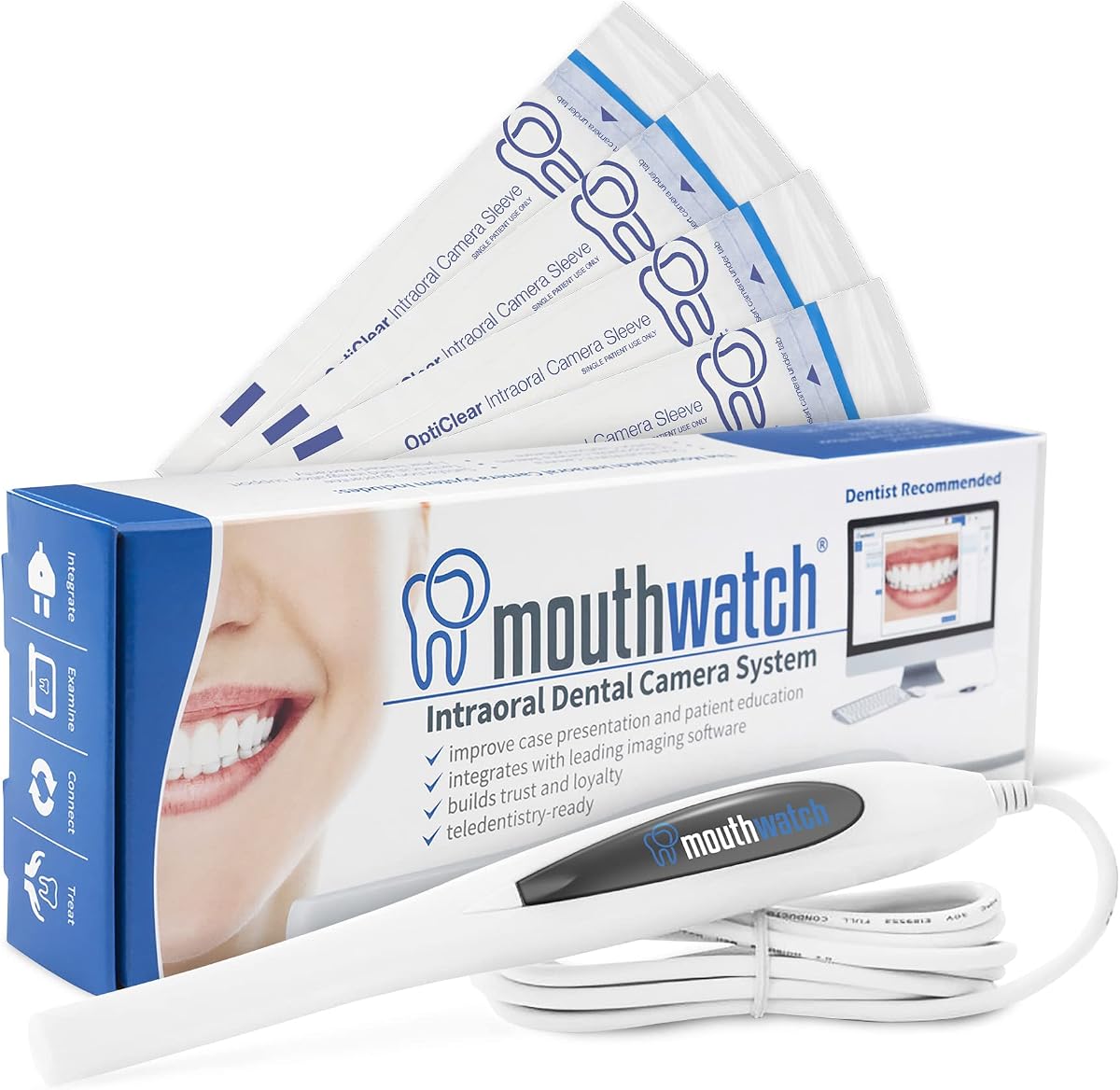
Intraoral Camera USB Dental Camera
13MP HD CMOS sensor
6mm slim lens tip
Dual control buttons included
This guide compares the top dental cameras for clinics and home use, evaluating image quality, software compatibility, and ease of use to help you choose the
Selecting the right dental camera is crucial for modern practices aiming to enhance patient communication and diagnostic accuracy. High-quality intraoral cameras provide clear visual evidence that helps patients understand their oral health conditions and the necessity of proposed treatments.
Our team evaluated ten leading models based on image resolution, software integration capabilities, ergonomics, and overall reliability. We focused on devices that offer seamless connectivity with popular dental management systems while maintaining ease of use for busy clinicians.
Each pick in this list highlights specific strengths ranging from budget-friendly options to advanced wireless models. Please note that product availability and pricing may vary over time, so always check the latest details before making your final purchase decision.

4.5Editor score

The following table provides a side-by-side comparison of all ten dental cameras featured in this guide. Use this overview to quickly assess key specifications and choose the model that best fits your clinical requirements.


The DY-50 Intraoral Camera stands out as a top choice for clinics seeking reliable imaging without breaking the budget. It offers crystal clear images and integrates with a vast array of North American dental software systems. Its ergonomic design ensures comfort during extended use while the included driver simplifies integration.
We may earn a commission when you buy through this link, at no additional cost to you.
One of its strongest features is the extensive list of compatible software including Eaglesoft Dexis and Dentrix. This means most practices can adopt it without replacing their existing management systems. The anti-fog lens ensures images remain clear even in moist environments which is critical for accurate diagnosis.
While it requires a USB connection and specific driver setup for certain software the trade-off is worth the reliability and cost efficiency. Users should verify their software is on the supported list before purchasing to avoid compatibility issues. Overall it delivers professional results for most standard clinical needs.
This camera is ideal for general dentists looking for a proven workhorse that balances performance with affordability. It bridges the gap between patient education and clinical documentation effectively. For practices wanting immediate visual feedback with minimal hardware overhead the DY-50 is a highly recommended option.
The included capture button driver allows for immediate activation within supported dental management systems without complex configuration.
Weighing only 34 grams this camera is light enough to reduce hand fatigue during long examination sessions.
We may earn a commission when you buy through this link, at no additional cost to you.
This camera is designed for efficiency and patient engagement with a focus on clear communication and rapid workflow. Its fixed focal distance ensures that images are sharp without the wait time associated with auto-focus mechanisms. This speed is essential during busy clinical hours where every second counts.
We may earn a commission when you buy through this link, at no additional cost to you.
The single-button operation allows clinicians to capture images quickly without needing to use a mouse or keyboard. This streamlines the examination process and keeps the focus on the patient. The included proprietary software supports over fifty major imaging solutions making integration straightforward for most practices.
While it comes with a higher price tag the value lies in the reliability and the lifetime customer support offered. The fixed focus design means less frustration with hunting for focus which can slow down patient interactions. It is a robust choice for practices prioritizing workflow optimization.
Ideal for practices that value speed and patient education this camera helps drive case acceptance through clear visual aids. The lightweight design ensures comfort for the dentist while the high-quality images serve as powerful diagnostic tools. It represents a solid investment for modern dental clinics.
Clear well-illuminated images help patients understand their treatment needs leading to higher acceptance rates and better outcomes.
The elimination of auto-focus hunting means faster image capture and less downtime between patients.
We may earn a commission when you buy through this link, at no additional cost to you.
The DY-60 model brings versatile imaging to the clinic with a notable 4X zoom feature that allows for detailed observation of specific areas. This zoom capability can be particularly useful for examining small cracks or intricate tooth structures without needing to reposition the camera frequently.
We may earn a commission when you buy through this link, at no additional cost to you.
It maintains compatibility with a wide range of dental software systems through its included capture button driver. This ensures that the camera can be integrated into existing workflows without significant disruption. The HD resolution provides sufficient clarity for most standard diagnostic needs.
However the resolution is slightly lower than some newer models which might be a consideration for practices requiring ultra-high detail. The lack of wireless connectivity means users are tethered to their workstation which could limit flexibility during certain procedures. Still it offers great value for the features provided.
This camera is a strong candidate for clinics looking for an affordable upgrade that adds zoom functionality to their toolkit. It balances performance and cost effectively making it accessible for smaller practices. For general use cases it delivers reliable results that support effective patient communication.
The 4X zoom allows clinicians to inspect minute details on tooth surfaces improving diagnostic accuracy.
Compatible with major imaging suites this camera fits easily into existing practice management environments.
We may earn a commission when you buy through this link, at no additional cost to you.
Wireless technology defines this model offering unparalleled flexibility for clinicians who move around the operatory during procedures. The ability to transmit images without cables reduces clutter and allows for a more hygienic workflow. This freedom is a significant upgrade for busy practices looking to modernize their setup.
We may earn a commission when you buy through this link, at no additional cost to you.
The included wireless charging base ensures the device is always ready for use without needing to plug in manually. This convenience saves time and reduces wear on physical ports. The 13MP resolution and smart autofocus provide clear detailed images necessary for accurate examinations.
Potential drawbacks include reliance on a stable WiFi connection which could cause lag if network conditions are poor. Additionally the cost is higher than wired alternatives which might be a barrier for some budgets. However the operational flexibility often justifies the investment for many users.
Practices that prioritize mobility and modern aesthetics will find this camera highly beneficial. It streamlines the examination process by removing physical barriers between the dentist and the patient. For those willing to invest in wireless convenience this model offers a compelling solution.
Eliminating cables allows for easier access to difficult angles and improves overall ergonomics during exams.
The charging base keeps the camera powered up and ready for the next patient without manual intervention.
We may earn a commission when you buy through this link, at no additional cost to you.
The ProDENT PD760 offers a straightforward solution for clinics needing reliable imaging without complex setup procedures. Its dedicated capture application simplifies the connection process with major dental management systems. The auto power-off feature when placed in the holder helps conserve energy and extend device life.
We may earn a commission when you buy through this link, at no additional cost to you.
Compatibility is a key strength here as the camera works with a broad range of software including Opendental and CurveHero. This versatility makes it a safe bet for practices using less common systems that might struggle with proprietary hardware. The connection via USB 2.0 ensures stable data transfer.
While the overall rating is modest it still delivers acceptable performance for routine imaging tasks. Users should expect a utilitarian design focused on function rather than advanced features like wireless connectivity. The support provided by email and phone adds peace of mind for buyers.
This model is best suited for clinics seeking a functional and affordable tool for daily documentation. It provides the essential capabilities needed to capture clear images without unnecessary frills. For general use where budget is a primary concern it represents a sensible choice.
The dedicated capture app allows for quick integration with major dental software systems reducing installation time.
Automatic power-off in the holder helps prolong the battery life and reduce energy consumption.
We may earn a commission when you buy through this link, at no additional cost to you.
This model offers an affordable entry point for practices looking to digitize their imaging process. The slim 6mm lens tip makes it easier to reach tight spaces like back molars and interdental gaps. High resolution imaging ensures that the clear despite the lower price point.
We may earn a commission when you buy through this link, at no additional cost to you.
The dual control buttons provide flexibility for both left and right-handed users which enhances comfort during operation. The magnetic holder automatically turns off the lights when not in use saving energy and prolonging the lifespan of the LEDs. These thoughtful details add value beyond the base cost.
While it lacks advanced features like wireless connectivity it covers the fundamental needs of most examinations. The plug and play design reduces installation time allowing clinicians to start using it immediately. It is a practical choice for those prioritizing cost and functionality.
Best for small clinics or home use this camera balances cost with necessary performance. It allows for effective communication with patients through clear visuals without a high financial barrier. If you need a reliable and affordable tool for daily checks this is a strong candidate.
The 6mm lens tip is designed to fit comfortably in small mouths and reach difficult areas.
Dual buttons and magnetic holder streamline operation and reduce unnecessary battery drain.
We may earn a commission when you buy through this link, at no additional cost to you.
Lighting is a critical aspect of dental imaging and this camera shines with its six high-brightness LEDs. These provide uniform illumination that minimizes shadows inside the mouth ensuring clear visibility of all structures. The 13MP resolution supports detailed documentation for accurate diagnosis and record keeping.
We may earn a commission when you buy through this link, at no additional cost to you.
The wide angle of view helps capture a broader range of oral structures in a single frame. This can be particularly useful for showing the relationship between teeth and gums during treatment planning. The magnetic smart holder turns off the LEDs automatically when the camera is stored.
The fixed focus range is sufficient for most intraoral tasks but may require repositioning for extreme close-ups. While it is plug and play it does not offer advanced software features for analysis. Still the image quality and lighting make it a reliable tool for daily clinical use.
Clinics needing consistent high-quality lighting will appreciate this model's design. It addresses common issues with shadowing that can obscure details in photos. For practices looking for an affordable and well-lit option this camera delivers solid results.
The six LED lights ensure even illumination reducing shadows and improving detail visibility.
Capturing a broader view of the oral cavity helps better contextualize dental conditions.
We may earn a commission when you buy through this link, at no additional cost to you.
This camera distinguishes itself with built-in diagnostic software capable of analyzing captured images automatically. This feature can help identify and mark oral conditions quickly streamlining the assessment process. The fixed focus range ensures consistent clarity without the delays of auto-focus hunting during exams.
We may earn a commission when you buy through this link, at no additional cost to you.
The 5mm ultra-thin probe is designed for patient comfort making it easier to insert into tight spaces. Anti-shake technology contributes to stable images which is important for clear visualization of fine details. These elements combine to create a user experience focused on precision and ease.
While the included software offers advanced functionality it may require some learning for users accustomed to standard tools. The proprietary nature of the capture software means integration with other systems might be limited. However the internal diagnostic capabilities provide unique value for clinical workflows.
Practices interested in leveraging AI for initial assessments will find this model compelling. It adds a layer of intelligence to the imaging process that goes beyond simple photography. For clinics wanting to enhance their diagnostic efficiency this is a worthwhile investment.
Built-in diagnostic software assists in identifying and marking oral conditions for faster assessments.
The 5mm ultra-thin probe design reduces gag reflex and discomfort for patients during exams.
We may earn a commission when you buy through this link, at no additional cost to you.
Comfort is the focus of this model with an upgraded 4.8mm ultra-thin probe design. This slim profile allows for photography with a slight opening of the mouth which increases patient tolerance during exams. It is particularly suitable for patients with sensitive gag reflexes.
We may earn a commission when you buy through this link, at no additional cost to you.
The front and back dual capture buttons support flexible operation for both right and left-handed clinicians. This ergonomic feature ensures that image capture does not interrupt the flow of the examination. The magnetic holder automatically turns off lights to save energy and extend device life.
With 13MP resolution and eight bright LEDs this camera ensures high-quality visuals for documentation. The USB connection is straightforward and plug-and-play making setup quick and easy for new users. It balances comfort with technical performance effectively.
Ideal for practices prioritizing patient experience this camera reduces anxiety through its discreet and comfortable design. It maintains professional image quality while minimizing physical intrusiveness. For clinics looking to improve patient comfort during exams this is a strong option.
The 4.8mm probe requires less mouth opening making exams more comfortable for sensitive patients.
Dual buttons allow for natural hand positioning and quick capture regardless of handedness.
We may earn a commission when you buy through this link, at no additional cost to you.
This endoscope offers high-resolution imaging suitable for detailed personal inspections and educational use. The 1920P resolution provides a sharp magnified view of surfaces which helps identify areas needing attention. Its universal connection options allow compatibility with various devices including PCs and Android smartphones.
We may earn a commission when you buy through this link, at no additional cost to you.
The IP67 water-resistant rating ensures that the camera head can be safely rinsed after use. This durability is beneficial for maintaining hygiene and longevity in a clinical setting. The six adjustable LEDs provide optimal lighting to ensure clear visibility in dark areas.
It is specifically engineered for Android systems and Windows environments meaning it does not work with iOS devices. This limitation may restrict its use in offices heavily reliant on Apple products. However for those on Windows or Android it offers a versatile and affordable solution.
Best for patients or clinics looking for a flexible tool for home monitoring or education this endoscope delivers clarity. It supports better personal oral care by allowing users to see hard-to-reach details easily. For versatile usage across multiple devices it is a practical choice.
The 1920P resolution allows for sharp visualization of surface details for accurate inspection.
IP67 rating ensures the camera can be rinsed safely promoting better hygiene standards.
We may earn a commission when you buy through this link, at no additional cost to you.
Selecting the right dental camera involves evaluating several technical and practical factors to ensure it meets your clinical needs.
Resolution determines the level of detail visible in your captured images. Higher megapixels such as 13MP or 1920P allow for clearer visuals of small cracks and gum conditions which aids in accurate diagnosis. Look for cameras with CMOS sensors which generally provide better color accuracy and low-light performance.
Prioritize high resolution to ensure diagnostic quality and effective patient communication through clear visual aids.
Compatibility with your existing dental management system is critical for seamless workflow. Check if the camera supports your specific software and whether drivers or capture buttons are included to facilitate integration. Broad compatibility saves time during setup and prevents frustration later.
Ensure the camera supports your practice's software to avoid unnecessary technical hurdles and streamline daily use.
The physical design of the probe tip affects patient comfort and your ability to access different areas of the mouth. Ultra-thin tips like 4.8mm or 6mm reduce gag reflex and allow easier access to tight spaces between teeth. Ergonomic handles reduce hand fatigue during long examinations.
Choose a slim ergonomic design to improve patient comfort and reduce physical strain on the clinician.
Integrated LEDs are essential for clear imaging inside the dark oral cavity. Cameras with adjustable brightness and multiple light sources ensure shadow-free images that reveal surface details effectively. Anti-fog coatings on the lens also help maintain visibility during procedures.
Look for models with multiple adjustable LEDs and anti-fog features to maintain clarity during exams.
Decide between wired and wireless options based on your office layout and workflow preferences. Wireless cameras offer freedom of movement and reduce cable clutter but depend on stable network connectivity. Wired models are generally more reliable and affordable but limit mobility.
Choose wireless for mobility and wired for reliability and budget efficiency depending on your practice needs.
Fixed focus cameras eliminate the lag associated with auto-focus hunting allowing for faster image capture. Auto-focus offers flexibility for varying distances but may slow down the workflow. Consider your speed requirements when selecting between fixed and variable focus types.
Fixed focus models offer speed while auto-focus provides flexibility; choose based on your workflow speed needs.
Advanced features like built-in diagnostic software or zoom capabilities can add value for specific practice needs. Magnetic holders that automatically turn off lights help save energy and extend device life. Evaluate these extras to determine if they justify the cost difference.
Consider advanced features like diagnostic tools and smart holders to enhance functionality and efficiency.
A durable build ensures the camera withstands frequent use and cleaning. IP67 water resistance is a bonus for hygiene. Reliable customer support is equally important to resolve any technical issues quickly. Check warranty terms and support availability before purchasing.
Invest in durable cameras with strong support and warranty coverage to ensure long-term reliability and peace of mind.
Before using the camera ensure it is securely connected to your computer and recognized by your software. Install any necessary drivers provided by the manufacturer to enable the capture button functionality within your dental management system.
Clean the camera probe gently with a disinfectant wipe after each use to maintain hygiene standards. Use the included sheaths when possible to prevent cross-contamination between patients. Store the camera in its magnetic holder when not in use to protect the lens and save power.
Avoid exposing the camera to extreme temperatures or moisture beyond its rating to prolong its lifespan. Regularly check the USB cable or WiFi connection for signs of wear to prevent interruptions during critical procedures. Keep the lens clean with a soft cloth to ensure optimal image quality.
Not all dental cameras work with every software platform. Most top models support major systems like Eaglesoft Dexis and Dentrix but you should verify compatibility before purchasing. Some come with universal drivers while others require specific software integration.
Wireless cameras offer more mobility and reduce cable clutter which can improve ergonomics. However they rely on stable WiFi and are often more expensive. Wired models are generally more reliable and cost-effective for static clinical setups.
Clean the camera probe with a disinfectant wipe after each patient and use protective sheaths when possible. Ensure the camera is dry before storage to prevent damage. Follow the manufacturer's cleaning guidelines to maintain warranty coverage and device integrity.
Resolution like 13MP or higher provides sufficient detail for most diagnostic needs. Higher resolution helps capture small cracks or lesions clearly aiding in accurate diagnosis and patient communication. Look for CMOS sensors for better overall image quality.
Some models are designed for home use and connect to smartphones via USB or WiFi. These allow patients to monitor their oral health between dental visits. Check device compatibility as some only support Android or Windows systems.
Most dental cameras are plug-and-play and require minimal training. Setup usually involves installing drivers and configuring capture buttons within your software. Manufacturers often provide tutorials and support to help staff get started quickly.
With proper care a dental camera can last several years. Regular cleaning and avoiding physical damage are key to longevity. Some models offer warranties that cover defects which can extend usability without additional costs.
Auto-focus cameras offer flexibility for varying distances but may introduce lag. Fixed focus cameras are faster and more reliable for standard intraoral exams. Choose based on your workflow speed and image precision needs.
We highlighted ten top dental cameras ranging from budget-friendly wired models to advanced wireless options. Each was selected for its ability to deliver clear imaging and integrate smoothly into clinical workflows. Whether you prioritize affordability or advanced diagnostic features there is a suitable choice in this list.
When deciding consider your practice size software ecosystem and patient needs carefully. Focus on resolution compatibility and ergonomics to ensure the device enhances rather than disrupts your daily routine. The right camera can significantly improve patient understanding and treatment outcomes.
Remember that prices and availability can change so check the latest product details before purchasing. We recommend visiting the provided links to verify current stock and user reviews. This ensures you make an informed decision that aligns with your professional goals.