
Frameo Digital Picture Frame
4.6Editor score
Affordable price point
Non-WiFi upload option
Thirty-two GB storage
Finding the right digital picture frame for grandparents can transform how families share memories across distances. These devices turn static photos into dynamic displays that update automatically when loved ones send new images. Choosing a model with simple setup and intuitive controls ensures seniors enjoy the technology without frustration or technical barriers.
We evaluated ten leading digital frames based on screen clarity, storage capacity, connectivity options, and user feedback from families. Each product was assessed for its ability to handle remote sharing, display quality in various lighting conditions, and overall reliability for long-term home use. This comparison highlights the most practical choices for gifting to older adults.
Each pick in this guide shows specific strengths like touch responsiveness, app compatibility, or physical design that suits living room decor. Remember that prices and availability change frequently so check current listings before purchasing. These frames offer a meaningful way to stay connected and preserve precious family moments in a modern accessible format for everyone.
4.6Editor score
4.7Editor score

4.7Editor score
As an Amazon Associate we earn from qualifying purchases.
The following table compares key specifications across all ten featured models to help you decide which frame fits your needs and budget best.


This 15.6 inch digital frame stands out for its large display and substantial storage. It holds over 100,000 photos making it ideal for families with extensive memories. The Frameo app allows secure sharing so grandparents receive updates without needing social media accounts.
We may earn a commission when you buy through this link, at no additional cost to you.
The IPS full HD touch screen provides vivid colors and wide viewing angles. Users can rotate photos easily or mount the frame on a wall. Built-in speakers enable video playback with sound adding life to family clips.
Uploading via the app limits videos to 15 seconds but SD cards allow longer content. The Type-C power connection requires careful handling to avoid port damage. Overall the generous size and memory make it a top choice.
Buyers seeking a large display and high capacity will appreciate this model. It suits grandparents who want to see every detail in photos and videos. The secure sharing ensures privacy while keeping everyone connected.
The 15.6 inch screen ensures photos are visible from across the room without squinting.
With 64GB internal and expandable options you never have to delete cherished memories.
We may earn a commission when you buy through this link, at no additional cost to you.
This frame offers excellent value for families seeking an affordable digital solution. The 10.1 inch display is compact yet clear for home decor. Its non-WiFi transmission option allows uploading via SD card or USB without internet.
We may earn a commission when you buy through this link, at no additional cost to you.
The touch screen responds smoothly and the magnetic stand supports both portrait and landscape orientations. With 32GB storage it holds thousands of photos. The Frameo app enables instant sharing from anywhere.
Some users may find the screen smaller than premium models. The requirement for FAT32 formatted cards can be tricky for tech novices. However the ease of use and low cost make it a strong contender.
Perfect for those on a budget who still want reliable performance. It works well for grandparents who prefer physical media over apps. The thoughtful design ensures it fits any room seamlessly.
Affordable price point without sacrificing essential features like touch control and storage.
Non-WiFi options make it accessible for seniors uncomfortable with internet connections.
We may earn a commission when you buy through this link, at no additional cost to you.
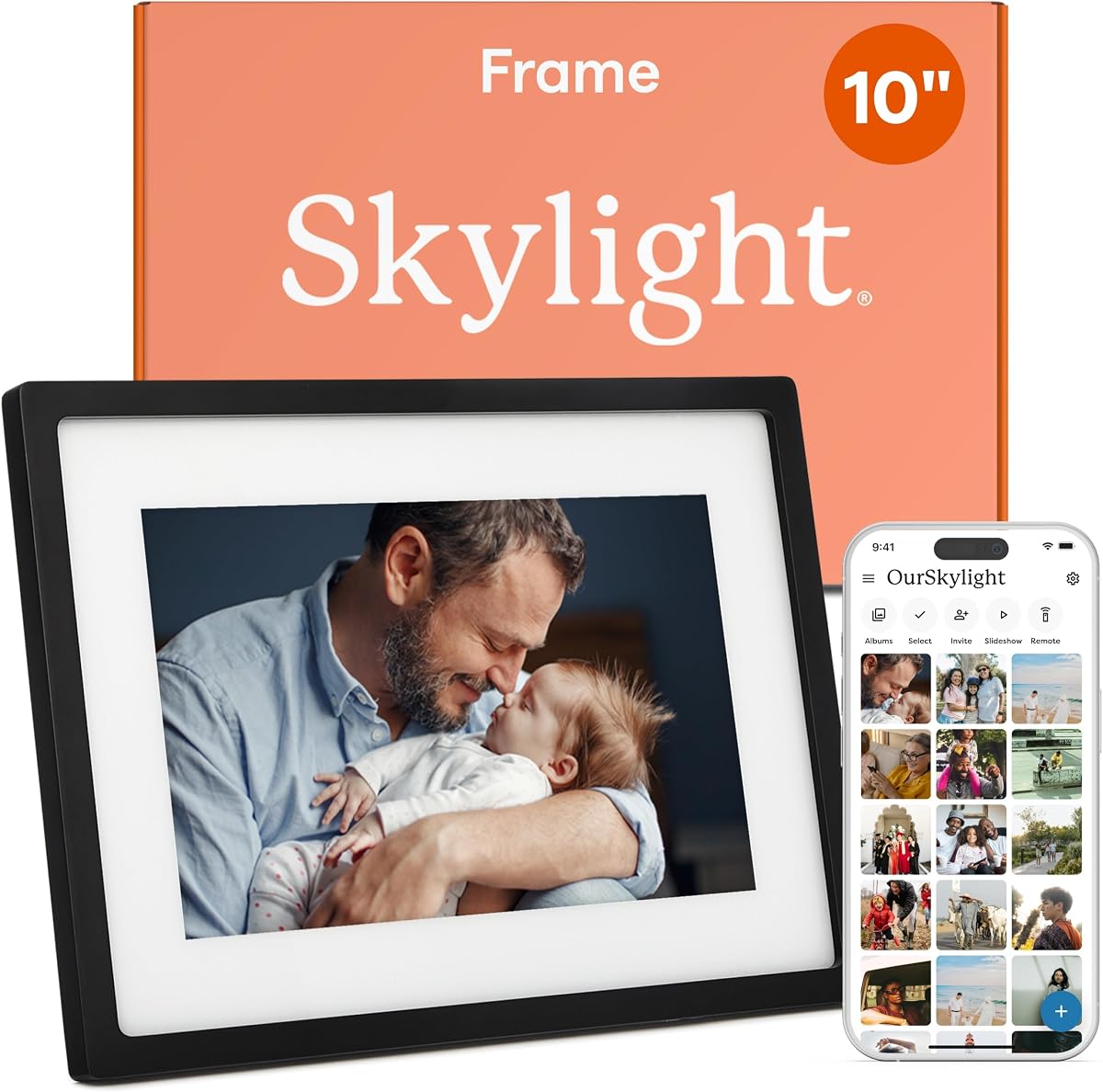
Skylight frames are known for simplicity allowing photos to be sent via email. This eliminates app downloads for grandparents. The 10 inch full HD display shows images clearly. Setup takes minutes by plugging in and connecting to Wi-Fi.
We may earn a commission when you buy through this link, at no additional cost to you.
Cloud storage removes the need for physical memory cards. The gift mode lets you preload photos before gifting. It serves as a bridge between generations with daily updates and shared memories.
New photos require a Wi-Fi connection which might limit use during outages. However the intuitive interface and email functionality ease most technical hurdles. The elegant design blends into any decor.
Ideal for those who want a hassle-free experience. It fits grandparents who prefer email over apps. The gift mode adds a personal touch perfect for special occasions.
Sending photos via email means grandparents do not need to learn new apps.
Preload photos before gifting so the frame is ready to use immediately.
We may earn a commission when you buy through this link, at no additional cost to you.
Aura frames are widely reviewed as top digital photo solutions. The 10 inch HD display offers exceptional color and clarity. Unlimited storage ensures no photo limits. Setup takes one minute with the free app.
We may earn a commission when you buy through this link, at no additional cost to you.
The packaging is gift ready making it a perfect present. Features like portrait pairing and live photos enhance the experience. It adapts to room lighting for optimal brightness at any time of day.
The cost is higher than budget models but justified by unlimited storage and quality. Some users might find the app required for full features. Still the ease of use is unmatched.
Best for those willing to invest in a premium device. Grandparents benefit from the simplicity and unlimited capacity. It stands out as a reliable long-term memory keeper.
Never delete photos due to space limits with Aura's unlimited free storage.
Calibrated display and elegant finish ensure it looks great in any room.
We may earn a commission when you buy through this link, at no additional cost to you.
This model features a large 15.6 inch FHD screen for vivid visuals. The react feature allows sending emojis back to senders. It supports external storage up to 32GB for expanded capacity.
We may earn a commission when you buy through this link, at no additional cost to you.
Setup is simple and non-WiFi options are available via SD or USB. The touch interface makes navigation easy. It is designed to fit into daily life without complexity.
Uploading videos via app is limited to short clips. Card formatting requirements may confuse some users. Despite this the display quality and storage make it a solid choice.
Great for those wanting a large viewable area. It suits families who interact actively through photos. The interactive features add fun to daily sharing.
Send emojis directly to loved ones to respond to photos they share.
A 15.6 inch screen ensures visibility from any seat in the room.
We may earn a commission when you buy through this link, at no additional cost to you.
AEEZO frames include a light sensor for auto brightness adjustment. The auto-rotate feature ensures photos align correctly. Storage holds 50000 photos and supports external cards. Setup via AiMOR app is straightforward.
We may earn a commission when you buy through this link, at no additional cost to you.
Sleep mode and customizable settings help save energy. The gift aspect is strong for connecting loved ones. Warranty and support offer peace of mind for buyers.
Photos cannot play directly from SD cards. They must be imported first which adds a step. The sensor features and support make it a practical choice.
Ideal for users wanting adaptive display technology. It works well for grandparents in varying light conditions. The support ensures long-term satisfaction.
Light sensor adjusts screen brightness automatically for comfortable viewing.
Includes a one-year warranty and responsive customer support team.
We may earn a commission when you buy through this link, at no additional cost to you.
This frame includes calendar sync with major providers like Google and Outlook. It shows schedules alongside photos keeping grandparents organized. Collage mode displays multiple images at once for variety.
We may earn a commission when you buy through this link, at no additional cost to you.
Sharing is secure via the Frameo app. The touch screen supports easy navigation. Built-in storage allows for significant photo collection without external drives.
Videos are limited to 15 seconds via app. Calendar features may not be essential for all users. However the organization tools add unique value.
Best for those who value schedule integration. It fits families who want more than photos. The collage option adds visual interest daily.
Sync calendars to display daily events alongside shared family photos.
Display multiple photos at once to show more memories in one view.
We may earn a commission when you buy through this link, at no additional cost to you.
This 15.6 inch frame allows sending themed greetings like birthday wishes. The large display ensures vivid clarity for every photo. It supports external drives for added flexibility and storage.
We may earn a commission when you buy through this link, at no additional cost to you.
The Frameo app facilitates secure sharing without member limits. Sleep mode conserves energy when not in use. Design is elegant and fits many decor styles.
Video uploads via app are limited to 15 seconds. The FAT32 requirement is standard but noted. The greeting feature adds personal touch for holidays.
Excellent for those wanting a personal communication tool. Grandparents enjoy receiving customized messages and photos. It stands out as a warm gift option.
Send themed picture greetings for birthdays and special occasions directly to the frame.
The 15.6 inch screen provides room for multiple photos and clear viewing.
We may earn a commission when you buy through this link, at no additional cost to you.
This model has limited public details. Current listings may offer more info. It is listed but requires checking for specifications and pricing.
We may earn a commission when you buy through this link, at no additional cost to you.
Due to lack of data it is hard to assess suitability. Some generic models offer basic functionality at low cost. Buyers should verify features before purchase.
Without specific details reliability is unknown. It may fit those seeking minimal options. Always check recent reviews for accuracy.
Consider verified models for peace of mind. This one remains an option if specs match needs. Proceed with caution.
Check current listings for accurate specifications before making a decision.
We may earn a commission when you buy through this link, at no additional cost to you.
This model also has limited public details. Similar to the previous it requires checking for specifics. It may serve basic needs if verified.
We may earn a commission when you buy through this link, at no additional cost to you.
Without detailed specs reliability cannot be confirmed. Some generic options are affordable but vary in quality. Review current product descriptions carefully.
Availability is uncertain as data is sparse. It is listed for completeness but check for updates. Prioritize models with full specs for trust.
For confidence choose verified models. This one remains an option if details match. Always confirm before buying.
Verify current listings for any updates on features or availability.
We may earn a commission when you buy through this link, at no additional cost to you.
Selecting the right frame involves considering display size, sharing methods, and ease of use for older adults.
Larger screens like 15.6 inches make photos easier to see for those with vision changes. Look for IPS panels which offer better viewing angles and color accuracy than standard LCDs. A resolution of 1080p ensures crisp details in every image shared.
Choose a screen size that fits the intended space and viewing distance.
Grandparents benefit from plug-and-play setups that require minimal configuration. Models that allow photo sharing via email instead of app downloads reduce technical barriers. Touchscreens should be responsive but not too sensitive to accidental touches.
Opt for frames with intuitive interfaces and clear instructions for hassle-free use.
Internal memory ranges from 32GB to 64GB or unlimited cloud options. Consider how many photos grandparents plan to store and whether external SD cards are supported. More storage means less frequent management of old images.
Ensure the frame offers enough space for years of memories without deletion.
Wi-Fi enabled frames allow remote sharing from anywhere. Some models support non-WiFi transfer via USB or SD cards which helps those without internet access. Apps should be free and compatible with both iOS and Android.
Select a method that matches the sender's and receiver's technical comfort.
Features like auto-rotate, calendar sync, or weather displays add value. Auto-rotate ensures photos display correctly regardless of orientation. Some frames support video playback with sound for more dynamic memories.
Look for extras that enhance daily use without adding complexity.
The frame should blend into home decor with neutral colors or elegant finishes. Wall-mountable options provide flexibility for placement. Stand quality and stability matter if the frame sits on a shelf or table.
Choose a design that complements your interior style and placement needs.
Some models charge for cloud storage or advanced features while others are free. Avoid frames requiring monthly fees unless necessary. Unlimited free storage is a major advantage for long-term use.
Confirm all costs upfront to avoid unexpected charges after purchase.
Good customer service helps resolve setup issues quickly. A one-year warranty covers defects and provides peace of mind. Check if technical support is available via phone or email for guidance.
Prioritize brands offering reliable support and clear warranty terms.
Unbox the frame carefully and plug it into a power outlet. Follow the initial setup steps to connect to Wi-Fi if required. Invite family members to the sharing app using the unique code or email provided.
Use the app or email to send photos from your phone or computer. Grandparents can view and react to photos using the touchscreen. For non-WiFi models transfer images via SD card or USB drive.
Clean the screen with a soft microfiber cloth to avoid scratches. Adjust brightness settings to match the room lighting for comfort. Keep the frame in a dry place and avoid direct sunlight.
Many modern digital picture frames do not require a subscription. Some offer free unlimited storage while others may charge for cloud services. Always check the product details before purchasing.
Yes some models allow photo sharing via email or physical media like SD cards. This avoids the need for app downloads and simplifies the process for seniors.
Most frames connect to Wi-Fi during the initial setup using a touchscreen interface. You select your home network and enter the password. A stable connection ensures photos arrive automatically.
Yes many frames support video playback with sound. Videos are usually limited in length via app but may be longer via SD cards. Check specs for video capabilities.
Internal storage ranges from 32GB to 64GB with some offering unlimited cloud storage. External SD card slots allow additional space. Choose based on how many photos you plan to keep.
Use a soft dry microfiber cloth to wipe the screen gently. Avoid harsh chemicals or sprays which can damage the coating. Keep liquids away from ports.
Many frames include mounting options or compatible brackets. Check the product dimensions and hardware included for wall installation. This saves table space and improves visibility.
Existing photos remain displayed even without Wi-Fi. New photos will not arrive until connection is restored. Some frames allow offline uploads via SD cards as backup.
The top picks include the Skylight for simplicity, Frameo for budget value, and Aura for premium features. Each offers reliable performance suited for different needs and preferences within families.
Prioritize ease of use and display quality to ensure satisfaction. Consider how photos will be sent and if non-WiFi options are needed for your household.
Prices and availability change so verify current listings before buying. These frames provide a heartfelt way to keep memories alive and stay connected with loved ones every day.