
13" Spark F13 DTF Printer for Custom Apparel Printing
5.0Editor score
Built for Home-Based Apparel
Lower Long-Term Ownership Cost
High-Fidelity Color with Strong White Coverage
Finding the right Dtf Transfer Printer for Custom Shirts can transform your custom apparel business by delivering vibrant, durable prints without the need for pre-treatment on most fabrics. These printers use a direct-to-film process that allows you to create full-color designs on both light and dark garments with professional results that stand up to washing and wear.
We have carefully evaluated ten leading models based on print quality, maintenance requirements, ink systems, and overall value for creators ranging from home hobbyists to small business owners. Our analysis focuses on real-world performance factors such as print head reliability, white ink circulation, and software compatibility to ensure you get a machine that meets your production demands.
Each pick in this list highlights specific strengths and potential trade-offs so you can match a printer to your budget, workspace, and volume needs. Keep in mind that availability and pricing can fluctuate frequently, so checking current stock and terms before purchasing is always recommended to secure the best deal for your investment.
5.0Editor score

5.0Editor score
4.4Editor score
As an Amazon Associate we earn from qualifying purchases.
The following table provides a side-by-side comparison of all ten models reviewed in this guide, highlighting their core specifications and key features to help you quickly identify which Dtf Transfer Printer for Custom Shirts aligns best with your specific printing goals and technical requirements.




This dual-function Dtf Transfer Printer for Custom Shirts stands out with its high-precision L1805 printhead that delivers crisp details and vibrant colors. The rating of 5.0 from users reflects its reliability and ease of use for both DTF and DTG workflows. It is an excellent choice for businesses that need flexibility to print on different garment types without switching machines.
We may earn a commission when you buy through this link, at no additional cost to you.
Key strengths include the white ink circulation system that ensures consistent flow and prevents sedimentation over time. The vacuum platform keeps films and garments securely in place during printing, reducing misalignment risks. Users appreciate the semi-automatic cleaning feature that saves time and maintains nozzle health without constant manual intervention.
While the unit is powerful, it requires a dedicated space and some technical understanding to operate effectively. The dual functionality can be complex for absolute beginners who might prefer a single-mode device initially. However, the trade-off is worth it for those seeking a versatile solution that can handle both film transfers and direct garment printing with high quality.
If you are looking to scale a custom apparel business with professional-grade results, this printer is highly recommended. Its ability to switch between methods means you can adapt to different order requirements quickly. We suggest pairing it with quality ink and powder to maximize its performance and longevity.
Being able to switch between DTF and DTG lets you handle diverse orders without needing separate equipment, saving space and costs in your workshop.
The automatic cleaning and white ink blending systems work together to reduce clogs, ensuring your printhead lasts longer even with heavy daily use.
We may earn a commission when you buy through this link, at no additional cost to you.
The Spark F13 is designed specifically for home-based apparel businesses that need a reliable Dtf Transfer Printer for Custom Shirts without breaking the bank. With a perfect 5.0 rating, it proves its value through consistent performance and user-friendly features like automated maintenance and vacuum stabilization.
We may earn a commission when you buy through this link, at no additional cost to you.
Its L1800 printhead ensures high-fidelity color with strong white coverage, making dark garments look vibrant and professional. The vacuum system keeps film flat to reduce strikes, protecting the expensive head components. Users love the dedicated controls that simplify daily tasks like circulation and cleaning without needing computer interaction.
While it offers less width than larger A3 units, it is efficient for standard shirt sizes and small batches. The initial setup involves learning RIP software and ink management, but the included videos and manuals guide you through every step. This makes it accessible even if you are new to DTF printing technology.
For anyone starting a side hustle or running a small studio, this printer offers the best balance of cost and capability. The lifetime technical assistance adds significant peace of mind as you grow. We recommend it as a solid foundation for building a sustainable custom apparel business.
The platen vacuum and auto cleaning features work together to protect the printhead from strikes and clogs, reducing repair needs over time.
InkSonic provides extensive setup videos and 24/7 one-on-one assistance to ensure you get your first successful print quickly without frustration.
We may earn a commission when you buy through this link, at no additional cost to you.
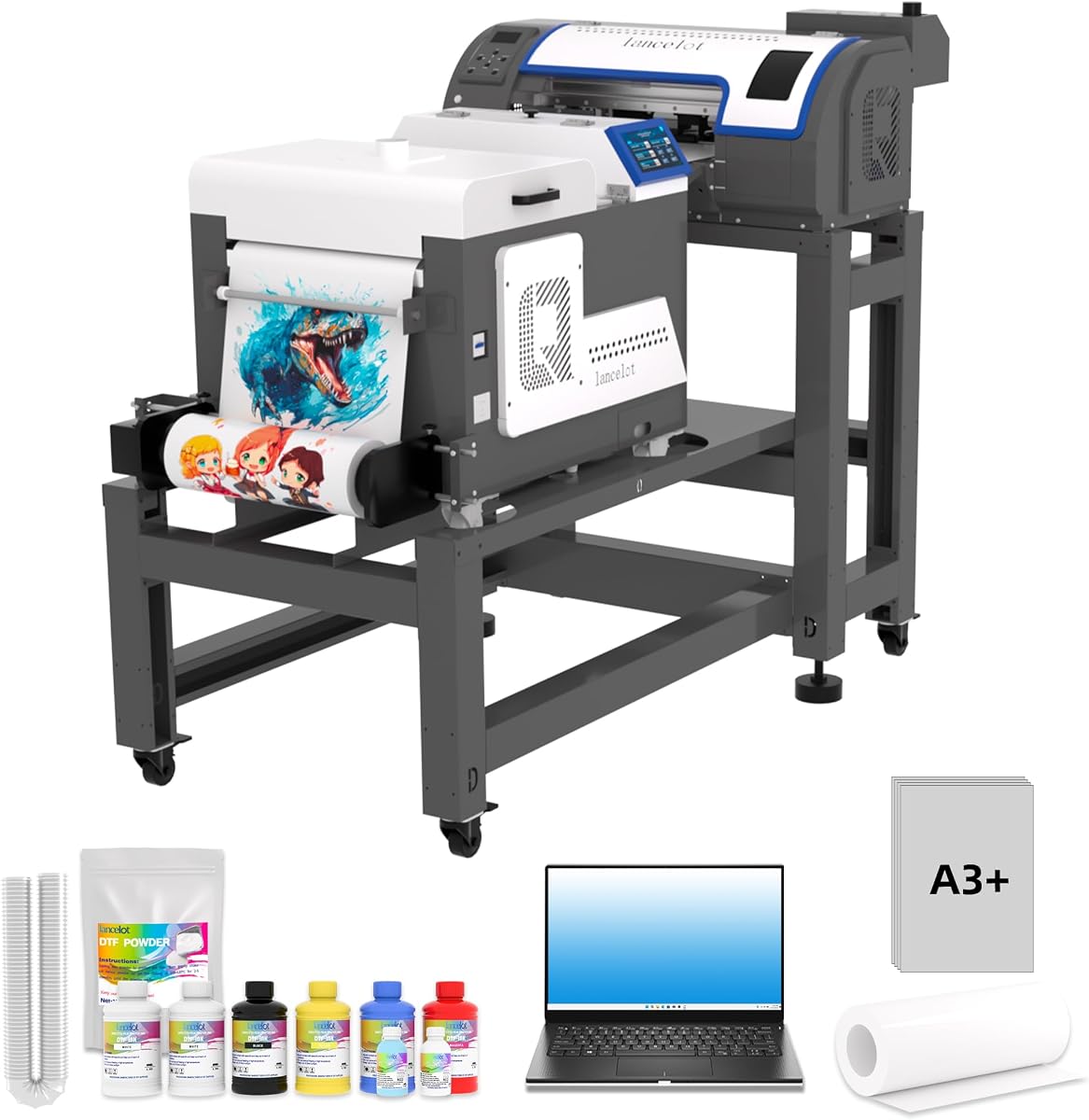
The Lancelot M1630 Pro brings a professional edge with a comprehensive bundle that includes a printer, shaker, dryer, and mobile workstation. Its 4.4 rating reflects high satisfaction among users who need an all-in-one solution for their custom apparel business. This model is ideal for those ready to invest in a streamlined production line.
We may earn a commission when you buy through this link, at no additional cost to you.
The XP600 printhead delivers sharp details and smooth gradients essential for high-end custom designs. The inclusion of a powder shaker and dryer ensures that curing and powder application happen efficiently within one station. This reduces workflow friction and helps maintain consistent quality across every print run.
While the price is higher than basic models, the convenience of the bundle justifies the cost for small businesses. The mobile workstation helps organize files and equipment in one place, which is vital for maintaining efficiency. The only drawback is the space required to house all these components comfortably.
If you are serious about scaling your operations and want a setup that reduces manual handling, this bundle is the best premium option. It removes the guesswork of pairing third-party tools with your printer. We suggest ensuring your workspace is prepared before delivery to maximize productivity from day one.
Combining the printer, shaker, and dryer in one bundle creates a seamless production station that cuts down on handling time between steps.
With dedicated tools for powder and drying, you can achieve uniform results that meet professional standards for every customer order.
We may earn a commission when you buy through this link, at no additional cost to you.
This multifunction machine offers a powerful A3 format with an automatic flatbed that accommodates a wide range of items like hats and shoes. With a 4.3 rating, it appeals to users who need versatility beyond standard garments. The automatic features reduce manual effort, making it a strong candidate for varied production needs.
We may earn a commission when you buy through this link, at no additional cost to you.
It restores picture effects with bright colors and eliminates the need for pretreatment on DTG clothes, saving time and chemicals. The standard white ink stirring system with intermittent timing helps prevent clogging and extends the life of the printhead. Users find the motherboard and components easier to buy and replace compared to proprietary models.
However, the automatic flatbed and complex functions require careful setup and regular checks to avoid sensor issues. There is no clearing or chip reset needed which is a plus, but initial calibration can be tricky. We advise reading the manual thoroughly to manage expectations around maintenance tasks.
For those looking to print on diverse objects beyond just shirts, this unit is a compelling choice. Its ability to handle multiple item types without extra adapters adds significant value. We recommend it for established shops that can dedicate time to maintenance and setup.
By removing the need for pretreatment on DTG prints, this printer simplifies your process and lowers material costs per shirt.
Standard parts like the motherboard and printhead are easy to find and replace, ensuring minimal downtime if repairs are ever needed.
We may earn a commission when you buy through this link, at no additional cost to you.
The PUNEHOD A4 printer is a compact solution designed for those with limited space who still want quality DTF transfers. While it has a lower rating of 3.4, it offers essential features like a white ink circulation system and a built-in cutter to streamline your workflow. It is an excellent entry point for home DIY enthusiasts.
We may earn a commission when you buy through this link, at no additional cost to you.
It delivers ultra-clear prints at 1440 dpi with vibrant colors that work well on both dark and light clothing. The package includes double consumables and an oven, providing everything needed to start printing immediately. Users appreciate the moisturizing kit that helps prevent clogs when the printer is not in use.
The main drawback is its limitation to Windows systems and a narrower print width compared to A3 units. Some users report needing to follow the manual strictly to avoid issues. Despite this, the low entry cost and included bundle make it a viable choice for testing the waters.
If you are just starting out and do not need high-volume production, this machine serves its purpose well. It allows you to learn the basics of DTF without a huge financial commitment. We suggest upgrading to a larger model once your order volume increases.
The A4 footprint allows this printer to fit into small home offices or workbenches where larger industrial units would not fit.
Getting double inks, powder, and film in the box means you can start printing right away without additional purchases.
We may earn a commission when you buy through this link, at no additional cost to you.
This bundle brings together the R1390 printer and a curing oven to simplify the DTF process for home studios. With a 4.0 rating, it is a solid choice for those needing a complete workflow setup. The vacuum system keeps film stable, ensuring precise results for every print.
We may earn a commission when you buy through this link, at no additional cost to you.
The oven ensures that transfers are cured properly for durability, which is critical for high-quality apparel. It supports full-color transfers for various items like tote bags and uniforms without pretreatment. Users value the lifetime technical assistance that helps resolve any operational issues quickly.
While it offers good value, some users found the initial setup process to be complex. The software can take time to learn, but online resources are available to help. It is a great middle ground between basic printers and high-end commercial units.
If you need an affordable way to get started with complete curing capabilities, this bundle is a smart pick. It balances cost and functionality well for small business owners. We recommend checking the support resources before starting your first print job.
Including an oven in the bundle saves you from buying a separate curing unit, streamlining your production line significantly.
Lifetime technical assistance ensures you have expert help available whenever you encounter setup or maintenance challenges.
We may earn a commission when you buy through this link, at no additional cost to you.
The R1390 by PUNEHOD offers a wide range of fabric compatibility and includes an oven for a complete curing solution. With a 4.1 rating, it stands out for its versatile applications on hats, jeans, and sweatshirts. The reel design allows for longer prints without frequent film changes.
We may earn a commission when you buy through this link, at no additional cost to you.
Its white ink circulation system prevents clogging by mixing and filtering ink constantly. The package includes all essential components like RIP software and 250ml inks, reducing the need for extra purchases. Customer support is highly rated for providing reliable online assistance and installation help.
One concern is that the white USB drive was discontinued due to reports of viruses, so it is better to rely on official software sources. Additionally, careful setup is required to avoid issues during operation. Despite this, it remains a strong option for its price and versatility.
If you need a printer that handles diverse materials well, this model is a great choice. The inclusion of an oven and reel system adds significant value. We advise downloading the latest software from the official site to ensure safe and smooth operation.
The reel design allows you to print long designs or multiple pieces without stopping to reload film, increasing overall efficiency.
Using official RIP software from the vendor ensures you avoid security risks associated with older USB drive components.
We may earn a commission when you buy through this link, at no additional cost to you.
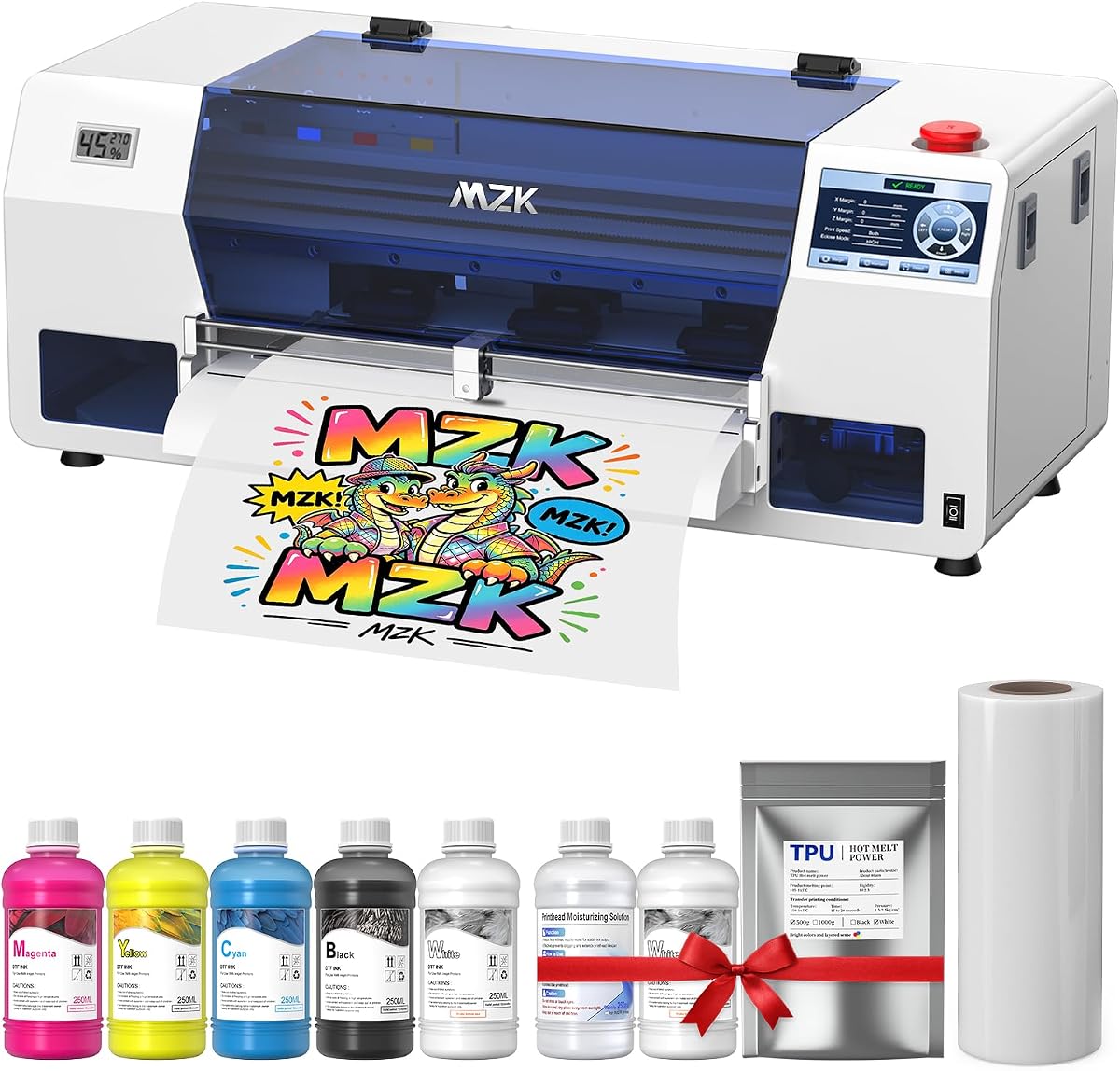
The MZK F1080 is designed for speed and ease of use with a modern touchscreen interface. Its 4.7 rating highlights its ability to deliver high-definition prints efficiently. The offer of two years of free ink adds significant value, reducing your ongoing operational costs.
We may earn a commission when you buy through this link, at no additional cost to you.
Its upgraded printhead and auto-maintenance mode ensure that your printer remains in optimal condition without much effort. The touchscreen makes tasks like nozzle checks and cleaning simple and intuitive. Users also appreciate the dual ink monitoring system that keeps you informed about refills.
The free ink program is a major highlight, but it requires a commitment to the vendor. The printer is limited to Windows which may not suit all workflows. However, the performance and support make it a standout for small business owners.
If you prioritize speed and want to lower consumable costs, this printer is highly recommended. The included tools and software ensure a smooth start. We suggest setting up the maintenance schedule early to keep the system running perfectly.
The two years of free ink and powder significantly lower your overhead, allowing you to invest more in other parts of your business.
Intelligent timed anti-clogging cleaning keeps the print head in top condition even during periods of inactivity or holidays.
We may earn a commission when you buy through this link, at no additional cost to you.
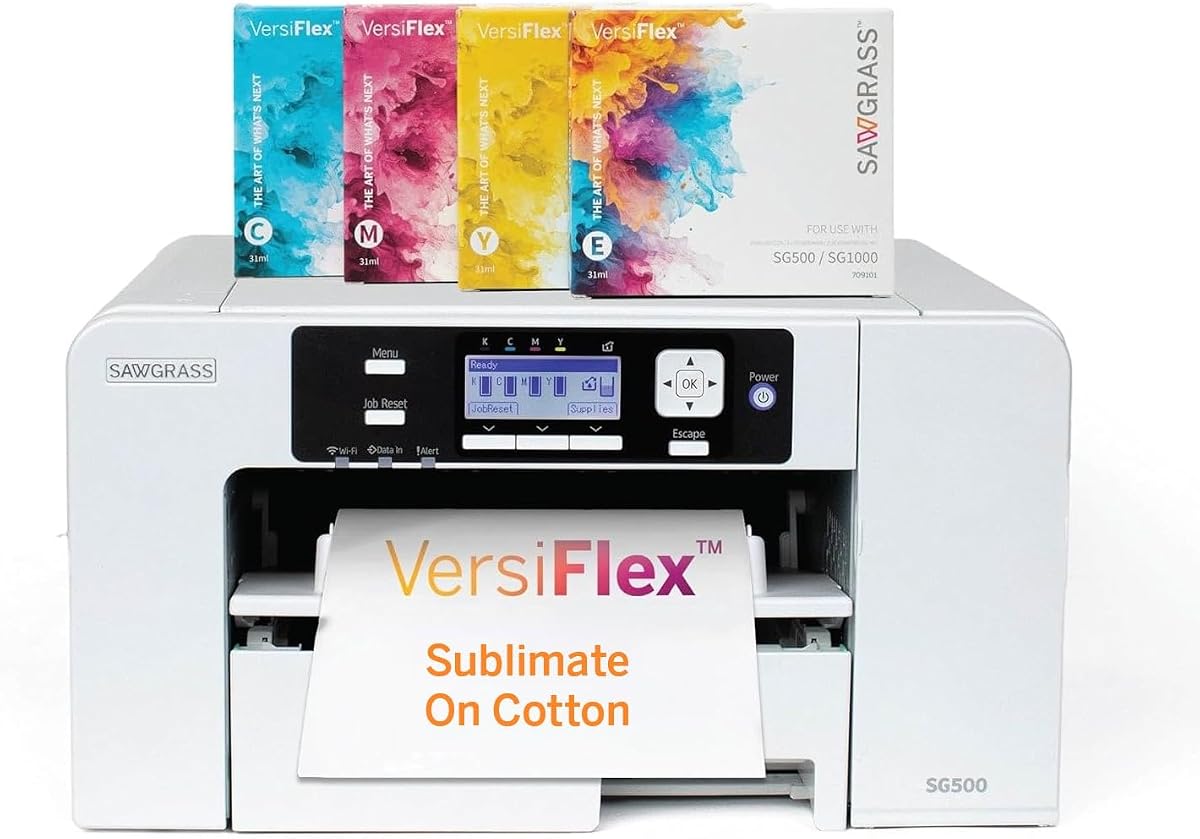
The Sawgrass VersiFlex SG500 offers a unique solution for decorating porous materials without pre-treatment. With a 2.7 rating, it shows potential but also some user challenges. It is ideal for those focusing on wood, canvas, and cotton products where traditional DTF might fail.
We may earn a commission when you buy through this link, at no additional cost to you.
Its inks deliver vibrant colors with a soft touch that feels comfortable on the fabric. The system is REACH/RoHS/OEKO-TEX certified ensuring safety and quality for consumer goods. It simplifies decoration by removing steps that can slow down production for hobbyists.
The main downside is the requirement for a manual heat press which is sold separately. Some users find the process less consistent for heavy wear items. Despite this, it remains a trusted choice for specific applications requiring a soft finish.
If you specialize in natural fibers and want a soft hand feel, this system is a strong contender. Ensure you have a press ready to use. We suggest testing with small batches before committing to large orders to validate results.
VersiFlex technology enables high-quality decoration on natural fibers and untreated wood without the need for pre-treatment steps.
Being REACH/RoHS/OEKO-TEX certified gives you confidence in the safety of your prints for sensitive skin and eco-friendly products.
We may earn a commission when you buy through this link, at no additional cost to you.
This A3 unit by PUNEHOD features both roller and sheet feeding to increase efficiency for small and large batches. With a 3.3 rating, it offers decent value for those needing dual feed modes. The included oven ensures your prints are cured properly right out of the box.
We may earn a commission when you buy through this link, at no additional cost to you.
Its adjustable air suction system helps achieve smooth printing and prevents jams during batch runs. The officially licensed RIP software supports multi-format processing ensuring professional color management. Users find it suitable for both home DIY and office customization tasks.
While the dual feed adds flexibility, some users face initial setup challenges that require patience. The maintenance may be more involved than simpler units. However, the comprehensive package helps balance these complexities for new owners.
If you need flexibility in how you load film and want a full setup with an oven, this is a practical choice. It is designed to handle multiple materials effectively. We recommend following the tutorial videos closely to avoid common setup pitfalls.
Having both roller and sheet feeding options allows you to switch between continuous and batch printing based on your needs.
Using officially licensed RIP software guarantees protection against privacy breaches and system damage during file processing.
We may earn a commission when you buy through this link, at no additional cost to you.
Selecting the right Dtf Transfer Printer for Custom Shirts requires evaluating several technical aspects and operational needs to ensure you invest in a machine that delivers quality results consistently.
The print head is the heart of your printer and determines the resolution and durability of your transfers. High-quality heads like the L1800 or XP600 provide better detail and longer lifespans which is vital for commercial use.
Always look for models with protective features to extend the life of your print head and reduce maintenance costs.
White ink is prone to settling and clogging so a good circulation system is essential for consistent performance. Systems that mix stir and filter the ink prevent sedimentation and ensure bright opaque whites on dark garments.
Check that the printer has an automatic stirring feature to keep the ink active even during periods of inactivity.
Routine maintenance is critical for preventing nozzle clogs and ensuring smooth operation. Look for printers with automatic cleaning cycles or holiday modes that clean the head during idle times to avoid blockages.
A printer with smart maintenance features will save you time and prevent costly repairs from neglected upkeep.
The width of your printer dictates how much of a garment you can print in one pass. A3 or 13-inch width is standard for full chest prints but larger models might be needed for all-over designs.
Consider the speed of the printer to ensure it meets your production volume without sacrificing quality or accuracy.
The software that comes with your printer controls color management and layout. Ensure it is user-friendly and compatible with your operating system to avoid workflow disruptions.
A reliable RIP software makes it easier to manage complex designs and ensure colors match your original files accurately.
Technical support is crucial when you encounter issues with hardware or software. Choose a brand that offers strong after-sales service and clear warranty terms for major components.
Lifetime or long-term technical assistance ensures you have help whenever you need it to keep your business running smoothly.
Some models come as bundles with ovens and shakers which can simplify your setup. This helps you avoid buying separate curing units and ensures all parts work together.
Evaluate if a bundle offers better value than buying components separately based on your current workspace and budget.
Beyond the purchase price consider the ongoing costs of ink powder and maintenance kits. Some printers offer free supplies or lower consumable costs which can save you money in the long run.
Calculate the total cost of ownership to ensure the printer fits your budget over its expected lifespan.
To ensure consistent results start by preparing your design files correctly in the RIP software. Make sure colors are calibrated and the layout fits the film width you plan to use. This step prevents wasting material and ensures your print aligns perfectly with the garment.
Regularly run cleaning cycles and check ink levels to prevent clogs especially during idle periods. If you are not using the printer for several days use the moisturizing kit or holiday mode to keep nozzles clear. Proper maintenance extends the life of the printhead and maintains print quality.
After printing always apply the adhesive powder evenly and cure the transfer according to the manufacturer's time and temperature settings. This ensures the design adheres well and can withstand multiple washes. Follow the guidelines strictly to achieve professional durability and vibrant colors.
DTF printing is generally better for cotton and dark fabrics because it does not require pre-treatment and works on various colors. Sublimation is limited to light polyester materials so DTF offers more versatility for custom apparel businesses looking to expand their product range.
With proper maintenance and regular cleaning a printhead can last for years. Factors like ink quality and usage frequency affect lifespan. Using a printer with anti-clog features helps extend its life significantly for daily users.
Yes you need a RIP software to manage colors and layouts for DTF transfers. Most printers come with proprietary software that simplifies this process. Ensure the software is compatible with your operating system to avoid technical issues.
No you should use inks specifically designed for your printer model to prevent clogs and ensure color accuracy. Using generic inks may void warranties and lead to poor print quality. Stick to the recommended supplies from the manufacturer.
The ideal curing temperature is typically between 320 and 330 degrees Fahrenheit for about 15 seconds. Always check the instructions on your adhesive powder and garment type for best results. Proper curing ensures the transfer is durable and wash-resistant.
For daily users cleaning should be done at least once a week. If you use the printer less frequently use an automatic cleaning mode to keep nozzles clear. Regular maintenance prevents sedimentation and extends the printer's operational life.
The top picks in this guide highlight the most reliable Dtf Transfer Printer for Custom Shirts options available in November 2026. Whether you need a budget-friendly model or a premium bundle the best choice depends on your specific production needs and technical skills.
Prioritize features like white ink circulation and auto maintenance to ensure long-term reliability and consistent print quality. Investing in a printer with strong support can make a big difference as your business grows and faces new challenges.
Remember to check current prices and availability before making your final decision. Technology evolves quickly and new models may offer improved features so staying updated helps you make the most informed choice for your custom apparel business.