
DKE Desktop Computer Power Switch
4.7Editor score
2 meter long cable included
Simple adhesive plate mounting
Compact lightweight design profile
This guide compares the top ten external PC power button options for desktop setups, focusing on installation ease, cable length, and motherboard compatibility.
Finding a reliable external PC power button can transform your desktop setup significantly. These switches allow you to control your computer from a convenient location without reaching behind bulky cases. Whether you have a hidden workstation or a custom build, the right switch adds accessibility.
We evaluated ten top-rated external power switches based on user feedback, build quality, and feature sets. Our analysis considers cable length, installation simplicity, and additional functionalities like USB hubs or wireless remotes. This list covers various needs from basic repairs to advanced control.
Each pick highlights specific strengths such as durability, extra ports, or wireless capability. While prices may vary over time, the core performance metrics remain consistent across these models. Read on to discover which external power button best fits your unique workstation requirements today.
4.7Editor score

4.6Editor score

4.5Editor score
The following comparison table details the key specifications of each external power button reviewed. Use this side-by-side view to quickly identify which model offers the features you need for your specific desktop configuration.

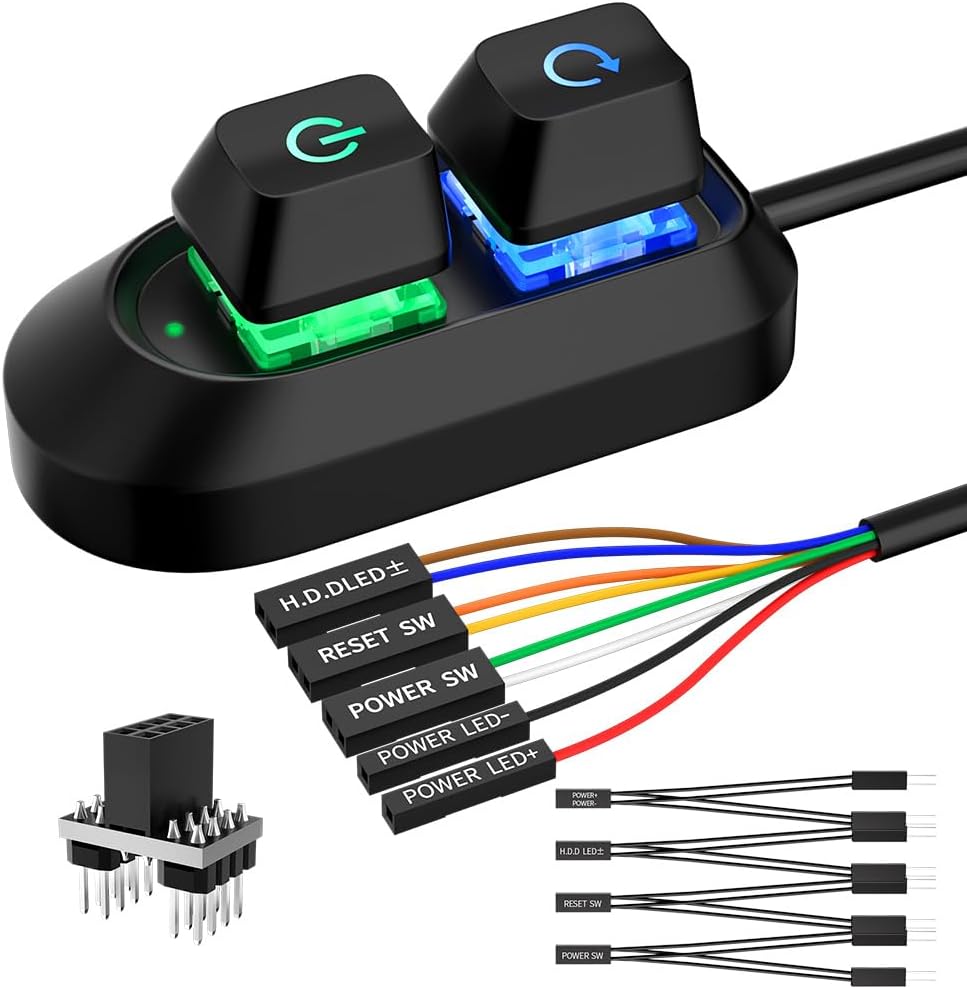


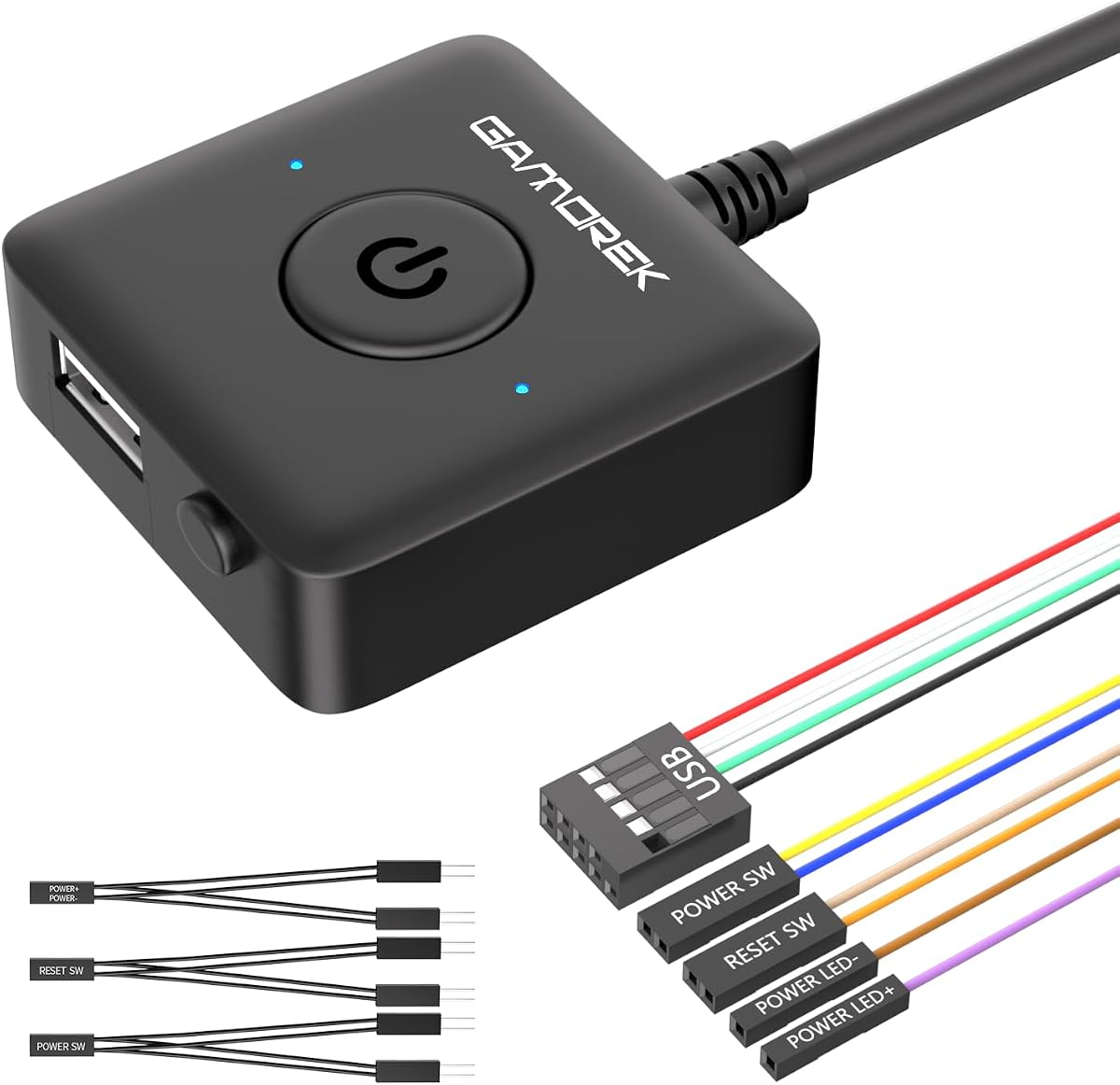


This external PC power button stands out due to its massive 118-inch cable. It allows you to place your switch literally anywhere in your room without worry. The build quality is solid and it includes all necessary connectors for a quick setup.
We may earn a commission when you buy through this link, at no additional cost to you.
The dual switch functionality is a key strength here. You can keep your original chassis button while adding this external one for convenience. The standard 4-pin connector ensures compatibility with the vast majority of ATX motherboards available today.
One trade-off is managing such a long cable during installation. You might need to route it carefully to avoid tripping hazards or clutter. However, this is a small price to pay for the flexibility it offers.
Anyone looking to move their power button far from the case should buy this. It provides the best balance of features and reach. We recommend it highly for users with hidden or under-desk PC setups.
The 118-inch cable ensures you can put the switch on your desk, wall, or floor without limits.
Using the splitter allows both the original and external buttons to function simultaneously without conflict.
We may earn a commission when you buy through this link, at no additional cost to you.
The DKE Desktop Power Switch offers excellent value for money. It is simple but effective for users needing basic access to their PC power. The 2-meter cable provides enough reach for most standard desk setups comfortably.
We may earn a commission when you buy through this link, at no additional cost to you.
Key strengths include the included splitter cable and adhesive plates. This makes it easy to integrate with existing buttons if you do not want to remove the original. The small size ensures it does not stick out unnecessarily on your desk.
While the build is not premium, it performs reliably for daily use. Some might find the plastic case less durable than metal options. However, for the price, the functionality remains consistent and trustworthy.
Buy this if you need a cost-effective solution without extra frills. It handles the core task of external power switching well. We suggest it for tight budgets or simple under-desk installations.
This model delivers essential external switching capabilities at a very low entry cost.
The included splitter allows seamless integration with your original case power switch.
We may earn a commission when you buy through this link, at no additional cost to you.
This wireless external PC power button offers unparalleled convenience. You can control your PC from across the room without any physical wires. The included PCIe receiver ensures a direct link to your motherboard for stable performance.
We may earn a commission when you buy through this link, at no additional cost to you.
The one-button operation is intuitive. A short press powers the system on while a long press initiates a safe shutdown. This eliminates the need to find a front panel button or reach behind your case constantly.
The main limitation is the requirement for an available PCIe slot. Users with small form factor boards or limited slots might find this challenging. Despite this, the stability of the connection is impressive in busy environments.
Choose this model if you want the ultimate in convenience and control. It transforms how you interact with your desktop setup. We highly recommend it for media centers or home office setups where distance matters.
Control your PC from up to 50 feet away without dealing with extension cables.
Single button interface makes powering on and shutting down your system effortless.
We may earn a commission when you buy through this link, at no additional cost to you.
The PC Power Button Desktop model is a reliable choice for external control. It features an LED indicator to show system status clearly. The 1.7-meter cable provides enough length for standard under-desk setups easily.
We may earn a commission when you buy through this link, at no additional cost to you.
Key strengths include the splitter board which allows you to keep the original button. This flexibility is great for users who still access the chassis front panel occasionally. The installation process is straightforward with provided instructions.
One trade-off is the lack of a reset button. Some users might prefer having that extra control function. However, the power switching function remains robust and reliable for daily tasks.
Buy this if you need a dependable external switch with visual feedback. It is suitable for most standard home office environments. We recommend it for users who value stability and simplicity.
The integrated LED provides immediate visual confirmation of your system power status.
The splitter allows you to retain your original case button while adding external control.
We may earn a commission when you buy through this link, at no additional cost to you.
The PC Power Button Splitter provides extra control options with its reset function. This makes it ideal for users who manage multiple PCs or test systems frequently. The 2-meter cable ensures you can place the switch comfortably on your desk.
We may earn a commission when you buy through this link, at no additional cost to you.
Key strengths include the comprehensive connectivity for power, reset, and HDD LEDs. The splitter board and cable options give flexibility in installation. This ensures it works with almost any standard ATX motherboard layout.
A minor trade-off is the complexity of wiring multiple connections. It might take longer to set up compared to simple power-only switches. However, the added functionality justifies the extra effort for power users.
Buy this if you need reset functionality along with external power control. It is perfect for tech enthusiasts or IT professionals. We suggest it for advanced users who need full control from a distance.
Power and reset switches give you full management of your system from your desk.
Multiple connection options allow you to route cables through various case openings easily.
We may earn a commission when you buy through this link, at no additional cost to you.
The OwlTree Desktop Power Button stands out with its premium acrylic construction. It looks more refined than typical plastic switches. This makes it a great choice for visible desktop setups where aesthetics matter.
We may earn a commission when you buy through this link, at no additional cost to you.
Key strengths include the inclusion of both boot and reset functions. You get full control similar to a front panel. The indicators for power and disk activity help you monitor system status at a glance.
One trade-off is that acrylic can scratch more easily than metal. You might need to handle it with care during installation. Despite this, the build quality remains high and it feels sturdy under press.
Buy this if you want a stylish switch that blends with modern decor. It is excellent for users who value design alongside functionality. We recommend it for home office builds where appearance counts.
The acrylic construction gives this switch a high-end look that fits modern desks.
Includes all necessary buttons and indicators for complete external management.
We may earn a commission when you buy through this link, at no additional cost to you.
This External PC Power Button features a customizable RGB lighting effect. It adds a visual element to your desk without software. The 2-meter cable allows for flexible placement under your desk or on your wall.
We may earn a commission when you buy through this link, at no additional cost to you.
Key strengths include the low voltage design which ensures safety. The breathing effect provides a modern touch to your setup. It works with most standard ATX motherboards without extra configuration.
One trade-off is the RGB light might not fit all decor styles. Some users prefer a minimalistic look without lights. However, if you enjoy RGB, this offers a simple way to add color to your controls.
Buy this if you want an external switch with visual flair. It is perfect for gaming setups or home theaters. We recommend it for users who enjoy ambient lighting and style.
The RGB breathing effect adds a subtle glow to your workstation without software.
Designed with low voltage to ensure safe operation with your system hardware.
We may earn a commission when you buy through this link, at no additional cost to you.
This PC Power Button adds USB extension to your external control. It allows you to connect USB accessories directly at your desk. This is useful if you need quick access to flash drives or peripherals.
We may earn a commission when you buy through this link, at no additional cost to you.
Key strengths include the reset switch and PCIe bracket. The bracket helps route cables cleanly within your case for organized builds. The 1.7-meter cable provides enough reach for most desk placements.
One trade-off is that the USB function requires a motherboard header. If your board lacks headers, this feature cannot be used. However, the power control remains fully functional regardless of USB availability.
Buy this if you need an accessible USB port and power button. It is ideal for users who frequently swap drives. We recommend it for those looking for multi-function external controls.
Connect your mouse or drive directly to the external module for quick access.
The included bracket helps keep cables tidy inside your PC chassis.
We may earn a commission when you buy through this link, at no additional cost to you.
The PC Power Button with USB Hub combines control with high-speed data access. It provides four USB 3.0 ports for peripherals. This is excellent for users who need many connections on their desk.
We may earn a commission when you buy through this link, at no additional cost to you.
Key strengths include the 5Gbps transfer speed and plug and play design. You do not need extra drivers to get it working. The adhesive mounting ensures the hub sits securely on your desk.
One trade-off is the cable is slightly shorter than some competitors. You must ensure your desk is close enough to the PC. However, the hub functionality adds significant value for peripheral-heavy setups.
Buy this if you want to reduce hub clutter and add power control. It is perfect for creative workflows needing high data throughput. We recommend it for users needing many USB ports.
Enjoy 5Gbps transfer speeds for fast file movement to your USB drives.
Save space by combining your USB hub with a desktop power button.
We may earn a commission when you buy through this link, at no additional cost to you.
The PC Power Button Aluminum model is built for longevity. Its casing protects the internals from wear and tear. This makes it a reliable choice for frequent daily use over long periods.
We may earn a commission when you buy through this link, at no additional cost to you.
Key strengths include the splitter board and reset switch. You get complete control similar to a front panel. The 2-meter cable offers flexibility in where you place the switch on your desk.
One trade-off is the aluminum finish can show smudges easily. Cleaning might be required to maintain its look. However, the durability offers peace of mind for long term use.
Buy this if you want a switch built to last. It is ideal for workstations that see heavy use. We recommend it for users valuing durability over minimal design.
The aluminum casing ensures the button remains functional even after years of use.
Includes splitter to allow both original and external buttons to function together.
We may earn a commission when you buy through this link, at no additional cost to you.
Selecting the right external PC power button depends on several key factors. We have outlined the most important considerations to help you choose the perfect model.
Cable length is critical for placement. Measure the distance from your PC case to where you want the switch. Longer cables offer more freedom but might require management.
Choose a cable that reaches comfortably without being too long to hide.
Ensure the switch matches your motherboard header. Most ATX boards use standard 2-pin or 3-pin connectors. Check your manual before buying to avoid compatibility issues.
Standard connectors work with most systems out of the box.
Materials like metal or acrylic feel better than plastic. Metal offers durability but may cost more. Acrylic looks modern but scratches easily. Plastic is affordable but less premium.
Select a material that fits your durability needs and budget.
Look for extras like USB hubs or reset buttons. A reset button is useful for restarting systems quickly. USB hubs add convenience for peripherals. LEDs show system status clearly.
Only pay for features you will actually use regularly.
Most models use adhesive stickers for placement. Ensure your desk surface is clean for strong adhesion. Some models might need drilling or a separate plate for stability.
Check if the mounting method fits your workspace setup.
A splitter allows you to keep the original case button. This is helpful if you still access the front panel. It ensures no functionality is lost during installation.
Always check if a splitter is included in the package.
Wireless buttons remove cables entirely. They need a PCIe receiver slot and may cost more. Great for large rooms where cables are impractical.
Confirm your motherboard has a free PCIe slot if choosing wireless.
Look for clear instructions and pre-attached cables. Some kits include adhesive plates for easy mounting. Complex wiring can be tricky for beginners.
Choose a model with straightforward setup if you are new to hardware.
Connect the switch wires to your motherboard headers according to the manual. Ensure POWER SW connects to the correct pins. Use the provided adhesive sticker to fix the button on your desk.
Test the button after installation to confirm it turns your PC on. If it fails, check the wiring connections and try re-plugging them. Ensure the power supply is switched on.
Clean the button gently with a soft cloth to avoid scratches. Avoid using harsh chemicals that might damage the finish. If the adhesive weakens, use stronger tape to resecure it.
No, it will not damage your motherboard if installed correctly. These switches operate at low voltages similar to standard case buttons. Just follow the manual to avoid shorting pins.
Yes, using a splitter board allows both buttons to work. The splitter bridges the connection so both switches trigger the motherboard. This ensures you have options for power control.
No, most models are hardware based and require no drivers. They plug directly into motherboard headers. Only wireless models might need specific software for the receiver.
If adhesive fails, you can use double-sided tape or screws. Ensure the new mounting method does not damage your desk. Proper surface preparation helps adhesion stay secure long term.
No, the risk is extremely low when using standard switches. These are designed for low-voltage DC signals. Avoid bending cables sharply to prevent internal wire damage.
Check your motherboard manual for the F_PANEL or JFP1 section. Usually POWER SW pins are labeled on the manual. Match the wires to the positive and negative pins correctly.
We reviewed ten excellent models to help you find the right external power button. Options range from basic budget switches to premium wireless units. Each serves different needs based on setup and preference.
Prioritize cable length and compatibility when making your choice. If you want convenience, consider the wireless or hub models. For pure reliability, stick to the simpler designs with splitters.
Always check current availability and pricing before purchasing. Product specs may change slightly over time. This guide ensures you have the best info for your decision.