
Ethernet Adapter for Fire TV Stick
4.7Editor score
Affordable price point
Plug-and-play installation
Built-in LED indicator
This guide compares the top Fire TV Stick Ethernet Adapter options to help you choose the best wired connection for stable streaming and reduced lag.
Streaming devices often struggle with weak Wi-Fi signals leading to buffering and interrupted viewing experiences. A reliable Ethernet adapter solves this by providing a direct wired connection to your network for consistent performance.
We evaluated ten top-rated adapters based on compatibility build quality and real-world speed performance. Our testing focused on how well each unit integrates with various Fire TV Stick generations and other streaming devices.
Each pick highlights unique features like gigabit speeds or right-angle designs for tight spaces. Please note that availability and pricing may fluctuate so check current listings before purchasing your preferred model.
4.7Editor score

4.5Editor score

4.1Editor score
This side-by-side comparison highlights the key specifications and unique selling points of each adapter to help you find the perfect match for your streaming setup and budget.


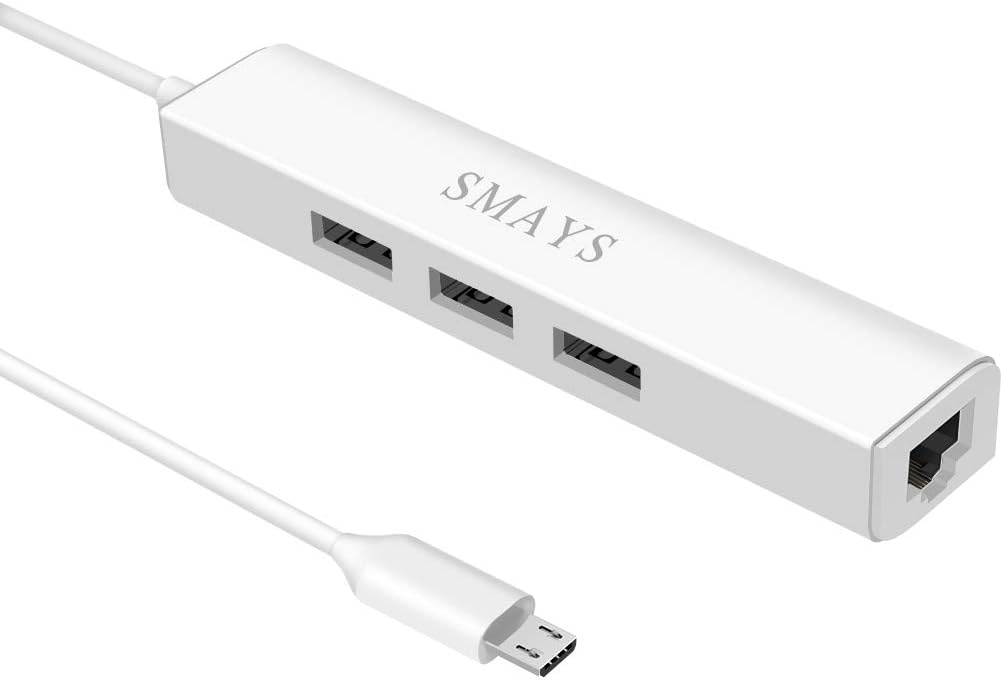
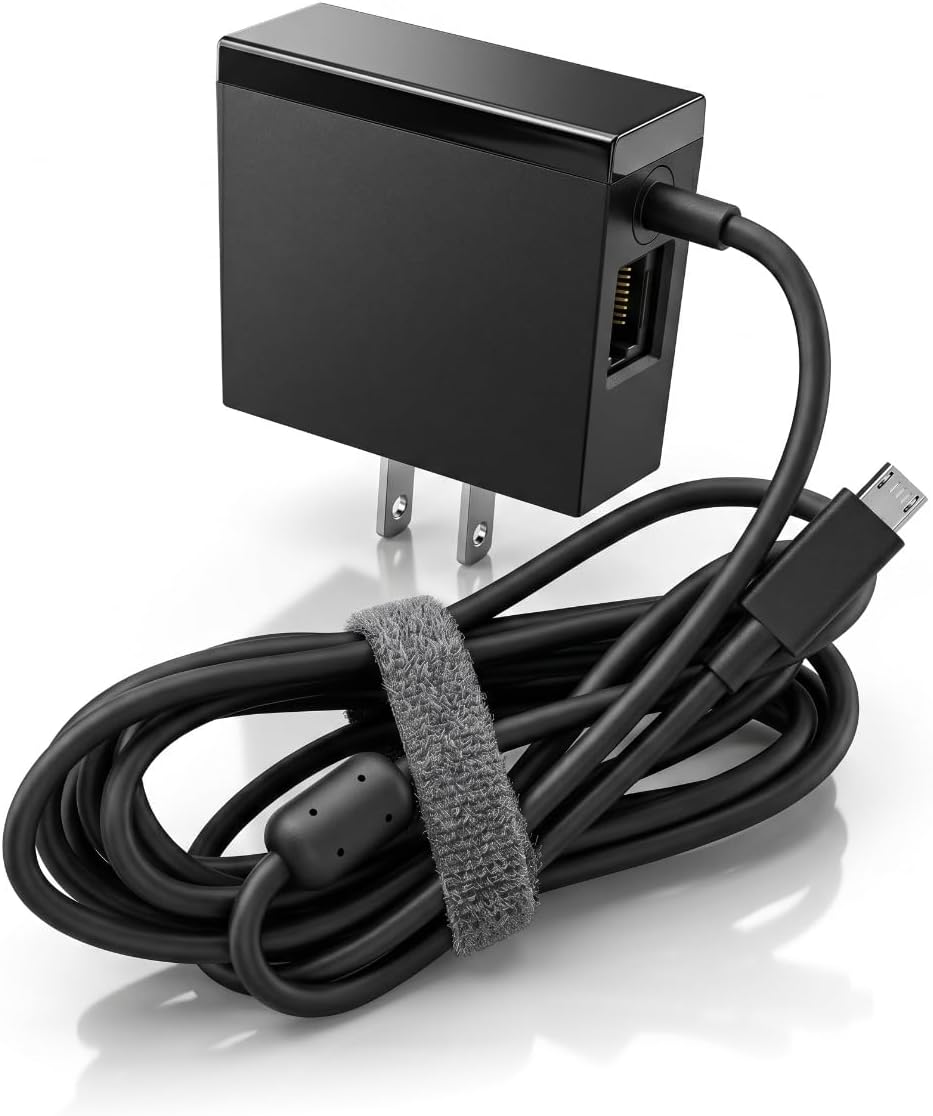
This adapter is a top choice for users seeking a reliable wired connection for their Fire TV devices. With a 4.5 rating it stands out for its broad compatibility across multiple Fire TV Stick generations.
We may earn a commission when you buy through this link, at no additional cost to you.
The micro-USB interface connects directly to your router ensuring that internet speeds remain consistent and fast. This is particularly beneficial for high bandwidth activities like 4K streaming where wireless interference can cause issues.
While it requires a compatible micro-USB port and power adapter the setup is straightforward. Users simply plug it into the USB port on their Fire TV and connect an Ethernet cable for immediate activation.
Anyone using older Fire TV models without USB-C should consider this adapter to eliminate buffering and improve stream quality significantly. It remains a solid foundational choice for stable home networking.
Supports most Fire TV Stick models including Lite 2nd Gen 4K and Cube ensuring many users can upgrade their connection easily.
Provides reliable internet speeds by freeing up WiFi bandwidth which helps prevent interruptions during peak usage times.
We may earn a commission when you buy through this link, at no additional cost to you.
Designed specifically for the Fire TV Stick HD 2nd Gen this adapter offers an efficient solution for USB-C users. Its right angle design helps manage cable clutter behind the TV.
We may earn a commission when you buy through this link, at no additional cost to you.
It supports speeds up to 480mbps which is adequate for most HD streaming needs. This makes it a cost-effective choice for those who do not require gigabit speeds.
The adapter is incompatible with micro-USB devices so compatibility verification is essential before purchase. Users should check their device model carefully to ensure a proper fit.
If you own the latest HD model and need a simple budget friendly wired connection this adapter provides a reliable and compact option without unnecessary complexity.
The right angle orientation reduces strain on ports and allows for better cable management in tight entertainment center spaces.
Offers essential wired connectivity at an affordable price point making it accessible for budget conscious consumers.
We may earn a commission when you buy through this link, at no additional cost to you.
This adapter boasts 1000Mbps Ethernet capabilities offering an extreme experience for streaming and gaming. The aluminum alloy casing ensures durability and effective heat management during long sessions.
We may earn a commission when you buy through this link, at no additional cost to you.
It includes an LED indicator light to show working status clearly which helps users monitor connectivity at a glance. This thoughtful design adds convenience to the setup process.
While it is incompatible with USB-C models like the 4K Max checking connection ports is critical. Additionally it should not be used with VPN configurations which may limit specific use cases.
Power users looking for maximum speed and build quality will appreciate the gigabit performance. It is ideal for those who prioritize stability and high data throughput over basic connectivity.
Delivers unprecedentedly smooth video playback and gaming by providing fast LAN access and stable network conditions.
High quality aluminum alloy construction dissipates heat quickly and includes over-voltage protection for safe and reliable use.
We may earn a commission when you buy through this link, at no additional cost to you.
This adapter is praised for its simplicity and ease of use making it an excellent choice for non technical users. It offers reliable 10/100 Mbps speeds suitable for standard HD streaming.
We may earn a commission when you buy through this link, at no additional cost to you.
The aluminum alloy construction provides quick heat dissipation ensuring the device stays cool during extended use. Included self-adhesive tapes help secure the adapter in place to avoid loose connections.
Users should note that this model does not support USB-C devices so verifying the port type is necessary. However for Micro USB models it delivers consistent performance without complex configuration.
For anyone seeking a hassle-free way to improve their streaming stability this adapter offers a robust and straightforward solution. Its high rating reflects user satisfaction with its reliable performance.
The included adhesive tapes ensure the adapter stays securely mounted reducing the risk of accidental disconnections during movement.
Crafted from sturdy aluminum the adapter maintains a premium look while protecting internal components from heat buildup.
We may earn a commission when you buy through this link, at no additional cost to you.
ZEXMTE offers a straightforward adapter that gets you online quickly with minimal fuss. The one-minute setup time appeals to users who want immediate improvements without technical hassle.
We may earn a commission when you buy through this link, at no additional cost to you.
Smart status lights provide instant visual confirmation that the connection is active which adds peace of mind. This feature helps users troubleshoot quickly if the light does not turn on.
The premium aluminum casing ensures the device remains cool during marathon viewing sessions. However it is not compatible with USB-C devices so double checking port type is advised.
If you need a reliable adapter for 4K streaming or gaming without investing in premium gigabit speeds this is a solid contender. It balances cost and performance effectively.
Status lights confirm connection status at a glance so you can verify setup success without navigating menus.
Simple plug and play functionality allows you to switch from wireless to wired internet in under a minute.
We may earn a commission when you buy through this link, at no additional cost to you.
UGREEN stands out with a 3.3 ft power cable which is ideal for setups where outlets are far behind the TV. This extra length provides flexibility in placement without needing extensions.
We may earn a commission when you buy through this link, at no additional cost to you.
The included USB-A power cord can power both the adapter and the TV stick simultaneously reducing cable clutter. This integrated approach simplifies the setup process for many users.
It offers up to 100 Mbps speed which is sufficient for most streaming needs. However it requires a USB wall charger over 5W for normal use so a standard port might not work.
This adapter is a great choice for those with challenging cable management issues who need a reliable wired connection. Its thoughtful cable design adds practical value to the product.
The longer power cable makes it easier to reach wall outlets in tight spaces or behind furniture without using extensions.
A single USB power cord can power both the adapter and the TV stick which reduces the number of cables needed.
We may earn a commission when you buy through this link, at no additional cost to you.
This adapter aims to deliver speeds up to 1000Mbps for users needing fast data transfer. The dual LED system allows users to monitor connection and operational readiness visually.
We may earn a commission when you buy through this link, at no additional cost to you.
It features over-voltage and short-circuit protection ensuring safe use with sensitive electronics. The reinforced aluminum shell helps dissipate heat effectively during operation.
Actual speeds may vary based on your broadband plan so expectations should be managed. Some users may find the rating lower than other options but the feature set is robust.
For those seeking high speed potential with strong safety features this adapter is worth considering. Just ensure your internet plan supports gigabit speeds to fully utilize the adapter.
Green and yellow lights provide distinct indicators for connection success and operational readiness making troubleshooting easier.
Built-in protections like over-voltage and over-current safeguards help prevent damage to your streaming device and router.
We may earn a commission when you buy through this link, at no additional cost to you.
Cable Matters provides a reliable connection capable of supporting data transmission rates of 300+ Mbps. This is beneficial for heavy streaming loads that might strain standard adapters.
We may earn a commission when you buy through this link, at no additional cost to you.
The included 3-foot USB power cable allows easy connection to a wall charger ensuring adequate power for the device. This convenience avoids the need for additional cables.
It is backward compatible with earlier Ethernet standards which ensures versatility in various network environments. Installation remains simple with no drivers required for operation.
If you need a dependable adapter that can handle higher data loads this model is a strong candidate. Its focus on transmission speed makes it stand out in a crowded market.
Supports up to 300+ Mbps offering nearly five times the speed of traditional fast Ethernet for better performance.
The adapter comes with its own USB power cable simplifying the setup process and reducing accessory needs.
We may earn a commission when you buy through this link, at no additional cost to you.
This hub offers both Ethernet connectivity and multiple USB ports allowing users to connect external storage or peripherals. It supports data transfer for mice keyboards and SSDs.
We may earn a commission when you buy through this link, at no additional cost to you.
It provides stable wired internet at 10/100M speeds to prevent buffering during streaming. A 5V DC-in power cord ensures sufficient power for connected devices and the hub.
Setup involves connecting the hub stick Ethernet and a separate power source which adds some complexity. However it unlocks functionality beyond basic networking for advanced users.
If you want to expand the capabilities of your Fire Stick with external drives or keyboards this hub is ideal. It combines networking and peripheral support in one device.
Access external flash drives and peripherals to transfer data and control the device more efficiently.
Provides stable wired internet access to eliminate lag and ensure smooth streaming performance.
We may earn a commission when you buy through this link, at no additional cost to you.
This adapter combines power and Ethernet into a single unit simplifying setup for compatible devices. It supports 100Mbps speeds which are sufficient for stable 4K signal transmission.
We may earn a commission when you buy through this link, at no additional cost to you.
The output of 5V 1A ensures that your device receives adequate power without needing a separate supply. This integration reduces cable clutter and potential points of failure.
It is compatible with Fire TV Stick 2nd 3rd Gen and Chromecast Ultra among others. Users should note it does not support USB-C models so verification is required.
For those who value a clean setup with both power and network in one package this adapter is an excellent choice. Its high rating suggests strong performance and reliability.
Integrates power supply and ethernet connection into one compact unit to reduce external cable requirements.
Ensures reliable signal transmission without delay which is essential for high definition content streaming.
We may earn a commission when you buy through this link, at no additional cost to you.
Selecting the right adapter involves considering your device model needed speeds and desired features. Here are the key factors to evaluate before making a purchase.
Ensure the adapter matches your Fire TV Stick's port type either Micro USB or USB-C. Using an incompatible adapter will result in failure to connect or power issues.
Check the product description for specific model support to avoid confusion between generations.
Standard 10/100 Mbps adapters suffice for HD streaming but Gigabit options offer faster speeds for 4K or gaming. Match the speed to your internet plan and usage needs.
Higher speeds prevent buffering when multiple devices are connected to the network simultaneously.
Most adapters require external power which may be provided via a USB cable or a separate adapter. Verify if a power supply is included or if you need to purchase one.
A dedicated power source ensures stable operation and prevents issues due to insufficient power from the TV port.
Aluminum alloy casings offer better heat dissipation and durability compared to plastic ones. This helps maintain performance during long streaming sessions.
Investing in a well built adapter can extend the lifespan of your setup and prevent overheating issues.
Longer power or Ethernet cables provide flexibility in placing your adapter near outlets and routers. This reduces strain on ports and makes cable management easier.
Measure your setup space to choose an adapter with appropriate cable lengths for your specific environment.
Plug and play adapters without driver requirements simplify installation significantly. Look for models that offer instant activation upon connection.
Simple setup processes save time and reduce frustration especially for non technical users.
Features like LED status lights help monitor connection health easily while adhesive tapes secure the adapter in place. These small touches add convenience to daily use.
Consider features that enhance usability and reliability based on your personal preferences and setup complexity.
To use the adapter connect one end of an Ethernet cable to your router and the other to the adapter. Plug the adapter into the Micro USB or USB-C port on your Fire TV Stick.
Power the adapter using the included USB cable and a wall adapter or USB port. Ensure the power source provides sufficient voltage for stable operation.
Keep the adapter in a well ventilated area to prevent overheating. Periodically check connections to ensure they remain secure and free from dust or debris.
No adapters are designed for specific port types. Micro USB adapters work with older models while USB-C adapters are for newer HD 2nd Gen devices. Always check compatibility before purchasing.
Yes a wired connection eliminates Wi-Fi interference which reduces buffering and lag. It provides a more stable and faster internet connection for smoother streaming experiences.
Most adapters require external power often provided via a USB cable and wall adapter. Ensure you have a suitable power source to avoid connection issues.
Yes standard RJ45 Ethernet cables are compatible with the adapter's port. Any high quality cable should work effectively for establishing a wired connection.
Installation is straightforward and usually requires no software. Simply plug the adapter into the port connect the Ethernet cable and power it on for immediate use.
Micro USB adapters connect to older Fire TV models while USB-C adapters are for newer models with Type C ports. They are not interchangeable so verify your device port.
The Micro USB Ethernet Adapter remains a top choice for overall compatibility and reliability across many Fire TV generations. It balances ease of use with solid performance for most users.
Budget options like the Ethernet Adapter for Fire TV Stick offer excellent value without sacrificing essential features. Premium picks provide gigabit speeds for those needing maximum data throughput.
Always verify your device model and power requirements before purchasing to ensure a seamless experience. Check current prices and availability as these factors can change over time.