
Flipper Zero Screen Protector
4.4Editor score
9H Tempered Glass Protection
Ultra-thin 0.33mm
Three pack value deal
Explore our comprehensive guide comparing the top Flipper Zero accessories for enhanced functionality, protection, and wireless capabilities to expand your
Flipper Zero enthusiasts constantly seek ways to enhance their device's capabilities and protection. Whether you need extended wireless ranges, better durability, or additional modules, the right accessory transforms your workflow.
We evaluated ten top-rated products based on user feedback, build quality, and compatibility. Our selection covers everything from Wi-Fi boards to protective cases ensuring you find the perfect fit for your needs.
Each pick highlights specific strengths and trade-offs to help you decide quickly. Keep in mind that prices and availability fluctuate frequently so always check current listings before making your final purchase decision today.
4.4Editor score

4.6Editor score

4.3Editor score
This table provides a side-by-side comparison of the top ten accessories highlighting their primary features and use cases to help you choose the right tool for your specific projects.




This external module stands out as the premier upgrade for serious developers and security enthusiasts. With a 4.6 rating it offers a robust combination of Wi-Fi, GPS, and RF capabilities in a single package.
We may earn a commission when you buy through this link, at no additional cost to you.
The kit includes everything needed for immediate deployment including a durable hard carry case and soft pouch. This ensures your gear remains safe during transport while providing a seamless plug-and-play experience.
While the price is higher than basic accessories the value proposition is clear. You gain significant functionality without needing to source parts separately. The only trade-off is the added bulk compared to standard setups.
Ideal for those looking to expand their Flipper Zero's potential immediately. Whether you are prototyping or conducting field tests this module provides the versatility and protection required for professional use.
The integrated OLED and Wi-Fi enable complex testing without external dependencies.
Multiple cases ensure your device stays safe during rigorous fieldwork and transport.
We may earn a commission when you buy through this link, at no additional cost to you.
This kit offers a practical entry point for adding wireless capabilities. Rated 4.2 it balances functionality with essential protection for your device. The all-in-one nature simplifies the upgrade process significantly.
We may earn a commission when you buy through this link, at no additional cost to you.
Users benefit from a full-body silicone case and screen protectors right out of the box. The tool-free assembly ensures you can start experimenting with custom projects quickly without extra effort.
While it lacks some advanced features of higher-end modules the cost is appealing. The protection components add value by safeguarding the device during daily use and transport effectively.
Recommended for beginners wanting wireless access without spending too much. It provides a solid foundation for learning and basic development tasks with reliable support from the community.
Snap-fit components allow for quick installation without needing specialized tools or screws.
The included cover protects even the difficult corners like the iButton area effectively.
We may earn a commission when you buy through this link, at no additional cost to you.
Protecting your display is crucial for longevity. This 3-pack of tempered glass offers excellent clarity and scratch resistance at a very competitive price point. It ensures your screen stays crisp and readable.
We may earn a commission when you buy through this link, at no additional cost to you.
Installation is straightforward with precision-cut pieces that adhere smoothly. The oleophobic coating helps keep fingerprints at bay maintaining a clean look throughout your daily usage cycles.
While it does not offer drop protection like a case it is an essential first line of defense. The value of having spares is significant especially if you frequently work in dusty environments.
Every user should consider this a mandatory accessory. It preserves the original feel of the display while preventing everyday wear from degrading the screen quality over time.
Ultra-thin glass ensures the display remains sharp without reducing brightness or contrast.
High-hardness glass resists daily wear from pockets and accidental contact with keys.
We may earn a commission when you buy through this link, at no additional cost to you.
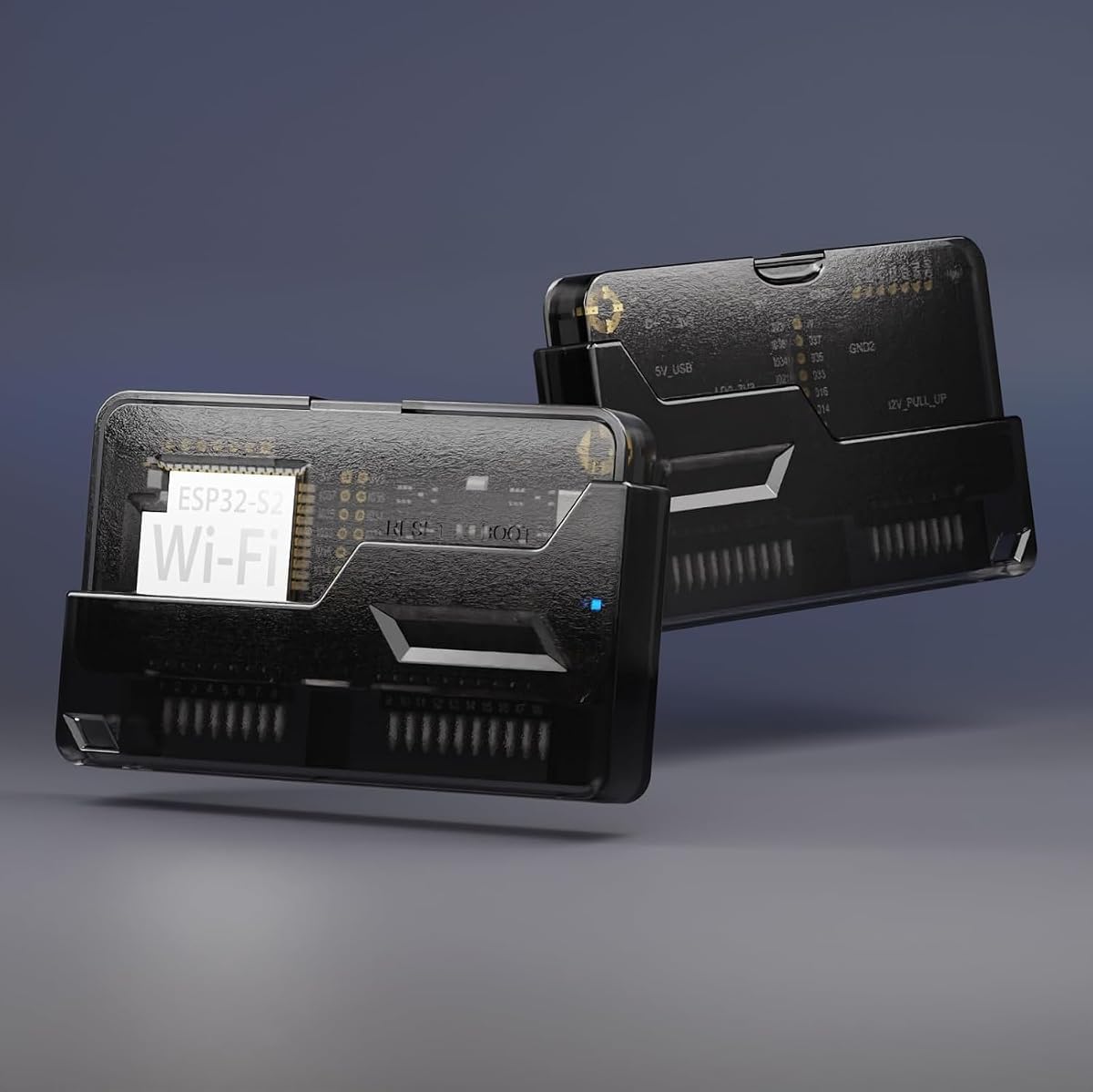
Rated 4.8 this option is perfect for those prioritizing functionality and style. The translucent case looks modern while providing necessary support for the board. It simplifies the integration process significantly.
We may earn a commission when you buy through this link, at no additional cost to you.
You can easily connect additional modules using the exposed GPIO pins. This flexibility is ideal for custom firmware projects requiring external hardware connections. The snap-fit design ensures a secure hold.
Unlike the kits this is focused strictly on the board and case. While it lacks extra protection like pouches or cables the price is lower and the focus is on pure utility.
Select this if you already have protective cases and just need the expansion board. It offers a reliable path to Wi-Fi capabilities with minimal setup friction.
Unobstructed pins allow for connecting sensors and modules without removing the case.
Precision engineering ensures the board stays in place even during vigorous field use.
We may earn a commission when you buy through this link, at no additional cost to you.
This set delivers robust physical protection for your device. Rated 4.7 it combines a silicone cover with essential carrying accessories. It ensures your dolphin stays safe in various environments.
We may earn a commission when you buy through this link, at no additional cost to you.
The EVA case provides a rigid outer layer for transport while the silicone absorbs shocks. Precise cutouts allow you to use buttons and ports without removing the case.
Adding a carabiner and strap enhances portability significantly. You can clip it to your belt or bag ensuring it is always ready for use. The screen protectors add extra value.
Ideal for daily users who prioritize durability over advanced features. It provides peace of mind against drops and scratches while keeping the device organized.
Full-body coverage protects the iButton and corners effectively from daily hazards.
Carabiner and strap options make carrying your device convenient and secure.
We may earn a commission when you buy through this link, at no additional cost to you.
Focuses on lightweight protection and convenience. The soft silicone guards against scratches and dust while the metal carabiner adds significant portability. It keeps your device close at hand.
We may earn a commission when you buy through this link, at no additional cost to you.
The thickness provides reliable shockproofing without adding bulk. You can attach it directly to your belt or bag for easy access whenever you need to use it.
While not as rugged as hard cases it is excellent for daily carry. The precise fit ensures buttons remain accessible and the device looks professional in any setting.
Select this if you want simple protection that moves with you. It is ideal for users who prioritize speed and accessibility over heavy-duty armor.
The included metal keychain allows for instant connection to your gear.
High-quality silicone acts as a shield against everyday wear and tear.
We may earn a commission when you buy through this link, at no additional cost to you.
Designed to boost your Sub-GHz capabilities significantly. While the rating is lower it offers substantial range improvements for specific scenarios. The antenna supports extended transmission up to 2000 feet.
We may earn a commission when you buy through this link, at no additional cost to you.
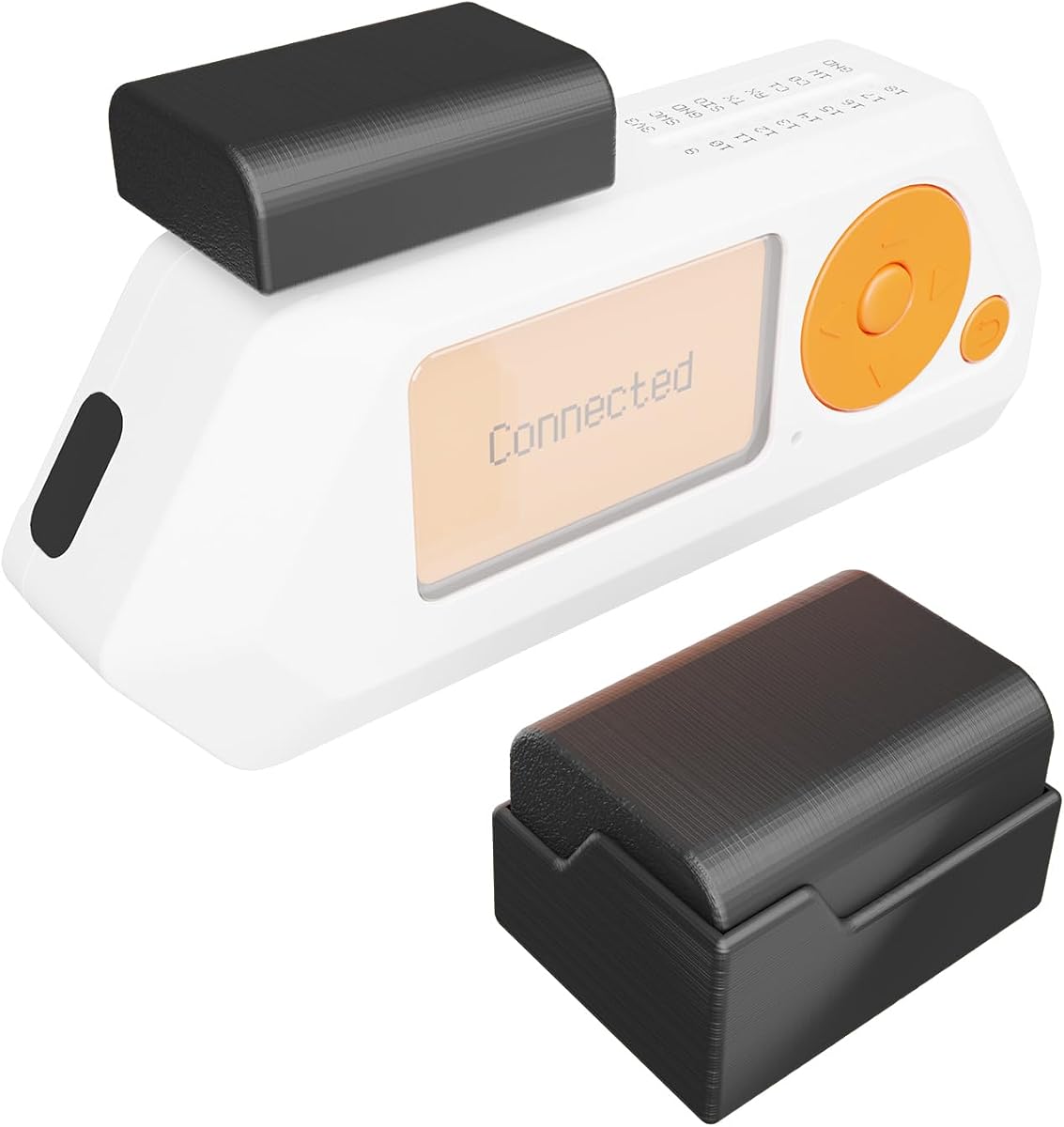
It connects easily via GPIO without interference. The portable stand helps protect pins and prevents loss. The 3D printed design is durable and high density.
Users should note the receiving range is smaller than the transmission range. However for sending signals this is a valuable tool. It fits well for specialized wireless tasks.
Choose this if you need extended signal distance. It is best suited for those focused on specific wireless testing protocols within the GPIO constraints.
The 12DB OMNI antenna greatly enhances signal reach for remote operations.
The stand covers the transceiver to protect pins from bending during use.
We may earn a commission when you buy through this link, at no additional cost to you.
This version focuses on stealth and practicality with its hidden antenna design. Rated 4.1 it provides a complete set including protective cases for transport. It maintains a sleek aesthetic.
We may earn a commission when you buy through this link, at no additional cost to you.
Transmission range is tested around 450 feet which is adequate for many uses. The included soft silicone and EVA cases add value for storage and protection.
The design is low-power and simple to integrate. It avoids external bulk while still delivering functional wireless capabilities. Ideal for scenarios requiring less visibility.
Select this for a balanced approach to wireless needs. It is good for users who want extra protection included without a massive external antenna.
The hidden antenna keeps the profile clean and unobtrusive for general use.
Both silicone and EVA cases ensure your device stays organized and safe.
We may earn a commission when you buy through this link, at no additional cost to you.
This case offers a distinct aesthetic upgrade for your device. With a 3.9 rating it focuses on appearance and fit rather than extreme durability. It makes your device look unique and modified.
We may earn a commission when you buy through this link, at no additional cost to you.
The design is premium and mimics the original form factor. Internal features become visible adding a technical and cool appeal. It is easy to swap out your standard shell.
While it provides basic protection it is not ideal for rough environments. Users should be mindful that it offers less impact resistance than rubber cases.
Perfect for customization enthusiasts who want to show off their device. It allows your Flipper Zero to stand out in a crowd with a fresh transparent look.
The transparent design gives your device a distinct modern modification look.
Close fit ensures the device looks professional and well assembled.
We may earn a commission when you buy through this link, at no additional cost to you.
This module is essential for geolocation and tracking projects. Rated 4.3 it supports major satellite systems including GPS and GLONASS. The active antenna improves reception significantly.
We may earn a commission when you buy through this link, at no additional cost to you.
The built-in amplifier and noise reduction ensure reliable data. Plug-and-play integration makes setup straightforward without complex configuration. It is a powerful addition for fieldwork.
While costly it provides capabilities native modules cannot match. If your work relies on precise location data this is a worthwhile investment. The active antenna is key to performance.
Choose this for professional navigation and mapping tasks. It transforms your Flipper Zero into a capable tool for geolocation testing and verification.
Low-noise amplifier ensures accurate location data even in weak signal areas.
Supports multiple systems to ensure coverage across different regions and conditions.
We may earn a commission when you buy through this link, at no additional cost to you.
Choosing the right accessory depends on your specific needs for protection, wireless range, or functionality.
Evaluate whether you need Wi-Fi or GPS functionality. The Wi-Fi boards allow for remote control and custom protocols. GPS modules provide precise geolocation for mapping and tracking tasks.
Prioritize these if your projects involve network communication or location services.
Decide between hard cases, silicone covers, or screen protectors. Hard cases offer rugged protection for transport while silicone handles daily scratches and drops.
Screen protectors are essential for preserving display clarity over time.
Consider if a bundle saves time and money. Bundles often include cases, cables, and board together. Components allow you to mix and match specific features.
Choose bundles for convenience and components for customization.
Look for plug-and-play solutions if you want quick setup. Tools and screws add complexity to the assembly process.
Snap-fit designs simplify the integration of boards into cases.
Check if the accessory includes a case or strap. EVA bags and carabiners help you carry the device easily.
Portability features keep your device secure during movement.
Select accessories that align with open-source communities. Well-supported modules often have better firmware and tools.
Ensure the product has good compatibility with standard Flipper Zero firmware.
Assess the build quality of cases and antennas. High-density materials resist wear and tear effectively.
Premium materials extend the lifespan of your setup.
Compare prices to find the best value. Basic protectors cost little while advanced modules are significant investments.
Allocate funds to upgrades that directly benefit your specific workflow.
Install your selected board or case first. For plug-and-play modules, connect via GPIO or USB-C. Ensure all snap-fit locks engage securely before powering on.
Clean your device regularly to maintain performance. Use a soft cloth for screens and avoid liquids near ports. Dust can affect antenna performance so keep them clear.
Store your device in the included case when not in use. This protects against accidental drops and scratches. Avoid extreme temperatures to preserve battery and hardware longevity.
Most accessories are designed to work with standard firmware. Always check the product description for specific compatibility details. Community-supported items often receive updates for new firmware versions.
Yes, many cases are specifically designed to accommodate expansion boards. Look for kits that include both components to ensure a perfect fit. Snap-fit cases make integration simple.
No, high-quality glass maintain the original touch experience. The oleophobic coating ensures smooth interaction. They protect without reducing clarity or response speed.
Use a hard carrying case with padding. EVA bags are durable and water-resistant. This prevents accidental damage from shocks during transit.
Dedicated external antennas are required for range extension. Built-in modules offer limited range. External options provide significant improvements for long-distance communication.
Most cases provide basic splash resistance but are not fully waterproof. Silicone covers offer some protection against dust and water. Always check specific IP ratings if waterproofing is needed.
Use compressed air to remove dust. Avoid liquids near the ports. Gently brush with a soft anti-static brush to maintain connectivity.
No, most are plug-and-play via GPIO or USB. Soldering is not required for standard boards. This makes setup accessible to beginners.
We reviewed ten essential products ranging from wireless boards to protective cases. Each offers unique value depending on your project requirements.
Prioritize functionality and durability based on how you use your device. Protection is vital for longevity while wireless upgrades expand your capabilities.
Always verify current availability and compatibility before purchasing. Accessories evolve quickly so check for the latest versions to ensure a smooth integration.