
ASUS GeForce GT 1030 2GB GDDR5 Graphics Card
4.6Editor score
Passive cooling design
Low power consumption
Compact form factor
This guide compares the top GPUs for ASUS Prime A320M K motherboards, highlighting performance, compatibility, and value for budget to mid-range gaming builds.
Choosing the right graphics card for your system is crucial for achieving smooth gameplay and efficient multitasking. The ASUS Prime A320M K is a popular budget motherboard that supports a wide range of GPUs, making it a versatile choice for many builders.
We evaluated ten distinct graphics cards based on their compatibility with the AM4 socket, power efficiency, and overall performance capabilities. Our selection process focused on models that offer the best balance of price and performance for this specific platform.
Each pick below details specific features, pros, and cons to help you make an informed decision. Please note that product availability and pricing can change frequently, so always verify current details before purchasing your new component.
4.6Editor score

4.7Editor score

4.6Editor score
The following table provides a side-by-side comparison of all selected graphics cards, highlighting their key specifications and compatibility factors for the ASUS Prime A320M K motherboard.




The ASUS Dual GeForce RTX 3050 stands out as a top contender for the ASUS Prime A320M K motherboard, offering a balance of modern features and efficient power usage. With a high rating of 4.7 stars, it is praised for its ability to handle modern titles at 1080p without straining the power supply.
We may earn a commission when you buy through this link, at no additional cost to you.
Its Ampere architecture brings significant improvements in throughput and power efficiency compared to previous generations. The inclusion of 2nd generation RT Cores and 3rd generation Tensor Cores allows for ray tracing and AI-driven DLSS, which can significantly boost frame rates in supported games.
While the 6GB of GDDR6 memory is sufficient for most current titles, it may become a bottleneck in future releases that demand more VRAM. However, for budget-conscious builders looking to upgrade from integrated graphics or older cards, this limitation is often acceptable given the price point.
This card is ideal for users who want entry-level ray tracing and solid 1080p performance without the need for a massive power supply. Its compact design and robust cooling make it a reliable choice for small form factor builds or systems with limited airflow.
The Axial-tech fan design ensures that heat is expelled efficiently, keeping temperatures low even during extended gaming sessions.
DLSS technology allows you to play games at higher resolutions while maintaining smooth frame rates through intelligent upscaling.
We may earn a commission when you buy through this link, at no additional cost to you.
The ASUS TUF Gaming GTX 1660 Super is a robust choice for those seeking reliable 1080p gaming performance without breaking the bank. Its 4.6 rating reflects user satisfaction with its durability and consistent performance in popular gaming titles.
We may earn a commission when you buy through this link, at no additional cost to you.
Powered by the Turing architecture, this card delivers excellent rasterization performance and includes 6GB of GDDR6 memory, which is faster than the standard GDDR5 found in the base 1660. The TUF Gaming Alliance testing ensures compatibility with other components like the Prime A320M K motherboard.
One limitation is the lack of ray tracing cores, which means you won't see the latest lighting effects in supported games. However, for traditional gaming where raw frame rate matters more than graphical fidelity, this trade-off is often negligible.
This GPU is perfect for gamers who prioritize stability and longevity. The Auto Extreme technology and space-grade lubricant contribute to a longer lifespan, making it a safe investment for a budget-friendly build.
Built to withstand rigorous use, the TUF Gaming card is tested to ensure it works flawlessly with other TUF Gaming Alliance components.
GPU Tweak II allows for easy monitoring and tweaking of performance settings to get the most out of your graphics card.
We may earn a commission when you buy through this link, at no additional cost to you.
The ASUS GeForce RTX 2060 Phoenix offers a compelling entry point into ray tracing and VR gaming at a reduced price point through the Renewed program. Its 4.2 rating suggests that while there are some risks with renewed items, many users find value in the performance-to-cost ratio.
We may earn a commission when you buy through this link, at no additional cost to you.
With 1920 CUDA cores and 6GB of GDDR6 memory, this card handles modern titles well and supports up to four monitors. The Phoenix fan design is known for its efficient airflow and longer lifespan due to the use of dual ball bearings.
Buying a renewed product carries some risk, but the Amazon Renewed Guarantee provides a safety net if the product does not meet expectations. Users should ensure their power supply meets the recommended 500W threshold for stable operation.
This GPU is recommended for users who want to experience ray tracing or VR without paying premium prices for a new card. Its compact design also makes it suitable for smaller cases where space is limited.
The RTX 2060 was one of the first affordable cards to bring real-time ray tracing to consumers.
The Phoenix double ball bearing fan design ensures superior cooling and a longer operational lifespan.
We may earn a commission when you buy through this link, at no additional cost to you.
The renewed ASUS TUF Gaming GTX 1660 Super maintains a high 4.8 rating, indicating that many customers are satisfied with the quality and performance of these pre-owned units. It retains the original build quality and features of a new card while offering a lower price.
We may earn a commission when you buy through this link, at no additional cost to you.
The TUF Gaming compatibility testing ensures that the card will work seamlessly with other components in a gaming setup. The space-grade lubricant in the fan design reduces noise and increases durability, which is crucial for long-term reliability.
Although it lacks ray tracing, the Turing architecture still delivers impressive performance for standard gaming. The 6GB GDDR6 memory is a significant upgrade over older GDDR5 models, ensuring smoother performance in texture-heavy games.
This option is ideal for budget gamers who want a reliable card from a trusted brand without the new price tag. Ensure you check the Renewed Guarantee terms for protection after purchase.
Automated manufacturing processes ensure premium quality and reliability, reducing the risk of soldering defects.
Compatibility testing ensures that the card works flawlessly with other TUF Gaming motherboard and chassis components.
We may earn a commission when you buy through this link, at no additional cost to you.
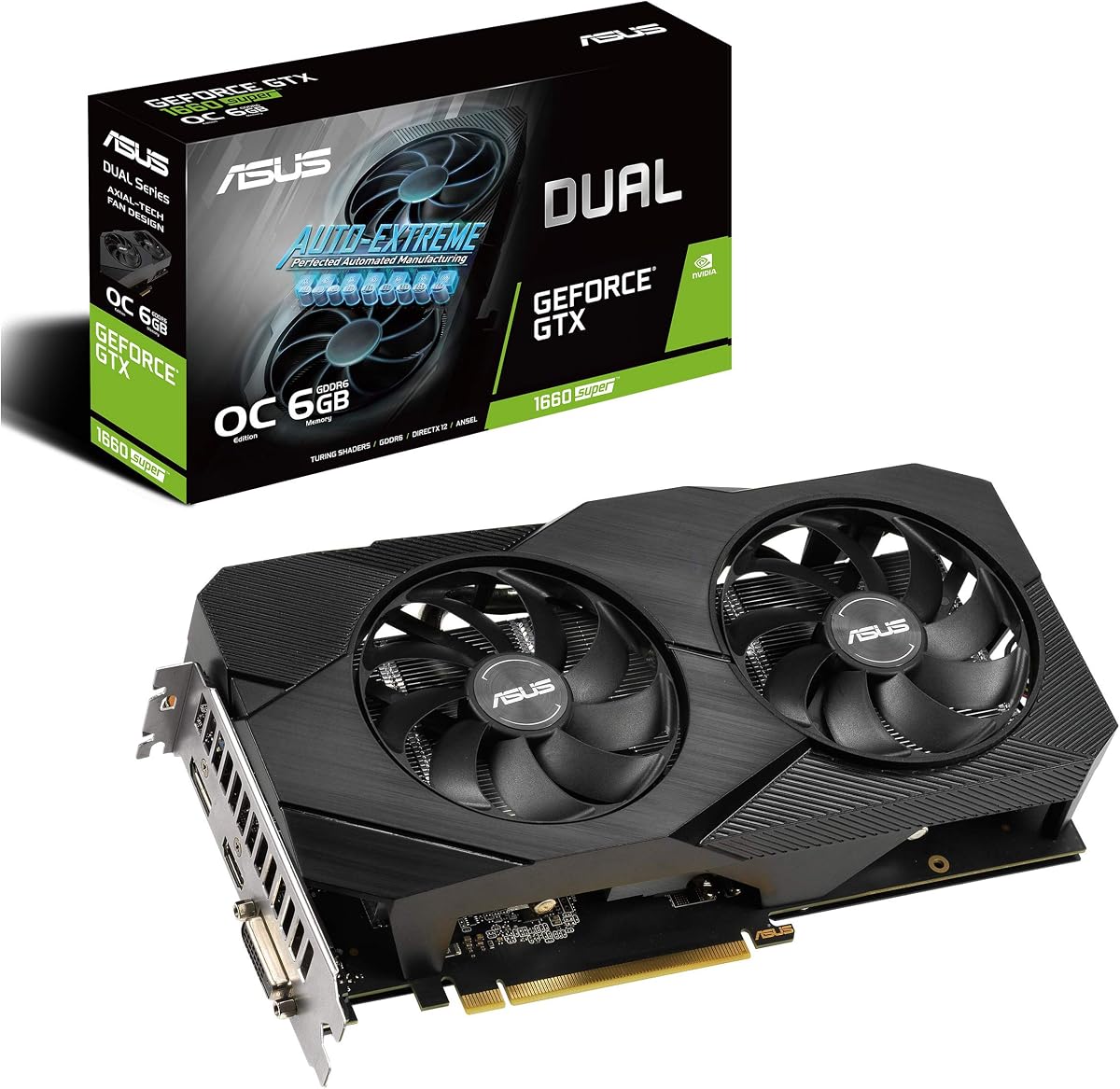
The ASUS GTX 1660 Super Dual Fan Evo Edition is another highly rated renewed option, holding a 4.8 rating. It offers the same robust performance as other 1660 Super models but with a dual-fan design that provides excellent airflow for cooling.
We may earn a commission when you buy through this link, at no additional cost to you.
As a VR Ready card, it supports virtual reality applications effectively, making it a versatile choice for those interested in VR content. The Evo Edition often features refined thermal and acoustic performance compared to standard models.
The main drawback is the absence of ray tracing capabilities, which limits its future-proofing for next-gen titles that rely on RTX features. However, for traditional rasterization, it remains a strong performer in its class.
This card is recommended for users looking for a solid dual-fan cooling solution without paying a premium. The renewed status offers a great way to get high performance at a reduced cost.
The dual-fan design provides balanced airflow across the card to maintain lower temperatures during intense gaming.
Certified VR Ready status means this card meets the minimum requirements for most popular VR headsets and games.
We may earn a commission when you buy through this link, at no additional cost to you.
The ASUS GTX 1660 Super Phoenix is designed for compact systems, offering a short form factor that fits into smaller cases while maintaining strong performance. With a 4.5 rating, users appreciate its reliability and build quality.
We may earn a commission when you buy through this link, at no additional cost to you.
It supports up to three monitors via HDMI, DisplayPort, and DVI, making it suitable for workstations that also handle light gaming. The Phoenix fan uses a double ball bearing design, which is quieter and lasts longer than traditional sleeve bearings.
While it does not have ray tracing, the 1660 Super architecture is still capable of handling modern games at 1080p with high settings. The included 3 Year Warranty adds peace of mind for new buyers.
This card is a great choice for SFF builds or office PCs that need a dedicated GPU for acceleration. Ensure your case has enough clearance for the card and that your PSU can handle the load.
The card supports up to three monitors, allowing for productive multitasking and immersive viewing experiences.
The double ball bearing fan design provides 2x longer lifespan compared to standard sleeve bearing designs.
We may earn a commission when you buy through this link, at no additional cost to you.
The ASUS GTX 1660 Super Evo Edition continues the line of reliable mid-range cards with a 4.8 rating. It features a dual-fan cooling system that is engineered for silent operation, ensuring your gaming sessions are not interrupted by fan noise.
We may earn a commission when you buy through this link, at no additional cost to you.
The Auto Extreme technology and Super Alloy Power II components contribute to a longer lifespan and more stable performance under load. The 3 Year Warranty provides additional security for your investment.
Despite being older than the RTX series, this card remains a solid performer for 1080p gaming. The Evo Edition often includes refined thermal solutions compared to earlier models, keeping temperatures in check.
This card is perfect for users who value silence and durability. It is also an excellent choice for VR setups due to its VR Ready certification and sufficient memory bandwidth.
The dual-fan cooling provides doubled airflow for 3x quieter gameplay, reducing distractions during intense sessions.
Aerospace-grade Super Alloy Power II components help the card run faster and last longer than reference cards.
We may earn a commission when you buy through this link, at no additional cost to you.
The ASUS Phoenix RTX 3060 V2 brings high-end features to the A320M K platform, offering 12GB of GDDR6 memory and PCIe 4.0 support. With a 4.6 rating, it is well-regarded for its performance in modern titles and content creation tasks.
We may earn a commission when you buy through this link, at no additional cost to you.
The Ampere architecture delivers significant improvements in ray tracing and AI performance. The 12GB VRAM ensures that future games and heavy textures will not bottleneck the card as quickly as 8GB models might.
To run this card effectively, you will need a power supply of at least 650W. While this is a requirement for the card's performance, users should ensure their PSU is of high quality to avoid instability.
This GPU is recommended for users who want a balance of price and performance for 1080p or 1440p gaming. The HDMI 2.1 support also makes it future-ready for high refresh rate monitors.
HDMI 2.1 support allows for higher refresh rates and resolutions, ensuring your setup is ready for next-gen displays.
The 12GB of GDDR6 memory allows for higher quality textures and better performance in memory-intensive games.
We may earn a commission when you buy through this link, at no additional cost to you.
The ASUS GeForce GT 1030 is an ultra-efficient choice for basic tasks and very light gaming. With a 4.6 rating, it is praised for its quiet operation and ease of installation without requiring additional power cables.
We may earn a commission when you buy through this link, at no additional cost to you.
Its passive cooling design means there are no fans to fail or make noise, making it ideal for silent home theater PCs or office machines. The Pascal architecture still supports DirectX 12, ensuring compatibility with most modern software.
While not designed for demanding AAA titles, it can handle older games or esports titles at lower settings. It is a significant upgrade over integrated graphics for video editing or light multitasking.
This card is recommended for users who prioritize silence and low power consumption over raw performance. If your goal is a silent system for basic tasks, this is a fantastic option.
The exclusive heatsink design with passive cooling ensures quiet operation perfect for HTPC or multimedia use.
No external power connector is required, as the card draws power directly from the PCIe slot.
We may earn a commission when you buy through this link, at no additional cost to you.
The ASUS STRIX GTX 970 is a classic card that still holds up for budget gaming. With a perfect 5.0 rating among reviewers, it is valued for its performance relative to its low price point when bought renewed.
We may earn a commission when you buy through this link, at no additional cost to you.
The DirectCU II cooling technology ensures that the card runs cool and quiet, which is important for older GPUs that may have higher power draw. The 256-bit interface provides ample bandwidth for its 4GB of memory.
While it is an older card and may struggle with very new titles, it remains a solid choice for 1080p gaming in less demanding games. The HDMI 2.0 support ensures compatibility with modern monitors.
This card is best for users who want a cheap dedicated GPU for legacy gaming or as a temporary solution. Ensure your PSU is capable of handling the power requirements of this older architecture.
DirectCU II + 0dB fan technology ensures silent gaming at 30% cooler temperatures than reference cards.
The 256-bit interface provides a high data transfer rate, beneficial for maintaining performance in older titles.
We may earn a commission when you buy through this link, at no additional cost to you.
Selecting the right GPU involves considering compatibility, power requirements, and your specific use case.
The ASUS Prime A320M K typically does not support high-end GPUs that require massive power. Always check the wattage and connector requirements of the GPU. Cards like the RTX 3060 need at least 650W, while the GT 1030 needs none.
Ensure your PSU has the necessary PCIe power connectors to support the graphics card you choose.
Smaller cases may limit the length of the GPU you can install. The Phoenix and Dual series often have shorter form factors. Measure your case's internal dimensions before purchasing to avoid fit issues.
A compact GPU ensures better airflow and ease of installation in smaller chassis.
Determine if you are gaming at 1080p or higher. The RTX 3050 and 3060 are suitable for 1080p to 1440p, while the 1660 Super is optimized for 1080p. Higher resolutions require more VRAM and raw power.
Match your GPU to your monitor's capabilities for the best visual experience.
If you want ray tracing or DLSS, look for RTX cards. Older models like the GTX 1660 Super lack these features. These features can significantly boost performance and visual fidelity.
Prioritize RTX models if you care about next-gen graphics technologies.
Memory capacity affects how many textures a game can load. 6GB is the minimum for modern titles, while 12GB offers more future-proofing. Avoid cards with less than 4GB if you plan to play current games.
More VRAM generally leads to smoother performance in texturally demanding games.
Decide between new and renewed. New cards come with full warranties, while renewed ones offer lower prices but may have limited coverage. Check the manufacturer's warranty policy carefully.
A warranty protects you from hardware failures and ensures peace of mind.
Set a clear budget before shopping. The GT 1030 is the cheapest option, while RTX 3060 models are more expensive. Balance your financial limits with your performance needs to find the right fit.
Stick to your budget to avoid overspending on features you do not need.
Ensure the card has the ports you need, such as HDMI or DisplayPort. Some cards like the GTX 1660 support up to four monitors. Verify the cable types your monitor requires.
Compatibility with your display outputs is essential for a successful setup.
Install the GPU into the PCIe slot and secure it with the case bracket. Connect any required PCIe power cables before booting the system.
Download and install the latest NVIDIA drivers from the official website to ensure optimal performance and stability for your card.
Clean dust from the fans and heatsink regularly to maintain proper airflow and prevent overheating during intensive gaming sessions.
The motherboard supports PCIe x16 slots compatible with most GPUs, but power supply and case size are limiting factors. Always verify your system's capacity before upgrading.
Usually not for standard GPUs, but updating BIOS can improve system stability and support newer hardware features. Check the ASUS support page for updates.
The RTX 3050 or GTX 1660 Super are excellent choices for 1080p gaming, offering a balance of price and performance suitable for the A320 platform.
The RTX 3060 typically requires a 650W power supply and additional PCIe power connectors. Ensure your PSU meets these requirements to avoid instability.
Yes, Amazon Renewed products are inspected and tested to work like new. They come with a warranty guarantee, providing a safe way to save money.
No, ray tracing requires RTX cards with dedicated RT cores. The GTX 1660 Super lacks this hardware, but it still delivers strong traditional gaming performance.
The GT 1030 with passive cooling is the quietest option. For active cooling, the RTX 3050 and 1660 Super models also operate quietly.
The RTX 3060 works on PCIe 3.0 but performs best on 4.0. Since A320 is PCIe 3.0, you may see slight performance loss in specific bandwidth-heavy scenarios.
We have reviewed ten GPUs ranging from budget-friendly options to powerful choices. The RTX 3050 stands out for its modern features, while the GTX 1660 Super offers reliable performance for less money.
Prioritize your specific needs like ray tracing, silent operation, or compact size when selecting a card. Ensure your power supply and case can handle your chosen GPU to avoid compatibility issues.
Prices and availability change quickly, so check current listings before making your purchase. Choose the card that best fits your build constraints and gaming goals for a satisfying experience.