
HDMI Splitter 1 in 3 Out
4.6Editor score
Affordable price point
LED status indicators
Compact aluminum build
Discover the top HDMI splitter for 3 monitors to compare features, resolutions, and compatibility for seamless multi-screen setups in 2026.
Finding the right HDMI splitter for 3 monitors can transform your workspace or entertainment setup significantly. You need a device that handles high resolutions without lag or signal loss while maintaining stable connectivity across all displays.
This guide compares ten top-rated models based on resolution support, build quality, and ease of use. We evaluated each product against real-world scenarios like gaming, trading, and professional presentations to ensure reliable performance.
Each pick highlights key strengths and potential limitations to help you decide quickly. Prices and availability change frequently so verify current details on the retailer site before purchasing to ensure you get the best deal available today.
4.6Editor score

4.4Editor score

4.2Editor score
This side-by-side comparison highlights the key specifications of each model to help you identify the best fit for your specific display requirements and budget constraints.



This DisplayPort to HDMI splitter leads our list because it handles extended displays across three screens which most competitors cannot do. It maintains 4K resolution at 60Hz ensuring smooth visuals for work or gaming sessions.
We may earn a commission when you buy through this link, at no additional cost to you.
The all-aluminum casing provides excellent heat dissipation crucial for long-running setups. Braided nylon cables and gold-plated ports ensure signal integrity and physical durability over years of daily use without degradation.
Users must ensure their graphics card supports MST and provides enough bandwidth. macOS users should note that this device only supports mirroring on Apple systems limiting flexibility for Mac desktop setups.
If you need true multi-monitor expansion on Windows this hub is ideal. It delivers reliable performance and professional features at a reasonable price point making it a top recommendation for serious users.
Unlike simple mirroring splitters this device allows independent content on each screen perfect for trading or productivity workflows requiring multiple active windows.
The aluminum enclosure actively dissipates heat preventing overheating issues that often cause signal drops in cheaper plastic alternatives during long use.
We may earn a commission when you buy through this link, at no additional cost to you.
This splitter shines when you need identical high-resolution content across three screens. It supports 4K at 60Hz which is rare in this price range and ensures crisp images for presentations or digital signage.
We may earn a commission when you buy through this link, at no additional cost to you.
The auto downscaler allows mixing display resolutions so you can use one 4K monitor with others at lower settings without losing signal stability. It includes a cable and power adapter making setup immediate.
It does not support extended displays meaning all screens show the same thing. Audio output limitations mean you rely on TV speakers or external systems connected directly to the source device.
Ideal for retail displays or home entertainment rooms needing synchronized video. The included accessories reduce extra costs and the robust video specs meet modern streaming console requirements effectively.
This feature allows different monitor resolutions to work simultaneously which simplifies setups where matching displays are not available or affordable.
While external audio output is limited the internal support for Dolby Atmos and DTS ensures source devices process rich audio before sending to screens.
We may earn a commission when you buy through this link, at no additional cost to you.
Offering four outputs instead of three this splitter is perfect when you need more screen real estate without buying multiple devices. It supports 4K but caps at 30Hz which is sufficient for general viewing.
We may earn a commission when you buy through this link, at no additional cost to you.
The internal signal booster ensures stability even with long cables reaching up to 100 feet total. This makes it ideal for large rooms or conference halls where equipment sits far from displays.
It requires a dedicated power adapter preventing flickering common in USB-powered units. The metal casing protects against interference and heat ensuring reliable 24/7 operation in commercial environments.
If your goal is broadcast or monitoring across many screens this unit delivers consistent results. Its build quality exceeds typical budget options and the extra output port adds significant versatility.
With support for long cables you can place the splitter near the source without compromising image quality on distant screens.
Designed for continuous use this splitter handles high heat and interference better than consumer-grade alternatives for professional installations.
We may earn a commission when you buy through this link, at no additional cost to you.
This adapter functions as a DisplayPort MST hub allowing extended screens which sets it apart from many HDMI-only options. It achieves 4K@60Hz making it suitable for demanding visual tasks.
We may earn a commission when you buy through this link, at no additional cost to you.
The aluminum shell and braided cables ensure physical durability. It requires a powerful GPU with 18Gbps bandwidth but delivers smooth performance when paired correctly with desktop graphics cards.
Direct DP connection is mandatory excluding hubs or KVM switches. Laptop users should verify their specific port supports MST as many integrated GPUs limit this functionality to mirroring only.
For desktop workstations needing three independent displays this is a solid solution. It avoids the need for multiple video cards while keeping cable management clean and efficient.
Multi-Stream Transport allows independent content per screen which is essential for multitasking rather than simple duplication.
The integrated shell prevents internal overheating during high-resolution rendering tasks which prolongs device lifespan.
We may earn a commission when you buy through this link, at no additional cost to you.
Offering exceptional value this splitter delivers synchronized content across three screens without breaking the bank. It supports 4K resolution at 30Hz which works well for static presentations or movie watching.
We may earn a commission when you buy through this link, at no additional cost to you.
Each output port has an LED light helping you troubleshoot connection issues quickly. The aluminum casing shields against interference ensuring the signal remains stable even in electrically noisy environments.
You will need to provide your own power adapter since only the cable is included. For most home uses this small cost is acceptable given the low price of the unit itself.
Perfect for gaming parties or business meetings needing shared visuals. The compact size makes it easy to travel with while the build quality ensures it survives regular use.
LED lights show at a glance which displays are active reducing troubleshooting time during urgent meetings or events.
Access to triple screen setups is now accessible for tight budgets without sacrificing basic performance needs.
We may earn a commission when you buy through this link, at no additional cost to you.
This model emphasizes zero latency making it excellent for live trading or gaming where split-second timing matters. It mirrors content perfectly across three screens without any perceptible delay between feeds.
We may earn a commission when you buy through this link, at no additional cost to you.
The aluminum casing handles heat effectively allowing continuous operation without overheating. Each port has a clear LED indicator helping you verify connectivity instantly during setup or maintenance.
It does not output audio to external devices so you must use display speakers. A USB-C power cable is included but the adapter is not required to be purchased separately.
Recommended for setups needing immediate synchronized visuals like security or stock monitoring. The build quality supports heavy use and the warranty provides peace of mind for buyers.
Real-time sync ensures no input delay making it suitable for fast-paced video monitoring or competitive gaming displays.
The small physical size saves desk space while maintaining industrial grade reliability for daily usage.
We may earn a commission when you buy through this link, at no additional cost to you.
This splitter supports the latest HDCP standards ensuring compatibility with modern streaming services and protected content. It delivers 4K video at 60Hz for smooth playback across four connected screens.
We may earn a commission when you buy through this link, at no additional cost to you.
The metal build protects against interference and heat. EDID management handles resolution negotiations automatically reducing the need for manual tweaking during installation or device swaps.
It offers extensive audio format support including Dolby TrueHD and DTS-HD which enhances home theater setups significantly. The warranty covers new items for one year adding to its value proposition.
If you need four screens instead of three this unit provides extra flexibility at a reasonable cost. It balances high bandwidth performance with broad device compatibility effectively.
HDCP 2.0 compliance means you can watch streaming services without handshake errors or blocked content.
EDID features detect connected displays and set optimal settings automatically saving setup time.
We may earn a commission when you buy through this link, at no additional cost to you.
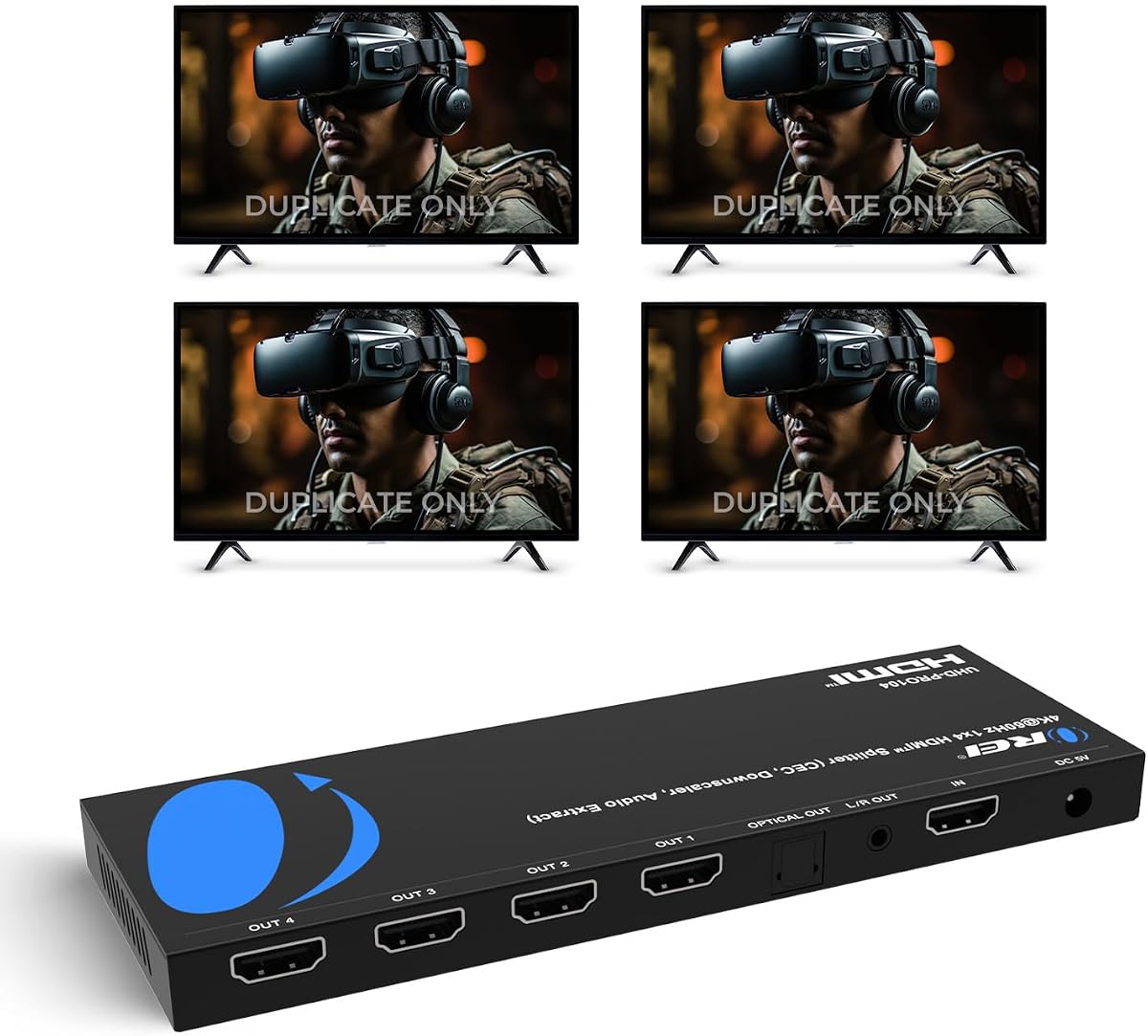
This premium splitter stands out with its audio extractor feature separating sound from video for external sound systems. It also handles HDR10+ and Dolby Vision ensuring high dynamic range content looks vibrant on displays.
We may earn a commission when you buy through this link, at no additional cost to you.
The downscaling feature allows mixing 4K and 1080p screens without losing signal stability. This is useful for older setups where monitors vary widely in capability and age.
Price is higher than basic models but the audio flexibility and HDR support justify the cost for home theater enthusiasts. You get flexible optical and analog audio outputs which many devices lack.
Ideal for AV installations needing separate sound routing. It ensures high compatibility with modern gaming consoles and media players while maintaining crisp visual output on multiple screens.
Separating audio allows you to use high-quality sound systems without compromising video distribution to screens.
High Dynamic Range pass-through ensures movies and games retain their intended contrast and color depth.
We may earn a commission when you buy through this link, at no additional cost to you.
This splitter prepares your setup for next-generation video standards by supporting 8K resolutions and high refresh rates up to 120Hz on 4K displays. It is built for enthusiasts who want the absolute best performance.
We may earn a commission when you buy through this link, at no additional cost to you.
Variable refresh rate support ensures smooth gameplay without tearing which is vital for high-speed gaming. The massive 48Gbps bandwidth handles uncompressed video streams easily maintaining quality across three screens.
Cost is significantly higher due to advanced features most users do not yet need. You need HDMI 2.1 monitors to unlock the full potential otherwise it works as a standard high-bandwidth splitter.
If you have high-end consoles or PCs this unit ensures no bottlenecks in signal delivery. It offers future-ready flexibility that justifies the investment for power users and tech enthusiasts.
VRR adjusts display refresh dynamically to match frame rates reducing screen tearing and lag during intense gameplay.
48Gbps capacity ensures even the most demanding video streams transmit losslessly across multiple displays.
We may earn a commission when you buy through this link, at no additional cost to you.
UGREEN offers a robust four-output option that handles 4K video at 60Hz reliably. It uses EDID control to prevent common issues like black screens when connecting displays with different resolutions.
We may earn a commission when you buy through this link, at no additional cost to you.
USB power ensures stable transmission without extra wall adapters. The wide compatibility covers everything from gaming consoles to PCs making it versatile for mixed device environments in the home.
It supports HDR and 3D which enhances viewing experiences for media content. The compact design keeps clutter minimal while maintaining high performance for daily viewing needs.
Recommended for home theater setups needing multi-room sync. Its combination of reliability features and ease of use makes it a strong contender for general consumers.
Prevents flickering and blackouts by intelligently negotiating resolution between source and connected displays automatically.
Works seamlessly with consoles streaming sticks and computers ensuring versatile usage across different households.
We may earn a commission when you buy through this link, at no additional cost to you.
Choosing the right splitter depends on resolution needs refresh rates and whether you need independent screens or simple duplication. Here are the critical factors to evaluate.
Look for 4K@60Hz support if you want smooth motion and crisp text. Many budget models cap at 30Hz which may appear choppy during scrolling or fast video playback. Ensure the device bandwidth supports your graphics card capabilities to avoid bottlenecks.
Higher bandwidth like 18Gbps or 48Gbps is needed for advanced features like HDR or high refresh rates. Check that your monitors match the output specs for best visual results.
Most splitters only mirror content meaning all screens show the same thing. If you need separate workspaces you need a DisplayPort MST hub or specific HDMI extender that supports independent displays. Verify product specs carefully before buying.
Mirroring is sufficient for presentations or entertainment where identical content is desired. Extended mode requires compatible source hardware and higher bandwidth to function correctly.
HDMI 2.0 supports 4K@60Hz while HDMI 2.1 enables higher refresh rates and bandwidth. Ensure your splitter and monitors support the same version to avoid signal issues. Older HDMI 1.4 devices will limit you to 4K@30Hz.
Check HDCP support for streaming services. Newer standards like HDCP 2.2 or 2.3 are required for 4K content from modern media players and consoles.
Powered splitters ensure stable signal transmission especially over long cable runs. USB powered options are convenient but may struggle with high bandwidth demands. External adapters offer consistent performance for daily use.
Avoid relying solely on device ports for power if you experience flickering. A dedicated power source often resolves signal drop issues in professional setups.
Aluminum casings help dissipate heat and reduce electromagnetic interference. Plastic housings are cheaper but may overheat during extended use. Look for gold-plated connectors to prevent corrosion and ensure stable contacts.
A solid build protects the internal components from physical stress and environmental factors. Durable construction extends the lifespan of the device in active offices.
Some splitters extract audio to separate outputs while others pass it through HDMI. If you need external speakers check for optical or analog audio ports on the device. Otherwise use the source device for audio routing.
High-quality audio support like Dolby TrueHD ensures immersive sound. Verify that the audio path matches your setup requirements before purchasing the unit.
Braided cables offer better durability and resistance to tangling. Ensure connectors fit your ports snugly to avoid signal loss. Check if the package includes necessary adapters to avoid extra costs.
Quality cables reduce interference and maintain data integrity over distance. Invest in high-speed cables if running connections over longer distances.
Windows supports extended displays via MST hubs while macOS often restricts this to mirroring on certain hardware. Check device notes for OS-specific limitations before buying for Mac users.
Ensure drivers are plug and play to avoid installation hassle. Most modern devices work automatically but verify system requirements for your specific setup.
Connect the power adapter first before plugging in the source or displays. This ensures the splitter stabilizes and prevents initial signal drops or flickering when powering up.
Use high-quality HDMI cables rated for your resolution. Cheap cables may not handle high bandwidth causing visual artifacts or signal loss during usage.
Keep the device in a well-ventilated area to allow heat dissipation. Dust buildup can block vents so wipe the casing periodically to maintain cooling performance.
Most standard HDMI splitters only mirror content meaning all screens show the same image. To extend your desktop you need a DisplayPort MST hub or specific hardware that supports multi-stream transport. Check product descriptions for extend mode support.
A quality splitter passes through the source resolution without loss. If your monitors have different resolutions the splitter may default to the lowest common setting unless it supports downscaling.
Yes most reliable splitters require external power for stable signal transmission. USB powered ones may work for basic setups but dedicated adapters prevent flickering during long use.
Black screens often occur due to resolution mismatches or HDCP handshake issues. Try updating drivers or using EDID control features to match settings with your displays.
Many splitters do not support audio extraction so use external speakers connected to your TV or source. Higher-end models include optical outputs for sound system integration.
Standard cables work best up to 15 feet. For longer runs use active HDMI cables or signal boosters included in some models to prevent loss.
Most modern splitters support gaming consoles but check HDMI 2.1 support for 4K@120Hz. Lower versions may limit refresh rates to 60Hz on some devices.
A good splitter adjusts automatically or maintains signal to remaining displays. Some models support cascading allowing you to chain more screens for flexibility.
We reviewed ten options ranging from budget-friendly mirrors to high-bandwidth MST hubs. The UANTIN model leads for extended displays while others excel in simple mirroring and cost.
Prioritize resolution support and build quality based on your usage. If you need independent screens verify MST compatibility before purchasing to avoid return hassles later.
Prices fluctuate regularly so check the current listings on Amazon for the best deals. Confirm your specific needs against the features to ensure a smooth and productive setup.