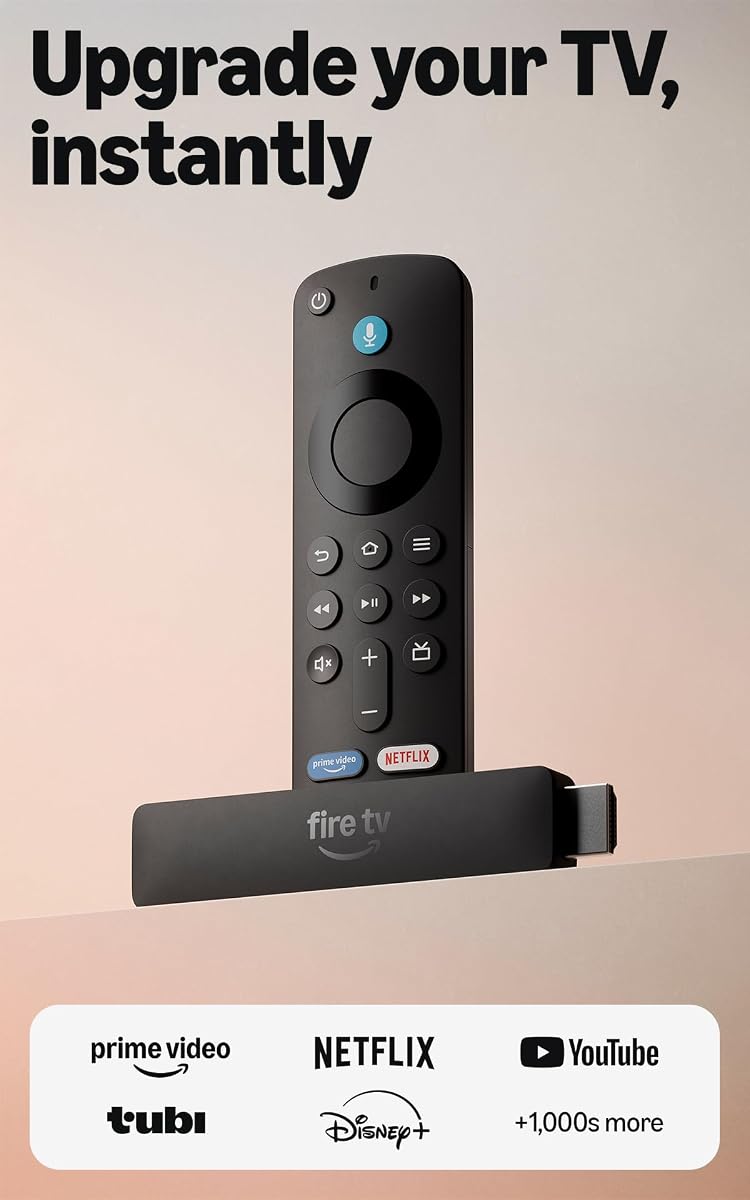
Amazon Fire TV Stick HD
4.1Editor score
Powered by your TV via USB-C
Crisp Full HD and Wi-Fi 6
Alexa Voice Remote included
This expert guide compares the top ten HDMI streaming devices available in October 2026 to help you choose the best model for your home entertainment needs
Choosing the right HDMI streaming device can transform your standard television into a powerful entertainment hub. These compact gadgets connect directly to your TV's HDMI port, giving you access to thousands of apps and services without needing a costly cable subscription or complex hardware setup.
We have evaluated the leading models on the market based on performance, picture quality, user interface, and value. Our analysis focuses on real-world streaming capabilities, including support for 4K resolution, HDR formats, and smooth navigation across popular apps to ensure you get the best viewing experience possible.
Each pick in this guide highlights specific strengths and ideal use cases to help you make an informed decision. Keep in mind that product availability and promotional offers can change frequently, so checking the latest details directly on the retailer site is always recommended before finalizing your purchase.
4.1Editor score

4.7Editor score

4.4Editor score
The following table provides a side-by-side comparison of all ten featured devices. Reviewing these core specifications will help you quickly identify which model aligns best with your specific viewing habits and technical requirements.



The Roku Streaming Stick 4K stands out as a top performer in the streaming device market. It earns an excellent rating due to its ability to deliver stunning 4K resolution and immersive audio without requiring complex setup steps.
We may earn a commission when you buy through this link, at no additional cost to you.
Its standout quality lies in the combination of picture clarity and platform accessibility. The device supports HDR10+ and Dolby Vision, ensuring that colors pop off the screen with lifelike detail. Additionally, the long-range Wi-Fi receiver allows it to maintain a strong connection even in rooms farther from your router.
While it lacks an Ethernet port for wired connections, the wireless performance is robust enough for most home networks. The remote uses standard batteries rather than a rechargeable pack, which some users might prefer differently, but this does not significantly hinder daily usability.
This device is perfect for anyone seeking a reliable, high-quality streaming experience that fits easily behind a TV. Whether you want to access popular apps or explore free content, this stick offers a balance of performance and convenience that is hard to beat.
The support for 4K resolution, HDR10+, and Dolby Vision ensures that every scene looks sharp and vibrant on compatible TVs.
The included long-range Wi-Fi receiver helps maintain a stable connection for smooth playback even if the router is located in a different room.
We may earn a commission when you buy through this link, at no additional cost to you.
The Amazon Fire TV Stick HD offers an incredibly accessible entry point into streaming entertainment. It receives a solid rating for its ease of use and the extensive selection of content available through the Fire TV ecosystem.
We may earn a commission when you buy through this link, at no additional cost to you.
Its key strength is the simplified setup powered by the TV itself. By using the included USB-C cable to draw power directly from the TV, it eliminates the need for a wall adapter. The interface is streamlined to help you jump straight to your favorite apps quickly.
The limitation to Full HD resolution means it may not be ideal for viewers with large 4K TVs who want the sharpest possible image. However, for budget-conscious buyers or smaller screens, the value proposition remains strong compared to other options.
This stick is ideal for those who want a straightforward way to access their favorite streaming services without spending much money. If you prioritize cost and ease of use over 4K visuals, this device delivers exactly what it promises.
The direct power feature allows the device to run off your TV's USB port, removing the clutter of extra cables and adapters.
Alexa integration lets you search for shows and control smart home devices effortlessly using just your voice through the remote.
We may earn a commission when you buy through this link, at no additional cost to you.
The Roku Ultra is designed for users who demand the highest level of performance and features. It is recognized for its ability to deliver a cinematic experience with lightning-fast navigation and immersive sound capabilities.
We may earn a commission when you buy through this link, at no additional cost to you.
A major highlight is the rechargeable Voice Remote Pro which includes backlit buttons and a lost remote finder. This thoughtful addition enhances usability in low-light conditions and reduces the hassle of replacing batteries frequently during daily viewing sessions.
While it comes with a higher price tag than other models, the inclusion of an Ethernet port ensures rock-solid connectivity which is crucial for high-bitrate 4K streaming. The larger box shape is also more substantial than a stick but still fits easily behind most TVs.
This premium player is perfect for home theater enthusiasts who want the best picture and sound quality without compromise. If you need reliable wired connectivity or advanced remote features, the extra investment provides significant long-term benefits.
Support for Dolby Atmos creates an immersive surround sound atmosphere that enhances movies and shows on compatible sound systems.
The remote includes a headphone jack for private listening and a dedicated button to locate it instantly if it gets misplaced.
We may earn a commission when you buy through this link, at no additional cost to you.
The Roku Ultra LT offers a balanced mix of features that appeal to a wide range of users. It is praised for its ability to handle 4K content smoothly while remaining affordable compared to higher-end models.
We may earn a commission when you buy through this link, at no additional cost to you.
Its performance is reliable thanks to the dual-band Wi-Fi support which helps prevent buffering during peak usage times. The interface is familiar to Roku users, making the transition to this device seamless for those already in the ecosystem.
The lack of an Ethernet port limits connectivity options for users in areas with poor Wi-Fi signals. Additionally, the remote does not have advanced features like rechargeable batteries or backlit keys, but it covers all essential functions needed for daily streaming.
This device is suitable for households that want 4K streaming capabilities without paying for premium extras. It serves as a dependable workhorse for everyday viewing needs and supports a vast library of free and paid content.
With 4K UHD resolution and HDR support, this player brings out rich detail and vivid colors on modern high definition TVs.
Access thousands of channels including major services like Netflix and Disney along with free options through the Roku Channel.
We may earn a commission when you buy through this link, at no additional cost to you.
The Amazon Fire TV Stick 4K Plus builds on the success of the standard 4K model with significant performance upgrades. It receives a high rating for its ability to stream content quickly and handle demanding applications without lag.
We may earn a commission when you buy through this link, at no additional cost to you.
The inclusion of Wi-Fi 6 ensures that the device can handle multiple connected devices in the home without dropping connection quality. The AI-powered search helps you find content across different apps faster than ever before reducing time spent scrolling.
The home screen can sometimes feel cluttered with ads and recommendations which might be distracting for some users. However, for those who prioritize raw performance and ecosystem integration, these trade-offs are often acceptable given the overall speed and utility.
This stick is ideal for households that already use Alexa devices and want a powerful streaming solution. The ability to stream games without a console adds another layer of entertainment value to the device.
Wi-Fi 6 support provides faster speeds and better stability for streaming high bitrate 4K content even with other devices connected.
Play popular games directly on your TV without needing a separate console thanks to cloud gaming partnerships available on the platform.
We may earn a commission when you buy through this link, at no additional cost to you.
The Amazon Fire TV Stick 4K Select focuses on delivering essential 4K streaming capabilities at a competitive price point. It is rated well for its straightforward interface and ability to access a wide variety of content quickly.
We may earn a commission when you buy through this link, at no additional cost to you.
Key strengths include the AI-powered search function that helps you find what you want to watch across multiple apps. The device is designed to be simple to set up and use making it suitable for those who may not be tech-savvy.
It lacks some advanced features found in higher-end models like Ethernet ports or dedicated power buttons on the remote. However, for most users who simply want to stream movies and shows reliably, these omissions do not significantly impact the experience.
This device works well for viewers who need 4K support without paying for extra premium features. It offers a clean introduction to the Fire TV ecosystem with enough functionality to handle daily entertainment needs effectively.
The AI search feature analyzes your preferences to suggest content and find specific shows across various applications seamlessly.
Thousands of free and paid apps are available including major platforms like Netflix, YouTube, and Prime Video in one place.
We may earn a commission when you buy through this link, at no additional cost to you.
The Amazon Fire TV Stick 4K Max delivers the fastest performance in the Fire TV stick lineup. It earns a strong rating for its speed and ability to handle complex tasks like gaming and high-resolution streaming effortlessly.
We may earn a commission when you buy through this link, at no additional cost to you.
The processor is significantly more powerful than standard models ensuring apps launch quickly and navigation remains fluid even with multiple background processes. The 16GB of storage allows for more apps and games to be downloaded without constantly managing space.
Although it is slightly more expensive than other models, the performance boost is noticeable for heavy users who stream often. The interface remains consistent with other Fire TV devices so there is no learning curve if you have used them before.
This device is perfect for users who want the most capable streaming stick available from Amazon. If you value speed and future-proof connectivity like Wi-Fi 6E this model offers the best balance of power and size.
With double the storage of standard sticks you can install more games and apps without running out of space quickly.
Wi-Fi 6E support ensures minimal interference and maximum speeds for the smoothest streaming experience possible on supported routers.
We may earn a commission when you buy through this link, at no additional cost to you.
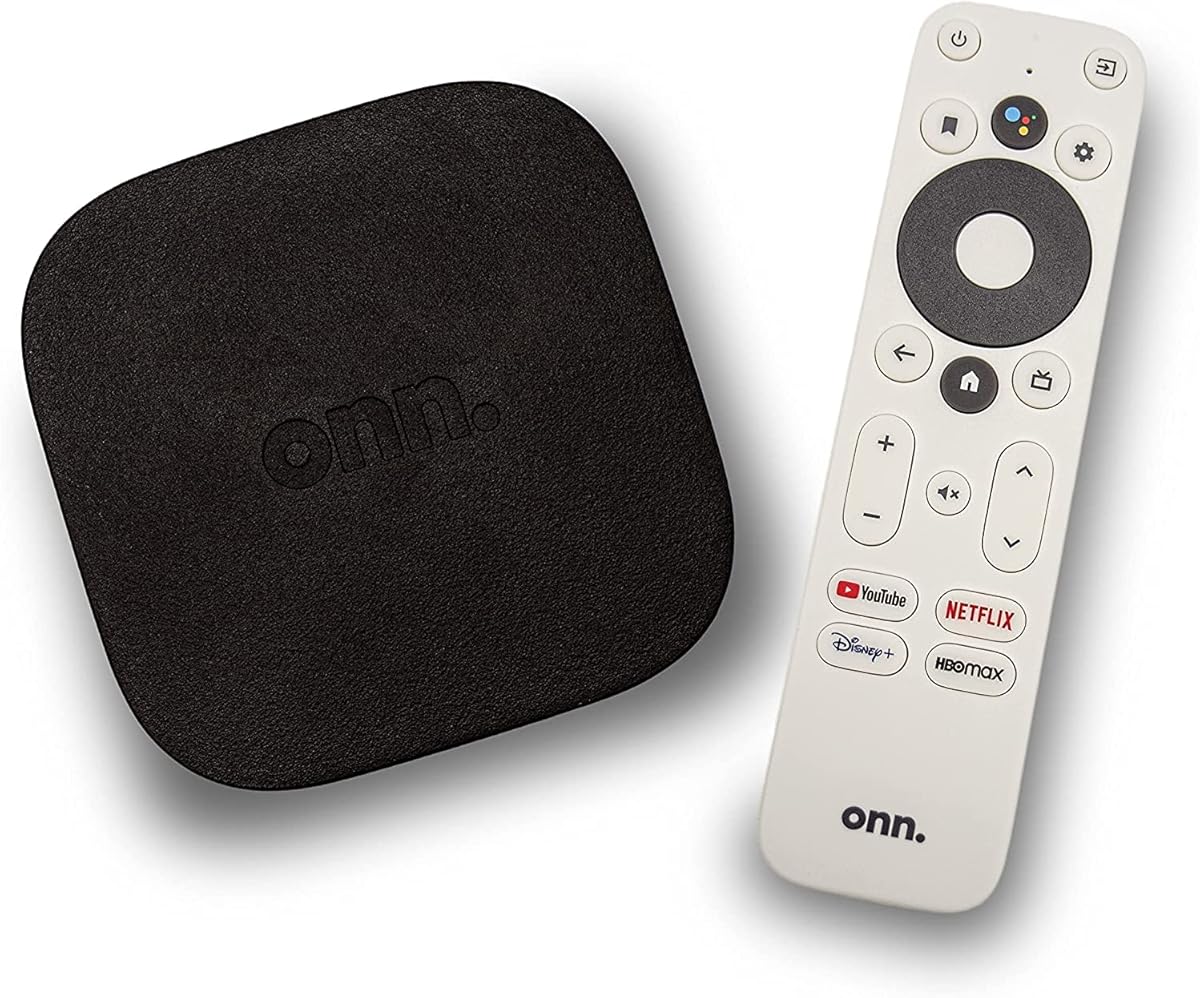
The ONN Android TV 4K provides access to the Google Play Store ecosystem in a compact streaming device. It receives a positive rating for its ability to cast content from your phone and offer a wide range of Android apps.
We may earn a commission when you buy through this link, at no additional cost to you.
One of its main advantages is the built-in Chromecast functionality which makes it easy to share content from your mobile device directly to the TV. The interface is familiar to Android users and offers deep integration with Google services and assistants.
Performance can occasionally feel slower compared to dedicated streaming boxes when navigating menus or launching heavy apps. Some users may find the initial setup process slightly more complex than other simpler plug-and-play devices.
This device is best for Android users who want to extend their ecosystem to their living room. It serves as a capable streaming option for those who prefer Google's software over proprietary interfaces like Roku or Fire TV.
Casting video and photos from your phone to the TV is simple and fast with the built-in Chromecast feature.
The Android TV operating system gives you access to thousands of apps not available on other restricted streaming platforms.
We may earn a commission when you buy through this link, at no additional cost to you.
The Roku Ultra LT 2023 offers a versatile streaming experience with strong connectivity options and privacy features. It is rated highly for its ability to maintain a stable connection via Ethernet and its private listening capabilities.
We may earn a commission when you buy through this link, at no additional cost to you.
The inclusion of an Ethernet port ensures that you can achieve the fastest possible internet speeds if you have a wired connection available. This is a significant advantage for users in areas with unstable Wi-Fi signals who require consistent streaming quality.
The remote includes a headphone jack for private listening which allows you to watch TV at full volume without disturbing others in the room. While the physical design is boxier than a stick it fits neatly behind most modern television sets.
This player is ideal for households that want the benefits of a wired connection and private audio options. It provides a reliable platform for viewing high-quality video content with minimal interruptions or lag during peak times.
The headphone jack on the remote allows for private audio playback so you can enjoy movies without affecting others nearby.
Wired internet support ensures maximum speed and stability for streaming high-definition content without wireless interference.
We may earn a commission when you buy through this link, at no additional cost to you.
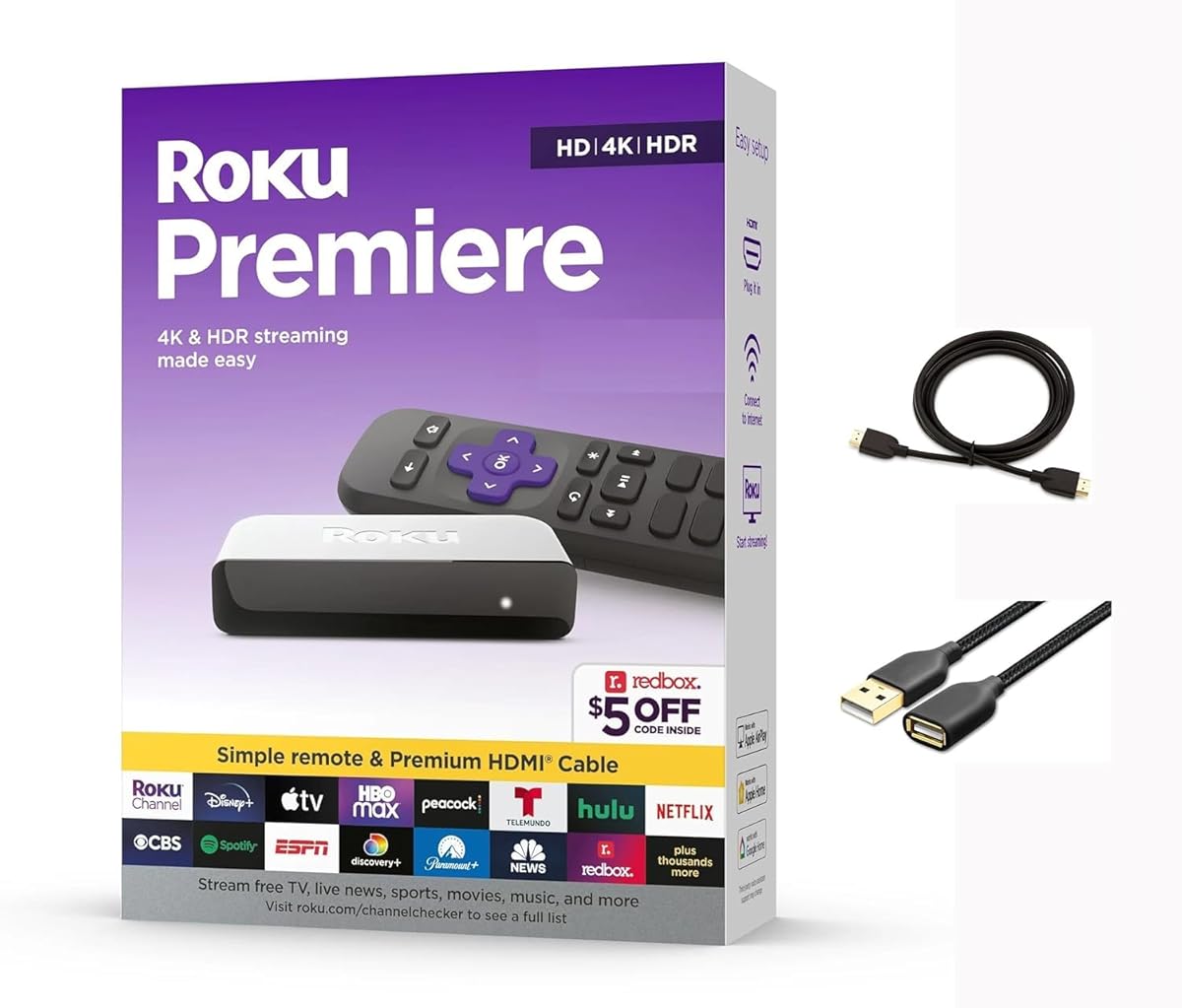
The Roku Premiere offers a straightforward streaming solution that works well for most households. It is appreciated for its clean interface and inclusion of premium accessories like an HDMI cable in the box.
We may earn a commission when you buy through this link, at no additional cost to you.
One of its notable features is support for Apple AirPlay which allows you to share photos and videos from your iPhone or iPad directly to the TV. This broadens the compatibility options significantly compared to Roku-only devices.
The simple remote does not have voice control buttons which limits search capabilities to on-screen keyboards. However, for users who prefer physical button inputs and do not rely heavily on voice search this limitation is minor.
This device is perfect for anyone looking for a basic and reliable 4K player that is easy to manage. It is a cost-effective choice for second bedrooms or smaller living spaces where high-end features are not required.
Wireless sharing of photos and videos from Apple devices to your TV works seamlessly with the AirPlay feature.
The streamlined interface avoids clutter and focuses on delivering a smooth viewing experience without unnecessary distractions.
We may earn a commission when you buy through this link, at no additional cost to you.
Selecting the right HDMI streaming device requires careful consideration of several technical and practical factors to ensure it meets your specific viewing needs.
Ensure the device supports at least 4K resolution if you have a high-definition TV. Look for HDR support like HDR10+ or Dolby Vision to get the best color and brightness performance.
A device with strong picture quality ensures that your viewing experience matches the capabilities of your television set.
Check if the device has built-in Wi-Fi or if it supports Ethernet ports. A strong connection is vital for buffering-free streaming especially with high bitrate content.
Prioritize models with the latest Wi-Fi standards if you have many devices connected to your home network simultaneously.
Modern remotes often include voice search and dedicated buttons for popular apps. Consider if you need rechargeable batteries or backlit buttons for easier use in the dark.
A good remote simplifies navigation and makes finding content much faster than using a standard directional pad alone.
Different devices run on different operating systems like Roku, Fire TV, or Android TV. Choose one that aligns with the smart home services you already use.
The ecosystem determines which apps are available and how easily you can integrate the device with other smart gadgets.
Devices with more internal storage allow you to keep more apps and games installed locally. Fast processors ensure smooth transitions between menus and apps.
Higher performance specs are especially important if you plan to use cloud gaming or frequently install new applications.
Streaming sticks are tiny and hide behind TVs while boxes offer more ports and storage. Think about where you plan to place the device and whether you need an Ethernet cable.
Choose a design that fits your setup without blocking other HDMI ports or creating a cluttered look.
Many devices come with built-in voice assistants like Alexa or Google Assistant. These features help you search for content and control smart home devices hands-free.
Voice integration adds convenience to your viewing routine and allows for quick access to your preferred media.
Verify that the device supports all the streaming services you subscribe to. Most major platforms are widely supported but some niche services may require specific ecosystems.
Checking app compatibility before buying prevents the need to return the device later due to missing content sources.
To begin using your new HDMI streaming device, connect it directly to an available HDMI port on your television. Use the included USB cable to power the device either via a wall outlet or your TV's USB port.
Once powered on, follow the on-screen prompts to connect the device to your home Wi-Fi network. Download the necessary apps and log in to your existing streaming accounts to start accessing content.
Regularly check for software updates to ensure the device runs smoothly and securely. Keep the area around the device clear of dust and heat sources to maintain its long-term performance and prevent overheating.
No, you do not need a smart TV to use an HDMI streaming device. These devices bring smart capabilities to any standard television with an HDMI input port.
Yes, you can still use a streaming device with slower internet but you may need to adjust the video quality settings to avoid buffering and ensure smooth playback.
No, these devices do not require a cable subscription. They allow you to access free content and paid services directly without traditional cable hardware or contracts.
Most streaming devices come with their own remote but you can pair them with existing smart home remotes or use voice assistants for control in some cases.
Many modern streaming devices support cloud gaming services allowing you to play a variety of games without needing a separate gaming console.
You should allow automatic updates to install as soon as they are available. This ensures your device remains secure and performs optimally with the latest features.
The top picks highlighted in this guide offer a range of options from budget-friendly sticks to premium players with advanced features. Each model was selected based on its performance, user interface, and value proposition.
When making your decision prioritize the features that matter most to you such as picture quality or connectivity options. Aligning your choice with your existing ecosystem will provide a smoother integration experience.
Remember to check current availability and offers on the retailer site before purchasing to get the best deal for your specific needs and requirements.