
Tapo C120
4.4Editor score
2K QHD Resolution
Indoor Outdoor Use
Magnetic Base Mount
This guide compares the top indoor wireless IP cameras for 2026, evaluating resolution, smart detection, privacy features, and storage options to help you
Indoor wireless IP cameras have become essential tools for modern home security and monitoring. They allow homeowners to keep an eye on pets, children, and property without complex wiring. Choosing the right model means balancing video quality, smart features, and privacy controls.
We evaluated ten leading indoor cameras based on resolution, field of view, night vision capabilities, and smart integration. Our analysis includes models with local storage options, AI detection, and compatibility with major smart home ecosystems like Alexa and Google Assistant.
Each pick in this list highlights specific strengths such as budget friendliness, 4K clarity, or battery freedom. While we strive for accuracy, retail prices and availability can change rapidly, so please verify current details before making your final purchase decision.
4.4Editor score
4.6Editor score

4.4Editor score
The following table provides a side by side comparison of the top ten indoor wireless IP cameras available this month. Each entry highlights key specifications to help you quickly identify the model that fits your specific monitoring needs and budget constraints.



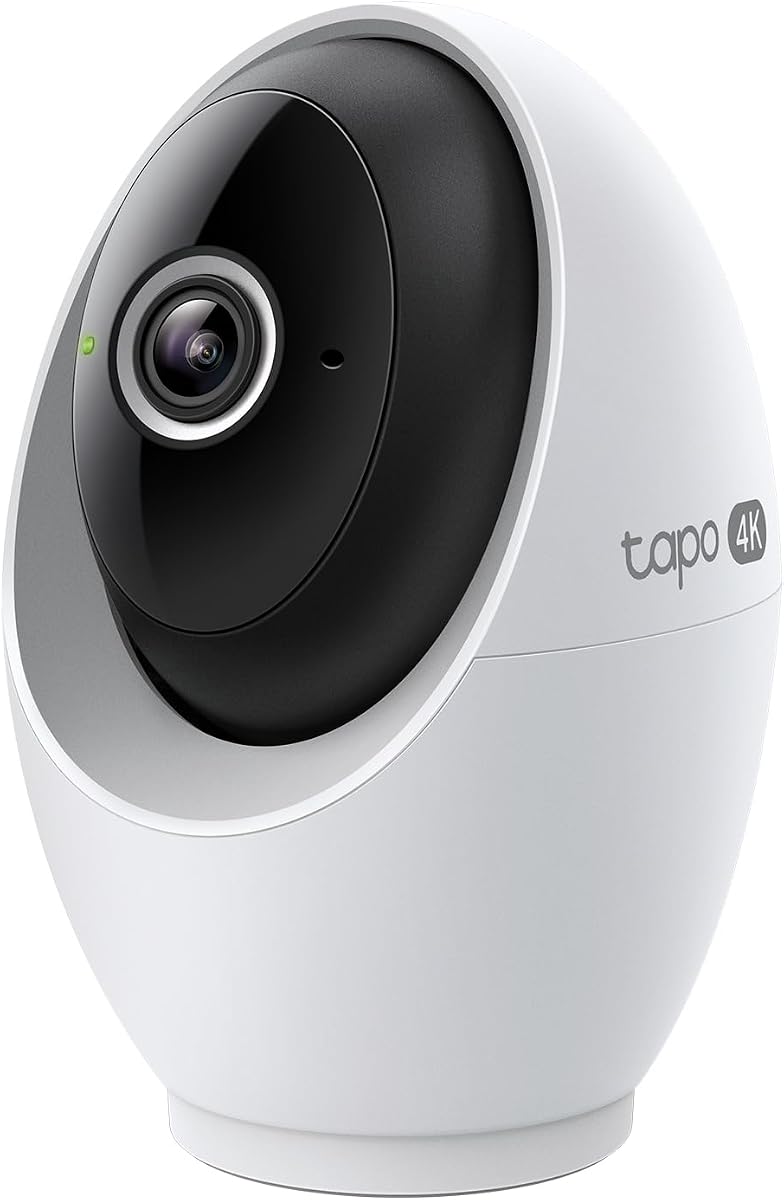
The Tapo C260 stands out as a top contender for indoor monitoring due to its impressive 4K resolution and versatile pan tilt mechanics. With a rating of 4.6 stars, users appreciate the sharpness of the image and the ability to cover an entire room without blind spots. It balances high-end features with a reasonable price point, making it accessible for most homeowners.
We may earn a commission when you buy through this link, at no additional cost to you.
Key strengths include its AI-powered detection which runs locally to protect privacy while ensuring accurate alerts for people and pets. The 18x digital zoom allows you to see fine details like facial features or small objects across the room. Additionally, the starlight sensor ensures vivid color video even in low light conditions, which is crucial for nighttime checks.
One trade-off is that this model requires a wired connection for power, which limits placement compared to battery options. However, the flexibility of the magnetic base and flexible mounting options mitigate this somewhat. Users should also note that some advanced cloud features require a subscription if they want offsite backup beyond local storage.
If you need a reliable camera for a living room or nursery where video quality and privacy are paramount, the Tapo C260 is an excellent choice. It offers the clarity of 4K with the convenience of local storage, ensuring you get the best visual data without ongoing monthly costs.
The 4K Ultra HD resolution provides four times the detail of standard 1080p, allowing you to zoom in on specific areas without losing image quality. This is particularly useful for identifying faces or reading text from a distance.
By processing AI detection on the device itself, sensitive data like facial recognition remains on your network rather than being uploaded to the cloud. This design choice significantly enhances security for privacy-conscious users.
We may earn a commission when you buy through this link, at no additional cost to you.
The Ring Indoor Cam is a sleek and simple option designed for those already invested in the Ring ecosystem. With a high rating of 4.7 stars, it is praised for its ease of use and strong integration with Alexa devices. The physical privacy cover provides a tangible sense of security when the camera is not in use.
We may earn a commission when you buy through this link, at no additional cost to you.
Its standout feature is the Advanced Pre-Roll capability which captures a few seconds before motion is detected. This ensures you do not miss the context leading up to an event. Color Night Vision also adds value by providing clear video in the dark without relying solely on infrared.
However, this camera relies heavily on cloud storage which requires a subscription to view historical footage. There is no option to store locally on a microSD card which can be a dealbreaker for some users. The reliance on Wi-Fi also means connection stability is critical for real-time viewing.
For Ring users who want a unified security experience across their home, this camera is a natural fit. The ability to speak to visitors through Echo devices and view feeds on a TV screen makes it a convenient addition to an existing smart home setup.
The manual privacy cover allows you to physically block the lens and microphone with a simple swivel. This provides a clear and immediate way to ensure your space remains private when you are home.
Integration with Alexa allows you to check camera feeds on Echo Show devices and receive voice announcements when motion is detected. This tight integration simplifies daily monitoring routines significantly.
We may earn a commission when you buy through this link, at no additional cost to you.
The Tapo C120 offers exceptional value for those seeking high resolution without a high price tag. Rated 4.4 stars, it delivers 2K clarity which is superior to standard HD. Its compact design and magnetic base make it incredibly easy to position anywhere indoors or in covered outdoor areas.
We may earn a commission when you buy through this link, at no additional cost to you.
Starlight Color Night Vision ensures you get bright and colorful video even at night. The built-in AI detects people, pets, and vehicles for free, reducing false alerts without needing a subscription. This makes it a cost-effective solution for monitoring entryways or specific rooms.
On the downside, it requires a constant power source so it cannot be placed where wiring is unavailable. While the magnetic base helps with mounting, you still need access to an outlet nearby. However, the flexibility of the magnetic mount and the ability to use it outdoors adds significant utility.
If you are looking for a reliable and affordable camera that can adapt to different locations, the Tapo C120 is a strong candidate. It proves that you do not need to spend a fortune to get clear video and smart detection features.
The magnetic base allows you to attach the camera to any metal surface like railings or refrigerators instantly. This flexibility makes it easy to reposition the camera as your monitoring needs change.
With an IP66 rating, this camera can withstand rain and dust allowing you to use it in covered patios or entryways. This dual use capability provides more value than indoor-only models.
We may earn a commission when you buy through this link, at no additional cost to you.
The eufy Security E30 is a powerful camera that appeals to those who prioritize privacy and high resolution. With a 4.5-star rating, it offers 4K recording and a panoramic view that covers the entire room. Its compatibility with HomeKit makes it a unique choice for Apple users.
We may earn a commission when you buy through this link, at no additional cost to you.
AI-powered detection distinguishes between humans and pets to reduce unnecessary alerts. The integrated spotlight allows for color night vision which is a significant upgrade over traditional infrared. Local storage means you have full control over your footage without relying on third-party cloud servers.
A limitation to note is that HomeKit support only goes up to 1080p resolution meaning you lose the 4K benefit within the Apple app. Additionally like other wired models, it needs a power outlet which restricts placement. Despite this, the lack of subscription fees is a major selling point.
For families who want a secure and high-quality camera without ongoing costs, the E30 is a top contender. It balances advanced features like auto tracking and color night vision with a privacy-first approach to data storage.
The camera works with Apple HomeKit allowing you to view feeds directly in the Home app. While resolution is capped at 1080p within Apple, this integration is still a rare and valuable feature.
Footage is stored locally on an SD card ensuring that your video remains private and secure. This eliminates the risk of cloud breaches and removes the need for monthly storage fees.
We may earn a commission when you buy through this link, at no additional cost to you.
The eufy Security S350 brings a premium experience with its dual lens system that offers both wide and telephoto views simultaneously. Rated 4.4 stars, it is ideal for monitoring larger spaces or multiple subjects at once. The 8x hybrid zoom allows you to see fine details without losing clarity.
We may earn a commission when you buy through this link, at no additional cost to you.
Smart AI recognition sends alerts only for relevant events like a baby crying or an elder needing help. Auto tracking ensures the camera follows movement across the room. Local SD storage keeps your data secure and offline which is a significant advantage for privacy-conscious users.
The main downside is the requirement for HomeBase 3 which adds to the initial setup cost and complexity. Without the base station the camera cannot function fully. However, the enhanced privacy and control it provides over cloud systems make it worth the investment for many.
If you want a high-end camera that offers unique viewing angles and precise zoom capabilities, the S350 is unmatched. It is perfect for monitoring elderly parents or young children where seeing details matters more than wide coverage.
The combination of a 4K wide-angle and a 2K telephoto lens lets you see the whole room and zoom in on action simultaneously. This provides context and detail in one view.
Smart sound recognition can detect specific cues like barking or crying to send targeted alerts. This reduces noise and ensures you only hear about events that actually need your attention.
We may earn a commission when you buy through this link, at no additional cost to you.
The Amcrest 4MP ProHD delivers high quality video with a resolution that exceeds standard HD. With a 4.0-star rating, users appreciate the sharpness and the ability to zoom in without losing detail. It is designed for those who want professional-grade features at a consumer price.
We may earn a commission when you buy through this link, at no additional cost to you.
It supports multiple storage options including MicroSD and NAS devices which provides flexibility for data management. The H.265 compression reduces file sizes making storage more efficient. Two-way audio allows you to communicate with anyone in the room remotely.
However, it only works with 2.4GHz Wi-Fi which can be slower than 5GHz networks in congested areas. The setup for advanced features like NVR recording can be technical for non-tech-savvy users. Still, the support and warranty offered are robust compared to many competitors.
For tech-savvy users who want high resolution and flexible storage options, this camera is a strong choice. It offers the power of a professional system without the need for an expensive dedicated server infrastructure.
Using H.265 compression allows for smoother video and smaller file sizes compared to older standards. This means you can store more footage on the same amount of space.
The ability to use with NVRs and NAS systems gives you full control over your data. You can choose between local network storage or cloud options based on your preference.
We may earn a commission when you buy through this link, at no additional cost to you.
The Amcrest ProHD 1080P is a reliable workhorse for indoor monitoring. It offers full HD video with a wide viewing angle that covers more ground. Users value its consistent performance and the ability to pan and tilt remotely to view different areas of the room.
We may earn a commission when you buy through this link, at no additional cost to you.
Night vision reaches up to 32 feet ensuring you can see clearly in the dark. The secure connection protocols protect your data from unauthorized access. It also supports cloud backup which gives you an extra layer of protection for your footage.
Limitations include its 2.4GHz only connection and a basic app that lacks some modern AI features found in other brands. However, for straightforward monitoring tasks it performs well. The warranty and support from the manufacturer add to its reliability.
If you need a straightforward and dependable camera that delivers consistent results, this model is a good pick. It avoids unnecessary complexity while providing the essential features needed for home security.
SSL and HTTPS connections protect your video stream from interception. This ensures that your private feeds remain private and secure during transmission.
The extra-wide viewing angle allows you to see more of the room without moving the camera. This reduces blind spots and gives a better sense of the environment.
We may earn a commission when you buy through this link, at no additional cost to you.
The youkey Magnetic Camera is designed for flexibility and ease of use. With a 4.5-star rating, it is ideal for renters who cannot drill holes or run wires. The magnetic mount allows you to place it anywhere without tools or damage to walls.
We may earn a commission when you buy through this link, at no additional cost to you.
It comes with built-in storage so you do not need to buy an SD card. The battery lasts months on a single charge making it very convenient. It supports Alexa and Google Assistant for voice commands and smart home integration.
However, it is not suitable for outdoor areas exposed to rain and the storage is fixed. You cannot upgrade it easily if you need more space. Still, for indoor use it provides a seamless experience without the clutter of cables.
If you want a truly wire-free camera that is easy to move and install, this model is a great option. It combines convenience with essential features like 2K video and AI detection in a compact package.
The strong magnet allows you to snap the camera onto surfaces instantly. This means no drilling and no screws are required to mount it securely.
The battery is designed to last months on one charge so you only need to recharge it occasionally. This reduces maintenance and keeps the camera always ready.
We may earn a commission when you buy through this link, at no additional cost to you.
The Tapo C100 4-Pack is an excellent value for monitoring multiple rooms at once. With a 4.4-star rating, users appreciate the ability to cover a whole house without buying expensive individual units. It is especially useful for pet owners or those watching multiple children.
We may earn a commission when you buy through this link, at no additional cost to you.
It includes features like crying detection and two-way audio which are essential for monitoring. The app supports multi-camera viewing so you can see all feeds at once. Local storage on a microSD card means you avoid monthly fees.
The resolution is standard 1080p which is less than the top premium models but sufficient for general monitoring. Also the cameras do not have pan tilt so you must position them carefully. However, for a whole-home solution it is hard to beat.
If you need to cover multiple areas and want a budget-friendly solution, this 4-pack is ideal. It provides essential monitoring tools across your home while keeping costs low.
The app allows you to view up to four cameras simultaneously on one screen. This gives you a complete overview of your home without switching apps.
Specific features like crying detection help you focus on important alerts. This makes the camera a useful tool for parents keeping an eye on infants.
We may earn a commission when you buy through this link, at no additional cost to you.
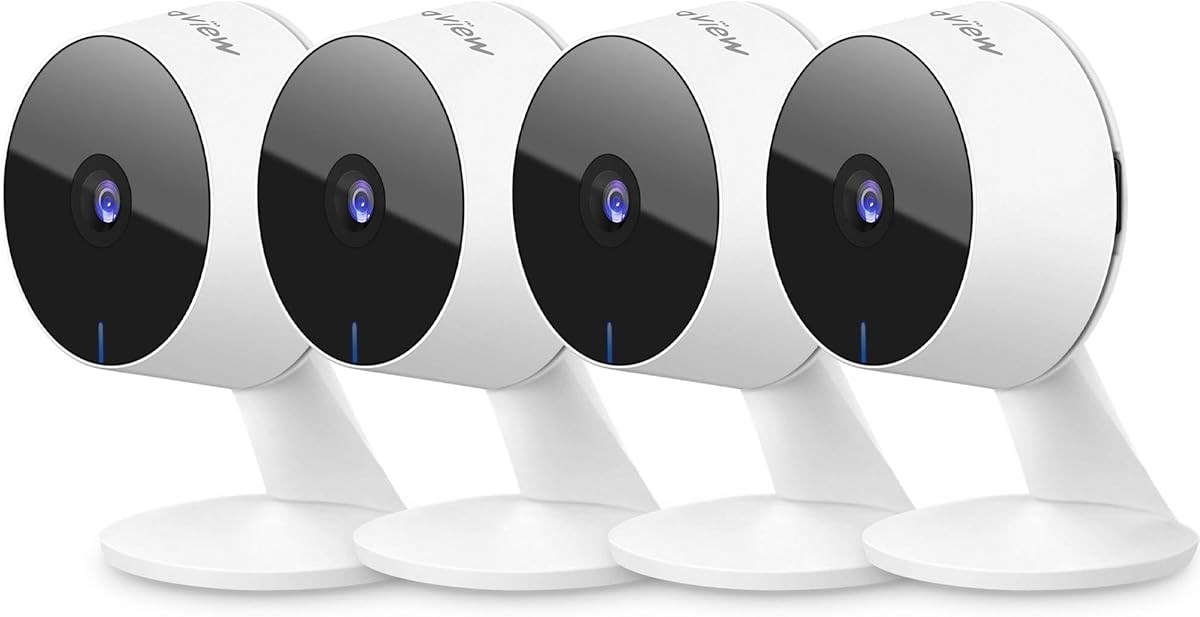
The LaView 4pcs Kit offers solid coverage for multiple rooms with easy web access. Rated 4.2 stars, it supports viewing on mobile and desktop browsers which adds flexibility. The noise cancellation on two-way audio ensures clear communication even in noisy environments.
We may earn a commission when you buy through this link, at no additional cost to you.
You can share access with up to twenty people which is great for family monitoring. The included cloud trial lets you test cloud features before committing to a subscription. It is a reliable option for basic indoor security needs.
Drawbacks include the lack of pan tilt and limitation to 2.4GHz Wi-Fi. However, the ease of sharing access and web viewing capabilities make it useful for households where people use different devices to check security.
If you want a simple multi-camera solution that allows web viewing and easy sharing, this kit works well. It provides good value for covering essential areas without complex setup requirements.
You can access live feeds directly from a web browser on your computer. This allows for easy monitoring from a desktop without needing a smartphone.
Two-way audio includes noise cancellation to reduce background sound. This ensures that your voice and the camera side are clear during conversations.
We may earn a commission when you buy through this link, at no additional cost to you.
Selecting the right indoor wireless IP camera requires careful consideration of several technical and practical factors to ensure it meets your specific monitoring needs.
Resolution determines how clearly you can see details like faces or objects. While 1080p is standard, 2K and 4K models offer sharper images that are useful for zooming in. Higher resolution means better evidence quality if an incident occurs.
Prioritize higher resolution models if you need to capture fine details. For general monitoring 1080p is sufficient but consider upgrading for peace of mind.
A wider field of view reduces blind spots allowing you to see more of a room with one camera. Pan and tilt features let you adjust the angle remotely to track movement or scan the room.
Look for cameras with at least 90 degrees of coverage or motorized pan tilt for full room monitoring. This flexibility is key for covering larger spaces effectively.
Indoor cameras often need to record in low light or total darkness. Infrared night vision provides black and white video while color night vision uses sensors to show real colors. Ensure the range covers the size of your room.
Choose models with color night vision if you need to identify details in the dark. Standard IR is useful but color provides more context for events.
Storage options range from local SD cards to cloud subscriptions. Local storage avoids monthly fees but can be physically accessed. Cloud storage is offsite but requires a subscription and internet connection.
Decide based on your privacy concerns and budget. Local storage is ideal for those who want to avoid fees while cloud offers backup against device theft.
Smart detection uses AI to distinguish between humans pets and other motion. This reduces false alerts caused by shadows or moving curtains. Advanced models can even detect specific sounds like crying.
Ensure the camera has AI detection capabilities to avoid notification fatigue. This feature helps you focus on events that actually need attention.
Indoor cameras may be wired or battery powered. Wired models provide continuous power but require access to an outlet. Battery models offer flexibility but need recharging periodically.
Choose wired for permanent installation and battery for temporary needs. Ensure you have the outlets available for wired models to avoid cord management issues.
Integration with Alexa Google Assistant or HomeKit allows voice control and automation. This makes it easier to view feeds on smart displays or integrate with other security devices.
Check compatibility with your existing smart home ecosystem before buying. Seamless integration saves time and makes daily monitoring more convenient.
Initial hardware costs are only part of the price. Some cameras require monthly subscriptions for cloud storage or advanced features while others offer free local storage options.
Calculate the total cost of ownership including any required subscriptions. Opt for models with local storage if you want to avoid recurring monthly fees.
Start by installing the camera in a high location that covers the room without obstructing the view. Use the provided mounts or adhesive pads to secure it properly on a shelf or wall. Ensure the lens is not facing direct sunlight which can interfere with the image quality.
Connect the camera to your home Wi-Fi network using the manufacturer's app. Follow the on-screen instructions to pair the device and set up alerts. Test the live stream and audio features to ensure everything is working before finalizing the position.
Regularly clean the lens with a soft cloth to remove dust and fingerprints. Check your storage settings to ensure footage is being saved correctly. Update the firmware periodically to keep the camera secure and running smoothly.
Not all indoor wireless IP cameras require a monthly subscription. Many models support local storage via microSD cards or home servers allowing you to save footage without fees. However, some features like cloud backup and advanced analytics may need a paid plan.
Yes you can view your indoor camera feed from anywhere using your smartphone or computer. The cameras connect to your home Wi-Fi which then communicates with the cloud app to stream live video. Ensure you have a stable internet connection to access feeds remotely.
To protect your indoor camera use strong unique passwords and enable two-factor authentication if available. Keep the firmware updated to patch security vulnerabilities. Use cameras that support encrypted connections like WPA2 to secure your Wi-Fi transmission.
Pan allows the camera to move horizontally across a room while tilt moves it vertically up and down. Combining both lets you adjust the viewing angle in all directions. This feature is useful for monitoring larger spaces or tracking movement.
Most modern indoor wireless cameras connect directly to your Wi-Fi router and do not need a separate hub. Some systems offer hubs for extended range or local processing but they are optional for basic operation. Check product specs to confirm if a hub is required.
Most indoor cameras depend on a wired power source so they will not work during a power outage unless you have a backup generator or battery. Battery-powered models may work longer but still need recharging. Always check power requirements for critical situations.
Ideally place the camera within a range of thirty to forty feet from your router for optimal Wi-Fi signal strength. If the signal is weak use a Wi-Fi extender or mesh network to improve connection. A strong signal ensures smooth video streaming without buffering.
Not all indoor cameras are compatible with Apple HomeKit. Only select models offer this feature allowing you to view feeds in the Apple Home app. Check the product specifications for HomeKit support before purchasing to ensure integration with your devices.
This guide highlights top contenders like the Tapo C260 for overall clarity and the youkey Magnetic Camera for flexibility. Each model offers unique benefits depending on your needs whether you prioritize 4K video or battery freedom.
When making your decision prioritize factors like resolution storage privacy and integration. Assess your budget and determine if you prefer local or cloud storage to avoid unexpected costs in the future.
Remember that technology evolves quickly so check current availability and prices before buying. Ensure the model you choose fits your home layout and lifestyle for the best monitoring experience.