
CCTV Camera Tester 7 IPS Touch Screen 6K 12mp
4.1Editor score
Built-in WiFi Connectivity
7 Inch IPS Touch Screen
CVBS Analog Camera Test
This comprehensive guide compares the top IP and CCTV camera testers for professional installers. We review features, compatibility, and tools to help you
Selecting the right testing device is crucial for modern security installations. A good IP and CCTV camera tester simplifies connectivity checks and power management for various camera types.
We evaluated ten leading models based on screen quality, network tools, and power output capabilities. Our analysis focuses on how well each unit handles IP, analog, and hybrid system diagnostics.
Each pick highlights specific strengths like fiber support or high-resolution displays. Please note that availability and costs can vary by retailer and time of purchase.
4.1Editor score

4.9Editor score

4.4Editor score
The following table provides a side-by-side comparison of the top ten IP and CCTV camera testers available today. This overview highlights key specifications to help you make an informed decision.




This device stands out as the top choice for professional installers. It features an eight inch IPS touch screen and supports high power PoE output.
We may earn a commission when you buy through this link, at no additional cost to you.
It handles 4K IP cameras well and includes tools for Hikvision and Dahua cameras. The SFP module allows for direct fiber testing without extra gear.
While it is heavier than smaller units, the added weight ensures a robust build. The system runs Android 10 and supports app updates.
If you need a reliable device for complex fiber and power setups, this is an excellent investment. It offers comprehensive tools for modern security tasks.
The maximum 90W PoE++ output allows testing of high power PTZ cameras without external adapters. This simplifies field work significantly.
The built in SFP module slot supports optical fiber testing directly. You can insert a gigabit module for precise link checks.
We may earn a commission when you buy through this link, at no additional cost to you.
This unit offers great value for small installation jobs. It features a seven inch IPS touch screen and supports analog CVBS testing easily.
We may earn a commission when you buy through this link, at no additional cost to you.
It includes built in WiFi and network tools like ping and IP scan. The display quality is good for checking video feeds clearly.
The power output is lower than premium models but fits standard cameras. It might not handle high power PTZ units without help.
For basic security checks and analog system setups, this is a smart choice. It balances cost and functionality well for entry level users.
This tester handles both IP and CVBS analog cameras efficiently. You can switch between modes to test different system types.
Weighing just under two pounds it is easy to carry in a tool bag. This makes it ideal for quick visits.
We may earn a commission when you buy through this link, at no additional cost to you.
This premium device delivers advanced features for large scale projects. It supports 90W PoE and includes an eight inch touch screen.
We may earn a commission when you buy through this link, at no additional cost to you.
The SFP optical fiber module port is a key advantage for fiber networks. It also supports VGA input for extra video source flexibility.
Users must remove the battery isolating paper before first use. This small step ensures the device powers on correctly.
If you work with high end fiber or high power cameras this unit is recommended. It provides the tools needed for top tier tasks.
The tester can create testing reports for documentation purposes. This helps in verifying that camera setups meet standards.
It offers various network tools like DHCP server and trace route. These features assist in diagnosing connectivity problems quickly.
We may earn a commission when you buy through this link, at no additional cost to you.
This model is designed for simplicity and portability. It features a compact body that fits easily in a pocket or small bag.
We may earn a commission when you buy through this link, at no additional cost to you.
It works with various camera types including analog and IP. The auto-recognize feature helps identify HD coax camera types quickly.
While it lacks high resolution display it is sufficient for testing. The 24W PoE is good for standard IP cameras.
Ideal for technicians who need a quick checkup tool it performs well. It keeps tasks straightforward without unnecessary complexity.
Its lightweight design makes it easy to carry on site. This reduces fatigue during long days of testing.
The built-in Ookla speed test helps check network bandwidth. This is useful for ensuring video streams run smoothly.
We may earn a commission when you buy through this link, at no additional cost to you.
This unit supports up to 8K 32MP IP cameras making it future ready. It offers high power PoE output and a solid touch screen.
We may earn a commission when you buy through this link, at no additional cost to you.
The Auto HD app automatically recognizes coax camera types for easier setup. It also handles PTZ control and OSD menu calls.
The advanced feature set may take time to learn. It is best suited for installers who need high resolution support.
If you work with 4K or 8K IP systems this tester is ideal. It provides the necessary power and interface for top tier devices.
Running Android 11 allows for app installation and flexibility. You can install additional tools to extend its functionality.
With 90W output it can power high speed PTZ dome cameras. This eliminates the need for separate power injectors.
We may earn a commission when you buy through this link, at no additional cost to you.
This model is great for fiber optic network work. It includes an optical power meter and visual fault locator for precise testing.
We may earn a commission when you buy through this link, at no additional cost to you.
The eight inch screen provides clear video viewing of high resolution feeds. It supports various camera formats like AHD and CVI.
The built-in OPM allows you to check signal strength directly. This removes the need for a separate optical meter.
If you frequently deal with fiber networks this tester offers significant value. It combines video testing with essential optical tools.
The OPM measures standard wavelengths like 1310nm and 1550nm. This helps ensure fiber links are healthy and stable.
The VFL helps find fiber breaks or bad connections easily. You can identify faults by the light visible on the fiber.
We may earn a commission when you buy through this link, at no additional cost to you.
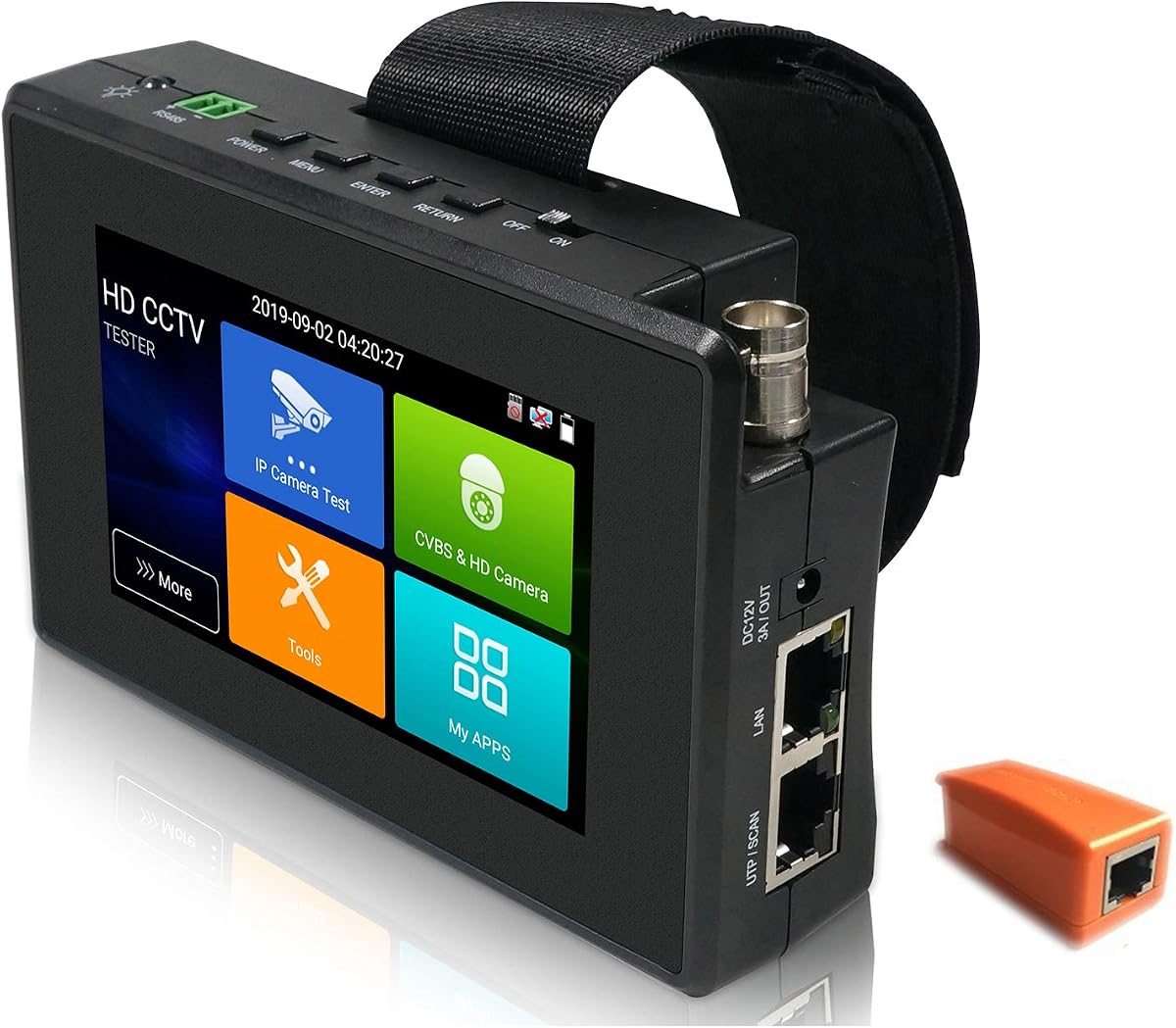
This smaller unit fits easily into tight working spaces. It supports 4K IP and analog cameras with clear display quality.
We may earn a commission when you buy through this link, at no additional cost to you.
It includes quick IP discovery and PoE support for easy setup. The four inch screen is bright enough for most checks.
The smaller screen may make navigation slightly slower. It is best for quick inspections rather than detailed configuration.
For installers needing a portable backup tool this works well. It handles standard IP and analog testing efficiently on the go.
The IP discovery function scans networks to find camera addresses. This speeds up the initial configuration process.
It features a built-in lithium battery for portable use. You can work for hours without needing an outlet.
We may earn a commission when you buy through this link, at no additional cost to you.
This tester allows users to customize the interface theme and icons. It supports 4K IP and standard analog cameras effectively.
We may earn a commission when you buy through this link, at no additional cost to you.
The 180 degree screen rotation helps with port cable access. This is a unique feature that improves physical ergonomics.
While the screen is small the tools are comprehensive. It includes IP scanning and cable testing for complete checks.
If you like control over your device interface this is a good pick. It balances standard testing features with unique usability options.
The screen rotates to help you connect cables comfortably. This reduces strain when working in tight spaces.
You can change desktop colors and icon arrangements easily. This makes the device feel more personal and accessible.
We may earn a commission when you buy through this link, at no additional cost to you.
This device offers excellent battery life for long work days. It features a seven inch screen and includes video recording.
We may earn a commission when you buy through this link, at no additional cost to you.
The built-in optical power meter and digital multimeter help with general checks. It supports 8K IP and analog cameras.
The PoE output is lower than premium models. It is good for standard cameras but not high-power PTZ units.
For installers who need to work all day without a charger this is ideal. It combines testing with useful measurement tools.
The 10 hour battery life supports full shift usage. You can test multiple sites without needing power.
It can record video during tests for documentation. This helps verify image quality before leaving the site.
We may earn a commission when you buy through this link, at no additional cost to you.
This tester is known for its professional reporting tools. It allows you to create test reports with screenshots easily.
We may earn a commission when you buy through this link, at no additional cost to you.
The QuickIP feature simplifies camera setup for novice technicians. It supports digital IP and analog systems efficiently.
While the price is high it offers robust documentation for billing. This helps reduce unpaid callbacks after installation.
For enterprise level projects where reports matter this unit fits well. It is reliable for standard testing tasks.
You can create test reports with video screenshots. This verifies job completion and reduces future issues.
QuickIP allows fast configuration similar to analog setup. This reduces training time for new team members.
We may earn a commission when you buy through this link, at no additional cost to you.
Choosing the right IP and CCTV camera tester depends on your specific work needs. Consider screen size, power output, and compatibility with your camera systems.
A larger screen like 7 or 8 inches allows better viewing of high definition feeds. Resolution matters for spotting small details in the image quality.
Look for IPS screens that offer wide viewing angles and clear details.
Check the PoE wattage if you plan to test PTZ or high power cameras. Standard models provide 24W while advanced ones offer up to 90W.
Higher power output ensures you can run most cameras without extra adapters.
Tools like TDR and UTP testing help locate faults in network cables. This saves time by identifying breaks without digging up walls.
Look for testers with RJ45 TDR for accurate length and status checks.
Network tools like IP scan and ping help troubleshoot connectivity issues. Good testers offer DHCP and trace route functions for deeper checks.
Ensure the device has robust tools to detect network connectivity problems.
Android based testers allow app installation for extra functionality. This means you can update features or add new tools over time.
Choose a unit with a modern OS for long term software support.
If you work with fiber networks, an SFP module slot is essential. It allows direct optical fiber testing without needing a separate meter.
Look for testers with a built-in SFP port for fiber link checks.
A lightweight device with long battery life helps on multi site days. Ensure the unit is portable and has enough power for your schedule.
Select a model with at least 5 hours of battery for field work.
Confirm the tester supports your camera brands and formats like AHD or TVI. Compatibility with brands like Hikvision or Dahua is key for config.
Choose a unit that supports all the systems you install regularly.
Before first use, remove any battery isolating paper to ensure power. Connect the tester to your network or camera feed using BNC or RJ45 cables.
Use the network tools to scan for IPs and verify connectivity. Check PoE voltage if you power the camera directly through the tester.
Keep the screen clean with a soft cloth and store in a protective case. Regular software updates keep the device running smoothly over time.
An IP and CCTV camera tester is used to verify video feeds and network connections. It helps installers check power, camera settings, and cable integrity.
Yes, most modern testers support both IP and analog cameras. They can switch between modes to test CVBS, AHD, or IP feeds.
No, most testers include PoE output to power cameras directly. This removes the need for external power injectors during testing.
A screen size between 7 and 8 inches is ideal for field work. It offers enough viewing space without being too bulky to carry.
Use a tester with an SFP module slot to test fiber networks. This allows you to insert a fiber module for direct signal checks.
Some models allow you to create test reports with screenshots. This helps document installation quality for clients or internal use.
The top picks offer a range of features for different installation needs. Whether you prioritize screen size or PoE output there is a match for your work.
Consider your main camera types and network requirements when choosing. A tester with fiber support or high resolution is valuable for modern systems.
Always check current availability and features before purchasing. Your choice will affect efficiency and accuracy on every job site.