
CENMATE Aluminum 4 Bay
4.3Editor score
Supports 2.5 and 3.5 inch drives
USB 3.0 with UASP support
Aluminum alloy cooling housing
Finding the right JBOD enclosure ensures your storage expands efficiently without losing data access. A quality enclosure supports multiple drives, offers fast transfer speeds, and keeps hardware cool during long operations.
We compared ten leading models based on connectivity, drive capacity, cooling performance, and ease of use. Each product was evaluated for compatibility with major operating systems and overall build quality to ensure reliability.
Each pick highlights key strengths and potential trade-offs to help you match a device to your workflow. Note that availability and specifications can change over time, so verify details before purchasing.
4.3Editor score

4.2Editor score
4.1Editor score
As an Amazon Associate we earn from qualifying purchases.
This comparison table outlines the core specifications and capabilities of each enclosure to help you identify the best fit for your storage needs and budget.




The TERRAMASTER D4-320 delivers excellent performance as a direct attached storage solution for users needing fast access to multiple drives. It supports up to four SATA drives and connects via USB 3.2 Gen2 for high-speed transfers without requiring complex setup.
We may earn a commission when you buy through this link, at no additional cost to you.
Its tool-free tray design and hot swap capability make managing drives straightforward, while the intelligent fan control keeps temperatures in check during heavy use. The enclosure also includes sound-absorbing panels that reduce noise levels significantly compared to earlier models.
Although it lacks hardware RAID options, this makes it ideal for simple file sharing or backups where individual drive access is preferred. Users should note that maximizing speed requires a compatible host port to fully utilize the 10Gbps potential.
This enclosure is best suited for photographers, videographers, or IT professionals who need reliable storage expansion without RAID complexity. It balances speed, capacity, and ease of use effectively for most desktop workflows.
The built-in fan adjusts speed based on temperature sensors, keeping drives cool without excessive noise.
USB Type-C connectivity ensures compatibility with modern laptops and older systems via adapters.
We may earn a commission when you buy through this link, at no additional cost to you.
The CENMATE Aluminum 4 Bay enclosure offers a practical balance of cost and performance for users expanding their local storage on a budget. It supports both 2.5 and 3.5 inch drives and provides sufficient speed for everyday file transfers and backups.
We may earn a commission when you buy through this link, at no additional cost to you.
The aluminum housing helps dissipate heat effectively, while the included cooling fan maintains safe operating temperatures under load. Compatibility extends across Windows, Mac, and Linux systems, making it versatile for mixed environments.
While the fan may produce noticeable noise, it ensures reliable operation during sustained read-write tasks. The lack of RAID support means data redundancy depends on individual drive management rather than hardware configuration.
This model is ideal for small businesses or home users needing reliable storage expansion without premium features. It delivers dependable performance for the price point with easy installation.
A dedicated 12V adapter ensures consistent power delivery to all drives during high-speed operations.
Both USB Type-A and Type-C cables are included for broad compatibility across different devices.
We may earn a commission when you buy through this link, at no additional cost to you.
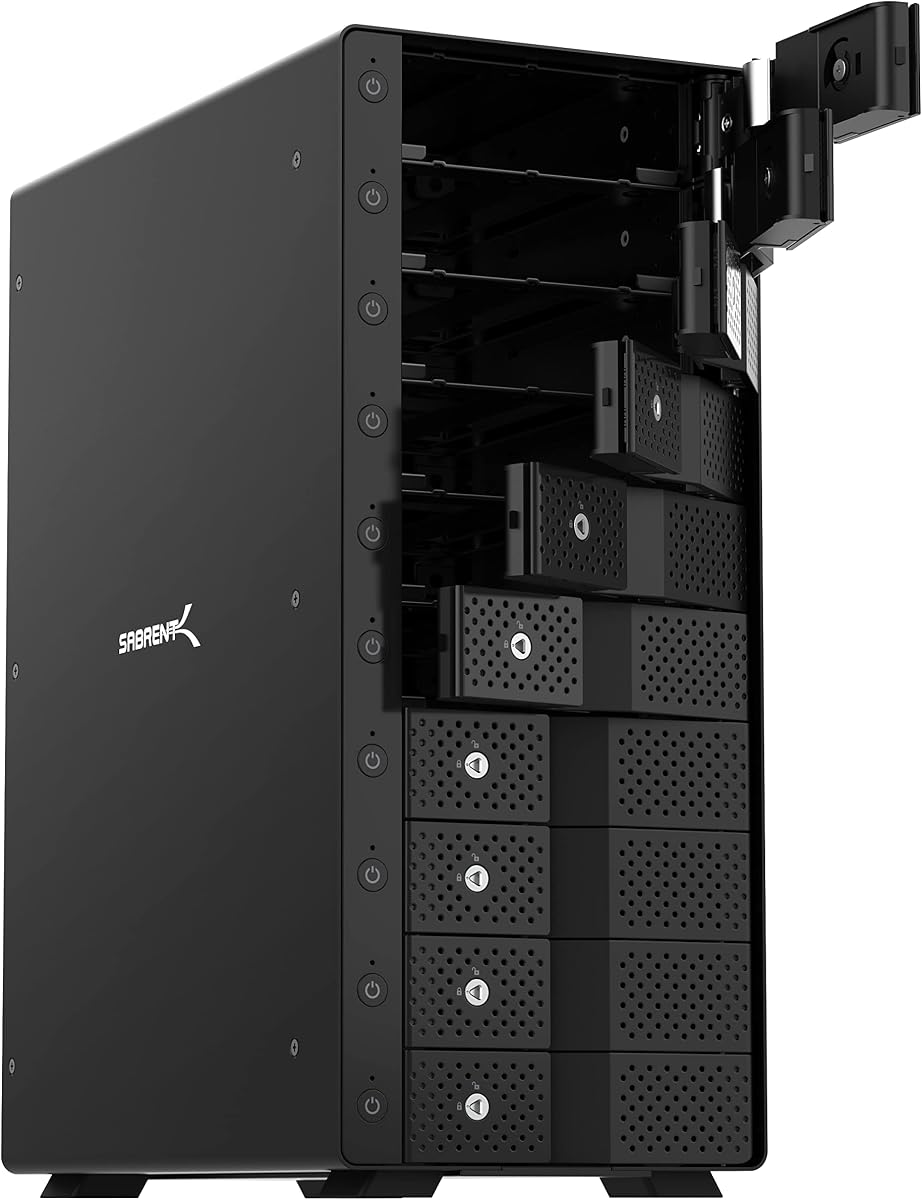
The SABRENT 10-Bay DS-UCTB stands out as a high-capacity solution for professionals managing large libraries of data across multiple drives. Its tray-less design allows rapid drive insertion and removal while keeping power consumption controlled through individual switches.
We may earn a commission when you buy through this link, at no additional cost to you.
Dual cooling fans and a sturdy aluminum chassis maintain stable temperatures even when all ten bays are populated with high-capacity drives. The USB-C 10Gbps interface delivers fast performance for video editing or backup workflows.
While 2.5 inch drives require an optional adapter, this design prioritizes 3.5 inch HDDs for maximum total storage. The locking key and Kensington slot add physical security for drive protection in shared spaces.
This enclosure is best for IT departments or content creators who need scalable storage with precise drive management. It combines robust construction with flexible connectivity for demanding environments.
Each bay operates independently with its own status LED and power switch for precise control.
Two large fans ensure air flows across all drives to prevent overheating during extended use.
We may earn a commission when you buy through this link, at no additional cost to you.
The IO CREST 8-Bay enclosure provides a robust platform for expanding storage with up to eight SATA drives. Each drive connects individually allowing straightforward access without needing complex array configurations or software management.
We may earn a commission when you buy through this link, at no additional cost to you.
The steel housing offers solid protection while the smart fan system adjusts speed based on thermal readings to balance noise and cooling. Independent switches allow users to power down unused drives to save energy.
Speed is capped at USB 3.0 rates, which are adequate for backups but may slow large file transfers compared to newer interfaces. Users should ensure host systems support the required power output for full capacity.
This model suits users who need moderate expansion without RAID complexity and value drive independence. It delivers reliable performance for archival storage and general office workflows.
The built-in sensor monitors heat and adjusts fan speed to protect drives under heavy loads.
Each bay can be turned on or off separately to optimize power usage.
We may earn a commission when you buy through this link, at no additional cost to you.
The QNAP TR-004 extends storage options with hardware RAID support, allowing flexible configurations for redundancy or speed. It connects via USB Type-C and works seamlessly with QNAP NAS units as an expandable storage pool.
We may earn a commission when you buy through this link, at no additional cost to you.
While it supports RAID 0, 1, 5 and JBOD, it functions as external storage rather than hosting NAS services itself. Lockable bays secure drives against accidental removal in shared environments.
Compatibility notes include specific QNAP models that must be updated to certain firmware versions for proper integration. Users should verify NAS compatibility before purchase to ensure expected functionality.
This enclosure is ideal for existing QNAP users needing extra storage or those wanting RAID capabilities without a full NAS system. It offers practical expandability with reliable hardware controls.
The device connects directly to QNAP NAS units to expand capacity within existing storage pools.
Lockable drive bays help prevent unauthorized removal of installed hard drives.
We may earn a commission when you buy through this link, at no additional cost to you.
The QNAP TL-R1200C-RP is built for server environments requiring reliable, high-capacity storage expansion in a rackmount form. It connects to computers and servers via USB 3.2 Gen2 for fast access to large data sets.
We may earn a commission when you buy through this link, at no additional cost to you.
A redundant power supply ensures continuous operation during power failures, which is critical for business continuity. The enclosure supports standard 3.5 inch SATA drives for maximum compatibility with enterprise-grade storage.
Installation assumes rackmount infrastructure, making it less suitable for desktop use. However, its durability and redundancy features align well with data center needs.
This solution fits organizations needing expandable JBOD storage with enterprise reliability. It delivers stable performance for servers and networked storage.
The dual power supply design maintains operation even if one unit fails during use.
Built to fit standard racks for organized data center deployments.
We may earn a commission when you buy through this link, at no additional cost to you.
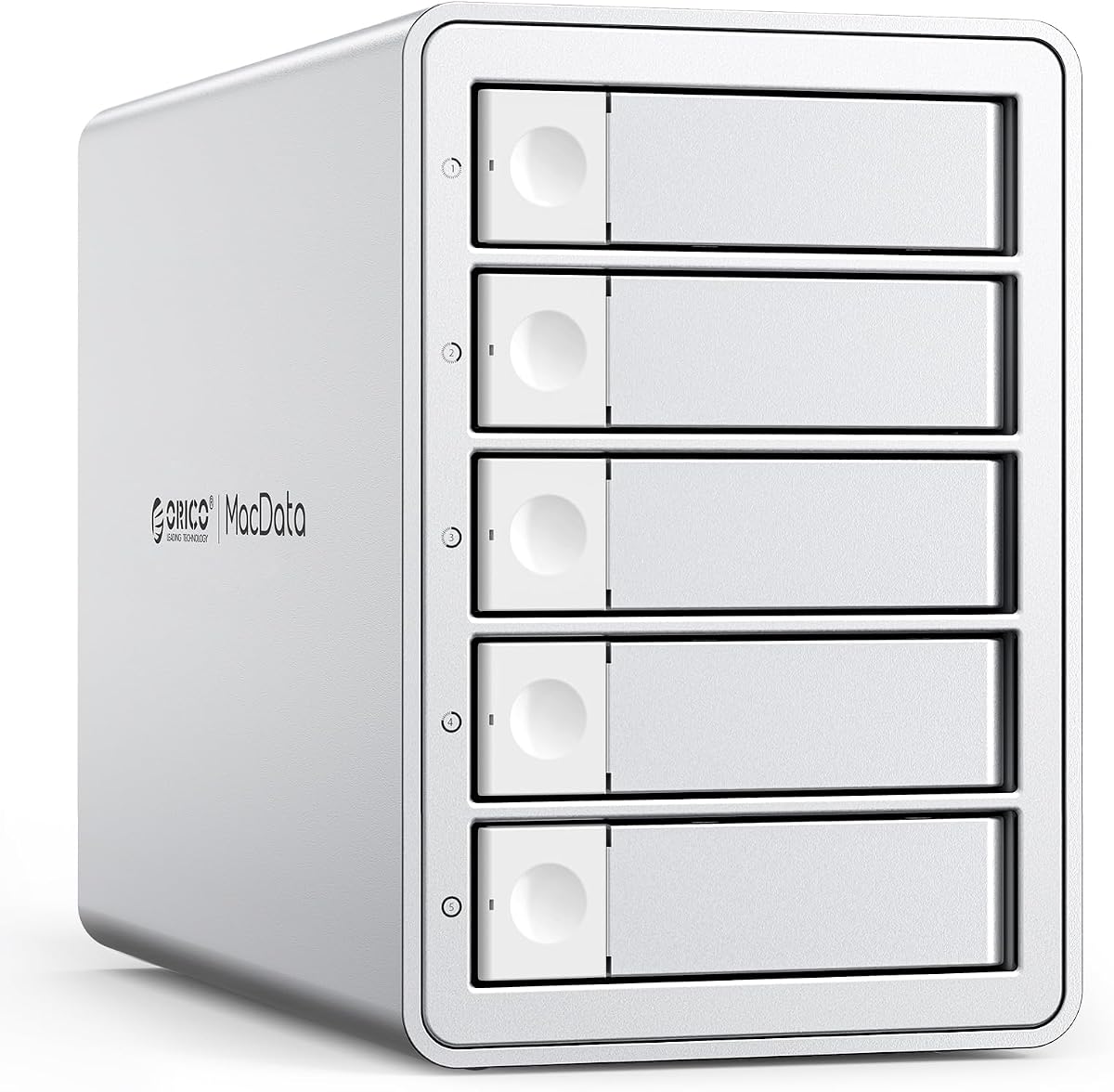
The ORICO 5 Bay RAID enclosure offers flexible configuration options with hardware RAID support for redundancy or speed. It houses up to five drives and includes a built-in power supply to simplify cabling and ensure stable voltage.
We may earn a commission when you buy through this link, at no additional cost to you.
The aluminum shell and silent cooling fan manage heat effectively, allowing long-term operation without overheating. Its plug-and-play design ensures compatibility across Windows, Mac, and Linux systems.
While it supports multiple RAID modes, configuration requires careful attention to avoid data loss during setup. Users should backup critical data before changing modes or initializing arrays.
This model works well for creative studios or offices needing high capacity with RAID flexibility. It balances capacity and ease of use for demanding workflows.
Physical switches allow quick configuration of RAID 0, 1, 5, 10, and other modes.
The built-in 150W supply prevents power issues common with external adapters.
We may earn a commission when you buy through this link, at no additional cost to you.
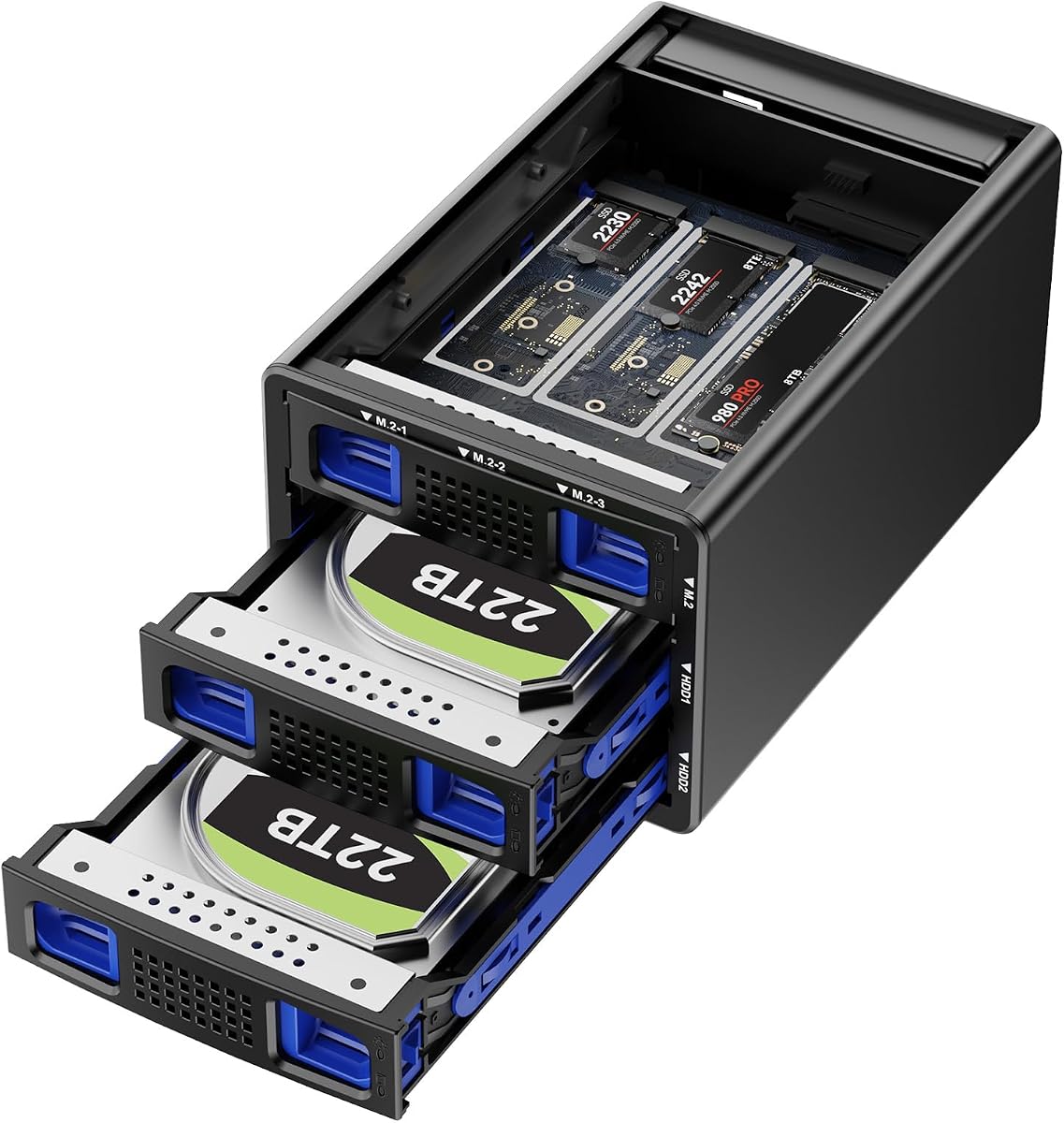
This enclosure combines SATA HDDs and NVMe SSDs in a hybrid design for balanced capacity and speed. It supports up to five drives and uses USB 3.2 Gen2 for fast data transfer across systems.
We may earn a commission when you buy through this link, at no additional cost to you.
The NVMe slots allow high-speed caching or active storage alongside large SATA drives. Plug-and-play compatibility ensures smooth operation across major operating systems without driver installation.
Fans run continuously to protect data which may create noise for sensitive users. RAID configuration on Mac requires alternative methods since native software is not included.
Ideal for users wanting mixed storage strategies, this model offers unique flexibility. It merges cost-effective bulk storage with high-speed SSD performance.
The design combines HDD bulk storage with NVMe speed for flexible workflows.
Continuous fan operation keeps internal components cool under high load.
We may earn a commission when you buy through this link, at no additional cost to you.
The ORICO 4 Bay Raid 9848RU3 offers extensive RAID flexibility for users managing backup or redundancy needs. It supports eight RAID modes and uses a built-in power supply for stable multi-disk operation.
We may earn a commission when you buy through this link, at no additional cost to you.
The aluminum enclosure ensures efficient heat dissipation while the safety lock prevents accidental drive removal. Plug-and-play compatibility allows use across Windows, Mac, and Linux.
While speed is limited by USB 3.0, the RAID options provide valuable data protection without needing a NAS. Users should verify drive compatibility to maximize capacity.
This unit is suitable for small teams needing secure storage expansion. It provides reliable hardware RAID options at a moderate cost.
Eight configurations allow tailored storage strategies for backup or performance.
The internal supply ensures stable voltage for all installed drives.
We may earn a commission when you buy through this link, at no additional cost to you.
The OWC Mercury Elite Pro Quad connects via USB-C to deliver high-speed storage expansion for Mac and Windows systems. It accommodates both 2.5 and 3.5 inch drives within universal bays for flexible configurations.
We may earn a commission when you buy through this link, at no additional cost to you.
Performance reaches nearly 947MB/s under optimal conditions, making it suitable for media editing and large file transfers. The interface ensures compatibility with Thunderbolt 3 ports for maximum throughput.
Software RAID tools are not included, so users rely on host operating system features for array management. The warranty period is shorter than some enterprise alternatives.
This enclosure suits professionals needing fast access to multiple drives on desktop setups. It provides reliable connectivity for performance-oriented workflows.
Drive bays accept both 2.5 and 3.5 inch drives for maximum flexibility.
USB-C 10Gb/s supports demanding transfer requirements for media files.
We may earn a commission when you buy through this link, at no additional cost to you.
Choosing the right JBOD enclosure depends on drive count, speed, and system compatibility. Consider these factors to match your needs.
Count how many drives you plan to connect now and in the future. Enclosures range from 4 to 12 bays, with larger units offering more expansion room but taking up more desk or rack space.
Select a bay count that matches your immediate capacity needs while allowing room for growth.
USB 3.0 offers up to 5Gbps while USB 3.2 Gen2 reaches 10Gbps. Higher speeds reduce transfer time for large files. Check your computer's ports to ensure they support the required standard.
Choose an interface matching your host's capabilities to avoid bottlenecks.
Most enclosures support 3.5 inch SATA drives. Some also accept 2.5 inch drives or NVMe SSDs. Confirm physical dimensions and connector types match your drives to avoid fitting issues.
Verify compatibility before purchasing to ensure drives fit securely.
Multiple drives generate heat requiring active cooling. Enclosures with fans prevent overheating but may produce noise. Look for quiet fans and vents for effective airflow.
Balance cooling needs with noise sensitivity for your workspace.
JBOD lets drives act as individual volumes while RAID offers redundancy or speed. Decide if you need data protection or independent access. Some units provide hardware RAID switches.
Choose based on whether redundancy is more important than drive independence.
Built-in power supplies reduce cable clutter and ensure stable voltage for multiple drives. External adapters are common but may add bulk. Check wattage requirements for your drive count.
Prefer integrated power for cleaner setups and better stability.
Aluminum housings dissipate heat better than plastic and protect against physical damage. Steel chassis add strength for rackmount units. Consider weight and materials for long-term reliability.
Invest in sturdy materials for continuous or heavy-duty use.
Most enclosures are plug-and-play for Windows, Mac, and Linux. Verify operating system support to avoid driver issues. Some RAID features require specific OS software.
Ensure broad OS compatibility for flexible deployment.
Install drives into bays without tools if supported, ensuring they click securely. Connect the power adapter before plugging into your computer to prevent power surges.
Allow the enclosure to cool before moving it. Keep vents clear of dust and use compressed air periodically to maintain airflow and prevent overheating.
Backup data regularly even with RAID configurations. Check drive status LEDs to confirm health and replace drives showing failure signs promptly.
A JBOD enclosure connects multiple hard drives as independent volumes without RAID. Each drive appears separately to your operating system allowing individual access and management.
Some enclosures include hardware RAID modes. Others only support JBOD. Check specifications to confirm if RAID configuration options are available.
Yes many JBOD enclosures accept both HDDs and SSDs. Ensure the interface type matches the drive and verify speed limits for optimal performance.
Multiple drives generate heat. A fan prevents overheating and protects data integrity by keeping temperatures stable during operation.
Most JBOD enclosures work with Mac using USB Type-C or Type-A. Use macOS Disk Utility for formatting if required.
Enclosures supporting hot-swap allow drive changes without powering off. Check product features to confirm this capability before purchase.
Use the included high-quality cables for best results. Shorter cables reduce signal loss while longer ones increase flexibility.
Clean vents monthly in dusty environments. Use compressed air to remove dust from fans and chassis openings for proper airflow.
The top picks like the TERRAMASTER D4-320 and SABRENT 10-Bay deliver strong performance for varied needs. Budget options such as CENMATE offer reliable entry points for casual users.
Prioritize interface speed, cooling, and drive count to match your workload. RAID support adds value for redundancy while JBOD simplicity suits individual access.
Verify current compatibility and stock availability before buying to ensure the enclosure meets your specific requirements today.