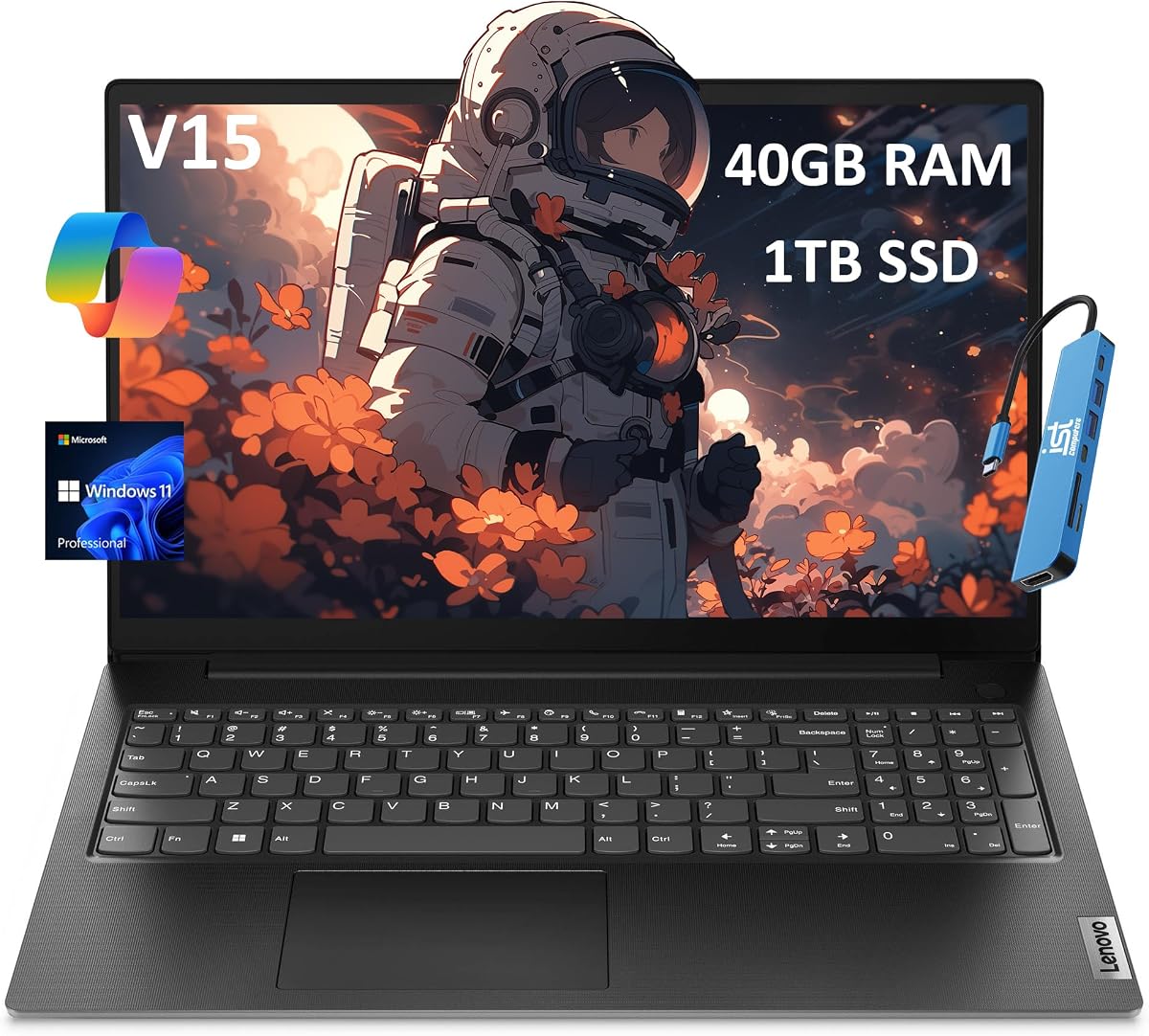
Lenovo V15 Gen 4
4.0Editor score
40GB RAM Config
13th Gen Intel
Budget Friendly Price
Finding a laptop with upgradeable RAM is essential for users who need long-term performance and flexibility without replacing their entire machine soon.
We compared ten models based on memory slots, processor power, storage options, and overall value to ensure you get the best performance for your specific needs.
Each pick highlights key specs and trade-offs, but remember that prices fluctuate frequently so always verify current listings before making your final purchase decision.
4.0Editor score

4.9Editor score

4.5Editor score
As an Amazon Associate we earn from qualifying purchases.
This table provides a quick side-by-side comparison of all ten models allowing you to see key differences in memory storage and processor capabilities at a glance.


The ASUS Vivobook 15 stands out as the top choice for those needing serious power and memory flexibility. With a staggering 48GB of RAM and a 14-core Intel Core i9 processor it handles AI workloads and complex simulations with ease.
We may earn a commission when you buy through this link, at no additional cost to you.
Its standout feature is the inclusion of a PCO Cooler which directly addresses thermal throttling issues common in high-performance laptops. This ensures your system maintains peak frequencies during long rendering or compilation tasks without slowdowns.
While the price is higher than average the bundled accessories and massive storage capacity justify the investment. You get a 2TB SSD and a privacy shield webcam which adds significant value for professional users.
This laptop is ideal for developers creatives and data scientists who need to run multiple virtual machines or heavy applications simultaneously without worrying about hardware limitations soon.
The processor is optimized specifically for AI workloads allowing you to run locally integrated machine learning models faster than on standard consumer chips.
The included cooler works in tandem with the internal system to keep the i9 processor running at high speeds for extended periods without overheating.
We may earn a commission when you buy through this link, at no additional cost to you.
The Dell Latitude 5531 offers a robust business-class experience with a powerful 14-core processor and ample 32GB RAM. This renewed model provides a cost-effective way to access enterprise-grade hardware for productivity tasks.
We may earn a commission when you buy through this link, at no additional cost to you.
Its 14-core CPU handles heavy multitasking efficiently making it suitable for office work and light development. The inclusion of Windows 11 Pro adds valuable security and management tools for professional environments.
Buying a renewed unit does carry some risk but the price point makes it an attractive option for budget-conscious businesses. Ensure you check the seller warranty before purchasing to mitigate potential hardware issues.
Choose this if you need a reliable workhorse for daily office tasks and want to save money compared to buying a brand-new premium laptop with similar specs.
Designed for enterprise use this chassis is built to withstand the rigors of daily commuting and constant use in various environments.
By opting for a renewed unit you get access to higher tier components like the i7-12800H at a fraction of the original retail cost.
We may earn a commission when you buy through this link, at no additional cost to you.
The Lenovo V-Series V15 delivers strong performance with 40GB of RAM and an AMD Ryzen 7 processor. It is well-suited for users who need efficient multitasking and reliable connectivity options for office work.
We may earn a commission when you buy through this link, at no additional cost to you.
The inclusion of an RJ45 Ethernet port is a significant advantage for users who require stable wired internet connections. Additionally the numeric keypad facilitates easier data entry for accountants and analysts.
While the processor is from the Ryzen 5000 series it remains competent for most business applications. The high RAM configuration ensures you can run multiple browser tabs and virtual machines smoothly.
This model is a great choice for businesses needing a balance of performance and connectivity without the extra cost of newer generation hardware or unnecessary bloatware.
The presence of both HDMI and RJ45 ports means you can connect to monitors and wired networks without needing extra adapters.
With 40GB of RAM this system allows for extensive multitasking keeping browser tabs and productivity apps running without slowdowns.
We may earn a commission when you buy through this link, at no additional cost to you.
This HP 255 G10 features the newer AMD Ryzen 7 7730U which offers efficient performance for everyday business tasks. Combined with 32GB of RAM it provides a responsive experience for multitasking users.
We may earn a commission when you buy through this link, at no additional cost to you.
The Wi-Fi 6 support ensures faster wireless speeds and better stability in crowded network environments. The display is ant-glare which reduces eye strain during long work sessions indoors.
The numeric keypad is a practical addition for users who input data frequently. However the screen brightness is standard so it might not be ideal for bright outdoor use.
Choose this laptop if you need a modern processor with good battery life and efficient connectivity features for office and remote work scenarios.
Wi-Fi 6 support ensures your connection remains stable and fast even in areas with heavy network congestion like offices or cafes.
The 7730U is designed to balance performance and power consumption making it ideal for long battery life during travel.
We may earn a commission when you buy through this link, at no additional cost to you.
The ASUS Vivobook 16 stands out with its larger 16 inch WUXGA display offering more screen real estate for productivity. It pairs this with a powerful Intel Core i9 processor and 40GB of RAM for heavy workloads.
We may earn a commission when you buy through this link, at no additional cost to you.
A unique feature is the bundled 1TB docking station which expands your connectivity and storage options instantly. This makes it highly convenient for users who frequently connect to multiple peripherals or need extra file space.
The higher resolution screen provides sharper text and more workspace for windows which is great for coding or design. The fingerprint reader adds an extra layer of security for protecting your data.
This is a strong option for professionals who want a bigger screen and extra storage without buying a separate docking station or external drive immediately.
The WUXGA resolution on a 16 inch panel gives you more vertical space for documents and code compared to standard FHD screens.
The included dock provides immediate expansion options allowing you to connect multiple devices and additional storage without extra purchases.
We may earn a commission when you buy through this link, at no additional cost to you.
The HP 15 Notebook is a solid choice for home users needing reliable performance without paying for enterprise features. Its 32GB RAM upgrade ensures smooth multitasking for daily web browsing and media consumption.
We may earn a commission when you buy through this link, at no additional cost to you.
The inclusion of a USB Type-C port modernizes the connectivity options allowing for faster data transfer and future charging standards. The anti-glare display keeps the screen comfortable to use in well-lit rooms.
While it runs Windows 11 Home instead of Pro it lacks some enterprise tools but remains perfect for students and families. The SSD ensures quick boot times and responsive application launches throughout the day.
Pick this model if you need a capable machine for general home use and school work with enough memory to keep things running smoothly.
Windows 11 Home provides all the essential features for personal computing without the complexity of enterprise management tools.
The USB Type-C port ensures you can connect to modern peripherals and docks without needing additional dongles.
We may earn a commission when you buy through this link, at no additional cost to you.
This Lenovo V15 Gen 4 model offers premium specifications like a 13th Gen i7 processor and 2TB of storage. It delivers excellent value for users who need high-end performance and ample space for files.
We may earn a commission when you buy through this link, at no additional cost to you.
The privacy shutter on the webcam is a critical security feature for remote workers and anyone concerned about digital privacy. It physically blocks the lens when not in use giving you peace of mind.
With 40GB of RAM you can run heavy applications without worrying about memory limits. The large SSD ensures you have plenty of room for media and project files without needing external drives.
This is an ideal choice for professionals who need top-tier specs and privacy features but prefer a business-class chassis over a consumer ultrabook.
The physical privacy shutter gives you complete control over your camera ensuring no one can access it without your permission.
With 2TB of SSD storage you can store a massive library of files locally without worrying about running out of space.
We may earn a commission when you buy through this link, at no additional cost to you.
The Lenovo V15 Gen 4 is marketed as a military-grade laptop tested to MIL-SPEC 810H standards ensuring it can withstand harsh conditions. It offers a robust build and strong performance for business users.
We may earn a commission when you buy through this link, at no additional cost to you.
It includes Windows 11 Pro with AI Copilot features which can assist with productivity tasks and automation. The 40GB RAM and 13th Gen Intel processor provide a capable platform for complex workflows.
The lack of a backlit keyboard might be a downside for users working in low light environments. However the durability and price make it a strong contender for field work and remote locations.
Choose this model if you need a durable laptop that can handle rough use and offer reliable performance for business and educational settings.
The MIL-SPEC 810H testing ensures this laptop can withstand drops vibrations and extreme temperatures better than standard devices.
Windows 11 Pro includes AI Copilot tools to help streamline your workflow and automate routine administrative tasks.
We may earn a commission when you buy through this link, at no additional cost to you.
This HP 255 G10 is a budget-friendly option designed for basic tasks and light use. It features a Ryzen 3 processor and 16GB of RAM which is sufficient for web browsing and office apps.
We may earn a commission when you buy through this link, at no additional cost to you.
The compact design makes it easy to carry around for students or casual users. Windows 11 Home provides a familiar interface with updated features for modern computing needs.
However the 256GB storage might fill up quickly if you store large media files. You should consider using cloud storage or external drives if you need more space for your data.
This is a great entry-level choice for anyone on a tight budget who needs a functional laptop for school or light home use.
The Ryzen 3 processor handles everyday tasks like web browsing and document editing without any significant lag.
Priced very competitively this model offers essential features at a cost accessible to students and casual users.
We may earn a commission when you buy through this link, at no additional cost to you.
This generic laptop is unique because it explicitly offers a free RAM slot allowing you to upgrade memory later. The dual-slot design means you can add a stick to the empty slot to increase capacity easily.
We may earn a commission when you buy through this link, at no additional cost to you.
It includes a physical privacy shutter on the webcam which is a rare security feature at this price point. The full-size keyboard with numeric pad is great for data entry and longer typing sessions.
The processor is older and better suited for light web browsing or media consumption. If you need heavy performance you should upgrade the RAM to at least 8GB or 16GB to improve multitasking.
This model is perfect for users who want to start cheap and upgrade the hardware themselves over time to extend the laptop's useful life.
The open RAM slot allows you to add more memory without opening the entire chassis making it very user friendly for upgrades.
The slider on the webcam gives you physical control over your privacy without needing to rely on software toggles.
We may earn a commission when you buy through this link, at no additional cost to you.
Selecting a laptop with upgradeable memory requires understanding several technical factors to ensure you can expand capabilities as your needs evolve.
The most critical factor is whether the laptop has available or user-accessible RAM slots. Many modern thin laptops have memory soldered to the motherboard which means you cannot upgrade it later. Always verify the specifications to confirm there is at least one empty or removable slot before purchasing if you plan to add RAM in the future.
Look for products that explicitly mention SO-DIMM slots or user-upgradable memory in their documentation to avoid disappointment after unboxing your new device.
Different laptops support different generations of DDR memory such as DDR4 or DDR5. You must ensure that any new RAM you buy matches the type and speed supported by your motherboard. Using incompatible RAM can cause boot failures or system instability so checking the supported frequency is essential for a successful upgrade.
Check the current RAM type in your device and confirm that the motherboard supports higher capacities within that generation to maximize your investment.
Every motherboard has a maximum memory limit it can handle. Even if you add many sticks if the total exceeds this limit the system may not utilize the extra memory. Research the specific motherboard model or system specifications to find the maximum supported RAM capacity to ensure your upgrades are recognized by the operating system.
Plan your upgrades by knowing the total limit to avoid spending money on RAM that your laptop cannot fully use for performance gains.
While RAM upgrades help multitasking they are most effective when paired with a capable processor. If your CPU is outdated adding massive amounts of RAM might not significantly improve performance for heavy applications. Ensure your processor can handle the increased data throughput to get the best value from your memory upgrade.
Balance your hardware upgrades so that your CPU does not become a bottleneck for your new high-capacity memory modules.
Often when you upgrade RAM you also need more storage for files and applications. Look for laptops that have additional M.2 slots or 2.5 inch drive bays to expand your storage alongside memory. A laptop with multiple storage slots gives you flexibility to store more data locally without relying on external drives.
Verify if the laptop has extra storage slots so you can scale both memory and disk space as your data grows over time.
Your operating system must be capable of addressing the increased memory. Most modern Windows 11 and macOS systems support 64-bit addressing which handles high RAM amounts easily. However older 32-bit operating systems have a strict 4GB limit regardless of physical memory installed so ensure your OS is 64-bit to utilize upgrades.
Confirm that your OS version is 64-bit to ensure it can recognize and use all the additional RAM you add to your system.
Upgrading RAM yourself can sometimes affect the warranty status of your laptop. Some manufacturers allow user upgrades without voiding coverage while others require professional installation. Check the warranty policy before opening the case to ensure you do not accidentally void your protection on other components.
Review the manufacturer warranty terms regarding user modifications to ensure your device remains protected after you perform RAM upgrades.
Adding more RAM can increase heat output if the system is already running hot. Ensure your laptop has adequate cooling vents or fans to handle the extra load. Poor thermal management can lead to throttling where the system slows down to protect components which negates the benefits of your upgrade.
Check that your laptop's cooling system is robust enough to handle increased memory usage without excessive heating or fan noise.
Start by identifying the current memory configuration using your operating system task manager. This helps you determine how many slots are in and whether you need to replace existing sticks or add new ones.
Before opening your laptop always disconnect the power source and discharge static electricity by touching a grounded metal object. This prevents accidental damage to sensitive components while you are installing new hardware modules.
Install the new RAM sticks into the empty slots at a slight angle then press down until the clips lock into place. Secure the back panel and restart your computer to verify that the system recognizes the upgraded memory capacity.
No not all laptops allow RAM upgrades. Many modern ultrabooks have memory soldered directly to the motherboard. Check the specifications to confirm if there are removable SO-DIMM slots before purchasing.
The maximum RAM depends on your motherboard and processor. Some systems support up to 64GB while others can handle 128GB. Verify the specific limits in your device manual or manufacturer website.
Yes it is best to match the speed and type of the existing RAM. If speeds differ the system will default to the slower speed. Matching ensures stable performance and avoids compatibility issues.
Costs vary by type and capacity but a 16GB DDR4 stick often costs between $30 and $60. Buying in bundles like two 8GB sticks is usually cheaper than buying one large module.
It depends on the manufacturer. Many allow basic upgrades without voiding warranty but some require professional installation. Check the specific warranty policy for your brand to be safe.
You can use software tools like CPU-Z or Task Manager to check your current memory configuration. Alternatively check the product manual or online forums for teardown guides to see the slot count.
We have explored ten distinct models offering varying levels of performance and memory flexibility to suit different needs. From the powerful ASUS Vivobook 15 to the budget friendly options each pick highlights specific strengths for users who prioritize future proofing.
When choosing prioritize models that explicitly state support for SO-DIMM slots and high memory capacity to avoid limitations later. Balancing CPU power with RAM capacity ensures your system remains responsive for years.
Remember that prices fluctuate regularly so check current listings to confirm availability before making your purchase. This ensures you get the best value and exact specifications you need for your workflow.