
Logitech G305 Lightspeed Wireless Gaming Mouse – Black
4.6Editor score
HERO sensor delivers 12,000 DPI
Ultra-fast LIGHTSPEED wireless technology
250 hours continuous gameplay on battery
Explore our expert guide comparing the top 10 lightweight mouse models for gamers and professionals, evaluating speed, comfort, and battery life.
Finding the right lightweight mouse can transform your daily workflow or gaming sessions. These devices prioritize speed and comfort without sacrificing precision. Whether you are an esports athlete or a creative professional, the right tool matters.
We have evaluated the top 10 lightweight mice available in the market today. Our analysis focuses on sensor accuracy, build quality, connectivity options, and ergonomic design. This list helps you make an informed decision based on real-world needs.
Each pick highlights specific strengths tailored to different user preferences and use cases. We include detailed reviews, specifications, and buying advice to guide your choice. Please note that availability and pricing may change over time.
4.6Editor score

4.5Editor score

4.6Editor score
This section provides a side-by-side comparison of all ten selected lightweight mouse models. Each entry details core specifications to help you quickly identify the best fit for your needs.





The Logitech G305 Lightspeed stands out as a top contender for budget-conscious gamers seeking a lightweight experience. With a 4.6 rating from users, it delivers high performance without the premium price tag associated with top-tier models. Its HERO sensor provides accurate tracking while keeping power consumption low.
We may earn a commission when you buy through this link, at no additional cost to you.
Performance-wise, the LIGHTSPEED wireless technology ensures a lag-free connection essential for competitive gaming. The sensor supports up to 12,000 DPI and tracks at 400 IPS. Battery life is exceptional, offering up to 250 hours of gameplay on a single AA battery. This makes it ideal for long sessions without frequent interruptions.
While the G305 excels in wireless reliability and battery efficiency, it uses an AA battery instead of a rechargeable one. This adds weight compared to modern ultra-light models but maintains durability. The lack of onboard memory limits profile storage options for users switching between multiple computers.
This mouse is perfect for gamers who value performance over weight optimization. It suits those who want a reliable wireless connection without breaking the bank. If you prioritize battery life and sensor accuracy over cutting-edge materials, the G305 is a smart choice for daily use.
The mouse offers up to 250 hours of continuous gameplay on a single AA battery. Using Endurance mode extends this life significantly for extended usage periods.
LIGHTSPEED technology provides a 1 ms report rate ensuring a lag-free connection comparable to wired setups during intense gaming matches.
We may earn a commission when you buy through this link, at no additional cost to you.
The Logitech G305 Lightspeed in White offers the same high performance as its black counterpart but with a distinct aesthetic appeal. Rated highly by users, it combines a sleek look with robust functionality. This version is perfect for those who prefer a brighter setup without compromising on technical specs.
We may earn a commission when you buy through this link, at no additional cost to you.
Under the hood, it features the HERO optical sensor delivering 12,000 DPI and superior tracking precision. The LIGHTSPEED wireless connection ensures rapid response times essential for competitive play. Battery life remains a strong point, providing up to 250 hours of continuous gaming on a single AA cell.
Despite its strengths, the G305 relies on an AA battery which limits rechargeability. This design choice keeps costs down but adds a bit of weight compared to rechargeable units. Users should be prepared to replace batteries periodically for optimal performance.
Ideal for gamers seeking a stylish yet functional wireless mouse, this model fits well in varied setups. It balances price, performance, and aesthetics effectively. Choose this if you want reliability and visual appeal in a lightweight package.
The white finish provides a clean and modern look that complements lighter gaming setups or professional workspaces effectively.
Like the black version, it offers the same LIGHTSPEED wireless technology ensuring lag-free gaming experiences across all color variants.
We may earn a commission when you buy through this link, at no additional cost to you.
The Logitech G PRO X Superlight 2 is widely regarded as one of the best wireless gaming mice available. With a rating of 4.5, it combines championship-winning design with modern advancements. Weighing only 60 grams, it offers near-perfect balance and speed for esports professionals and enthusiasts alike.
We may earn a commission when you buy through this link, at no additional cost to you.
Its HERO 2 sensor tracks over 888 IPS with up to 44,000 DPI sensitivity. The 8 kHz polling rate ensures unmatched precision and speed. Users enjoy 95 hours of battery life on a single charge. Compatibility with POWERPLAY adds convenience for wireless charging during use.
Trade-offs include a lack of RGB lighting and a focus on pure performance over extra buttons. The premium price may be steep for casual users. However, for those prioritizing speed and accuracy, these compromises are minor compared to the performance gains.
This mouse is ideal for serious gamers who demand the best hardware possible. It suits competitive play where every millisecond counts. If you seek a lightweight, high-performance wireless mouse, the Superlight 2 is a top recommendation.
Weighing just 60 grams, this mouse allows for effortless movements and reduces hand fatigue during long gaming sessions.
The HERO 2 sensor provides precision tracking over 888 IPS with zero smoothing or acceleration for perfect accuracy.
We may earn a commission when you buy through this link, at no additional cost to you.
The Logitech G PRO X2 SUPERSTRIKE redefines premium gaming mice with its Haptic Inductive Trigger System. This wireless mouse delivers a fully customizable click experience tailored to esports pros. With a 4.6 rating, it stands out for its industry-leading speed and precision features.
We may earn a commission when you buy through this link, at no additional cost to you.
Equipped with the HERO 2 sensor, it tracks at over 888 IPS and up to 44,000 DPI. The LIGHTFORCE hybrid switches allow for rapid trigger resets and deep customization. Battery life ranges from 60 to 90 hours, ensuring uninterrupted focus during matches.
While highly advanced, the SUPERSTRIKE comes with a high price tag and requires software for full features. It might be overkill for casual users. However, for competitive players seeking every advantage, these features justify the investment.
This mouse is best suited for serious competitors wanting the fastest hardware available. It excels in customization and speed. If you seek a high-end tool designed to win, the SUPERSTRIKE is a top-tier option.
This breakthrough technology provides real-time feedback and fully customizable click speeds for immersive gameplay.
Users can adjust actuation points and rapid trigger reset levels to match their precise play style preferences.
We may earn a commission when you buy through this link, at no additional cost to you.
The Redragon M612 offers a budget-friendly entry into feature-rich gaming mice. With a 4.6 rating, it appeals to users needing high functionality without a high cost. Its RGB lighting and programmable buttons make it a versatile tool for both gaming and work.
We may earn a commission when you buy through this link, at no additional cost to you.
This wired mouse features an optical sensor with up to 8000 DPI and 11 programmable buttons. The ergonomic design ensures comfort during long sessions. RGB modes add visual flair to any setup. The frosted coating provides a secure grip even after hours of use.
Being wired limits portability compared to wireless models. It is also heavier, which may not suit fast-paced FPS games. However, for users prioritizing value and features, these drawbacks are acceptable trade-offs.
Ideal for casual gamers or office users seeking extra buttons and style, this mouse delivers strong performance. Choose it if you want customization and durability on a budget.
With 11 reassignable buttons and macro support, users can optimize workflows or create complex in-game bind setups.
Five distinct backlit modes allow users to customize their desk ambiance with vibrant visual effects.
We may earn a commission when you buy through this link, at no additional cost to you.
The Logitech G502 Hero is a legendary mouse known for its versatility and precision. With a 4.6 rating, it remains a favorite for users needing customization. Its HERO sensor and adjustable weight system allow personalized configurations for any grip style.
We may earn a commission when you buy through this link, at no additional cost to you.
This wired mouse features up to 25,600 DPI tracking and 11 programmable buttons. The dual-mode scroll wheel offers both precision and hyper-fast scrolling. LIGHTSYNC technology syncs RGB effects with gaming content. Mechanical switches ensure crisp, clean clicks.
While excellent for control, it is heavier and wired, limiting mobility. The adjustable weights may increase bulk compared to dedicated lightweight mice. Still, for those valuing precision and tactile feel over weight, it is a top choice.
Ideal for gamers needing high customization and durability, the G502 Hero delivers consistently. It suits those who prefer a solid feel and wired reliability in their setup.
Arrange up to five 3.6 g weights to match your preferred balance and weight configuration exactly.
Switch between precise line-by-line scrolling and hyper-fast mode for rapid document navigation or gaming.
We may earn a commission when you buy through this link, at no additional cost to you.
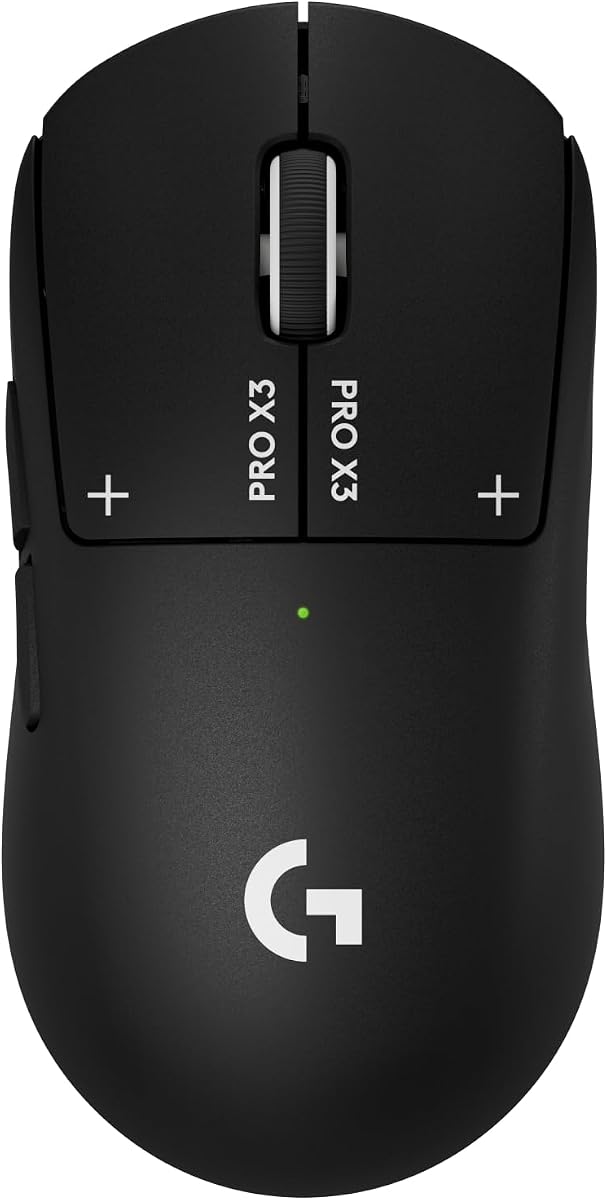
The Logitech G PRO X3 SUPERSTRIKE brings cutting-edge haptic technology to the wireless gaming market. With a 4.3 rating, it promises a new level of interaction through its electromagnetic trigger system. Designed with pros, it ensures tournament-grade performance.
We may earn a commission when you buy through this link, at no additional cost to you.
Its HERO 2 sensor tracks over 930 IPS with up to 48,000 DPI. The LIGHTSPEED wireless technology operates at 8 kHz polling for zero lag. Battery life reaches up to 135 hours on a single charge. The ultra-thin case and large feet ensure smooth movement.
Users may find the price high for everyday use and the software complexity unnecessary. However, for competitive players, the precision and battery life are unmatched. This model sets a new standard for wireless innovation.
Ideal for esports athletes or enthusiasts seeking the latest tech, this mouse delivers. If you value cutting-edge features and endurance, the X3 SUPERSTRIKE is a strong contender.
This system replaces standard switches with an electromagnetic field for faster and more customizable clicks.
Enjoy up to 135 hours of gameplay on a single charge for uninterrupted marathon sessions.
We may earn a commission when you buy through this link, at no additional cost to you.
The Logitech M185 is a reliable choice for daily office use and travel. With a 4.4 rating, it offers simplicity and durability. Its compact design fits easily into bags and makes it ideal for laptop users.
We may earn a commission when you buy through this link, at no additional cost to you.
This wireless mouse features a line-by-line scroll wheel and a one-year battery life. The ambidextrous shape works well for both hands. The included nano receiver ensures a strong connection up to 33 feet. Post-consumer recycled plastic adds eco-friendly value.
While not designed for gaming, its precision is sufficient for general tasks. It lacks advanced features like RGB or high DPI. However, for basic productivity, its ease of use and reliability stand out.
Ideal for students or professionals needing a simple wireless mouse, this model is perfect. Choose it for straightforward performance and portability without unnecessary complications.
Designed to feel great in either hand, making it a versatile option for left and right-handed users.
Enjoy up to a full year of usage on a single AA battery thanks to smart sleep modes.
We may earn a commission when you buy through this link, at no additional cost to you.
The Logitech M330 Silent Plus focuses on quiet, comfortable productivity. With a 4.5 rating, it appeals to shared workspaces and quiet environments. Its SilentTouch technology reduces click noise significantly. This helps maintain focus without distracting colleagues.
We may earn a commission when you buy through this link, at no additional cost to you.
This wireless mouse offers up to 18 months of battery life on a single AA cell. The full-size ergonomic shape supports long work hours comfortably. It features advanced optical tracking for precise cursor control. The recycled plastic build aligns with environmental goals.
While excellent for office work, it lacks gaming features. It is bulkier than portable options. However, for those prioritizing silence and comfort, it remains a top pick.
Ideal for office professionals needing a quiet tool, this mouse is ideal. Choose it to reduce noise and improve focus in shared environments.
Reduces click sound by over 90% ensuring a quieter workspace environment for everyone.
Designed with contoured grips to support the hand comfortably during extended work sessions.
We may earn a commission when you buy through this link, at no additional cost to you.
The Logitech MX Master 4 redefines productivity with its Haptic Sense Panel and MagSpeed scroll wheel. With a 4.2 rating, it targets professionals and creators. This ergonomic design reduces hand stress while enhancing workflow efficiency significantly.
We may earn a commission when you buy through this link, at no additional cost to you.
Features include a customizable haptic feedback panel and an Actions Ring for quick app navigation. The scroll wheel can scroll 1,000 lines per second. Quiet clicks reduce noise by 90%. USB-C and Bluetooth ensure versatile connectivity across devices.
Despite its high price and weight, it excels for creative tasks. It is not a gaming mouse but a specialized tool. For power users seeking efficiency, it justifies the cost through unique features.
Ideal for professionals and creators needing precision and speed, this mouse stands out. Choose it for advanced control and ergonomic comfort in demanding workflows.
Scroll 1,000 lines per second with pinpoint stopping for precise control and rapid navigation.
Customizable haptic feedback provides sensory cues for shortcuts and notifications enhancing focus.
We may earn a commission when you buy through this link, at no additional cost to you.
Selecting the right lightweight mouse involves balancing speed, comfort, and connectivity. This guide breaks down key factors to help you find the perfect match.
Weight is the primary factor when choosing a lightweight mouse. Aim for models under 70 grams for gaming to reduce wrist strain. Balance matters too; a center-weighted mouse feels stable during quick movements.
Look for mice with adjustable or optimized weight distribution to suit your grip style and endurance needs.
A high-performance sensor ensures accurate tracking without acceleration or jitter. Look for DPI ratings above 12,000 and high IPS (Inches Per Second) ratings for fast movements.
Prioritize optical sensors with zero smoothing for consistent and predictable cursor control during competitive use.
For lightweight mice, wireless technology must be lag-free. Technologies like LIGHTSPEED or Bluetooth with low latency ensure performance matches wired options. Battery life is also critical.
Choose models with 1ms report rates and long battery life to avoid interruptions during extended sessions.
Comfort prevents fatigue during long use. The shape should fit your palm size and preferred grip style. Look for textured surfaces for better control.
Ensure the mouse curves naturally in your hand to prevent strain over time.
Lightweight mice often use thin materials to reduce mass. Check for high-quality plastics or reinforced frames to withstand drops and daily wear. PTFE feet ensure smooth gliding.
Invest in models with proven durability ratings to ensure long-term reliability.
Programmable buttons and software support add versatility. Consider if you need multiple profiles or macro support. This can streamline workflows or enhance gameplay.
Select models with robust software that allows easy button remapping and profile switching.
Modern wireless mice offer rechargeable batteries via USB-C. This eliminates the need for disposable batteries and reduces long-term waste. Check connectivity options like Bluetooth or USB dongles.
Prioritize mice with USB-C charging for convenience and better power management.
Budget ranges vary from affordable basic models to premium high-tech options. Determine your needs; casual users may prefer simpler designs while pros need advanced sensors.
Look for the best feature set within your budget to maximize value without overspending on unnecessary extras.
To ensure optimal performance, keep your mouse clean by regularly wiping the sensor and feet with a soft cloth. Dust and debris can impair tracking accuracy.
Store your wireless mouse in a safe, dry place when not in use. Use the provided storage case if available to prevent accidental damage.
Update firmware and drivers through the manufacturer software to access the latest features and maintain connectivity stability over time.
A lightweight mouse typically weighs less than 70 grams. This is achieved by using advanced materials like high-density plastics and optimized internal designs. Removing unnecessary components reduces overall mass for faster movement.
Not necessarily. While some lightweight designs use thinner materials, reputable brands engineer them to withstand significant stress. High-quality hinges and reinforced frames maintain durability while reducing weight.
Modern wireless mice use low-latency protocols that match wired performance. Look for technologies with 1ms report rates to ensure lag-free operation during competitive gaming.
Lighter mice allow for quicker movements and reduce wrist strain over time. This can improve aim precision and reaction speed in fast-paced shooters and competitive games.
Some models include adjustable weight systems, but true lightweight mice usually omit them to keep mass low. Adding external weights defeats the purpose of the lightweight design.
Yes, many lightweight mice offer precision and comfort suitable for office tasks. Features like ergonomic grips and customizable buttons enhance productivity for professional users.
This guide reviewed the top 10 lightweight mice for November 2026. From budget-friendly wireless options to premium ergonomic tools, each model offers unique strengths.
Prioritize sensor quality and wireless reliability to ensure performance matches your needs. Choose based on specific requirements like gaming speed or office comfort.
Always check current availability and prices to find the best deal. Select the mouse that aligns best with your personal preferences and usage style.