
TP-Link AXE5400 Tri-Band
4.3Editor score
Tri-Band WiFi 6E Router
6 GHz band for zero latency
EasyMesh compatible for range
Explore our expert guide to the top low latency WiFi routers in October 2026, comparing features speed and performance for gaming and streaming needs.
Low latency WiFi routers are essential for modern homes where streaming, gaming, and video calls happen simultaneously. These devices prioritize real-time data transmission to reduce lag and ensure smooth connectivity for all users.
We compared ten top-rated models based on Wi-Fi standards, band configuration, processor power, and special features like gaming acceleration. Each product was evaluated for its ability to maintain stable connections under heavy load.
Each pick highlights unique strengths and potential trade-offs to help you choose the right router for your setup. Please note that availability and pricing can change frequently, so verify current details before purchasing.
4.3Editor score

4.6Editor score

4.3Editor score
This side-by-side comparison highlights the key specifications and capabilities of the top ten low latency WiFi routers available today, helping you identify the best fit for your network demands.
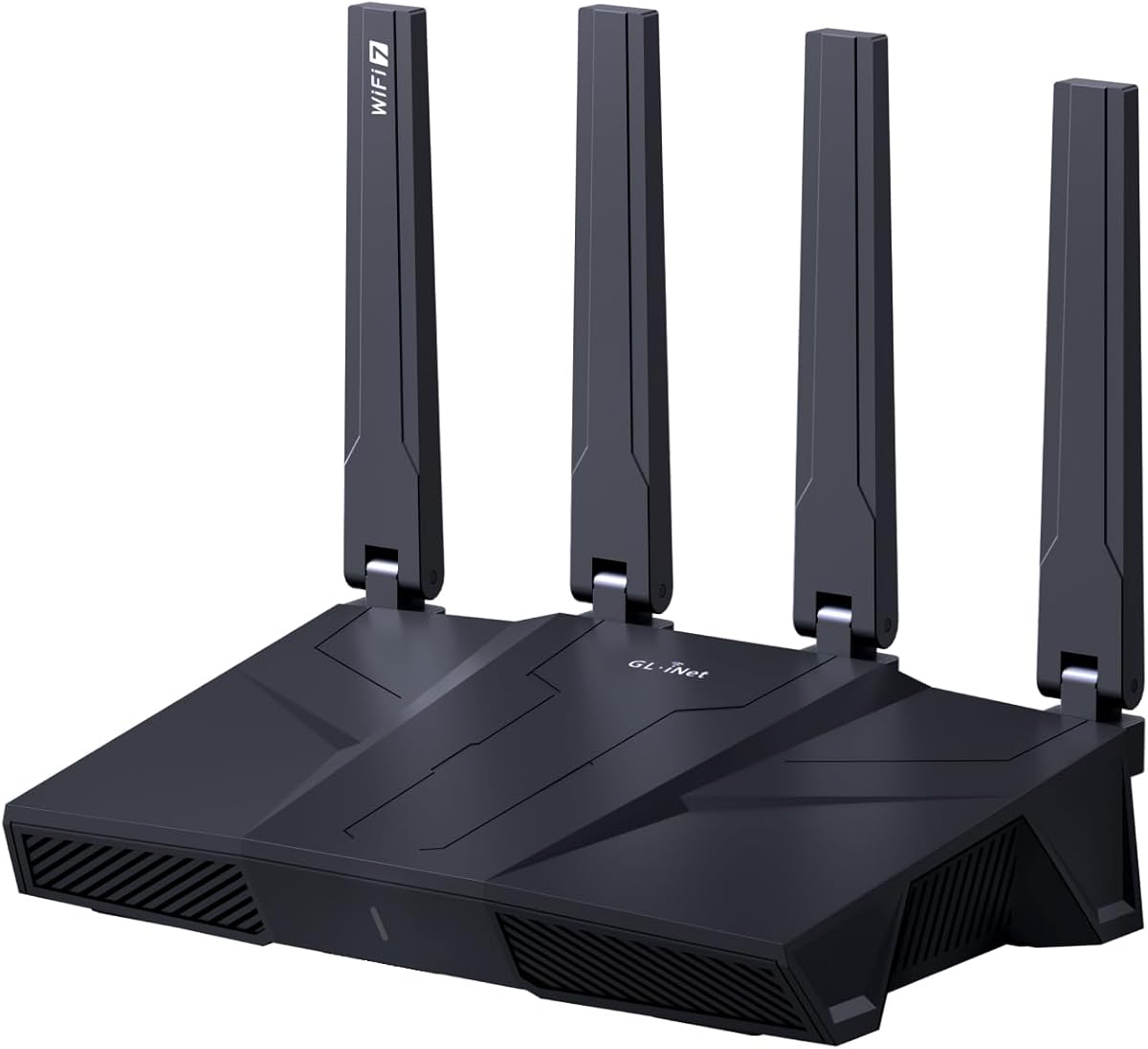


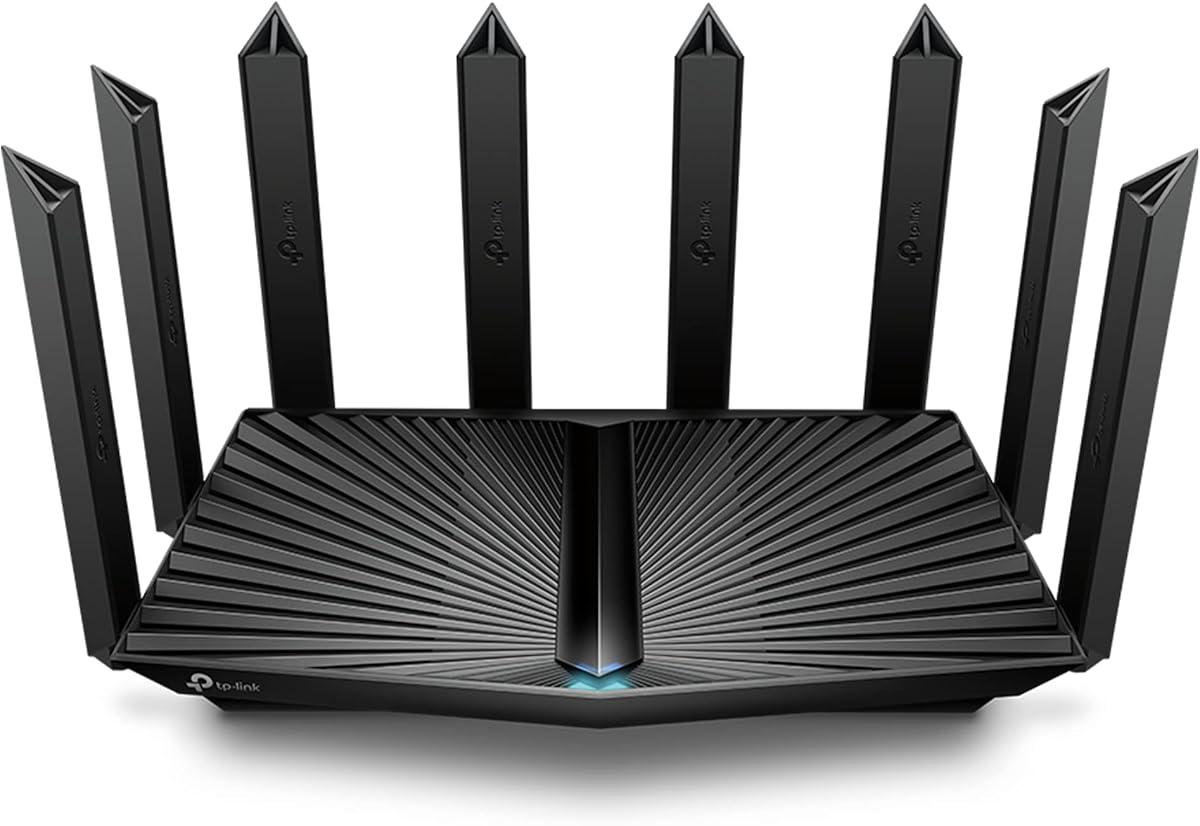

The GL.iNet GL-MT6000 Flint 2 is a standout choice for users seeking low latency WiFi performance. With a strong 4.6 rating, it delivers Wi-Fi 6 speeds up to 6 Gbps ensuring smooth 4K streaming and video calls.
We may earn a commission when you buy through this link, at no additional cost to you.
Its standout feature is the dual 2.5G ports which allow for multi-gigabit wired connections ideal for gaming rigs and NAS drives. The router supports Wireguard and OpenVPN at high speeds giving you control over your bandwidth.
While the initial firmware update is necessary for optimal performance, the process is straightforward and ensures stability. The inclusion of AdGuard Home lets you filter ads and track unwanted activity efficiently.
This router is perfect for DIY users and gamers who need reliable connectivity for over a hundred devices. It balances advanced features with user-friendly setup making it a top recommendation for most homes.
Wireguard and OpenVPN speeds reach up to 900Mbps allowing secure browsing without compromising gaming or streaming quality.
High storage capacity and DDR4 memory support over 100 devices maintaining stable connections even in busy households.
We may earn a commission when you buy through this link, at no additional cost to you.
The TP-Link AXE5400 Tri-Band offers excellent value for budget-conscious buyers looking for low latency performance. With Wi-Fi 6E support it leverages the 6 GHz band to minimize interference and ensure near-zero latency.
We may earn a commission when you buy through this link, at no additional cost to you.
Its Tri-Band design allows simultaneous transmission to more devices which is great for busy homes. The unique housing design helps with heat dissipation ensuring long-term reliability during intense usage periods.
While it lacks 2.5G ports which might limit wired speeds it compensates with strong wireless capabilities. HomeShield provides basic security and parental controls without needing extra subscriptions for core features.
This router is ideal for streaming and gaming without breaking the bank. If you need mesh capability and want to eliminate dead zones without high costs this model delivers solid performance.
The dedicated 6 GHz band provides more bandwidth and faster speeds enabling more responsive gaming and video chats.
EasyMesh compatibility lets you add extenders or routers to create a whole-home network reducing drops and lag.
We may earn a commission when you buy through this link, at no additional cost to you.
The ASUS ROG Rapture GT-BE98 Pro stands at the pinnacle of low latency WiFi technology with Wi-Fi 7 capabilities. It delivers unprecedented speeds up to 30Gbps using 320MHz channels in the 6 GHz band.
We may earn a commission when you buy through this link, at no additional cost to you.
Multi-link Operation links to multiple bands simultaneously ensuring stable connections even under heavy load. The external dual-feeding antennas significantly boost coverage and signal strength for hard-to-reach areas.
For gamers and power users the Triple-Level Game Acceleration optimizes traffic from the PC to the server. While expensive the dual 10G ports future-proof your wired connections for upcoming internet plans.
This router is for enthusiasts who demand the best performance possible. If budget is not a concern and you need maximum speed and low latency this premium model is unmatched.
Dual 10G ports and quad 2.5G ports offer maximum wired connectivity flexibility for gaming rigs and NAS drives.
Game Acceleration boosts PC gaming traffic every step of the way ensuring minimal lag during competitive sessions.
We may earn a commission when you buy through this link, at no additional cost to you.
The GL.iNet GL-BE9300 Flint 3 brings next-gen Wi-Fi 7 features to users needing extreme performance. With speeds up to 9 Gbps it handles 8K streaming and gaming calls with ease.
We may earn a commission when you buy through this link, at no additional cost to you.
Multi-Link Operation enhances connectivity in high-density environments by using multiple bands simultaneously. The five 2.5G ports provide incredible flexibility for wired connections reducing wireless interference.
AdGuard Home support gives you DNS server control to block unwanted tracking and ads. While initial firmware updates are recommended for best results the setup process is intuitive.
Ideal for users who want advanced customization and high-speed wired ports. It balances cutting-edge tech with practical features making it a strong contender for tech-savvy households.
MLO and 4K QAM deliver ultra-fast speeds and significantly reduced latency compared to previous generations.
Long-range performance covers up to 2000 square feet ensuring strong signal across modern large homes.
We may earn a commission when you buy through this link, at no additional cost to you.
The NETGEAR Nighthawk WiFi 7 is designed to keep up with growing connected homes offering robust speeds and coverage. Its dedicated 6 GHz band ensures the fastest devices get their own lane.
We may earn a commission when you buy through this link, at no additional cost to you.
Multi-gig wired connections via 2.5 Gig ports allow you to unlock full potential of internet plans. The Nighthawk app simplifies management letting you pause devices and run tests easily.
Coverage extends up to 2500 sq ft which fits most large homes. However for multi-story houses adding Orbi mesh might be necessary to avoid weak spots.
This router is great for families needing reliable performance and simple management. Security features out of the box help protect devices from threats without extra effort.
Download the free Nighthawk app on iOS or Android for guided setup and network control anywhere.
Automatic firmware updates and Advanced Router Protection keep your family safe from hackers and malware.
We may earn a commission when you buy through this link, at no additional cost to you.
The NETGEAR Nighthawk RS90 brings Wi-Fi 7 to a more accessible price point. With speeds up to 3.6 Gbps it handles 4K streaming and gaming without issues.
We may earn a commission when you buy through this link, at no additional cost to you.
MU-MIMO and OFDMA allow multiple devices to send data simultaneously improving efficiency. The 2.5 Gig WAN port ensures you can use faster internet plans if available.
Coverage reaches up to 2000 sq ft which is sufficient for medium homes. While dual-band lacks 6 GHz it still offers modern performance features.
This model is ideal for those entering Wi-Fi 7 without premium costs. It balances speed and affordability making it a smart choice for general households.
MU-MIMO and OFDMA let multiple devices send and receive data simultaneously improving overall network efficiency.
Setup is simple with the Nighthawk app guiding you through configuration and management steps.
We may earn a commission when you buy through this link, at no additional cost to you.
The TP-Link Archer BE230 offers Wi-Fi 7 features like Multi-Link Operation at a solid price. It delivers up to 2882 Mbps on 5 GHz for smooth streaming and AR/VR gaming.
We may earn a commission when you buy through this link, at no additional cost to you.
Dual 2.5G ports break the 1G barrier allowing faster wired connections to key devices. The Quad-Core processor manages high throughput to eliminate lag even during heavy data use.
Coverage reaches up to 2000 sq ft ensuring every corner stays connected. EasyMesh lets you extend the network seamlessly across your home.
This router is great for modernizing homes without the cost of tri-band systems. It supports voice control and offers solid HomeShield protection for safety.
Multi-Link Operation and 4K-QAM increase reliability and data capacity for all your devices.
Works with EasyMesh routers to create a whole-home network eliminating drops and lags during movement.
We may earn a commission when you buy through this link, at no additional cost to you.
The GL.iNet GL-BE6500 Flint 3e stands out for its robust VPN capabilities and low latency performance. With OpenVPN and Wireguard reaching 1100 Mbps it offers secure and fast connections.
We may earn a commission when you buy through this link, at no additional cost to you.
MLO and 4K-QAM breakthroughs ensure ultra-fast speeds and improved connectivity in high-density environments. Coverage extends to 2500 sq ft making it suitable for large homes.
AdGuard Home support helps filter unwanted ads and tracking effectively. While initial setup requires an Ethernet cable the web Admin Panel makes management easy.
Ideal for users prioritizing privacy and gaming performance. It balances security with speed ensuring a smooth digital environment for families.
Wireguard and OpenVPN deliver speeds up to 1100 Mbps giving you control over gaming and streaming bandwidth.
Delivers strong reliable signal strength across up to 2500 square feet for whole-home connectivity.
We may earn a commission when you buy through this link, at no additional cost to you.
The TP-Link AX6000 AX80 delivers strong performance with Wi-Fi 6 reaching speeds up to 4804 Mbps. It handles multiple 4K streams and video calls simultaneously with ease.
We may earn a commission when you buy through this link, at no additional cost to you.
Eight high-gain antennas with beamforming ensure vast coverage for your home. The 2.5G port prevents bottlenecks ensuring you get the most from your internet plan.
OneMesh support lets you add range extenders for a seamless whole-home system. VPN Client support allows secure access without installing software on every device.
This router is a solid upgrade for existing setups needing better speed and range. It offers high performance without the complexity of newer standards.
Eight high-gain antennas equipped with Beamforming ensure vast coverage reaching even further rooms.
The 2.5G port breaks through gigabit speeds entering the multi-gig era of wired connections.
We may earn a commission when you buy through this link, at no additional cost to you.
The Asus ROG Rapture GT-AXE11000 was the world's first Wi-Fi 6E tri-band router bringing 6GHz spectrum to the masses. It boosts speeds up to 11000 Mbps for ultimate performance.
We may earn a commission when you buy through this link, at no additional cost to you.
The 6GHz band provides wider channels and higher capacity resulting in lower latency and less interference. Triple-level Game Acceleration accelerates game traffic from your device to the server.
Cooling system and optimized antenna design ensure the hardware handles heavy loads without overheating. While more expensive than older models it offers future-proofing with Wi-Fi 6E.
Best suited for enthusiasts and competitive gamers who need every edge in performance. It combines engineering precision with gaming-specific optimizations for a powerful network.
The 6GHz spectrum delivers wider channels and higher capacity to reduce latency and interference.
Triple-level Game Acceleration ensures your gaming traffic gets top priority across the network.
We may earn a commission when you buy through this link, at no additional cost to you.
Selecting the right router involves evaluating standards, bands, ports, and processing power to meet your specific needs.
Wi-Fi 6E and Wi-Fi 7 standards offer dedicated 6GHz or multi-link operation which significantly reduce latency. Look for the latest standards if you want the lowest possible response times.
Choosing newer standards ensures your network handles modern apps and devices without congestion.
Tri-band routers provide an extra 5GHz or 6GHz band to separate high-priority traffic like gaming from regular browsing. Dual-band models work but may experience more interference.
Select tri-band options for homes with multiple concurrent heavy users to maintain low latency.
Powerful quad-core CPUs and ample RAM prevent bottlenecks when processing data. This ensures consistent speeds during heavy network usage.
Prioritize routers with high-spec processors for stable performance over long periods.
Multi-gigabit Ethernet ports like 2.5G or 10G allow fast wired connections for gaming PCs or NAS devices. These reduce wireless dependency and lower latency for critical tasks.
Ensure the router has enough high-speed ports for your wired needs.
Features like Game Acceleration or QoS help prioritize gaming traffic over other data. This minimizes lag during online matches by ensuring game packets get priority.
Look for dedicated gaming optimization tools if you are a competitive gamer.
High-gain antennas and beamforming technology direct signals toward devices improving signal strength and reducing dropouts. Good coverage ensures low latency throughout your home.
Check the square footage rating to match your home size.
Advanced routers offer built-in VPN support allowing secure connections without extra apps. This can maintain low latency while accessing global services.
Choose routers with strong VPN throughput if privacy is a priority.
Intuitive apps and interfaces make it easy to monitor network health and manage settings. Quick access helps you resolve issues before they affect performance.
Opt for models with user-friendly apps for easier maintenance.
Place the router in a central location away from thick walls to ensure strong signal coverage throughout your home. Elevated positions help reduce interference from metal objects or appliances.
Keep firmware updated via the manufacturer's app or admin panel to benefit from performance improvements and security patches. Regular updates ensure the router operates at optimal speed.
Use Ethernet cables for high-priority devices like gaming consoles to eliminate wireless variability. This reduces latency significantly for time-sensitive applications.
Low latency routers use advanced Wi-Fi standards like Wi-Fi 7 and dedicated bands such as 6GHz to minimize data transmission time. They also include powerful processors and traffic prioritization tools to reduce lag.
Yes Wi-Fi 7 offers significantly lower latency and higher speeds than previous generations. It is particularly beneficial for competitive gaming and VR experiences where milliseconds matter.
Ensure your router has updated firmware and prioritize gaming devices through QoS settings. Connecting devices via Ethernet instead of Wi-Fi also helps lower latency significantly.
Yes wired connections eliminate wireless interference and signal loss providing the lowest possible latency. Gaming and video calls benefit most from Ethernet connections.
Game Acceleration optimizes network traffic for gaming by prioritizing game data packets. This ensures smoother gameplay and reduces lag during intense gaming sessions.
A 2.5G port supports faster wired speeds reducing bottlenecks when connecting high-speed internet to wired devices. This ensures maximum throughput without slowing down data transfer.
The top picks include the GL.iNet GL-MT6000 Flint 2 for balanced performance, the TP-Link AXE5400 for budget buyers, and the ASUS ROG Rapture GT-BE98 Pro for enthusiasts.
Prioritize Wi-Fi 6E or 7 standards and multi-gigabit ports if you want the lowest latency possible. Ensure your home setup matches the router's coverage capabilities.
Always check current pricing and availability before buying as deals and models change frequently. Verify the latest firmware and security features to maximize your experience.