
Computer Speakers for Desktop PC Monitor
4.2Editor score
USB-C adapter included
Clip-on monitor mount
Deep bass with passive radiators
Discover the top MacBook external speakers setup options for 2026. We compare sound quality, connectivity, and design to help you choose the perfect audio
Enhancing your MacBook audio experience often requires external speakers due to built-in limitations. A good setup delivers clear dialogue, rich bass, and reliable connectivity for work or entertainment needs.
We evaluated ten top-rated models based on sound performance, ease of use, and compatibility with macOS systems. Our comparison considers USB and Bluetooth options to ensure seamless integration with your laptop.
Each pick highlights key features and real-world performance to help you find the right fit. Note that prices and availability can change, so verify details before making your final purchase decision today.
4.2Editor score

4.5Editor score
4.5Editor score
This side-by-side comparison highlights key specifications across all ten selected speakers to help you quickly identify the best fit for your MacBook audio needs and desk space requirements.




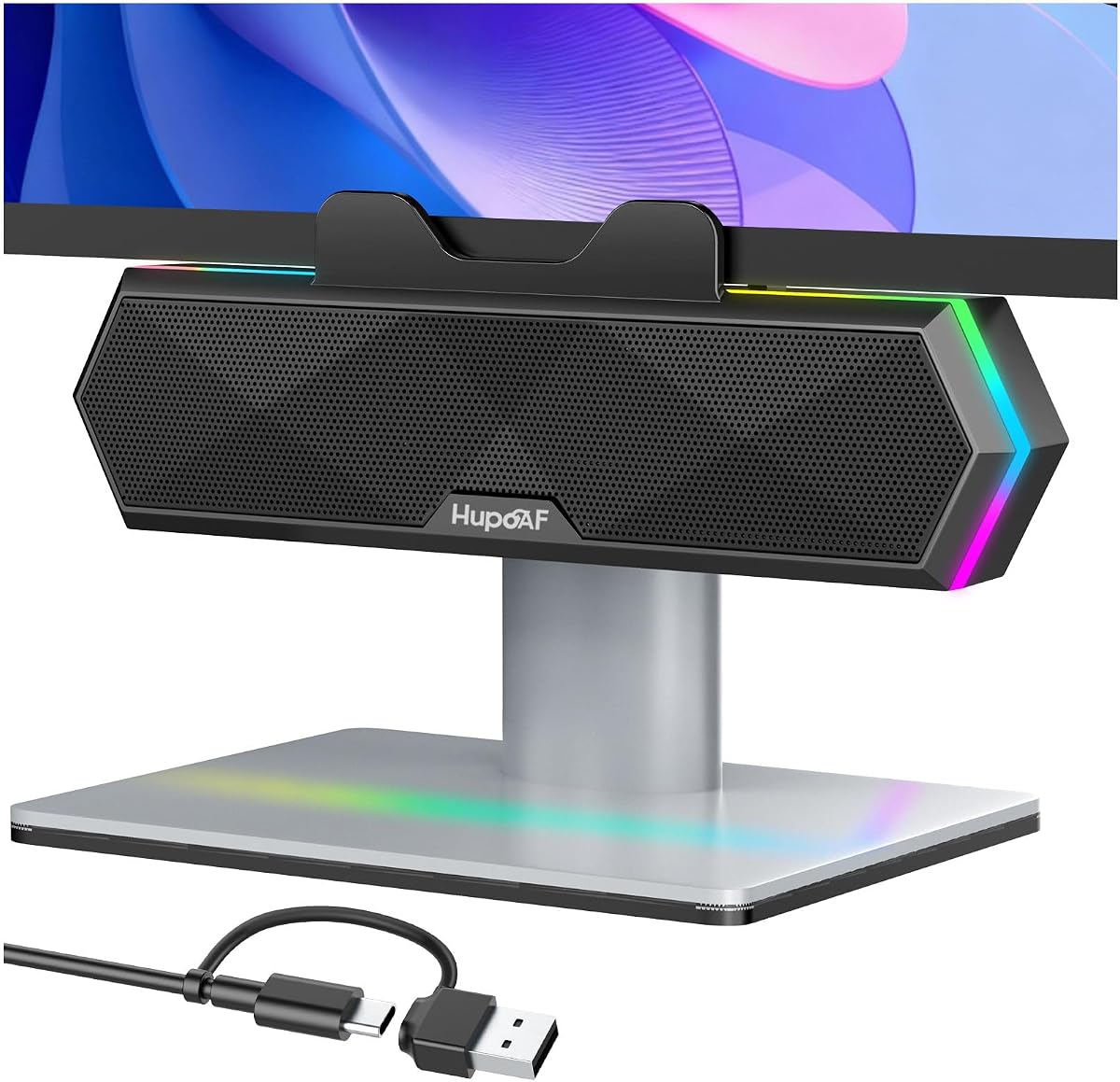
This speaker set offers an affordable entry point for MacBook users seeking improved audio. With a 4.2 rating, it delivers solid performance through USB connectivity and adaptive channel switching.
We may earn a commission when you buy through this link, at no additional cost to you.
The dual ultra-magnetic drivers paired with passive radiators ensure loud sound and deep bass. The built-in USB-C adapter makes it perfect for modern MacBooks without needing extra dongles.
While it lacks Bluetooth, the wired connection ensures zero latency for videos or calls. The adaptive channel switching ensures stereo balance regardless of where you clip the speakers.
Ideal for students or professionals on a budget, these speakers maximize desk space. They are a practical choice for anyone prioritizing clear audio without complex setup procedures.
The clip-on mount keeps your desk clear by attaching directly to the monitor edge for a tidy workspace.
A built-in G-sensor ensures left and right audio channels stay correct no matter how you mount the speakers.
We may earn a commission when you buy through this link, at no additional cost to you.
Amazon Basics speakers provide a straightforward solution for Mac users needing basic audio amplification. Rated at 4.4 stars, these speakers are known for reliability and ease of use.
We may earn a commission when you buy through this link, at no additional cost to you.
Powered directly from a USB port, they require no extra power sources. The in-line volume control allows quick adjustments without touching your MacBook during calls or media playback.
Sound quality is balanced with a bottom radiator that adds some bass depth. While not audiophile-grade, the clarity is sufficient for podcasts, video calls, and casual music listening.
These speakers are best for users who want a no-fuss setup. If you prefer simplicity and durability over advanced features, this pair delivers consistent results at a low cost.
An in-line control on the cable lets you adjust audio levels instantly without navigating system menus on your Mac.
A metal finish and scratch-free padded base ensure the speakers remain looking new even with daily use and movement.
We may earn a commission when you buy through this link, at no additional cost to you.
The Logitech Z207 brings wireless freedom to your MacBook setup with a strong wired backup option. Rated 4.4 stars, it balances performance with flexible connectivity options.
We may earn a commission when you buy through this link, at no additional cost to you.
Easy-Switch technology allows you to pause audio on one device and play on another effortlessly. This makes transitioning between your Mac and phone during breaks incredibly smooth.
Each speaker uses a passive radiator to extend bass frequencies without needing a large subwoofer. The built-in headphone jack adds versatility for private listening sessions when needed.
Best for users juggling multiple devices, these speakers simplify audio management. The combination of Bluetooth and cable inputs ensures you are never stuck without audio regardless of connection type.
Choose between Bluetooth wireless for mobility or 3.5mm cable for stable connections depending on your current setup needs.
Just pause audio on one device and press play on another to switch sources without needing complex menu navigation.
We may earn a commission when you buy through this link, at no additional cost to you.
Creative Pebble V3 is designed specifically for USB-C MacBook users seeking a modern look and powerful sound. With a 4.4 rating, it offers 50% louder output than previous models.
We may earn a commission when you buy through this link, at no additional cost to you.
The Clear Dialog audio processing ensures spoken words remain intelligible even at lower volumes. This is particularly useful for conference calls and watching content with dialogue-heavy scenes.
Drivers are elevated at 45 degrees to direct sound straight to your ears. This acoustic design minimizes desk reflection and improves the overall listening experience in typical office environments.
Perfect for professionals who value desk aesthetics and audio clarity. The gain switch allows you to push volume further when needed, making it versatile for various media consumption habits.
Clear Dialog technology optimizes voice frequencies so you hear every word clearly without increasing background noise levels.
The 45-degree tilt aims sound directly at ear level for optimal audio positioning without requiring speaker stands.
We may earn a commission when you buy through this link, at no additional cost to you.
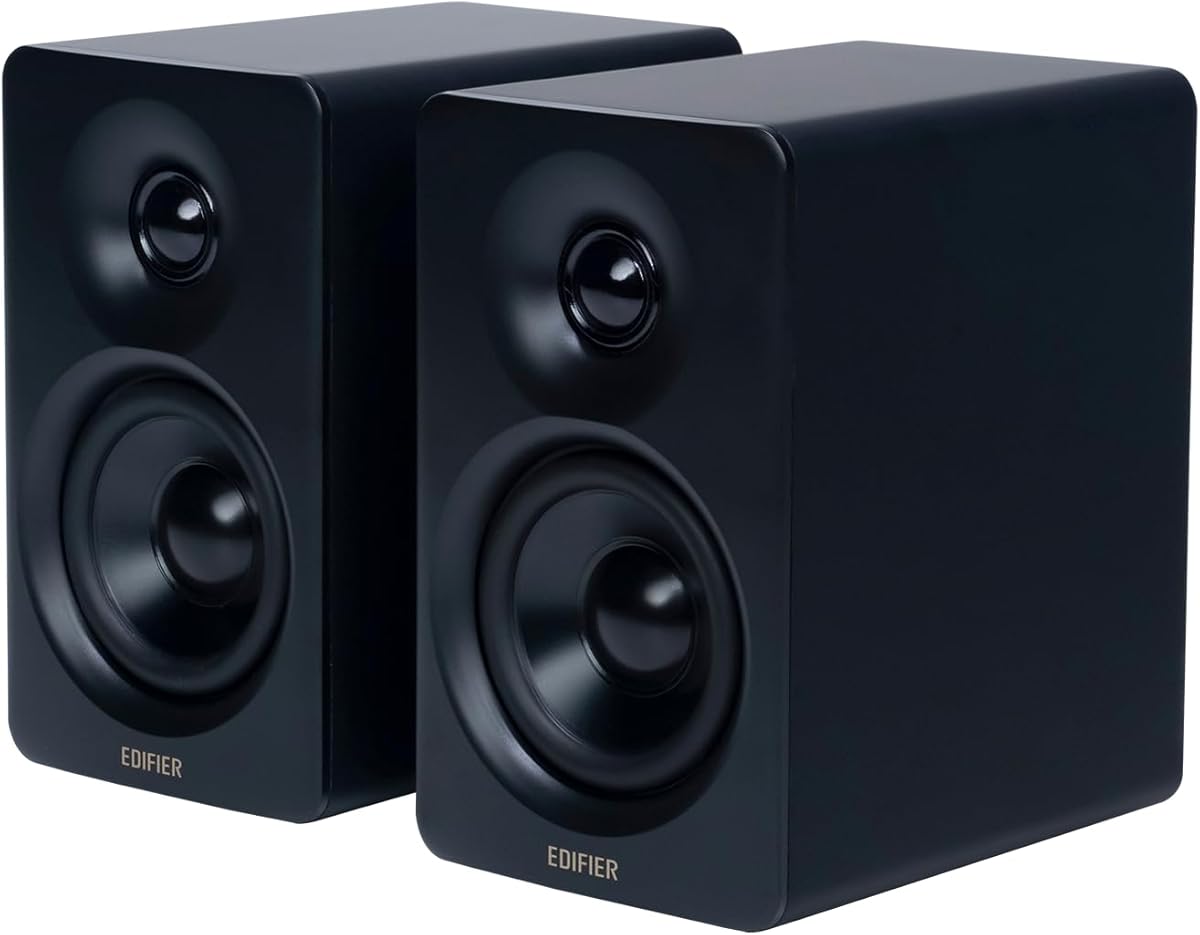
The Edifier M60 stands out with premium Hi-Res Audio certification and powerful output suitable for audiophiles. Rated 4.5 stars, it delivers rich sound with high-quality components and amplification.
We may earn a commission when you buy through this link, at no additional cost to you.
Bluetooth 5.3 supports the LDAC codec for high-bitrate wireless audio. This ensures minimal quality loss when streaming music from your Mac compared to standard Bluetooth connections.
A touch-sensitive panel offers intuitive control with automatic backlight activation. The included aluminum stands elevate drivers to ear level, reducing distortion and improving stereo imaging significantly.
Best for users seeking theater-quality sound at their desk. The combination of high wattage and refined tuning makes this an exceptional choice for music enthusiasts and movie watchers.
LDAC codec support allows streaming of high-resolution audio up to 24-bit/96kHz for exceptional detail and clarity.
Aluminum stands and silk dome tweeters ensure durability and refined sound reproduction that justifies the premium price.
We may earn a commission when you buy through this link, at no additional cost to you.
The Edifier MR3 is designed for precise audio reproduction with Hi-Res Audio certification. Rated 4.5 stars, it offers a flat response ideal for editing, recording, or critical listening tasks.
We may earn a commission when you buy through this link, at no additional cost to you.
Balanced TRS and RCA inputs provide versatile connectivity options beyond just Bluetooth. This makes it easy to connect audio interfaces or other professional gear alongside your MacBook setup.
You can fine-tune the sound using the ConneX app for personalized EQ adjustments. The MDF cabinet reduces resonance ensuring what you hear is accurate and not colored by the enclosure.
Ideal for creators needing accurate audio feedback. Whether you are editing video or mixing tracks, these monitors provide the clarity required to make informed production decisions effectively.
Download the ConneX app to tweak EQ settings and choose modes like Monitor or Music to suit your content needs.
Balanced TRS and RCA connections allow simultaneous linking of multiple devices for complex audio routing scenarios.
We may earn a commission when you buy through this link, at no additional cost to you.
These upgraded USB speakers focus on simplicity and volume. With a 4.2 rating, they offer a quick solution for boosting audio without complex wiring or software installation steps.
We may earn a commission when you buy through this link, at no additional cost to you.
Dual 3W drivers paired with a passive radiator deliver louder sound than typical built-in laptop speakers. The single USB cable handles both power and audio signals to reduce cable clutter.
Sound quality is tuned to favor bass presence over extreme clarity. This makes them suitable for casual gaming and video watching where impact is prioritized over nuance.
Best for users seeking a budget upgrade with minimal hassle. They plug directly into your Mac and work instantly, making them a convenient choice for dorm rooms or small offices.
No drivers are needed; simply plug into a USB port and select the playback device in your system settings to start using.
One USB cable provides both power and audio connection so you avoid messy wires across your desk surface.
We may earn a commission when you buy through this link, at no additional cost to you.
The FUNLOGY Speaker is a compact unit delivering 14W total output with a specialized tilt design. Rated 4.2 stars, it aims sound directly at ears for a more immersive experience.
We may earn a commission when you buy through this link, at no additional cost to you.
Full-range drivers provide clear mids and highs suitable for general use. The physical volume dial is easier to adjust than on-screen sliders, which is helpful during meetings or focused work.
Noise-reducing audio design minimizes static even when the PC is starting up. This consistent sound quality ensures you are not distracted by unwanted background noise or hum.
Ideal for small desks where space is limited but audio quality matters. The Japanese quality build ensures reliability, making this a solid choice for daily use without technical issues.
The 30-degree upward tilt ensures sound reaches your ears directly improving clarity without needing to adjust speaker position.
A dedicated dial on the speaker lets you change volume quickly without needing to access system settings or apps.
We may earn a commission when you buy through this link, at no additional cost to you.
The Dell Speakerphone SP3022 is optimized for business use rather than music playback. Rated 4.2 stars, it features AI noise cancellation and full duplex audio for natural conversations.
We may earn a commission when you buy through this link, at no additional cost to you.
Multiple people can speak at once and still be heard clearly during conferences. This full duplex capability prevents the awkward pauses often experienced with half-duplex audio devices.
LED indicators show call status and mute settings clearly for quick visual checks. The dedicated Teams button allows instant access to meetings without navigating software menus manually.
Best for remote workers prioritizing communication quality. If you spend most of your day on calls rather than listening to music, this device offers significant advantages over standard speakers.
AI noise cancellation filters out background sounds so your voice sounds clear and professional to everyone on the call.
A dedicated Teams button gives you quick access to meetings and notifications directly from your desk hardware.
We may earn a commission when you buy through this link, at no additional cost to you.
These speakers combine audio performance with aesthetic appeal through dynamic RGB lighting. With a 4.6 rating, they deliver sparkling highs and deep bass in a compact clip-on package.
We may earn a commission when you buy through this link, at no additional cost to you.
Six lighting modes allow customization to match your gaming rig or mood. You can turn them off completely with a long press if you prefer a distraction-free workspace during work hours.
Dedicated controls on top make adjusting volume and playback convenient without using your mouse. The clamp design ensures stability on most monitors without scratching the surface or leaving marks.
Best for gamers or enthusiasts who value a cohesive desk setup. While not a traditional audiophile tool, the combination of sound and style creates an immersive environment for daily entertainment.
Cycle through six vibrant RGB modes with a single button to match your personal style or turn them off entirely.
A non-slip spring clamp mounts securely to monitor edges ensuring the speakers stay in place during normal use.
We may earn a commission when you buy through this link, at no additional cost to you.
Choosing the right speakers involves balancing sound quality, connectivity, and physical design to suit your specific workspace needs.
For modern MacBooks, USB-C connectivity is crucial to avoid dongles. If you prefer wireless freedom, ensure the speaker supports Bluetooth 5.0 or higher for stable connections.
Always check if the speaker supports your preferred input method to ensure a seamless setup experience.
Look for speakers with dedicated bass drivers or passive radiators to ensure deep low-end response that built-in MacBook speakers lack.
High-quality drivers ensure dialogue remains clear for work calls and movies without distortion at higher volumes.
Some speakers draw power directly from USB ports while others require wall outlets. Determine what fits your desk power availability before purchasing.
USB powered speakers offer more flexibility for laptops but may have lower maximum volume than mains powered models.
If desk space is limited, consider clip-on or compact soundbar designs that attach directly to your monitor to save room.
Larger speakers with stands offer better audio dispersion but require significant desk real estate for optimal placement.
Physical knobs or touch controls make adjusting volume easier than using system menus frequently during media playback or meetings.
Some models offer app-based EQ adjustments for fine-tuning sound to match your listening environment preferences.
Entry-level speakers under $30 provide a significant upgrade over built-in audio for casual use without breaking the bank.
Investing more than $100 brings professional quality with better build materials and accurate sound reproduction for creators.
Materials like metal or high-grade plastic ensure speakers last longer and resist scratches from daily desk movement.
Look for stable bases that won't tip over easily if you have a busy workspace environment with frequent movement.
Features like microphone support for calls or RGB lighting can add value depending on whether you prioritize work or entertainment.
Verify specific features like LDAC support if high-resolution wireless audio streaming is a critical requirement for you.
Begin by connecting your speakers to your MacBook via USB-C or Bluetooth. If using USB, ensure the port provides enough power for the device to function at full volume.
Adjust the volume using physical controls on the speaker or the Mac system slider. If available, use software apps to fine-tune EQ settings to your room acoustics.
Keep speakers dry and dust-free by wiping them gently with a soft cloth. Avoid placing liquids near them to prevent electrical damage to internal components.
Yes, all listed speakers are compatible with MacBook Pro models including those with M2 and M3 chips. USB-C models connect directly without adapters while Bluetooth models pair universally with macOS systems.
Go to System Settings and select Sound. Choose your external speakers from the Output list. Some models connect instantly while others require pressing a Bluetooth pairing button first.
Most USB speakers draw a small amount of power that slightly affects battery life. Using a powered USB hub can prevent this drain and ensure consistent performance.
Yes, especially models like the Edifier MR3 designed for monitoring. They offer flat response curves that help editors hear audio details accurately for production work.
USB-C speakers plug directly into modern MacBook ports while USB-A speakers need a dongle. USB-C models generally offer a cleaner setup and direct digital audio transmission.
Check Mac Sound settings to ensure volume is up and output is selected correctly. Some speakers have a gain switch that needs to be turned on for full power.
Our top picks include the Edifier MR3 for studio quality, the Creative Pebble V3 for modern minimalism, and the USB monitor speaker for budget efficiency.
Prioritize your specific needs such as bass depth for movies or clarity for meetings to select the right model from this comprehensive comparison guide.
Always check current availability and warranty details before purchasing as specifications and stock may change regularly on retailer websites.